How to Set Up Your Apple Watch as a Complete Home Fitness Hub
Learn how to use your Apple Watch beyond basic ring-closing—set up Training Load, Workout Buddy, Fitness+ Custom Plans, and third-party apps like Hevy to create a complete home fitness tracking and coaching system. This guide covers accuracy caveats, battery management, and how the Apple Watch compares to dedicated trackers like Whoop and Garmin.
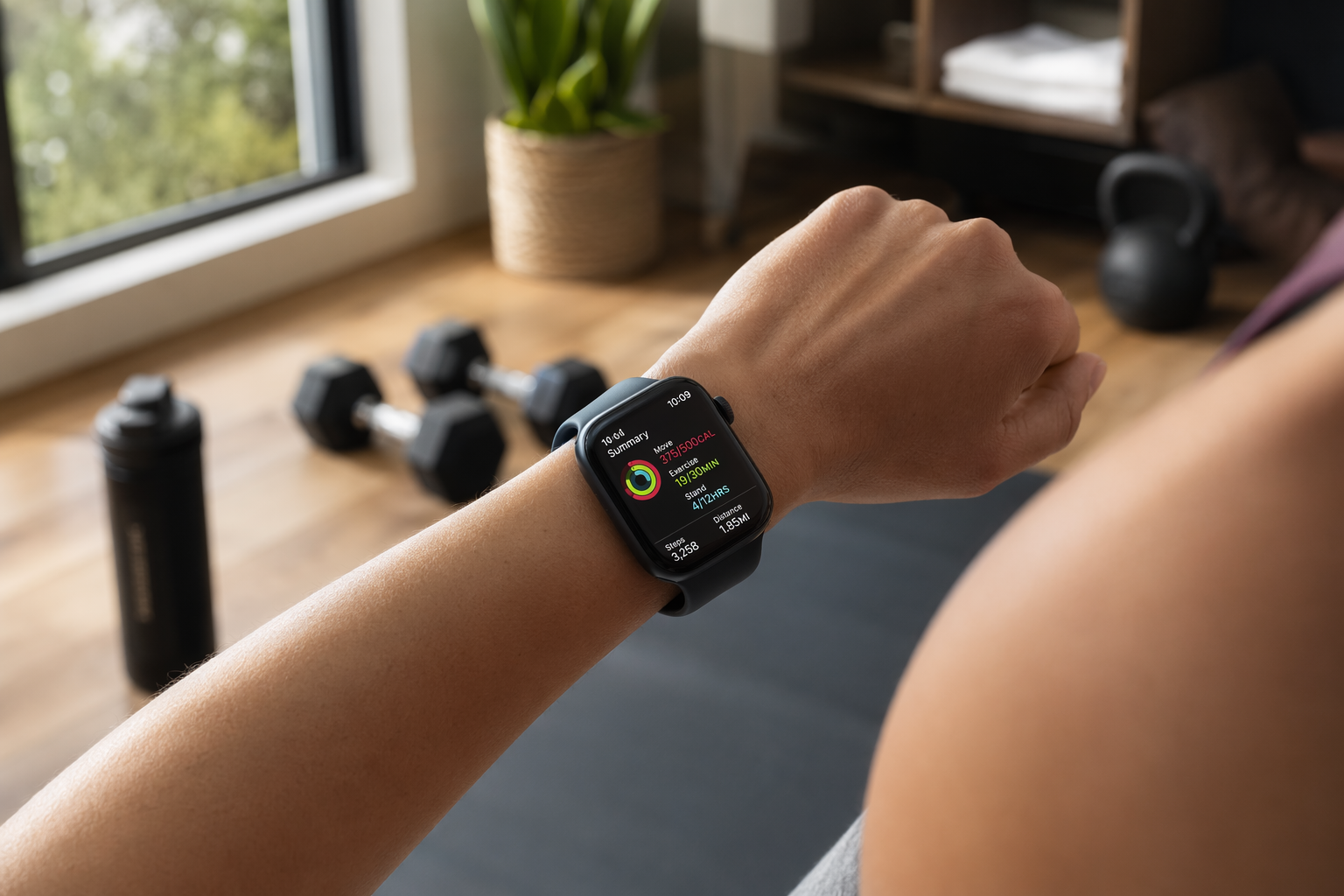
Most Apple Watch owners already have enough hardware to run home training; what they usually lack is a setup that treats the watch as a system instead of a step counter. Apple’s own fitness stack already covers rings, workouts, heart-rate tracking, and the built-in coaching layer, so the first job is to configure those pieces before adding anything else.[1]
Turn the native Apple stack into one routine
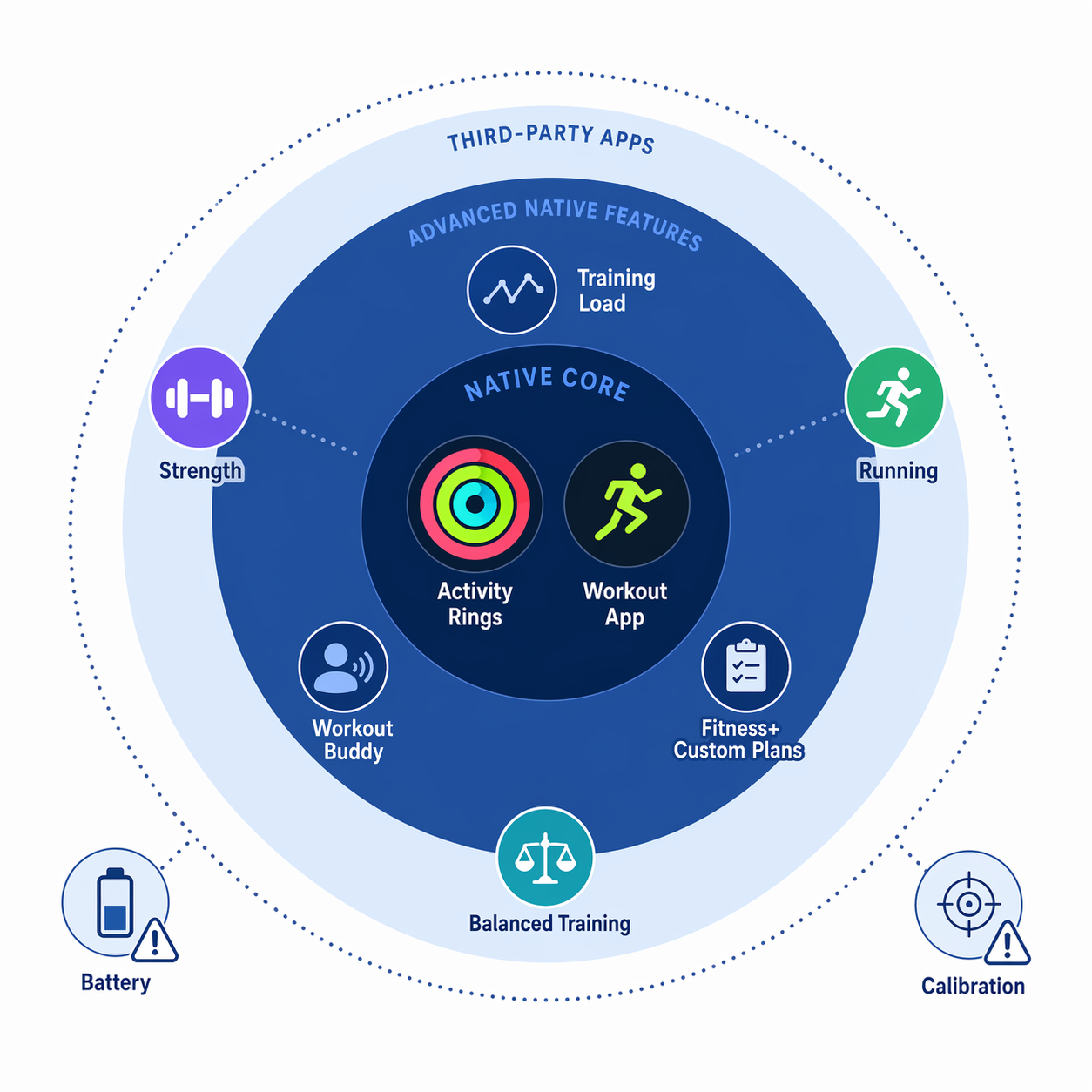
Start with the parts that are already in watchOS: Activity Rings, the Workout app, Training Load, Workout Buddy, and the ability to tune goals for different days. That turns the watch from a generic dashboard into a weekly training controller. A hard lower-body day can carry a higher Exercise target; a rest day can ask less; a deload week can pause the ring chase entirely so the watch stops rewarding recovery with guilt.
- Set weekday-specific ring targets instead of leaving the same goal in place all week.
- Use Training Load as the follow-up check after harder sessions so the watch reflects accumulated work, not just today’s workout.
- Turn on Workout Buddy for supported workouts if you want spoken cues during training.
- Treat deloads as planned pauses, not failed streaks.
That matters because most home athletes do not need more metrics; they need fewer places to remember what the plan was yesterday. The watch works best when the plan lives on the wrist.
Use Fitness+ as structure, not as noise
If you want guided sessions without building everything from scratch, Apple Fitness+ adds a real training layer. Apple lists 12 workout types, and Custom Plans let you set recurring workouts instead of treating every session like a one-off.[2] For people who train at home several days a week, that is the difference between having an app and having a schedule.
Third-party apps should fill gaps, not duplicate the watch. Hevy makes sense when strength logging matters more than a generic workout timer. Runna fits if your running needs progression and structure. Gentler Streak is useful when you care about balancing load across the week. SmartGym helps if you want a cleaner way to plan lifting sessions than the built-in Workout app usually gives you.
Get the numbers to mean what they claim
Apple Watch is trustworthy enough to guide training, but not every metric deserves the same confidence. A January 2026 systematic review in npj Digital Medicine that pooled 82 studies and 430,052 participants found mean absolute percentage error of 4.43% for heart rate and 8.17% for step count, which is strong enough for day-to-day coaching.[3] The same review found energy expenditure error of 27.96%, which is useful only if you treat calorie burn as a trend line rather than a balance sheet.[3]
That boundary matters even more because the review skewed toward physically active adults and older Apple Watch models in many energy studies, so it is safer to trust the direction of the number than the exact total.
Apple’s calibration guidance is the part most people skip and probably should not. Calibrate outdoors, let the watch learn from your walking or running pace, keep location and motion permissions active, and recalibrate when the watch has been reset or the device setup changes.[4]
Battery is the other non-negotiable. The Apple Watch can cover the day, but a roughly 1.5-day battery means sleep and recovery tracking only stay continuous if charging becomes routine rather than accidental. A short top-up after a workout or before a shower is not glamorous, but it is what keeps the system from breaking at night.
When Apple Watch is enough
For most home athletes, this is enough: native workouts, rings tuned to the week, Training Load to spot overload, Fitness+ when you want a programmed session, and one or two third-party apps for the gaps. That setup can replace a dedicated fitness band without turning training into another admin job.
The line moves when the use case changes. If the goal is screenless 24/7 recovery tracking, frequent charging feels unacceptable. If the priority is multi-day outdoor coverage, Garmin still has the cleaner answer. If you want the simplest all-in-one path for living-room training, though, the Apple Watch is already close to a complete home fitness hub — provided you accept that calorie estimates are rough, not exact.
References
- Apple Support — Stay fit with Apple Watch
- Apple — Apple Fitness+
- npj Digital Medicine / Nature — Systematic review of Apple Watch measurement accuracy across 14 health metrics — January 2026
- Apple Support — Calibrate your Apple Watch for improved Workout and Activity accuracy
Verify further before you buy:
Price or spec changed since we checked? Report it below.
Comments
Join the discussion with an anonymous comment.