
Fitness Band Tracker for Beginners: What to Track, What to Skip, and Which to Buy
A practical decision guide for home fitness beginners choosing their first wearable — covering which metrics actually matter for building a routine, which features are marketing overreach, and how to pick the right band tracker for your phone, budget, and goals without overspending.
Fitness Band Tracker vs. Smartwatch: What's the Difference for a Beginner?
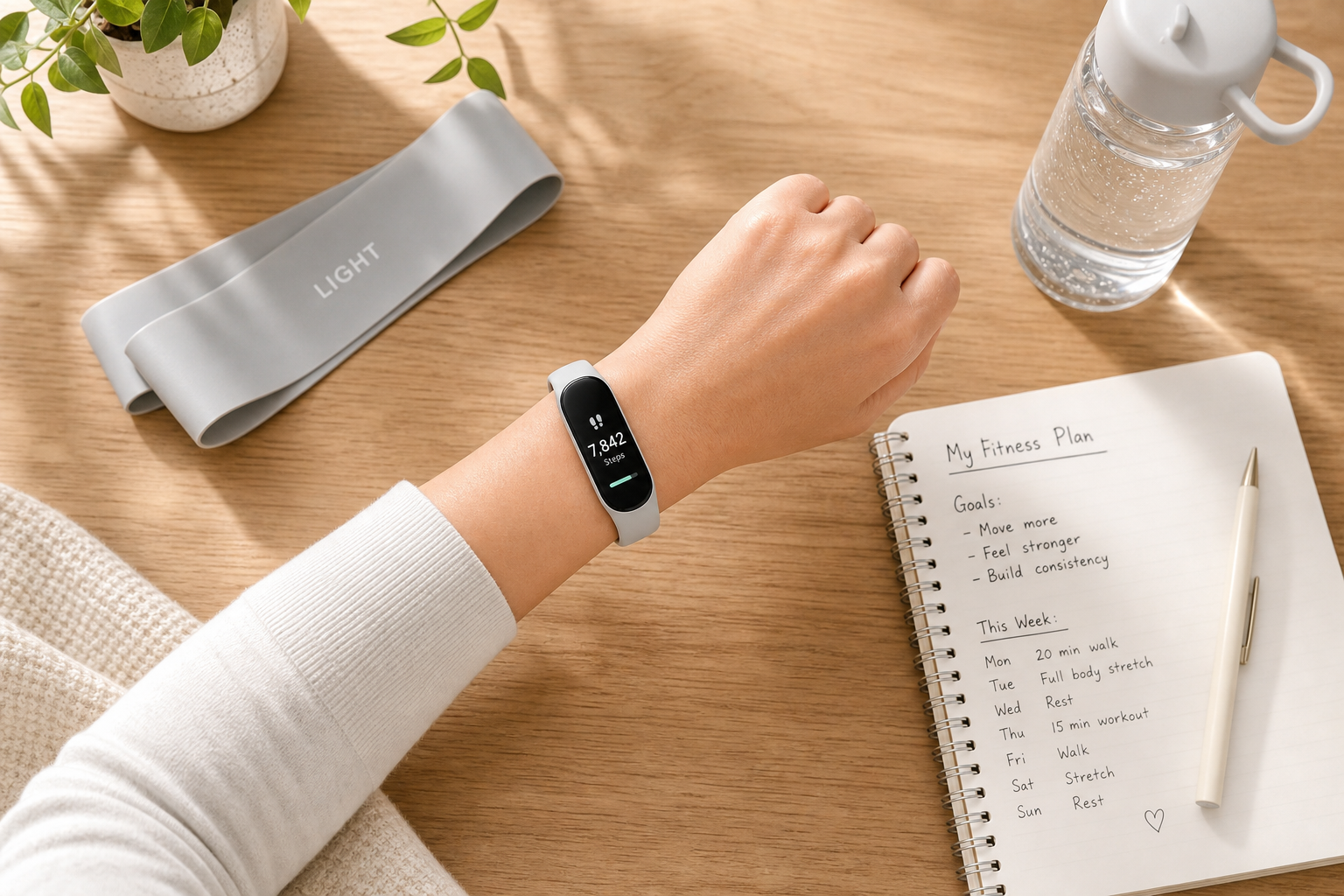
A fitness band tracker is a slim, lightweight wearable designed to do one thing well: monitor your body's basic health signals throughout the day. It sits flat on your wrist, runs for a week or more between charges, and costs a fraction of what a smartwatch does. A smartwatch, by contrast, is a connected device — it handles notifications, apps, payments, and voice assistants, and it typically needs charging every night.
For someone building their first home fitness routine, that distinction matters. You don't need a second phone on your wrist. You need something that tracks your sleep, counts your movement, and gives you a weekly picture of how your body is responding to the work you're putting in — without dying mid-afternoon because you forgot to charge it.
- Battery life: Fitness trackers typically last 5–14 days. Most smartwatches need daily charging.
- Form factor: Trackers are slimmer and lighter, which matters for sleep tracking and all-day wear comfort.
- Cost: Quality fitness bands start around $44. Comparable smartwatches start around $200–$300.
- Focus: Trackers surface health metrics clearly. Smartwatches add features most beginners won't use.
The 4 Metrics That Actually Matter for Home Fitness Beginners
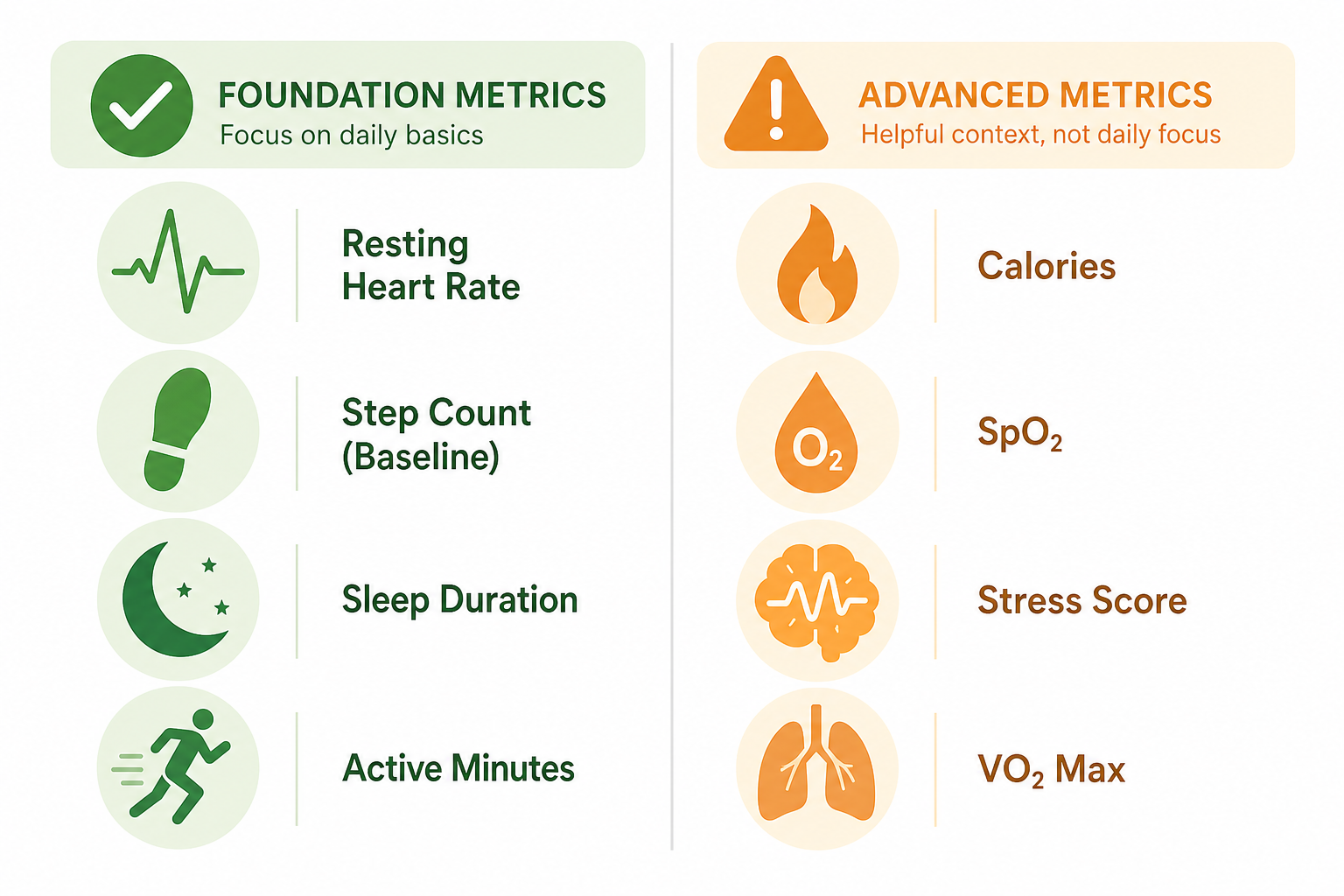
Most fitness trackers surface a dozen or more data points. For a beginner building a home routine, four of them are genuinely actionable. The rest are either unreliable at this stage, require context you don't yet have, or exist primarily to make the device look more sophisticated on a spec sheet.
1. Step Count — as a Personal Baseline, Not a Daily Target
Step count is the most straightforward metric on any tracker, and it's useful — but not in the way most marketing suggests. The 10,000-steps-per-day figure is, as Wirecutter's testing notes, arbitrary at best. It has no scientific basis as a universal health threshold.
What step count is actually useful for: establishing your own baseline in the first week, then trying to beat it. If you average 4,200 steps on your non-workout days in week one, that number becomes your reference point — not someone else's round number.
2. Resting Heart Rate Trend — the Clearest Fitness Signal a Tracker Gives You
Resting heart rate (RHR) is the number of times your heart beats per minute when you're at rest — typically measured by your tracker during sleep or early morning. A single reading tells you very little. But a downward trend over four to eight weeks of consistent training tells you something real: your cardiovascular system is becoming more efficient.
As one gets more fit, resting heart rate tends to decrease because the heart is stronger and more efficient.
That observation, from Johns Hopkins cardiologist Seth Martin as cited in Wirecutter's tracker testing, is the core reason RHR trend is the most valuable metric a beginner can watch. It's a direct, measurable signal of adaptation — and it shows up in the weekly view of almost every fitness app.
3. Sleep Duration Consistency — More Useful Than Sleep Stage Percentages
Wrist-based trackers can reliably estimate how long you slept and how fragmented your sleep was. What they struggle with is accurately classifying sleep stages — the breakdown between light, deep, and REM sleep. UCSF psychiatry professor Aric Prather, cited in Wirecutter's research, notes that wearables can estimate total sleep time and fragmentation reasonably well, but that accuracy drops significantly when it comes to sleep architecture like minutes in deep sleep.
For a beginner, the actionable question is simpler: are you consistently getting enough sleep? Tracking whether you're hitting 7–8 hours most nights — and whether that's improving or declining during a training block — is more useful than obsessing over whether your deep sleep percentage changed by two points.
4. Active Minutes — a Simple Motivational Signal
Active minutes count the time you spend in moderate-to-vigorous movement — walking briskly, doing a home workout, climbing stairs. It's a broad metric, but it's honest: it tells you whether you actually moved your body in a meaningful way today, separate from your baseline step count. For beginners building consistency, seeing that number go up week over week is a direct motivational cue that the habit is taking hold.
Metrics to Approach with Skepticism
The following metrics appear on most fitness trackers and are marketed prominently. They are not useless, but they are not reliable enough for a beginner to use as the basis for training or nutrition decisions. Understanding their limitations will save you from making changes based on data that doesn't mean what it appears to mean.
- Calorie burn: Every brand uses its own proprietary algorithm — some weight heart rate more heavily, others rely on accelerometer data. As Mayo Clinic sports medicine researcher Andrew Jagim notes in Wirecutter's testing, there is no standardized method. Error margins are significant and variable across individuals. Do not use calorie burn data to make nutrition decisions.
- SpO2 (blood oxygen): No mainstream fitness tracker offers on-demand, medical-grade blood oxygen readings. Overnight passive readings are available on many devices, but these are wellness indicators, not diagnostic data. If you have concerns about blood oxygen levels, consult a healthcare provider — a consumer wrist tracker is not the right tool.
- Stress scores: These are proxy measures derived from heart rate variability (HRV) and skin conductance sensors. They are not validated clinical measures of stress. They can be directionally interesting over time, but treating a single stress score as meaningful will lead you astray.
- VO2 max estimates from wrist sensors: VO2 max is a meaningful measure of aerobic capacity, but accurate VO2 max testing requires controlled lab conditions. Wrist-sensor estimates at beginner fitness levels are not reliable enough to inform training decisions.
- Sleep stage percentages: As noted above, sleep stage breakdown is the least reliable output from wrist-based sleep tracking. Focus on total sleep time and consistency instead.
The 4 Buying Filters — In the Order That Actually Matters
Most people start comparing fitness trackers by features or price. That's the wrong order. Start with the filter that eliminates the most wrong choices immediately, then work down from there.
Filter 1: Platform Compatibility (Do This First)
Your phone's operating system determines which trackers are available to you. This isn't a minor consideration — it's a hard cutoff. Consumer Reports confirms that Apple Watch works only with iPhones, and Android smartwatches running Wear OS work only with Android phones.
The Samsung Galaxy Fit3 is Android-only — it does not work with iOS at all. If you have an iPhone and buy one, it won't function as a tracker for you. Fitbit and Garmin Lily work with both iOS and Android, which makes them the default cross-platform options for most beginners.
Filter 2: Budget Tier
Three tiers cover nearly all beginner-appropriate options: under $60, $60–$120, and $120–$200. The step up from one tier to the next buys you a better display, more reliable heart rate tracking during exercise, and in the top tier, built-in GPS. For home workouts, the GPS is unnecessary — it adds cost and battery drain with no practical benefit when you're not covering outdoor distance.
Filter 3: Battery Life (Target at Least 5–7 Days)
A tracker you have to charge every night is a tracker you'll stop wearing to bed, which breaks sleep tracking. A tracker that dies mid-week creates data gaps that make trend analysis unreliable. Aim for at least five to seven days of real-world battery life — not the manufacturer's maximum-quoted figure, which typically assumes minimal feature use.
Filter 4: Subscription Cost as a Total Ownership Factor
Device price is the number on the box. Total cost of ownership is what you actually spend over two years. Several trackers lock meaningful features behind a paid subscription. Apply this filter last — after you've confirmed compatibility, fit your budget, and checked battery life — but don't skip it. The subscription cost table in the next section shows how dramatically this changes the math.
Budget-Tiered Picks for Home Fitness Beginners
The following picks are anchored to home workout use cases. Each recommendation is based on independent testing from Wirecutter, PCMag, and Forbes Vetted — not manufacturer claims.
Under $60: Samsung Galaxy Fit3 (Android Only)
At approximately $44, the Samsung Galaxy Fit3 is the best value option for Android users. PCMag testing confirms accurate heart rate readings and weeklong battery life, with no subscription required for core functionality. The caveat is absolute: it does not work with iOS. If you have an iPhone, this device is not an option for you.
$60–$120: Fitbit Inspire 3 and Fitbit Air (Cross-Platform)
The Fitbit Inspire 3 (approximately $93–$100) is PCMag's Best for Beginners pick and the most accurate tracker for step count in Wirecutter's testing — off from a validated pedometer by just 0.32% over a two-day period. Real-world battery life tested at 8.5 days. It works with both iOS and Android, has a color AMOLED touchscreen, and the free app tier covers all four beginner-relevant metrics. It does not have built-in GPS, which is fine for home workouts.
The Fitbit Air (approximately $100) is a screenless tracker released in May 2026. PCMag named it Editors' Choice for screenless trackers, with 8.5 days of tested battery life, accurate heart rate and sleep tracking, and cross-platform compatibility via the Google Health app. It features Gemini AI coaching and automatic activity detection. Because it has no screen, you check metrics through the app rather than your wrist — a meaningful difference in day-to-day use that suits some people and doesn't suit others.
$120–$200: Fitbit Charge 6
The Fitbit Charge 6 (approximately $127–$160) adds built-in GPS and Google app integration to the Fitbit platform. Forbes Vetted testing found its heart rate sensor kept up well during high-intensity workouts. For a home-focused beginner, the GPS adds cost without adding value — you're not tracking outdoor runs. But if you plan to use this tracker for both home workouts and outdoor walks or runs, the GPS becomes relevant. Battery life is approximately seven days.
| Device | Price (approx.) | Platform | Battery Life | Subscription Needed | Best For |
|---|---|---|---|---|---|
| Samsung Galaxy Fit3 | ~$44 | Android only | 7+ days | No | Android users, tight budget |
| Fitbit Inspire 3 | ~$93–$100 | iOS + Android | 8.5 days | Free tier available | Cross-platform beginners |
| Fitbit Air | ~$100 | iOS + Android | 8.5 days | Free tier available | Screen-free preference |
| Fitbit Charge 6 | ~$127–$160 | iOS + Android | ~7 days | Free tier available | Home + outdoor hybrid use |
The Real Cost of Ownership: Device Price Plus Subscription
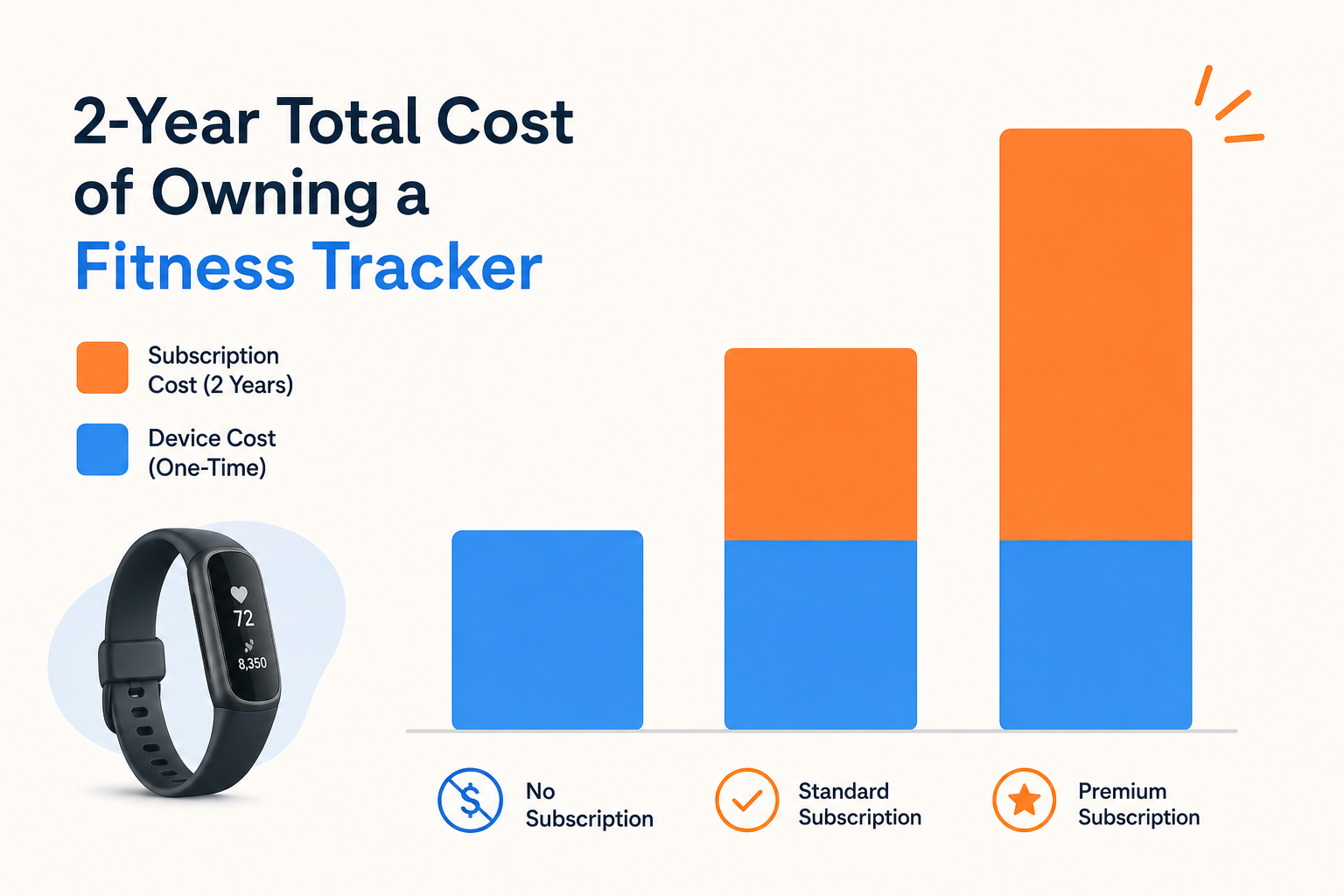
The sticker price on a tracker is not what you'll spend over two years. Subscription tiers change the math significantly — and for some devices, the subscription is where the company makes most of its revenue.
| Subscription Tier | Annual Cost | 2-Year Cost on a $100 Device | Notes |
|---|---|---|---|
| No subscription (e.g., Galaxy Fit3) | $0/year | $100 total | All core metrics available without a paid plan |
| Fitbit free tier | $0/year | $100 total | Step count, RHR, sleep duration, active minutes included |
| Fitbit / Google Health Premium | $80–$100/year | $260–$300 total | Existing subscribers pay $80/yr; new Google Health Premium subscribers pay $100/yr |
| Whoop (entry tier) | $199/year | $498 total | Device included in subscription; no separate device purchase |
| Whoop (top tier) | $359/year | $818 total | Whoop MG tier; overkill for home fitness beginners |
For most beginners, the Fitbit free tier covers everything in the four core metrics — step count, resting heart rate trend, sleep duration, and active minutes. The paid Premium tier adds guided programs, deeper health reports, and personalized insights. It is worth evaluating after you've used the free tier for a month and know whether you'll actually engage with those features.
How to Connect Your Tracker Data to Your Home Workout Routine
Getting a tracker is step one. Using its data to actually improve your training is step two — and it requires a different mindset than most people start with. The instinct is to check numbers daily and react to them. The better approach is to build a baseline first, then look for weekly trends.
Week 1: Set Your Baseline Before Drawing Any Conclusions
Wear the tracker for your first week without changing anything about your routine. Let it collect your natural resting heart rate, your average daily steps, your typical sleep duration, and your active minutes on workout days versus rest days. These numbers are your personal reference points — everything you track going forward is measured against them, not against a generic benchmark.
Using Resting Heart Rate as a Recovery Signal
Once you have a baseline resting heart rate, you can use daily morning readings as a rough recovery indicator. If your RHR is elevated by 5 or more beats per minute above your personal baseline on a given morning, your body may not have fully recovered from the previous session. Consider a lighter workout or an active rest day instead of pushing through a hard session.
This is not a precise science at the wrist-sensor level — individual readings can vary due to hydration, alcohol, illness, or poor sleep. But as a directional signal over weeks of consistent tracking, it is one of the most practical ways a beginner can use wearable data to make smarter training decisions.
Look at Weekly Patterns, Not Daily Numbers
Daily tracker readings are noisy. A single bad sleep score or an unusually low step count on a Tuesday tells you almost nothing useful. What tells you something useful is the weekly view: is your average resting heart rate lower this week than it was four weeks ago? Are your active minutes trending up? Is your sleep duration more consistent?
- Check the weekly summary in your app, not just today's readings.
- Track your resting heart rate weekly average — a downward trend over 4–8 weeks is a direct signal of improving cardiovascular fitness.
- Use sleep duration consistency as a readiness signal — not stage percentages, which are less reliable from wrist sensors.
- Note your active minutes on workout days to confirm your sessions are registering as moderate-to-vigorous effort.
The goal is not to optimize every data point. It is to build a consistent home fitness routine and use your tracker to confirm that the routine is working — through the slow, steady decline in resting heart rate and the gradual increase in active minutes that show up when you stick with it over weeks.
This is general fitness education, not medical advice. For diagnosis or treatment of pain or injury, consult a qualified clinician.
Pick your next session
Browse all routines to find an appropriately-spaced next session.
Spot something off?
This content sits adjacent to health guidance — tell us if a citation or figure needs a correction.