
Best Free Workout Apps for Home Fitness (And What They Actually Lock Behind a Paywall)
Most workout apps call themselves free but hide the features that matter — progress tracking, full workout history, and rest timers — behind a subscription wall. This guide maps which apps are genuinely free, which are bait-and-switch, and which best fit your home fitness setup by equipment level and goal.
Why 'Free' in the App Store Doesn't Mean What You Think
The word free on an app store listing is a pricing label, not a feature description. It tells you the download costs nothing. It says nothing about what the app actually lets you do once you open it. For workout apps specifically, this gap between the label and the reality is wide enough to waste a significant amount of your time.
There are four distinct models hiding behind the free label, and they behave very differently:
- Fully free — No paid tier exists. Every feature is available to every user indefinitely. Nike Training Club is the clearest example of this model in the workout app space.
- Free trial that expires — The app is fully functional for 7 to 30 days, then requires a subscription to continue. This is the most common bait-and-switch pattern. You build a habit and a workout history, then hit a wall.
- Freemium with a feature cap — The app is permanently free but restricts specific features — often the ones you actually need, like full workout history, rest timers, or progress charts — to paying subscribers. The free tier is functional enough to try but limited enough to frustrate.
- Ad-supported — The app is free and fully functional, but you watch ads between sets or on the home screen. The cost is attention rather than money. For home fitness use, this is generally the most tolerable trade-off.

The problem is that app store listings rarely identify which model applies. The listing says free, the screenshots look complete, and you only discover the paywall after you've logged three weeks of workouts. This guide is designed to save you that discovery process.
The Features That Should Never Cost Money
Before evaluating any specific app, it helps to have a concrete baseline. A workout app's free tier is genuinely useful if it provides all four of the following without prompting you to upgrade:
- Unlimited set and rep logging — You should be able to log every set of every exercise in every session, indefinitely. Any cap on the number of workouts you can log per month is a red flag.
- Full workout history access — Your logged sessions should be viewable without restriction. Capping history to 30 days or the last 10 workouts is a common paywall tactic that makes the free tier useless for tracking progress over time.
- A functional rest timer — This is a basic training tool. Locking it behind a subscription is one of the clearest signals that an app's free tier is designed to frustrate rather than serve.
- Basic progress charts — You should be able to see whether you're lifting more weight over time or completing more reps. Volume and one-rep-max estimates are the minimum useful output from a strength logging app.
Anything beyond these four — AI coaching, structured multi-week programs, nutrition tracking, video form analysis — is a reasonable candidate for a paid tier. But if an app puts a paywall on any of the four basics, its free tier is not genuinely useful for home fitness training.
Best Free Apps for Guided Home Workouts and Beginners
If you're new to home fitness or working in a small space with minimal equipment, guided video workouts are the most practical starting point. You don't need to build a program from scratch — you follow along with a trainer who cues form and pacing in real time. Two apps stand out in this category for their genuinely free access.
Nike Training Club
Nike Training Club is the only major guided workout app that is 100% free with no paid tier at all. Every workout in the library — bodyweight, dumbbell, yoga, HIIT, mobility — is available to every user without a subscription, trial period, or ad interruption. There is no upgrade prompt because there is nothing to upgrade to.
For beginners building a home fitness practice, this makes NTC the lowest-risk starting point available. The library is large enough to provide variety for months, the workouts are organized by duration (as short as 15 minutes) and equipment level, and the video instruction quality is consistent. The app covers both iOS and Android.
The trade-off is that NTC is not a strength logging tool. You cannot log sets and reps, track progressive overload, or view a history of your personal bests. It is a guided workout library, not a training tracker. For users who want to follow along with structured sessions without worrying about recording numbers, it is the strongest free option available. For users who want to track strength progress, it needs to be paired with a separate logging app.
FitOn
FitOn offers a large library of guided video workout classes — cardio, HIIT, strength, pilates, yoga, and stretching — with hundreds of classes available on the free tier. The app is designed for users who want variety and instructor-led sessions without equipment requirements, which maps well to apartment gym setups and beginners who haven't yet assembled any home gym equipment.
FitOn operates on a freemium model with a paid tier (FitOn PRO) that adds features including offline downloads, meal plans, and personalized workout plans. The free tier is functional and genuinely broad — you won't exhaust the free class library quickly. The main limitation is that the free tier does not include strength logging or progress tracking in any meaningful form. Available on both iOS and Android.
- Best for: Beginners, apartment gym users, users who prefer video-led sessions over self-programmed lifting.
- Equipment needed: None required for most classes; some classes use dumbbells or resistance bands.
- Free tier limit: No cap on class access; offline downloads and personalized plans require PRO.
Best Free Apps for Strength Training and Home Gym Users
If you have dumbbells, a barbell, or a power rack, your app needs to do more than stream video. You need a tool that logs your sets and weights, tracks progressive overload over time, and ideally provides structured programming that accounts for the specific equipment you own. Three apps serve this use case well on their free tiers.
Boostcamp
Boostcamp's free tier includes access to over 1,000 strength programs — including well-known programs like 5/3/1, GZCLP, and various dumbbell-focused programs — with built-in progressive overload tracking. The app calculates when to increase weight, logs your history, and presents each session in a straightforward format.
For home gym users who want structured programming without building their own spreadsheet, Boostcamp is the most complete free offering in this category. The program library includes options specifically designed for dumbbell-only setups and home gym configurations, which matters when you're working with limited equipment. Available on iOS and Android.
Hevy
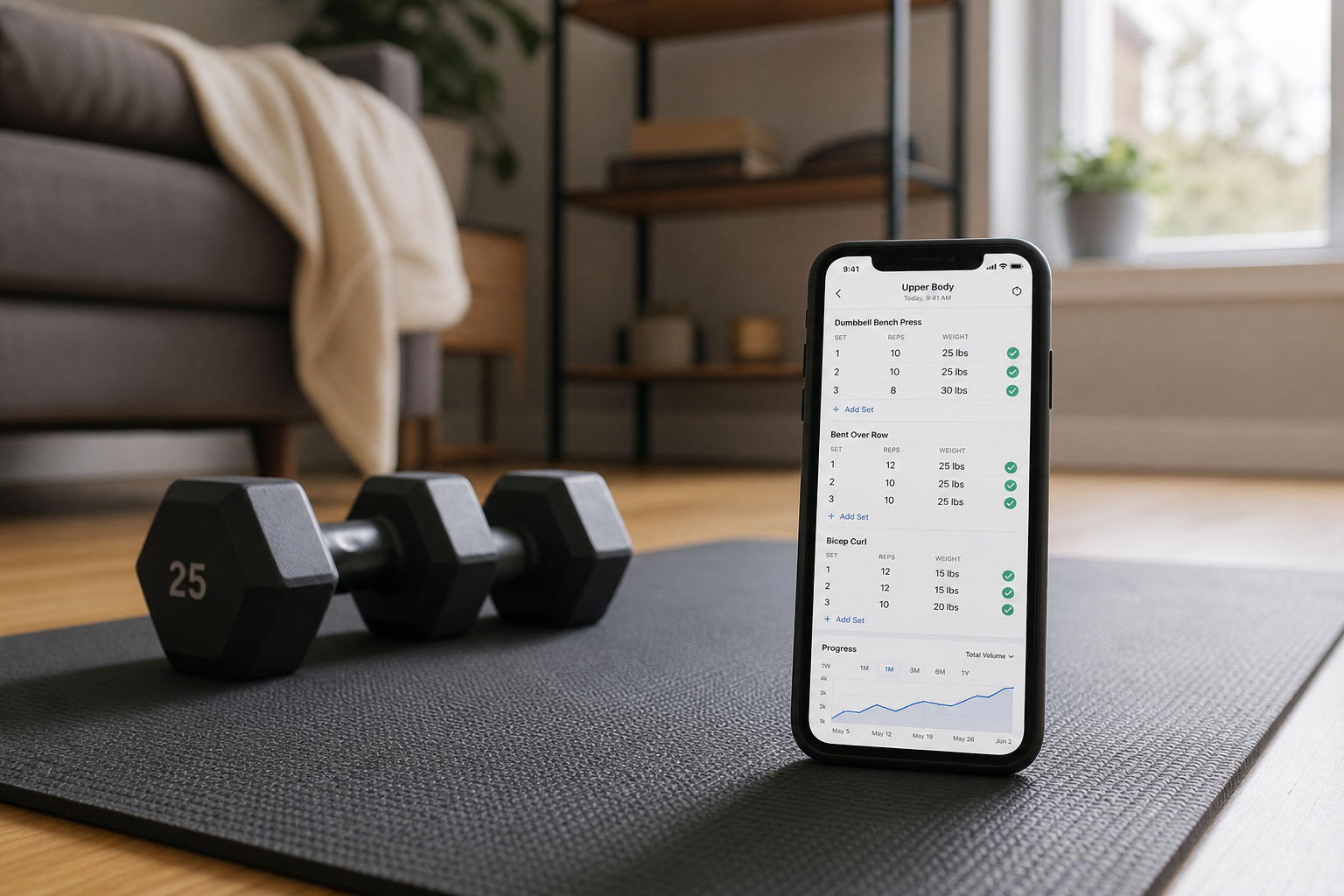
Hevy is primarily a workout logging tool rather than a program delivery platform. Its free tier includes unlimited workout logging, a full exercise library, and core progress charts including volume over time and estimated one-rep max. The interface is clean and fast — logging a set takes two taps.
The free tier covers all four of the baseline features outlined earlier in this guide. Hevy's paid tier (Hevy Pro) adds features like routine sharing and advanced analytics, but the free tier is complete enough that many home gym users never need to upgrade. If your primary need is a reliable strength log with visible progress charts, Hevy's free tier is the strongest option available. Available on iOS and Android.
Caliber
Caliber provides AI-generated programming and a library of over 500 exercises entirely on its free tier. The app builds a training plan based on your goal, available equipment, and experience level, then adjusts as you log sessions. This makes it particularly useful for home gym users who want structured programming without manually selecting programs the way Boostcamp requires.
Caliber's paid tier (Caliber Pro) adds access to a human coach. The free AI-generated programming tier is transparent about what it provides and does not require a credit card or trial period to access. Available on iOS and Android.
- Boostcamp: Best for users who want to follow an established strength program with built-in progression. Largest free program library.
- Hevy: Best for users who want a clean, reliable strength log with full history and progress charts. Minimal friction for daily logging.
- Caliber: Best for users who want AI-generated programming adapted to their equipment without manually selecting a program.
Best Free Apps for Bodyweight-Only Training
Working out with no equipment is a legitimate and sustainable approach to home fitness, but it requires an app that understands bodyweight programming — not just an app that tags a few exercises as 'no equipment' in an otherwise equipment-dependent library.
Nike Training Club handles the no-equipment use case better than any other free app. A large portion of its library is bodyweight-only, the workouts are organized by duration and intensity, and the video instruction includes modification cues for beginners. For a user in an apartment with no equipment at all, NTC covers a wide range of training goals — cardio, strength, mobility, flexibility — without any gaps.
Freeletics is the other commonly cited option for bodyweight training. The app is built around high-intensity bodyweight workouts and has a large exercise library focused on calisthenics-style movements. However, Freeletics operates on a model where the free tier provides access to individual workouts but the structured coaching programs — including progressive bodyweight programming — require a paid subscription. This is a meaningful limitation for users who want a structured plan rather than a collection of standalone sessions.
Free-Tier Feature Comparison
| App | Free Tier Model | Workout Logging | Full History | Rest Timer | Progress Charts | Guided Video | Equipment Filter | Best For | Platform |
|---|---|---|---|---|---|---|---|---|---|
| Nike Training Club | Fully free (no paid tier) | No | N/A | No | No | Yes — full library | Yes | Beginners, guided variety, no equipment | iOS, Android |
| FitOn | Freemium | No | N/A | No | No | Yes — large free library | Partial | Beginners, apartment gym, video-led sessions | iOS, Android |
| Boostcamp | Freemium | Yes — unlimited | Yes | Yes | Yes | No | Yes | Structured strength programs, home gym with equipment | iOS, Android |
| Hevy | Freemium | Yes — unlimited | Yes | Yes | Yes | No | Yes | Strength logging, progressive overload tracking | iOS, Android |
| Caliber | Freemium | Yes — unlimited | Yes | Yes | Yes | No | Yes | AI-generated programming, home gym with equipment | iOS, Android |
| Freeletics | Freemium | Limited | Limited | Yes | Limited | Partial | Partial | Bodyweight HIIT — free tier limited for structured programs | iOS, Android |
How to Test Any App's Free Tier in Five Minutes
This test works for any workout app not covered in this guide. It takes five minutes and tells you whether the free tier is genuinely functional before you invest time building a habit around it.
- Download the app and create an account without entering payment information. If the app requires a credit card before you can access any features, that is a signal the free tier is a trial, not a permanent offering.
- Log a complete workout — at least three exercises, two sets each, with weights or reps. Use the rest timer between sets if one is visible. Do not skip any step.
- Close the app completely and reopen it. Navigate to your workout history. If the session you just logged is fully visible — all exercises, all sets, all weights — the history feature is free.
- Try to open the rest timer independently (not just during a logged set). If it prompts you to upgrade, the rest timer is paywalled.
- Look for a progress or analytics section. If you can see a chart or table showing the weight you logged, the free tier includes basic progress tracking. If you see a paywall or a greyed-out chart, it does not.
- Check whether the app prompts you to start a free trial at any point during this test. If it does, note when the prompt appears — this tells you which feature triggered the upgrade request and whether that feature is one you need.
If the app passes all five steps without an upgrade prompt, its free tier covers the baseline features. If it fails any step, you now know exactly which feature is paywalled and can decide whether it matters for your use case.
When Paying for an Upgrade Actually Makes Sense
A paid app tier is worth evaluating when the free tier has genuinely served you for a period of time and you've identified a specific gap that the paid tier fills. The key word is specific. Upgrading because an app prompts you to is not a reason. Upgrading because you've outgrown a concrete limitation is.
Three scenarios where a paid tier adds real value for home fitness users:
- You want a human coach, not AI programming. Caliber's paid tier connects you with a certified coach who reviews your logs and adjusts your program. If you've been training consistently for several months and want personalized feedback that AI can't provide, this is a legitimate use case for paying.
- You need offline access to guided workouts. FitOn PRO's offline download feature is useful if you train in a space with unreliable internet — a garage, a basement, or while traveling. If you always have a reliable connection during workouts, this feature has no value for you.
- You want nutrition tracking integrated with your workout data. Some paid tiers include calorie and macro tracking alongside workout logging. If you're actively managing both training and nutrition and want them in one place, a paid tier that combines both may be worth the cost compared to maintaining two separate free apps.
What is not a good reason to upgrade: an app's persistent upgrade prompts, a fear of missing out on features you haven't actually needed yet, or a sense that a paid app will be more motivating than a free one. The apps with the strongest free tiers — Boostcamp, Hevy, NTC — are free because that is their deliberate model, not because their free tier is a degraded version of something better.
This result comes from one real apartment under the stated conditions — it is a strong signal, not a guarantee your space will measure identically.
Builds this evidence supports
No build currently links to this specific test. Browse all builds with a matching tag.
Spot something off?
If this result didn't match your own space, let us know — floor-damage and noise claims carry real deposit-risk consequences if we get them wrong.