
Heart Rate Fitness Trackers for Home Workouts: How to Choose by Accuracy, Cost, and Battery Life
A home-workout-specific buyer's guide for wrist-worn heart rate fitness trackers — covering how optical sensor accuracy varies by workout type, why subscription costs matter more than device price, and which trackers deliver the best value for people exercising on treadmills, stationary bikes, or doing HIIT at home.
Why Heart Rate Data Changes How You Train at Home
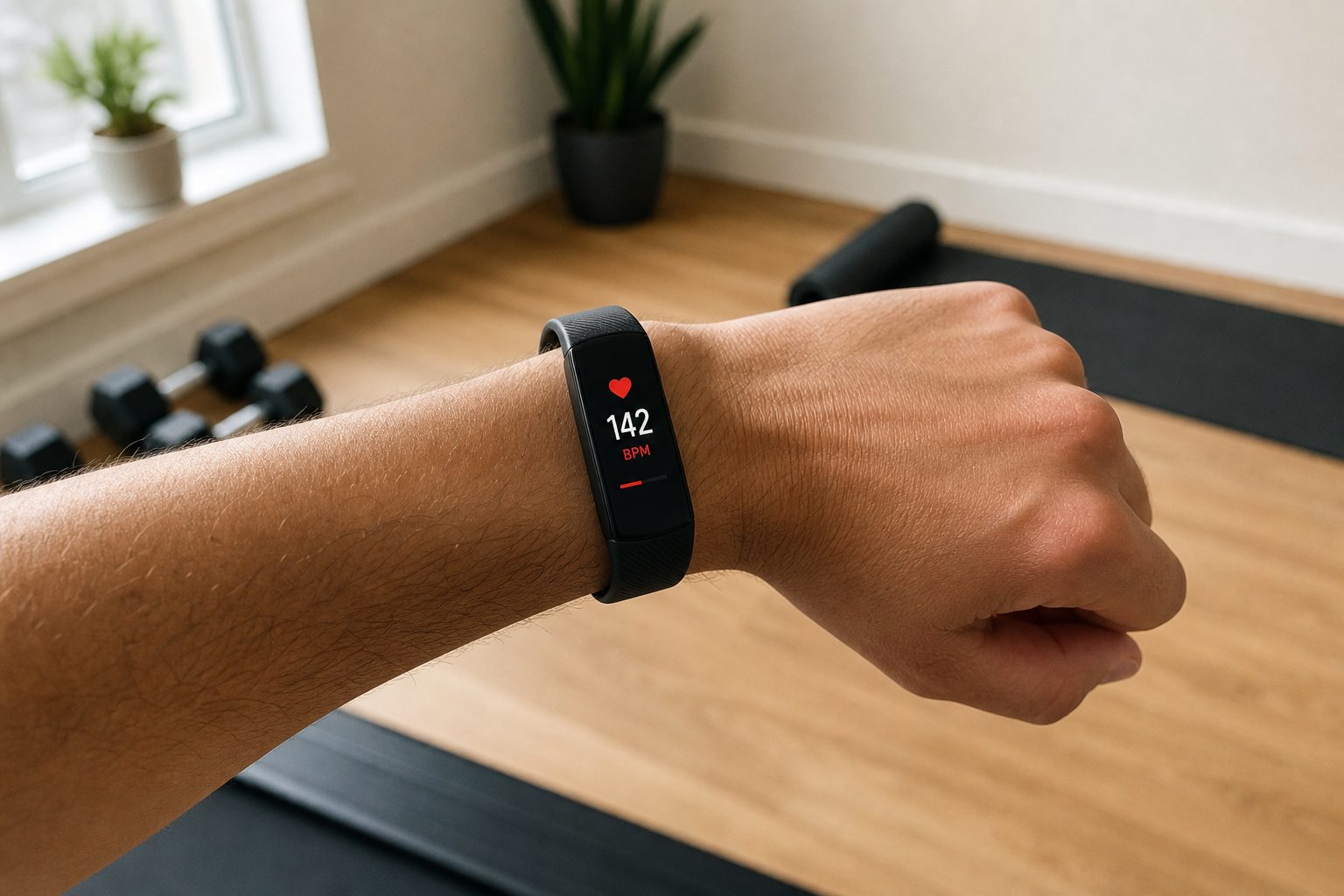
Step counts tell you how much you moved. Heart rate tells you how hard your body worked. For home exercisers, that distinction matters more than most tracker marketing suggests.
When you jog on a treadmill or ride a stationary bike, your perceived effort is a poor guide to actual training intensity. Two people doing the same 30-minute ride at the same speed can be working at completely different physiological intensities — one comfortably building aerobic base, the other pushing into territory that requires more recovery. Heart rate is the signal that tells you which zone you're actually in.
Resting heart rate is equally useful over time. As your cardiovascular fitness improves, your resting HR gradually decreases — a reliable long-term signal that any basic tracker can capture. The American Heart Association notes that a lower resting heart rate generally reflects better heart muscle condition, and research links higher resting HR to lower physical fitness and higher body weight. Watching that number trend downward over weeks is a concrete fitness signal that step counts simply cannot provide.
This guide is specifically for people training indoors — on treadmills, stationary bikes, or doing HIIT and bodyweight sessions at home. The evaluation criteria are different from those you'd apply if you were a trail runner or a cyclist who trains outside. GPS, outdoor mapping, and altitude tracking are irrelevant here. Sensor accuracy during your specific workout types, subscription cost transparency, and battery life that doesn't create daily charging friction are what actually matter.
How Optical Wrist Sensors Work — and Where They Fall Short
Every wrist-worn fitness tracker uses photoplethysmography (PPG) to measure heart rate. Green LED lights on the back of the device shine through your skin; the sensor detects how much light bounces back, which changes with each heartbeat as blood volume in the capillaries rises and falls. It's a genuinely clever piece of technology — and it works well under the right conditions.
The right conditions are steady-state, moderate-intensity exercise with minimal wrist movement. Treadmill jogging at a comfortable pace and stationary cycling are both close to ideal. Your heart rate is elevated but not extreme, your arm motion is rhythmic and predictable, and the sensor has a consistent signal to read.
The accuracy picture changes significantly at higher intensities. A 2023 study published in Bioengineering (PMC9952291) found that while Apple Watch and TomTom maintained strong accuracy at 100–150 bpm, the Fitbit Charge showed a mean difference of 24.5 bpm versus an ECG gold standard at heart rates above 150 bpm. An earlier prospective study at the Cleveland Clinic confirmed the same directional finding: at treadmill speeds of 8–9 mph, none of the wrist-worn devices tested maintained acceptable correlation with ECG readings.
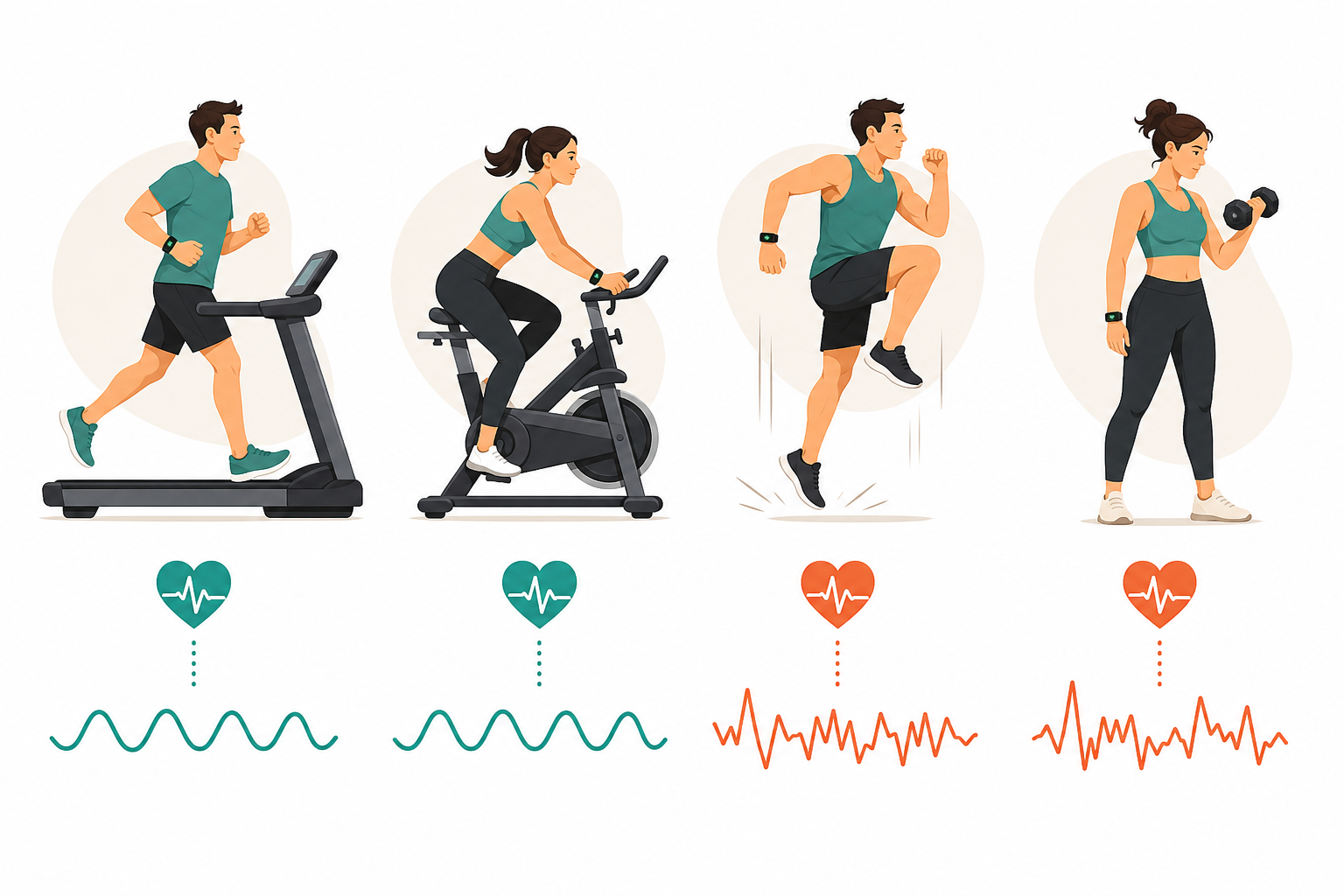
The same 2023 study noted that exercises involving an unstable wrist — elliptical machines, dumbbell exercises, bodyweight movements — produce less accurate readings than exercises with a stable wrist position like stationary cycling. HIIT sessions that combine high intensity with arm movement compound both problems simultaneously.
For most home cardio — treadmill jogging at conversational pace, stationary cycling, walking — optical wrist sensors are accurate enough for zone-based training. If your primary workouts are Zone 4–5 HIIT intervals or weight training with significant arm movement, expect some inaccuracy and consider whether a chest strap is worth adding for those specific sessions.
The 5 Buying Criteria That Actually Matter for Home Workouts
Generic tracker roundups evaluate devices for all-purpose use. Home exercisers have a more specific set of constraints, and several commonly marketed specs are either irrelevant or actively misleading for indoor use.
- Sensor accuracy by workout type. Not all trackers are equally accurate, and accuracy varies by intensity. For steady-state home cardio, most mid-range trackers perform well. For HIIT and strength training above 150 bpm, the gap between brands widens considerably. Evaluate accuracy relative to what you actually do, not a generic benchmark.
- Battery life of 7–14 days. For continuous 24/7 heart rate tracking — including resting HR, sleep, and workout data — you want a tracker that lasts at least a week between charges. Daily charging creates friction that leads to gaps in data. A 14-day battery with overnight charging once every two weeks is far more practical than a device you charge every night.
- Total subscription cost of ownership. Device price is not the real cost of a tracker. A device that costs $0 upfront but requires a $199–359 annual subscription costs $597–1,077 over three years. Always calculate the 3-year total before comparing options — this single factor changes the entire budget picture.
- Platform and app compatibility. If you use Peloton, iFit, Zwift, Apple Health, or Google Health, verify that your tracker integrates before purchasing. Some trackers use proprietary Bluetooth connections that limit which third-party apps can receive live heart rate data — a practical limitation that most comparison articles don't flag.
- GPS is irrelevant for home workouts — and inflates price. Built-in GPS adds $50–150 to the cost of a tracker and provides zero benefit if you never exercise outdoors. When comparing devices, actively filter out GPS as a consideration. It's a heavily marketed spec that home buyers should deprioritize entirely.
Tiered Recommendations: Budget, Mid-Range, and Premium
The picks below are evaluated specifically for home workout use. Each includes a brief accuracy note, battery life, subscription status, and a 'best for' framing.
Budget: Under $80
- Xiaomi Smart Band 10 (~$53). 14-day battery, 24/7 heart rate monitoring, no subscription required. Confirmed by Wareable as a strong budget entry. Best for beginners who want continuous HR tracking without any ongoing cost.
- Amazfit Active 2 (~$65). More features than the Xiaomi, including offline maps — but GPS and on-wrist heart rate accuracy have received mixed reviews from Wareable testers. Best treated as a feature-rich budget option with accuracy caveats rather than a straightforward recommendation. No subscription required.
Mid-Range: $80–$200
- Fitbit Inspire 3 (~$99). Wirecutter's top pick. Real-world battery of 8.5 days, resting HR accuracy within 1 bpm in testing, and 0.32% step count error. Free app tier available; optional Premium at $10/month or $80/year adds sleep coaching and advanced insights. Best for beginners and casual home exercisers who want reliable data without mandatory subscription costs.
- Fitbit Charge 6 (~$160). CNET's overall pick. Supports 40+ exercise modes and can broadcast heart rate via Bluetooth to Peloton and select third-party apps. Optional Premium at $10/month or $80/year. Best for home exercisers who use Peloton or want a more comprehensive feature set.
- Withings ScanWatch Light (~$130). Hybrid analog/digital design with up to 35-day battery life and no subscription requirement. Confirmed by Wareable. Best for users who want minimal charging friction and a traditional watch aesthetic alongside health tracking.
- Fitbit Air ($99). Launched May 26, 2026. Screenless band with 7-day battery, no required subscription (optional Premium at $9.99/month or $99/year), FDA-certified background AFib detection, and standard Bluetooth HR broadcasting. A DC Rainmaker in-depth review found good accuracy on steady indoor cycling and trail runs, but noted 20–40 bpm overshoots in some running workouts. App bugs were being actively patched as of the review date. Best for users who want a Whoop-style screenless tracker at a fraction of the ongoing cost — with the caveat that it's a new product with limited independent testing data as of mid-2026.
Premium: $200+
- Apple Watch Series 11. CNET's Lab Award winner for heart rate accuracy, with an average error of 0.98% (approximately 1.40 bpm) across 30+ miles of testing against a Polar H10 chest strap. No subscription required for core functionality. Key caveat: battery life is approximately 24 hours, meaning daily charging is unavoidable — a real friction point for 24/7 continuous tracking. Best for Apple ecosystem users who prioritize accuracy above all else and are comfortable with daily charging.
- Whoop 5.0. 14-day battery, on-wrist charging, screenless design, and strong recovery metric tracking including HRV and sleep staging. Subscription is mandatory at $199, $239, or $359 per year depending on tier. The most expensive tier (Life Membership, $359/year) includes Blood Pressure Insights — a feature that received an FDA warning letter in July 2025 regarding marketing claims. Best for serious home athletes who want deep recovery data and are fully aware of the subscription commitment.
Subscription Cost Comparison
| Tracker | Device Price | Annual Subscription | 1-Year Total | 3-Year Total |
|---|---|---|---|---|
| Xiaomi Smart Band 10 | ~$53 | None | ~$53 | ~$53 |
| Amazfit Active 2 | ~$65 | None | ~$65 | ~$65 |
| Fitbit Inspire 3 | ~$99 | None (Premium $80/yr optional) | ~$99 | ~$99 |
| Fitbit Air | ~$99 | None (Premium $99/yr optional) | ~$99 | ~$99 |
| Fitbit Charge 6 | ~$160 | None (Premium $80/yr optional) | ~$160 | ~$160 |
| Withings ScanWatch Light | ~$130 | None | ~$130 | ~$130 |
| Apple Watch Series 11 | ~$399 | None | ~$399 | ~$399 |
| Whoop 5.0 (One tier) | $0 device | $199/yr | $199 | $597 |
| Whoop 5.0 (Peak tier) | $0 device | $239/yr | $239 | $717 |
| Whoop 5.0 (Life tier) | $0 device | $359/yr | $359 | $1,077 |
Heart Rate Zones Explained for Home Cardio
Heart rate zones divide your training intensity into five bands, each with a different physiological effect. Understanding them turns your tracker from a data display into an actual training tool.
To calculate your zones, you first need an estimate of your maximum heart rate. The classic formula (220 minus your age) is widely used but considered less accurate for older adults. REI's training guide recommends the Tanaka formula — 208 minus (0.7 × your age) — as more accurate, particularly for people over 40. A 45-year-old gets a max HR estimate of 176.5 bpm using Tanaka versus 175 bpm using the classic formula; the difference grows larger at older ages.
| Zone | % of Max HR | How It Feels | Primary Benefit |
|---|---|---|---|
| Zone 1 | 55–65% | Very easy, can hold a full conversation | Active recovery, warm-up |
| Zone 2 | 65–75% | Easy to moderate, can speak in sentences | Aerobic base, fat metabolism |
| Zone 3 | 75–80% | Moderate, short sentences only | Aerobic endurance |
| Zone 4 | 80–88% | Hard, speaking is difficult | Lactate threshold, performance |
| Zone 5 | 88–100% | Maximum effort, unsustainable | Anaerobic capacity, peak power |
Zone 2 deserves particular attention for home cardio users. It sits at 65–75% of max HR — a pace where you can still hold a conversation but are clearly working. Harvard Health's exercise physiology guidance notes that during easy-to-moderate intensity exercise, a greater proportion of energy comes from fat — and that consistent Zone 2 work is highly effective for cardiovascular health without requiring high-intensity sessions. Most home exercisers who feel like they need to push hard every workout are actually spending too little time in Zone 2 and too much in Zone 3.
For practical home cardio application: if you're jogging on a treadmill and your tracker shows 155 bpm at a 45-year-old's max HR of ~176 bpm, you're at roughly 88% — Zone 4 or 5, not the sustainable aerobic work many people think they're doing. Slowing down to keep HR at 130–140 bpm (Zone 2) may feel too easy at first but produces consistent long-term adaptation.
One caution from NASM's zone training analysis: zone percentages vary from device to device, and factors like caffeine, dehydration, and insufficient recovery can elevate heart rate during a workout without reflecting actual training intensity. Use zones as directional guidance, not precision targets.
Accuracy Limitations and Health Framing
Several specific accuracy limitations apply to all optical wrist sensors, regardless of brand or price:
- High-intensity exercise above 150 bpm reduces accuracy on most wrist sensors, with some devices underestimating HR by 20+ bpm during HIIT and strength training.
- Arm movement during exercise — elliptical machines, dumbbell exercises, push-ups — can disrupt the PPG signal and produce erratic readings.
- Darker skin tones and wrist tattoos can absorb more LED light, potentially affecting reading accuracy.
- Calorie burn estimates use proprietary algorithms and carry significant variance. Do not rely on tracker calorie counts for precision nutrition planning.
- ECG features (available on Apple Watch, Fitbit Air, and some Withings devices) can detect irregular heart rhythms as a general wellness indicator. Any result that concerns you should be discussed with a healthcare provider — these features are not diagnostic tools.
As Wirecutter's sports cardiologist source put it, trackers do not replace the need to discuss cardiovascular symptoms with a medical professional. The value of these devices is in trend data over time — resting HR declining as fitness improves, sleep patterns correlating with training load — not in individual readings treated as clinical measurements.
Frequently Asked Questions
Should I use a wrist tracker or a chest strap for HIIT?
For HIIT sessions where you're regularly pushing above 150 bpm with significant arm movement, a chest strap (Polar H10, Garmin HRM) will give you more accurate real-time data than any wrist optical sensor. That said, chest straps are single-purpose accessories — you wear them during workouts and take them off. A wrist tracker provides 24/7 data including resting HR, sleep, and recovery metrics that a chest strap cannot. Many serious home athletes use both: a wrist tracker for continuous monitoring and a chest strap for high-intensity sessions.
Do I actually need to pay for a subscription?
No — for most home exercisers, a no-subscription tracker provides everything you need. The Fitbit Inspire 3, Xiaomi Smart Band 10, Withings ScanWatch Light, and Fitbit Air all deliver continuous heart rate monitoring, sleep tracking, and workout logging without mandatory ongoing costs. Premium subscriptions typically add AI coaching insights, advanced sleep analysis, and personalized guidance — useful for some users, unnecessary for others. If you're a beginner, start with a no-subscription device and reassess whether premium features are worth the cost after a few months.
Does it matter whether I use Android or iOS?
Yes, for some devices. Apple Watch is iOS-only — it requires an iPhone and does not function as a standalone tracker on Android. Most other trackers (Fitbit, Garmin, Whoop, Amazfit, Xiaomi, Withings) support both platforms, though app features can vary slightly between iOS and Android versions. Always verify compatibility with your phone's operating system before purchasing.
How do I choose between battery life and features?
For home exercisers doing 24/7 tracking, battery life is a practical constraint, not just a spec. A tracker you charge every night will have data gaps when you forget, and the friction of daily charging leads many people to stop wearing it consistently. Aim for at least 7 days of battery life. If you're choosing between a feature-rich device with a 1-day battery (Apple Watch) and a simpler device with a 14-day battery (Xiaomi Smart Band 10), the simpler device will often produce more complete long-term data simply because it stays on your wrist.
My tracker reads incorrectly during workouts. What should I check?
First, check fit. The tracker should sit snugly on your wrist — about one finger-width above the wrist bone — with no gaps between the sensor and your skin. Loose fit is the most common cause of erratic readings. Second, check placement: the sensor side should be against your skin, not the display side. Third, if you're doing high-intensity exercise with significant arm movement, expect some inaccuracy regardless of fit — this is a fundamental limitation of optical sensors at high HR and high movement.
Is a basic band enough if I'm just starting out?
Almost certainly yes. For a beginner, the most useful data points are resting heart rate trends over time, workout heart rate zones, and basic sleep quality. A $50–100 no-subscription band provides all of this. As Wareable's editorial note puts it: for your first tracker, simple is almost always better. Avoid paying for GPS, ECG, or subscription coaching features until you've used the basic data consistently and know what additional information would actually change your training.
How should I interpret resting heart rate trends over time?
Resting heart rate is best read as a trend over weeks and months, not as a daily data point. A gradual downward trend in resting HR — even a decline of 5–10 bpm over 8–12 weeks of consistent training — is a reliable signal that your cardiovascular fitness is improving. Day-to-day variation is normal and can be influenced by sleep quality, hydration, stress, and caffeine. The AHA notes that a lower resting heart rate generally reflects better cardiovascular condition. Check your resting HR weekly rather than daily to filter out normal variation and see the underlying trend.
This result comes from one real apartment under the stated conditions — it is a strong signal, not a guarantee your space will measure identically.
Builds this evidence supports
No build currently links to this specific test. Browse all builds with a matching tag.
Spot something off?
If this result didn't match your own space, let us know — floor-damage and noise claims carry real deposit-risk consequences if we get them wrong.