
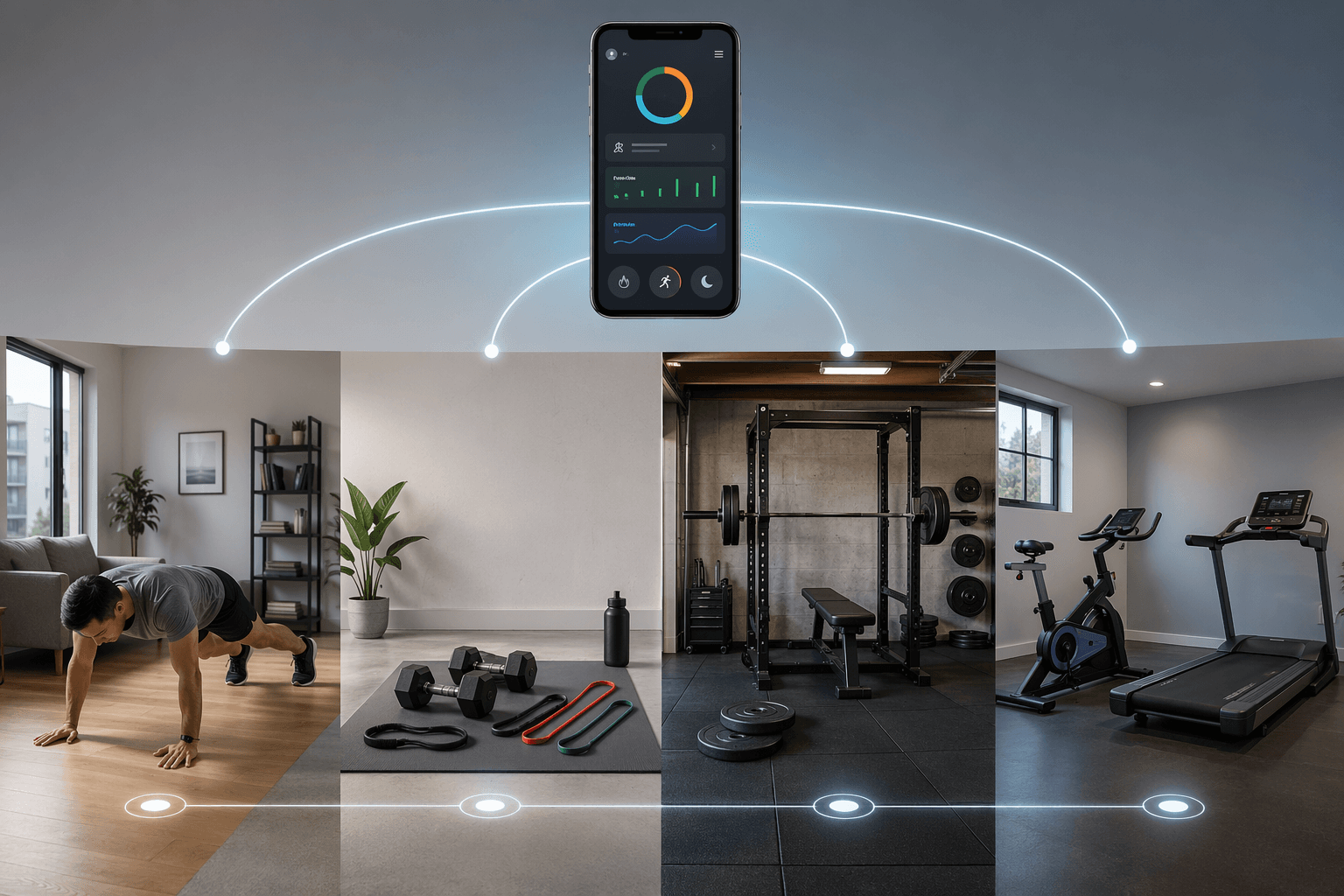
The usual way of choosing the best fitness apps breaks down fast in a home gym. You download a top-rated app, open the first serious plan, and the workout asks for a squat rack, plates, a bike, or a machine subscription you do not have. The app may be excellent. It is still the wrong app for that room.
Start with the equipment, not the logo. For most home training setups, the decision falls into four practical tiers: bodyweight only, minimal equipment, full rack or garage gym, and cardio-machine focused. Garage Gym Reviews tested more than 70 workout apps and included equipment demands in its evaluations, which is the right lens for this decision because equipment access changes what good programming can actually ask you to do [1]. Zapier also highlights equipment sorting in Hevy, and CNET includes equipment requirements in its app testing criteria, which tells you something important: the best reviewers are not treating equipment as an afterthought [2][3].
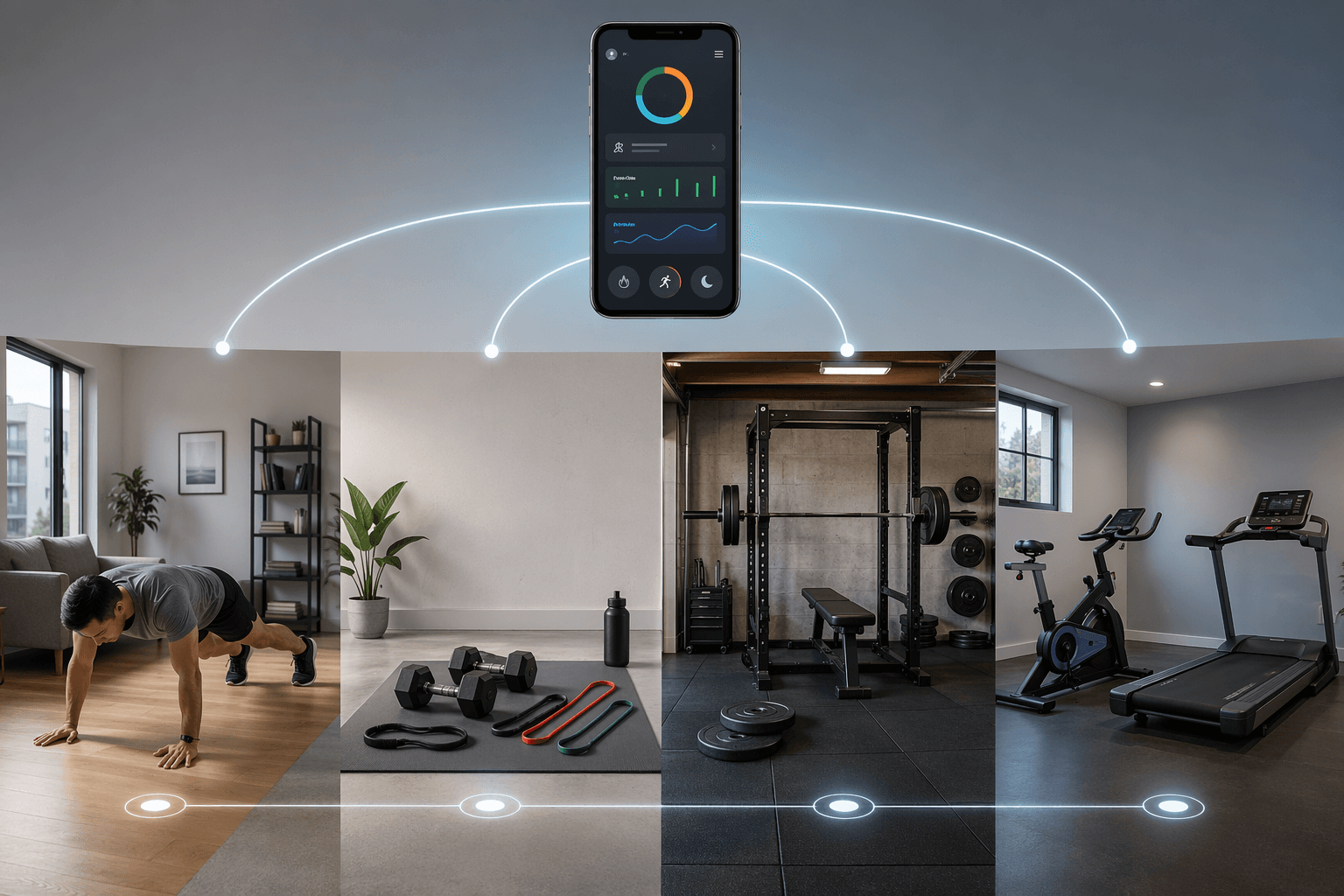
| Equipment you actually have | Best-fit app types | Apps to start with | Watch out for |
|---|---|---|---|
| Bodyweight only | Free or low-cost guided workouts, beginner-friendly programs, mobility, HIIT | Nike Training Club, FitOn, Freeletics | Strength progress can stall once basic bodyweight moves stop being challenging |
| Dumbbells, bands, bench, maybe a pull-up bar | Logging, equipment filters, adaptive plans, limited-equipment strength | Hevy, Caliber, TR[Ai]NER, Fitbod, SHRED | Some plans still drift toward gym-style assumptions unless equipment is logged carefully |
| Barbell, rack, plates, bench, garage gym | Structured strength programs, progressive overload, powerlifting or hypertrophy plans | JuggernautAI, Boostcamp, Fitbod, SHRED | Great apps here can be miserable choices for dumbbell-only users |
| Bike, treadmill, rower, smart trainer | Machine-led classes, routes, metrics, ecosystem training | iFIT, Peloton, Zwift | Hardware and subscription lock-in matter more than general app quality |
Bodyweight Only: Pick Instruction Before Complexity
A bodyweight-only setup is not a failed home gym. It is a real tier with its own strengths: low cost, no storage problem, less setup friction, and fewer excuses when you only have a mat-sized patch of floor. The tradeoff is progression. If the goal is general fitness, mobility, conditioning, or getting started, bodyweight apps can work very well. If the goal is long-term strength gain, the app eventually has to solve the overload problem without adding load.
Nike Training Club is the cleanest starting point for many people in this tier because it is fully free, includes more than 300 workouts led by certified trainers, and covers more than 10 workout categories [4]. That matters more than it sounds. A beginner doing squats, planks, lunges, and push-ups at home needs to see tempo, range of motion, and modifications more than they need a complicated dashboard.
FitOn belongs in the same conversation for people who like trainer-led video sessions. Garage Gym Reviews rated it 4 out of 5 for instruction and notes that modifications are shown on screen, which is useful when a workout moves faster than your joints, floor space, or current conditioning can handle [5]. Freeletics is another strong bodyweight option, especially for people who want a more training-plan feel instead of browsing a video library.
The limit is not that bodyweight training is ineffective. The limit is that many apps make difficulty by adding reps, density, jumps, or fatigue. That can improve conditioning, but it is not the same as having a simple path from a 25-pound dumbbell to a 35-pound dumbbell. If you already know you want heavier strength work, a free bodyweight app may be a good first 30 days, not the final system.
Best fit in this tier
- Choose Nike Training Club if you want a free, broad workout library with credible instruction.
- Choose FitOn if trainer-led video, visible modifications, and class-style sessions help you finish workouts.
- Choose Freeletics if you want bodyweight training to feel more like a structured plan than a video catalog.
Minimal Equipment: The Messy Middle Where App Choice Matters Most
Dumbbells, resistance bands, a bench, and maybe a pull-up bar sound simple until an app writes a workout around a cable stack, leg press, or full barbell setup. This is the tier where a good app saves the most frustration. You own enough equipment to train seriously, but not enough for every gym-style program.
Hevy is useful here because it treats equipment availability as part of the exercise-selection process. Zapier notes that Hevy lets users sort exercises by available equipment, which is exactly the kind of unglamorous feature a home-gym lifter actually uses [2]. If you are building your own workouts or following a simple split, that sorting is often more valuable than an app promising to "personalize" a plan while still handing you machine exercises.
Caliber is another good fit if you want strength training without turning the app into a second gym membership. Its free tier includes a library of more than 500 exercises with demonstration videos and no ads, while Caliber Premium is listed at $19 per month and adds group coaching [6]. That puts it in a middle zone: more support than a plain workout log, far less expensive than one-on-one coaching.
Fitbod and SHRED are more interesting when your equipment list changes from room to room or month to month. Both are AI-powered apps that can adapt workouts around the equipment the user logs, which makes them better suited to mixed home gyms than rigid programs that assume a commercial gym [1][4]. The useful question is not whether the word "AI" appears in the app store description. The useful question is whether the app lets you enter the dumbbells, bands, bench, and pull-up bar you actually own, then stops recommending things outside that list.
TR[Ai]NER also belongs in the limited-equipment conversation, especially for people who want more guidance than a workout tracker but do not have a garage full of plates [1]. The caution is the same as with every adaptive app: check the first week of assigned workouts before you trust the plan. If you spend more time substituting exercises than training, the app has failed the room.
How to choose inside this tier
- Choose Hevy if you mainly need logging, exercise selection, and equipment-based filtering.
- Choose Caliber if you want a strength-training structure with demonstrations and a reasonable upgrade path.
- Choose Fitbod or SHRED if your equipment list is mixed and you want the app to build around what you log.
- Choose TR[Ai]NER if you want more guided planning but still need the app to respect limited equipment.
Full Rack or Garage Gym: Use Apps That Expect Real Loading
Once you have a rack, barbell, bench, and plates, the app decision changes. You no longer need the program to dodge heavy lifts. You need it to manage them. Sets, reps, load selection, fatigue, progression, and exercise variation become more important than finding a no-equipment substitute for every movement.
JuggernautAI and Boostcamp make the most sense in this tier because they are built around structured strength training and are poor fits for someone training with only dumbbells in an apartment. Garage Gym Reviews includes both in its 2026 app testing, and the value proposition depends heavily on having the barbell setup those programs can actually use [1]. A program that asks for squats, bench presses, deadlifts, and accessory lifts is not being unreasonable when the user owns a rack. It is being specific.
Boostcamp is especially appealing if you want access to established strength and hypertrophy programs without paying coaching prices. JuggernautAI is more appropriate for lifters who want a more adaptive strength system and are willing to give the app enough training data to adjust intelligently. In both cases, the app is not just a timer or video player. It is closer to a training notebook with decisions built in.
Fitbod and SHRED can also fit a full home gym, but for a different reason. They are useful when the garage gym is uneven: maybe you have a rack and dumbbells but no cable machine, or plates but no specialty bars. If the app adapts to the equipment you log, it can bridge the gap between a full commercial gym plan and a real home setup [1][4].
This is also where a generic "best overall" label can mislead the most. A barbell-centered app may be excellent for the garage-gym owner and almost useless for the person with adjustable dumbbells under a bed. That is not a weakness in the app. It is a mismatch.
Cardio Machines: The App Usually Comes With an Ecosystem
Cardio-machine apps are a more direct decision. If you own the bike, treadmill, rower, or smart trainer that the app is designed around, the subscription may add routes, coaching, classes, metrics, and enough structure to keep the machine from becoming a laundry rack. If you do not own the machine, the app often loses much of its point.
iFIT, Peloton, and Zwift are strongest when the user is already inside, or ready to enter, the relevant hardware ecosystem [1][4]. Peloton is not just a general workout app when paired with its bike or treadmill. Zwift is not just a cycling video game when paired with the right indoor trainer. iFIT is most compelling when the machine and subscription features work together.
The warning is subscription lock-in. A strength app that disappoints you may leave you with dumbbells you can still use. A cardio platform that disappoints you may leave you with a machine whose best features sit behind a plan you no longer want to pay for. In this tier, compare the app and the hardware as one purchase decision.
Where Pricing Should Change the Decision
Price only matters after you know what kind of product you are comparing. A free video library, a workout logger, an AI-generated plan, group coaching, and a dedicated human coach should not be judged as if they are the same subscription with different branding.
Garage Gym Reviews reports an average premium workout-app cost of $34 per month, while PCMag's expert guidance frames $10 to $15 per month as a good rate for a fitness app [1][4]. Those numbers are useful as guardrails, not commandments. A $12 app that constantly asks for equipment you do not own is expensive. A $30 app that replaces a program you would otherwise pay a coach to write may be reasonable.
Future sits at the far end of the pricing spectrum at $199 per month, with a dedicated human coach, daily check-ins, and form review [4]. That is not competing with Nike Training Club or Hevy in any normal sense. It is competing with coaching. Caliber Premium, at $19 per month for group coaching, sits between do-it-yourself apps and dedicated one-on-one support [6]. Prices can change, especially around promotions, so treat these June 2026 figures as a decision snapshot rather than a permanent price list.
The Exceptions: Mixed Equipment, Recovery Days, and Beginners
Equipment tiers are a framework, not a personality test. A garage-gym lifter may still want bodyweight mobility work on recovery days. A renter with adjustable dumbbells may use a cardio app during winter. Someone with a treadmill and no weights may still need a beginner strength plan that fits a living room.
Mixed-equipment users should favor apps that make substitutions easy and store the equipment list accurately. This is where Hevy's equipment sorting, Fitbod's logged-equipment approach, and SHRED's adaptive programming have a real reason to exist [1][2][4]. If an app can move smoothly between dumbbells, bands, bodyweight, and barbell work, it can survive the reality of a home gym that grew one purchase at a time.
Beginners have a separate concern: progression should not outrun readiness. Garage Gym Reviews gave Muscle Booster a 5 out of 5 for instruction quality in its beginner-app review, specifically noting that it does not let users advance before completing prior sessions [7]. That kind of friction is good. A beginner app should not reward skipping the boring foundation work just because the interface wants to show progress.
If you are unsure where you fit, open the app's exercise library or first week of programming before the trial ends. Count how many movements you can do without buying equipment, inventing substitutions, or rearranging half the room. That count tells you more than an app-store star rating.
A Practical Selection Rule
Choose the app whose first month fits the equipment you can use this week. Not the equipment you might buy later, not the setup in the promo video, and not the garage gym you are building in your head.
- If you have no equipment, start with Nike Training Club, FitOn, or Freeletics.
- If you have dumbbells, bands, or a bench, start with Hevy, Caliber, Fitbod, SHRED, or TR[Ai]NER.
- If you have a rack, barbell, and plates, start with JuggernautAI, Boostcamp, Fitbod, or SHRED.
- If your main investment is a bike, treadmill, rower, or smart trainer, compare iFIT, Peloton, and Zwift alongside the hardware they depend on.
After that, check the price against what the app is actually replacing. Free instruction, a $10-to-$15 monthly training tool, a $19 group-coaching plan, and a $199 dedicated coaching service are different products [4][6]. The best fitness app is the one whose programming fits your equipment, whose progression you can follow, and whose price still makes sense after the trial period ends.
References
- Expert-Tested: The Best Workout Apps (2026), Garage Gym Reviews.
- The 9 best fitness apps in 2026, Zapier.
- Best Expert-Tested Workout Apps and Services for 2026, CNET.
- Best Fitness Apps, PCMag.
- FitOn Review, Garage Gym Reviews.
- Best Fitness Apps, Forbes Health.
- Best Workout App for Beginners (2026), Garage Gym Reviews.
Comments
Join the discussion with an anonymous comment.