
Apple Fitness+ in 2026: Is the $9.99/Month Subscription Worth It for Apple Watch Owners?
A practical evaluation of Apple Fitness+ for home fitness enthusiasts. We break down the 2026 pricing, new multi-week programs, the Workout Buddy AI feature, and how the service compares to free alternatives like YouTube and paid competitors like Peloton to help you decide if the subscription is right for you.
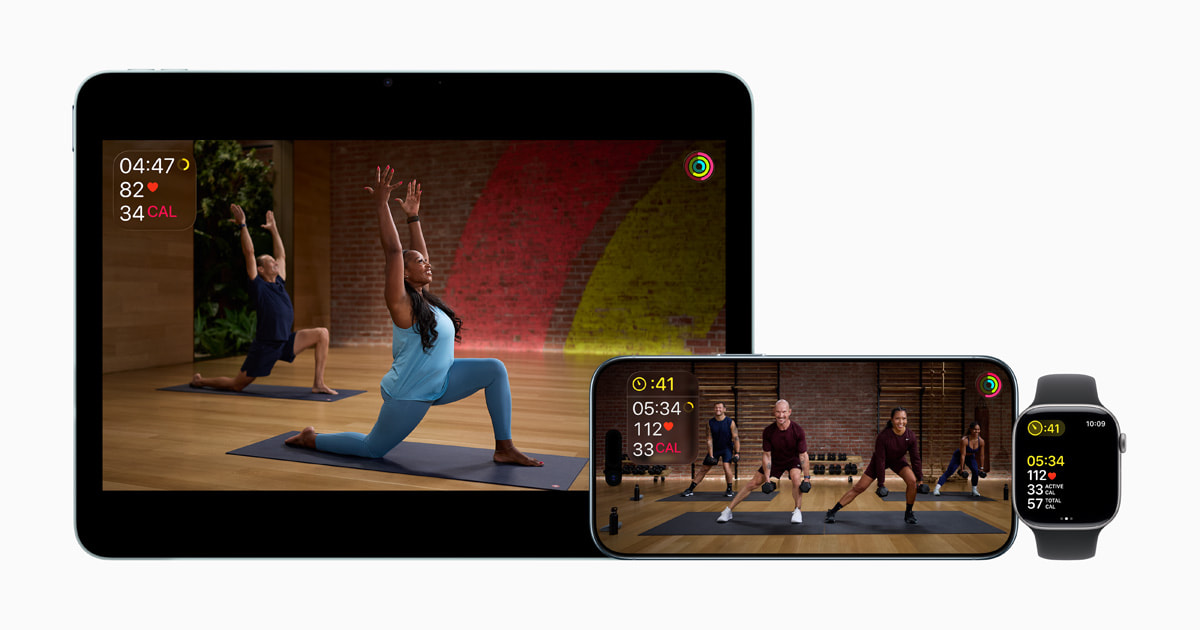
What Apple Fitness+ Offers in 2026: Pricing, Programs, and What’s New
Apple Fitness+ has been around since late 2020, but the version available in Q2 2026 is a substantially different product from the one that launched. The service now costs $9.99 per month or $79.99 per year, and it is also included in the Apple One Premier bundle at $37.95 per month, which bundles six Apple services. For new hardware buyers, the deal is better: purchasing any new Apple Watch, iPhone, iPad, Apple TV, AirPods Pro 3, or Powerbeats Pro 2 gets you three months of Fitness+ at no cost.
The workout library covers 12 workout types: Strength, HIIT, Yoga, Core, Pilates, Cycling, Treadmill, Rowing, Dance, Kickboxing, Mindful Cooldown, and Meditation. All workouts are filmed in 4K Ultra HD and led by a rotating team of trainers. The service is available in 48 countries.
The biggest change for 2026 is the introduction of structured multi-week programs. Previously, Fitness+ was essentially a library of individual on-demand classes — you picked a workout, did it, and that was it. The new programs add a progression layer that the service was missing, which we will cover in detail later in this guide.
The Apple Watch Integration Advantage: Real-Time Metrics on Screen
The single feature that no competitor fully replicates is the live on-screen metrics display. When you start a Fitness+ workout from your Apple Watch, your heart rate, active calories, and Activity ring progress appear in real time on the screen you are watching — whether that is an iPhone, iPad, or Apple TV. You do not need to glance at your wrist to check your effort level; the data is right there next to the trainer.
This integration is seamless because it is built into the ecosystem. There is no Bluetooth pairing, no third-party app to configure, and no delay. The watch handles the sensor data, and the display handles the visual feedback. For anyone who has ever tried to follow a YouTube workout while wearing a separate fitness tracker, the difference is immediately noticeable.
How reliable are those on-screen numbers? A January 2026 meta-analysis published in npj Digital Medicine examined 82 studies covering Apple Watch models through Series 9 and Ultra 2. For heart rate, the pooled mean absolute percentage error (MAPE) was 4.43%, with a mean bias of just -0.27 beats per minute. That is good enough for real-time effort tracking during a workout. The same study found that energy expenditure estimates carry a much wider error range — overall MAPE of 27.96% — so the calorie number on screen is a rough estimate, not a precise measurement.
Workout Buddy (watchOS 26): AI Coaching, Assessed
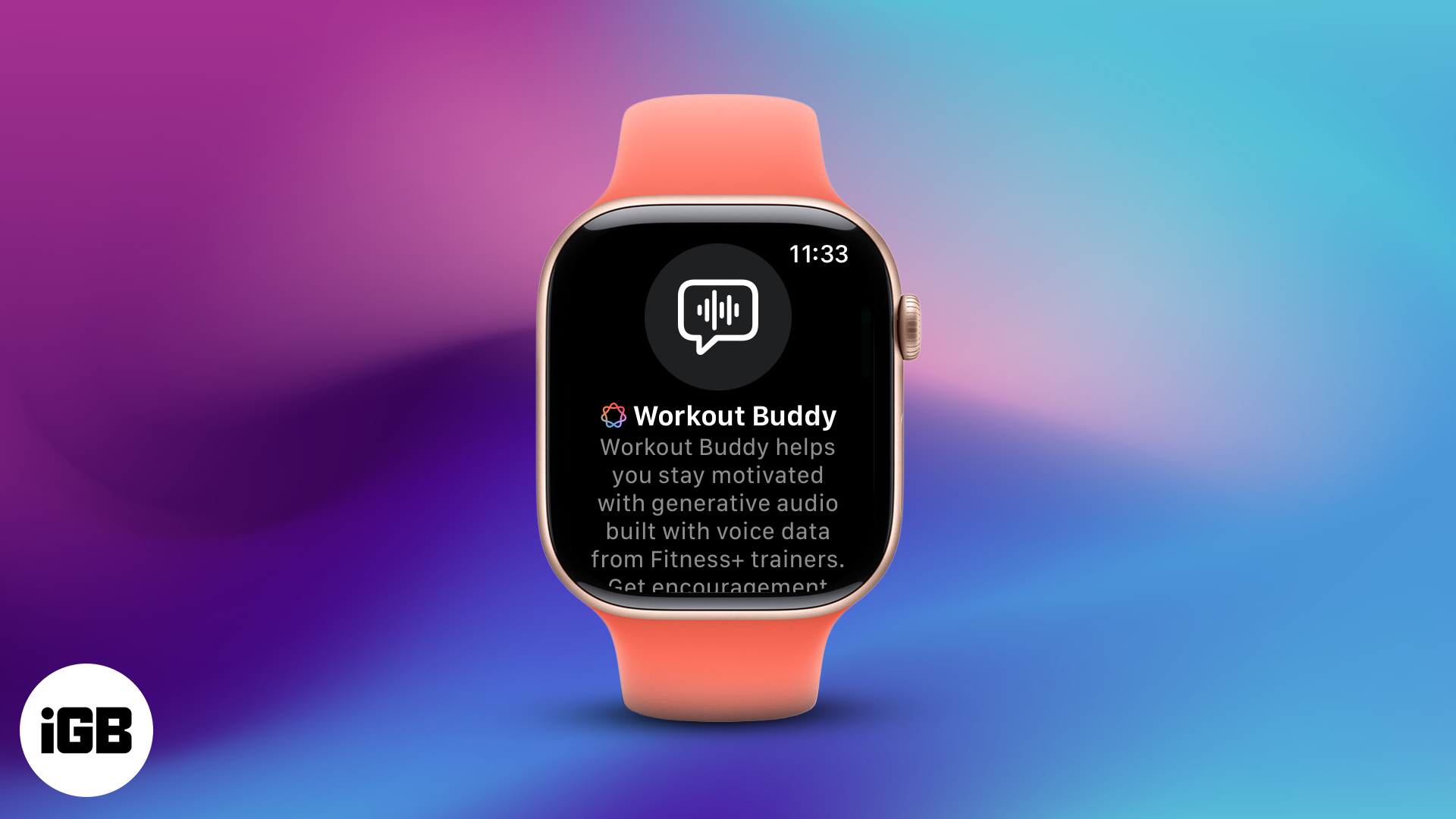
watchOS 26 introduced Workout Buddy, an AI-powered coach that provides real-time verbal encouragement, stat callouts, and even song identification during Fitness+ workouts. The feature is designed to simulate the experience of having a training partner who notices your effort and calls out milestones.
In practice, Workout Buddy does a few specific things: it tells you when you have hit a new personal record on a segment, it reminds you to breathe during high-intensity intervals, it calls out your heart rate zone changes, and it can identify the song playing in the background of a workout. The AI voice is generated on-device and requires an Apple-Intelligence-compatible iPhone to function.
The honest assessment is that Workout Buddy's value depends heavily on your training personality. If you work out alone and find that external encouragement helps you push through the last 30 seconds of a hard interval, the feature adds real value. If you are an experienced athlete who follows a structured program and prefers to focus on your own pacing cues, the AI commentary may feel distracting rather than helpful.
Apple Fitness+ vs. the Competition: Peloton, Strava, and Free Alternatives
Fitness+ does not exist in a vacuum. Most home fitness enthusiasts already have access to free workout content on YouTube, and many have tried or currently subscribe to other platforms. The table below compares Fitness+ against the most common alternatives based on the dimensions that matter for home training decisions.
| Service | Monthly Price | Guided Workouts | Structured Programs | Live Metrics | Best For |
|---|---|---|---|---|---|
| Apple Fitness+ | $9.99 | Yes (12 types) | Yes (new in 2026) | Yes (Apple Watch required) | Apple Watch owners who want guided instruction |
| Peloton App | $12.99 | Yes (large library) | Yes (collections & programs) | No (separate device needed) | Cyclists and runners who want live classes |
| Strava Subscription | $11.99 | No (tracking only) | No | No | Outdoor runners and cyclists who want social features |
| Nike Training Club | Free | Yes (limited library) | No | No | Budget-conscious users who want basic guided workouts |
| YouTube (Free) | $0 | Yes (massive library) | No | No | Users who want variety without commitment |
The key differentiator for Fitness+ is the live on-screen metrics from the Apple Watch. No other service in this comparison offers that. Peloton's app can display heart rate if you pair a separate HR monitor, but it does not show your Activity rings, calorie burn, or heart rate in the same integrated way. For users who already own an Apple Watch, that integration is a meaningful advantage.
For a broader look at how Fitness+ fits into the iPhone fitness app landscape, see our head-to-head comparison of the best fitness apps for iPhone in 2026.
New Multi-Week Programs for 2026: A Closer Look
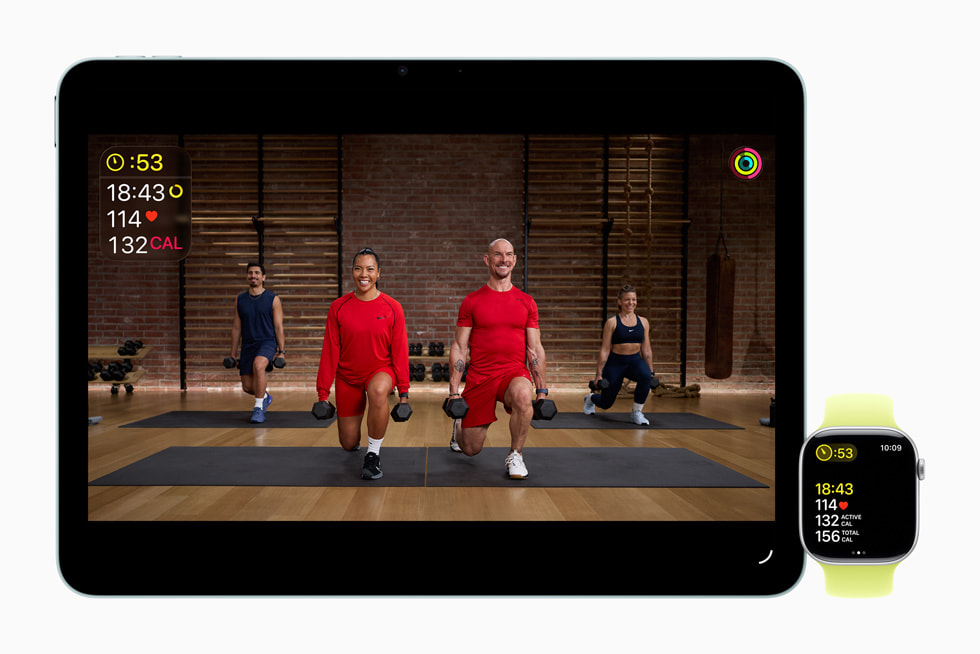
The January 2026 launch of multi-week programs represents the most significant content evolution for Fitness+ since its debut. These are not just curated playlists of existing workouts — they are structured progressions with specific weekly schedules, workout type rotations, and intended rest days. Here are the four programs that launched in January 2026:
| Program Name | Duration | Sessions/Week | Workout Types | Session Length |
|---|---|---|---|---|
| Make Your Fitness Comeback | 4 weeks | 3 | Strength, HIIT, Yoga | 10 min each |
| Build a Yoga Habit in 4 Weeks | 4 weeks | 2 | Yoga | 10 min each |
| Back-to-Back Strength and HIIT | 3 weeks | 3 | Strength + HIIT (combined) | 20 min total (10+10) |
| Strength Basics in 3 Weeks | 3 weeks | 3 | Strength (different body areas) | Not specified |
The most notable program is "Make Your Fitness Comeback," which is clearly designed for people returning to exercise after a break. The 10-minute session length is intentionally low-barrier — it is hard to argue you do not have 10 minutes. The rotation of Strength, HIIT, and Yoga across three weekly sessions provides a balanced stimulus without requiring any equipment beyond a mat and a pair of light dumbbells.
"Back-to-Back Strength and HIIT" is the most time-efficient option: 20 minutes total, split into 10 minutes of strength followed by 10 minutes of HIIT. This format is effective for metabolic conditioning and works well for users who want a combined session rather than separate strength and cardio days.
"Strength Basics in 3 Weeks" launched on January 12, 2026, and focuses on different body areas across three weekly sessions. This is the program to start with if your primary goal is building foundational strength with proper form.
Third-Party Integrations: Strava, Wellhub, and Anytime Fitness
Apple has been expanding Fitness+ beyond its own ecosystem through third-party partnerships. These integrations matter because they can reduce or eliminate the subscription cost for users who are already paying for other services.
- Strava: Strava subscribers can get up to 3 months of Fitness+ at no cost. This is a straightforward cross-promotion that benefits users of both platforms.
- Wellhub (formerly Gympass): Eligible Wellhub members can access Fitness+ at no additional cost as part of their existing Wellhub membership.
- Anytime Fitness: Members of participating Anytime Fitness locations can access Fitness+ at no cost through their gym membership.
For users who already subscribe to Strava, Wellhub, or Anytime Fitness, these partnerships effectively make Fitness+ a free add-on. This is worth checking before you sign up for a standalone Fitness+ subscription.
Who Should Subscribe to Apple Fitness+ vs. Who Should Skip It
After evaluating the pricing, programs, features, and competitive landscape, the decision comes down to your training style and existing equipment. Here is a clear breakdown of who gets value from Fitness+ and who can safely skip it.
| Subscribe If... | Skip If... |
|---|---|
| You own an Apple Watch and want to see live metrics on screen during workouts | You already follow your own programming and do not need guided instruction |
| You are a beginner or returning to exercise after a break | You are an experienced athlete with a well-established training routine |
| You need structured multi-week programs to stay consistent | You prefer free YouTube content and do not mind the lack of integration |
| You are already paying for Apple One Premier (Fitness+ is included) | You dislike AI coaching and find verbal encouragement distracting |
| You have access through Strava, Wellhub, or Anytime Fitness | You primarily do outdoor running or cycling and use Strava for tracking |
The strongest case for Fitness+ is the combination of the Apple Watch integration and the new multi-week programs. If you are someone who benefits from seeing your heart rate and ring progress on screen while following a structured program, the $9.99 per month is a reasonable investment. If you are someone who already knows what workouts to do and just needs music or a timer, free alternatives will serve you just as well.
For beginners who are still deciding whether to commit to a paid fitness app, our guide to workout apps for beginners covers when a paid subscription actually makes sense and when free options are sufficient.
This result comes from one real apartment under the stated conditions — it is a strong signal, not a guarantee your space will measure identically.
Builds this evidence supports
No build currently links to this specific test. Browse all builds with a matching tag.
Spot something off?
If this result didn't match your own space, let us know — floor-damage and noise claims carry real deposit-risk consequences if we get them wrong.