
Workout Apps for Beginners: Free vs. Paid — When You Actually Need to Spend Money and When Free Is Enough
A practical guide for budget-conscious beginners deciding between free and paid workout apps. Learn when a free app can deliver real results, which free apps are best for starting out, and the specific situations where paying for a subscription actually makes sense.
The Real Cost Question: Can a Free App Deliver Results?
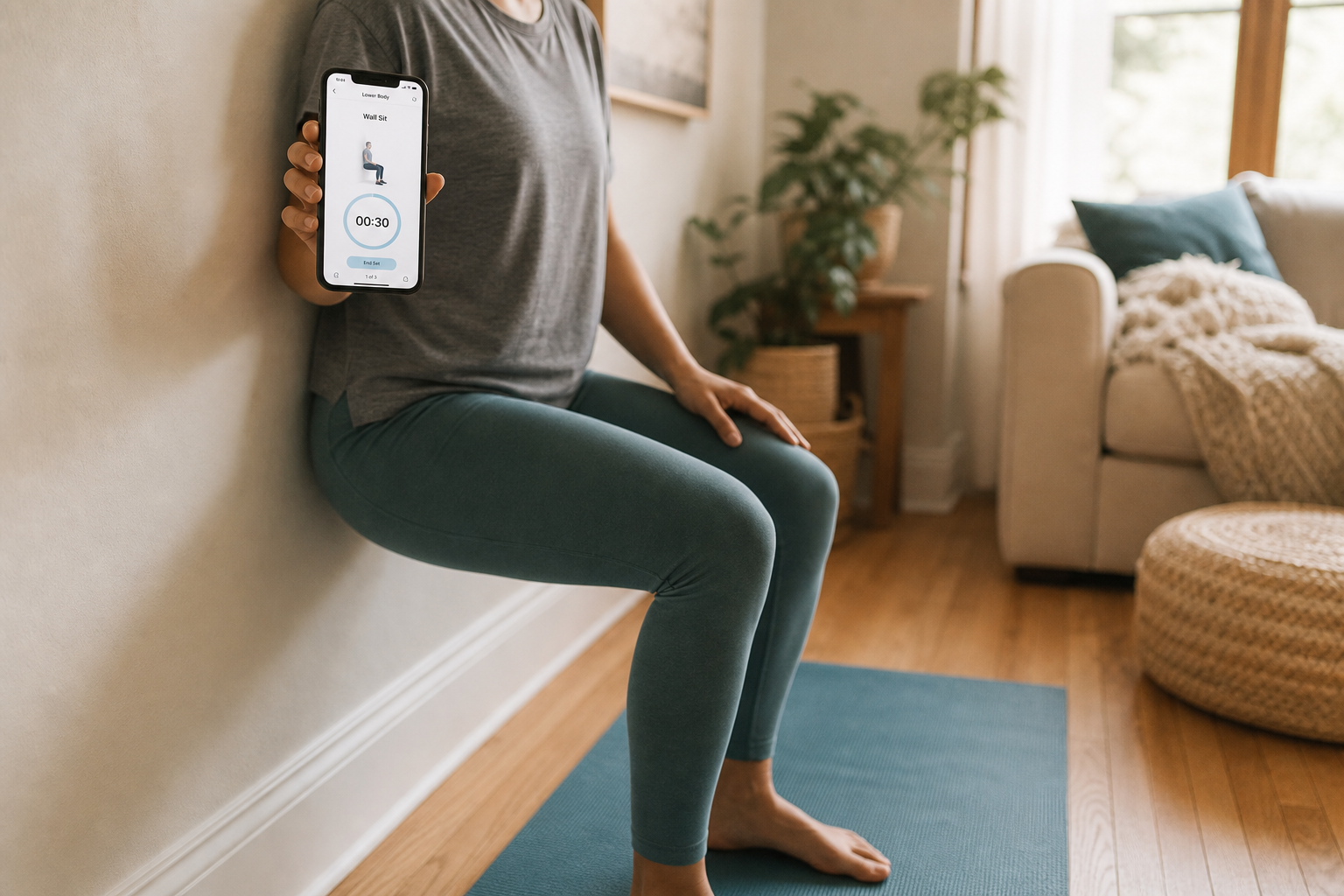
If you're a beginner looking at the app store, the pricing landscape can feel confusing. You'll see apps asking for $10, $20, or even $200 per month. It's natural to wonder whether the free options are just teasers — stripped-down versions designed to push you toward a subscription. The honest answer, backed by testing across dozens of apps, is that a free workout app can absolutely deliver real results for a beginner.
The limiting factor for someone starting out is almost never the feature set of the app. It's consistency. A free app you use three times per week will produce better results than a premium app you open once. The apps recommended in this guide — Nike Training Club, FitOn, Caliber, and Hevy — all provide complete workout libraries, structured plans, and quality instruction without requiring a credit card.
When Free Is Enough: 3 Signs You Don't Need to Pay Yet
Before you consider spending money, ask yourself these three questions. If the answer to all of them is yes, a free app will serve you well for at least the first few months.
- You just need guided workouts. You don't need an AI to design your program or a coach to watch your form. You want someone to tell you what to do, show you how to do it, and let you follow along. Free apps like Nike Training Club and FitOn offer hundreds of trainer-led sessions across strength, HIIT, yoga, and mobility — all with video demonstrations.
- You can self-motivate. You don't need daily check-ins from a coach or a social feed to keep you accountable. If you can open the app and press play on your own, the free tier is enough. Apps like Hevy and Caliber provide workout tracking and community features at no cost, which is often sufficient for self-starters.
- You don't need AI-driven planning or human coaching. Free apps give you libraries of workouts and basic programming. If you're happy picking a session and following it, you're covered. The moment you feel stuck — unsure what to do next, how to progress, or whether your form is correct — that's when a paid option might help.
If these three conditions describe your situation, there is no evidence that paying for an app will improve your results. Start with a free app, build the habit, and reassess in 4 to 6 weeks.
Best Free Workout Apps for Beginners (That Are Actually Free)
The following apps offer genuinely useful free tiers — not just trials or limited demos. Each has been tested and recommended by multiple independent reviewers.
- Nike Training Club: Completely free. No subscription, no hidden paywall. Offers hundreds of on-demand, trainer-led workouts across strength training, HIIT, yoga, and Pilates. Rated 5/5 for instruction quality by Garage Gym Reviews and named 'Best Free Fitness App' by Forbes Health with a 5.0 rating. Good Housekeeping also named it 'Best For Beginners' and 'Free.' If you download only one app, start here.
- FitOn: Free tier with full workout access. The free version includes thousands of guided workout videos, live classes, and real-time in-app messaging. Named 'Best Free Workout App for Beginners' by Garage Gym Reviews, with a 5/5 ease-of-use rating. Most workouts show modifications, which is critical for beginners who need lower-impact options.
- Caliber: Free tier with over 500 exercises. The free version includes a library of over 500 exercises, each with video, step-by-step instructions, and a muscle map. You can log workouts or use Caliber's algorithm to create a custom program. Named 'Best Free Workout App Overall' by Garage Gym Reviews. For strength-focused beginners, this is the strongest free option.
- Hevy: Generous free tier with community features. The free version includes a robust workout tracker and community feed. Named 'Best Free Workout App for Community' by Garage Gym Reviews. Pro version is $2.99/month or $23.99/year, but the free tier is substantial enough for most beginners.
For a deeper look at which free app matches your specific goal, check out our Beginner's Decision Guide to Free Workout Apps.
When Paying Makes Sense: 3 Reasons to Upgrade
Paying for a workout app is not a shortcut to better results. But there are specific situations where a paid app solves a problem that free apps don't address well. If any of these three describe you, the upgrade may be worth the cost.
- You need a structured day-by-day program with built-in progression. Free apps give you libraries of workouts, but they rarely provide a complete multi-week program that tells you exactly what to do each day and how to increase difficulty over time. Daily Burn's True Beginner program, for example, is an 8-week plan with no jumping, no floor work, and low-impact modifications for every move. For a beginner who feels overwhelmed by choice, this structure removes decision paralysis entirely.
- You want real human coaching for accountability. If you know you won't stick with an app unless someone checks in on you, a paid coaching app like Future ($199/month) provides a personal trainer who designs your workouts, sends daily check-ins, and adjusts your plan based on your feedback. That's cheaper than in-person personal training, which typically costs $50 to $150 per hour. For some people, that accountability is the difference between three months of consistency and three months of inactivity.
- You train with specific equipment that free tiers don't support. Free apps are generally designed for bodyweight or basic dumbbell work. If you have a cable machine, a rower, or a smart gym, you may find that free apps don't include exercises for that equipment. Paid apps like Apple Fitness+ ($9.99/month) and Peloton App One ($12.99/month) offer workouts for a wider range of equipment, including treadmills, bikes, and rowers.
Best Paid Apps for Beginners: What You Actually Get for Your Money
If you've decided that a paid app is right for you, these are the options that offer the clearest value for beginners.
- Daily Burn ($19.95/month): Best for absolute beginners who need a structured, low-impact starting point. The True Beginner program is 8 weeks long, designed specifically for people who have never exercised before. No jumping, no floor work, and every move has a modification. Life by Daily Burn named it 'best overall for absolute beginners.'
- Future ($199/month): Best for beginners who need one-on-one accountability. You get a real human coach who designs your workouts, checks in daily, and adjusts your plan. Multiple sources (Garage Gym Reviews, Good Housekeeping, CNET) name it the best personal training app. At roughly $200/month, it's expensive, but it's cheaper than in-person PT and provides daily accountability that no free app can match.
- Apple Fitness+ ($9.99/month or $80/year): Best for iPhone users who want variety. Offers over 5,000 live and on-demand workouts ranging from 5 to 45 minutes. CNET named it 'Best workout app for iPhone users.' Note: you need an Apple Watch to use it, which adds a significant upfront cost.
- Peloton App One ($12.99/month or $130/year): Best for those who want access to Peloton's class library without buying the bike or treadmill. Includes strength, yoga, meditation, and outdoor running. New users get a 30-day free trial.
Free vs. Paid: Feature Comparison Table
The table below summarizes the key apps, their pricing, what the free tier offers, and what makes each one worth considering for beginners.
| App | Pricing | Free Tier Quality | Best For (Beginner) |
|---|---|---|---|
| Nike Training Club | Free (100%) | Full library — hundreds of workouts, no paywall | Anyone who wants a free, high-quality app with variety |
| FitOn | Free / Pro $19.99/mo | Full workout access, live classes, modifications shown | Beginners who want modifications and live class options |
| Caliber | Free / Pro $19/mo / Premium $200+/mo | 500+ exercises with video, custom program algorithm | Strength-focused beginners who want science-based plans |
| Hevy | Free / Pro $2.99/mo or $23.99/yr | Workout tracker, community feed | Beginners who want social accountability and logging |
| Daily Burn | $19.95/mo | N/A (paid only) | Absolute beginners needing structured 8-week program |
| Future | $199/mo | N/A (paid only) | Beginners who need 1:1 human coaching and daily check-ins |
| Apple Fitness+ | $9.99/mo or $80/yr | N/A (paid only, requires Apple Watch) | iPhone users who want variety and short workouts |
| Peloton App One | $12.99/mo or $130/yr | 30-day free trial | Those who want Peloton classes without the hardware |
Hidden Costs to Watch For
The subscription price is only part of the total cost. Before you commit to any app, consider these additional expenses that can catch beginners off guard.
- Equipment requirements. Some paid apps assume you have dumbbells, resistance bands, or a yoga mat. Daily Burn's True Beginner program is designed to be equipment-free, but many other programs on the platform require basic gear. If you don't already own equipment, factor in that cost before subscribing.
- Smartwatch requirements. Apple Fitness+ requires an Apple Watch to function. That's a $200+ upfront cost on top of the $9.99/month subscription. If you don't already own an Apple Watch, this app becomes significantly more expensive than its monthly price suggests.
- Paying for features you won't use. Many paid apps offer nutrition tracking, meal plans, advanced analytics, and AI coaching. As a beginner, you likely don't need any of these. The core value of a workout app for someone starting out is guided workouts and basic programming. Don't pay for features that won't help you build the habit.
Your Decision Flowchart: Free or Paid?
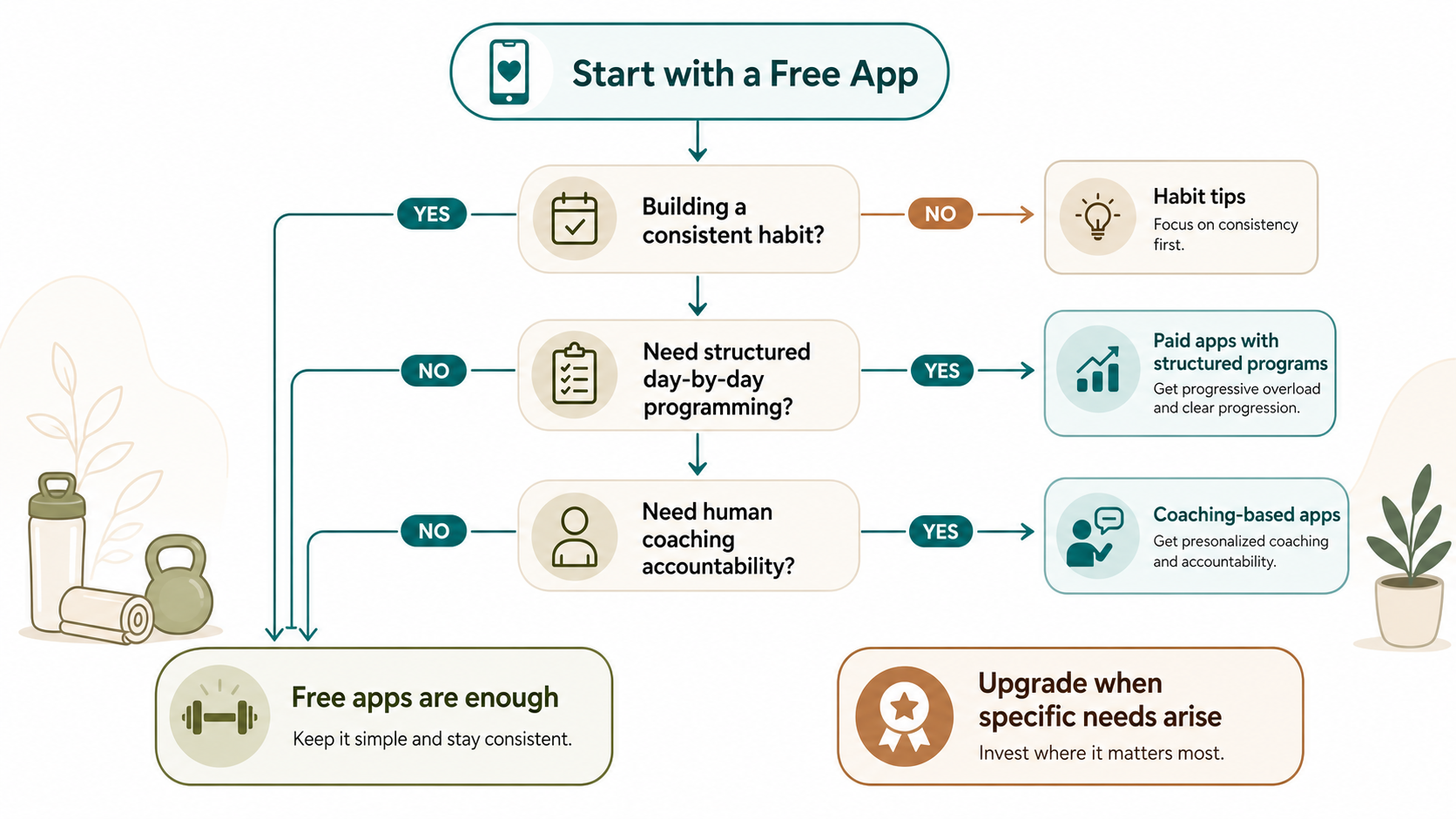
Here's the simplest way to decide:
- Start with a free app. Download Nike Training Club or FitOn. Use it for 4 weeks. Your only goal is to work out at least twice per week. Do not think about upgrading during this period.
- After 4 weeks, assess your consistency. If you've been working out regularly and feel good about the habit, ask yourself: do I feel limited by the free app? If the answer is no, keep using it. If yes, move to the next step.
- Identify what's missing. Do you need a structured program (Daily Burn), human coaching (Future), or specific equipment support (Apple Fitness+ or Peloton)? Match your need to the app that solves it.
- If you haven't been consistent, do not pay for an app. The problem isn't the app — it's the habit. Focus on finding a way to work out that you actually enjoy. A paid subscription won't fix inconsistency.
For a more detailed breakdown of how to structure your first month with a free app, read our guide on How to Use Free Fitness Apps to Actually Build a Home Workout Routine. And if you're specifically interested in strength training, our article on Best Free Workout Apps for Strength Training covers which free apps support progressive overload without a paywall.
This is general fitness education, not medical advice. For diagnosis or treatment of pain or injury, consult a qualified clinician.
Pick your next session
Browse all routines to find an appropriately-spaced next session.
Spot something off?
This content sits adjacent to health guidance — tell us if a citation or figure needs a correction.