
How to Use Free Fitness Apps to Actually Build a Home Workout Routine
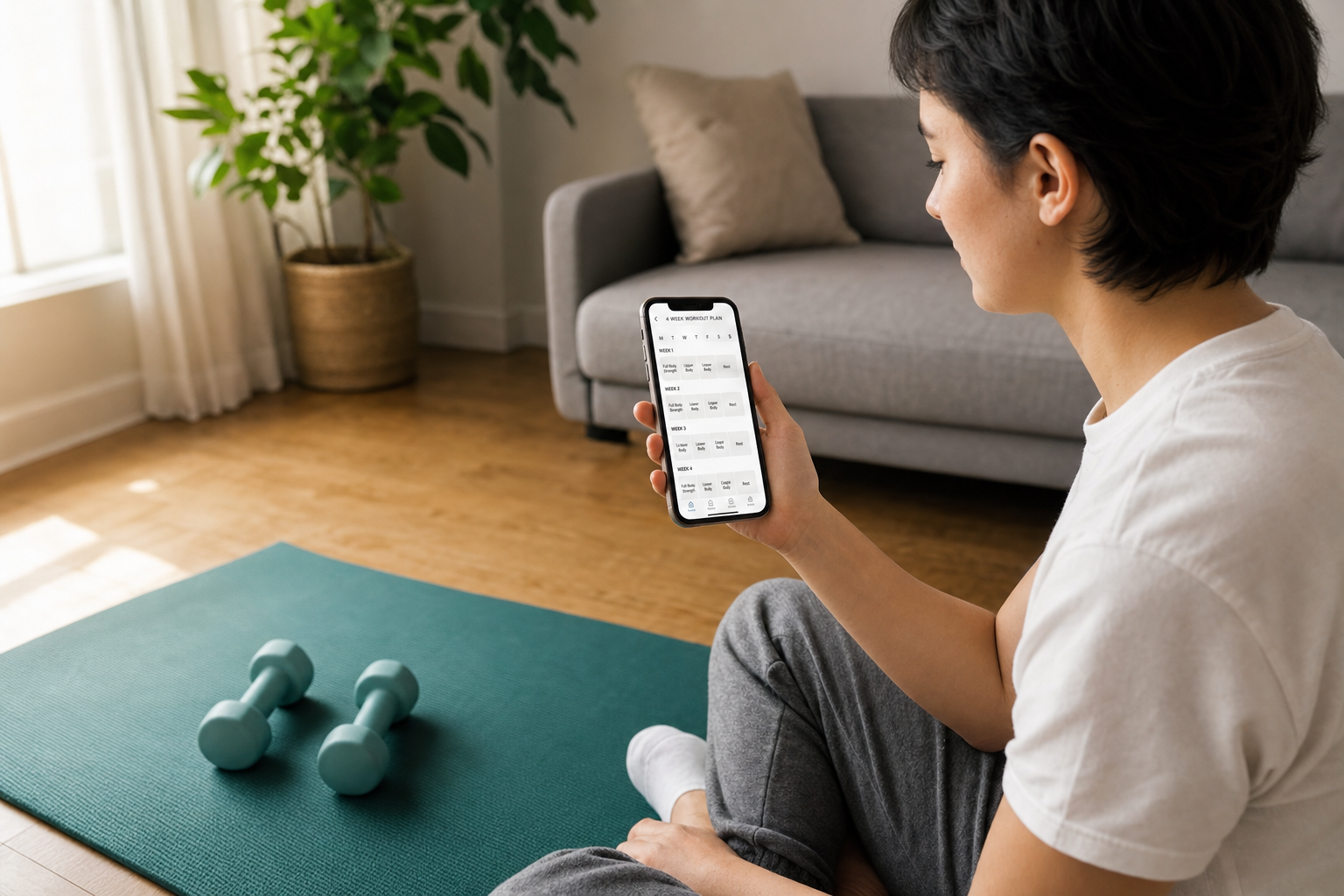
Most beginners download a free fitness app, browse a few workouts, and quit within a month — not because the app is bad, but because they never found its program mode. This guide shows true beginners how to shift from random browsing to a structured 3-day-per-week routine using four genuinely free apps, so the app becomes a consistent habit instead of an occasional distraction.
Why Most Beginners Quit Free Fitness Apps Within a Month
The pattern is almost universal. You download a free fitness app, spend twenty minutes exploring the workout library, pick something that looks manageable, finish it, feel good — and then open the app again three days later with no idea what to do next. So you browse again. Pick something different. Maybe a HIIT session this time, then yoga the following week, then a core workout because it was short. Within a month, the app icon is buried on page three of your phone.
This is not a willpower problem. The average 30-day retention rate for fitness apps sits at just 27.2% — meaning nearly three out of four people who download a free fitness app stop using it within a month. That number is consistent enough to suggest a structural problem, not a personal one.
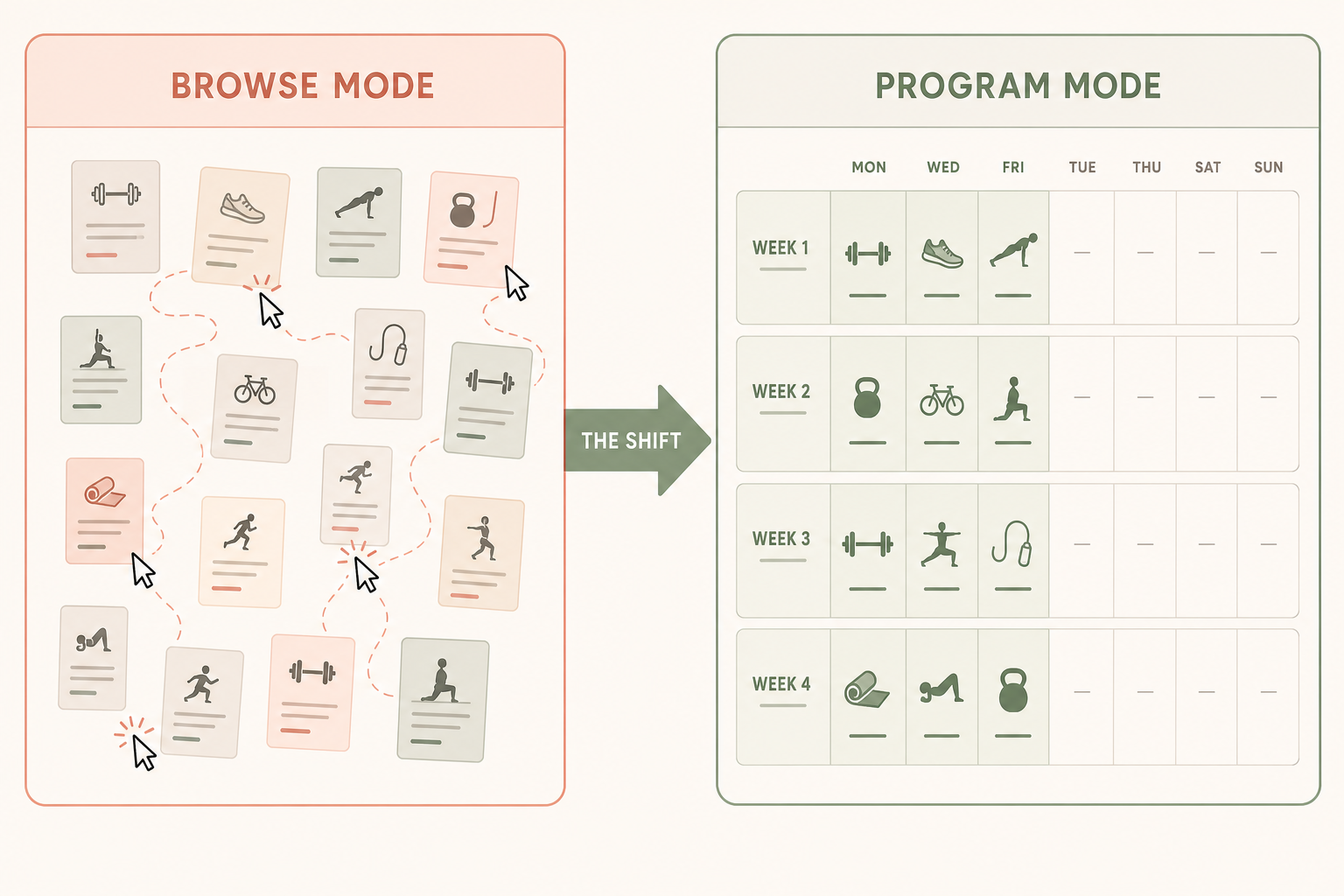
The structural problem is this: most beginners open a fitness app in browse mode when they need to be in program mode. Browse mode means opening the app and picking whatever looks good today. Program mode means selecting one multi-week program and following it sequentially, session by session, whether or not it looks exciting on any given day.
What Beginners Actually Need From a Free App (And What They Usually Get)
A library of exercises is not a program, in the same way a dictionary is not a novel. Knowing that squats, push-ups, and planks exist is different from knowing which ones you should do today, in what order, at what intensity, and what comes next week.
Most free fitness apps give beginners an enormous library and very little guidance on how to navigate it. The result is that beginners pick randomly, accumulate soreness without structure, and have no way to measure whether anything is working.
What a beginner actually needs from a free app is narrower and more specific than variety:
- Structured multi-week progression — a program that builds intensity gradually across weeks, not a flat collection of one-off sessions.
- Form coaching, not just rep counts — an instructor who explains alignment and demonstrates the movement before counting, not just calls out numbers.
- Visible modifications — every exercise should have a lower-intensity option clearly shown on screen, so a beginner never feels forced to skip or push through something painful.
- Reasonable session length — 15 to 30 minutes for the first month. Longer sessions are not a sign of a better program for someone building the habit from scratch.
The single most important behavioral shift a beginner can make is this: choose one pre-built program inside the app and follow it sequentially. Not the most popular workout today. Not whatever is featured on the home screen. One program, followed in order, for its full duration.
The Four Best Free Apps for Home Beginners — and How to Set Each One Up
These four apps are not ranked. They suit different starting situations. Read through each setup walkthrough and pick the one that matches where you are right now — not the one with the most features.
Nike Training Club — Best for Variety With Full Beginner Programs
Nike Training Club has no premium tier. The entire library — over 300 workouts, certified instructors, and periodized multi-week programs — is free with no paywall. This is unusual enough to be worth stating plainly.
Who it fits: Beginners who want guided sessions with real instruction and a range of styles (strength, cardio, mobility, yoga) without committing to a purely strength-focused approach.
How to set it up in program mode:
- After creating a free account, go to the Programs tab (not the Workouts tab). The Programs tab is where multi-week structured plans live — the Workouts tab is the library.
- Filter by your fitness level (Beginner) and your available equipment (bodyweight or dumbbells). NTC will surface programs matched to your inputs.
- Select one program with a 4- to 6-week duration. Read its week-by-week description before committing — you want a program that starts with 3 days per week at 15–25 minutes per session.
- Tap 'Start Program' and let the app schedule your first session. Do not browse other workouts while you are inside a program.
What the first week looks like: Three guided sessions, each with a warm-up, main set, and cool-down. Instructors demonstrate modifications. Sessions run 20–30 minutes. The app tracks your progress through the program automatically.
FitOn — Best for Habit Formation From Zero
FitOn's free tier gives access to all workouts — no exercise is locked. Sessions run 10 to 30 minutes, which removes the most common barrier beginners report: not having enough time.
Who it fits: True beginners who have never maintained any exercise habit and need short, manageable sessions to establish a rhythm before worrying about progression.
How to set it up in program mode:
- During onboarding, select your goal and fitness level. FitOn uses this to surface relevant programs — do not skip the onboarding screens.
- Navigate to the Plans section (not the home screen, which pushes the full library at you). The home screen is intentionally designed to surface variety — it is browse mode by default.
- Filter plans by Beginner and select a 2- to 4-week program. FitOn's beginner plans are structured with rest days built in and modifications shown throughout.
- Commit to the plan rather than mixing in other workouts from the home screen. The home screen will keep offering new content — this is normal, and you should ignore it while you are inside a program.
What the first week looks like: Three sessions of 15–20 minutes each, with instructors who demonstrate modifications throughout. The short duration is intentional — the goal in week one is showing up three times, not exhausting yourself.
Boostcamp — Best for Beginners Who Want Real Strength Progression
Boostcamp hosts over 1,000 strength programs, including well-established beginner programs like GZCLP and Reddit PPL. The free tier gives full access to these programs. The app remembers the weight you used in your last session, tracks personal records, and shows training volume by muscle group.
Who it fits: Beginners who have dumbbells or basic equipment at home and want a strength-focused program with built-in progression logic — not just guided sessions.
How to set it up in program mode:
- On the Programs screen, use the filters to select your experience level (Beginner), days per week (3), and available equipment (dumbbells or bodyweight). This narrows the library to programs you can actually complete.
- Select a beginner program — GZCLP is a well-structured starting point for anyone with access to basic weights. Read the program description to confirm the session length and equipment requirements before starting.
- On your first session, enter your starting weights conservatively. Boostcamp auto-fills your previous weights for every subsequent session — starting too heavy creates problems the app cannot fix for you.
- After each session, log your sets and reps. The app's progression logic is only useful if you log consistently.
What the first week looks like: Three sessions of 30–45 minutes, each with a defined exercise list, target sets and reps, and automatic weight suggestions based on your inputs. The app tracks your PRs from session one.
Caliber — Best for Beginners Who Want a Personalized Starting Point
Caliber's free tier uses a brief assessment — fitness history, goals, available equipment, schedule — to generate a customized program. The result feels like a personalized plan without a subscription. The exercise library includes over 500 movements with video demonstrations and muscle maps.
Who it fits: Beginners who feel overwhelmed by choosing a program and want the app to make that decision for them based on their actual situation.
How to set it up in program mode:
- Complete the onboarding assessment fully and honestly. The algorithm uses your inputs to build the program — underreporting your fitness level or overstating your equipment access will produce a program that does not fit.
- Review the generated program before your first session. Check the session length, equipment requirements, and weekly session count. If anything does not match your real situation, adjust your profile inputs before starting.
- Follow the generated program sequentially. Caliber sets weekly goals within the free tier — use these as your progression checkpoints rather than deciding on your own when to increase difficulty.
What the first week looks like: Three sessions of 20–35 minutes, built around your specific equipment and goals. The exercise library's video demonstrations and muscle maps are particularly useful for beginners who are not familiar with the movements.
How to Build a Real 3-Day-Per-Week Schedule Around One Program
Once you have selected a program in your chosen app, the next step is placing it on your actual week. Three days per week is the right starting frequency for beginners — enough to build consistency, not so much that recovery becomes a problem.
The structure matters less than the spacing. Monday, Wednesday, Friday works. Tuesday, Thursday, Saturday works. What does not work is three days in a row followed by four days off — the rhythm breaks and re-starting feels harder each time.
| Week | Sessions | Duration Per Session | What to Focus On |
|---|---|---|---|
| Week 1 | 3 days | 15–25 min | Complete all sessions. Do not judge how hard or easy they feel. |
| Week 2 | 3 days | 15–25 min | Repeat the same workouts. Familiarity is the goal, not variety. |
| Week 3 | 3 days | 20–30 min | Notice that movements feel more natural. Log every session. |
| Week 4 | 3 days | 20–30 min | Movement starts to feel like a normal part of your week, not an event. |
The counterintuitive insight in week two is important: repeating the same workouts is not a sign that you are stagnating. For beginners, the second time through a session is when your nervous system starts learning the movements. Variety in week two actively slows this down.
Completing two consecutive weeks of the same program is a stronger signal of progress than any single impressive session. It means the habit is forming, not just that you had one good day.
How to Recognize When You're Ready to Progress
Progression inside a beginner program does not mean switching to a harder program. It means advancing within the program you are already following — increasing weight, adding reps, or moving to the next phase of the same plan.
Boostcamp makes this explicit: the app auto-fills your previous session's weights and tracks personal records automatically. When Boostcamp suggests adding weight, that suggestion is based on your logged history, not a generic schedule. Follow it.
Caliber's free tier sets weekly goals within the generated program. These goals function as built-in progression checkpoints — when you consistently meet them, the program adjusts upward.
For Nike Training Club and FitOn, which do not surface automatic progression cues in the same way, use these observable signals instead:
- You complete all sets and reps without your form breaking down in the final set.
- You finish sessions with noticeable energy remaining — not just breathing normally, but feeling like you could have done more.
- Sessions consistently feel shorter than the timer says — your perception of effort has decreased.
- You have not missed a session in two consecutive weeks.
When two or more of these are true simultaneously, advance within the program: add weight if the program allows it, or move to the next phase if the program has one. If you have completed the full program, that is the right moment to look for the next level — not before.
Six Signs You're in Browse Mode Instead of Program Mode
Browse mode and program mode can look identical from the outside — you open the app, you do a workout. The difference is in the pattern over time. These are the specific behaviors that indicate you have slipped back into the library trap:
- You open the app and pick whatever looks good or short today. This is the clearest sign. Program mode means your next session is already determined — you do not choose it on the day.
- You have never completed two consecutive sessions from the same program. If every session comes from a different program or a different part of the library, you are browsing.
- You treat different modality classes as a weekly plan. Yoga on Monday from one program, HIIT on Wednesday from another, strength on Friday from a third is not a program — it is three separate browse decisions.
- You skipped the app's onboarding assessment. Onboarding is how the app routes you to the right program. Skipping it puts you directly into the library with no filter.
- You choose workouts by duration alone. Picking the 15-minute option because it fits your schedule today is browse mode. Duration should be a property of your chosen program, not your primary selection filter.
- You feel like the app 'isn't working' after two weeks. Two weeks is not enough time for any program to produce visible results. If the app feels ineffective this quickly, it is almost always because there is no program — just a series of unconnected sessions.
Frequently Asked Questions
Can I use more than one app at a time?
Not while you are establishing a habit. Running two programs simultaneously — even across different apps — is a form of browse mode. Pick one app, follow one program, and finish it before evaluating whether a different app would serve you better. Once you have completed a full program and built a consistent 3-day-per-week rhythm, adding a complementary app for a specific purpose (a mobility practice, for example) is reasonable.
What if I miss a scheduled day — do I restart the program?
No. Resume where you left off. If you missed Monday's session, do it on Tuesday and shift the rest of the week forward. Restarting programs after missed days is one of the most common reasons beginners never complete a full program. Missing a day is normal — restarting from scratch turns a small interruption into a much larger one.
Do I need dumbbells to use these apps?
No. Nike Training Club, FitOn, and Boostcamp all have bodyweight-only programs that require no equipment. Caliber's assessment will generate a bodyweight program if you indicate no equipment is available. All four apps ask about equipment during setup — answer honestly and the program you receive will match what you actually have.
How do I know if a program is too hard or too easy for me?
Too hard: You cannot complete the prescribed sets and reps with reasonable form, or you feel significantly sore for more than two days after a session. If this happens in week one, use the program's modifications (most beginner programs include them) or drop to a lighter weight. Do not switch programs.
Too easy: You finish every session feeling like you barely moved. If this is true after two full weeks of consistent sessions, look for a program one level up within the same app rather than switching apps entirely.
Should I pair my app with a fitness tracker?
A tracker is not necessary to build a consistent routine with a free app. The apps covered here track your sessions, sets, reps, and progression internally. That said, if you already own a wearable or are considering one, a tracker can add useful data — particularly for monitoring recovery between sessions. The guide on choosing a fitness tracker for home workouts covers what to look for based on your specific goals. Note that Caliber's tracker sync is limited to Apple Watch — if you use a Garmin or other Android-compatible wearable, NTC, FitOn, or Boostcamp will integrate more smoothly.
This result comes from one real apartment under the stated conditions — it is a strong signal, not a guarantee your space will measure identically.
Builds this evidence supports
No build currently links to this specific test. Browse all builds with a matching tag.
Spot something off?
If this result didn't match your own space, let us know — floor-damage and noise claims carry real deposit-risk consequences if we get them wrong.