
What Makes a Fitness Tracker Good for Home Workouts: A Goal-Based Decision Guide
Most 'best tracker' roundups give you the same picks regardless of what you actually do at home — this guide matches tracker type, form factor, and companion app to your specific training goal, whether that's daily steps, HIIT, strength training, or sleep and recovery.
Why 'Best Tracker' Lists Fail Home Gym Users
Most fitness tracker roundups are organized by budget tier or spec sheet: best under $100, best under $200, best premium. The problem is that structure gives the same top pick to a casual step-counter and a serious HIIT athlete — two people with almost nothing in common in terms of what they actually need a tracker to do.
For home gym users specifically, the mismatch is worse. You are not training outdoors, you are not logging runs, and GPS accuracy is irrelevant. What matters is whether the device delivers useful data for your specific training style — and that question is almost never answered by a generic spec comparison.
This guide organizes recommendations the other way around: start with what you actually do at home, then identify what a tracker must deliver for that use case, then match a specific device to those requirements. If you already know your use case and want budget-based options within it, the tiered picks and subscription cost breakdown is a useful companion. If you want a broader constraint-based buying framework, the wearable fitness tracker buyer's guide covers that. This article focuses on the goal-first decision.
Step 1: Identify Your Home Fitness Use Case
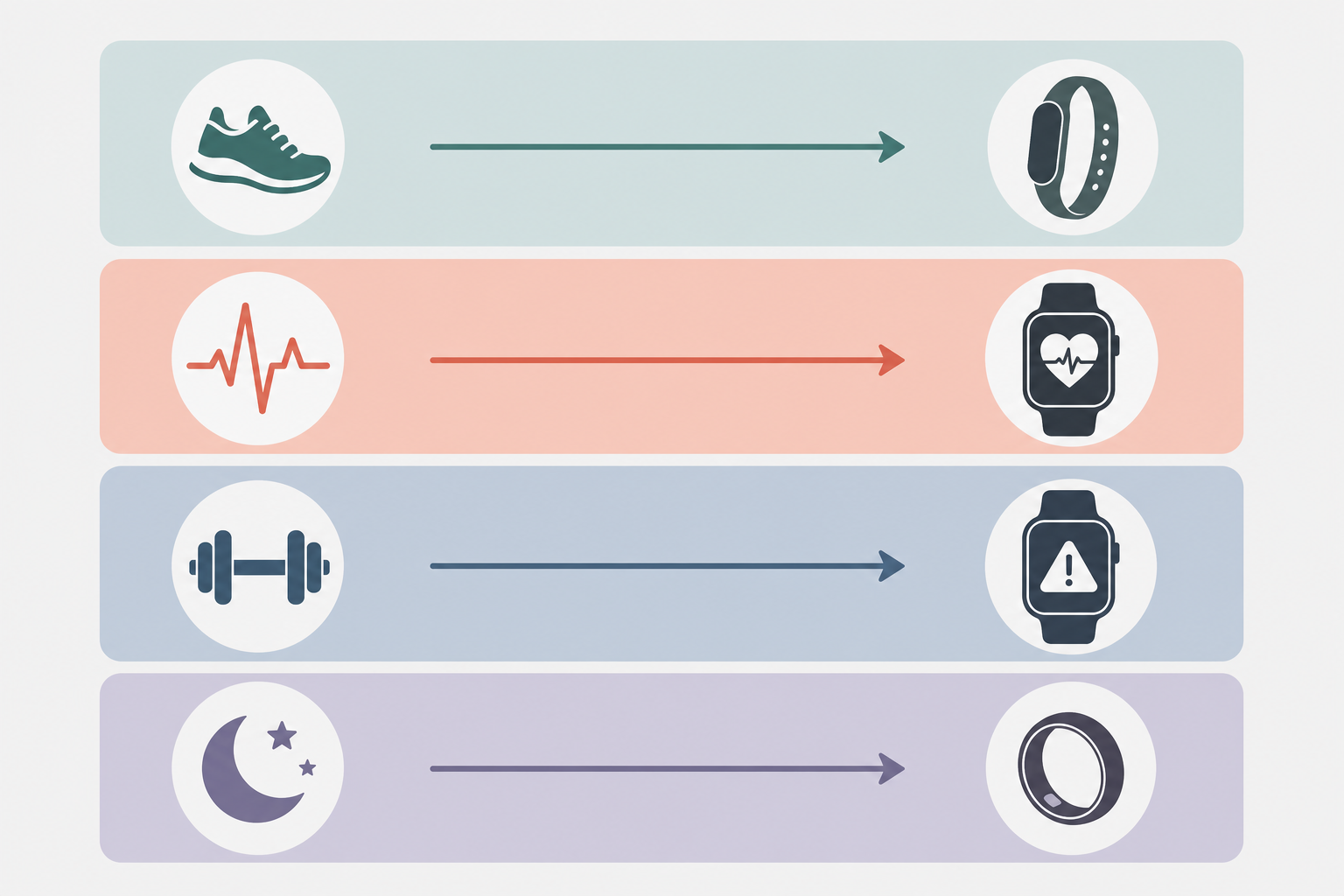
Before any device recommendation makes sense, you need to know which of four home training use cases describes your primary activity. These are meaningfully different from each other — not just variations on the same workout.
- Daily activity and step counting. You want to track movement throughout the day, monitor general health metrics like resting heart rate and sleep, and stay accountable to basic activity goals. Workouts are moderate — walks, light cardio, bodyweight sessions — rather than high-intensity.
- HIIT and cardio intervals. You do structured interval sessions — jump rope, cycling sprints, circuit training, or similar — where real-time heart rate zone feedback during the workout is part of the training method.
- Strength training. Your primary sessions are resistance-based: dumbbells, barbells, bodyweight strength work, or machines. You want to log sets, reps, and effort, and possibly track recovery between sessions.
- Sleep and recovery monitoring. Your primary interest is understanding how well you are recovering — sleep quality, HRV trends, readiness scores — to inform how hard you train on any given day.
Many home gym users combine use cases — a strength trainer who also cares about sleep, or a HIIT user who wants daily step data. When that happens, identify your primary use case first. That determines which device capabilities are non-negotiable versus nice to have. If you are new to tracking and unsure which category fits, the fitness band guide for beginners is a simpler starting point focused on band form factor only.
What Each Use Case Actually Demands from a Tracker
The gap between what trackers claim to do and what they actually deliver varies significantly by activity type. Understanding where each use case sits on the accuracy and feature spectrum prevents buying a device for capabilities it cannot reliably provide.
| Use Case | What the Tracker Must Deliver | Accuracy Threshold That Matters | Form Factor Requirement | App Requirement |
|---|---|---|---|---|
| Daily activity / steps | Step count, resting HR, sleep duration, basic activity logging | Step accuracy is reliable across most devices; calorie estimates are rough approximations only | Any — band is most practical for all-day wear | Basic dashboard; subscription not required for core data |
| HIIT / cardio intervals | Real-time heart rate zone display during workout; zone time summary post-workout | Wrist PPG is 70–85% accurate during HIIT and lags intensity spikes by 10–30 seconds — a known limitation | Watch with screen for mid-workout zone feedback | Heart rate zone visualization; training load summary |
| Strength training | Set/rep logging (usually manual); post-workout HR summary; recovery trend data | Wrist PPG is unreliable during isometric holds and heavy compound lifts; auto-detection is inconsistent across all brands | Watch or band — screen helpful for session timer; ring acceptable for recovery data only | Manual workout logging; progressive overload tracking |
| Sleep and recovery | Sleep duration, fragmentation, HRV, readiness or recovery score | Total sleep time and fragmentation are reliably measured; sleep stage breakdown (deep sleep minutes) uses proprietary algorithms with known limitations | Ring or screenless band for overnight comfort; watch is workable but bulkier | HRV trend access; readiness scoring; subscription may be required for full data |
Wrist-based optical heart rate (PPG) sensors are the technology underlying heart rate data on nearly all bands, watches, and rings. At steady-state cardio intensities, accuracy is generally 85–95%. During HIIT, accuracy drops to 70–85% and the sensor lags behind rapid heart rate changes by 10–30 seconds. At heart rates above 150 bpm, published research documents significant underestimation across device types, with motion artifacts during prolonged muscle contractions making the problem worse. For a deeper breakdown of accuracy by activity, see the heart rate tracker accuracy guide.
Best Tracker Matched to Each Use Case
The picks below are organized by use case, not budget tier. Price appears as a secondary attribute within each section because it matters — but it should not be the starting filter.
Daily Activity and Step Counting
For this use case, the decision is straightforward: a $50–100 band covers 90% of what most home users need. The Fitbit Inspire 3 (under $100, no subscription required for core features) offers a color touchscreen, 8-day battery, step tracking, sleep tracking, and basic heart rate monitoring. It is the most capable entry-level band that does not require an ongoing payment to function.
The Xiaomi Smart Band 10 (~$50, no subscription) offers a 21-day battery and covers step counting and sleep basics at roughly half the price. The trade-off is that it lacks HRV tracking, ECG, blood oxygen sensors, and skin temperature — and its sleep tracking accuracy gets mixed feedback. If your goal is purely step accountability and general movement data, it is a reasonable choice. If you want sleep or recovery data alongside daily activity, the Inspire 3 is the better fit at a modest price increase.
HIIT and Cardio Intervals
For heart rate zone training during intervals, you need a watch with a screen — real-time zone display during the workout is the core requirement. Two options stand out in the mid-range:
- Fitbit Charge 6: Heart rate zone tracking, Active Zone Minutes, and Google Maps / Wallet integration. SmartTrack auto-detection is functional but does not always stop cleanly between activities. Some features — including the Daily Readiness Score — require a Fitbit Premium subscription to access.
- Garmin Venu Sq 2: Solid heart rate zone tracking, a bright AMOLED display, and access to Garmin Connect's training readiness and HRV data without a subscription. A strong option for users who want HIIT zone data alongside recovery metrics in a single device.
Sleep and Recovery Monitoring
This is the use case where premium devices offer the clearest advantage over budget alternatives. Two devices lead this category:
- Oura Ring 4 ($349 device + $6/month or $70/year subscription): Tracks over 50 health metrics and delivers readiness, sleep, and stress scores. The ring form factor is more comfortable overnight than a wristband, which matters for sleep data quality. The subscription is required for full readiness and coaching features — without it, data access is limited. Note that the Oura Ring functions as a retroactive tracker: it gives insights after the fact, not real-time workout feedback.
- Whoop 5.0 (subscription from $199/year, device included): Designed specifically for recovery-focused athletes. The device has no screen and gives no real-time feedback — all insights are reviewed post-workout through the app. Subscription tiers are $199 (One), $239 (Peak), and $359 (Life) per year. Whoop is genuinely useful for data-driven athletes who want to understand how their body responds to training load over time. For casual home gym users, it is overkill.
Strength Training
This is where honesty matters most: no current consumer fitness tracker handles strength training well. The fundamental problems are two:
- Auto-detection is unreliable. Most trackers misidentify exercises or fail to start and stop sessions correctly during resistance training. The Fitbit Charge 6's SmartTrack feature, for example, does not always stop cleanly between exercises. Withings ScanWatch Light was explicitly noted as unsuitable for CrossFit or powerlifting by independent testers.
- Wrist PPG is compromised during isometric holds and heavy lifts. The optical sensor is physically obstructed during prolonged muscle contractions, and the elevated heart rate from resistance training does not correlate linearly with energy expenditure the way aerobic exercise does. Any calorie figure a tracker gives you during a strength session is particularly unreliable.
The practical workaround: use manual logging for sets and reps, and rely on the tracker for recovery data between sessions — HRV trends, sleep quality, and resting heart rate — rather than for workout-specific metrics. A watch or band that syncs with a dedicated strength logging app is more useful than any tracker's built-in strength detection. If you are primarily a strength trainer, the recovery monitoring use case may be the more relevant lens for choosing a device.
| Use Case | Primary Pick | Price (approx.) | Subscription Required | Key Limitation |
|---|---|---|---|---|
| Daily activity / steps | Fitbit Inspire 3 | Under $100 | No (core features free) | Fewer advanced health sensors than premium devices |
| Daily activity / steps (budget) | Xiaomi Smart Band 10 | ~$50 | No | No HRV, ECG, or skin temperature; mixed sleep accuracy |
| HIIT / cardio intervals | Garmin Venu Sq 2 | $200–$250 | No | PPG lags 10–30 sec during intensity spikes |
| HIIT / cardio intervals (alt.) | Fitbit Charge 6 | $150–$180 | Premium for Daily Readiness Score | Some features gated behind Fitbit Premium |
| Sleep and recovery | Oura Ring 4 | $349 + $6/mo or $70/yr | Yes — required for full features | No real-time workout display; retroactive insights only |
| Sleep and recovery (alt.) | Whoop 5.0 | $199–$359/yr (device included) | Yes — subscription is the product | No screen; FDA warning on top-tier Blood Pressure Insights feature |
| Strength training | None recommended for workout metrics | — | — | No consumer wearable reliably tracks resistance training; use manual logging |
Form Factor Trade-Offs by Use Case
The physical form of the device — band, watch, ring, or screenless — determines as much about fitness tracking usefulness as the sensor hardware inside it. Each form factor has a use case it serves well and one it does not.
| Form Factor | Best Use Case Fit | Weakest Use Case Fit | Key Trade-Off |
|---|---|---|---|
| Band (slim, with screen) | Daily activity, basic HIIT zone awareness | Overnight sleep comfort | Versatile all-day option; screen useful but wrist bulk can disturb sleep |
| Watch (full smartwatch) | HIIT and cardio intervals; real-time zone display | Overnight sleep tracking (bulk and comfort) | Most data-rich; heaviest and largest form factor |
| Ring | Sleep and recovery monitoring | Real-time workout feedback | Most comfortable overnight; no screen means no mid-workout display |
| Screenless band (e.g., Whoop 5.0, Fitbit Air) | 24/7 passive data collection; recovery monitoring | Any use case requiring real-time workout feedback | Minimal wrist presence; zero mid-workout utility as a display |
The ring form factor's advantage for sleep tracking is practical, not just theoretical: a device you are willing to wear all night consistently collects better sleep data than a watch you take off because the clasp is uncomfortable. Oura Ring 4's ring design is a meaningful differentiator for recovery-focused users, not just a style preference.
The Fitbit Air (released May 26, 2026) is Google's newest screenless tracker. PCMag awarded it Editors' Choice for its lightweight design, strong sleep tracking, and quick-charge system. However, it is very new — independent long-term wear data and HIIT-specific accuracy benchmarks are limited at this point. Its automatic workout tracking has been noted as less detailed than screen-based devices. Treat it as a promising option for passive data collection, but approach workout-specific claims with appropriate caution until more independent testing is available.
For a broader framework on how form factor interacts with other buying constraints, the wearable fitness tracker buyer's guide covers those dimensions in more depth.
Companion App Quality: What Each Platform Does Well and What It Gates
The hardware and the app are inseparable. A tracker with accurate sensors and a confusing app that you never open is functionally useless. Evaluating the app ecosystem alongside the device is not optional — it is the decision.
| Platform / App | Free Data Access | What Requires Subscription | Best For (App Perspective) |
|---|---|---|---|
| Garmin Connect | Training readiness, HRV status, sleep tracking, Body Battery, full workout history | Nothing — all core data is free | Users who want deep analytics without ongoing cost |
| Fitbit / Google Health | Step count, sleep duration, basic heart rate, workout logs | Daily Readiness Score, deeper coaching, stress management insights (Fitbit Premium, ~$10/mo or $80/yr) | Casual users comfortable with basic free data; readiness users who accept the paywall |
| Oura App | Basic activity rings, limited sleep data | Full readiness score, sleep stage coaching, cardiovascular age, stress features (subscription required at $6/mo or $70/yr) | Recovery-focused users who accept subscription as part of the product cost |
| Whoop App | Full recovery, strain, and sleep data within subscription (no device cost separately) | All meaningful data requires active membership — subscription is the product | Data-driven athletes; post-workout review rather than real-time feedback |
| Zepp (Amazfit / Xiaomi) | Step, sleep, heart rate, SpO2, basic workout logs | Some AI coaching features behind paywall; core data largely free | Budget users who want functional data without subscription pressure |
Garmin Connect stands out as the platform that gives the most meaningful data without requiring a subscription. Training readiness, HRV status, and sleep tracking are all available free. For home gym users who want recovery-informed training without ongoing app costs, Garmin's ecosystem is the strongest free option.
Fitbit and Oura both gate key insights behind subscriptions. Fitbit's Daily Readiness Score — one of the most practically useful features for training decisions — requires Fitbit Premium. Oura's readiness score, which is the core reason most people buy the ring, requires the monthly subscription on top of the device cost. These are not edge-case premium features; they are central to the product's value proposition.
The One-Question Decision Shortcut: Will You Actually Wear It Every Day?
After working through use case, form factor, and app ecosystem, there is one practical filter that overrides all of them: a tracker you stop wearing gives you no data.
Battery life and physical comfort are the two most underweighted factors in most buying decisions. A 21-day battery band you never have to think about charging will generate more useful data over six months than a premium watch with a 2-day battery that you regularly forget to charge or leave off while it charges.
For most casual home gym users tracking steps, sleep, and general activity, a basic band in the $50–100 range is genuinely enough. The marginal data quality improvement from a $300+ device is real — but it only matters if you are using that data to make specific training decisions. If you are not yet at the stage where HRV trends or readiness scores change what you do on a given day, a premium device is not a better tracker for you — it is a more expensive one.
The goal-first framework is the final filter: if your primary use case is covered by the device, and you will wear it consistently, the simpler and more comfortable option wins. For users simultaneously equipping a home gym and choosing a tracker to complement it, the constraint-based home exercise machine guide applies the same logic to equipment decisions.
Frequently Asked Questions
How accurate is wrist heart rate during HIIT?
At steady-state cardio, wrist-based optical heart rate sensors are generally 85–95% accurate. During HIIT, that drops to 70–85% accuracy, with a 10–30 second lag on intensity spikes. At heart rates above 150 bpm, research using ECG as a control documents significant underestimation across device types. Zone guidance during intervals is directionally useful but should not be treated as precise real-time data.
Can any tracker accurately measure calories during strength training?
No. A 2022 systematic review (Germini et al., JMIR) found that no consumer wearable brand came close to accurately tracking energy expenditure during workouts. During resistance training specifically, calorie estimates drop to 50–70% accuracy because elevated heart rate during strength training does not correlate linearly with energy expenditure the way aerobic exercise does. Treat all calorie figures during strength sessions as rough approximations only.
Does the Oura Ring work for real-time workout tracking?
No. The Oura Ring functions as a retroactive tracker — it collects data during activity and delivers insights after the fact through the app. It does not display heart rate zones or workout metrics in real time. If you need mid-workout feedback, the Oura Ring is not the right tool. It excels at sleep staging, HRV trends, and daily readiness scoring reviewed outside of the workout itself.
Is Whoop worth it for home gym users?
Only for data-driven athletes whose primary goal is understanding recovery and training load over time. Whoop's activity tracking has been rated as inconsistent at identifying specific exercises, and the device provides no real-time workout display. The subscription cost — starting at $199/year — makes it a significant ongoing investment. For casual home gym users, it is overkill. Also note: the top-tier Life Membership's Blood Pressure Insights feature was the subject of an FDA warning letter in July 2025 regarding marketing violations. Whoop maintains its devices are not medical devices.
Does Apple Watch work on Android?
No. Apple Watch is iOS-only and is not compatible with Android devices. For Android users, it is not a viable option regardless of its performance on accuracy benchmarks. The 2026 tracker picks by phone OS covers Android-compatible alternatives.
How accurate is sleep stage tracking?
Total sleep time and sleep fragmentation are reliably measured by most modern trackers. Sleep architecture — specifically, the breakdown of time spent in light, deep, and REM sleep — is less reliable. Each brand uses its own proprietary algorithm to calculate sleep stages, and those algorithms have known limitations. Deep sleep minutes in particular should be treated as approximate rather than clinically precise. If total sleep duration and overnight consistency are your primary concerns, tracker data is useful. If you are trying to diagnose specific sleep disorders, a clinical sleep study is the appropriate tool.
This result comes from one real apartment under the stated conditions — it is a strong signal, not a guarantee your space will measure identically.
Builds this evidence supports
No build currently links to this specific test. Browse all builds with a matching tag.
Spot something off?
If this result didn't match your own space, let us know — floor-damage and noise claims carry real deposit-risk consequences if we get them wrong.