
Best Fitness Apps for iPhone in 2026: A Head-to-Head Comparison for Apple Users
Overwhelmed by fitness apps on the App Store? This guide cuts through the noise with a criteria-based comparison for iPhone owners. We evaluate the top apps based on Apple Watch integration, training style (guided vs. self-directed), and cost tolerance to help you find the perfect fit.
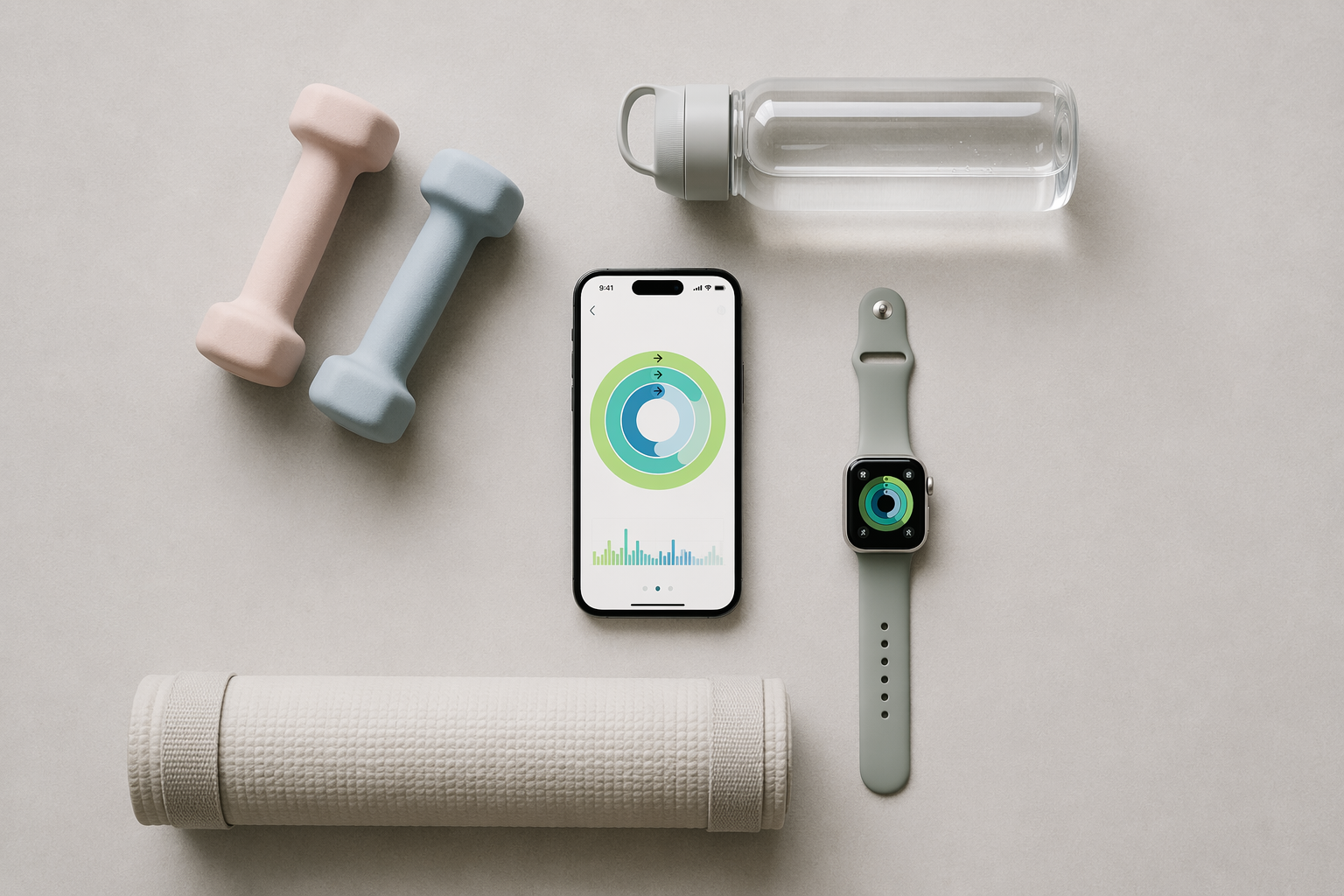
The iPhone Fitness App Dilemma: Which One Is Right for You?
Open the App Store on any iPhone and search for "fitness." The results are overwhelming: thousands of apps, each promising to transform your workouts, track your progress, or coach you through a perfect routine. The problem isn't a lack of options — it's that most roundups treat every app as interchangeable, ranking them in a generic top-ten list that ignores the three variables that actually determine whether an app will work for you: your hardware, your training style, and your budget.
This guide takes a different approach. Instead of a ranked list, we present a criteria-based comparison built around the three factors that matter most to iPhone users:
- Do you own an Apple Watch? This single question determines whether you can use apps that rely on wrist-based heart rate, GPS, and activity-ring integration — or whether you need an app that works with the iPhone alone.
- Do you prefer guided workouts or self-directed logging? Some apps are built around video classes you follow along with; others are digital logbooks where you track your own sets, reps, and weights.
- What is your cost tolerance? The range runs from completely free (no subscription, no ads) to premium coaching services that cost over $250 per year when combined with an Apple Watch.
By sorting yourself into one of the resulting categories, you can cut the decision time from hours to minutes. Below, we profile seven apps that represent the best options across the spectrum, starting with a quick-reference table for immediate scanning.
How to Choose: A Three-Factor Decision Framework for iPhone Users

Before you look at any app, answer these three questions. Your answers will narrow the field dramatically.
Factor 1: Do You Own an Apple Watch?
This is the single most important filter. Apps like Apple Fitness+ are designed around the Watch: they display your heart rate, calories, and activity rings on screen during workouts, and they use Watch sensors to track movement and intensity. Without a Watch, Fitness+ becomes a basic video player with limited interactivity. On the other hand, strength-logging apps like Hevy and Strong work perfectly with just an iPhone — the Watch is a convenience, not a requirement.
Factor 2: Guided Workouts or Self-Directed Logging?
These are fundamentally different product categories. Guided workout apps (Apple Fitness+, Nike Training Club, FitOn) provide video or audio classes that you follow in real time. They are ideal for people who want to be told what to do, who value instruction and form cues, and who prefer not to plan their own sessions. Self-directed logging apps (Hevy, Strong, JEFIT) are digital notebooks: you enter your exercises, sets, reps, and weights, and the app tracks your progress over time. They are ideal for people who already know how to train and want to manage their own programming.
Some apps blur the line. Fitbod, for example, generates workouts for you based on AI but still requires you to log your reps — it is guided in programming but self-directed in execution. Strava is a social network for runners and cyclists that logs GPS data and lets you compare performances with friends.
Factor 3: What Is Your Cost Tolerance?
Fitness app pricing falls into three tiers:
- Completely free: No subscription, no ads, full access to core features. Nike Training Club is the standout here — it has been fully free since 2020 with over 300 workouts, confirmed by Forbes, CNET, and Garage Gym Reviews.
- Freemium with a generous free tier: The app is usable without paying, but premium features (advanced analytics, AI coaching, ad removal) require a subscription. Hevy is the best example: its free tier includes workout logging, progress graphs, and social features, with premium at $2.99 per month or $23.99 per year.
- Premium subscription required for full access: Apple Fitness+ costs $9.99 per month or $79.99 per year. Fitbod is approximately $15 per month. Strava's premium tier is $12 per month or $80 per year.
For budget-conscious readers, the total cost of an Apple Watch SE ($249) plus a year of Fitness+ ($80) exceeds $250 per year. That is a significant investment for a guided workout service that, as Fit&Well notes, lacks built-in progressive overload features and is "great for beginners, not progression."
Quick-Reference Comparison Table: Top Fitness Apps for iPhone
The table below summarizes the seven apps covered in this guide. Use it to identify which apps match your combination of Watch ownership, preferred training style, and budget before reading the detailed profiles.
| App | Best For | Pricing | Free Tier Quality | Apple Watch Support | iOS-Only? |
|---|---|---|---|---|---|
| Apple Fitness+ | Guided workouts, Apple ecosystem users | $9.99/mo or $79.99/yr | None — subscription required | Required for full experience | Yes |
| Nike Training Club | Guided home workouts, yoga, bodyweight | Free | Full access — 300+ workouts | Heart rate and activity logging | No |
| Hevy | Strength logging, social accountability | Free; Premium $2.99/mo or $23.99/yr | Best free tier — logging, graphs, social | Standalone logging | No |
| Strong | Minimalist strength logging | Free (limited); Premium $9.99/mo or $69.99/yr | Limited to 3 routines | Fastest logging experience | No |
| JEFIT | Gym-goers, large exercise library | Free (with ads); Premium $12.99/mo or $69.99/yr | 1,400+ exercises, basic tracking | Syncs with Watch | No |
| Fitbod | Adaptive AI strength programming | ~$15/mo (trial only) | Trial only | Heart rate and calorie tracking | No |
| Strava | Running, cycling, outdoor activities | Free; Premium $12/mo or $80/yr | GPS tracking, segments, social feed | GPS, heart rate, route tracking | No |
In-Depth App Profiles: What Each App Offers iPhone Users
Apple Fitness+ — The Ecosystem Choice
Apple Fitness+ is the deepest integration of any fitness app into the Apple ecosystem. At $9.99 per month or $79.99 per year, it offers over 5,000 live and on-demand workouts across categories including HIIT, strength, yoga, cycling, treadmill, and rowing. The app requires an Apple Watch for the full experience: your heart rate, calories, and activity rings appear on screen during workouts, and the Watch tracks your movement to calculate intensity.
CNET names it the "Best workout app for iPhone users," noting that it supports scheduling, family sharing, and works with iPhone 8 or newer. However, Fit&Well's review points out a significant limitation: the app lacks progressive overload features and is "great for beginners, not progression." If you are an intermediate or advanced lifter who needs structured strength progression, Fitness+ will not provide it.
Nike Training Club — The Best Completely Free App
Nike Training Club (NTC) has been fully free since 2020, and multiple sources confirm it remains completely free as of mid-2026. Forbes Health gives it a 5.0 rating and names it the "Best Free Fitness App." CNET calls it the "Best overall workout app." Garage Gym Reviews rates it 4.2 out of 5 and praises its variety across 10 workout categories.
NTC offers over 300 guided video workouts covering bodyweight, dumbbell, yoga, HIIT, and mobility. It connects to Apple Watch for heart rate and activity logging, and all content is accessible without a subscription. For iPhone users who want guided workouts without spending a cent, NTC is the clear winner.
Hevy — The Most Generous Free Tier for Strength Tracking
Hevy is the app that strength-tracking enthusiasts consistently recommend for its free tier. LoadMuscle names it the "Best free option" with "solid tracking and social features without paying." JEFIT's own guide rates Hevy 4.7 out of 5 and calls it the "Best for Social Accountability" with the "most generous free tier on this list." Garage Gym Reviews gives it 3.8 out of 5 and notes that the free version includes workout logging, progress graphs, and social features.
Premium costs $2.99 per month or $23.99 per year — significantly cheaper than competitors — and unlocks advanced analytics and additional features. Hevy also offers a lifetime purchase option at $74.99, which is rare in the fitness app space.
Strong — The Fastest Logging Experience
Strong is built around a single principle: speed. The app is designed so you can log a set in one or two taps and get back to your workout. Forbes Health rates it 4.6 out of 5 and names it the "Best for Tracking Fitness Progress." JEFIT's guide gives it 4.7 out of 5 and calls it the "Best for Minimalist Logging" with the "fastest workout logging experience" and solid Apple Watch support.
The free tier is limited to three routines, which may be restrictive for users who rotate through multiple training programs. Premium costs $9.99 per month or $69.99 per year and removes the routine limit, adds custom graphs, and unlocks advanced features.
JEFIT — The Exercise Library King
JEFIT's primary strength is its database of over 1,400 exercises, each with instructions and animations. Forbes Health rates it 3.6 out of 5 and names it the "Best for Strength Training." Garage Gym Reviews gives it 3.9 out of 5 and calls it the "Best Free Workout App for Gym-Goers." JEFIT's own guide rates itself 4.8 out of 5.
The free tier includes the full exercise library and basic tracking but displays ads. Premium costs $12.99 per month or $69.99 per year and removes ads, adds advanced analytics, and syncs with Apple Watch. JEFIT is a solid choice for gym-goers who want a comprehensive exercise reference and don't mind ads in the free version.
Fitbod — Adaptive AI Strength Programming
Fitbod takes a different approach: it uses artificial intelligence to generate personalized workouts based on your available equipment, fitness level, and training history. Each session is unique, and the app adjusts volume and intensity based on your recovery. LoadMuscle notes that Fitbod costs approximately $15 per month and offers only a trial — there is no permanent free tier.
Fitbod is best for intermediate lifters who want AI-driven programming but don't want to design their own workouts. It is less suitable for beginners who need form coaching or for advanced lifters who prefer to control their own periodization.
Strava — The Social Network for Runners and Cyclists
Strava is the dominant app for outdoor activities. CNET names it the "Best workout app for running." Garage Gym Reviews rates it 4.5 out of 5 and calls it the "Best Free Workout App for Cyclists." The free tier tracks GPS routes, pace, distance, and elevation, and connects to Apple Watch, Garmin, and Fitbit devices.
Premium costs $12 per month or $80 per year and adds features like route planning, segment leaderboards, and advanced performance analytics. Strava is not a strength-training app — it is purpose-built for runners, cyclists, and outdoor athletes who want to track, compare, and share their activities.
Free vs. Paid: What You Actually Get at Each Price Point
One of the most common questions iPhone users ask is whether a free app can deliver real results. The answer depends on your training style and goals.
What Free Tiers Actually Include
For guided video workouts, Nike Training Club is the gold standard: every workout, every program, and every feature is accessible without paying. There is no premium tier, no ads, and no content locked behind a paywall. This is rare in the fitness app industry.
For strength logging, Hevy's free tier is genuinely useful. You can log unlimited workouts, track progress with graphs, and participate in the social feed. The premium tier adds advanced analytics but is not required for basic training. JEFIT's free tier is also functional but includes ads. Strong's free tier is limited to three routines, which may be enough for some users but restrictive for others.
For running and cycling, Strava's free tier provides GPS tracking, segment comparisons, and a social feed. Premium adds route planning and advanced analytics but is not necessary for basic activity logging.
| App | Free Tier | What Premium Unlocks | Best For |
|---|---|---|---|
| Nike Training Club | Full access — 300+ workouts | N/A (fully free) | Guided workout fans on a budget |
| Hevy | Unlimited logging, graphs, social | Advanced analytics, $2.99/mo | Strength trainers who want free core features |
| Strong | 3 routines, basic logging | Unlimited routines, custom graphs, $9.99/mo | Minimalist loggers willing to pay for speed |
| JEFIT | 1,400+ exercises, basic tracking (ads) | Ad-free, advanced analytics, $12.99/mo | Gym-goers who want a huge exercise library |
| Strava | GPS tracking, segments, social feed | Route planning, leaderboards, $12/mo | Runners and cyclists |
| Apple Fitness+ | None — subscription required | 5,000+ classes, Watch integration, $9.99/mo | Apple ecosystem users who want guided classes |
| Fitbod | Trial only | AI programming, ~$15/mo | Intermediate lifters wanting automated programming |
Best App by Goal: Strength, Running, Home Workouts, and More
If you already know your primary training goal, use the recommendations below to skip straight to the right app.
Best for Strength Training
Hevy offers the best combination of a generous free tier, social accountability, and clean design. If you want AI-generated programming, Fitbod is the better choice but costs approximately $15 per month. For a minimalist, fast logging experience, Strong is excellent but the free tier is limited. JEFIT is ideal if you want a massive exercise library with instructional content.
Best for Running and Cycling
Strava is the clear winner. Its free tier provides GPS tracking, segment comparisons, and a social feed that connects you with other runners and cyclists in your area. The premium tier adds route planning and advanced analytics but is not required for basic use.
Best for Home Workouts and Yoga
Nike Training Club is the best free option with over 300 guided workouts covering bodyweight, yoga, HIIT, and mobility. Apple Fitness+ is the best paid option if you own an Apple Watch and want access to over 5,000 classes. For a dedicated beginner bodyweight guide, see our Best Workout Apps for Beginners With No Equipment article.
Best for Beginners
If you have never exercised before, start with Nike Training Club for guided bodyweight workouts or Hevy for basic strength logging. Apple Fitness+ also has a dedicated "Workouts for Beginners" collection, but it requires an Apple Watch. For a more detailed step-by-step decision guide, read our How to Choose Your First Workout App article. For absolute beginners who have never exercised, our Best Workout Apps for People Who Have Never Exercised Before guide is a better starting point.
Apple Watch Integration: Which Apps Use Your Watch Best?
The Apple Watch is more than a step counter — it is a wrist-mounted sensor array that can track heart rate, GPS, accelerometer data, and activity rings. How well an app uses these sensors varies significantly.
| App | Watch Integration Depth | Key Watch Features |
|---|---|---|
| Apple Fitness+ | Deepest integration | Heart rate on screen, calorie tracking, activity ring completion, workout scheduling |
| Nike Training Club | Moderate | Heart rate and activity logging during workouts |
| Hevy | Standalone logging | Log sets and reps from Watch without iPhone |
| Strong | Standalone logging | Fastest Watch logging experience per JEFIT review |
| JEFIT | Sync | Syncs workout data with Apple Watch |
| Fitbod | Moderate | Heart rate and calorie tracking during workouts |
| Strava | Deep for outdoor activities | GPS route tracking, heart rate, pace, distance, elevation |
Apple Fitness+ offers the deepest integration by far, but it requires the Watch to function. Hevy and Strong offer excellent standalone Watch apps that let you log workouts without carrying your iPhone. Strava uses the Watch's GPS for route tracking, making it ideal for runs and rides without a phone.
Frequently Asked Questions
Can a free app really deliver results?
Yes, especially for strength training and guided home workouts. Nike Training Club provides full access to over 300 guided workouts at no cost. Hevy's free tier includes unlimited logging, progress graphs, and social features. For beginners, free apps are more than sufficient — paid tiers add convenience and analytics, not essential functionality.
Do I need an Apple Watch to use these apps?
Only Apple Fitness+ requires a Watch for the full experience. All other apps on this list work with just an iPhone. Hevy, Strong, and JEFIT offer Watch apps as a convenience, not a requirement. Strava uses the Watch for GPS tracking but also works perfectly from the iPhone.
Is Apple Fitness+ worth it without an Apple Watch?
No. Without a Watch, you lose the heart rate display, calorie tracking, and activity ring integration that are the app's primary differentiators. You are essentially paying $9.99 per month for a video library that competes with Nike Training Club (free) and YouTube (free). If you don't own a Watch, start with NTC.
Which app is best for a complete beginner?
Nike Training Club is the best starting point because it is free, requires no equipment for many workouts, and provides video instruction for every movement. If you prefer strength training, Hevy's free tier is excellent for tracking basic workouts. For a dedicated beginner guide, see our Best Workout Apps for Beginners With No Equipment article.
How do these apps handle data privacy?
Data privacy practices vary significantly between apps. For a detailed audit of what fitness apps collect, share, and how to protect yourself, read our Workout Tracker App Data Privacy in 2026 guide.
This result comes from one real apartment under the stated conditions — it is a strong signal, not a guarantee your space will measure identically.
Builds this evidence supports
No build currently links to this specific test. Browse all builds with a matching tag.
Spot something off?
If this result didn't match your own space, let us know — floor-damage and noise claims carry real deposit-risk consequences if we get them wrong.