
Best Workout Apps for People Who Have Never Exercised Before
Most apps that claim to be 'beginner-friendly' are actually designed for people who already exercise. This guide uses four strict criteria to find the apps that genuinely work for total beginners — with structured programs, low-impact modifications, form coaching, and short sessions.
The 'Beginner-Friendly' Deception
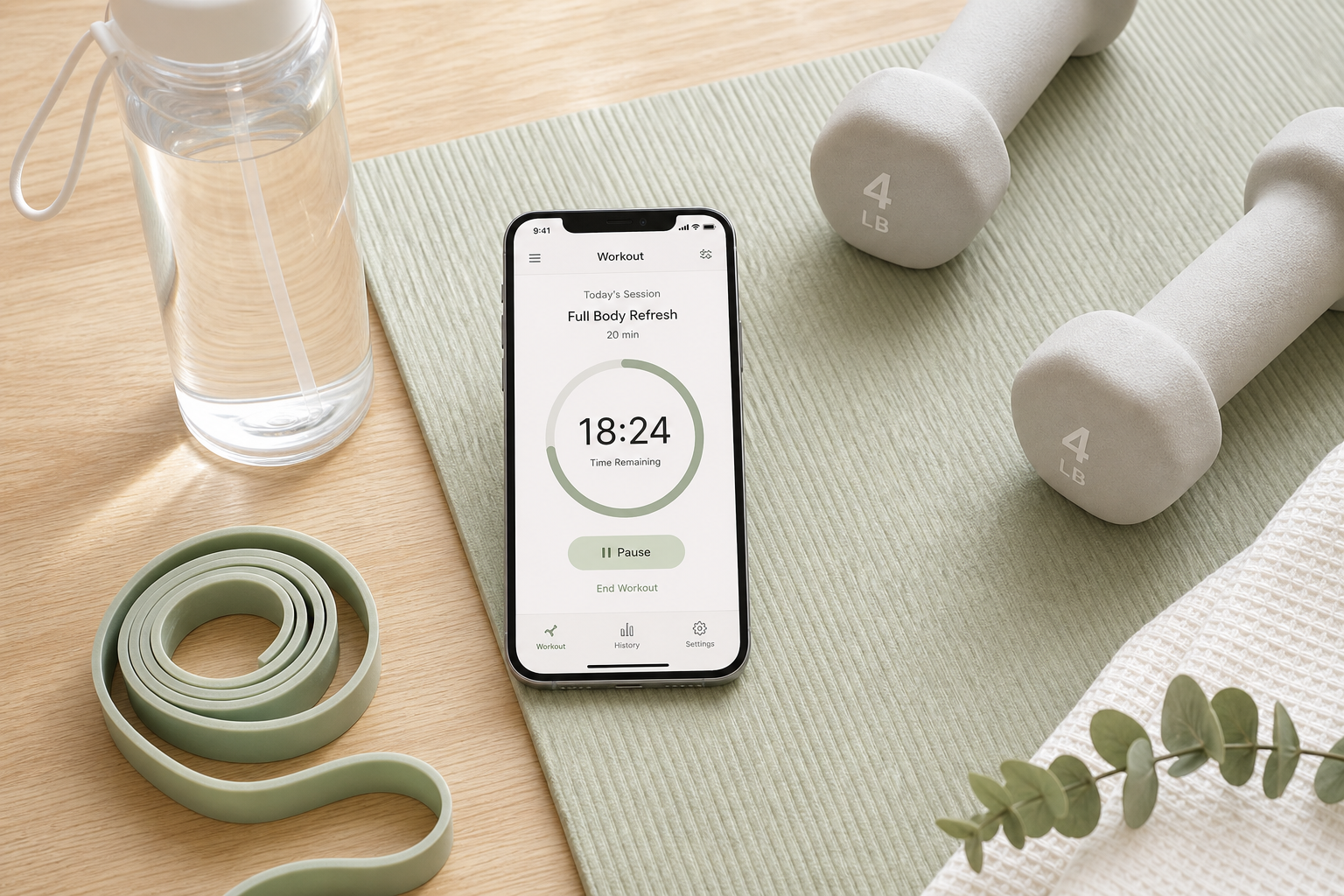
Open any app store and search for "beginner workout app." You will find hundreds of results, nearly all of them labeled "beginner-friendly." Download a few, and a pattern emerges: they are libraries of workouts with a filter button that says "Beginner." Tap it, and you get a slightly easier version of the same moves — fewer reps, lighter weights, shorter duration — but no instruction on what to do first, second, or third. No guidance on how to structure a week. No acknowledgment that you might not know what a squat is supposed to feel like.
This is the beginner-friendly deception. Most apps that claim to be for beginners are actually designed for people who already exercise and just want variety. A library of 500 workouts is not a program. A "Beginner" filter that simply removes advanced moves does not teach you how to start. For someone who has never consistently exercised — or not in years — this approach fails at the first hurdle: it assumes basic fitness literacy.
This article takes a different approach. Instead of ranking apps by popularity or star rating, we apply four strict criteria that separate genuinely beginner-friendly apps from those that just use the label. Only apps that meet all four criteria made the list.
The Four Non-Negotiable Features of a Genuine Beginner App
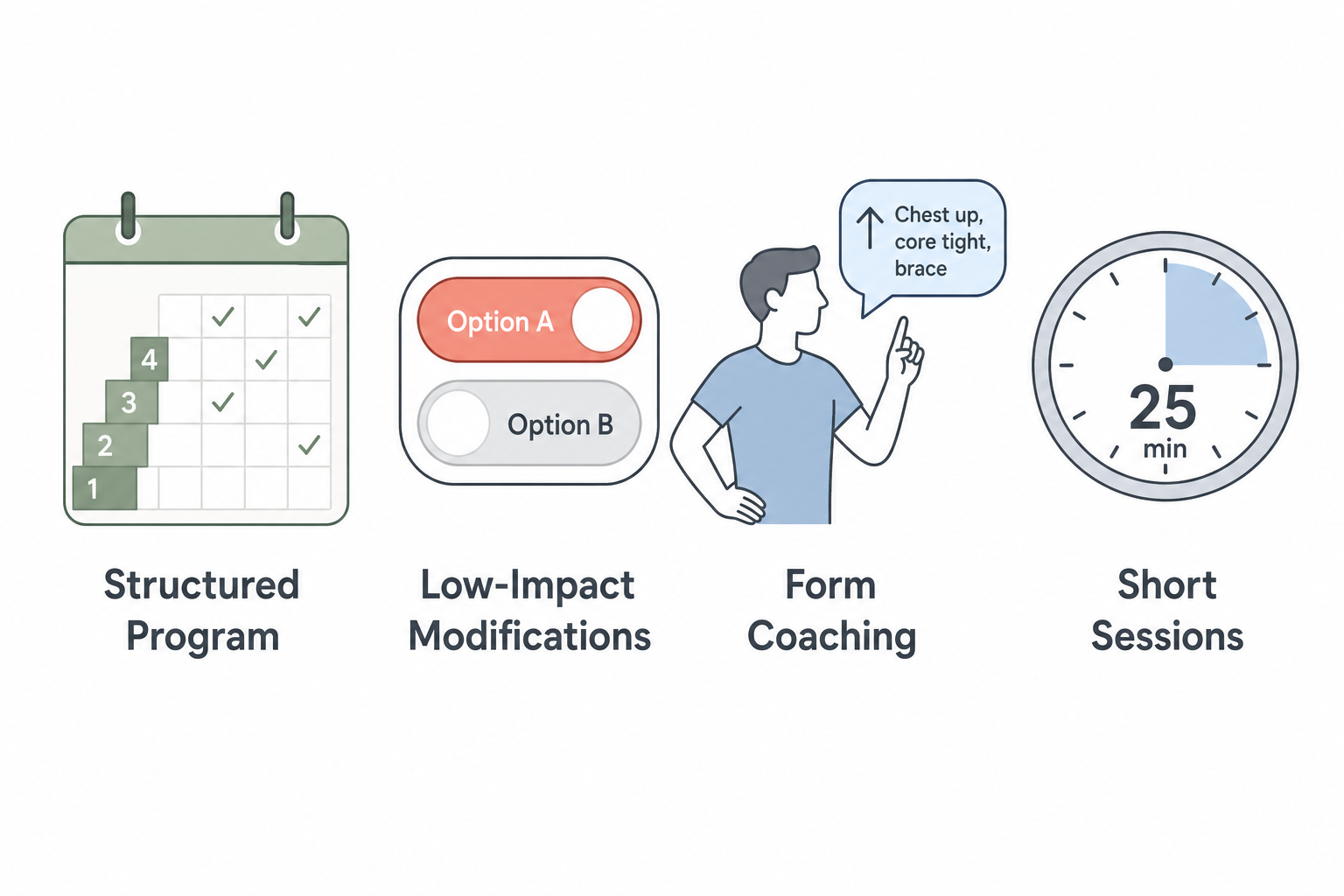
After reviewing the research and testing methodology from sources like Garage Gym Reviews, PCMag, Forbes Health, and Good Housekeeping — which collectively tested over 70 apps — we identified four features that a total beginner app must have. Missing even one is a dealbreaker.
1. A Structured Multi-Week Program, Not Just a Library
A total beginner should never have to decide what to do on a given day. The app must provide a day-by-day, week-by-week plan that tells you exactly which workout to do, in what order, and when to rest. As the Daily Burn guide puts it, the "single most important feature for a true beginner is a guided, progressive program that tells you exactly what to do each day." A library with a "Beginner" tag does not count.
2. Visible Low-Impact Modifications on Every Move
Many apps offer modifications, but they bury them in a settings menu or show them only for a few exercises. A genuine beginner app shows a low-impact alternative — seated, no-jumping, or reduced-range-of-motion version — directly alongside every single exercise. This is critical for people with joint concerns, low cardiovascular fitness, or simply low confidence in their ability to perform a movement safely.
3. Form Coaching, Not Just Rep Counting
A timer that counts down your work interval is not coaching. A genuine beginner app provides real-time form cues — through video demonstrations, audio instructions, or text prompts — that teach you how to perform each movement correctly. This is especially important for exercises like squats, lunges, and push-ups, where poor form can lead to injury or reinforce bad habits.
4. Sessions Under 30 Minutes
The CDC recommends that inactive adults start with small amounts of activity and build gradually toward 150 minutes of moderate activity per week. A 45-minute workout is not a small amount. Genuine beginner apps offer sessions in the 10- to 25-minute range, making it easy to start with two or three short sessions per week and build up over time.
Five Apps That Actually Meet the Bar
Out of dozens of apps evaluated, these five meet all four criteria. Each is profiled below with its strengths, limitations, and the specific beginner features that matter most.
| App | Best For | Price | Equipment Needed | Key Beginner Feature |
|---|---|---|---|---|
| Daily Burn (True Beginner) | Total beginners who want a structured 8-week program | $19.95/month | None | No-jumping options, seated modifications, trainers who pace for newcomers |
| Apple Fitness+ (Workouts for Beginners) | Apple Watch users who want variety and short sessions | $9.99/month (requires Apple Watch) | None (bodyweight options available) | Curated beginner collection with 10-minute Time to Walk audio sessions |
| FitOn (Beginner Plans) | Budget-conscious beginners who want free access | Free (no credit card needed) | None | Structured beginner plans with celebrity trainers |
| Nike Training Club (Beginner Filter) | Beginners who want a free, large library with professional coaching | Free | Minimal (bodyweight options available) | 200+ free workouts, beginner-filtered library, certified trainers |
| Down Dog (Absolute Beginner) | Beginners focused on yoga, mobility, and low-impact movement | $9.99/month | None (yoga mat optional) | Every pose shown step-by-step with detailed cues, generates a new practice each time |
Daily Burn — True Beginner Program
Daily Burn's True Beginner program is one of the few apps built specifically for people who have never exercised. The program runs for 8 weeks, requires no equipment, and includes no-jumping options and seated modifications for every move. Trainers pace the class for fitness newcomers, explaining each movement before starting and offering verbal cues throughout. At $19.95 per month, it is not free, but the structured progression makes it a strong choice for someone who wants to be told exactly what to do each day.
Apple Fitness+ — Workouts for Beginners Collection
Apple Fitness+ offers a curated "Workouts for Beginners" collection that includes short sessions across multiple workout types. Every class includes two to four trainers showing modifications for different levels, and the 10-minute "Time to Walk" audio sessions are ideal for total beginners who want to start with walking. PCMag named it "Best Value" for 2026, and Good Housekeeping gave it "Best Variety." The major limitation: it requires an Apple Watch, which adds significant upfront cost for budget-conscious beginners.
FitOn — Free Beginner Plans
FitOn offers a free tier with structured beginner plans, no credit card required, and access to celebrity trainers like Gabrielle Union and Julianne Hough. Forbes Health gave it a 3.9/5 rating, noting its free basic tier includes live classes and heart rate tracking via Apple Watch. The main drawback: the home screen pushes a lot of options at once, which can overwhelm a true beginner, as noted in the Daily Burn guide. The beginner plans exist, but you have to navigate past the noise to find them.
Nike Training Club — Free Beginner-Filtered Library
Nike Training Club (NTC) is 100% free with more than 200 workouts and guided plans, most taught by certified trainers. Forbes Health gave it a 5.0/5 rating, naming it "Best Free Fitness App." PCMag named it "Best Overall" for 2026, and Garage Gym Reviews gave it a 4.2/5, calling it the "best free app for beginners." The app includes beginner-filtered workouts that require minimal equipment, and the trainers provide clear form cues. The trade-off: it is still a library, not a single structured program. You have to use the filter to find beginner content, and the app does not guide you through a week-by-week progression automatically.
Down Dog — Absolute Beginner Level
Down Dog is primarily a yoga app, but its "Absolute Beginner" level is genuinely beginner: every pose is shown step-by-step with detailed cues, and the app generates a new practice each time based on your chosen time, level, focus, voice, and music. PCMag and the Daily Burn guide both highlight this as a standout feature for low-confidence beginners. At $9.99 per month, it is affordable, and no equipment is required beyond a yoga mat. The caveat: if you are looking for strength training or cardio, Down Dog will not cover those bases.
What a Total Beginner's First Month Looks Like
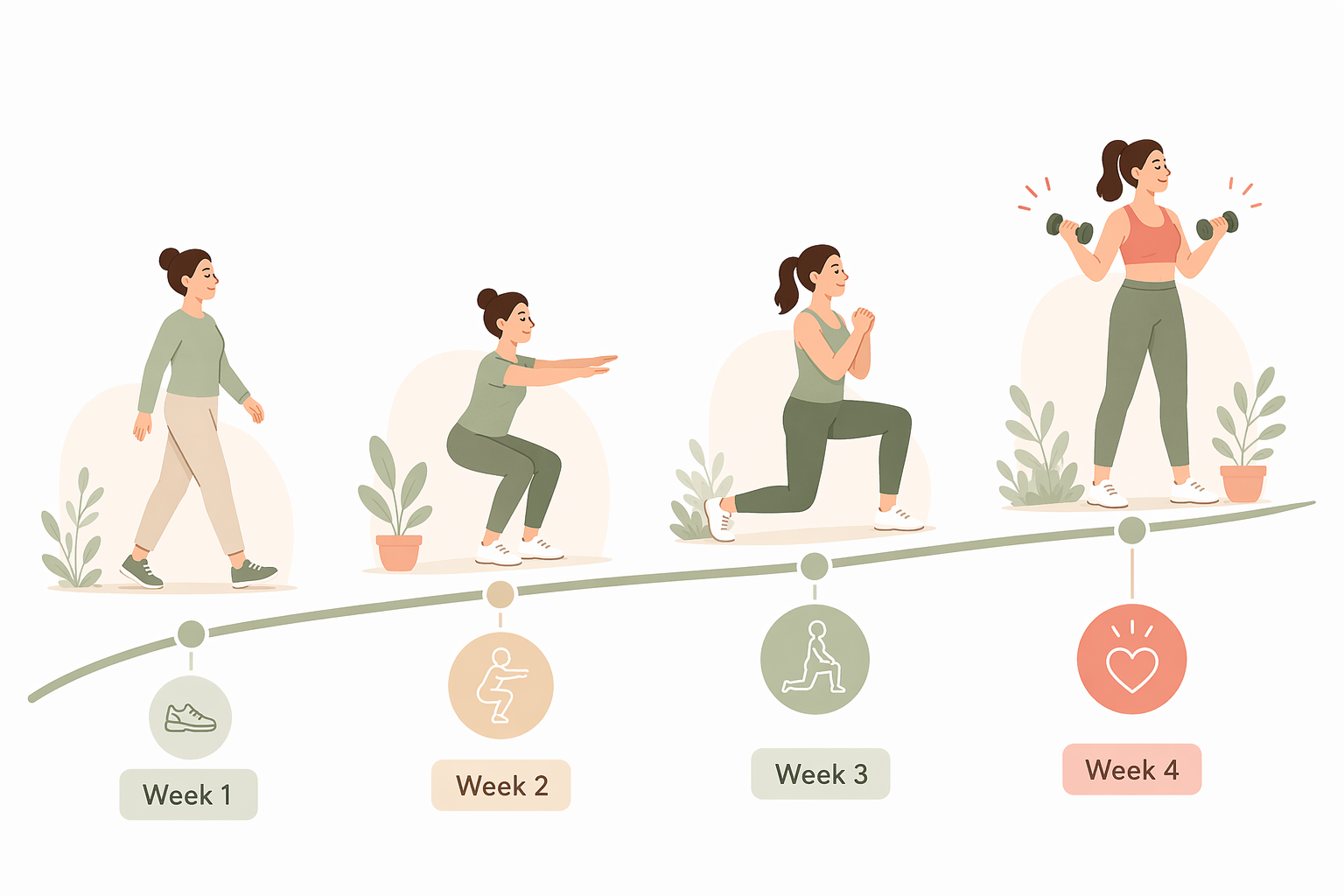
Starting from zero does not mean jumping into a 30-minute workout five days per week. The CDC recommends inactive adults start with small amounts and build gradually toward 150 minutes of moderate activity per week plus two muscle-strengthening days. Here is a realistic first month using the apps above.
Week 1: Just Show Up
- Goal: Complete 2 sessions of 10–15 minutes each.
- App suggestion: Start with Apple Fitness+ Time to Walk (10 minutes) or a Daily Burn True Beginner session (15 minutes).
- Mindset: The only goal is to complete the session. Do not worry about intensity, calories burned, or whether you did it "right."
Week 2: Add a Day
- Goal: Complete 3 sessions of 10–15 minutes each.
- App suggestion: Alternate between two apps — for example, a Daily Burn session on Monday and Wednesday, and a Down Dog Absolute Beginner practice on Friday.
- Modifications: Use the low-impact options on every move. If an exercise causes pain (not just discomfort), stop and try the seated or no-jumping version.
Week 3: Extend the Sessions
- Goal: Complete 3 sessions of 15–20 minutes each.
- App suggestion: Try a Nike Training Club beginner-filtered workout (15–20 minutes) or a FitOn beginner plan session.
- Listen to your body: If you feel unusually sore or fatigued, take an extra rest day. Rest is part of the program.
Week 4: Build Consistency
- Goal: Complete 3–4 sessions of 20–25 minutes each.
- App suggestion: Stick with the app that felt most comfortable in weeks 1–3. Consistency matters more than variety at this stage.
- Total weekly activity: By week 4, you should be at roughly 60–75 minutes of activity per week — well on your way to the CDC's 150-minute target.
How to Know When You've Outgrown the Beginner Phase
The beginner phase is not a permanent state. Most people will outgrow it within 4 to 8 weeks of consistent practice. Here are the signs that you are ready for more challenge.
- You complete workouts without needing modifications. If you no longer use the seated or no-jumping options, your body has adapted to the current level.
- You feel bored or under-stimulated. If a 15-minute session no longer feels like enough, it is time to increase duration or intensity.
- You want to add weight or resistance. If you find yourself wishing for heavier dumbbells or a resistance band with more tension, your muscles are ready for progressive overload.
- You can complete 3–4 sessions per week without excessive soreness or fatigue. This indicates your recovery capacity has improved.
When you notice these signs, it is time to move on. Try intermediate programs within the same app, or explore apps that offer more advanced features like strength logging, personalized coaching, or equipment-based workouts. If you are ready to invest in home equipment, our home fitness decision guide for complete beginners can help you choose the right gear for your space and budget.
Frequently Asked Questions
Do I need equipment to start?
No. All five apps on this list offer bodyweight-only options. Daily Burn's True Beginner program requires no equipment at all. Nike Training Club and FitOn have bodyweight filters. Down Dog requires only a yoga mat (and even that is optional on carpet). Do not let the lack of equipment be a reason to delay starting.
How many days per week should I start with?
Start with 2 days per week, with at least one rest day between sessions. After two weeks, add a third day. The Setgraph guide recommends starting with 3 workouts per week in the 10- to 20-minute range, but if that feels like too much, 2 days is perfectly fine. Consistency matters more than frequency.
What if I can't do the moves in the workout?
Use the low-impact modifications. Every app on this list provides alternatives. If a move still feels impossible — for example, a full push-up — do the kneeling or wall version. If the app does not show a modification for a specific move, skip it and do an easier alternative like a wall push-up or a knee push-up. Our beginner's guide to starting workouts at home includes alternative exercises for common beginner movements.
Are free apps good enough for a total beginner?
Yes. Nike Training Club and FitOn both offer robust free tiers that meet all four beginner criteria. NTC is 100% free with no subscription required, and FitOn's free tier does not require a credit card. The main trade-off is that free apps may have ads, fewer structured programs, or a less guided experience than paid options like Daily Burn or Apple Fitness+. Start with a free app, and if you find yourself wanting more structure after a few weeks, consider upgrading to a paid option.
This is general fitness education, not medical advice. For diagnosis or treatment of pain or injury, consult a qualified clinician.
Pick your next session
Browse all routines to find an appropriately-spaced next session.
Spot something off?
This content sits adjacent to health guidance — tell us if a citation or figure needs a correction.