
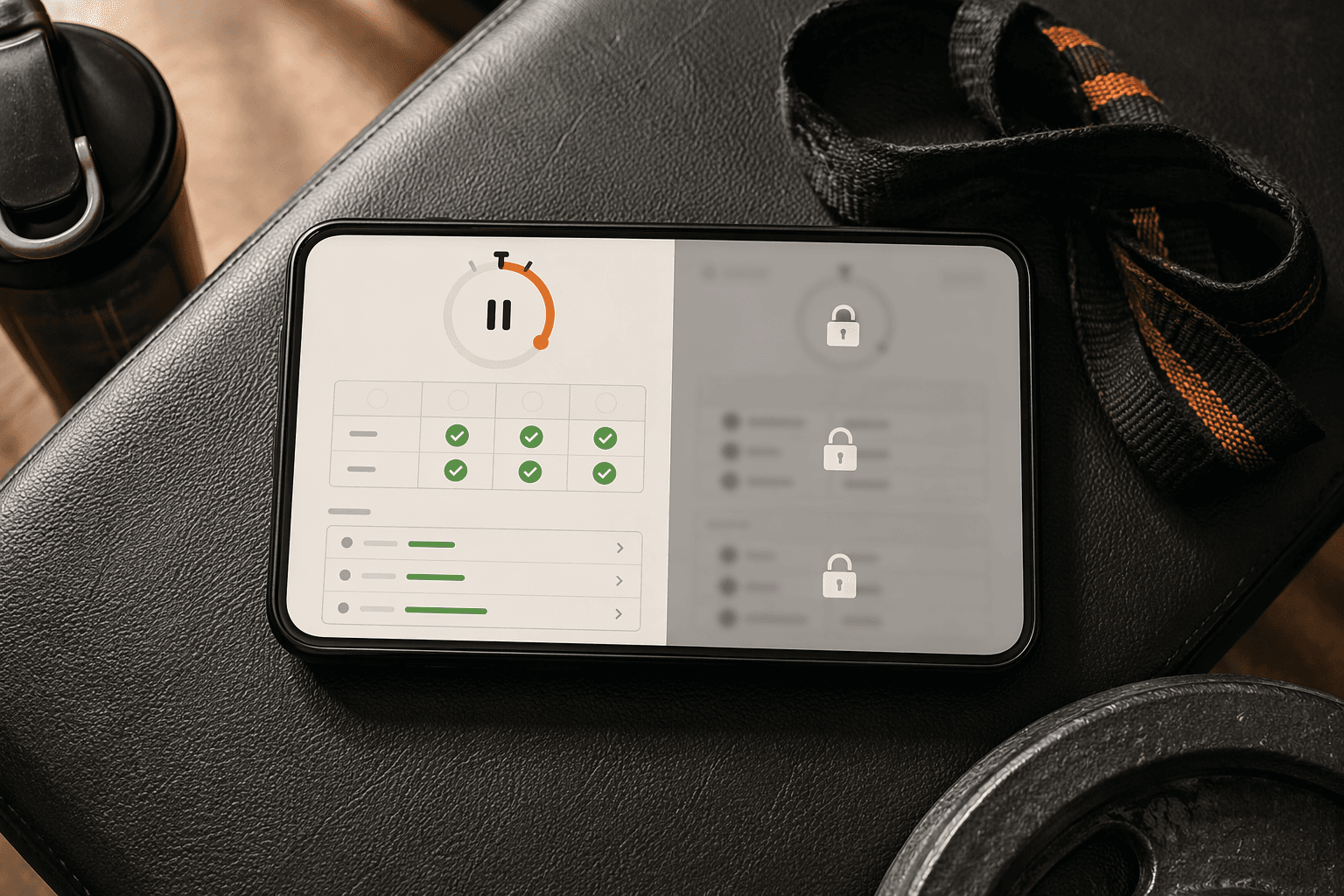
The fastest way to test a “free” workout app is not to scroll its workout library. Build a normal week, log a few working sets, check the rest timer, then look for last session’s numbers. If the app starts asking for money at that point, it is not really free for progressive training. It is a trial with nice onboarding.
So this is not a ranking of the best free workout apps by feature count. It is a comparison of what stays usable without payment: set logging, workout history, routines, rest timing, body metrics, progress visibility, guided instruction, ads, and the caps that usually show up after you have already invested time setting up the app.
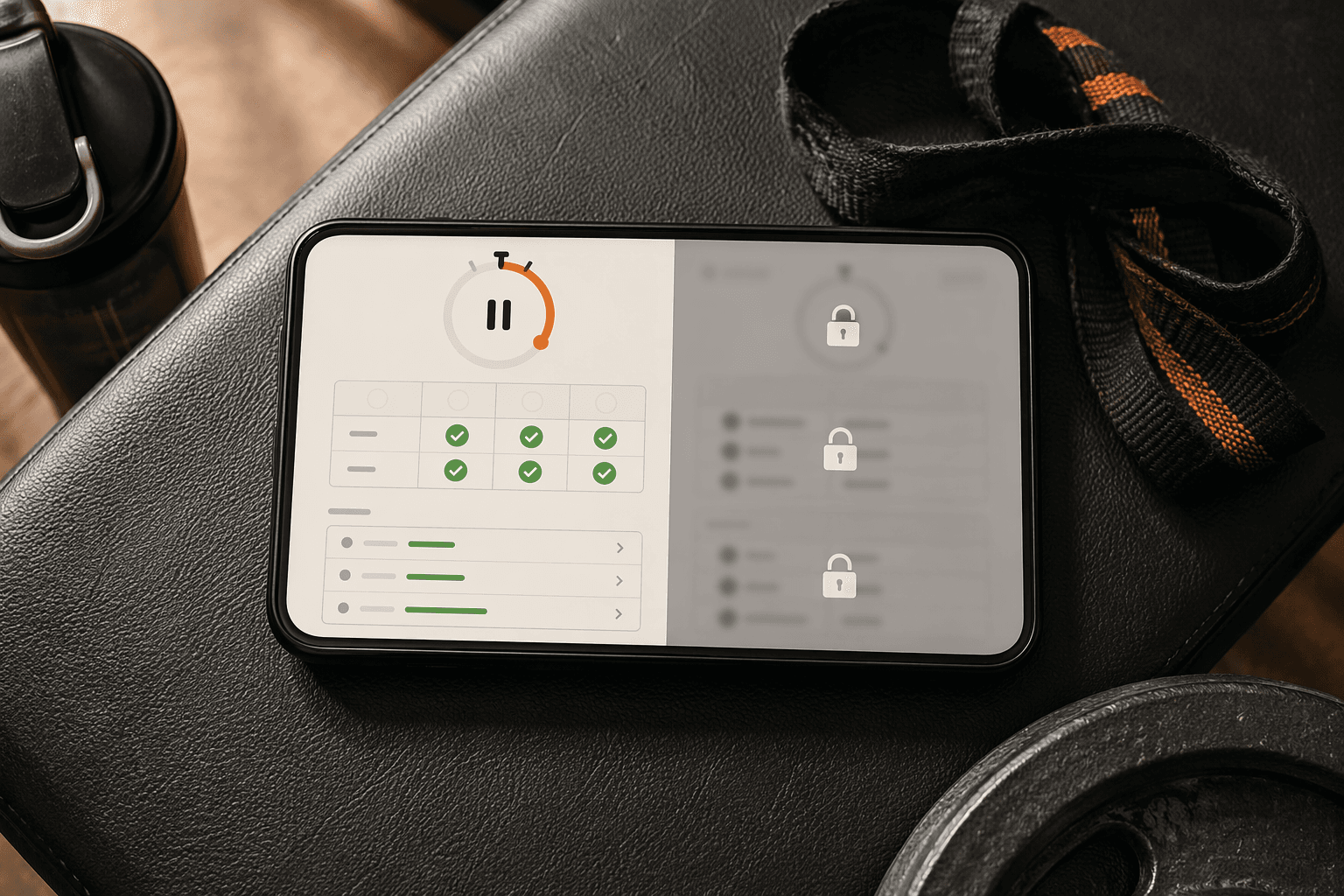
Free workout app comparison: what actually remains free
| App | Best free use | Core tracking access | Guided workouts | Ads / interruptions | Upgrade trigger to watch |
|---|---|---|---|---|---|
| Hevy | Strength logging and repeatable lifting routines | Setgraph describes Hevy as a fully featured free option rather than a hard-cap freemium tracker; JEFIT’s 2026 comparison also calls Hevy’s free tier the most generous among Hevy, JEFIT, and Strong.[1][2] | Not the main reason to choose it | No major ad issue flagged in the cited comparisons | Premium is positioned as optional; JEFIT’s table lists Hevy Premium at $2.99/month, lower than JEFIT Elite and Strong Pro.[2] |
| Caliber | Strength training with logging, body metrics, and community support | Garage Gym Reviews reports 500+ exercises, workout logging, body metrics tracking, and community groups in the free version, with no ads and no hard caps.[3] | More coaching-oriented than a video-class library | Garage Gym Reviews specifically notes no ads in the free version.[3] | Paid coaching exists, but the cited free tier does not appear to lock the basic training loop.[3] |
| JEFIT | Traditional gym logging with a large exercise database | LoadMuscle names JEFIT, alongside Hevy, as one of the best free-tier values for strength tracking; the exact current free limits should still be checked during setup because plans can change.[4] | Not the main reason to choose it | Not clearly specified in the cited material | JEFIT’s own comparison lists JEFIT Elite at $12.99/month.[2] |
| Nike Training Club | Free guided workouts, especially for home training and beginners | Not built primarily as a detailed strength log with set-by-set progression history | Forbes Health ranks Nike Training Club #1 free overall with a 5.0/5 rating and says it offers 300+ workouts, all free, with no subscription since 2020.[5] | No subscription paywall is the point of the app’s current appeal.[5] | Less a paywall problem than a category-fit problem: it is generous for guided sessions, not a replacement for a lifting log. |
| FitOn | Guided home workouts and beginner-friendly instruction | Not the strongest choice if your main need is progressive set history | DigiHealth’s physiotherapist review supports FitOn, along with Nike Training Club, for beginner-safe guided instruction.[6] | Not clearly specified in the cited material | Watch for premium extras, but the main concern for lifters is that guided classes do not equal complete strength tracking. |
| Strong | Clean strength logging if your routine count is small | JEFIT’s comparison states that Strong’s free tier is capped at 3 routines.[2] | Not the main reason to choose it | Not clearly specified in the cited material | The 3-routine limit is the practical issue. If your week already needs more routine slots, the free tier behaves like a trial.[2] |
| Boostcamp | Following structured programs | Setgraph categorizes Boostcamp as freemium with hard caps, not as a fully featured free tool.[1] | Program-led rather than class-library-led | Not clearly specified in the cited material | The question is whether the free cap interrupts the program or logging pattern you actually plan to follow.[1] |
| Setgraph | Strength tracking if you want a fully featured free logging tool | Setgraph’s own framework lists Setgraph among fully featured free tools.[1] | Not the main reason to choose it | Not clearly specified in the cited material | Because this is a vendor source describing its own app, treat the claim as useful but verify it against your actual routine before committing. |
The table has one deliberate bias: it values the loop that makes training progressive. A beginner doing bodyweight classes in the living room may care much more about clear instruction and less about whether last Tuesday’s third set of rows is visible. A lifter repeating push/pull/legs next month has a different problem. If history, routines, and rest timing are capped, the app can look polished and still fail the job.
That distinction matters because the fitness-app market has every reason to make free tiers look broad while reserving durable use for paid plans. Business of Apps estimates 540 million fitness app users in 2025 and $3.4 billion in market revenue, with 24.5% growth.[7] Those numbers do not prove any one app is stingy, but they explain why “free” is often engineered as a conversion path rather than a permanent training setup.
The three kinds of “free” you are comparing
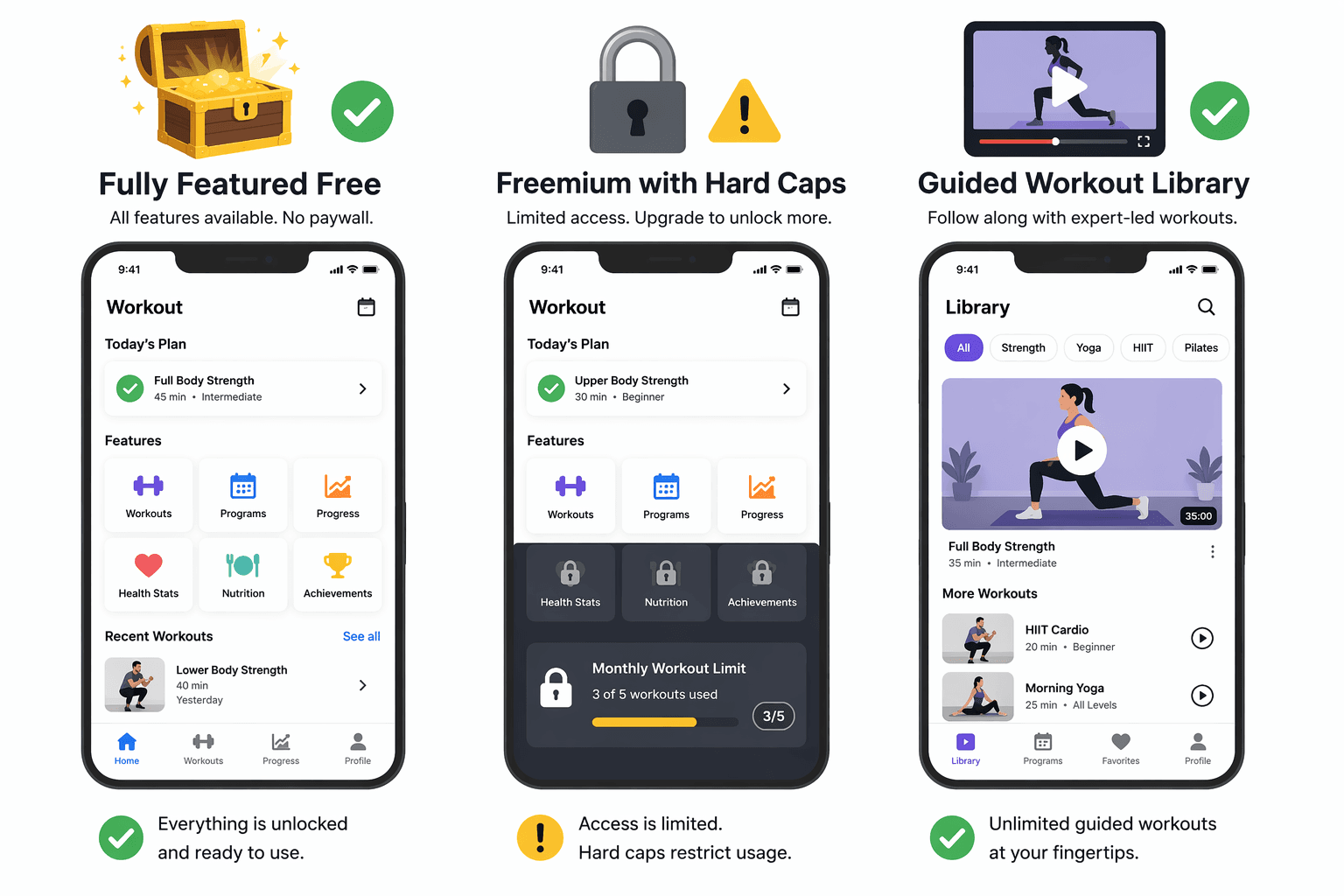
Setgraph’s 2026 guide is useful here because it separates free workout apps by how the free tier behaves, not just by how many features the app advertises. Its framework distinguishes fully featured free tools, freemium tools with hard caps, and guided-workout libraries that can be very generous but are not designed to be complete strength logs.[1]
Fully featured free trackers
This is the category most lifters hope they are downloading. The free version lets you keep logging, keep routines, review useful history, and make normal decisions about whether to add weight, repeat load, or adjust volume. Setgraph places Hevy and Setgraph in this bucket.[1] Garage Gym Reviews’ description of Caliber also fits the practical spirit of this category: the free version includes a large exercise library, workout logging, body metrics, community groups, no ads, and no hard caps.[3]
The important word is “durable.” A free strength tracker does not need every advanced chart, wearable integration, or coaching feature. It does need to remember enough of your training that you do not rebuild your log every few weeks.
Freemium trackers with hard caps
Hard caps are not automatically bad. Strong can be a good app and still be a poor free fit for someone who needs more than 3 routines, because JEFIT’s comparison identifies that as the free-tier limit.[2] If your entire plan is three routines, that cap may not bite immediately. If you run push/pull/legs plus alternates, deload versions, or separate home and gym days, it probably will.
Boostcamp sits in the same general caution zone because Setgraph categorizes it as freemium with hard caps.[1] That does not mean it is a bad product. It means the free-tier question has to be specific: does the cap interrupt the program you are actually going to run?
Guided workout libraries
Nike Training Club is the cleanest example of a generous free app that still may not solve a lifter’s logging problem. Forbes Health reports that Nike Training Club has 300+ workouts, all free, and no subscription since 2020.[5] Nike’s own app page presents it as a training app built around workouts and programs rather than as a set-by-set strength log.[8]
That is not a criticism. For many home exercisers, especially beginners, guided instruction is the feature that prevents bad sessions. DigiHealth’s physiotherapist-tested roundup supports Nike Training Club and FitOn for beginner-friendly instruction.[6] If you want someone to show the movement, pace the session, and remove guesswork, those apps deserve to rise above pure lifting trackers.
If you lift, test the log before you admire the interface
A strength app earns trust in a boring sequence: create a routine, start the workout, log warmups and working sets, use the rest timer, finish the session, then open the same exercise later and see what you did last time. If any part of that loop is blocked, the app is asking you to train from memory while pretending to be your memory.
For strength tracking, Hevy, Caliber, and JEFIT deserve the closest look from the apps covered here. Setgraph and JEFIT both point to Hevy’s unusually generous free position.[1][2] Garage Gym Reviews gives Caliber the clearest evidence for a no-hard-cap free tier with logging and body metrics.[3] LoadMuscle groups Hevy and JEFIT as top free-tier values for strength tracking.[4]
Pricing matters, but only after the free loop passes. JEFIT’s comparison lists Hevy Premium at $2.99/month, Strong Pro at $9.99/month, and JEFIT Elite at $12.99/month.[2] That makes Hevy’s paid tier look cheaper in that comparison, but the better first question is still whether you need to pay at all to keep training normally.
If you already know you want deeper strength-app comparisons rather than a mixed list of trackers and guided workout platforms, use the strength training app guide as the next stop. This comparison is meant to identify which free tiers are worth installing before you spend an evening building routines.
If you mostly train at home, guided instruction may beat logging depth
For home workouts, the best free app may be the one that makes today’s session obvious. Nike Training Club and FitOn are stronger candidates here because their value is instruction, not spreadsheet-like training memory. Forbes Health’s top free ranking for Nike Training Club and DigiHealth’s beginner-safety support for Nike Training Club and FitOn both point in that direction.[5][6]
That does not make a guided app better than a tracker. It makes it better for a different job. If you are training in an apartment, working around limited equipment, or trying to pick sessions by goal rather than by exercise history, the more useful comparison is probably a home-workout roundup such as Best Free Workout Apps for Home or Best Free Workout Apps for Limited Home Equipment and Apartment Spaces.
Where the paywall usually matters
The annoying paywall is not always the one that blocks a premium program or an advanced chart. Those are easy to ignore. The damaging paywall is the one that weakens the habit you repeat every week.
- Routine caps: a limit like Strong’s 3 free routines can be fine for a simple plan and irritating for anyone who rotates more sessions.[2]
- History limits: if you cannot easily see previous loads and reps, progression becomes manual.
- Logging limits: capped workouts, sets, or exercises turn the app into a demo rather than a training record.
- Rest timer restrictions: a timer sounds minor until the app makes you leave the workout screen or pay to use a basic lifting tool.
- Body metrics and progress charts: these do not need to be elaborate, but basic visibility helps keep the log useful over time.
- Ads and interruptions: Caliber stands out in Garage Gym Reviews’ testing because its free version is reported to have no ads as well as no hard caps.[3]
For iPhone users comparing platform-specific free and paid tradeoffs, Free vs Paid Fitness Apps for iPhone is a better cost-focused companion. If you are trying to estimate yearly spend across apps, subscriptions, trials, and upgrades, use How Much Do Workout Apps Really Cost in 2026? instead of relying on monthly sticker prices alone.
Practical verdict matrix
| Your main need | Start with | Be careful with | Why |
|---|---|---|---|
| Progressive strength training without paying first | Hevy, Caliber, JEFIT | Strong if you need more than 3 routines; Boostcamp if its free caps affect your program | These choices are most relevant to set logging, routines, and training history. Caliber has the clearest cited no-hard-cap free evidence; Hevy and JEFIT are repeatedly described as strong free values.[1][2][3][4] |
| Beginner-friendly guided home workouts | Nike Training Club, FitOn | Pure lifting trackers if you need instruction more than logging | Nike Training Club’s free guided library is unusually generous, and DigiHealth supports Nike Training Club and FitOn for beginner instruction.[5][6] |
| A clean app you may pay for later | Hevy, Strong, JEFIT | Any app whose free cap appears before your normal week is built | JEFIT’s comparison gives useful paid-price context, including Hevy at $2.99/month, Strong Pro at $9.99/month, and JEFIT Elite at $12.99/month.[2] |
| No-subscription guided workouts | Nike Training Club | Apps that advertise free classes but reserve the best programs for premium | Forbes Health reports Nike Training Club’s 300+ workouts are all free and that it has had no subscription since 2020.[5] |
| A free app you can trust for next month’s training | Whichever app lets you log, repeat, and review your actual routine without interruption | Any app that caps routine creation, workout history, set logging, or basic progress visibility | The best free workout app is the one whose free tier protects the behavior you repeat every week. |
References
- Best Free Workout Apps in 2026: What to Look For (and What to Skip) — Setgraph
- Best Workout Apps 2026: Top Options Tested and Reviewed — JEFIT
- The 12 Best Free Workout Apps Tested by Experts (2026) — Garage Gym Reviews
- 11 Best Workout Apps in 2026 (Tested) — LoadMuscle
- The 10 Best Workout And Fitness Apps Of 2026 — Forbes Health
- 7 Best Free Fitness Apps of 2026 — Tested by a Physiotherapist — DigiHealth
- Fitness App Revenue and Usage Statistics (2026) — Business of Apps
- Nike Training Club App — Nike
Comments
Join the discussion with an anonymous comment.