The Best Free Workout Apps in 2026 — And How to Tell If an App Is Truly Free
Not all free workout apps are equally free. This guide categorizes apps by what their free tier actually allows long-term, reveals which ones support genuine progressive training, and provides a quick self-test to evaluate any candidate app.
Last reviewed: June 2026. Free tiers, trial limits, ads, and prices can change quickly, so treat the checks below as the standard to re-run before you move your workout history into any app.
The problem with many of the best free workout apps is not that they charge money. Good coaching, better analytics, and specialized programming are worth paying for when they solve a real problem. The problem is softer: an app lets you build a habit, log a few weeks of lifts, and only then makes the useful part feel rented.
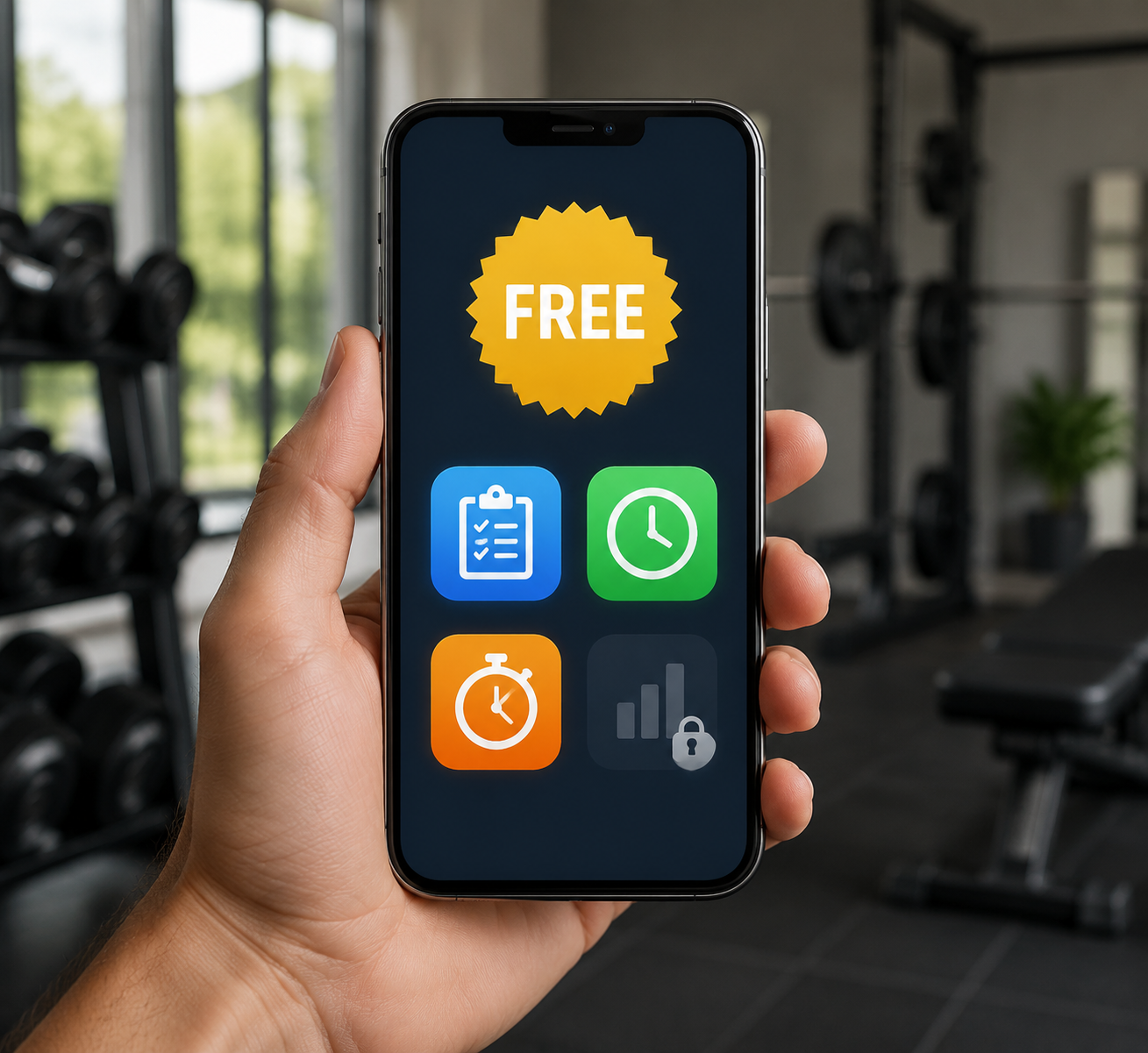
“Free to download” is a weak promise. “Free enough to train with” means something more specific: you can keep logging workouts, review your own history, time your rest, and see basic progress without hitting a paywall. If an app fails that test, it may still be a decent trial, a workout library, or a paid coaching product. It is not genuinely free for progressive training.
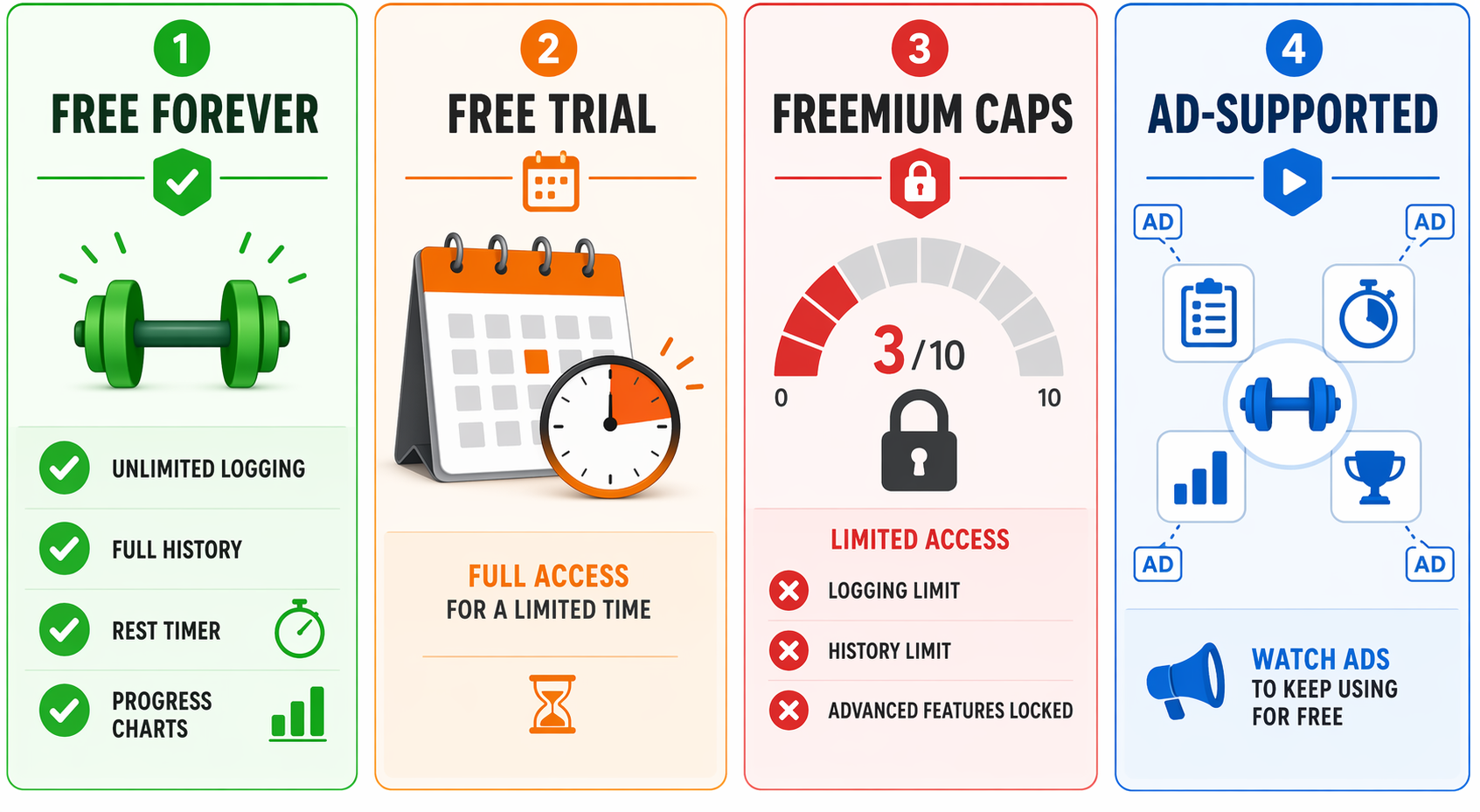
The Four Kinds of Free
Most free workout app confusion comes from treating unlike models as if they belong in the same bucket. They do not. A completely free guided workout app, a short trial, a logger capped at three routines, and an ad-supported exercise database all produce very different consequences once you are six weeks into training.
| Free model | What it usually feels like | What to watch |
|---|---|---|
| Free forever with full core features | You can keep using the main training functions without paying. | Best fit for budget-conscious users who want continuity. |
| Free trial | Everything looks available at first, then the app becomes limited or impractical. | Useful for testing a paid app, poor for storing long-term records unless you plan to subscribe. |
| Freemium with hard caps | The app works until you exceed a routine, exercise, history, or analytics limit. | Often fine for casual use, risky for progressive strength training. |
| Ad-supported free access | You can use important features, but ads or premium locks shape the experience. | Judge whether the free tools are still usable after the novelty wears off. |
This is why a simple ranking can mislead. Nike Training Club and Fitbod can both appear in free-app discussions, but they do not offer the same kind of free use. One is a no-premium guided workout library; the other is mainly a trial path into a paid product. That difference matters more than whether both have polished screens.
The Five-Minute Test Before You Trust an App
Before committing your training records to a free workout app, do one fake workout. Do not browse the marketing page. Do not judge the app from the onboarding flow. Create a routine, log sets, finish the session, close the app, reopen it, and check what remains available without starting a subscription.
- Log more than a token workout. Add several exercises and multiple sets so routine or set caps reveal themselves.
- Open the completed workout later. If your own history is hidden, shortened, or blurred behind a paywall, leave.
- Start another workout and use the rest timer. A strength app without a usable timer is asking you to manage one of the most repeated parts of training somewhere else.
- Look for a basic progress view. It does not need advanced analytics, but you should be able to see whether a lift, bodyweight movement, or volume trend is moving.
- Check the paywall language after the workout, not just before it. Some limits appear only when you try to repeat a routine, add another plan, or view older records.
The four-feature standard is deliberately plain: unlimited set logging, full access to personal history, a rest timer, and basic progress charts. It does not answer every fitness question. A beginner learning form may care more about instruction, and someone training for a race may need a different set of tools. For a lifter trying to progress at home without adding another monthly bill, those four features are the floor.
Nike Training Club: The Cleanest Free Guided Workout Pick
Nike Training Club is the easiest app to classify because it avoids the usual ambiguity. Nike made the app completely free in 2020, and 2026 expert roundups continue to identify it as a major fitness app with no premium tier or upsell for its workout content.[1]
That makes it unusually honest for people who want guided sessions: bodyweight workouts, mobility, strength-style classes, yoga, and general fitness programming without the nagging sense that the real app starts after checkout. For apartment exercisers or beginners who want to press play and follow coaching, it is one of the few recommendations that does not need a paragraph of caveats.
The caveat is about category, not trust. Guided workout breadth is not the same thing as strength progression. If your main goal is to track barbell, dumbbell, or machine performance over months, Nike Training Club is not built like a dedicated lifting log. It belongs at the top of the genuinely free guided-workout category, not automatically at the top of the progressive strength-tracking category.
Caliber: Strong Free Programming, Paid Coaching Kept Separate
Caliber shows up often in expert free-app recommendations because its free tier is more substantial than the usual sampler. Men’s Journal identifies it as a leading free workout app for 2026, pointing to an ad-free free tier, science-based programming, and an exercise library of more than 500 movements, while noting optional coaching at about $200 per month.[2]
That price is not a scandal; one-on-one coaching is a different product from a free app. The important distinction is whether the free version remains useful when you decline coaching. Caliber’s case is stronger than many freemium apps because its free programming and logging are not merely decorative. A user can get organized strength training without being forced immediately into a subscription.
Still, “best free app” and “free coaching” are not the same claim. Anyone comparing Caliber against paid strength platforms should decide whether they need autonomous programming, automated workout structure, or human review. Readers who want that narrower comparison can use The Best Strength Training App for Your Experience and Budget after they have separated free app features from paid coaching.
Hevy and Setgraph: Why Logging Freedom Deserves More Attention
Hevy matters because it treats the workout log as the product, not as bait. Setgraph’s 2026 comparison describes Hevy as offering one of the most generous free tiers among strength-tracking apps, with unlimited set logging, progress charts, and a social feed not locked away, while listing Hevy Pro at $2.99 per month for advanced analytics.[3]
For a beginner, unlimited set logging can sound less exciting than “thousands of workouts.” Six weeks later, it is the difference between knowing what you lifted and guessing. The same applies to history access. A free app that lets you enter data but later restricts your ability to use it is not a training partner; it is a storage locker with a fee on the door.
Setgraph is relevant for the same reason. Its own 2026 guide says Setgraph offers completely unlimited free logging with no caps on exercises or routines.[3] Because that claim comes from Setgraph itself, it should be checked in the app before you commit. But the stated model is exactly the right one to look for: the free tier preserves the training record instead of rationing it.
This is the part many app roundups underweight. A strength tracker does not need to entertain you. It needs to make the next workout more informed than the last one. If Hevy or Setgraph gives you the log, timer, history, and basic charts without payment, that practical value beats a prettier app that caps routines right when consistency begins.
Jefit: A Big Free Library, With Ads and Premium Locks
Jefit belongs in a different free category. Its free tier gives access to a very large exercise library; Jefit’s own 2026 review describes more than 1,400 exercises available, while noting that video demos and AI progression features require the Elite subscription.[4]
That can still be useful. A large library helps when you are building routines around limited equipment, swapping movements, or looking up unfamiliar exercise names. But the free value is partly paid for with ads, and some higher-touch instruction or progression tools sit behind premium access. Jefit is not the same type of free as Nike Training Club, and it is not the same type of free as a logger that leaves core tracking unrestricted.
If you are choosing Jefit for the free exercise database, judge it on that basis. If you are choosing it as your long-term strength log, run the five-minute test and pay attention to what happens when you try to repeat routines, review older sessions, and use progression features. A large library does not automatically protect your training history.
Strong, Freeletics, and Fitbod Show Where Free Starts to Bend
Strong is a useful caution because the app is well known among lifters, but its free version limits users to three routines, according to 2026 free-app comparisons.[1][3] That may be enough for a simple full-body plan or a very minimal split. It becomes less free when your training expands and the app asks you to pay for normal variation.
Freeletics illustrates a different boundary. Its free version is described as limited to 20 bodyweight workouts in 2026 comparisons.[1][3] For someone who only wants occasional no-equipment sessions, that may be acceptable. For someone expecting a full free coaching system, the number matters because the free experience is closer to a sample than a complete long-term plan.
Fitbod is the cleanest warning label: the available research describes it as having no meaningful free tier beyond a trial.[1][3] That does not make it a bad paid app. It means it should not be treated as one of the best free workout apps unless the reader is explicitly shopping for a trial before subscribing.
Where Each App Fits
| App | Best understood as | Free-tier judgment |
|---|---|---|
| Nike Training Club | Free guided workout library | The cleanest major no-premium option; strongest for guided workouts, not dedicated strength logging. |
| Caliber | Free strength programming with optional paid coaching | A serious free pick, as long as coaching is treated as separate from the free app. |
| Hevy | Strength log with generous free tracking | One of the most practical choices when long-term set logging and charts matter. |
| Setgraph | Unlimited free strength logging | Promising for users who want no caps on exercises or routines; verify current limits in-app. |
| Jefit | Ad-supported exercise library and workout app | Useful free library, but premium locks and ads put it outside the clean free-forever category. |
| Strong | Freemium strength tracker with routine cap | Good app, but the three-routine free limit is a real constraint. |
| Freeletics | Freemium bodyweight training app | The free workout count makes it more of a limited option than a complete free training system. |
| Fitbod | Paid adaptive training app with trial access | Worth evaluating as a paid product, not as a durable free app. |
For readers who want the raw side-by-side after this framework, What the Free Tier of Popular Workout Apps Actually Gives You is the better place to compare feature caps one by one.
Pick by What You Need to Keep
If you want free guided workouts and do not want to think about premium tiers, start with Nike Training Club. It is the cleanest answer for follow-along training, especially for home workouts, mobility, and general fitness.
If you want broad strength programming without immediately paying, Caliber deserves a close look. Keep the coaching decision separate: the free app can be useful, while paid coaching is a different level of service. Readers who need form instruction more than logging may also want The Best Strength Training Apps for Absolute Beginners Learning Proper Form.
If your priority is long-term lifting records, favor Hevy or Setgraph before apps that mainly sell workout variety. Unlimited logging, accessible history, a rest timer, and basic charts are not luxury features for progressive training. They are the minimum needed to avoid rebuilding your own records later.
Reject any free app that fails the four-feature test unless you are comfortable treating it as a trial, a workout browser, or a paid app you have not paid for yet.
References
Verify further before you buy:
Price or spec changed since we checked? Report it below.
Comments
Join the discussion with an anonymous comment.