
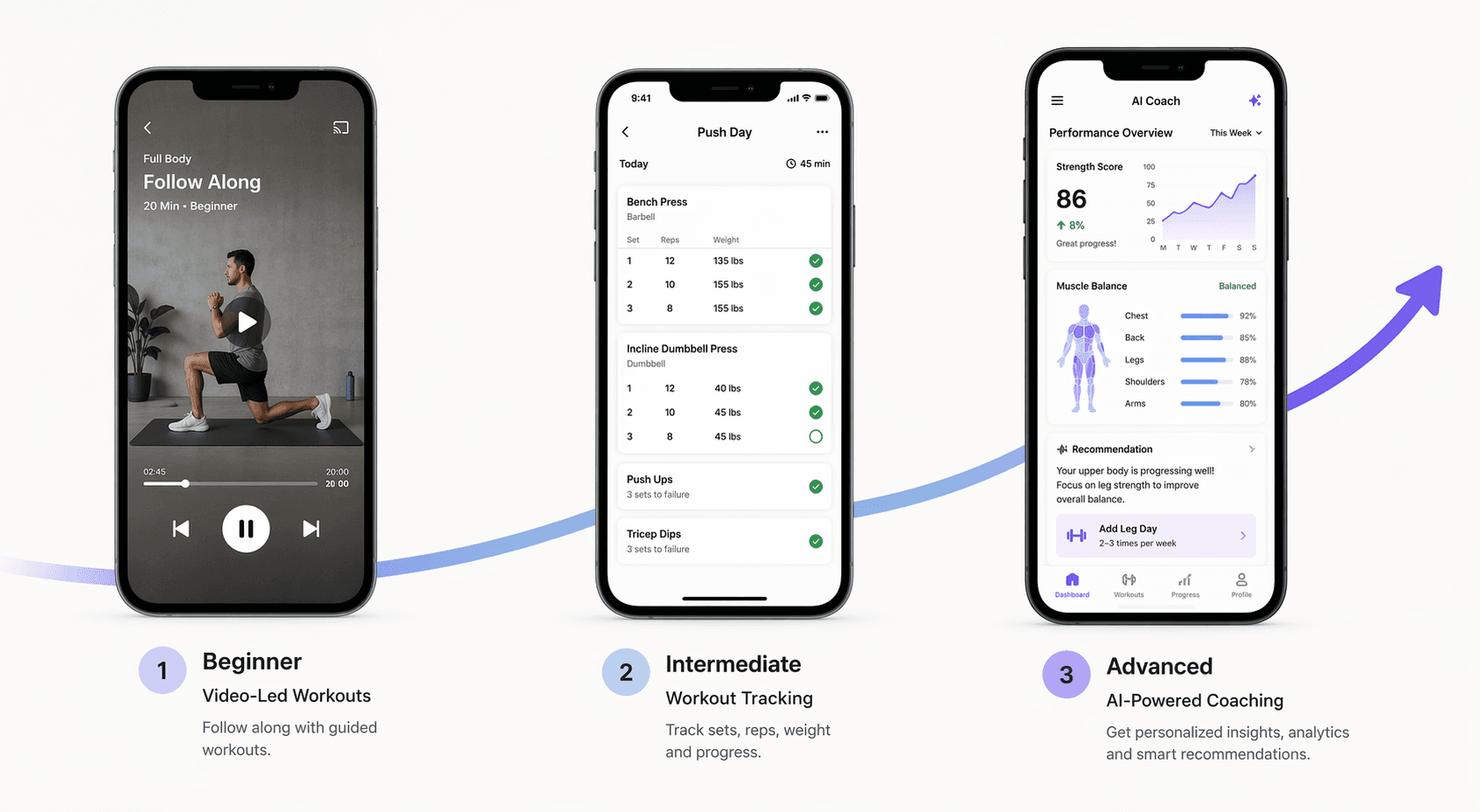
Most beginners quit within a month. Not because the app is bad.
I have seen this happen more times than I can count. Someone downloads a fitness app, opens it, scrolls for a minute, closes it, and never comes back. The usual explanations — too few features, too many ads, bad design — sound tidy but miss the point.
Look at the numbers. 74% of U.S. citizens used at least one fitness app during the pandemic. That is a wave of curiosity, not commitment. By 2025, monthly subscription churn hit 11.7% — up from 8.2% two years earlier. More people downloaded, and more people walked away. Volume tells you about interest, not about whether the app actually helps.
A 4.8-star rating does not fix this. Those ratings mostly come from people who already know what a deadlift looks like. A raw beginner opens a five-star app, sees a grid of 40 video workouts, and has no idea which one to pick. That is not helpful. That is a wall of choices.
The three barriers that actually stop you
I have watched dozens of new exercisers open an app and quit. Their reasons fall into three buckets. I did not invent these — they come from watching real people.
Confusion. You open the app and see a library of 200 workouts. Filters by muscle group, equipment, duration. You do not know what you need, so you pick nothing.
Intimidation. You are afraid of doing it wrong. The app assumes you know the difference between a goblet squat and a front squat. You feel like everyone else knows something you do not.
Inconsistency. You start strong, miss a day, then the app gives you no way back. The gap grows until you stop.
A 2023 study in Humanities & Social Sciences Communications found that nearly 1 in 5 smartphone users download fitness apps, and the authors suggest retention depends on reducing friction in the first two weeks. I would treat that as plausible, not proven — but it matches what I have seen. The friction is not about features. It is about which barrier the app actually removes.
Which one is yours?
Honestly, most people have more than one. But one tends to dominate. If you open an app, scroll, and close without doing anything, that is confusion. If you avoid starting because you are not sure about form, that is intimidation. If you start strong, miss a day, and tell yourself you will restart next week, that is inconsistency.
How to not waste money: a progression path
One fear I hear all the time: "What if I outgrow the app?" That is a reasonable worry. Nobody wants to build a habit on an app that becomes too simple. So here is a natural path that works for most beginners.
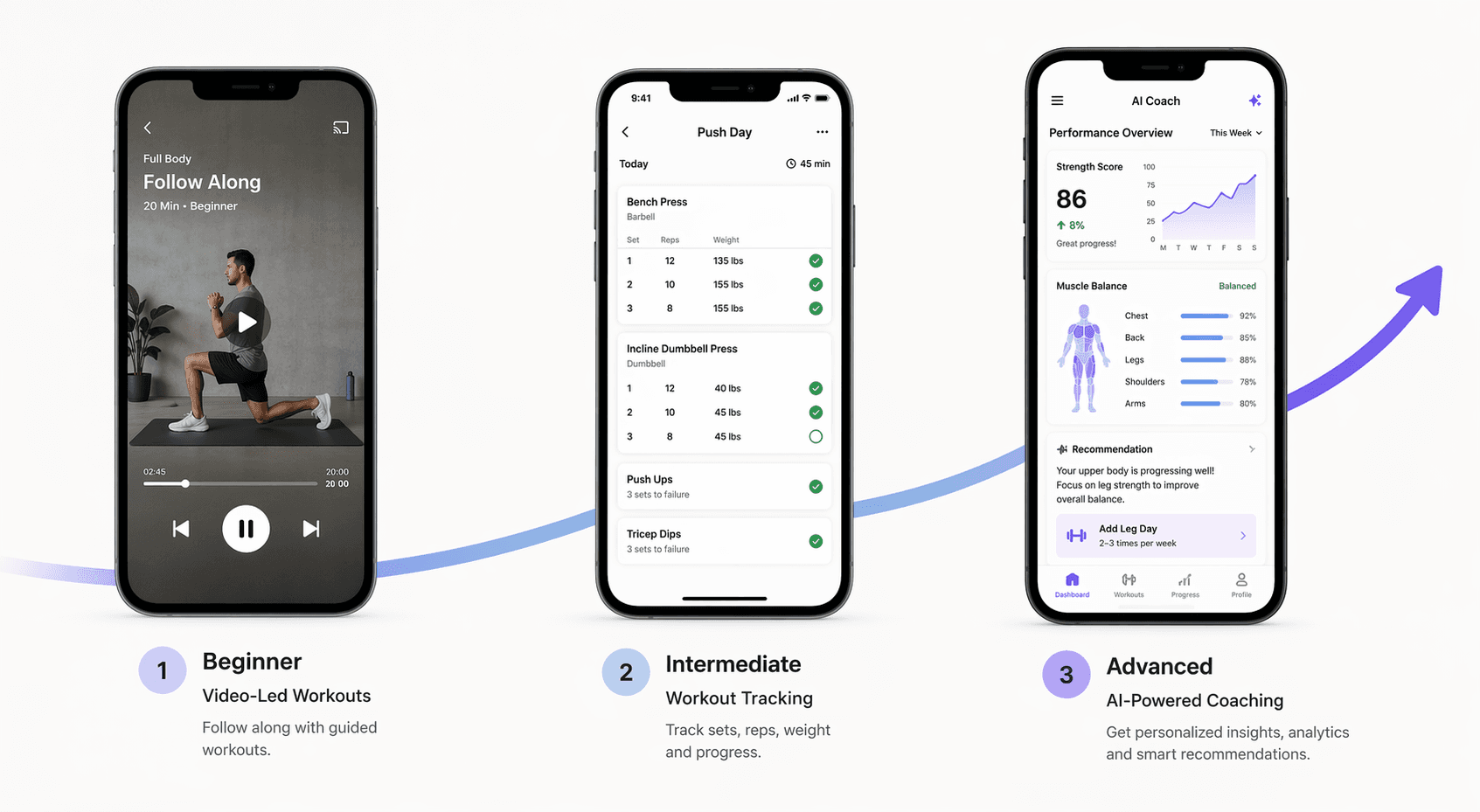
Tier 1: Free video-led apps (Nike Training Club, FitOn). Stay here for 2–4 weeks. Your only job is to build the habit of showing up. Do not worry about progress tracking yet.
Tier 2: Auto-progression logging apps (StrongLifts, Jefit). Once you can do three workouts a week without friction, move to a program that adds weight automatically and tracks your sets.
Tier 3: AI-powered coaching and analytics. This is for when you want personalized feedback and periodization. Apps like Future or Trainerize start here. Most beginners do not need this for months.
The key: you do not have to commit to a Tier 3 app now. Start free, build the habit, then upgrade when your current app genuinely limits you. The average workout app costs $34/month — that is a lot of money to pay before you know if you will even use it.
If confusion is your barrier: apps that make the first move
When you are confused, you need an app that hands you the first workout without asking anything. No filters, no quiz. Just a video and a button that says "Start."
Nike Training Club (NTC) does this well. Completely free. You open it and see a featured workout — no decisions needed. Over 300 workouts, but you never have to choose until you are ready. Garage Gym Reviews gives it 4.2/5, Forbes gives it 5.0/5. Those scores measure variety and production value, not beginner-friendliness. The real value is the absence of choice.
FitOn is similar. Also free (with a $30/year pro tier), rated 4/5 by Garage Gym Reviews. Video-led, zero decision. It includes modifications in the same video — a nice plus if you have mobility limits.
If intimidation is your barrier: apps that teach you the ropes
Intimidation is fear of doing it wrong. You need an app that shows you exactly what to do with enough detail that you can check your own form without a mirror.
Jefit has over 1,400 exercises with HD demo videos, muscle activation maps, and form instructions. It also has 42,000+ five-star ratings and a 4.8/5 overall score. I want to be honest: app store ratings are dominated by already-committed users, not raw beginners. That 4.8 does not tell you if a confused beginner will last a month. What matters is that when you open Jefit, you see a searchable database with muscle maps — not a blank screen. You can look up any movement, watch the demo, read the cues, and then attempt it with confidence.
Caliber Strength Training is another option. Rated 4.6/5 by Garage Gym Reviews. Its free version includes 500+ exercises with demo videos and step-by-step instructions. It generates custom programs based on your experience level, which directly addresses the "I don't know where to start" fear.
If inconsistency is your barrier: apps that build the habit
Inconsistency is not about motivation — it is about system. You need an app that removes daily decisions and gives you a clear, repeating structure.
StrongLifts 5x5 is the simplest path for barbell strength. One program: five exercises, three times a week, automatic weight increases. You open it, it tells you what to lift. That is it. The free basic version is enough for months.
Jefit also works well here because of logging and community routines. Once you pick a routine, the app tracks your progress and tells you when to increase weight. The habit comes from logging every set — you see your streak grow, and that visual gap after a missed day becomes a gentle nudge to come back.
Subscription fatigue is real: search volume for "no subscription gym app" grew 114% from 2023 to 2026. Both StrongLifts and Jefit have free tiers that do everything an inconsistent beginner needs. No reason to pay $34/month when a free auto-progression app can build the consistency you are missing.
What equipment do you have?
Your barrier is the first filter. Your equipment is the second.
| Equipment | Best apps |
|---|---|
| Bodyweight only (no gear) | Nike Training Club, FitOn |
| Minimal dumbbells / resistance bands | Jefit, Caliber |
| Barbell and rack (full home gym) | StrongLifts 5x5, Jefit |
For bodyweight-only options, our no-equipment workout apps guide digs deeper. For most beginners, bodyweight is plenty for the first 4–6 weeks.
Red flags that will make you quit in week one
I want to be brutally concrete here. These are warning signs that an app is not built for beginners — no matter how good its reviews are.
- The first screen asks you to select your home gym equipment before you have done a single push-up. If you see a list of barbell types and cable attachments, close the app. It is designed for people who already have a garage gym.
- No modification or regression options. The main workout shows a move you cannot do, and there is no alternative. A beginner-friendly app always offers a regressed version — knee push-up instead of full, banded squat instead of barbell.
- Subscription costs are hidden until you have already started a trial. A transparent app shows its pricing on the landing page. If you have to dig through settings to find the price, expect a surprise charge.
- No beginner-specific programming. The app may have thousands of workouts, but if none are labeled "Beginner" or "Start Here," you are left guessing. That is confusion bait.
For a full breakdown of what a truly beginner-friendly app must include, read our article on 4 non-negotiable features for beginners. It covers the specific features you should demand before you hit download.
Start with the barrier, not the feature list
Forget ratings. Forget feature grids. Identify your dominant barrier — confusion, intimidation, or inconsistency — and pick the app that removes it. The best fitness app for beginners is not the one with the most exercises or the highest star count. It is the one that makes you show up tomorrow.
Open the app that matches your barrier and do the first workout today. Not tomorrow. Not next week. Today.
If you are still unsure where to start, our Home fitness decision guide walks you through the whole process. But the most important step is the one you take right after reading this.
Comments
Join the discussion with an anonymous comment.