
Best Strength Training Apps for Home Gyms with Limited Equipment (2026)
Most strength training app reviews assume you have a full commercial gym. This guide tests the top apps against the real equipment constraints of home gym owners — dumbbells, bands, and bodyweight — to find which ones actually adapt to your gear.
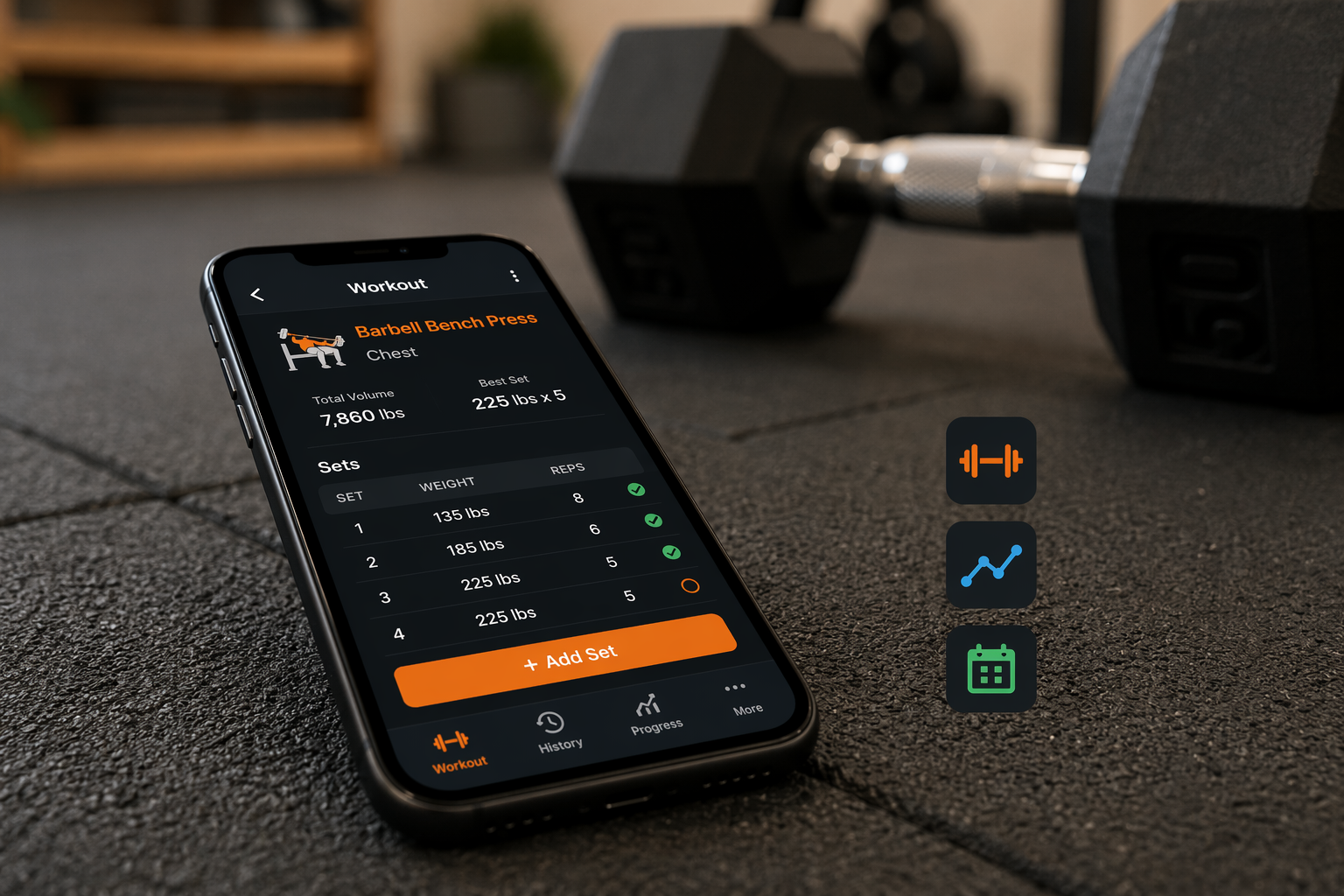
The Home Gym Equipment Reality: What Most Home Trainers Actually Own
Walk into any home gym setup across the country and you will find a pattern: a pair of adjustable dumbbells, a set of resistance bands, a bench if the space allows, and a pull-up bar hooked over a doorframe. The squat rack, the Olympic barbell with 300 pounds of plates, the cable crossover machine — those are outliers, not the norm. Most people training at home operate within a tight equipment envelope, and the apps they use need to respect that reality.
The problem is that the vast majority of strength training app reviews and roundups assume you have access to a fully stocked commercial gym. They compare apps based on how well they handle barbell periodization, how many plate combinations they track, or how accurately they log a deadlift variation. If you train in a spare bedroom with a pair of PowerBlocks and a yoga mat, those criteria are not just irrelevant — they are actively misleading.
This guide flips the standard approach. Instead of asking which app has the most features, we ask a more practical question: which apps actually adapt their programming to the limited equipment you own? We tested the leading strength training apps against real-world home gym constraints — bodyweight only, dumbbells only, adjustable dumbbells with bands, and a minimal home gym setup — to find the ones that deliver a usable workout without assuming you have a barbell.
How We Tested: Equipment Adaptability as the Primary Filter
Our testing methodology centers on one question: when you tell this app you only have dumbbells and bands, does it give you a coherent strength program or does it fall apart? We evaluated each app across four specific criteria:
- Equipment selection granularity: Can you specify exactly what gear you own, or does the app offer only broad categories like "home gym" vs. "commercial gym"?
- Exercise substitution quality: When the app's default exercise requires a barbell or machine, does it offer a reasonable alternative using your available equipment, or does it leave you to figure it out yourself?
- Programming adaptation: Does the app adjust sets, reps, and progression schemes based on your equipment limitations, or does it simply log whatever you manually enter?
- Transparency before commitment: Does the app clearly tell you what equipment is required before you start a program, or do you discover mid-workout that you lack the necessary gear?
We drew heavily on the equipment demand scoring methodology used by Garage Gym Reviews, which rates apps on a 1-to-5 scale for how well they handle equipment constraints. An app that scores 5/5 can adapt from a full commercial gym down to bodyweight-only training. An app that scores 3/5 or below likely assumes you have access to barbells, racks, and machines — and will leave home users stranded.
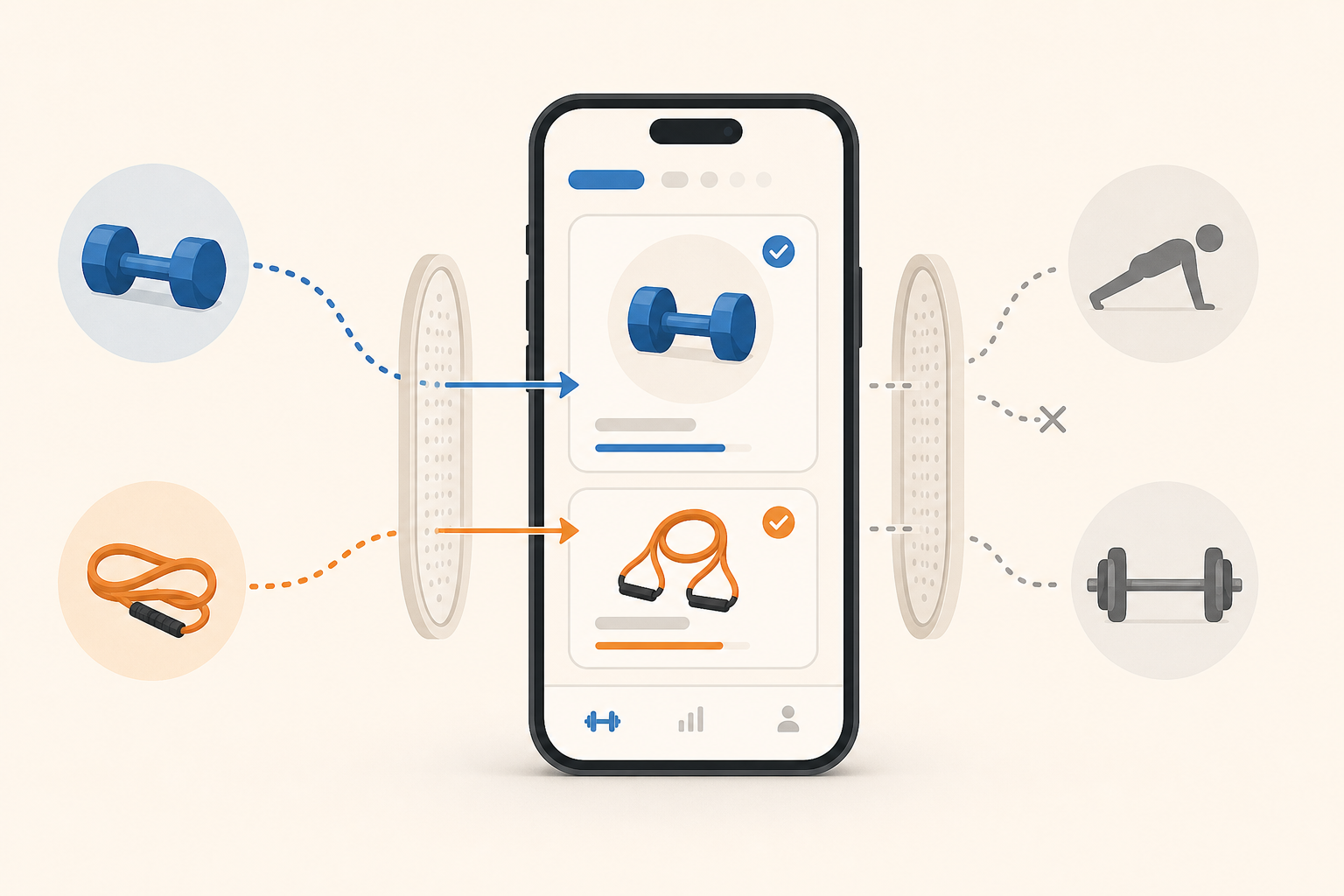
Apps That Adapt to Your Gear: Fitbod, Shred, Future, Caliber, and Edge
These five apps earned the highest marks for equipment adaptability in our testing. Each takes a different approach — some use AI-driven selection, others rely on human coaching — but all of them respect the fact that you do not own a full gym.
Fitbod: The Equipment Slider Champion
Fitbod earned a perfect 5/5 for equipment demands in Garage Gym Reviews testing, and for good reason. The app lets you select exactly what gear you have — from a full commercial gym down to bodyweight only — and it programs your workouts accordingly. If you own only a pair of adjustable dumbbells and a bench, Fitbod will generate a push-pull-legs split using only dumbbell variations. Its exercise library of over 900 movements gives it enough depth to find reasonable substitutions when a barbell exercise is the default.
The AI adapts to your performance over time, increasing weight or reps when you log a set as "easy" and dialing back when form breaks down. For home users who want a set-and-forget programming solution, Fitbod is the strongest option — provided you are willing to pay the $15.99 monthly subscription.
Shred: Transparent Equipment Requirements
Shred App also scored 5/5 for equipment flexibility. What sets Shred apart is its transparency: each program clearly states what equipment you need before you start, and the app provides alternative exercises for nearly every movement. If a program calls for a barbell bench press and you only have dumbbells, Shred will suggest a dumbbell bench press as the replacement — not a completely different movement pattern that misses the training intent.
Shred's adaptive AI also asks "How was that?" after each set and adjusts the load for your next session accordingly. At $9.99 to $19.99 per month depending on the tier, it is significantly cheaper than the average training app cost of $34 per month, making it one of the best value picks for home gym users who want guided programming without human coaching.
Future: Human Coaching with a Home Gym Walkthrough
Future takes a fundamentally different approach. Instead of an AI algorithm, you get a real coach who asks for a video walkthrough of your home gym space. That coach then designs your programming around the equipment you actually own — not what they wish you owned. Future earned a 5/5 for equipment demands and a 5/5 for accountability in Garage Gym Reviews testing.
The trade-off is cost. At $199 per month, Future is the most expensive option on this list by a wide margin. For home users who have tried AI-driven apps and found them lacking in personalization, or who need the accountability of a real person checking in, the price may be justified. But for most home gym owners with limited equipment, the AI-driven options below deliver comparable results at a fraction of the cost.
Caliber: Free Programming with Human Oversight
Caliber Strength Training scored 4.6/5 overall in Garage Gym Reviews testing and offers a genuinely useful free tier. The free version includes over 500 exercises with instructional videos, workout logging, and custom program creation. Caliber's equipment handling is solid — you can specify what gear you own and the app will suggest appropriate exercises — though it does not dynamically adapt programming the way Fitbod or Shred do.
Where Caliber shines for home users is its community and coaching layers. The Pro tier ($19/month) adds access to coaches who can review your form and adjust your program. The Premium tier ($200+/month) provides one-on-one coaching similar to Future but at a comparable price point. For beginners who are not ready to commit to a paid app, the free version of Caliber is arguably the best starting point available.
Edge: Integrated Strength, Running, and Conditioning
Edge is a newer entrant that earned a 5/5 rating in app-specific testing for its ability to personalize programs across strength, running, and conditioning — all with 24/7 access to real human coaches. For home gym users who also run or do bodyweight conditioning, Edge's integrated approach eliminates the need to juggle multiple apps. The equipment adaptability is strong, though the app's smaller user base means long-term reliability data is more limited than for established apps like Fitbod or Caliber.
| App | Equipment Score | Pricing | Best For |
|---|---|---|---|
| Fitbod | 5/5 | $15.99/month | Home users who want AI-driven programming that adapts to their exact gear |
| Shred | 5/5 | $9.99–$19.99/month | Budget-conscious lifters who want transparent equipment requirements and adaptive loads |
| Future | 5/5 | $199/month | Users who need a real coach to design workouts around their home gym space |
| Caliber | 4/5 | Free / $19 / $200+ per month | Beginners who want a free but capable app with optional coaching upgrades |
| Edge | 5/5 | Premium pricing (varies) | Home users who want integrated strength, running, and conditioning programming |
Apps with Built-In Bodyweight and Minimal-Equipment Programs: Nike Training Club, Muscle Booster, Caliber
Not every home user wants an AI that dynamically adapts programming. Some prefer pre-built programs designed specifically for the equipment they own. These apps offer curated routines for bodyweight-only, dumbbell-only, and minimal-equipment training — no algorithm required.
Nike Training Club: The Best Free Option for Bodyweight and Light Dumbbell Work
Nike Training Club is completely free and offers over 300 trainer-led workouts ranging from bodyweight strength sessions to dumbbell-based programs. It earned a 4.2/5 overall rating in Garage Gym Reviews testing and was named best overall workout app by CNET and best free fitness app by Forbes Health. For home users with no equipment or only light dumbbells, NTC provides enough variety to sustain months of training without repeating workouts.
The limitation is that NTC does not adapt to your specific equipment list. You choose a program (e.g., "Bodyweight Strength" or "Dumbbell HIIT") and follow it as designed. If a workout calls for a movement you cannot do with your gear, you have to find your own substitution. For absolute beginners who are still building basic strength, this is rarely an issue. For intermediate lifters with specific equipment constraints, the adaptive apps above are a better fit.
Muscle Booster: Scales from Bodyweight to Full Gym
Muscle Booster is one of the few apps that genuinely scales from zero equipment to a full commercial gym. It offers dedicated program tracks for bodyweight, minimal equipment, and gym training, and it earned a 5/5 equipment score in Garage Gym Reviews testing. Fortune named it best for beginners, noting that it allows users to "train effectively at home with bodyweight or simple equipment."
The trade-off is cost. Muscle Booster runs $19.99 to $29.99 per month, placing it above Fitbod and Shred in price. For home users who want a straightforward, equipment-specific program without the complexity of AI adaptation, Muscle Booster delivers. But if you are already paying for an adaptive app, the value overlap is significant.
Caliber (Free Tier): Pre-Built Programs for Home Users
As noted above, Caliber's free tier includes a library of over 500 exercises and the ability to create custom programs. For home users who want a structured routine without paying, Caliber's free offering is stronger than most. The app includes pre-built programs for bodyweight, dumbbell, and minimal-equipment training, and the instructional videos are high quality. It is not as curated as Nike Training Club's workout library, but it offers more flexibility for users who want to build their own routines.
| App | Equipment Score | Pricing | Best For |
|---|---|---|---|
| Nike Training Club | 4/5 | Free | Absolute beginners with no equipment or light dumbbells |
| Muscle Booster | 5/5 | $19.99–$29.99/month | Users who want a dedicated program track for their specific equipment tier |
| Caliber (Free) | 4/5 | Free | Users who want a free app with structured programs and instructional videos |
Apps That Assume Full Gym Access: JuggernautAI, StrongLifts 5x5, and Strengthlog
Not every popular strength training app works for home gym users. Some are built so deeply around barbell movements that they become unusable without a squat rack, an Olympic bar, and a set of plates. These apps are excellent for commercial gym goers, but home users should approach them with caution.
JuggernautAI: Powerful Periodization, Barbell-Dependent
JuggernautAI is one of the most sophisticated AI coaching platforms available, with excellent periodization and a 4.7/5 rating in head-to-head AI app testing. It costs $35 per month and is designed for serious powerlifting and strength sport preparation. The problem for home users is that it requires a barbell, squat rack, and weight bench for most workouts. Even in commercial gym testing, it earned only 4/5 for equipment demands — meaning the testers noted that it assumes a level of equipment access that many users do not have.
If you own a full power rack, barbell, and plates, JuggernautAI can work at home. But if you are training with dumbbells and bands, the app's programming will break down almost immediately. The exercises it presumes — squats, deadlifts, bench press, overhead press — are all barbell movements with no built-in dumbbell or band substitutions.
StrongLifts 5x5: Five Barbell Movements, Period
StrongLifts 5x5 is one of the most famous strength training programs in the world, and its app is a faithful implementation of the method. The problem is that the method is built around exactly five barbell movements: squat, bench press, overhead press, deadlift, and barbell row. If you do not have a barbell and plates, you cannot run the program. Period.
Garage Gym Reviews notes that StrongLifts is "built around five barbell movements" and that the app is "significantly cheaper than the average training platform" at $9.99 per month. But cheap does not matter if the program is inaccessible. For home users with limited equipment, StrongLifts is not a viable option unless you are willing to buy a barbell and plates — at which point you are no longer in the "limited equipment" category.
Strengthlog: Percentage-Based Powerlifting Programming
Strengthlog is designed for powerlifters who train with percentage-based programming — meaning it calculates your working sets as percentages of your one-rep max on the squat, bench press, and deadlift. Like JuggernautAI and StrongLifts, it assumes you have a barbell and the ability to load specific weights. For home users with dumbbells, the percentage-based approach is difficult to implement because dumbbell increments are larger and the movements do not map cleanly to barbell percentages.
| App | Equipment Score | Pricing | Why It Underdelivers at Home |
|---|---|---|---|
| JuggernautAI | 4/5 (even in commercial gym testing) | $35/month | Requires barbell, squat rack, and bench for most workouts; no built-in dumbbell substitutions |
| StrongLifts 5x5 | N/A (not rated for equipment adaptability) | $9.99/month | Built around five barbell movements; inaccessible without barbell and plates |
| Strengthlog | N/A | Varies | Percentage-based powerlifting programming assumes barbell access and precise load increments |
Pricing for Home Gym Users: What Each Tier Actually Delivers
Pricing in the strength app space ranges from completely free to $200 per month, and the value proposition shifts dramatically depending on your equipment situation. A $35/month app that requires a barbell is a poor investment if you only have dumbbells. A $200/month app with a human coach may be worth every penny if you need someone to design workouts around your specific home gym constraints.
The table below breaks down what each price tier actually delivers for home gym users, based on our testing and third-party reviews.
| Price Tier | Example Apps | What You Get | Best For |
|---|---|---|---|
| Free | Nike Training Club, Caliber (free tier), Hevy (free tier) | Pre-built workout libraries, basic logging, instructional videos | Beginners who are not ready to commit financially and want to explore different training styles |
| $10–$20/month | Fitbod ($15.99), Shred ($9.99–$19.99), StrongLifts ($9.99) | AI-driven programming, equipment adaptation, progressive overload tracking | Home users who want automated programming that respects their gear constraints |
| $20–$35/month | Muscle Booster ($19.99–$29.99), JuggernautAI ($35) | Specialized program tracks (Muscle Booster) or advanced periodization (JuggernautAI) | Users who want a specific training methodology or program track for their equipment tier |
| $150–$200+/month | Future ($199), Caliber Premium ($200+), Edge (varies) | One-on-one human coaching, personalized program design, video form checks | Users who need accountability and a coach to design workouts around their exact home gym setup |
For a deeper breakdown of what AI coaching tiers actually deliver versus human coaching, see our Smart Home Gym AI Coaching: What Each Tier Actually Does for Your Training. That guide explains the difference between AI-driven programming, coach-assisted programming, and full-service human coaching — and which tier makes sense for different home gym scenarios.
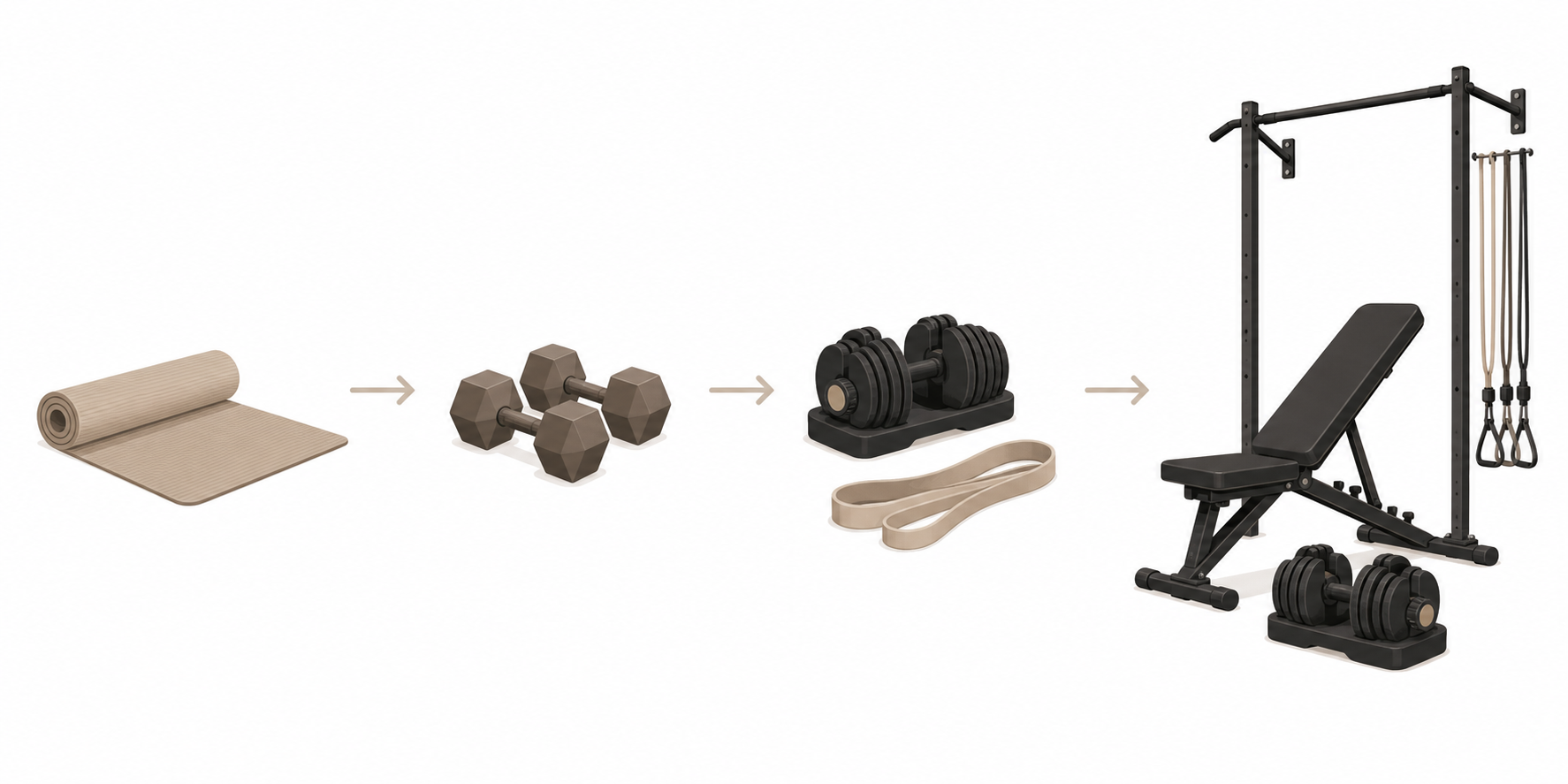
Recommendations by Equipment Tier: Which App Should You Choose?
The following decision table maps each common home gym equipment configuration to the best app options. Find your equipment tier, then choose the app that matches your budget and desired level of guidance.
| Your Equipment | Best Overall Pick | Best Budget Pick | Best for Beginners |
|---|---|---|---|
| Bodyweight only (no equipment) | Nike Training Club (free, 300+ bodyweight workouts) | Nike Training Club (completely free) | Nike Training Club or Caliber free tier |
| Dumbbells only (fixed or adjustable) | Fitbod ($15.99/month, adapts to your exact dumbbell set) | Shred ($9.99/month, clear equipment requirements) | Caliber free tier (500+ exercises with instructional videos) |
| Adjustable dumbbells + resistance bands | Fitbod or Shred (both 5/5 for equipment adaptability) | Shred ($9.99–$19.99/month) | Muscle Booster (dedicated minimal-equipment program track) |
| Minimal home gym (bench + adjustable dumbbells + pull-up bar + bands) | Fitbod (best AI adaptation for mixed equipment) | Shred ($9.99/month, transparent gear requirements) | Caliber free tier or Muscle Booster |
| Full home gym (barbell + rack + plates + bench) | JuggernautAI ($35/month, advanced periodization) | StrongLifts 5x5 ($9.99/month, simple linear progression) | Caliber free tier or Fitbod |
Final Verdict: The Best Strength Training App for Your Home Gym
The best strength training app for your home gym is not the one with the most features, the highest rating on the App Store, or the most impressive AI. It is the one that can work with the equipment you actually own. An app that scores 5/5 for equipment adaptability but costs $200 per month may be the right choice for one person, while a free app with 300 bodyweight workouts may be the right choice for another. Both are correct — because both respect the user's equipment reality.
Our top recommendations by scenario:
- If you have bodyweight only: Nike Training Club is free, comprehensive, and requires no equipment decisions.
- If you have dumbbells or adjustable dumbbells: Fitbod or Shred will adapt their programming to your exact weight increments and exercise selection.
- If you want human coaching: Future or Caliber Premium will pair you with a coach who designs workouts around your home gym space.
- If you have a full barbell setup: JuggernautAI or StrongLifts 5x5 are excellent — but only if you actually have the barbell.
Before you download anything, take five minutes to inventory your equipment. Write down what you own, what weights you have, and what space you are working with. Then match that list to the recommendations above. The app that fits your gear will always outperform the app that has the shiniest features.
For a broader framework on choosing a home training app — including questions about your goals, schedule, and preferred training style — read our How to Choose a Strength Training App When You Train at Home: 7 Questions to Ask Before Downloading. It pairs well with this guide by helping you clarify your priorities before you evaluate specific apps.
This result comes from one real apartment under the stated conditions — it is a strong signal, not a guarantee your space will measure identically.
Builds this evidence supports
No build currently links to this specific test. Browse all builds with a matching tag.
Spot something off?
If this result didn't match your own space, let us know — floor-damage and noise claims carry real deposit-risk consequences if we get them wrong.