
The “Beginner-Friendly” Label Is a Trap
I have watched too many absolute beginners quit after two weeks because they downloaded an app that claimed to be beginner-friendly but assumed they could already do a push-up. The trainer moved too fast. The modifications were buried in a menu. The session ran 45 minutes. By week three they were sore, confused, and convinced they just weren't cut out for exercise.
The problem isn't the person. It's the app. When Garage Gym Reviews tested over 50 workout apps, they found that visible modifications — a trainer showing a low-impact, no-jump option on screen — were rare among apps that market themselves as beginner-friendly. Most of those apps were built for people who already exercise and just want variety. The library is huge, the filters are advanced, and the default setting assumes you know what a squat looks like.
If you have never exercised — genuinely starting from zero — you need a different kind of app. One that doesn't just say “beginner” on the store page but actually redesigns the experience around a body that hasn't learned the movements yet.
Four Non‑Negotiables for a True Beginner App
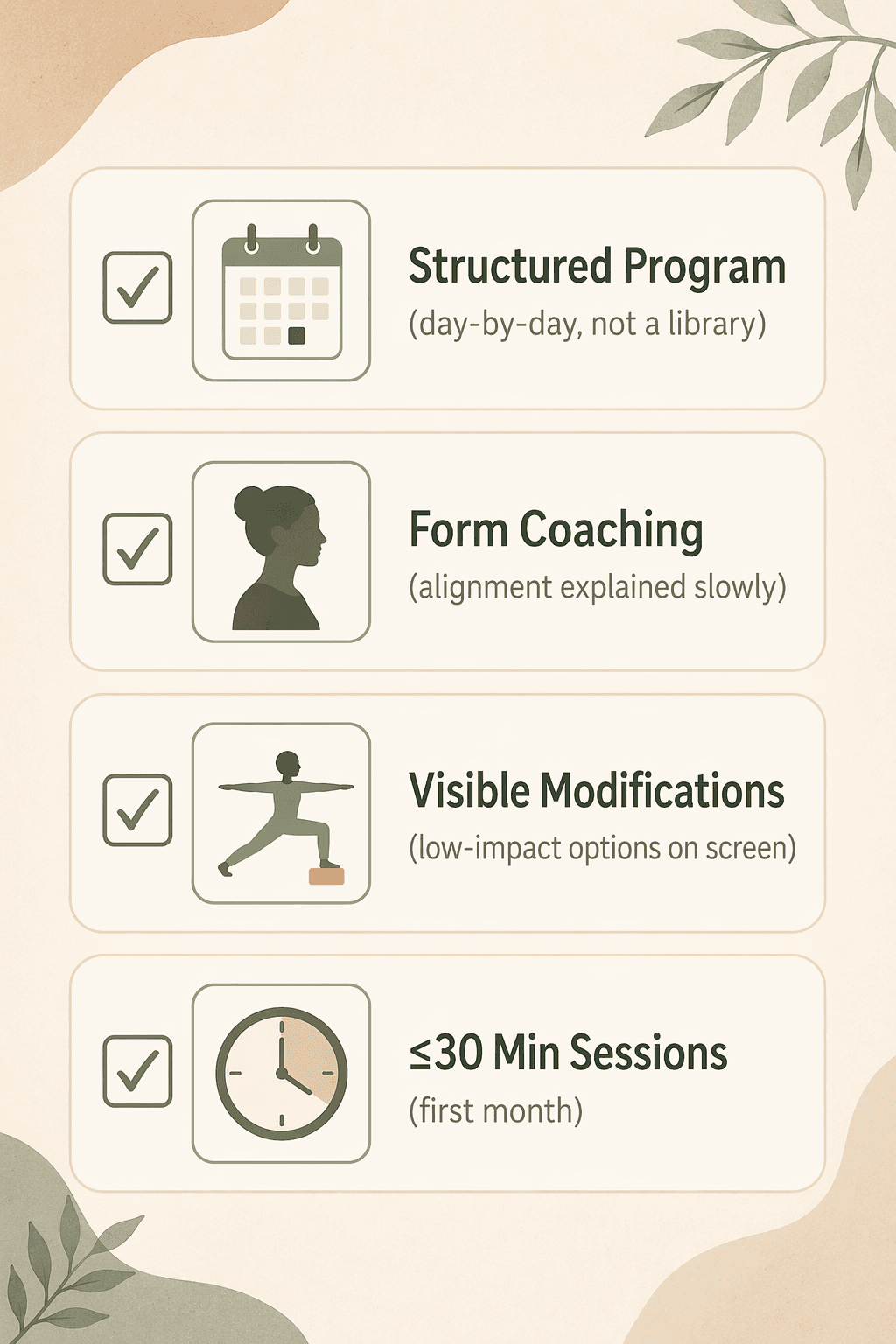
After years of watching people bounce off apps that weren't built for them, I've landed on four features that separate genuinely beginner-friendly apps from the rest. An app that meets all four won't guarantee you stick with exercise, but it will remove the most common reasons people quit: soreness from doing too much too soon, confusion from a library with no direction, intimidation from trainers who move too fast, and time commitments that feel impossible to keep.
- A structured day-by-day program. Not a library of classes — a progression that tells you exactly what to do on day one, day three, and week four. You are not supposed to design your own curriculum. The app decides.
- Form coaching that slows down and explains alignment. The trainer should say “feet hip-width apart, knees soft” and show you where to look. Cues like “feel the burn” are not coaching.
- Visible low-impact modifications for every move. Not a separate tab for “modifications” — the option should appear on screen alongside the standard version, demonstrated by the trainer.
- Sessions of 30 minutes or less for the first month. . Anything longer than 30 minutes and you are likely to skip the next session.
Most popular apps fail at least two of these. The five below pass all four.
Daily Burn’s True Beginner: The Gold Standard
Daily Burn's True Beginner program is the closest thing I have found to a perfect on-ramp. It runs eight weeks, requires no equipment, and the trainers deliberately avoid floor work and jumping — two things that quickly frustrate beginners whose core and knees aren't ready. Each session is a day-by-day plan, not a collection of classes you have to choose from. You click “today's workout” and it's there.
Apple Fitness+: Works Without a Watch Now, But…
Apple Fitness+ used to require an Apple Watch, but as of late 2025 you can use it with just an iPhone. The workout content is fully accessible. The catch is that the heart-rate metrics, Burn Bar, and Activity Ring integration still need the Watch. If you don't own one, you lose the real-time feedback — but the guided workouts themselves are still solid.
The Workouts for Beginners collection lays out a structured progression with sessions as short as five minutes. Trainers demonstrate modifications on screen, and the library allows you to filter by duration, trainer, and music. At $9.99 per month, it's one of the cheapest options that meets all four criteria, provided you are on iOS.
FitOn: Free and Actually Beginner-Friendly (With Limits)
FitOn's free tier is a real free option, not a trial. You get full access to workout classes, including their 2- to 4-week beginner plans. Trainers show modifications on screen, and the sessions can be filtered by duration — most beginner plans stick to 20–30 minutes. No equipment needed for the beginner tracks.
The catch: the most structured beginner programs (the ones with a clear day-by-day progression) live behind the Pro subscription at $19.99 per month. The free tier gives you a library that is organized into plans, but the plans themselves are less guided than Daily Burn's True Beginner. For someone who is truly starting from zero and has no budget, FitOn's free beginner plans are still better than most paid apps — just be aware that you will get more hand-holding if you upgrade.
Future: $200/Month for a Real Coach
Future is expensive — approximately $200 per month — but it is the only app on this list that puts a real human coach in your pocket. Your coach designs a program around your current ability, reviews video of your form, and adjusts the plan week by week. That means the four criteria are met by default: the progression is structured and personalized, the form coaching is live, modifications are tailored to you, and sessions are built to your capacity.
I hesitate to recommend a $200 app to most beginners, but for someone who has tried and failed multiple times and genuinely needs accountability, Future works. You get a real person who sees your squat and says "widen your stance." That is hard to replicate with an algorithm. If you have the budget and the motivation struggles, Future is worth every dollar.
Down Dog: Yoga as a Gentle Start
Down Dog is yoga-specific, so it won't replace a strength or cardio routine. But its Absolute Beginner level is a genuine on-ramp for people who want a gentle, low-impact starting point. The app generates a new sequence each time based on your settings — duration, intensity, focus area — so you get a structured progression even though it is algorithmic rather than pre-written. Sessions can be as short as 10 minutes. Modifications are built into the intensity slider: at the lowest level, poses are fully supported with detailed voice cues.
At $9.99 per month, Down Dog is a low-cost way to build body awareness and basic strength through yoga. It is not a complete workout app, but for a true beginner who wants to move without feeling intimidated, it is a smart first step.
How They Stack Up
| App | Structured Program | Form Coaching | Visible Modifications | ≤30 Min Sessions | Monthly Price |
|---|---|---|---|---|---|
| Daily Burn True Beginner | ✓ 8-week day-by-day | ✓ Slow cues | ✓ Shown on screen | ✓ 15–25 min | $19.95 |
| Apple Fitness+ | ✓ Workouts for Beginners collection | ✓ Trainer demos | ✓ Visible in beginner videos | ✓ 5–45 min options | $9.99 |
| FitOn (free tier) | ✓ 2–4 week plans | ✓ Trainer cues | ✓ Shown in beginner classes | ✓ 20–30 min planned | Free/$19.99 Pro |
| Future | ✓ Personalized weekly | ✓ Video review by coach | ✓ Tailored by coach | ✓ Coach sets duration | ~$200 |
| Down Dog Absolute Beginner | ✓ Algorithmic progression | ✓ Voice cues | ✓ Via intensity slider | ✓ 10–60 min slider | $9.99 |
So, Which One?
- If you have $200 a month and you know you need a human to hold you accountable: get Future. The coach will keep you on track.
- If you want the most tested, structured program without spending $200: Daily Burn's True Beginner is the gold standard. Eight weeks, no equipment, no decisions. See also: Best No-Equipment Workout Apps for Beginners for more options with no gear.
- If your budget is $0: start with FitOn's free tier. Its beginner plans are real and the modifications are visible. Just know the most structured programs require the Pro upgrade.
- If you are on iOS and want the cheapest full-criteria app: Apple Fitness+ at $9.99. The beginner collection is solid, and you don't need a Watch unless you want heart rate data.
- If you want a gentle, low-impact start and you like yoga: Down Dog's Absolute Beginner level. It won't build your squat, but it will build your body awareness and confidence.
Once you pick an app, the next challenge is building the habit. Read: Your First 30 Days With a Workout App: A Beginner's Progressive Plan to Build the Habit for a week-by-week guide on what to expect and how to stay consistent.
Comments
Join the discussion with an anonymous comment.