
Your First 30 Days With a Workout App: A Week-by-Week Plan for Complete Beginners
Most beginners quit workout apps within two months because the apps expect self-direction. This article provides a phased 30-day roadmap that matches beginner psychology and physical adaptation, helping you build a lasting habit without overwhelm.
You downloaded a workout app. You opened it. Now there are beginner strength classes, low-impact cardio, mobility flows, yoga foundations, bodyweight circuits, celebrity trainers, timers, filters, streaks, and a large button asking you to choose.
That moment is where many beginners lose the habit before they have even had a real chance to build one. The first month is not a test of toughness. It is a test of whether the app helps you make the next decision when you are tired, mildly sore, and not in the mood to browse.
Industry commentary has estimated that health and fitness apps lose about 65–73% of users within two months, and roughly 70% within 100 days. Those figures should be treated as a warning light rather than clinical proof, but they point to a pattern anyone who has tried to restart exercise will recognize: apps often give beginners more choice before they have enough confidence to use it well.[1]
For your first 30 days, the goal is simple: never open the app wondering what to do from scratch. You need a small rule, a short session, and a clear next workout.
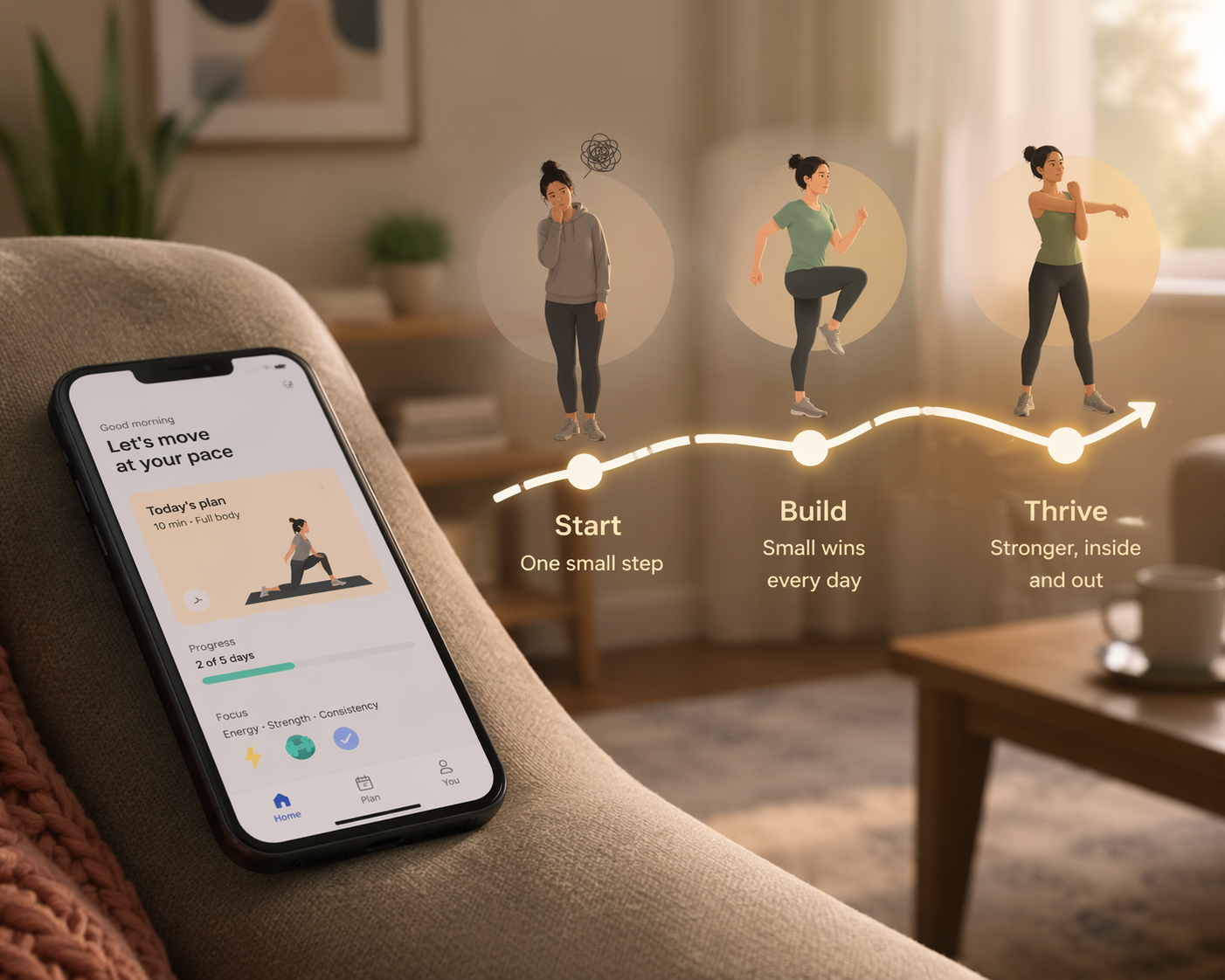
The 30-day rule: choose the next workout before motivation has to
A good first month with workout apps for beginners is not built around finding the perfect class every day. It is built around reducing the number of decisions required to begin.
For the next 30 days, use this rule: follow one beginner track, one saved collection, or one repeated set of short workouts. Do not browse the whole app each time. Browsing feels productive when you are excited and becomes a trap when you are tired.
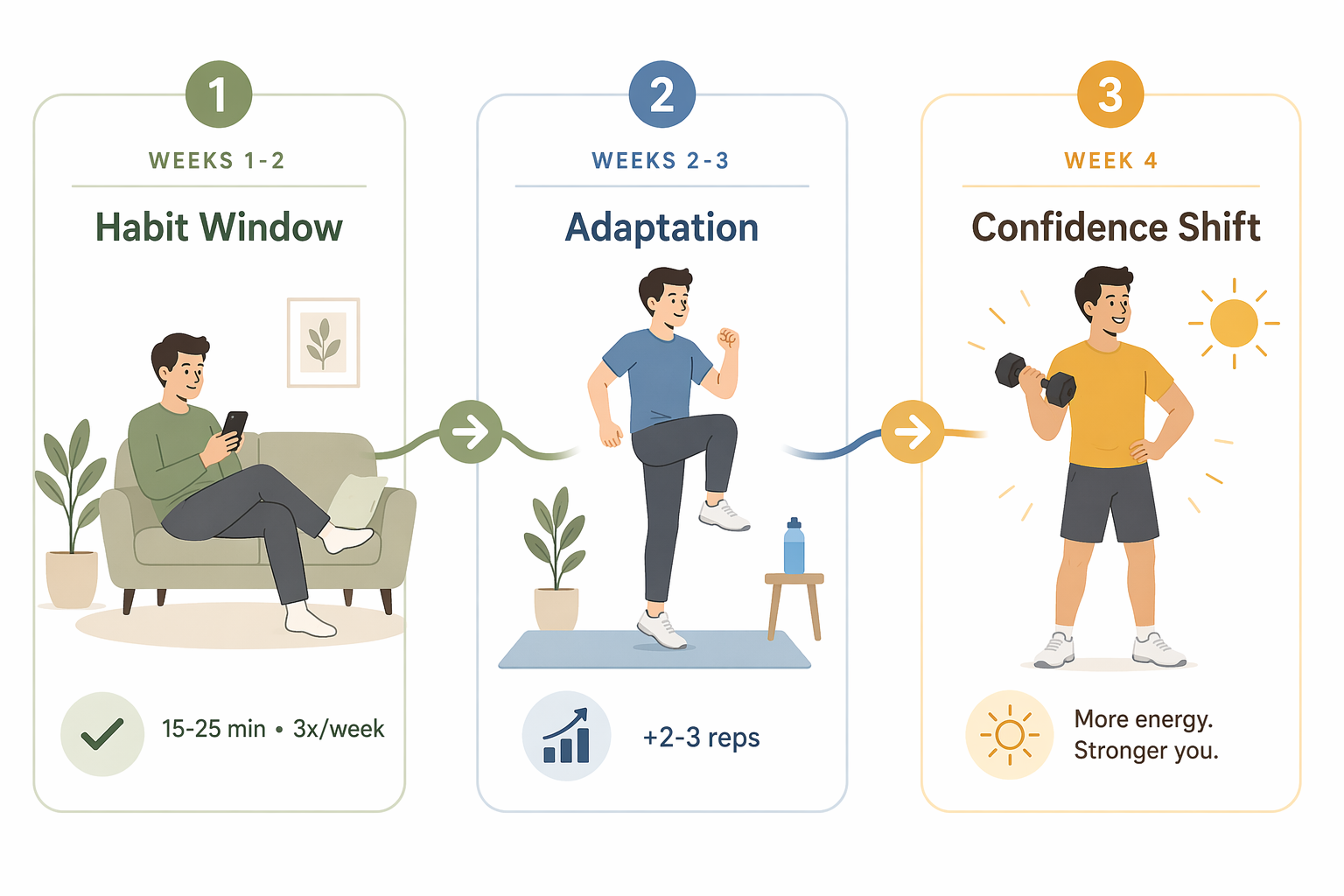
| Phase | What to do in the app | What counts as success |
|---|---|---|
| Days 1–14: Habit Window | Do 15–25 minutes, 3 times per week, from one beginner plan or saved set | You complete the session and know the next one |
| Days 10–21: Adaptation | Repeat familiar workouts and add only a tiny progression | The same movement feels a little less confusing or less exhausting |
| Days 22–30: Confidence Shift | Choose one careful next step: fourth day, light equipment, or keep the same schedule | Your routine is repeatable without needing a new burst of motivation |
The overlap between days 10–14 is intentional. Beginners do not move from “habit” to “progression” on a clean calendar line. Some people are still dealing with soreness in the second week. Others are ready to add a little more. The app should make both paths feel acceptable.
Days 1–14: make the workout small enough to repeat
Your first target is 15–25 minutes, three times per week. Not five days. Not an hour. Not the hardest beginner class in the app because you want to “make it count.” Short sessions done repeatedly are not a consolation prize; they are the correct first assignment.
Daily Burn cites research indicating that previously untrained people can make real gains with 15–25 minute workouts performed three times per week over three months.[2] That does not mean every person will respond the same way, and it does not mean a 20-minute class is magic. It means your early plan does not have to be extreme to be legitimate.
During these first two weeks, completion matters more than intensity. If the app asks for a rating afterward, your best answer is not “I almost died.” It is closer to “I could do this again in two days.”
What to press when you open the app
Look for labels like “true beginner,” “beginner plan,” “low impact,” “no jumping,” “foundation,” “start here,” or “2-week beginner program.” If your app has filters, set them before you look at thumbnails: beginner level, 10–30 minutes, no equipment or bodyweight, low impact if you are nervous about jumping.
Then pick one of these structures:
- A beginner program that automatically tells you the next workout.
- A short beginner collection where you can save three workouts and repeat them.
- One full-body beginner class, one low-impact cardio class, and one mobility or stretch class, repeated weekly.
The third option is useful if your app has excellent individual workouts but weak beginner sequencing. It is also where many people get into trouble. Three saved classes are enough. Thirty saved classes are just another library.
Apps that lower the first barrier
FitOn is useful in this first window because its beginner-friendly sessions commonly sit in the 10–30 minute range, and its short beginner programs can give you a contained 2–4 week runway instead of a loose catalog. Garage Gym Reviews and Digihealth both identify FitOn as especially strong for true beginners, with Digihealth noting physiotherapist testing in its evaluation.[3][4]
Nike Training Club is also hard to ignore because the quality of its free classes is unusually strong. Good Housekeeping, PCMag, Forbes, and Garage Gym Reviews all rate it highly among workout apps, and the app has been fully free since 2020.[5][6][7][3] The catch is not quality; it is choice. With 300+ workouts available, a complete beginner can still end up standing in the doorway of a very nice gym, unsure where to go.[5]
If you use Nike Training Club in the first two weeks, do not treat the full library as your plan. Save a small set of 20-minute beginner classes, or choose a structured beginner option if it is available in your version of the app. Your job is to return, not to sample the app’s range.
Daily Burn’s True Beginner program is another helpful model because it is explicitly designed for people who have not worked out in years, with no-jumping options and trainer pacing aimed at newcomers.[2] That kind of design matters because the first week is full of tiny quitting points: getting down to the floor and not knowing how to get back up comfortably, moving too fast to copy the trainer, or feeling embarrassed because a “beginner” class quietly assumes you already know the basics.
Your first two-week schedule
A workable first two weeks can look like this:
| Day | Workout |
|---|---|
| Monday | 15–25 minute beginner full-body or low-impact strength |
| Tuesday | Rest or easy walk |
| Wednesday | 15–25 minute beginner cardio, mobility, or full-body class |
| Thursday | Rest |
| Friday or Saturday | Repeat one beginner workout from earlier in the week |
| Sunday | Rest, gentle stretching, or nothing at all |
Repeating a workout is not a failure to use the app. It is how you learn. The second time through, you spend less attention figuring out where your feet go and more attention noticing whether the pace is right.
If you are sore after the first session, do not respond by searching for a “recovery challenge.” Take the rest day. If the next workout arrives and you still feel stiff, choose a low-impact or mobility session and keep the appointment. Beginners often need proof that a workout can be adjusted without the whole plan collapsing.
Days 10–21: add a little, not a new personality
Somewhere around the second or third week, the first panic starts to fade. The warm-up feels less mysterious. You recognize the trainer’s cues. You know where to put the mat. This is the moment many beginners accidentally make the plan too complicated.
Progression in weeks 2–3 should be almost boring: add 2–3 reps, add one more minute, choose the slightly longer version of the same class, or reduce one pause if you were taking several. Do not replace your whole routine just because you survived it.
This is where structured programming becomes more valuable than a beautiful library. In week one, a single friendly class may be enough. By week three, you need the app to answer a more specific question: what is the next small step that does not punish me for being new?
Daily Burn’s 8-week True Beginner program is useful here because the sequence is already paced for people returning after a long break or starting from scratch, rather than asking you to assemble progression yourself.[2] Apple Fitness+ beginner collections can also help if you are already in Apple’s ecosystem and want a polished, low-friction way to stay inside a beginner lane.[8] Centr Begin offers a 3-week beginner program, which can be a clean bridge through the exact period when novelty is wearing off and structure starts to matter more.[9]
The important distinction is adoption versus effectiveness. A structured beginner program does not automatically mean you will get better results than every other app. It does mean you have fewer chances to talk yourself out of the next session because the next session has already been chosen.
How to progress without overreaching
Use one progression lever at a time:
- Time: move from 15 minutes to 20 minutes, or from 20 minutes to 25 minutes.
- Reps: add 2–3 reps to a familiar movement when the app gives a rep range.
- Range of motion: squat or lunge slightly deeper only if the movement feels controlled.
- Rest: shorten one pause, not every pause.
- Class level: choose the next beginner class, not an intermediate class with the word “burn” in the title.
A hypothetical example: if you did a 15-minute low-impact strength class in week one and paused twice during lower-body exercises, your week-three progression might be doing the same class without one of those pauses. That is enough. You do not need to add weights, switch trainers, and start a challenge in the same week.
If your app keeps pushing more advanced content too quickly, use the search and filter tools against it. Stay with beginner, low impact, foundation, or no-equipment workouts until the basic movements feel familiar. The app’s recommendation engine does not know how your knees felt getting out of a chair this morning.
What if your app has too many choices?
A large library can be a gift later and a problem now. Nike Training Club, for example, can be both one of the strongest free options and a place where a beginner gets lost if they browse without a plan. The same tension shows up in many polished apps: the product is full, but the first step is not always obvious.
Use this quick rescue rule when the app feels too big:
- Filter to beginner only.
- Filter to 10–30 minutes.
- Choose no equipment unless you already own and understand the equipment.
- Save three workouts: one full-body strength, one low-impact cardio, one stretch or mobility.
- Repeat those three for two weeks before adding anything else.
If an app cannot make that simple sequence easy, the problem may not be your discipline. It may be a mismatch between beginner psychology and app design.
Days 22–30: let confidence choose the next constraint
Week four is not when you become a different person. It is when the routine starts to feel less fragile.
The wins may be ordinary: you get through the warm-up without negotiating with yourself, you sleep a little better after workout days, stairs feel less annoying, or you have more energy during part of the day. These are not guaranteed outcomes, and they may not all happen in the first month. But they are the kinds of changes beginners often notice before any dramatic visual transformation.
Turn that confidence into one careful next choice:
| If this is true at day 22–30 | Choose this next step |
|---|---|
| You completed most planned sessions and feel ready for more frequency | Add a fourth day, but make it mobility, walking, stretching, or a very easy beginner class |
| The movements feel familiar and bodyweight work feels controlled | Add light resistance bands or light dumbbells to one session per week |
| You are still inconsistent or often talk yourself out of starting | Keep the same 3-day schedule for another month |
| You feel persistent joint pain, dizziness, or symptoms that do not feel like ordinary muscle soreness | Stop escalating and seek appropriate medical or professional guidance |
The third option is not standing still. Continuing the same schedule is often the right move when consistency is still the hard part. A routine you can repeat beats a more impressive one you keep restarting.
A word on free, paid, and ecosystem apps
Price matters only when it changes whether you can follow the plan. FitOn’s free tier includes its workout library, with a Pro option listed around $30 per year in the reviewed materials.[3] Nike Training Club has been fully free since 2020.[5] Caliber’s free tier includes 500+ exercises with video, muscle maps, and form cues, which shows how much beginner support can now exist outside a premium subscription.[3]
Paid apps can still be worth it if they remove decisions for you. Apple Fitness+ and Centr may make sense for some beginners because their beginner collections and programs are polished and structured, but they also come with ecosystem or subscription considerations.[8][9] That is a constraint, not a moral issue. The best app for the first month is the one that lets you find the next beginner workout quickly enough to actually do it.
One caveat about app rankings: several mainstream review sites use affiliate links, and commercial relationships can shape what gets visibility. The useful signal is not that one list crowns a winner. It is that multiple reviewers, including Good Housekeeping, Forbes, PCMag, Garage Gym Reviews, and Digihealth, keep circling around a smaller group of beginner-friendly options after testing large sets of apps.[5][7][6][3][4]
Your 30-day handoff
By the end of 30 days, you should know three things: which days you can realistically train, what length of workout you will repeat, and whether you need the app to give you a strict program or just a small saved set of classes.
If you still need structure, choose another beginner program or repeat the same one with one small progression. If you are ready for variety, add it inside boundaries: same three training days, same 15–25 minute default, one new class per week. If your app still makes you feel lost every time you open it, switch to one that does less showing off and more guiding.
The first month has done its job when the app no longer has to manufacture motivation every session. It only has to show you the next reasonable workout.
References
- Fitness app abandonment industry commentary, Medium
- True Beginner, Daily Burn
- Best Workout Apps, Garage Gym Reviews
- Best Fitness Apps, Digihealth
- Best Workout Apps, Good Housekeeping
- The Best Workout Apps, PCMag
- Best Workout Apps, Forbes
- Workouts for Beginners, Apple Fitness+
- Centr Begin, Centr
This result comes from one real apartment under the stated conditions — it is a strong signal, not a guarantee your space will measure identically.
Builds this evidence supports
No build currently links to this specific test. Browse all builds with a matching tag.
Spot something off?
If this result didn't match your own space, let us know — floor-damage and noise claims carry real deposit-risk consequences if we get them wrong.