
The real question with a fitness app for iPhone is not whether the paid version has more features. Of course it does. The question is whether you will still be opening it after the first burst of motivation has worn off. FitCraft’s pricing comparison frames the uncomfortable part plainly: the average user drops within 90 days, while annual billing often advertises 30–50% savings across fitness apps.[1] That means the yearly plan can be either the smart buy or the exact moment the app wins and you lose.
If you know you will train with the app all year, annual billing can make sense. If you are testing a new routine, a new gym, a new Apple Watch habit, or a January-style reset, the monthly plan may be less expensive even when the app calls it the “worse deal.” A $79.99 annual subscription is cheaper than paying $9.99 every month for Apple Fitness+, but not if you stop using it after February and never come back.[2]
The price tiers only matter after you decide how long you will stay
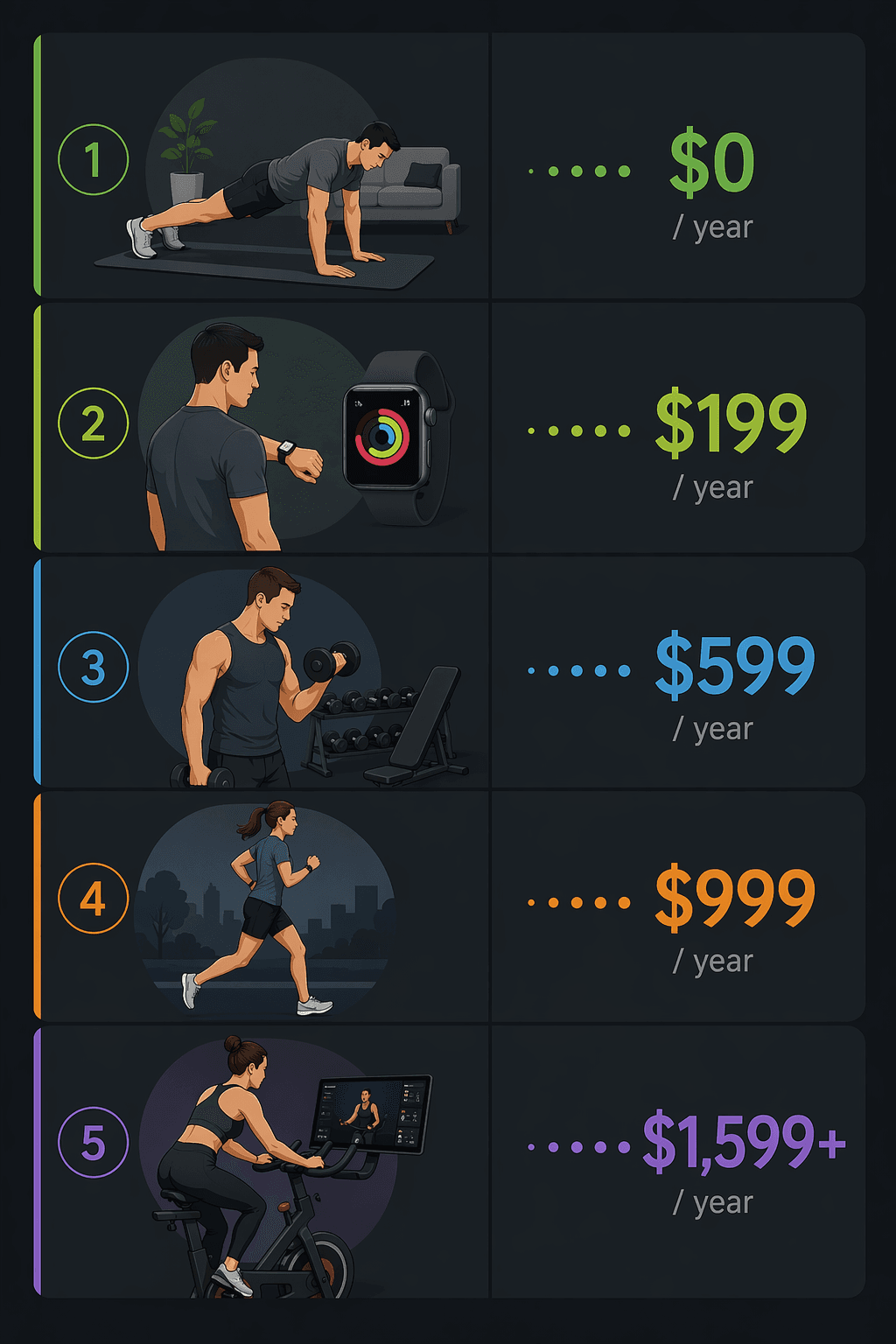
Most iPhone fitness apps fall into a few recognizable price bands. The labels are useful, but only if they are tied to the way people actually use and abandon apps.
| Tier | Typical iPhone examples | What the price usually buys | What can distort the real cost |
|---|---|---|---|
| Free | Nike Training Club; Strava free; Apple Fitness rings | Workouts, basic tracking, habit visibility | Less personalization, less progression, or limited analysis |
| Budget | Hevy premium at $2.99/mo | More logging, more saved routines, fewer limits | Small monthly cost can still be wasted if the free tier was already enough |
| Mid-range | Apple Fitness+ at $9.99/mo or $79.99/yr; Peloton App One at $12.99/mo; Jefit at $12.99/mo; Strava premium at $11.99/mo | Classes, structured libraries, better analytics, training tools | Annual billing, Apple Watch dependence, or paying for features you do not use |
| Premium | Future at $199/mo; Peloton hardware ecosystem | Coaching or a hardware-centered training environment | Large monthly commitment, equipment cost, or confusing app-versus-device value |
Those prices are not all trying to solve the same problem. Nike Training Club gives an iPhone user a large free workout library, with more than 185 workouts listed in comparative app testing, but it is not positioned as a deeply personalized progression engine.[1] Future, at $199 per month, is not competing with a $2.99 logging upgrade; it is selling a remote-coaching substitute for in-person personal training.[3] Peloton App One is a relatively ordinary subscription until the buyer starts mentally blending it with the bike experience, where the hardware cost changes the math.[1]
A bodyweight user can often stay at $0
For someone exercising at home with bodyweight workouts, dumbbells, a mat, or no equipment at all, the free tier is not automatically a compromise. Nike Training Club is the obvious example because the cost is simple: $0 per year. That matters more than a long paid-app feature list if the actual need is “tell me what to do today for 20 to 40 minutes.”
The tradeoff is structure. A free app can give you sessions; it may not give you enough progression, personalization, or accountability to carry you through months of training. But that is a reason to upgrade later, not a reason to prepay now. If the first 90 days are the danger zone, the bodyweight user has the cleanest starting point: begin free, find out whether the routine survives, then decide whether the missing features are actually missing in your life.
If you already know you want a deeper free-tier comparison, the more useful next stop is a feature audit rather than another price list: Best Free Workout Apps 2026.
Apple Fitness+ is cheap if you already live with the watch
Apple Fitness+ is one of the cleaner paid offers on paper: $9.99 per month or $79.99 per year.[2] The annual plan is about the price of eight monthly payments, so the savings are real if you use it all year. It also fits naturally on an iPhone because it sits inside Apple’s own fitness world rather than asking you to build a new account, new habit, and new dashboard from scratch.
The catch is not hidden in the monthly price. It is in the experience. The research brief flags Apple Watch as required for the full Fitness+ experience, and Consumer Reports has treated the question of whether Fitness+ is worth it as closely tied to what Apple users already own and use.[4] If you have an Apple Watch and already care about rings, heart-rate display, and workouts flowing into Apple Health, Fitness+ can be a low-friction class subscription. If you do not, the subscription can become an invitation to buy further into Apple’s hardware loop.
| Apple Fitness+ choice | Year-one subscription cost | Who it favors |
|---|---|---|
| Monthly for 3 months | $29.97 | Someone testing whether classes become a habit |
| Monthly for 12 months | $119.88 | Someone who refuses annual billing but keeps using it |
| Annual | $79.99 | Someone confident they will use it past the 90-day churn window |
The annual plan becomes attractive only after the behavior is believable. A Watch owner who already closes rings most days and wants guided strength, cycling, yoga, HIIT, or treadmill classes may reasonably treat $79.99 as a low yearly total. A new exerciser who is buying motivation should be more careful. Motivation is exactly the thing that disappears before the annual discount has time to pay off.
For people using the Apple Watch as the center of home training, setup matters as much as app choice. The more practical route is to make the watch useful first, then decide whether Fitness+ fills a real gap: How to Set Up Your Apple Watch as a Complete Home Fitness Hub.
For lifters, Hevy versus Jefit is a real yearly-cost gap
Gym lifters usually need something different from class users. They need exercise logging, routine templates, rest tracking, history, and enough friction removed that they will actually log the third set instead of giving up and guessing next week.
This is where small subscription differences stop being small. Jefit at $12.99 per month comes to $155.88 over a year.[1] Hevy premium at $2.99 per month comes to $35.88 over a year, and the research brief describes its free tier as generous.[1] For a lifter who only needs dependable workout logging, that difference is not cosmetic. It is more than four times the annual cost.
| Lifting app path | Monthly price | 12-month cost | Practical read |
|---|---|---|---|
| Hevy free | $0 | $0 | Best first test if the free limits do not block your routine |
| Hevy premium | $2.99 | $35.88 | Low-risk upgrade for more logging capacity or convenience |
| Jefit | $12.99 | $155.88 | Needs to justify itself with features you will use regularly |
The point is not that one lifting app is always better. The point is that a lifter should not pay mid-range class-app money for a logging problem unless the app’s structure, database, or analytics genuinely changes training behavior. If the main win is remembering last week’s weight, the cheaper or free option deserves the first 90 days.
This is also the kind of situation where pairing specialized apps can beat chasing one giant subscription. A simple strength logger plus Apple Health, Strava, or Fitness rings may be enough. More on that approach: Stop Looking for One Perfect App.
Runners should separate tracking from training value
For many runners with an iPhone, the cheapest useful stack is already in hand: Strava free for social and route context, Apple Fitness rings for daily activity visibility, and Apple Health as the place where workout data lands. That can be $0 per year.
Strava premium at $11.99 per month becomes $143.88 over 12 months.[1] That can be worth it for a runner who actually uses premium analysis and route or training features. It is harder to justify for someone who mainly wants a record of runs and a feed where friends can give kudos. Social motivation is valuable, but it does not automatically require the paid tier.
The mistake is paying for the feeling of becoming a more serious runner before knowing which data will change decisions. If premium metrics make you adjust pacing, route choice, recovery, or training load, the subscription has a job. If they mostly decorate runs you would have taken anyway, monthly testing is the safer way to find that out.
Peloton App One is not the same purchase as Peloton the ecosystem
Peloton creates one of the easiest places to mix up app cost and lifestyle cost. Peloton App One at $12.99 per month is a mid-range subscription, or $155.88 if held for a full year.[1] That is one decision. Buying into the full Peloton hardware experience is another: the research brief flags $1,445+ for the bike hardware.[1]
| Peloton path | Subscription or hardware cost noted in research | What to watch |
|---|---|---|
| Peloton App One only | $12.99/mo; $155.88 over 12 months | Useful if you want classes without buying the bike |
| Peloton hardware ecosystem | $1,445+ hardware before considering the full experience | The app price no longer describes the real commitment |
The app-only version can be a reasonable way to test whether Peloton’s coaching style, music, pacing, and class format fit your life. The hardware version should be judged like a home-gym purchase, not like another iPhone subscription. A person who churns after 90 days has not merely overpaid for an app; they may have bought furniture with a leaderboard.
That does not make Peloton a bad choice. It makes the trial path important. If you are drawn to the classes, test the app before treating the bike as inevitable. If the bike itself is the motivation, be honest that you are buying hardware accountability, not just content.
Future belongs in a different mental category
Future at $199 per month is the point where the phrase “fitness app” starts to become misleading.[3] At $2,388 over 12 months, it is not competing with Nike Training Club, Hevy premium, or Apple Fitness+ in any normal sense. It is closer to a remote personal-training service delivered through an app.
That price can be rational for someone who needs coaching, accountability, programming, and review, especially if the alternative is an in-person trainer. It is not rational as a vague upgrade from free workouts. The question is not “Do I want better features?” The question is “Am I replacing a human coaching relationship, and will I actually respond to remote accountability?”
The 90-day issue matters even more here because the monthly cost is so high. Three months of Future costs $597.[3] That is a legitimate test period, but it is not a casual experiment. Anyone considering this tier should know exactly what failure would look like: ignored check-ins, skipped workouts, or realizing that accountability through an app does not move them.
Annual discounts are only discounts after the habit is real
Fitness apps like to make annual billing look mathematically obvious. Fitbod’s annual option is described in the research brief as saving about 56%, while Centr’s annual option is described as saving about 67%.[1] Those are large discounts for committed users. They are not magic. They move risk from the app company to you.
| If your outlook is… | Better default | Why |
|---|---|---|
| “I am trying to restart exercise and I usually fall off.” | Free or monthly | You are buying optionality during the highest-risk period |
| “I already train weekly and need a better tool.” | Monthly trial, then annual if useful | The app must prove it changes an existing behavior |
| “I already use the app and hate the monthly total.” | Annual | Now the discount is attached to a demonstrated habit |
| “The app requires or strongly favors hardware I do not own.” | Do not judge by subscription price alone | The real cost includes the device ecosystem |
The cleanest rule is to make the app earn annual billing. Use the free tier if it covers the job. Use one or two paid months if the free version hits a real limit. Switch to annual only after the app has survived normal weeks, missed workouts, travel, soreness, boredom, and whatever usually breaks your routine.
What this means for the common iPhone choices
| User scenario | Most defensible starting point | Likely year-one cost before upgrades |
|---|---|---|
| Home bodyweight user | Nike Training Club or another strong free tier | $0 |
| Apple Watch owner who wants guided classes | Apple Fitness+ monthly first; annual after habit is proven | $29.97 for 3 months, or $79.99 annually |
| Gym lifter | Hevy free or Hevy premium before a higher-cost logger | $0 to $35.88 |
| Runner who mainly wants tracking and social context | Strava free plus Apple Fitness rings | $0 |
| Runner who uses premium analysis | Strava premium after confirming the features affect training | $143.88 if held 12 months |
| Peloton-curious iPhone user | Peloton App One before hardware | $155.88 for 12 months before any bike purchase |
| Someone replacing personal training | Future only if coaching accountability is the product | $597 for 3 months; $2,388 for 12 months |
There is no universal best fitness app for iPhone because the expensive mistake changes by person. The bodyweight user’s mistake is paying before free workouts run out. The Apple Watch owner’s mistake is ignoring whether the watch is already part of daily life. The lifter’s mistake is overpaying for logging. The runner’s mistake is confusing social tracking with paid training value. The Peloton buyer’s mistake is pretending hardware is just an accessory to an app.
The annual plan is the right move only when the habit is already visible. If you are still finding out whether the app lasts beyond 90 days, free and monthly options are not indecisive. They are the cheaper way to tell the truth.
References
- Fitness App Subscription Pricing Comparison — FitCraft
- Apple Fitness+ — Apple
- Best Workout Apps We've Tested for 2026 — PCMag
- Is Apple Fitness+ Worth It? — Consumer Reports
Comments
Join the discussion with an anonymous comment.