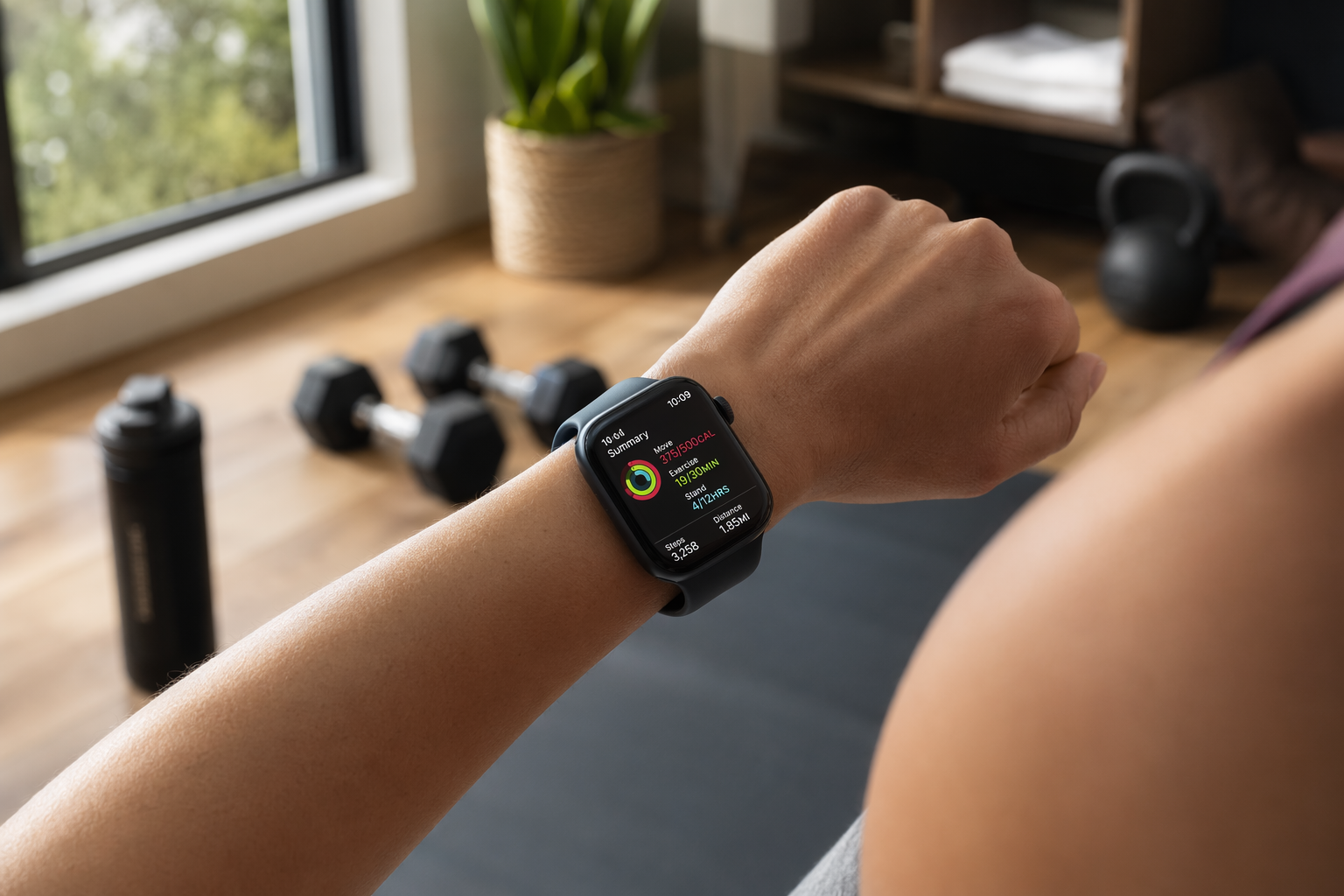
A close-up of a person's wrist wearing an Apple Watch Ultra 3 during an active home workout. The watch display shows real-time workout metrics including activity rings, heart rate data, and a workout timer. In the softly blurred background, home fitness equipment such as rubber dumbbells and a yoga mat are visible.
The Apple Watch functions as a real-time coaching and programming device, not just a passive activity tracker.

Why the Apple Watch Is a Natural Fit for Home Fitness

Most people think of a fitness tracker as something that counts steps and logs a run. That view undersells what the Apple Watch can do for someone training at home. When you are working out in a spare bedroom or a garage gym, you do not have a coach watching your form, a class instructor calling out pace changes, or a training partner pushing you through the last set. The Apple Watch, paired with the right apps, fills all three of those roles from your wrist.

The hardware is accurate enough to trust for structured training. In CNET's 2026 lab testing across more than 30 miles of runs, the Apple Watch Series 11 recorded an average heart rate error of just 0.98% — about 1.40 beats per minute — when compared against a Polar H10 chest strap. That level of precision means you can use heart rate zones for interval work, steady-state cardio, and recovery pacing without second-guessing the numbers.

A broader University of Mississippi meta-analysis reviewing 56 studies found a mean absolute percent error (MAPE) of 4.43% for heart rate across multiple Apple Watch generations. The same analysis reported 8.17% MAPE for step counts and 27.96% for energy expenditure. The key takeaway: heart rate data is reliable for training decisions; calorie numbers are rough estimates and should be treated as such.

Which Apple Watch for Which Home Fitness Scenario

The current Apple Watch lineup in mid-2026 includes three models, and the right choice depends entirely on where and how you train. A person doing bodyweight circuits in a 10x10 apartment has different needs than someone who finishes every session with a 5-mile outdoor run.

Apple Watch model comparison for home fitness scenarios. Prices and specs based on 2026 lineup.
ModelStarting PriceBattery Life (Rated / Tested)Key Fitness FeaturesBest For
Apple Watch SE 3$24918 hours / ~24 hoursS10 processor, always-on display, ultrafast charging (8 hours of use in 15 min), no ECG, no blood oxygenBudget-conscious beginners, indoor-only training, first-time smartwatch buyers
Apple Watch Series 11$39924 hours / ~30 hours0.98% HR error (CNET lab), ECG, blood oxygen, hypertension notifications, 15-min quick charge for sleep trackingAll-around home gym users, mixed indoor/outdoor training, most versatile pick
Apple Watch Ultra 3$79936 hours / ~72 hours (low-power)Titanium case, 100m water resistance, dual-frequency GPS, precision dual-frequency GPS, Action buttonOutdoor endurance athletes, trail runners, triathletes, extreme durability needs

The SE 3 is a surprisingly capable entry point. It shares the same S10 processor found in the Series 11 and Ultra 3, so it runs watchOS 26 and all third-party fitness apps without lag. The trade-offs are the missing ECG, blood oxygen sensor, and the shorter battery life. For someone doing 30- to 45-minute home workouts and charging nightly, none of those omissions matter much.

The Series 11 is the sweet spot for most home gym users. CNET called it the "Goldilocks" of the lineup. The 24-hour battery life (tested at 30 hours) means you can wear it all day, track a workout, and still have enough charge for overnight sleep tracking if you top it up during a 15-minute shower. The ultrafast charging — 15 minutes for a full night of sleep tracking — removes the battery anxiety that plagued earlier models.

The Ultra 3 is overkill for indoor-only training. Its value shows up when your home fitness routine includes outdoor running, cycling, or hiking. The 36-hour standard battery life (72 hours in low-power mode) means you can track multi-day backpacking trips or long weekend adventures without carrying a charger. The titanium case and 100m water resistance also make it the only choice for open-water swimming or obstacle course racing.

Essential Apps to Turn Your Apple Watch into a Home Gym Coach

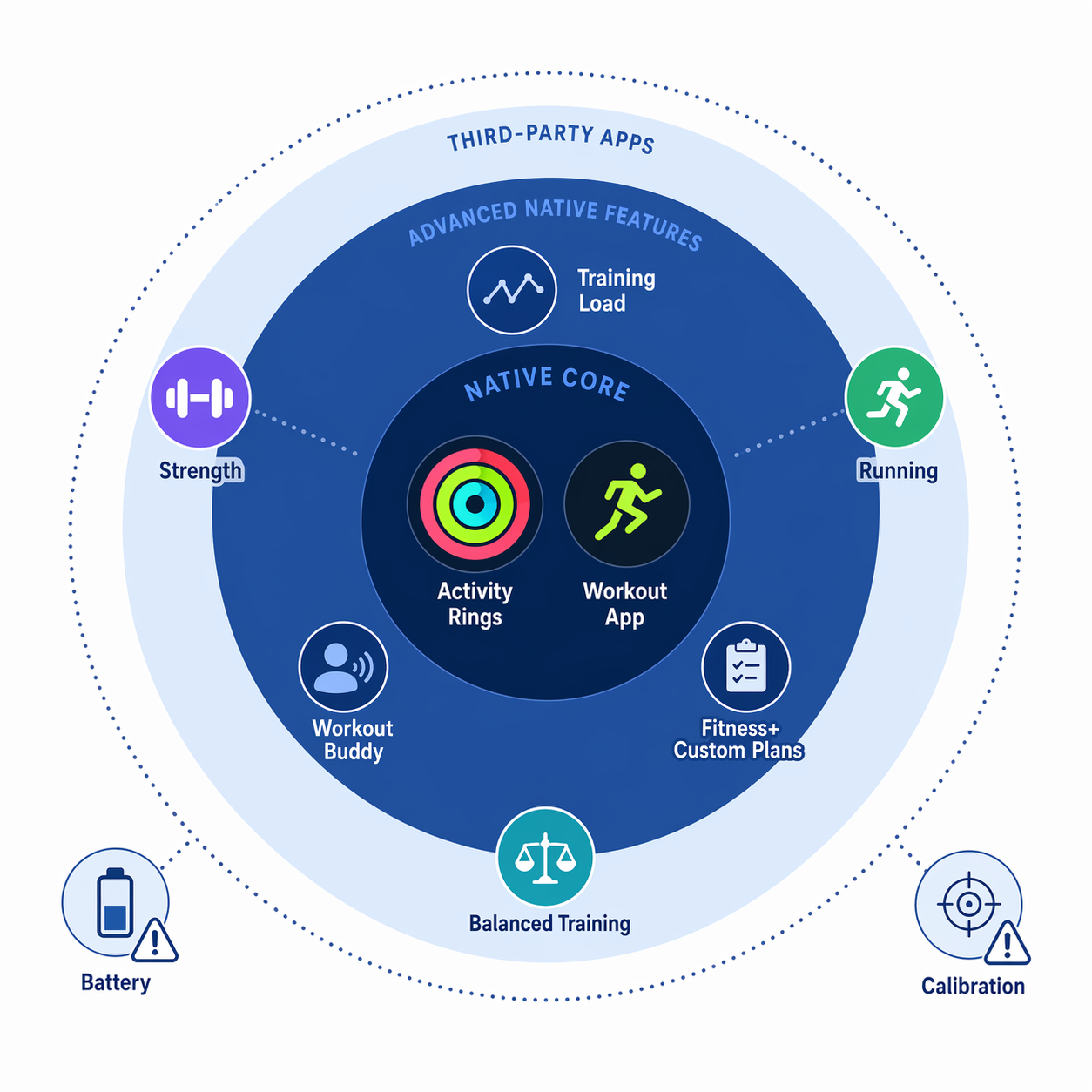
The native Workout app covers the basics — time, distance, heart rate, calories — but it does not program your training. To turn the Apple Watch into an active coaching device, you need apps that handle the parts the built-in software leaves out: custom interval structures, strength set and rep logging, class-style guided sessions, and recovery readiness scoring.

Essential Apple Watch apps for home fitness, organized by workout type and pricing.
AppPrimary FunctionPricingBest Use Case
Workouts++Custom running and interval programmingFree / Premium tierBuilding structured interval sessions, progression runs, and heart rate–based efforts
HevyStrength training with on-wrist set/rep trackingFree / Pro tierLogging sets, reps, and rest times during dumbbell and barbell workouts
Apple Fitness+Instructor-led class-style workouts with Custom Plans$9.99/month (or included in Apple One)Guided HIIT, strength, yoga, cycling, and treadmill sessions with real-time on-screen metrics
AthlyticRecovery scoring and readiness monitoring$29.99/yearWhoop-style daily readiness score using HRV, resting heart rate, and sleep data

Workouts++ fills the gap for runners who want more than the basic outdoor run or indoor walk presets. You can build interval sessions with warm-up, work intervals, rest periods, and cool-down — all with target pace or heart rate zones. The watch provides real-time haptic and audio alerts when you drift off pace or need to transition to the next segment. This is the closest you can get to a Garmin-style workout builder on an Apple Watch.

Hevy solves a problem the native Workout app ignores: strength training logging. You can build routines on your phone, then start them from your wrist. The watch displays the exercise name, target sets and reps, and a rest timer. Tap the screen to mark a set complete, and the watch logs the weight and reps automatically. For home gym users doing dumbbell or barbell work, this replaces a paper logbook or a phone propped against a water bottle.

Apple Fitness+ at $9.99 per month delivers instructor-led classes across HIIT, strength, yoga, cycling, rowing, dance, and guided runs. The Apple Watch integration shows your real-time heart rate, calories, and Activity Ring progress on the screen alongside the instructor. The Custom Plans feature lets you assemble a weekly class schedule from the library based on your goals — you pick the workout types, duration (5 to 45 minutes), and how many days per week, and Fitness+ builds a calendar. This is the closest thing to a personal trainer for the subscription price.

Athlytic at $29.99 per year replicates the recovery scoring system that makes Whoop popular, but it runs entirely on Apple Watch sensor data. It tracks sleep, recovery, readiness, training load, and HRV, then distills everything into a daily readiness score. You can display any metric as a single complication or a dashboard of key scores on your watch face. For home gym users who want to know whether today is a push-hard day or a take-it-easy day, Athlytic provides that signal without needing a second device or a separate subscription.

Building a Weekly Training Schedule with Apple Watch Features

The Apple Watch becomes a programming device — not just a tracker — when you use watchOS 26's custom workout builder, Fitness+ Custom Plans, and the training load feature together. Here is how to set up a balanced home fitness week that uses all three tools.

Step 1: Choose your programming method. If you prefer instructor-led sessions, use Fitness+ Custom Plans. Open the Fitness app on your iPhone, select Custom Plans, choose your goal (e.g., "Build Strength" or "Improve Cardio"), pick your preferred workout types and durations, and set the number of days per week. Fitness+ generates a calendar with specific classes assigned to each day. If you prefer to write your own workouts, use the native Workout app's custom workout builder to create interval sessions, or use Hevy to build strength routines.

Step 2: Structure your week. A balanced home fitness schedule for most people looks like 3 strength days, 2 cardio days, and 1 active recovery day, with 1 full rest day. Here is an example week built entirely from Apple Watch features:

Example weekly home fitness schedule built entirely from Apple Watch features and apps.
DaySession TypeHow to Set It Up on Apple Watch
MondayStrength (Upper Body)Hevy: Start pre-built upper body routine. Watch displays sets, reps, rest timer.
TuesdayCardio (HIIT)Workouts++: Start custom interval session (30 sec work / 30 sec rest x 10 rounds). Watch alerts pace drift.
WednesdayStrength (Lower Body)Hevy: Start pre-built lower body routine. Log weight and reps on wrist.
ThursdayActive RecoveryFitness+: Select a 20-minute yoga or mindful cooldown class. Watch shows real-time heart rate.
FridayStrength (Full Body)Hevy: Start full body routine. Use rest timer between sets.
SaturdayCardio (Steady State)Workouts++ or native Workout: Start 30-minute run or cycle in heart rate zone 2. Watch alerts if HR drifts out of zone.
SundayRestAthlytic: Check readiness score. If score is low, take the day off. If score is high, consider an extra walk or light stretch.

Step 3: Use training load to manage intensity. watchOS 26's training load feature compares your weekly activity to the previous 28 days. After each workout, the watch shows whether your current load is increasing, maintaining, or decreasing relative to your baseline. If you see three consecutive days of "Increasing" load, it is a signal to schedule a lighter day or an active recovery session. This prevents the common home fitness mistake of going too hard too often without a coach to pull you back.

The GQ review of the Series 11 noted that pace-based custom workouts were "pretty accurate" for longer intervals but less reliable for very short intervals — a one-minute interval at mile pace registered almost two minutes slower. For very short, high-intensity intervals, consider using heart rate zones instead of pace targets, which the watch tracks more accurately.

Recovery and Sleep Tracking: Closing the Training Loop

Training hard at home without tracking recovery is like driving with the gas pedal floored and no speedometer. The Apple Watch tracks sleep stages (REM, Core, Deep), overnight vitals (heart rate, respiratory rate, wrist temperature, blood oxygen), and HRV. This data feeds into the native Sleep app and can be exported to Athlytic for a daily readiness score.

Here is how to use recovery data to adjust your training:

  • Check your Athlytic readiness score each morning. A score of 80-100 means your body is recovered and ready for high-intensity work. A score below 60 suggests you should prioritize active recovery or a rest day.
  • Look at HRV trends. A consistently dropping HRV over several days is an early warning sign of accumulated fatigue or insufficient recovery. The Apple Watch captures HRV during sleep, and Athlytic displays the trend.
  • Use sleep stage data to evaluate recovery quality. If you consistently get less than 7 hours of sleep or very little deep sleep, your training adaptations will suffer regardless of how hard you push. The Sleep app shows your time in each stage so you can identify patterns.

Common Pitfalls and How to Work Around Them

No device is perfect, and the Apple Watch has a few well-documented limitations that home fitness users should know about before relying on it as their sole training tool.

Calorie estimates are unreliable

The UM meta-analysis found a 27.96% MAPE for energy expenditure — the highest error rate of any metric tested. This means a workout that the watch says burned 400 calories could realistically have burned anywhere from 288 to 512 calories. The researchers advised: "These devices are great for keeping track of habits and staying motivated. But do not take every number as 100% truth, especially the calories. Think of it as a helpful guide, not a diagnostic tool."

Workaround: Use a chest strap (like the Polar H10) for workouts where calorie accuracy matters, such as weight management tracking. For general training, treat the calorie number as a relative trend — if it is higher than usual, you probably worked harder — rather than an absolute measurement.

Tattoo interference with wrist detection and sensors

Dark tattoos on the wrist can block the light sensors on the back of the Apple Watch. This prevents wrist detection from working, which disables features like automatic unlock, resting heart rate tracking, the blood oxygen sensor, and crash detection. This is not a rare edge case — Garage Gym Reviews explicitly warns that "tattoos can interfere with some of the features" across all Apple Watch models.

Workaround: Wear the watch on the other wrist if it is not tattooed, or use an armband to move the sensor to a different location on your arm. If neither option works, consider a chest strap for heart rate data and accept that wrist-based features like blood oxygen may not function reliably.

Limited battery life for all-day wear

The Series 11 is rated for 24 hours and tested at 30 hours. That is enough for a full day plus overnight sleep tracking, but only if you charge it during a short window — typically while showering or getting ready. The SE 3 has an 18-hour rated battery life. If you forget to charge, you will miss sleep tracking data.

Workaround: Build a charging habit. The Series 11 charges to a full night of sleep tracking in 15 minutes. The SE 3 gets 8 hours of use from a 15-minute charge. If you charge while you shower and again while you get ready for bed, you can maintain 24/7 wear without ever hitting zero.

A flat lay editorial composition showing three Apple Watch models arranged on a wooden surface with corresponding fitness accessories. From left to right: an Apple Watch SE 3 with sport band beside a jump rope, an Apple Watch Series 11 with a sleek band beside a small dumbbell, and an Apple Watch Ultra 3 with its titanium case and orange action button next to a trail running shoe.
The three current Apple Watch models — SE 3, Series 11, and Ultra 3 — each suited to different home fitness scenarios.

Apple Watch Model + App Combos at a Glance

The table below pairs each Apple Watch model with the most suitable app combination and a sample weekly schedule. Use it as a quick reference to decide on a setup and start training.

Recommended Apple Watch model and app combinations for different home fitness approaches.
Apple Watch ModelRecommended App ComboSample Weekly Schedule
SE 3Hevy (strength) + Workouts++ (cardio) + Athlytic (recovery)3 strength days via Hevy, 2 cardio days via Workouts++, 1 active recovery walk, 1 rest day
Series 11Fitness+ Custom Plans (guided classes) + Athlytic (recovery)Fitness+ generates a 5-day plan based on your goals; Athlytic guides rest day decisions
Ultra 3Workouts++ (outdoor intervals) + Hevy (strength) + Athlytic (recovery)2 outdoor run/cycle sessions via Workouts++, 3 strength days via Hevy, 1 active recovery, 1 rest day