
Nike Training Club is the best free fitness app — if you are a beginner training at home with bodyweight. That is the unspoken condition behind every “best overall” ranking from Forbes, Garage Gym Reviews, and a physiotherapist at Digihealth. Change any one variable — gym, barbell, running — and the recommendation collapses. But the roundups keep printing the same winner, and readers keep downloading the wrong app.
Why “best overall” is a lie
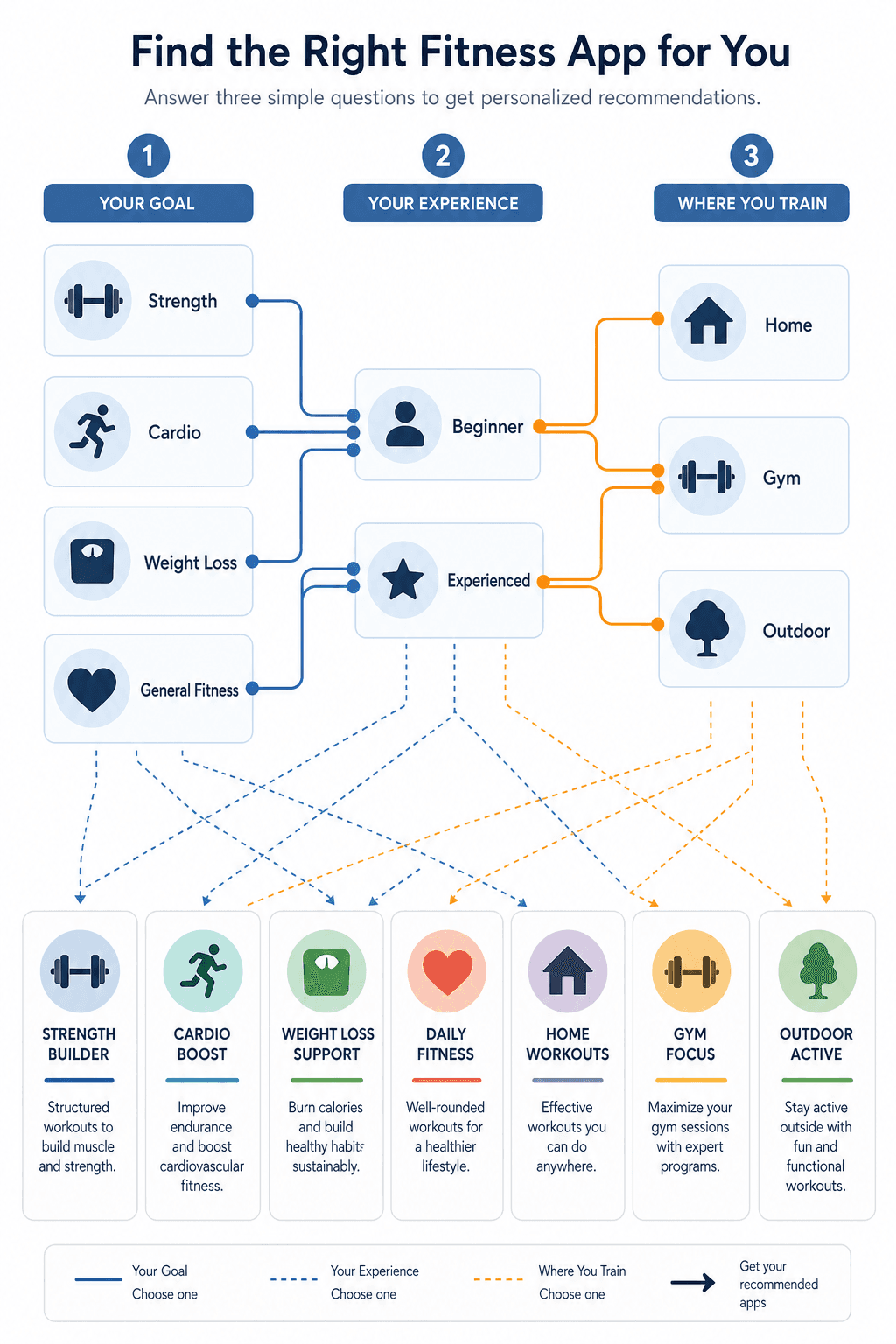
A ranked list assumes a single use case. In reality, the right free app depends on three variables that no numbered ranking can capture: your primary goal, your experience level, and where you train. Forbes reviewed 40 apps and Garage Gym Reviews tested 50, yet both ended up recommending Nike Training Club as “best overall” because neither list could account for the fact that a guided workout app is irrelevant to a lifter who needs a tracker. That is not a weakness of the apps — it is a weakness of the format. I have seen too many of these lists; they are often affiliate-driven, not methodology-transparent. The physiotherapist-tested Digihealth review at least discloses its testing process, which is more than most do.
The three filters that actually matter
These three axes — goal, experience, environment — eliminate mismatched apps before you even download. Here is how each one changes the recommendation.
Filter 1: What are you training for?
Your primary goal determines the type of app you need. Strength training needs a logging app with a large exercise library. Cardio needs GPS and route tracking. Weight loss benefits from guided workouts plus nutrition integration. General fitness can get away with a hybrid app.
- Strength: Look for a tracker with a big exercise database and progressive overload features. JEFIT’s free tier claims 1,400+ exercises — that is JEFIT’s own count, not an independent audit — but its interface is dated and ad-heavy. Caliber’s free version offers 500+ exercises with no ads and science-based programming. Hevy gives unlimited logging and social accountability at no cost. Pick based on whether you can tolerate ads for a bigger database or prefer a cleaner experience.
- Cardio: Strava’s free tier tracks over 30 sports with GPS and community features — it is the default for runners and cyclists. For indoor cardio (treadmill, stationary bike), a guided app like NTC works better because it provides structure.
- Weight loss: No single free app handles both workouts and nutrition well. The best strategy is to stack a workout app with a nutrition tracker. The physiotherapist-tested Digihealth review recommends Nike Training Club + MyFitnessPal as the most effective free combination.
- General fitness: Nike Training Club (300+ workouts across 10+ categories) or FitOn (short, guided sessions) serve this well. Both are fully free with no hidden paywall for the core content.
For deeper goal-specific recommendations, we have a dedicated guide. Here we keep moving.
Filter 2: Beginner or experienced?
Experience is not about how fit you are — it is about how comfortable you are designing your own workouts. I draw the line at whether you can design your own progressive overload plan. If you cannot, you are a beginner for this filter. A beginner needs guidance: clear videos, structured programs, short sessions. An experienced lifter needs a flexible logging tool that can handle custom routines and progressive overload.
FitOn is consistently named “best for beginners” by Digihealth and Garage Gym Reviews — short workouts, clear instruction, no need to plan. NTC also works for beginners because its structured programs (e.g., “Get Toned,” “Ignite”) remove the decision burden.
For experienced lifters, Caliber and Hevy stand out. Men’s Journal named Caliber the best free fitness app in its 2026 Fitness Awards, citing its 600+ exercise library (GGR’s independent test counted 500+; the figure varies, but both confirm it is extensive). Hevy’s free tier lets you sort workouts by location or equipment and includes customizable rest timers — a detail intermediate lifters care about. JEFIT appeals to the most dedicated trackers who are willing to put up with ads for access to the largest exercise database.
Filter 3: Where do you train?
Your training environment determines whether an app is even usable. Strava is useless at home. FitOn is weak for a gym with a barbell. NTC works well with bodyweight and light dumbbells, but if you have a full rack, you need a tracker that lets you log sets and reps, not follow a video.
- Home with minimal equipment (bodyweight, light dumbbells, resistance bands): FitOn, NTC, or Caliber (if you want to track). NTC has hundreds of workouts categorized by equipment type — explicitly built for small spaces.
- Full home gym (barbell, rack, bench): Caliber, Hevy, or JEFIT. These let you log exercises with weight and reps, track progressive overload, and build custom routines. Our guide on strength training apps for home covers the seven questions to ask before downloading.
- Commercial gym: Same as full home gym, but you also have access to more machines. JEFIT’s 1,400+ exercise library shines here because it covers cable machines, Smith machines, and isolation exercises that smaller databases miss.
- Outdoor (running, cycling, hiking): Strava is the default. Its free tier gives you GPS tracking, route discovery, and community segments. No other free app comes close for outdoor cardio tracking.
If your environment changes — say you supplement gym sessions with outdoor runs — you might need two apps. That is fine. The goal is to stop downloading apps that cannot serve your primary environment.
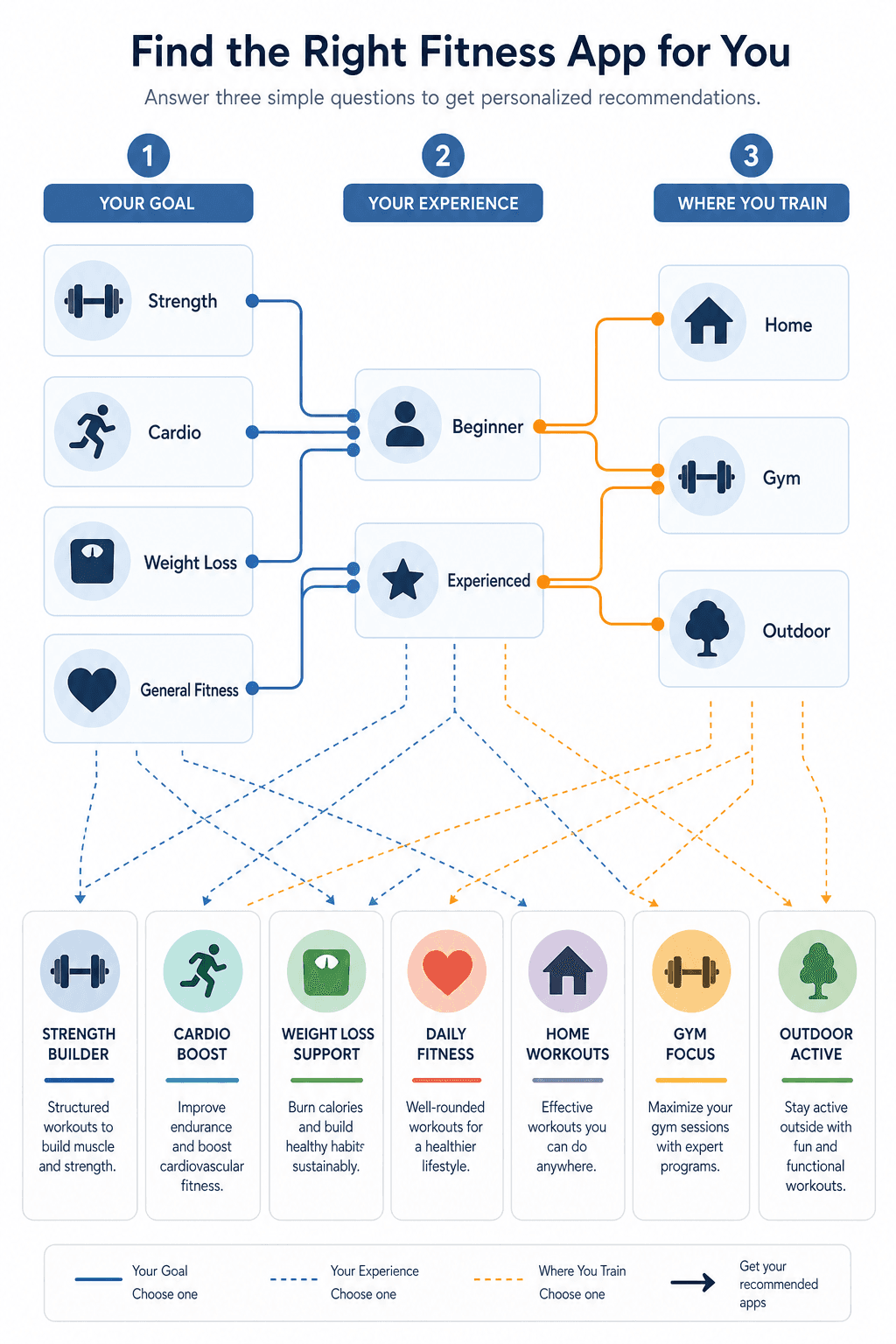
Your decision tree: the right app for your combination
Now apply the three filters to yourself. Once you have your goal, level, and environment, here are the free apps that fit.
| Your Goal | Your Level | Your Environment | Top Free App(s) |
|---|---|---|---|
| Strength | Beginner | Home (bodyweight/light dumbbells) | NTC or FitOn — guided strength workouts with low equipment needs |
| Strength | Beginner | Gym | Caliber — free programming with video demos; JEFIT if you want the biggest library and can tolerate ads |
| Strength | Experienced | Home or Gym | Hevy (best social features and UI) or Caliber (best science-backed programming); JEFIT if you need an encyclopedic exercise library |
| Cardio | Any | Outdoor | Strava — free GPS, 30+ sports, community segments |
| Cardio | Any | Indoor (treadmill, bike) | NTC — structured cardio classes; FitOn for short sessions |
| Weight loss | Beginner | Home | NTC + MyFitnessPal stack (workouts + nutrition tracking) |
| Weight loss | Experienced | Gym | Caliber (tracking) + MyFitnessPal (nutrition) — both free |
| General fitness | Beginner | Home | NTC or FitOn — hundreds of guided workouts, no planning required |
If you train at home and are still unsure about equipment constraints, our guide on workout apps for home fitness by equipment needs can help refine your choice.
Test-drive your pick in 10 minutes
Before committing to any app for a week, run this quick validation: download the app and sign up — check if the sign-up process pushes you toward a paid trial. The apps above (NTC, FitOn, Caliber, Hevy, JEFIT, Strava, MyFitnessPal) all have genuinely free sign-up paths. Log one workout: for a strength app, add a few exercises with sets and reps; for a guided app, start a 10-minute session. Does the interface feel natural? Do the ads break your flow? Check whether the free features cover what you actually need — for example, Strong’s free version limits you to three custom routines. If the app syncs with Apple Health or Google Fit, confirm that data flows through. That is all it takes to know if it is right for you.
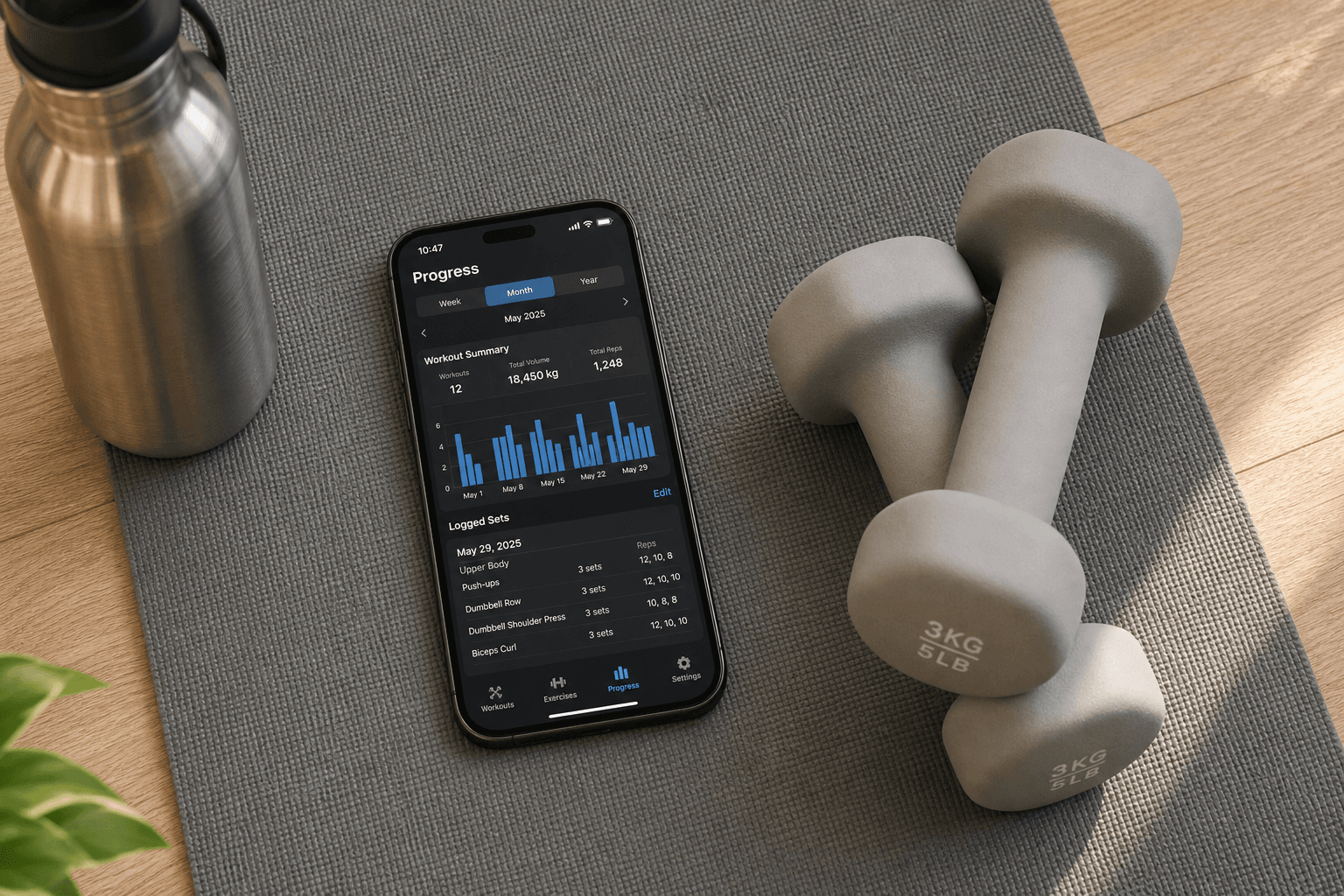
When one app is not enough: stacking NTC + MyFitnessPal
No single free app today handles both guided workouts and nutrition tracking well. The combination that a physiotherapist-tested Digihealth review recommends is Nike Training Club for workouts and MyFitnessPal for nutrition. Both are genuinely free at the tier that matters — NTC’s entire workout library is free, and MyFitnessPal’s barcode scanner and calorie tracking are free. That stack gives you more than any single free app can, and it costs nothing.
Switching apps without losing your progress
Most free strength apps let you export your workout history as CSV or PDF. If you decide to move from JEFIT to Hevy, you can export your logs and import or manually re-enter them. Apps that sync with Apple Health or Google Fit keep your workout data in the ecosystem even if you change the primary app. Switching is not frictionless, but it is far easier than starting from scratch.
The time you spent reading generic roundups and downloading the wrong app is worth more than the five minutes it takes to export and re-import. Use the three filters, pick your intersection, and test-drive it. The app that works for your specific goal, level, and environment is out there — and it is free.
Comments
Join the discussion with an anonymous comment.