
What to Look for in a Beginner Workout App: A Framework for Making Your First Choice
Not all workout apps labeled 'beginner-friendly' actually are. This article defines four specific, testable features — structured progression, visible modifications, form-focused instruction, and session length under 30 minutes — that separate genuinely helpful apps from those that will overwhelm or frustrate a new exerciser.
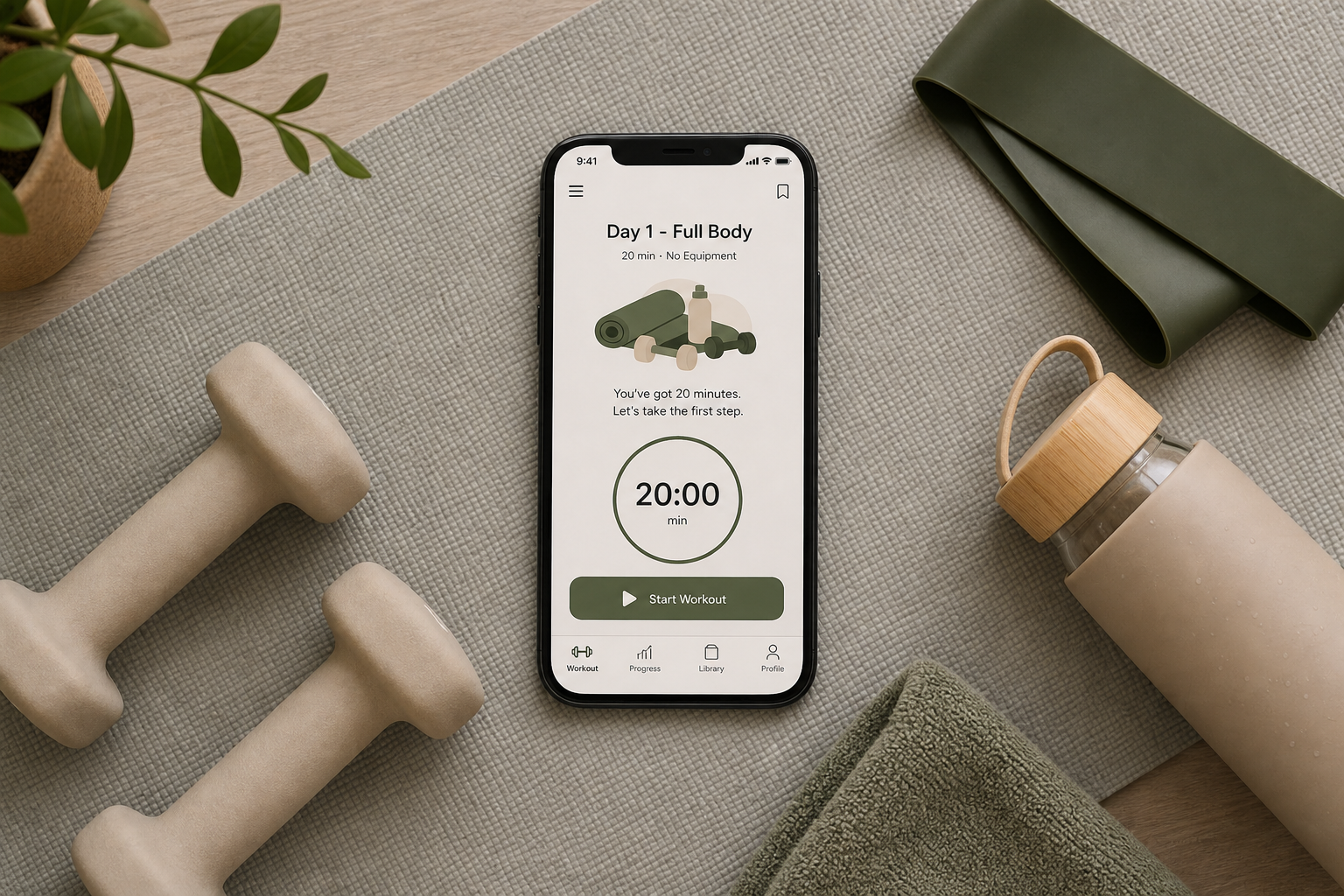
The Four Must-Have Features for Any Beginner App
The app store is flooded with options, and many of them carry a "beginner-friendly" label. But a label is not a guarantee. After evaluating dozens of apps and testing them against the needs of a true novice, a clear pattern emerges. Four specific, testable features separate the apps that will actually help you build a habit from those that will leave you frustrated, sore, or ready to quit on day three.
An app that is genuinely built for someone starting from zero must include all of the following:
- Structured day-by-day progression: A clear, multi-week plan that tells you exactly what to do each day, not a library of hundreds of on-demand classes.
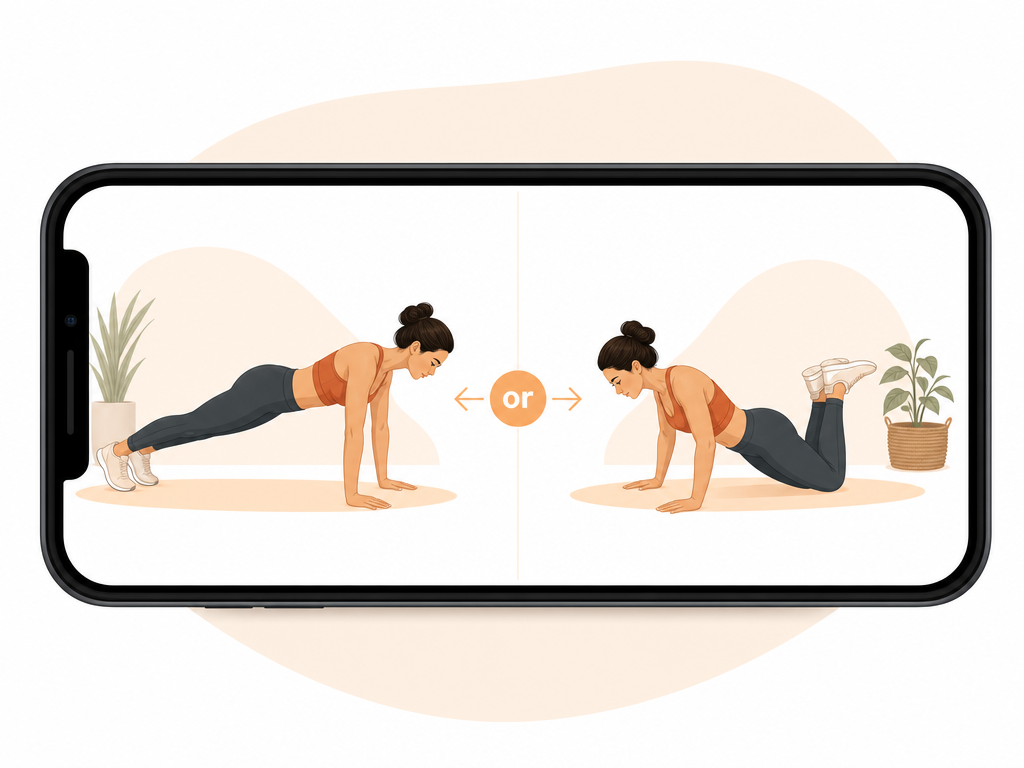
- Visible low-impact modifications: On-screen alternatives for every exercise—a kneeling push-up alongside a standard one, a seated option for a standing move, a no-jumping alternative for plyometrics.
- Form-focused instruction: Demonstration videos you can watch before starting, clear verbal cues about alignment and tempo, and a pace that prioritizes teaching over speed.
- Session length under 30 minutes: Workouts that start at 15–25 minutes, with guidance to do them only 3–4 days per week for the first month.
Feature Deep-Dive: Structured Progression — Multi-Week Plans vs. Random Libraries
This is the single most important feature. A beginner does not know what to do on day one, day two, or day ten. They need a guide that removes all decision fatigue. The Daily Burn guide puts it plainly: "The single most important feature for a true beginner is a guided, progressive program that tells you exactly what to do each day. Apps that drop you into a generic library of 1,000 classes are usually too overwhelming for someone starting from zero."
When you open an app and see a grid of hundreds of classes—yoga, HIIT, strength, Pilates, 45-minute bootcamp—you are not being helped. You are being abandoned with a menu. A true beginner app opens to a screen that says "Day 1" and shows you a single workout. It tells you what to do, in what order, and when to come back for Day 2.
Look for programs that are explicitly 21 to 30 days long. These are short enough to feel achievable but long enough to build a routine. The app should handle the scheduling for you—no deciding which class to take, no wondering if you should repeat a session. The plan is the plan.
Feature Deep-Dive: Modifications Shown on Screen for Every Move
A beginner's body is not ready for the same movements as someone who has been training for years. A standard push-up, a deep squat, or a burpee can be impossible—and potentially harmful—for someone with limited strength, mobility, or joint stability. The solution is not to skip the exercise; it is to have a visible, coached alternative.
The Good Housekeeping Institute tested more than 40 workout apps and found that form instruction and the availability of modifications were the top differentiators for beginners. Apps that scored well showed a kneeling push-up alongside a standard push-up, a seated option for a standing move, or a no-jumping alternative for plyometric exercises. These modifications were not buried in a settings menu—they were shown on screen, in the moment, as part of the workout.
Feature Deep-Dive: Instruction Quality — Video Demos, Tempo, and Form Cues
Many workout apps are built for people who already know how to do a squat, a lunge, or a deadlift. They assume a baseline of movement literacy that a beginner simply does not have. The result is a workout that moves too fast, provides too little explanation, and leaves the user guessing whether they are doing the exercise correctly.
The Garage Gym Reviews team, which tested over 50 apps, explicitly states that "on-demand sessions tend to be too fast for beginners." They recommend apps that offer demonstration videos you can watch before starting. This is a critical distinction: a 30-second video that plays while the timer is running is not instruction—it is a visual cue for someone who already knows the movement. A true beginner needs the ability to pause, watch, and understand before they attempt.
When evaluating an app, look for these specific instruction quality markers:
- Pre-workout demo videos that you can watch at your own pace, separate from the workout timer.
- Verbal cues that describe alignment ("knees in line with ankles," "shoulders down and back") rather than just counting reps.
- Tempo guidance that slows down the movement, especially on the eccentric (lowering) phase, where most beginners lose control.
- A pace that feels deliberate, not rushed. If the instructor is moving through exercises faster than you can set up, the app is not for you.
Feature Deep-Dive: Session Length and Frequency Guidance
One of the most common mistakes beginners make is doing too much, too soon. An app that throws you into a 45-minute or 60-minute workout on day one is setting you up for extreme soreness, potential injury, and a high likelihood of quitting. The first month of training is not about building muscle or burning maximum calories—it is about building the habit of showing up.
The Daily Burn guide provides a realistic first-month framework that any good beginner app should follow:
| Week | Frequency | Session Length | Goal |
|---|---|---|---|
| Week 1 | 3 days | 15–25 minutes | Establish the routine; focus on completing each session. |
| Week 2 | 3 days | 15–25 minutes | Repeat the same workouts; build consistency. |
| Week 3 | 4 days | 15–25 minutes | Add a fourth day; increase total weekly volume. |
| Week 4 | 4 days | 20–30 minutes | Feel measurably more energetic; prepare to increase intensity. |
Notice what this framework does not include: no hour-long sessions, no six-day-a-week schedules, no advanced progressions. It is deliberately conservative because the goal is adherence, not intensity. An app that respects this framework will have built-in guidance that starts you at the right level and ramps up slowly.
Nice-to-Have Features: Accountability, Community, and Wearables Integration
Once the four must-have features are in place, there are additional features that can support long-term adherence. These are enhancements, not requirements. Do not let them distract you from the core checklist.
- Progress tracking and streak reminders: Seeing a log of completed workouts can be motivating, but it should not create guilt if you miss a day. Look for apps that celebrate consistency without punishing gaps.
- Community features: Groups, forums, or leaderboards can provide social accountability. For some beginners, this is helpful. For others, it is intimidating. Know yourself before prioritizing this feature.
- Wearables integration: Syncing with an Apple Watch, Garmin, or Fitbit can help you track heart rate and calories. This is a nice bonus, but it is not essential for your first month. The app should work perfectly well without a wearable.
If you are choosing between an app that has all four must-have features but no community features, and an app that has a great community but lacks structured progression or visible modifications, choose the one with the four features. The community can wait. The foundation cannot.
Apps That Get This Right
The following apps have been evaluated against the four-feature checklist. They are not perfect for every person, but they each satisfy the core requirements that make them viable options for a true beginner.
| App | Structured Progression | Visible Modifications | Form-Focused Instruction | Session Length Under 30 Min | Notable Gaps |
|---|---|---|---|---|---|
| Daily Burn | Yes — 8-week True Beginner program | Yes — low-impact options shown on screen | Yes — deliberate pace with alignment cues | Yes — 15–30 min sessions | Requires $19.95/mo subscription; no free tier |
| Apple Fitness+ | Yes — Workouts for Beginners collection | Yes — 2–4 trainers showing modifications | Yes — trainer-led with form cues | Yes — sessions from 5–45 min, beginner picks are short | Requires $9.99/mo; Apple device required |
| Nike Training Club | Partially — programs available, but no beginner-specific onboarding | Yes — modifications shown in many workouts | Yes — trainer-led with clear instruction | Yes — many sessions under 30 min | Completely free; lacks a structured day-by-day beginner plan |
| FitOn | Yes — beginner plans, 2–4 weeks long | Yes — modifications shown in trainer-led videos | Yes — trainer-led with form cues | Yes — sessions are short | Free version is robust; premium unlocks more features |
| Down Dog | Yes — Absolute Beginner level with daily plans | Yes — multiple difficulty levels for each pose | Yes — detailed verbal cues and demo videos | Yes — sessions from 10–30 min | Focuses on yoga; less strength/cardio variety |
For a curated list of recommendations that align with this checklist, see our article on the Best Workout Apps for People Who Have Never Exercised Before.
Apps Beginners Should Avoid (and Why)
Some apps are widely recommended but fail the four-feature checklist for true beginners. This does not mean they are bad apps—many are excellent for intermediate or advanced users. But for someone starting from zero, they present real risks.
- Freeletics: Uses an AI-generated coach to create plans, but the free version only offers 20 HIIT bodyweight workouts, according to Forbes Health. The emphasis is on intensity and speed, not on teaching proper form or providing visible modifications. The AI-driven approach lacks the human-centered progression that a true beginner needs.
- Centr (for true beginners): Centr is a well-produced app with celebrity trainers, but its programming is built for people who already have a baseline of fitness. The workouts often assume familiarity with complex movements and do not consistently provide low-impact alternatives. A beginner will likely feel lost or overwhelmed.
- Sworkit: Sworkit allows you to build custom workouts by selecting exercise categories and durations. While this flexibility is appealing to experienced users, it is a library-dump interface for a beginner. You are dropped into a grid of options with no guidance on what to do first, how to structure a week, or how to progress. It fails the structured progression test entirely.
This result comes from one real apartment under the stated conditions — it is a strong signal, not a guarantee your space will measure identically.
Builds this evidence supports
No build currently links to this specific test. Browse all builds with a matching tag.
Spot something off?
If this result didn't match your own space, let us know — floor-damage and noise claims carry real deposit-risk consequences if we get them wrong.