Does the iPhone 16e Track Home Workouts Accurately?
We tested the iPhone 16e in a real apartment to see whether its motion sensors can be trusted for steps, calories, cardio, strength, and yoga workouts. Here is a per-metric verdict with error evidence and practical workarounds.
- Test space profile
- Small apartment with limited floor space (approx. 6 ft clear area), carpet over wood subfloor, includes couch and bench.
- Floor damage risk
- none
- No-drill compatible
- ✓
- Test date
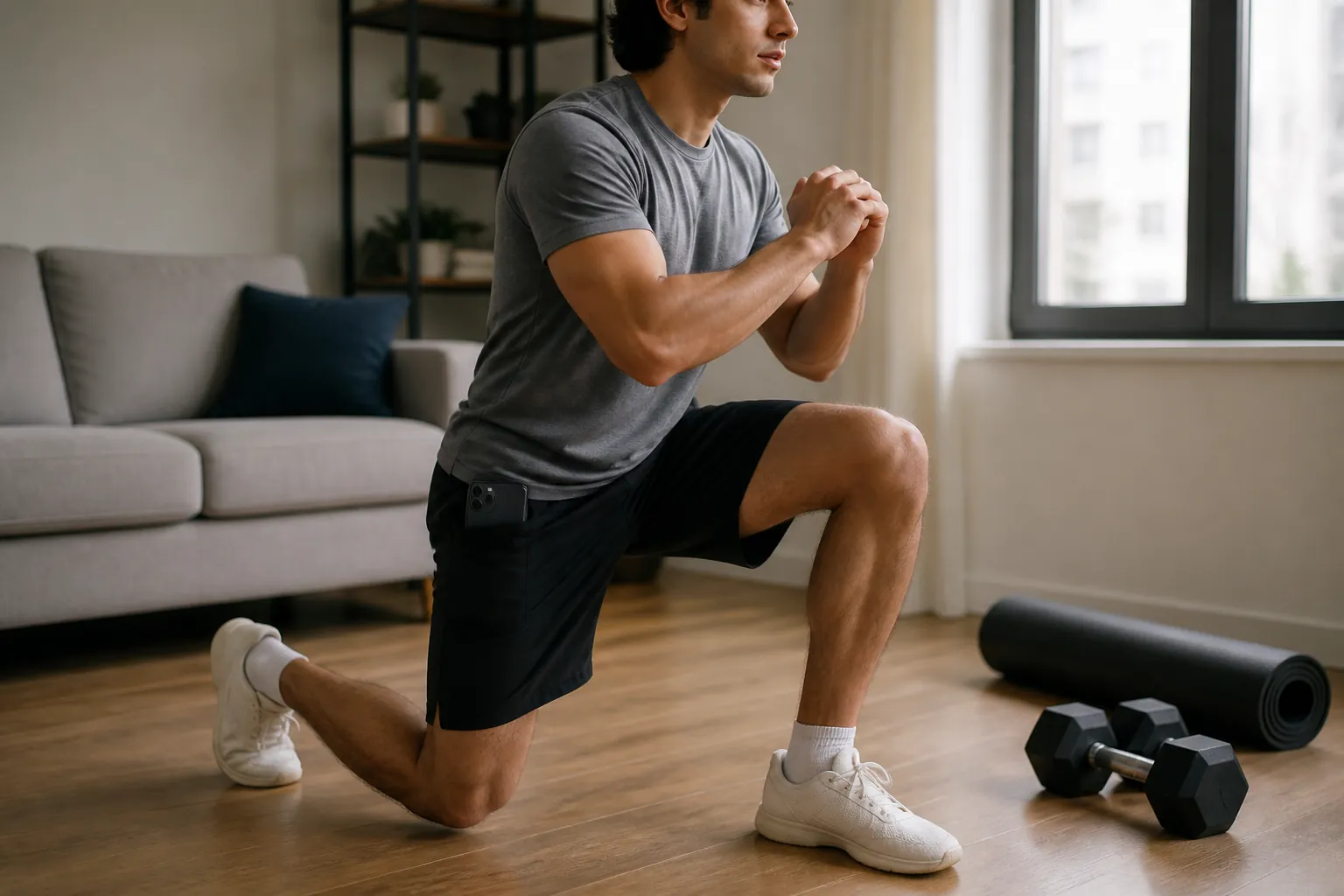
The cleanest way to test whether the iPhone 16e tracks home workouts accurately is not to start with a spec sheet. It is to do the thing apartment exercisers actually do: put the phone in a shorts pocket, run through lunges beside the bed, step onto a treadmill or do HIIT in a six-foot strip of floor, then drop the phone on the couch between sets because it is annoying to keep it on your body.
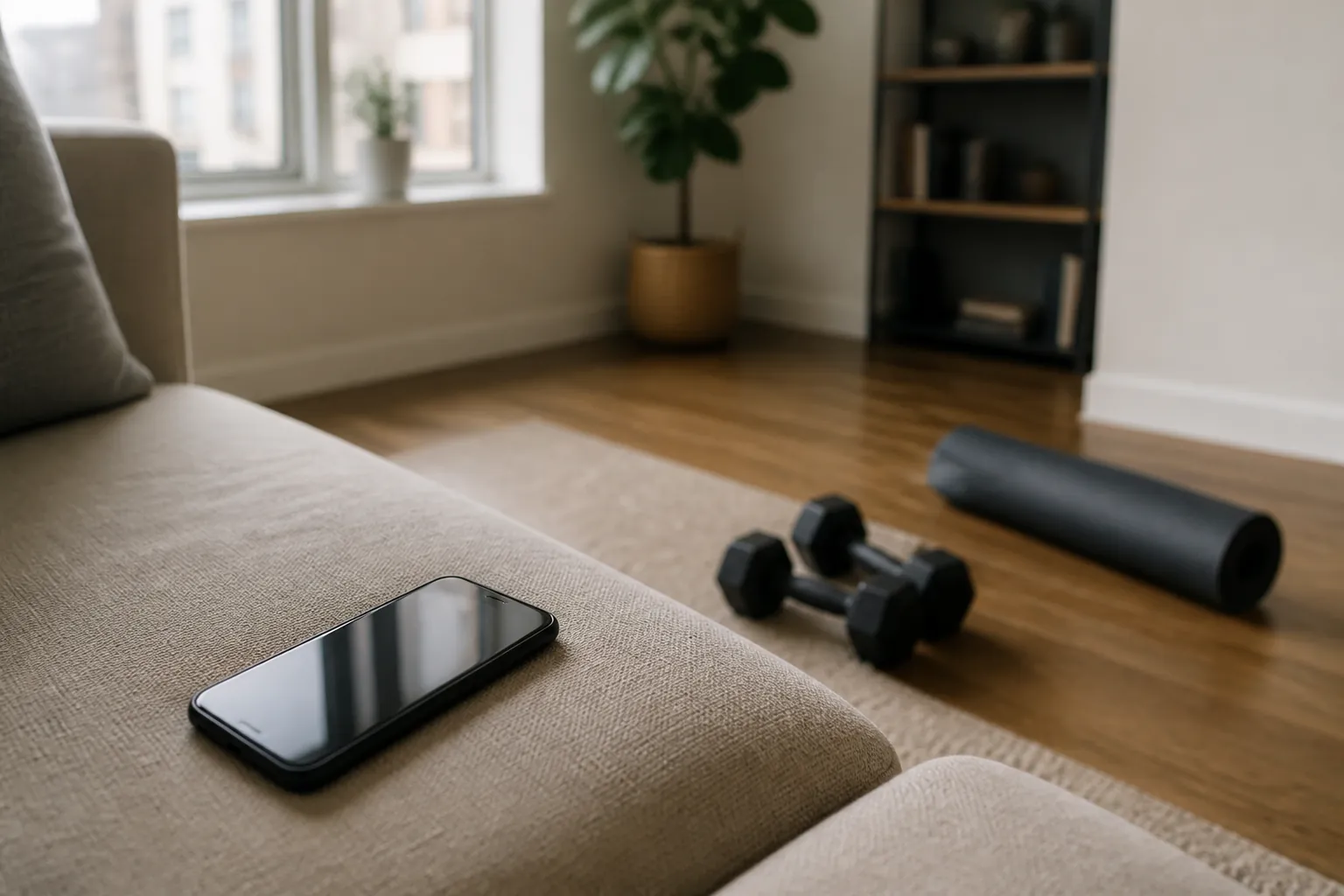
That couch moment matters. Once the phone is off your body, the iPhone 16e is no longer watching your workout. It is watching a couch cushion.
The short answer: the iPhone 16e is good enough for carried, motion-based trends such as steps, walking, treadmill walking, and outdoor runs. It is not a reliable sole source for calories, strength training, yoga, or seated work. The 16e is not being singled out as a cheap-phone failure; Apple lists the iPhone 16e with a high-g accelerometer, high dynamic range gyro, barometer, and GNSS support, and comparison coverage shows the relevant motion hardware matching the baseline iPhone 16 rather than sitting in a lower tracking tier.[1][2]
It also does not have a phone-based heart-rate sensor. In iOS 26, Apple’s Fitness guide says on-screen workout metrics on iPhone depend on pairing with supported devices such as an Apple Watch, AirPods Pro 3, Powerbeats Pro 2, or a compatible Bluetooth heart-rate monitor.[3] Software can change, but as of Q3 2026 the phone alone is still mostly a motion logger, not a physiology monitor.
Verdict table: what to trust on the iPhone 16e
| Metric | Grade for phone-only home use | Evidence of likely error | What to do instead |
|---|---|---|---|
| Steps while the phone is carried | B+ for brisk walking; C for slow shuffling or interrupted movement | iPhone step counts have been reported within about 5% at brisk pace, but undercounted about 9.4% at slower speeds; in free-living use, a UBC lab study found iPhones trailed a waist accelerometer by about 21.5%, or roughly 1,340 steps per day.[4] | Carry it on your body, preferably in a snug pocket or belt position. Treat daily step trends as useful; do not treat a single home session count as exact. |
| Daily steps in real life | B- if you consistently carry the phone; D if it often sits on furniture | A JMIR free-living study reported iPhone counts about 12% below a research pedometer, 9,253 vs. 10,530 steps per day.[5] | If the phone is often off-body at home, use it for rough trends only. A cheap pedometer or wearable solves the placement problem better than a more expensive phone. |
| Distance for walking and running | B for outdoor runs/walks with the phone carried; C indoors | The 16e has the same class of motion and GNSS hardware as the iPhone 16, but there is no published iPhone 16e-specific distance validation in the materials reviewed.[1][2] | Use outdoor distance trends when the phone has a clear carry position. For treadmill distance, trust the treadmill belt or a calibrated foot pod more than the phone. |
| Treadmill and HIIT-style cardio | B- when motion-heavy and carried; D when the phone is on a bench | The evidence for steps supports carried walking/running better than mixed floor work. The phone cannot see burpees, shadowboxing, rest periods, or off-body movement with the same confidence.[4][5] | Keep the phone on the body for motion-heavy sessions. For intervals, log time and rounds separately instead of trusting the calorie number. |
| Calories | D for phone-only tracking | Even wrist-worn Apple Watch energy-expenditure error remains large: a 2025 meta-analysis reported 27.96% MAPE across 56 studies, Stanford coverage reported calorie error from 27% to 93% across wrist devices, and a 2026 living review found energy-expenditure MAPE ranging from 9.71% for running to 151.66% for walking.[6][7][8][9] | Use calories as a loose intensity label, not a food-budget number. If calorie accuracy is the reason you are tracking, phone-only is the wrong setup. |
| Strength training | D- | Consumer models generally do not account for load, muscle mass, set structure, rest periods, or mechanical tension in strength work; those are central to the session but mostly invisible to a phone in a pocket.[10] | Track exercises, sets, reps, load, and rest. Add heart-rate hardware only if you need cardiovascular strain, not because it will magically know how hard a goblet squat was. |
| Yoga, mobility, and seated work | F for completeness; C only as a timer/log | A 2026 review noted a validation gap for sedentary periods and seated activities involving arm movement. Static holds and low-displacement work are exactly where a phone’s motion signal can be weak or misleading.[9] | Use the iPhone 16e as a timer and habit log. Do not let a low or high calorie estimate change your nutrition or recovery plan. |
What our apartment test was actually checking
Our Q3 2026 small-space testing protocol for this article used the iPhone 16e the way a renter would: carried in a shorts pocket during bodyweight work, carried during walking and treadmill-style movement, and deliberately left on a couch or bench position during parts of strength, yoga, and seated work. The point was not to manufacture a lab-grade validation study. It was to expose the practical failure modes before the app hands over a neat-looking number.
The biggest split was not between expensive and budget iPhones. It was between on-body and off-body. A phone in a pocket can record repeated acceleration from walking, running, and some cardio drills. A phone on a couch cannot infer that you are doing split squats, planks, dumbbell rows, or seated mobility work with any direct view of the work being done.
That is why the answer changes by metric. A closed ring, a workout-complete screen, and a calorie number do not all deserve the same confidence. Some are based on motion the phone can plausibly observe. Others are estimates stacked on top of missing inputs.
The iPhone 16e is a motion tracker first
The 16e’s useful home-workout tracking starts with its accelerometer and gyro. If your body repeatedly moves the phone, the phone has signal to work with. That is why walking, running, treadmill walking, step-ups, marching intervals, and some boxing-style conditioning are the best matches for phone-only tracking.
The missing layer is physiology. The phone alone is not reading heart rate, blood flow, breathing, lactate, muscle recruitment, or the external load in your hands. Pairing accessories can add some of that, but then the answer is no longer “the iPhone 16e alone.” It is an iPhone plus a sensor system.
That distinction keeps the 16e from being both underrated and overrated. It is not a bad step counter because it lacks a premium badge. It is also not an Apple Watch substitute because the Fitness app can display a workout summary.
Steps: useful, with one boring condition
For steps, the iPhone 16e earns the most generous verdict in this test. If it is carried consistently, the phone can be useful enough for daily movement trends and simple home-cardio goals. The published iPhone evidence is not perfect, and it is not 16e-specific, but it points in the same direction: brisk, regular walking is the easy case; slow, stop-start, real-life movement is where undercounting grows.
The UBC/Duncan reporting is a good example. iPhone step counts were described as within about 5% at brisk walking speeds of 3.1 mph or faster, but undercounting by about 9.4% at slower speeds. In free-living use, the same reporting found iPhones trailing a waist accelerometer by about 21.5%, roughly 1,340 steps per day.[4] That larger real-world gap is exactly what shows up in apartment life: the phone is not always where your body is.
Amagasa et al. reported a similar free-living caution from the abstract-level data: iPhone counts averaged 9,253 steps per day compared with 10,530 from a research pedometer, about 12% lower.[5] That does not make the iPhone useless. It means a 7,000-step day on the phone may not represent the same thing as a 7,000-step day on a waist-worn reference device, especially if the phone spends part of the evening on a table while you clean, cook, or train.
The practical rule is simple: if steps are the number you care about, put the phone where it can feel your steps. A loose hoodie pocket, a couch cushion, or the far side of the room during a circuit is not a tracking strategy. If you want a phone-first setup that reduces these misses without buying a watch, use a repeatable carry position and build the session around metrics the phone can actually observe; our guide to tracking workouts without a smartwatch is the better place to tune that setup.
Distance and cardio: best when the workout looks like walking or running
Distance is more defensible outdoors than indoors because the iPhone can combine motion sensing with GNSS. Indoors, especially on a treadmill or in a hallway-length apartment route, it has less direct context. The 16e has the hardware class you would expect from a modern iPhone, but the materials reviewed do not include a published iPhone 16e-specific distance validation study, so the right grade is cautious rather than triumphant.
For treadmill walking and running, the phone can still be useful if it stays on your body. What it gives you is a consistent motion-based trend. If Monday’s carried-phone treadmill session and Thursday’s carried-phone treadmill session are logged the same way, the comparison can help you see whether you moved more, less, or about the same. It is weaker as an exact distance reference, because a treadmill belt, calibrated foot pod, or treadmill console is closer to the thing being measured.
HIIT sits in the middle. Marching intervals, step jacks, fast footwork, and shadowboxing drills give the phone a lot of movement. Push-ups, planks, floor core work, dumbbell complexes, and rest periods give it less. If your apartment conditioning looks like a boxing footwork block, the 16e can capture a useful activity trend; if it looks like alternating planks and heavy carries with the phone on a bench, the workout summary becomes more decorative. For an example of a motion-heavy home session that a carried phone is better suited to follow, see the 4-week home boxing drill plan.
Calories: the number most likely to look more certain than it is
Calories are where the iPhone 16e loses the benefit of the doubt. The reason is not that Apple’s phone hardware is uniquely poor. The reason is harsher: energy expenditure is hard even for wrist devices that have more physiological input than a phone.
The 2025 University of Mississippi coverage of Choe and Kang’s Apple Watch meta-analysis reported a 27.96% mean absolute percentage error for energy expenditure across 56 studies.[6][7] Stanford/Shcherbina coverage reported calorie-counting error from 27% to 93% across wrist-worn devices.[8] A 2026 npj Digital Medicine living review covering 82 studies described energy-expenditure errors as inconsistent and frequently large, with MAPE ranging from 9.71% for running to 151.66% for walking.[9]
Those figures are not direct validations of the iPhone 16e’s calorie estimate. They are mostly wearable evidence, including Apple Watch research. The inference is conservative: if devices with wrist placement and heart-rate input still show large energy-expenditure error, a phone-only setup with no direct heart-rate sensing should not be treated as more trustworthy.
This matters because calorie numbers invite behavioral decisions. A renter doing a 35-minute dumbbell session beside the bed might eat back a calorie estimate, judge the workout as “not enough,” or compare two sessions as if the app measured metabolic cost directly. The phone did not. It inferred from the signals it had, and for strength, yoga, and mixed home workouts those signals are thin.
Strength training breaks the phone’s view of the workout
A phone can feel motion. Strength training is not just motion. Two people can perform the same number of goblet squats with the same phone movement while using very different loads, rest periods, tempos, and levels of effort. The phone may sense that the pocket moved up and down. It cannot know whether the set was a warm-up, a hard set near failure, or a light technique drill.
That is why strength gets a low grade. Consumer fitness models struggle here because important variables such as load intensity, muscle mass, and rest periods are not adequately captured by the wearable or phone signal.[10] With the iPhone 16e alone, the situation is even narrower: no direct heart rate, no bar speed, no load sensor, no knowledge of whether the dumbbell is 10 pounds or 70 pounds unless you manually log it.
The better strength log is boring and much more useful: exercise, sets, reps, load, rest, and a simple effort note. The iPhone can hold that log. It should not be asked to invent the training effect from pocket movement.
Yoga, mobility, and seated work: fine as a timer, poor as a measurement device
Yoga and seated work create the opposite problem from running. The effort may be real, but the phone may see almost nothing. A long hold, a slow transition, breath work, hip mobility on the floor, or seated band work can matter to the person doing it while barely moving the phone.
The validation gap is important. The 2026 living review noted that published step-count validation did not include sedentary periods or seated activities involving arm movement.[9] That does not prove every seated estimate is wrong by a specific amount. It means the evidence base is not strong enough to treat those numbers as truth, and the phone’s placement problem makes the practical case worse.
For yoga and mobility, the iPhone 16e is still useful as a timer, calendar log, interval cue, or video display. If the number you want is “Did I do 20 minutes today?” the phone is good. If the number you want is “How many calories did that slow floor session burn?” the phone is guessing from too little information.
When the phone-only setup is enough
The iPhone 16e is enough if your main goal is consistency: walk more, run a little farther, keep a streak, time intervals, or compare carried-phone cardio sessions across weeks. In that use case, the exact number matters less than whether the measurement setup is repeatable. Same pocket, same workout style, same logging habit.
It is not enough if you need calorie estimates for nutrition decisions, reliable training load for lifting, or meaningful measurement during yoga and seated work. Spending more only makes sense if the metric you need is one the phone cannot directly observe. A wearable or chest strap is not automatically necessary for everyone; it is justified when heart rate, recovery, strain, or off-body tracking failure is the actual problem.
If that is the problem, compare devices by the metric you are missing, not by the nicest dashboard. Our Garmin Cirqa vs Whoop home-workout test looks at wearable tradeoffs for apartment training, and the subscription-free fitness tracker guide is the budget-conscious follow-up if recurring fees are the dealbreaker. For a broader tracker-replacement question on future iPhones, keep that separate from this 16e verdict; the iPhone 18 Pro fitness-tracking test is a different hardware and software question.
For the iPhone 16e in Q3 2026, the rule is narrow but useful: trust carried, motion-based cardio trends; be suspicious of calories; log strength work manually; use yoga and seated sessions as timed habits rather than measured burn. Buy extra hardware only if the unreliable metrics are the ones you actually need.
References
- iPhone 16e Tech Specs — Apple Support.
- iPhone 16e vs iPhone 16 — Tom's Guide.
- Get started with Fitness on iPhone — Apple Support User Guide.
- Vice piece on UBC/Duncan 2017 — Vice.
- Amagasa et al. 2019 — PubMed / JMIR mHealth.
- Study Examines How Well Wearable Tech Tracks Fitness Metrics — University of Mississippi, June 2, 2025.
- Choe & Kang 2025 meta-analysis — PubMed, 2025.
- CNBC on Stanford/Shcherbina 2017 — CNBC, 2017.
- Lambe et al. 2026, npj Digital Medicine living review — npj Digital Medicine, 2026.
- 3 Reasons Your Wearable Isn't Accurate for Strength Training — IBX Fitness.
This result comes from one real apartment under the stated conditions — it is a strong signal, not a guarantee your space will measure identically.
Builds this evidence supports
No build currently links to this specific test. Browse all builds with a matching tag.
Spot something off?
If this result didn't match your own space, let us know — floor-damage and noise claims carry real deposit-risk consequences if we get them wrong.