
A download is not a workout
Nearly one in five smartphone users has downloaded a fitness app. That figure comes from a Nature study, and it measures downloads, not habits. The app market hit $3.4 billion in 2025, with 888 million installs. But the number of people who still open the app three weeks later is much smaller. I have watched beginners download three apps in a month, try each once, then decide they are not “fitness people.” They are. They just never clarified what they needed.
The standard approach — open the app store, search “best workout apps for beginners,” pick the highest rating — ignores the most important variable: you. Your goals, your equipment, how you learn, your budget, the kind of accountability that actually keeps you coming back on day 8 and day 30. Without that self-diagnosis, you are guessing.
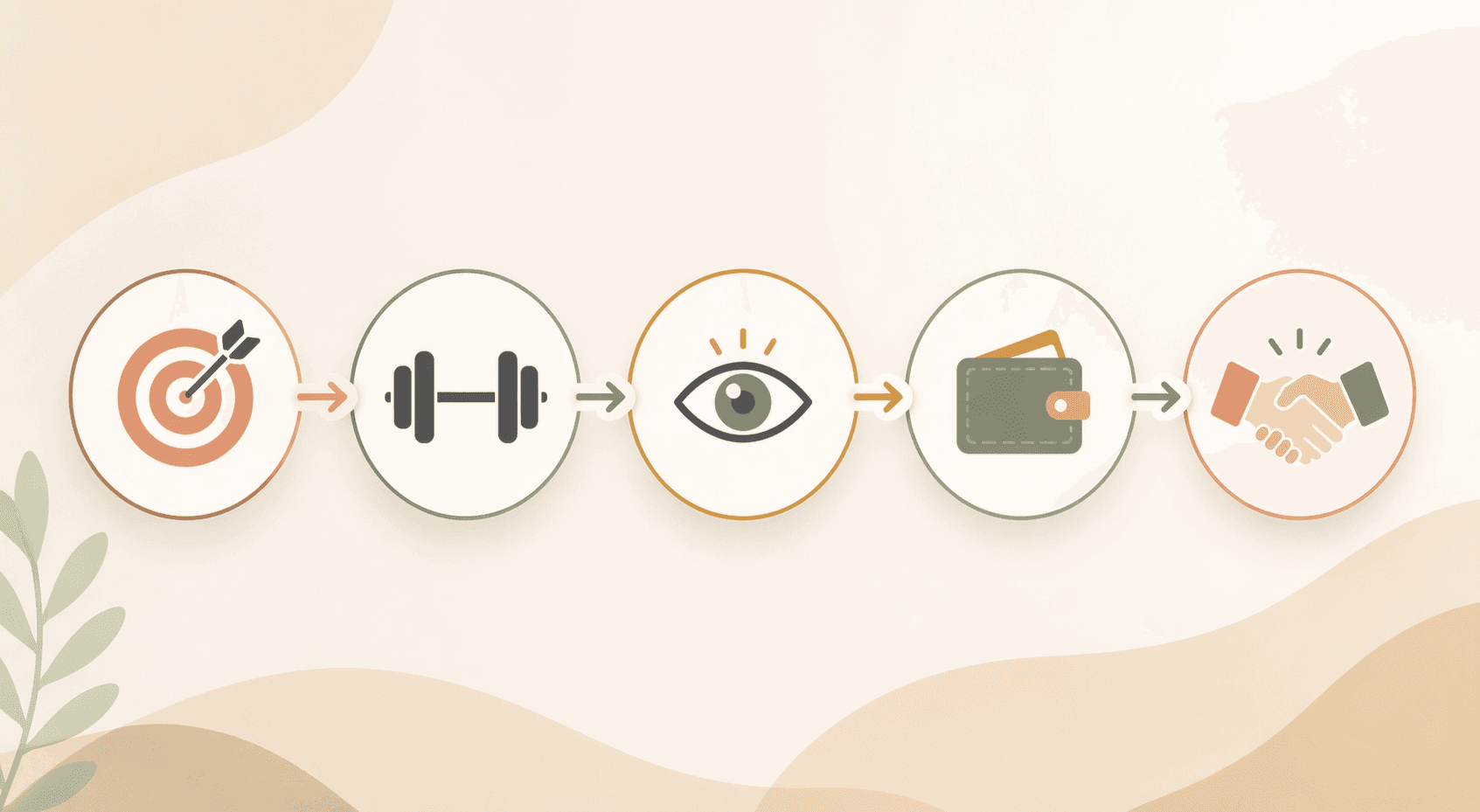
The correct order is the reverse: diagnose first, download later. Here is a five-step framework that forces you to acknowledge what you actually need — not what the app store wants you to buy.
What do you actually want to get from this?
Most apps are built around a specific goal — strength, cardio, yoga, running, general fitness. If you know you want to build muscle or run your first 5K, great. But many beginners do not have a clear goal. They just know they want to move more. If that is you, start with “general fitness.” That is a valid goal. It covers full-body conditioning, endurance, and basic strength. You can refine later once you discover what you actually enjoy.
For a deeper look at how goals map to specific apps, read our guide: Which Workout App Is Best for Your Beginner Goal?. But for now, just pick one: strength, cardio, running, yoga, or general fitness. You can change your mind later. The point is to stop spinning and start.
Still unsure? Choose “general fitness” and move on. The goal will clarify itself after a few weeks of consistent movement.
What gear do you actually have? (Bodyweight counts)
Many beginners assume they need dumbbells, a gym membership, or at least a mat. In reality, some of the best workout apps support zero equipment training with high-quality bodyweight routines. That is a feature, not a limitation. I have seen people build real strength with nothing but floor space and an app.
- Nike Training Club: completely free, hundreds of bodyweight workouts, video-led. (iOS only for full features, Android has a limited version.)
- Caliber free tier: over 500 exercises including bodyweight, custom programs, ad-free, strength tracking.
- FitOn free version: all workout videos accessible, includes bodyweight HIIT and strength.
If you own a set of dumbbells or resistance bands, the pool expands further. But do not let a lack of equipment stop you from starting today.
How do you learn a movement best? (Video isn’t optional for beginners)
This is the most underrated dimension for absolute beginners. For someone who has never seen a deadlift, a clear video demonstration is not a luxury — it is a safety requirement. If an app relies only on written descriptions or low-quality clips, you will guess your way into bad form and probably quit.
| Instruction Style | How It Works | Best For | Example Apps |
|---|---|---|---|
| Follow-along video | You watch the instructor and follow in real time | Absolute beginners who need to see the movement | Peloton, Apple Fitness+, Nike Training Club |
| Audio-guided | You listen to cues and move at your own pace | Experienced listeners who can visualize | Aaptiv (8,000+ audio workouts) |
| Self-paced demo | You watch a short demo, then perform the exercise, then move on | Learners who prefer to control the tempo | Caliber, Boostcamp |
Caliber earned 4.5 out of 5 for instruction quality from testers, with easy-to-follow demonstration videos and clear form explanations. That matters more than a slick interface. If an app skimps on form cues, walk away.
What are you willing to spend — honestly?
Free apps can absolutely work. Nike Training Club is completely free with no premium tier. Caliber’s free version includes over 500 exercises, custom programs, and is ad-free. FitOn gives you all workout videos for free and charges only $30/year for extras like meal plans.
But “free” often means limited features, ads, or lower accountability. A small paid subscription — say $12.99/month for Peloton App One — can be cheaper than buying gym equipment you never use, especially if it keeps you coming back. The real trade-off is not the price tag; it is whether the app gives you what you need to stick with it.
If you are leaning free, read our Free Fitness App Decision Guide for a dedicated comparison. For now, decide: do you have $0/month, $10–15/month, or are you willing to invest $199/month for a human coach? Be honest about what you can afford over several months.
Do you need someone to push you, or can you push yourself?
Accountability is the single strongest predictor of whether you will still be using the app in week four. But it is also the hardest to judge before you download. You have three broad options:
- Human coach: Future ($199/month) scored a perfect 5/5 for accountability with daily coach check-ins. If you have tried (and failed) to stick with fitness before, this may be the missing piece.
- Live community: Peloton’s live classes and leaderboard create a sense of group energy. You do not get a personal trainer, but you get thousands of people sweating at the same time.
- Solo/self-motivated: Free apps like Nike Training Club or Caliber free rely entirely on your own drive. Boostcamp, though free and loaded with strength programs, scored only 2/5 for accountability.
Be honest: have you quit before? If you have, you probably need a coach or a community. If you are not sure, read Why Most Beginners Quit Their Fitness App to see the common patterns. Accountability is not a nice-to-have; it is the lever that keeps you showing up on days 8, 15, and 30.
Three real people, three different matches
Let’s run three beginners through the five steps and see where they land.
- Profile 1: “No idea what I want.” Goal: general fitness. Equipment: none. Instruction: needs video to feel safe. Budget: free. Accountability: solo. Result: Nike Training Club or Caliber free.
- Profile 2: “No equipment, intimidated.” Goal: general fitness. Equipment: none. Instruction: follow-along video. Budget: free trial then $12.99/month. Accountability: needs community energy. Result: Peloton App One.
- Profile 3: “Tried before and quit.” Goal: strength. Equipment: owns dumbbells. Instruction: self-paced demo. Budget: willing to pay up to $200/month. Accountability: needs a human coach. Result: Future ($199/month) or Caliber Premium ($200+/month).
Each of these people went from overwhelmed to matched in about 10 minutes of honest self-diagnosis. The framework works because it forces you to acknowledge your constraints rather than pretending they do not exist.
Before you download: five questions, yes or no
- Do I have a goal (even if it is general fitness)? If no, pick general fitness.
- Do I have equipment? If no, look for apps with strong bodyweight libraries.
- Do I need video demonstrations to feel confident? If yes, avoid audio-only or text-only apps.
- What is my monthly budget for an app? Be specific: $0, $10–15, or $199+.
- Do I need a coach or community to stay consistent? If you have quit before, the answer is probably yes.
| App | Best for Goal | Equipment Needed | Instruction Style | Cost | Accountability |
|---|---|---|---|---|---|
| Nike Training Club | General fitness, strength, yoga | None | Follow-along video | Free | Solo |
| Caliber Free | Strength, general fitness | None or dumbbells | Self-paced demo | Free | Solo |
| Peloton App One | Cardio, strength, yoga | None or bike/treadmill | Follow-along video | $12.99/mo | Live community |
| Future | Any goal | Any | Human coaching | $199/mo | 5/5 coaching |
| FitOn Free | General fitness, HIIT | None | Follow-along video | Free | Solo |
| Aaptiv | Running, general audio | None | Audio-guided | $14.99/mo | Solo |
No app can manufacture accountability if you are not ready to show up. The framework helps you pick the right tool, but you still have to open the app. Once you have chosen, the real work begins. The first 30 days are about building the habit — that is a different guide. But this framework gets you to the starting line without guessing. Head over to The First 30 Days With a Workout App for a practical guide on day 8, day 15, and day 30.
Comments
Join the discussion with an anonymous comment.