Best Workout Apps 2026: A Decision Framework That Matches Your Goals, Budget, Equipment, and Experience
Most "best workout app" lists rank apps generically — this article gives you a structured decision framework based on four constraint axes (goal, budget, equipment, experience level) to route you to the 2–3 apps that actually fit your situation.
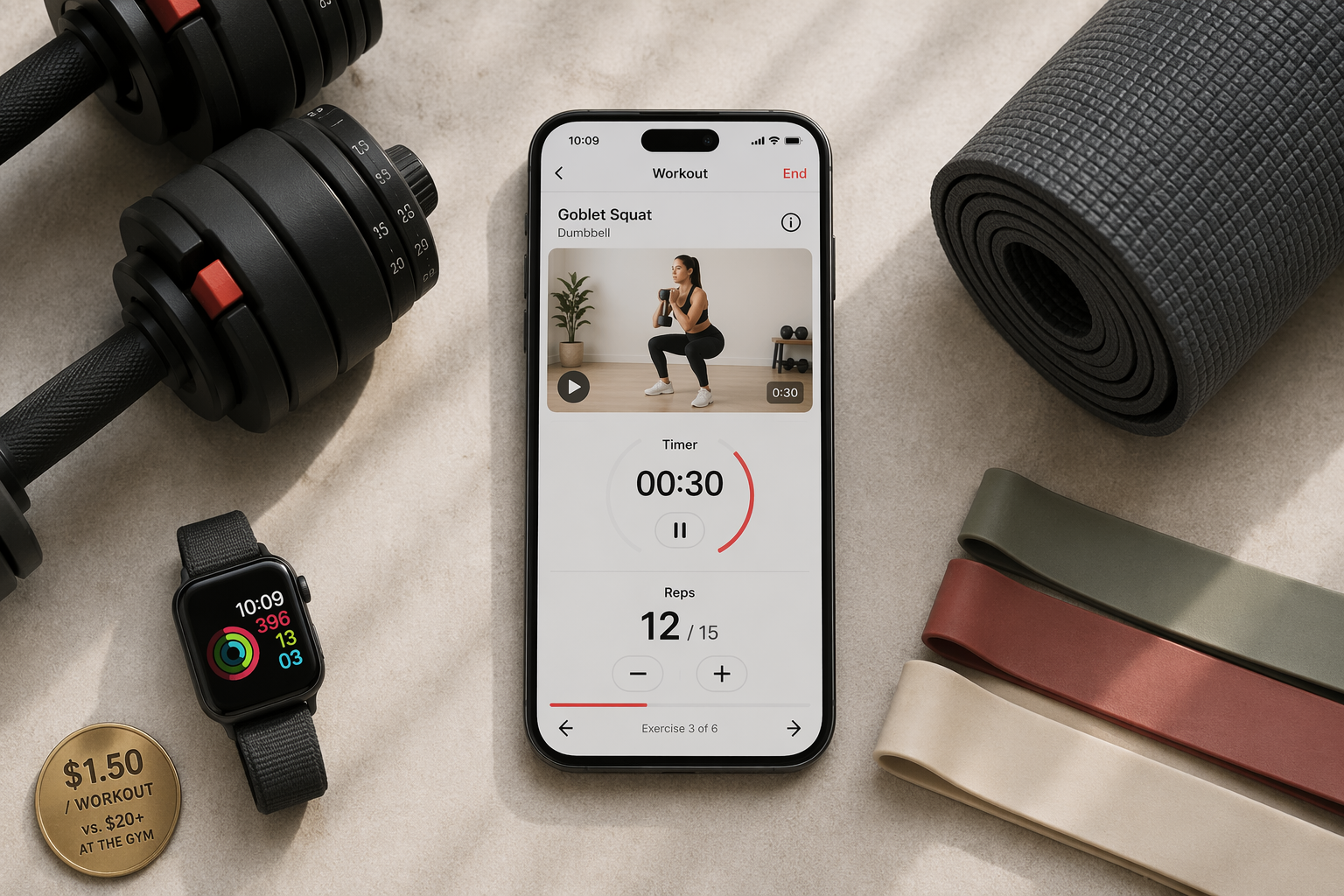
You download a workout app, excited by the five-star ratings and the clean interface. A week later you realize it offers zero programming advice — it is a logging tool, not a coach. Or you pay $200 for a service that expects you to own a squat rack and barbell, which you don't. Or you pick an app that only tracks strength, but you run three times a week and want a single place to log everything. The problem is not that the app is bad. It is that the app was never meant for you.
I have watched too many best workout apps lists pretend one size fits all. They don't. They are shaped by affiliate relationships and ignore the four real constraints that determine whether an app will actually serve you: your goal, your budget, your available equipment, and your experience level. This article gives you a decision framework — not a flat ranking — so you end up with the two or three apps that truly match your situation.
Why a generic list fails you
Consider Strong. It is a beautiful, fast workout logger praised by experienced lifters. It does not generate workouts, does not provide coaching, does not adapt sets or reps for you. For a seasoned lifter who already has a program written on paper, Strong is excellent. For a beginner who needs someone to say “do three sets of eight with this weight,” Strong is useless. The same app, opposite verdicts.
Or Fitbod. It adapts strength workouts based on your logged history — smart, if you only care about strength. But it has no awareness of cardio or conditioning load. If you are a hybrid athlete who runs or cycles and also lifts, Fitbod will happily pile leg volume on top of yesterday's hill sprints with zero fatigue management.
Even the “fully free” claims deserve scrutiny. Nike Training Club is frequently listed as completely free. It is — mostly. But a quick look at the app store shows in-app purchases for premium content. The 185+ workouts the free tier includes are solid, but the boundary between free and paid is not as absolute as some sources suggest. Verify what “free” actually covers before you decide.
Four axes that actually determine fit
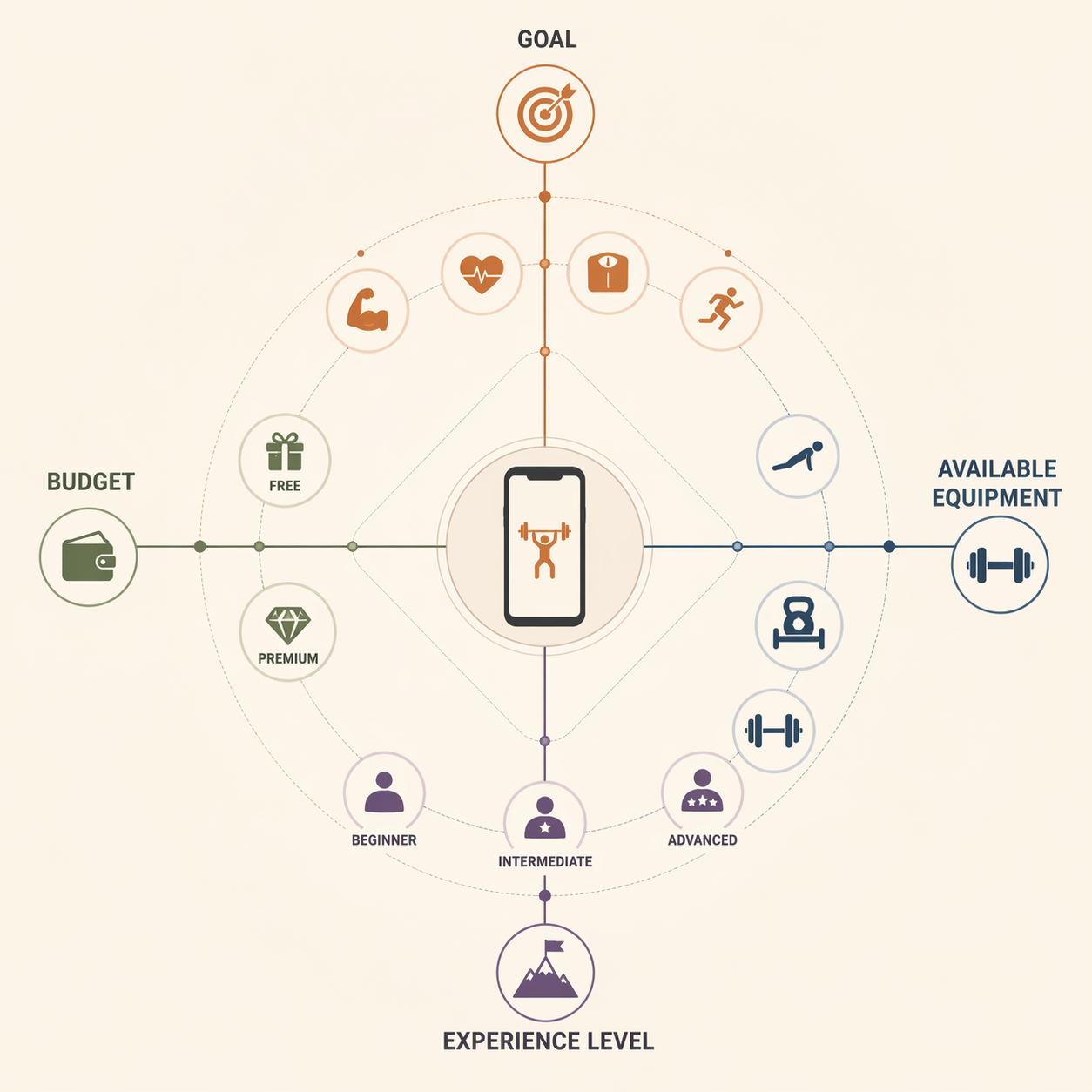
Answer these four questions honestly and the list of suitable apps shrinks from forty to about three.
1. Primary goal
Strength? Cardio? Fat loss? General activity? A strength logger like Strong is worthless for cardio. A running app like Strava is worthless for barbell programming. Get clear on this first — it eliminates half the market immediately.
2. Budget and hidden costs
The average workout app subscription costs $34 per month. That number comes from Garage Gym Reviews, an affiliate site — treat it as directional, not gospel. Fitbod saves about 56% annually, Centr about 67%, Peloton about 19%. But those percentages vary by region and promotional period — do not assume they apply to your checkout.
Then there are the hidden costs. Apple Fitness+ requires an Apple Watch to unlock all features. Peloton's app works without the bike, but the best experience is tied to hardware that starts at $1,445. Future costs $199 per month — but that buys you a real personal trainer. Whether that is a cost or a value depends on whether you would otherwise pay $50–$150 per in-person session. Always check the “required equipment” section on the app's own site before you subscribe.
3. Available equipment
Are you working out at home with a yoga mat and resistance bands? Do you have a full squat rack and barbell? Apps like JuggernautAI require a squat rack, barbell, bench, and weight plates at minimum. If you have only dumbbells, a bodyweight-focused app like Nike Training Club or FitOn is a better match. Some apps (Caliber, Boostcamp) adapt to whatever gear you have — those are the most flexible.
4. Experience level
Are you brand new to strength training, comfortable with basic movements, or an experienced lifter who can design their own program and just needs a logger? An app that is perfect for an intermediate lifter (Strong, Hevy) offers zero guidance to a beginner. An app designed for beginners (Caliber) will feel limiting after 3–6 months once linear progression stalls. Your experience level should drive the decision — not the number of downloads.
The decision matrix: find your combination
Match your configuration against the table below. Each row represents a common profile. Read across to find the 2–3 apps worth your time.
| Your Profile | Goal | Budget | Equipment | Experience | Recommended Apps |
|---|---|---|---|---|---|
| New home lifter | Strength | Free | Dumbbells + bands | Beginner | Caliber (free forever), Boostcamp (free tier), Nike Training Club |
| Budget strength builder | Strength | Under $20/mo | Home gym (barbell) | Intermediate | Fitbod ($15.99/mo), JuggernautAI ($35/mo if full barbell set) |
| Hybrid athlete | Strength + Cardio | Under $15/mo | Home gym + running/cycling | Intermediate | Caliber + a separate cardio log; or Apple Fitness+ ($9.99/mo with annual, requires Apple Watch) |
| General fitness newbie | General fitness | Free | Bodyweight only | Beginner | Nike Training Club (free), FitOn (free tier) |
| Serious lifter (logger only) | Strength | Under $5/mo | Full gym | Advanced | Hevy (Pro $2.99/mo), Strong (free tier is limited) |
| Personal training online | Any | $199/mo | Any | All levels | Future (includes real coach, first month free for some) |
| Weight loss / guided | Fat loss | Under $20/mo | Bodyweight or light gear | Beginner | BetterMe ($19.99/mo), Freeletics (annual saves ~40%) |
A note on sources: Edge and LoadMuscle, both app vendors, produce helpful feature comparisons but their picks tend to favor their own products. I used them only for factual feature data, not for who they rank first. The pricing and savings percentages above come from Garage Gym Reviews and FitCraft — both affiliate sites — and should be treated as directional. Always check the app's own billing page before you subscribe.
What each app actually costs — and what it doesn't tell you
Below is a goal-organized breakdown of the apps from the matrix. I focus on real-world costs, trial lengths, and hidden dependencies — the details that shopping pages and app store listings often bury.
Strength apps
| App | Monthly | Annual (savings) | Free trial / tier | Hidden cost to watch |
|---|---|---|---|---|
| Caliber | Free | Free | Full free tier (500+ exercises, ad-free) | None |
| Boostcamp | Free tier; Pro $14.99/mo | $39.99/year | Free tier with 1,000+ programs | Pro unlocks advanced programming |
| Fitbod | $15.99/mo | An annual saves ~56% | 3 free workouts | Strength-only; no cardio awareness |
| JuggernautAI | $35/mo | Not specified | 14-day free trial | Requires squat rack, barbell, bench, plates |
| Hevy | Pro $2.99/mo | $23.99/year or $74.99 lifetime | Generous free tier with logging | No form tips for beginners |
For a deeper look at whether these apps actually deliver progressive overload, see our separate guide on strength training apps with real progressive overload.
General fitness and weight loss apps
| App | Monthly | Annual (savings) | Free trial / tier | Hidden cost to watch |
|---|---|---|---|---|
| Nike Training Club | Free | Free | 185+ workouts free, some premium in-app purchases | In-app purchases may add up |
| FitOn | Free tier; Pro $30/year | $30/year | Unlimited guided workouts free | None |
| BetterMe | $19.99/mo | Not specified | 7-day free trial | Auto-renewal; cancel early |
| Freeletics | Not specified | Annual saves ~40% | 7-day free trial | High annual commitment; check churn risk |
Personal trainer apps
Future costs $199 per month. That is steep, but it includes a dedicated coach who designs your workouts, checks in through the app, and adjusts your plan weekly. Compared to in-person training at $50–150 per session, it can be a good deal — if you actually use the coach. The average user churns within 90 days, so consider the three-month risk before paying upfront.
Watch out: popular apps that are wrong for your profile
Some apps are excellent — for the right person. Here are the mismatches I see most often.
- Strong — purely a logger; it does not generate workouts or provide coaching. Do not download if you need programming.
- Hevy — does not provide form tips for beginners. Great log, but a beginner who does not know a hip hinge from a squat will struggle.
- Fitbod — strength-only; no awareness of cardio or conditioning load. Not for hybrid athletes.
- Future — too expensive for budget-constrained users, but a legitimate value if you need coaching.
- JuggernautAI — requires a full barbell setup. Useless if you train with dumbbells or bands only.
If you find that none of the single apps in the matrix fully cover your needs (for example, you are a hybrid athlete who needs both strength and cardio logging), consider pairing two specialized apps — one for strength, one for cardio — rather than settling for an all-in-one that does neither well.
Quick decision flowchart
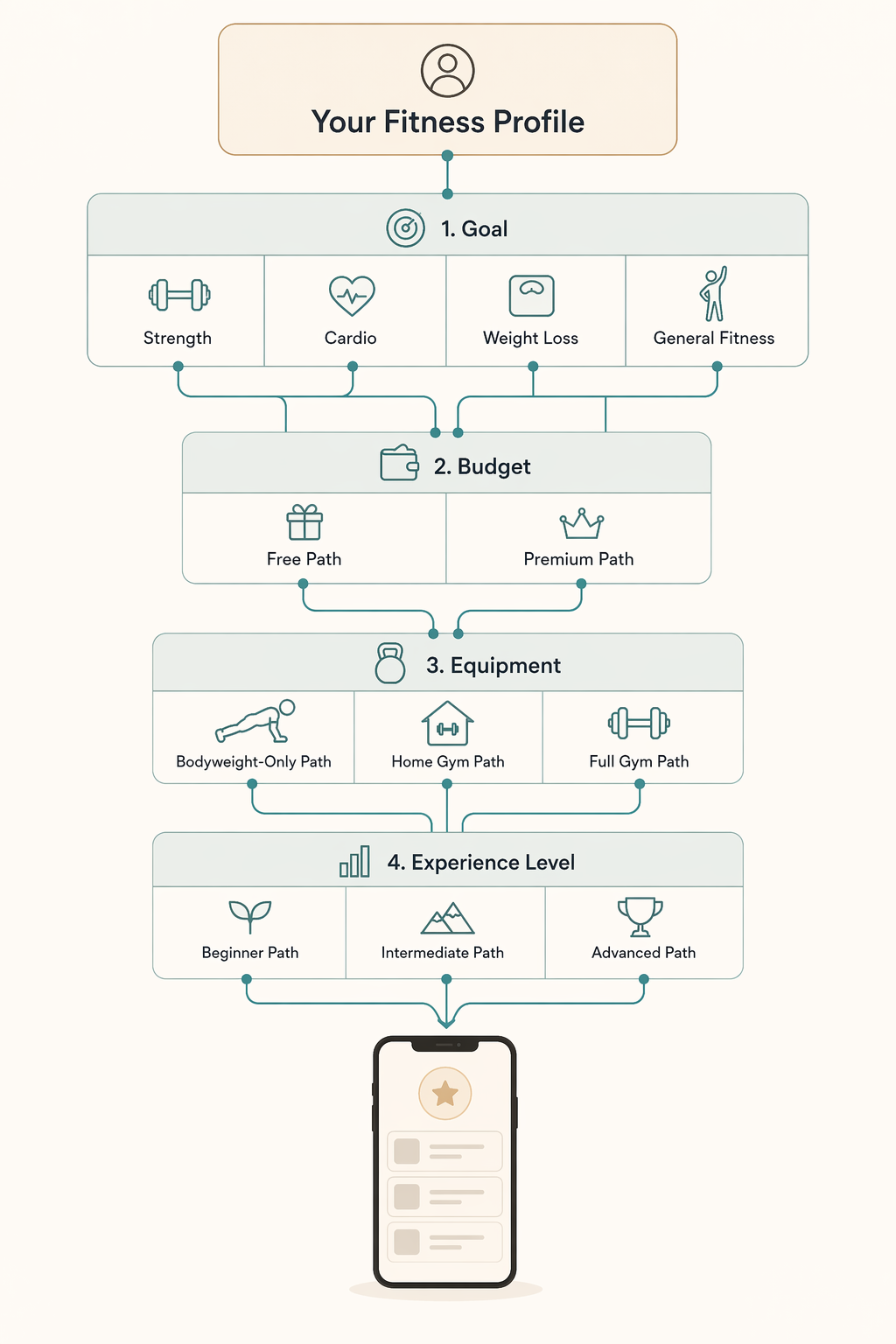
Start with your goal. Then follow the branches for budget, equipment, and experience. Each path leads you to a shortlist of 2–3 apps. If you are a true beginner and still unsure where to start, our beginner goal-matching guide can help you clarify your first step.
FAQ: Cancellation, free trials, annual billing
How long are free trials? The average workout app offers a 7-day free trial. Some apps (JuggernautAI, BetterMe) stick to that. A few (WalkFit) offer 30 days. Nike Training Club and Caliber are free forever — no trial needed.
Can you cancel easily? Most apps have an auto-renewal policy. Set a calendar reminder a few days before the trial ends. The 90-day churn statistic means half the users stop using the app by then — if you think you might be one of them, do not lock into an annual plan right away.
Is annual billing worth it? Annual billing saves typically 30% to 50% compared to monthly. But those percentages are directional — they vary by app, region, and promotional period. Ask yourself: will you still be using this app in three months? If the answer is uncertain, pay monthly for the first quarter. You can always switch to annual later and still come out ahead.
If you are still comparing apps and want a structured walkthrough of features to look for, read our buyer's framework for workout tracker apps. It covers adherence, logging detail, and ecosystem integration — the non-obvious differentiators that don't show up in app store screenshots.
Verify further before you buy:
Price or spec changed since we checked? Report it below.
Comments
Join the discussion with an anonymous comment.