
87% of women's health apps share your data – and it's perfectly legal
Here is the number most “best fitness apps for women” roundups will not show you: 87% of popular women's health apps share user data with third parties. Only 52% bother to ask for your consent first. That is from a 2022 scoping review of the 23 most-downloaded women's mHealth apps on the Apple App Store and Google Play — rigorously conducted, if a little dated now. I will come back to that caveat.
I start with it because the first assumption most of us make is wrong. You assume that because an app is about your health, your data is protected the same way it would be in a doctor's office. It is not. The Health Insurance Portability and Accountability Act (HIPAA) explicitly does not cover consumer fitness apps. “Health apps you download yourself,” the U.S. Department of Health and Human Services has stated, “are not subject to HIPAA enforcement.” That gap is the article's most important legal point. Everything else follows from it.
Your logged period, your heart rate variability, your location during a run — none of that has the legal protection of a medical record. 87% of the U.S. population can be uniquely re-identified using only birth date, sex, and ZIP code. Combine that with the apps that collect cycle data and location logs, and the picture is uncomfortable.
Why women's health data is a gold mine
Not all health data is equally valuable. A step count is moderately interesting to an advertiser. A logged ovulation date, a pregnancy test marker, a location pattern that reveals when you leave for work and which pharmacy you stop at — that is a different order of value. 61% of women's mHealth apps allow location tracking. Data brokers pay good money for that specificity.
And users are beginning to notice. The International Association of Privacy Professionals (IAPP) Consumer Privacy Survey 2025 found that 68% of fitness app users expressed concern about how their health data is used — up from 52% in 2022. Privacy concerns are the #2 reason users cancel a fitness subscription, at 28%, behind only cost at 42%. The search trends confirm it: no subscription gym app searches are up 114%, and one time purchase gym app is up 134% since 2023.
Five questions to ask before you download
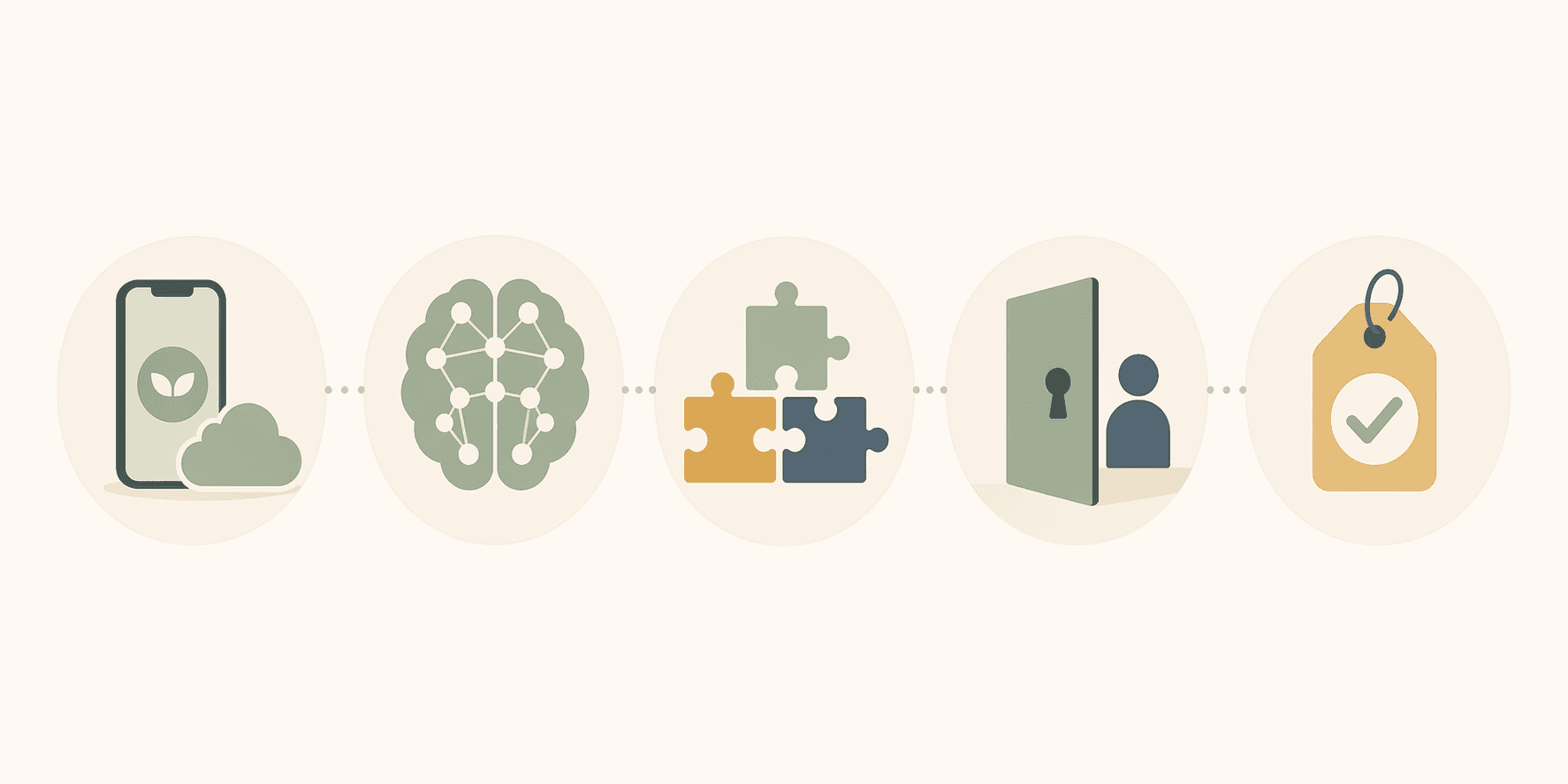
Before you download any app, you can run it through five checks. I adapted this from SensAI's privacy framework and the criteria the Alfawzan PMC study used. The questions are simple. The answers are not always easy to find.
- Where does raw biometric data live? On-device processing means your heart rate, video, and body metrics never leave your phone. Server-side means they are uploaded to a company's cloud, where you no longer control access.
- What is the LLM provider's data policy? If the app uses AI coaching, does the model provider train on your conversations? OpenAI and Anthropic do not train on commercial API data by default — but some smaller providers may.
- Are there third-party analytics or ad SDKs embedded? These are code libraries that send usage data, crash reports, and sometimes health metadata to companies like Google, Facebook, or Amplitude. You may never see them mentioned in the app's front-end copy.
- Can you use the app without creating an account? An account ties your health data to an email, a name, and a digital identity. Offline-first apps that require no account log no trail back to you.
- What does the App Store privacy label actually say? Apple requires developers to disclose data collection. Some labels are specific (“Health & Fitness data collected and linked to you”). Others are boilerplate. Read the label before downloading.
Now let's apply these questions to the apps you've probably seen in every roundup. I'll start with the ones that fail badly.
Sweat stores your workout history, cycle data, and progress photos on server-side infrastructure. It requires an account — your email, name, and health data are linked. Its privacy policy says data may be shared with third parties for “business purposes.” That word covers research, advertising, and platform analytics. Peloton's app — popular for classes, not just its bike — tracks behaviour extensively: what you click, how long you watch, when you pause, and your biometrics from any connected wearable. It also requires an account. Its privacy policy describes data sharing with “service providers, partners, and affiliates.” The specificity is low. The exposure is real.
FitOn is ad-supported on its free tier. That means advertisers are paying for your attention — and your data. Third-party ad SDKs are embedded in the app, which can collect device identifiers, approximate location, and inferred health interests. The free tier funds itself by monetising what you do inside the app. Zing Coach uses AI vision to correct your form. The pivotal question: is the video processed on your phone or uploaded to a server? Based on its architecture description, the AI computation appears to happen server-side, meaning raw video of your body in motion is sent to the cloud. Even if the AI model provider (likely OpenAI or Anthropic) does not train on that data, the app itself stores it. That is a meaningful privacy boundary.
There are alternatives built on a fundamentally different architecture — one where data stays on your device unless you explicitly consent to share it. Apple Fitness+ uses HealthKit, which provides per-category granular consent. All processing happens on-device by default. Data syncs to iCloud with end-to-end encryption that Apple says it cannot read. You can revoke access at any point in Settings > Health > Data Access & Devices. Nike Training Club — the free version — collects minimal data. You do not need an account to browse workouts (though one is required to log history). Its privacy policy is relatively specific. It does not embed aggressive ad SDKs. Caliber offers an on-device processing option for its strength training programs. You can log your lifts without uploading to a server if you select local storage. Check the settings when you first open it — the default may be cloud sync.
| App | On-device? | Account required? | Third-party SDKs? | Privacy label specificity |
|---|---|---|---|---|
| Sweat | No | Yes | Yes (analytics, ads) | Moderate |
| Peloton | No | Yes | Yes (analytics, ads) | Moderate |
| FitOn | No (free tier) | Yes | Yes (ad SDKs) | Low |
| Zing Coach | No (vision processing) | Yes | Unknown | Low to moderate |
| Apple Fitness+ | Yes (HealthKit) | Yes (Apple ID) | None (Apple's own) | High |
| Nike Training Club | Partial (minimal collection) | Optional | Low (limited analytics) | Moderate |
| Caliber | Optional (local storage) | Yes | Unknown (likely minimal) | Moderate |
If you want AI coaching, ask these questions
I am not going to tell you to avoid AI-powered apps entirely. The coaching can be genuinely useful. But the trade-off is real, and you should understand what you are trading.
If you choose an app like Zing Coach, ask the company directly: “Where is my video processed — on my phone or on your server? What does your LLM provider do with my data?” The answers matter. OpenAI and Anthropic do not train on commercial API data by default, but the app may still store your raw biometrics on its own servers. That storage is where the risk lives — not just the model training.
Your decision: three comfort levels
Zero data off my phone. Apple Fitness+ and Caliber with local storage are your best bets. Nike Training Club (free tier) is close. All keep processing on-device or collect minimal identifiable data. No account? No data trail.
Middle ground. You are fine sharing some data for better features — but you want limits. Use Nike Training Club with an account, or Caliber with cloud sync but disable analytics sharing. Read the privacy label before downloading. Consider SensAI as an alternative that explicitly publishes its privacy architecture.
Fine sharing for AI coaching. You want the full Zing Coach or Sweat experience. That is your choice. Just verify: where does the AI process raw biometrics? What is the LLM provider's policy? Can you delete your data later? And check back every six months — privacy policies change.
Privacy concerns are now the #2 reason people cancel fitness subscriptions. That is 28% of users — and growing. The market responded with search surges for offline, no-account, one-time-purchase tools. The 2022 study found 30% of apps do not even display a privacy policy within the app. That number should be unacceptable.
The best fitness app for you is the one that respects your health data as much as you do. If an app cannot answer question one — where does my data live — treat that as a red flag, not a feature.
For a broader look at what data apps collect, read our privacy audit of popular fitness apps. If you are deciding between free and paid, our pricing audit breaks down the true cost of each tier. And for apps that are genuinely free (no trial tricks), see our list of best free fitness apps for women.
Comments
Join the discussion with an anonymous comment.