
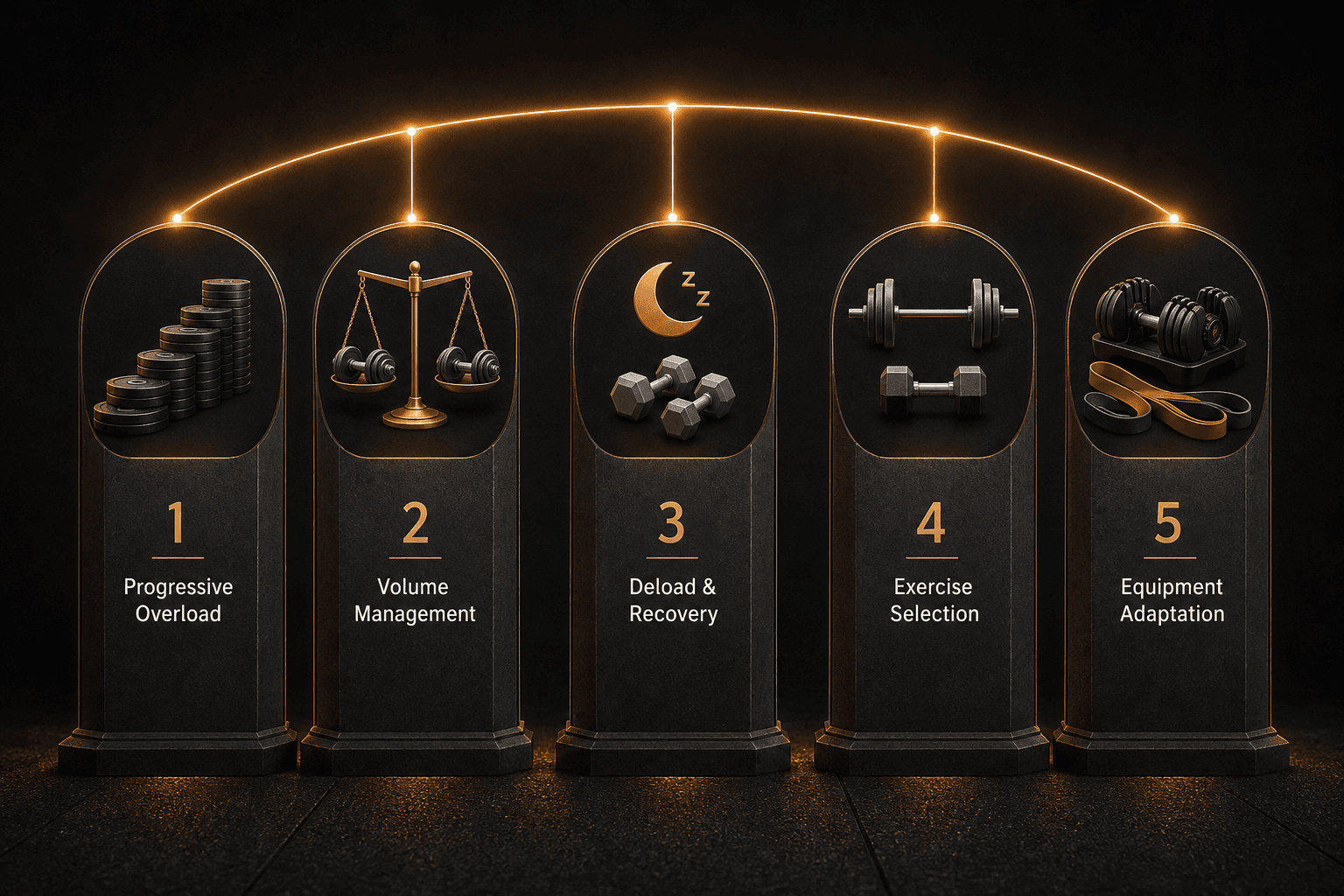
Feature Lists Don’t Make You Stronger
You’ve read one of those “best workout app” roundups. They show you a checklist: 4,000 exercises, Apple Watch sync, AI-generated workouts. What they don’t show you is whether the app will actually make you stronger. That’s the problem.
The fitness app market hit $3.4 billion in subscription revenue in 2025, with 540 million users. Most popular comparisons rank apps by exercise count, not by how they handle progressive overload. The result: home lifters pay for features they don’t need and miss the one feature that actually drives results.
An app with 100 exercises and a well-designed periodization scheme will outproduce an app with 4,000 exercises and a random workout generator every time. The question isn’t how many exercises it has. The question is: what do I lift next, and why?
What I Actually Look For
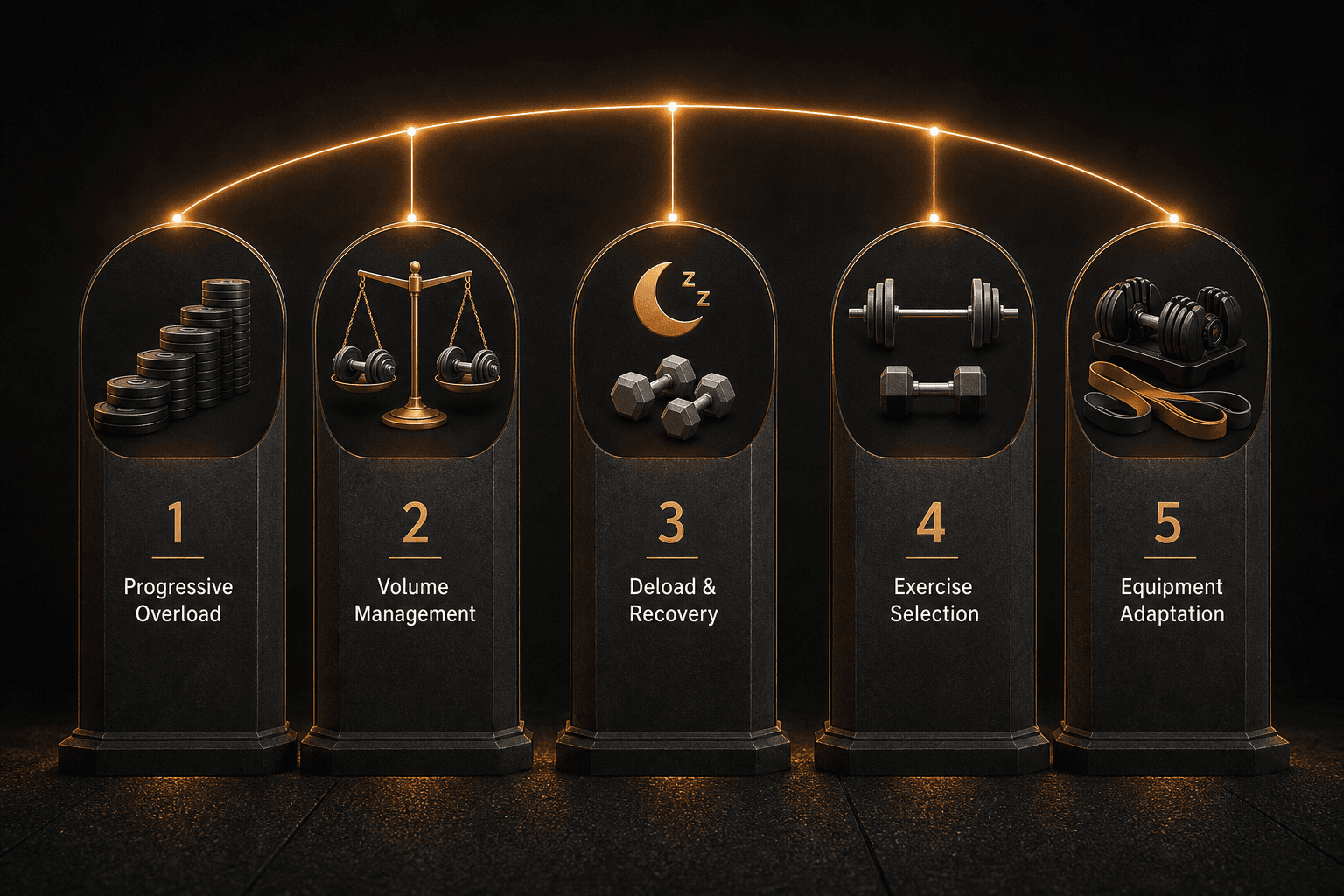
I evaluate strength training apps on five programming-quality criteria. Each one has a concrete consequence for an intermediate lifter. Let me walk through them — then I’ll show you how the major apps score.
Progressive overload logic. Most free apps give you linear progression — add 5 lbs every session. That works for about two months. After that, you need periodization: planned changes in volume and intensity over weeks. Without it, you stall.
Volume management. Does the app track how many sets per muscle group per week and balance them? If it doesn’t, you risk overtraining one area and neglecting another. A good app keeps an eye on this.
Deload and recovery protocols. A good app forces you to deload. A bad app leaves you to figure it out. If you don’t deload, you accumulate fatigue and eventually regress.
Exercise selection intelligence. Does it balance compound and isolation, push and pull, anterior and posterior? Or does it throw random exercises at you? That matters for balanced development.
Equipment adaptation. How well does the app adjust when you lack a cable machine or have only dumbbells? If you train at home with limited gear, this is critical.
How the Apps Stack Up
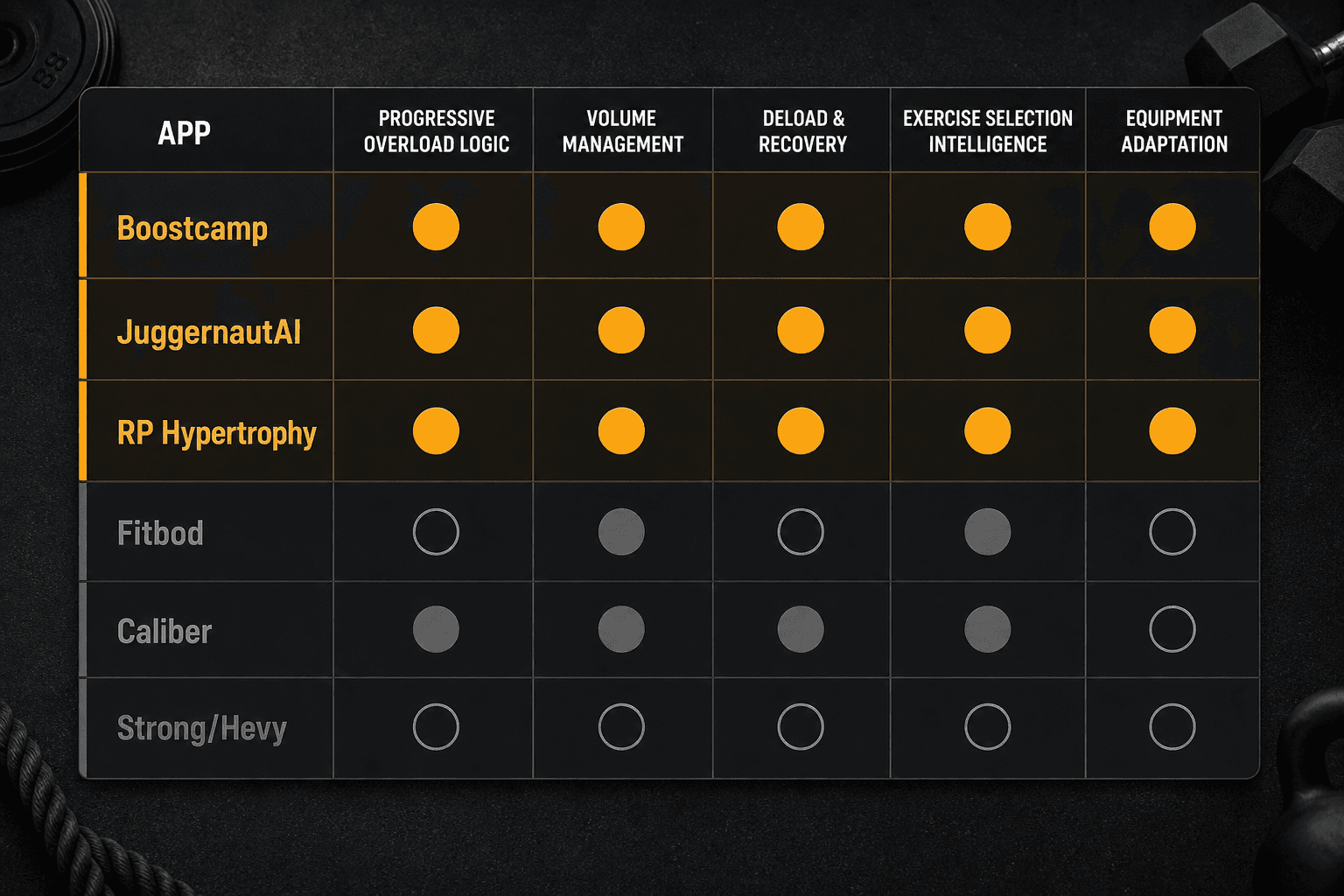
Here’s how the major apps score. These scores measure programming quality for intermediate lifters, not overall utility. The data comes from Garage Gym Reviews, Built Workout, and Find Your Edge testing as of June 2026.
| App | Progressive Overload | Volume Management | Deload & Recovery | Exercise Selection | Equipment Adaptation | Price/month |
|---|---|---|---|---|---|---|
| Boostcamp | 5/5 – coach-designed periodization (5/3/1, GZCLP) | 4/5 – templated volume | 4/5 – built-in deloads | 4/5 – balanced templates | 3/5 – limited equip. filter | $11.99 |
| JuggernautAI | 5/5 – daily readiness autoregulation | 5/5 – dynamic volume | 5/5 – auto-deload | 4/5 – powerlifting focused | 3/5 – assumes full gym | $34.99 |
| RP Hypertrophy | 5/5 – mesocycle RIR approach | 5/5 – precise volume | 5/5 – programmed deload | 5/5 – hypertrophy balanced | 2/5 – no equip. adaptation | $34.99 |
| Fitbod | 3/5 – adaptive but no periodization | 3/5 – tracks volume loosely | 2/5 – no deload protocol | 4/5 – good muscle balance | 4/5 – good equip. substitution | $12.99 |
| Caliber | 4/5 – mastery-based with coach oversight | 3/5 – manual volume tracking | 3/5 – no built-in deload | 4/5 – curated exercises | 3/5 – moderate adapt. | Free or $19 |
| Strong / Hevy | 1/5 – pure logbook | 1/5 – user-managed | 1/5 – none | 2/5 – user chooses | 2/5 – no adaptation | $4.99 / free |
The top three — Boostcamp, JuggernautAI, RP Hypertrophy — all have built-in periodization. They tell you what to lift next based on a plan that spans weeks or months. The bottom two — Strong and Hevy — are excellent logbooks but give zero coaching. They score 1/5 on every programming criterion. That’s not a flaw if you already know how to program — but it means they don’t answer “what do I lift next?” for you.
Platform note: Edge and Built Workout are iOS-only. If you use Android, you cannot run them. Caliber Free syncs with Apple Health but has limited Garmin and Fitbit support. Check compatibility before committing to a subscription.
What ‘No Periodization’ Costs You
Fitbod is the clearest example. Its AI adapts each workout based on the last one — it tries to give you variety and muscle balance. But it doesn’t plan ahead. There is no mesocycle, no block periodization. The app chases novelty.
In practice, that means you never accumulate enough volume on a specific lift to drive adaptation. The AI sees you did bench press last session, so it gives you incline dumbbell press this session. Then chest fly. Then push-up. You get a lot of exercises, but your bench press doesn’t go up. After a few weeks, you plateau. That is the cost of no periodization: you spin your wheels.
What These Scores Don’t Tell You
The scoring system has limits. Here are the ones that matter.
Strong and Hevy score 1/5 on coaching, but they are excellent logbooks. If you already know how to program your own progression, a logbook is all you need. The low coaching score is not a flaw — it is a deliberate product choice.
Edge’s 5/5 rating comes from its own publisher. I do not trust self-reporting. Ignore that score and judge Edge on its actual feature set: personalized weekly plans with real human coaches, but still lacks the periodization depth of a dedicated program app.
The $34/month average app cost is from Garage Gym Reviews’ sample of 70 apps. It is a useful benchmark, not a universal price. Many effective apps cost under $15/month.
A final blind spot: these scores measure programming quality only. They do not measure adherence features, social support, or how well the app fits your daily routine. Those are real factors — covered in this separate buyer’s framework — but they are not the topic here.
Which App for You?
Your training age and goals determine which app fits. Here are the scenarios.
- You’ve been training for two years and write your own programs. Strong or Hevy for logging is all you need. Save the $34/month.
- You hit a plateau on simple linear progression (5x5, three times a week). Boostcamp gives you proven wave progressions (5/3/1, nSuns) for $12/month. The periodization is built in.
- You want daily adjustments like a human coach. JuggernautAI’s readiness scoring (sleep, soreness, motivation) autoregulates load and volume. That is normally a $200/month coaching service for $35/month.
- You are building a home gym and equipment changes frequently. Caliber’s free version has 500+ exercise demos and adapts to what you have. It is not the strongest programmer, but it handles equipment swaps well.
For more on equipment-limited home gyms, see Strength Training Apps for Home Gyms.
The Only Feature That Matters
Most strength app comparisons are feature checklists disguised as advice. They tell you how many exercises each app has, whether it syncs with Apple Watch, and how pretty the interface is. They don’t tell you whether the app will make you stronger.
The evidence is clear: an app’s programming logic — its progressive overload structure, periodization scheme, deload protocols — determines whether you progress or stall. The apps that score highest on these criteria are not the ones with the biggest libraries. They are the ones that answer the question “What do I lift next and why?” with a plan, not a random number.
For a broader comparison of feature-heavy apps, see Best Workout Apps 2026. It covers the feature checklist so you can cross-reference — but remember that programming quality is what actually drives results.
Comments
Join the discussion with an anonymous comment.