

You probably did not quit because you hate exercise. More likely, you downloaded one of the many workout apps for beginners, opened it with honest intentions, and were immediately asked to choose between strength, HIIT, Pilates, mobility, fat burn, core, low impact, bodyweight, dumbbells, express, full body, and something called “sculpt.”
Then real life did what real life does. You missed two sessions. The app still had hundreds of workouts waiting, but no obvious next move. One class felt too easy, the next made your knees complain, and the instructor said “modify as needed” without showing what that meant. By week two or three, opening the app felt less like help and more like another decision.

That pattern is common enough that it should remove some of the shame from the story. A 2026 Sahha scoping review reports that health and fitness apps lose about 70% of users within 100 days, and that 22.9% of consumers have tried health apps but no longer use them.[1] That does not prove every app fails every beginner; it does show that abandonment is a normal outcome in this category, not a private defect.
The useful question is narrower: what would have made the app easier to keep using on a tired Tuesday night? Popularity is not enough. A large library is not enough. A “beginner” label is not enough. For a new exerciser, retention depends on whether the app reduces decisions, shows the easier version before embarrassment sets in, starts with repeatable session lengths, creates accountability that exists outside a badge, and adjusts when the plan is wrong.
The first screen tells you a lot
A beginner-friendly app should not make you design your own fitness program on day one. If the first meaningful screen is a wall of classes, the app is asking you to be your own coach. That may be fine for someone who already knows how hard to train, how often to repeat a movement pattern, and when to back off. It is a poor starting point for someone still learning what “too much” feels like.
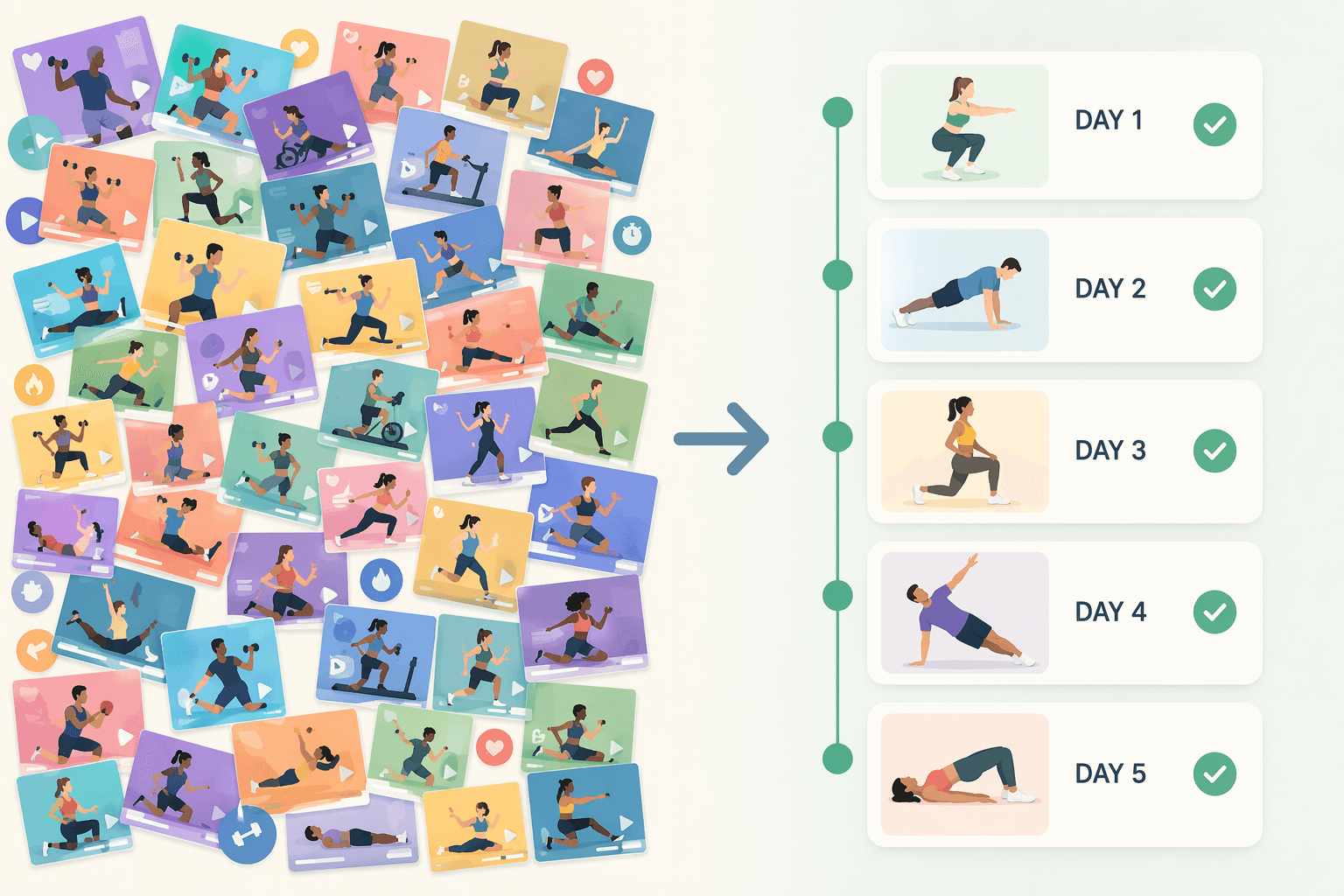
This is where many glossy apps quietly fail. They confuse access with guidance. Access says, “Here are 800 workouts.” Guidance says, “Today, do this 22-minute session; if your knees hurt, use this version; if you missed Monday, restart here.” The second version is less glamorous, but it is much closer to what a beginner needs.
Industry data points to several ordinary reasons people stop using fitness apps: unrealistic expectations around early results, workout monotony, and the fatigue of entering data manually. Business of Apps cites workout monotony at 16% among abandonment reasons and also flags manual data-entry fatigue in industry survey findings.[2] Those are not dramatic failures. They are design failures that accumulate.
If you want the broader diagnosis of why these apps lose beginners, the site’s beginner app failure guide is the companion read. Here, the practical task is choosing better the next time.
Look for a plan, not a library
Structured progression is the most important feature because it solves the first beginner problem: “What am I supposed to do today?” A good beginner app answers that before you start browsing. It gives you a day-by-day or week-by-week path, limits the number of decisions, and makes the next workout feel obvious even if the last one was imperfect.
The difference matters. A library lets you pick a 10-minute core class on Monday, a 45-minute HIIT class on Wednesday, and a random glutes class on Saturday. That can feel productive, but it may not build tolerance or confidence in any deliberate order. A beginner plan repeats patterns on purpose. It introduces movements, revisits them, and increases challenge slowly enough that the user can notice progress without being crushed by it.
Available retention evidence identifies structured day-by-day plans as a stronger retention feature than library-style access, with apps using such plans retaining users two to three times longer than library-style apps. That claim should be read as an app-design comparison, not a guarantee that any individual user will stick with a specific product.
In app descriptions and free trials, look for phrases that reveal actual structure: “4-week beginner program,” “Day 1,” “next workout,” “progressive plan,” “coach-built program,” or “restart this week.” Be more skeptical of phrases that sound friendly but do not change the experience: “all levels,” “beginner filter,” “low impact options,” or “huge workout library.” Those may be useful, but they are not a plan.
| What the app shows you | What it usually means for a beginner |
|---|---|
| Hundreds of classes with filters | You still have to choose the right workout, intensity, and sequence |
| A named beginner program with Day 1, Day 2, Day 3 | The app is doing at least some programming work for you |
| A weekly calendar that updates after missed workouts | The app may reduce the shame spiral after interruptions |
| Only instructor names, class styles, and popularity rankings | The app may be optimized for browsing rather than adherence |
Nike Training Club, Caliber, FitOn, Daily Burn, Aaptiv, and Peloton all appear in current beginner-app roundups and review coverage, but they solve this problem differently.[3][4][5] The important comparison is not which logo is most familiar. It is whether the app gives a novice a sequence, not just a catalog.
Modifications need to be visible, not hidden
The second failure is more physical. A beginner starts a class and hears, “Take the modification if you need it.” But the screen keeps showing the full version. The instructor is jumping. The person at home is not sure whether stepping instead of jumping still “counts.” The app technically offered a modification, but not in a way that helped at the moment of decision.
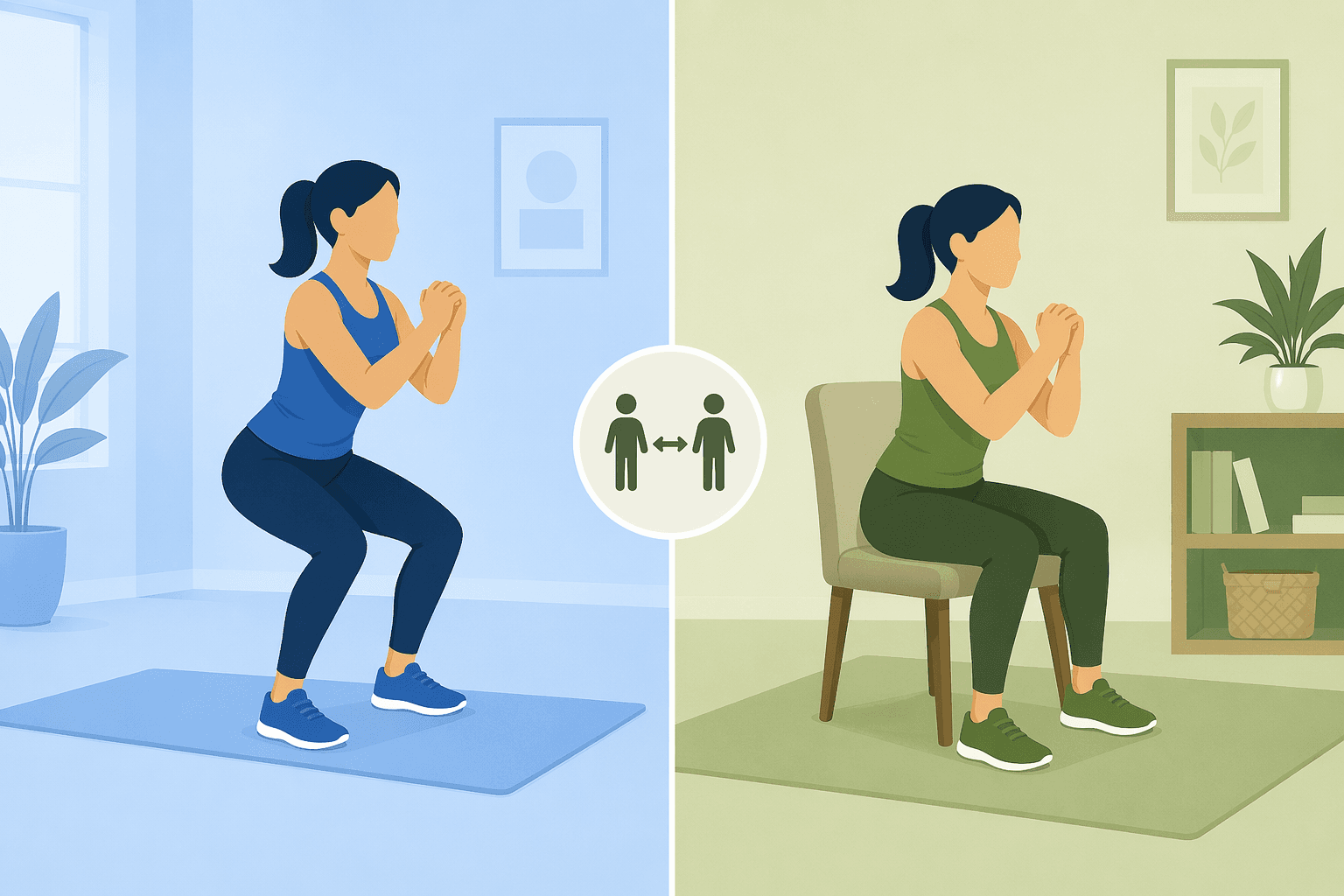
Visible modifications matter because beginners often cannot translate coaching language into movement. “Hinge at the hips,” “brace your core,” “choose low impact,” and “protect your knees” are not self-explanatory if nobody shows the alternative. A text note under the video is better than nothing, but it arrives too late for the user already trying to keep up.
Daily Burn’s True Beginner program is a useful example because its own 2026 guide emphasizes low-impact, seated, and no-jumping modifications for people who have never exercised before.[6] That is the kind of detail that matters more than a generic “for all levels” badge. It tells the beginner what to do when the standard version is not appropriate.
Aaptiv and FitOn also show up well in current review coverage for modification layers and accessible instruction, though the exact experience can vary by class and platform.[3][4] When you trial an app, do not judge modifications by whether the marketing page mentions them. Start an actual beginner workout and watch the first five minutes. If easier versions are not demonstrated on screen, the app is still making you improvise.
The five-minute modification test
- Start a beginner class that includes squats, lunges, planks, or cardio intervals.
- Check whether the easier version is shown by a person on screen, not only described.
- Notice whether seated, no-jumping, reduced-range, or slower options are treated as legitimate.
- Watch whether the instructor explains when to choose the modification.
- Quit the trial if the app makes you feel like the modification is a failure state.
The first month should not be built around heroic workouts
For beginners, session length is not a cosmetic preference. It decides whether the plan survives a normal week. A 60-minute class may be fine later, but in the first month it often competes with dinner, childcare, soreness, commuting, sleep, and the mental friction of getting started at all.
A better early target is usually 15 to 30 minutes. That range is long enough to practice a warmup, a few main movements, and a cooldown, but short enough that the user can repeat it without reorganizing life around the app. The point is not that longer workouts are bad. The point is that an app trying to build a habit should make the first month easy to repeat.
This is one reason short beginner programs and express options deserve attention when evaluating Nike Training Club, FitOn, Aaptiv, Peloton, or Daily Burn.[3][4][5] The useful question is not “Does this app have short classes somewhere?” It is “Does the beginner path default to sessions I can actually finish three or four weeks in a row?”
Accountability has to reach beyond a streak
Streaks can be satisfying, but they are fragile. They work best for people who already like tracking behavior. For a beginner who misses two workouts, a broken streak can turn into proof that the attempt is over. That is not accountability; it is a scoreboard.
Real accountability changes what happens after friction. Calendar reminders help when the problem is forgetting. Coach check-ins help when the problem is uncertainty. Community can help when the problem is isolation, as long as the community is not just a feed of people doing harder workouts. The feature should create a reason to return without pretending that guilt is a training method.
Caliber is worth looking at through this lens because current reviews emphasize coaching and structured strength programming rather than only video-class browsing.[3] Peloton’s community and live-class energy can also be powerful for some users, but that value depends on whether the beginner feels pulled into a manageable routine or pushed into comparison.[4][5]
The plan should change when your body says it should
A fixed plan can be useful, but beginners rarely progress in a clean line. One person finds the first week too easy and gets bored. Another finds the same week too hard and disappears. A third misses several days and needs a graceful reset. Adaptive difficulty is the feature that handles those ordinary mismatches.
Adaptation can come from a human coach, an algorithm, or a simple feedback system that asks how the workout felt and changes what comes next. The important part is that the answer affects the plan. A post-workout mood button that disappears into the void is not adaptation. A plan that reduces volume, swaps a movement, repeats a week, or advances the next session based on feedback is much more useful.
This is also where manual data-entry fatigue matters. If adaptation requires the beginner to log every rep, meal, step, weight, mood, and water bottle, the app may create the very burden it claims to solve. Business of Apps identifies data-entry fatigue among abandonment factors in industry survey coverage.[2] A beginner app should collect enough feedback to adjust, not so much that tracking becomes the workout.
How the major beginner apps look through this lens
This is not a full ranked roundup; for that, use the site’s best beginner exercise apps guide. The more useful exercise here is to see how the five retention features change the way you judge familiar names.
| App | What to examine first | Where it may help a beginner | What to verify before paying |
|---|---|---|---|
| Daily Burn True Beginner | Modification visibility and beginner sequencing | Its beginner materials emphasize low-impact, seated, and no-jumping options | Whether the program, platform, and any hardware expectations match your home setup |
| Caliber | Structured strength programming and coaching | Current reviews emphasize coaching and planned strength work | How much accountability requires a paid tier or coach interaction |
| FitOn | Short classes and modification layers | Review coverage often highlights accessible workouts and broad class availability | Whether your chosen beginner path is structured enough, not just searchable |
| Aaptiv | Instruction quality and modification cues | Audio-led coaching can reduce screen dependence for some users | Whether visual form support is sufficient for movements you do not know |
| Nike Training Club | Beginner programs versus open browsing | It appears consistently in beginner-app evaluations and offers broad training content | Whether the plan you choose gives a clear next workout after missed days |
| Peloton | Beginner collections, class length, and community fit | Its coaching style and community can create momentum for some beginners | Hardware expectations, subscription terms, and whether the intensity culture suits you |
Peloton and Daily Burn deserve one practical warning: both can be useful without assuming every beginner owns a full home gym, but parts of the experience may work best with particular hardware, screens, or subscription setups. Check the exact equipment list for the program you intend to follow before you pay. Do the same for iOS and Android feature parity; app stores do not always deliver identical features across platforms.
Pricing is also a moving target. Prices and trial terms should be treated as checked as of June 2026, not as permanent facts. Before subscribing, confirm the current monthly or annual cost, renewal date, cancellation process, and which features sit behind the paid tier. If you are deciding whether the retention features justify paying, the site’s free vs. paid workout apps guide is the cleaner next step.
The trial checklist before you subscribe
Use the trial period like an inspection, not a shopping browse. The app has to prove that it can carry you through the boring middle, not just impress you with the first class.
- Find the beginner plan first. If you cannot identify your next three workouts in under five minutes, the app may be too library-driven.
- Play an actual workout and watch for on-screen modifications, especially for squats, lunges, planks, jumping, and floor transitions.
- Check the default session length. For the first month, favor plans that live mostly in the 15–30 minute range.
- Miss a workout on purpose during the trial if you can. See whether the app helps you resume or simply leaves the broken schedule in place.
- Look for accountability you would actually respond to: calendar integration, coach feedback, small groups, reminders, or community that feels approachable.
- Give feedback after a workout and see whether anything changes. If the app asks how it felt but never adjusts, treat that as a survey, not coaching.
- Confirm the current price, renewal terms, cancellation flow, required equipment, and iOS or Android feature parity before the trial ends.
The better choice is rarely the app with the biggest library. For a beginner, the better choice is the one that gives you today’s workout, shows the easier version while you are moving, keeps the first month repeatable, brings you back after interruptions, and changes when your feedback says the plan is wrong.
References
- Health App Churn & Retention, Sahha, 2026.
- Fitness App Market, Business of Apps, 2026.
- Best Workout App for Beginners, Garage Gym Reviews, 2026.
- The Best Workout Apps, PCMag, 2026.
- Best Fitness Apps, Forbes Health, 2026.
- Best Workout Apps for People Who Have Never Exercised Before: 2026 Guide, Daily Burn, 2026.
Comments
Join the discussion with an anonymous comment.