
Searching for the best workout apps in 2026 can feel like comparing $10 and $15 subscriptions until the real bill shows up. Some apps are free and stay useful. Some become cheaper only if you pay annually. Some are not really phone apps at all; they are entrances into a bike, watch, trainer, or coaching relationship.
The honest comparison starts with the year, not the month. Garage Gym Reviews’ 2026 testing across more than 70 workout apps found an average cost of about $34 per month, or about $408 per year, but the median was closer to $15 per month because high-touch coaching products such as Future at $199 per month and Caliber Premium at $200 per month pull the average upward.[1] That distinction matters: most people are not choosing between $0 and $408. They are choosing between free, roughly $120–$180 per year, and premium coaching.
What workout apps really cost per year
A monthly price is useful only if you already know you will keep using the app. For a new routine, annualized cost is the safer comparison because it shows the full commitment and makes hardware requirements harder to ignore.
| App or category | Monthly price shown in research | Annualized app cost | What triggers payment | Hardware dependency to count |
|---|---|---|---|---|
| Nike Training Club | $0 | $0 | Guided video workouts are available without a paywall | Phone; optional home equipment depending on workout |
| Caliber free tier | $0 | $0 | Exercise library, video demos, and programs | Phone plus whatever strength equipment the plan uses |
| Hevy free tier | $0 | $0 | Workout logging, progress graphs, and social accountability | Phone plus your own gym or home equipment |
| Fitbod | Paid subscription; annual plan starts around the low paid tier | Roughly $120/year based on annual pricing cited in 2026 comparisons | AI-style strength planning and workout generation | Phone plus available strength equipment |
| Centr | Paid subscription | Annual billing is materially cheaper than monthly billing | Video-led training, meal and wellness content, structured programs | Phone; equipment varies by program |
| Future | $199/month | $2,388/year | 1:1 human coaching and accountability | Phone; Apple Watch is commonly part of the coaching workflow in coverage |
| Caliber Premium | $200/month | $2,400/year | Human coaching and personalized programming | Phone plus strength equipment appropriate to the program |
| Peloton | Subscription is only part of the purchase | App cost plus hardware commitment | Instructor-led classes and Peloton ecosystem features | Peloton equipment from about $1,445+ |
| Apple Fitness+ | Subscription is only part of the purchase | App cost plus watch requirement | Apple-integrated guided workouts and metrics | Apple Watch from about $249+ |
| Zwift | Subscription is only part of the purchase | App cost plus cycling hardware | Indoor cycling world, structured rides, racing, and training | Smart trainer from about $549+ |
Annual billing can make a paid app look much more reasonable, but it also changes the risk. FitCraft’s 2026 subscription comparison found that annual billing across major apps often saves about 30% or more compared with paying monthly, with Fitbod cited around 56% savings and Centr around 67% savings.[3] That is a real discount if you use the app all year. It is not a discount if the app becomes another icon you stop opening in August.
Free is enough when the missing piece is structure, logging, or instruction
The best free workout app is not the one with the longest feature list. It is the one that removes the specific friction that keeps you from training. If you already know your lifts but keep losing track of sets and progress, a polished logger can be enough. If you need someone to show the movement and tell you what session to do today, a guided workout library matters more than social features.
Nike Training Club deserves more than a courtesy mention because it is not a “free trial with nicer branding.” Garage Gym Reviews’ free-app coverage identifies Nike Training Club as offering more than 185 guided video workouts across 10 categories with no paywall since 2020.[2] For someone who wants bodyweight sessions, mobility work, yoga, basic strength, or general conditioning, that can cover months or years of training without creating a recurring charge.
Caliber’s free tier sits in a different lane. It is more useful for someone who wants strength training structure: a large exercise library, video demonstrations, and science-based programs are available without moving into the paid coaching tier, with source coverage citing more than 500 exercises.[2] That does not make it equivalent to a human coach. It does mean the person with dumbbells, a bench, bands, or a garage setup may not need to pay just to stop improvising every workout.
Hevy’s free tier is the least glamorous of the three and may be the most practical for lifters who already have a plan. Coverage from free-app and testing roundups describes Hevy’s no-cost value around workout logging, progress graphs, and social accountability.[2][4] If the problem is “I cannot remember what I did last week,” not “I need a coach to design a block,” a free logger is the correct tool.
- Choose Nike Training Club if you want guided workouts and do not want to build sessions from scratch.
- Choose Caliber’s free tier if you want strength programs, exercise demos, and a more gym-oriented structure.
- Choose Hevy’s free tier if you already train and mainly need logging, graphs, and repeatable workout records.
Free-app features can change as companies update their pricing models, so the safe habit is simple: check the paywall before building your routine around the app. As of mid-2026 source coverage, though, these are not throwaway options. They are legitimate starting points for most home exercisers who do not need personalization beyond selecting the right workout.
Pay when the feature changes your adherence
A paid workout app starts to make sense when the paid feature solves a problem you have already seen in your own behavior. “More workouts” is usually weak justification. “I skip training unless a coach checks in” is different. So is “I waste 20 minutes deciding what to lift,” or “I need progressive programming that adapts to the equipment I have.”
Fitbod is a typical example of paying for planning rather than motivation. Its value case is strongest for lifters who want workout generation around available equipment, muscle recovery, and progression rather than a static list of sessions. At roughly the low paid tier annually, it is a very different decision from hiring a human coach.[3] The cost can be reasonable if it replaces guesswork and keeps training moving.
Centr is closer to paying for a broader guided fitness environment. Source comparisons place it among paid apps with large annual-billing savings, and general app roundups cover it as part of the market for structured training and wellness content rather than a bare workout log.[3][5] That can be worthwhile for someone who uses video instruction, meal guidance, and program variety. It is overbuilt for someone who only wants to record barbell sets.
Future and Caliber Premium belong in the premium coaching category. Garage Gym Reviews cites Future at $199 per month, while its pricing discussion identifies Caliber Premium at $200 per month, which annualizes to $2,388 and $2,400 respectively.[1] Those numbers are too high to treat like ordinary app subscriptions, but they are not automatically bad value. For the person who needs human accountability, personalized programming, and feedback enough that cheaper tools have already failed, the comparison is closer to coaching than to a $15 app.
AI personal trainer apps sit somewhere between those categories. SensAI’s 2026 AI trainer coverage reflects the broader shift toward automated planning, feedback, and personalization in fitness apps.[6] The important distinction is that AI planning is still not the same purchase as a human coach. It may be enough if the bottleneck is programming. It is less convincing if the bottleneck is emotional accountability, form review from a person, or the tendency to disappear when nobody notices.
The hardware is where cheap apps get expensive
Some apps should not be judged as subscriptions at all. They are ecosystems. The monthly fee may be the smallest line on the bill once the required hardware enters the room.
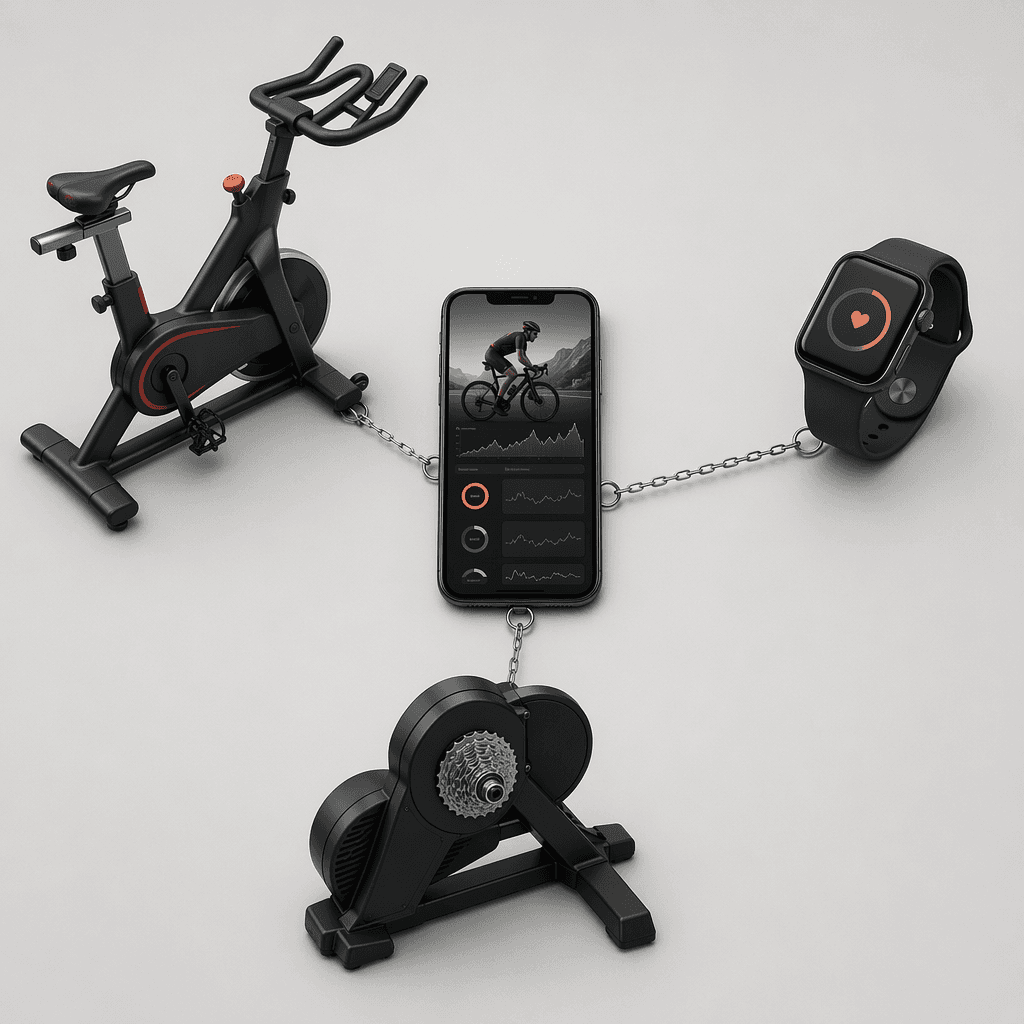
Peloton is the obvious case. Its strongest experience is tied to Peloton hardware, and 2026 source coverage and retail pricing put the entry equipment commitment around $1,445 or more before treating the subscription as a continuing cost.[1][3] That does not mean Peloton is a poor purchase. It means it should be compared to buying a connected cardio machine and class ecosystem, not to downloading a phone-only app.
Apple Fitness+ has a smaller hardware hurdle, but it is still a hurdle: source coverage identifies the Apple Watch requirement, with U.S. watch pricing starting around $249 as of June 2026.[3] If you already wear an Apple Watch and like closing rings, the integration may be the whole point. If you do not own one, the real first-year cost is not just the subscription. For a deeper app-by-app Apple ecosystem comparison, the iPhone fitness apps guide is the more relevant next stop than a generic top-10 list.
Zwift has the same issue for indoor cyclists. The app’s value depends on turning indoor riding into something more interactive, but that usually means owning a compatible setup; 2026 hardware pricing coverage places a smart trainer such as the Wahoo Kickr Core around $549 or more.[3] Once that is included, the decision is less “Should I pay for Zwift?” and more “Do I want to build an indoor cycling station?”
This is also why the best purchase may be neither a premium app nor a connected machine. If a free strength app gives you a program but your adjustable dumbbells are too light, the app is not the constraint. If Peloton looks attractive because you are tired of random cardio, the bike may be the real purchase. For equipment-first decisions, a budget-tiered home setup guide such as Best Home Exercise Equipment for Every Budget is more useful than pretending every app lives in the same price category.
Use monthly billing as a test, not a lifestyle
Annual billing discounts are tempting because the math is clean. The behavior is not. FitCraft cites engagement-decay research suggesting the average fitness app user churns within 90 days, though the original study was not independently verified.[3] That uncertainty matters, but the caution still holds: the costliest app is often the annual plan bought before the routine exists.
The practical sequence is boring and effective. Start free if the free app covers the job. If you need a paid feature, pay monthly long enough to see whether you open the app when work is busy, sleep is bad, and motivation is normal. Then switch to annual billing only after the app has survived ordinary life.
| If your actual problem is... | Start here | Pay only if... |
|---|---|---|
| You need someone to lead workouts | Nike Training Club | You outgrow the workout library or need a specific paid program style |
| You need a strength plan and exercise demos | Caliber free tier | You need human coaching, form accountability, or deeper personalization |
| You need to track lifts and progress | Hevy free tier | Free logging limits block the way you actually train |
| You want workouts generated around your equipment | Monthly trial of a planning app such as Fitbod | The generated plans save time and improve consistency |
| You need a person checking in | Premium coaching comparison | Cheaper tools have failed and accountability changes attendance |
| You want connected cardio classes or racing | Hardware-first comparison | You already own or deliberately want the bike, watch, or trainer |
A clear buying rule
Stay free if you need logging, exercise demos, progress graphs, or general guided workouts. Nike Training Club, Caliber’s free tier, and Hevy’s free tier can cover those needs indefinitely for many users without pretending to be human coaching.[2][4]
Pay when the missing feature is specific enough to name: adaptive strength planning, video-led programming you will actually follow, human accountability, or coaching. Avoid ecosystem apps unless you already own the required hardware or have decided that the hardware itself is worth buying.
References
- Expert-Tested: The Best Workout Apps (2026) — Garage Gym Reviews
- Programs on a Budget: The 12 Best Free Workout Apps (2026) — Garage Gym Reviews
- Fitness App Subscription Pricing Comparison 2026 — FitCraft
- The Best Workout Apps We've Tested for 2026 — PCMag
- 11 Best Workout Apps in 2026 (Tested) — LoadMuscle
- Best AI Personal Trainer Apps in 2026 — SensAI
Comments
Join the discussion with an anonymous comment.