
Best Free Workout Apps for Limited Home Equipment and Apartment Spaces
Most free workout apps assume a full gym. This guide evaluates free apps like Caliber, Nike Training Club, Hevy, and FitOn that let you filter workouts by the equipment you actually own, with practical advice for training quietly in a small apartment.
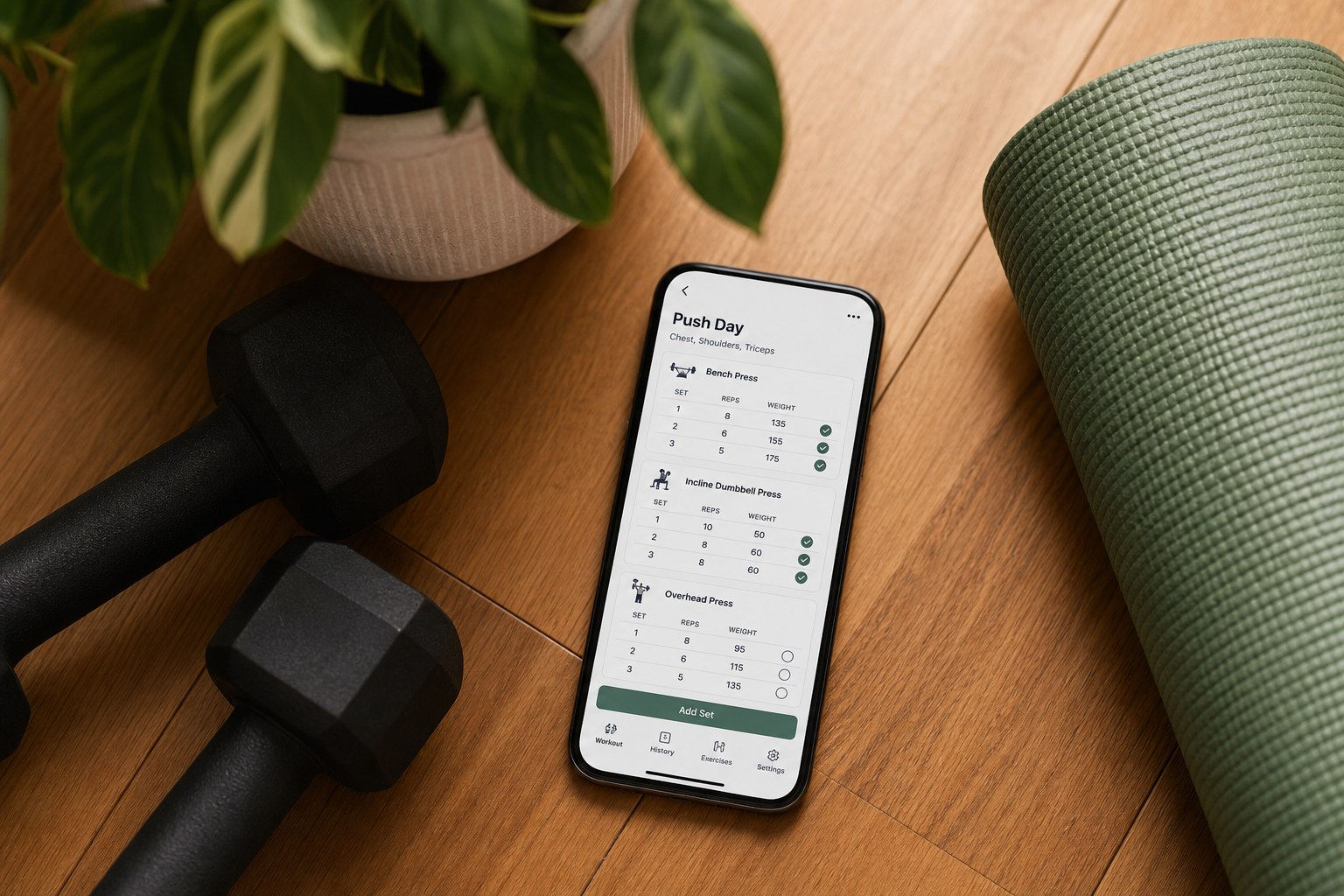
The Disconnect: Most Workout App Reviews Assume a Full Gym
Scroll through any roundup of the best workout apps and you will find a recurring pattern: the recommendations assume you have access to a commercial gym. Barbells, cable machines, leg presses, Smith machines — the exercises and programs are built around equipment that simply does not exist in a home gym, let alone a small apartment.
For the growing number of people training at home with a pair of adjustable dumbbells, a set of resistance bands, or nothing but bodyweight, this creates a real problem. Downloading a highly-rated free app only to discover that half the workouts require a lat pulldown machine or a squat rack is frustrating and, more importantly, a waste of time. The app does not adapt to your constraints; you are expected to adapt to its assumptions.
This article exists to close that gap. We evaluated the free tiers of the most popular workout apps specifically through the lens of limited home equipment and small-space living. The goal was straightforward: find apps whose free versions let you filter, sort, or auto-generate workouts based on exactly what you own — not what a commercial gym has. If you train in a 500-square-foot apartment with a pair of 20-pound dumbbells and a yoga mat, these are the apps that will actually serve you.
What to Look for in a Free Tier When You Have Limited Equipment
Not all free tiers are created equal, and the features that matter to a home practitioner are different from those that matter to a gym-goer. When evaluating a free workout app for a limited-equipment home setup, focus on these four criteria:
- Equipment filtering on the free tier. The app must let you specify what gear you own — or select "no equipment" — and then serve workouts that match. If equipment filtering is locked behind a paywall, the free tier is not useful for a home gym.
- Workout variety within your constraints. A free tier that shows you the same three bodyweight circuits every week will not sustain progress. Look for apps that offer enough variety — different rep schemes, tempos, and movement patterns — within the equipment you have.
- Noise and space awareness. Some apps are built around high-impact, jump-heavy workouts that are impractical in a second-floor apartment. The best apps for apartment dwellers offer low-impact alternatives, floor-based movements, and guided sessions that do not require running in place or dropping weights.
- Genuinely free, not a trial. Many apps advertise a "free" tier that is actually a 7-day trial or a heavily capped demo. For a home routine to be sustainable, the free tier must be usable indefinitely without a credit card.
Best Free Apps That Filter Workouts by Equipment You Own
These four apps stand out because their free tiers do not treat equipment filtering as a premium feature. Each one lets you tell it what you have — or do not have — and then builds or filters workouts accordingly.
Caliber: Best Free App for Custom Programs Based on Your Gear
Caliber was selected as the Best Free Workout App Overall by Garage Gym Reviews after testing over 50 fitness apps, and for good reason. During the initial setup, Caliber asks about your available equipment — not in a vague way, but specifically enough that it can tailor a program to a home gym with limited dumbbells and bands. The free version is ad-free and includes a library of over 500 exercises. The algorithm creates a custom program based on your assessment, and you can log your own workouts or follow the generated plan.
For the home practitioner, this is the closest thing to a personal trainer who actually visits your apartment and looks at what you own before writing a program. The caveat is that some of Caliber's coaching features — form checks, detailed feedback from trainers — sit behind the paid tier. The free version is genuinely useful, but it is the programming engine, not the full coaching experience.
Hevy: Best Free App for Filtering by Location and Equipment
Hevy is primarily known as a strength-tracking app with a strong social community, but its free tier includes a feature that is particularly valuable for home gym users: the ability to sort workouts by location (home vs. gym) and by available equipment. Zapier noted that Hevy helps users "overcome those barriers and stick to a routine with just one feature: the ability to sort workouts by location and equipment." Garage Gym Reviews also confirmed that Hevy's free-forever version includes a robust exercise library and the ability to filter by equipment available.
If you own a specific set of dumbbells and a bench, Hevy lets you find routines that use exactly that setup. The free tier has a cap on the number of custom routines you can save, but for most home lifters, the filtering capability alone makes it worth the download.
Nike Training Club: Completely Free with Robust Equipment Filtering
Nike Training Club (NTC) is one of the few major fitness apps that is genuinely, completely free — no premium tier, no upsell, no hidden paywall. PCMag selected it as Best Overall, and Forbes Health rated it 5.0 as Best Free Fitness App. The equipment filtering is straightforward: you can browse workouts by equipment level, from "none" to "full gym." This makes it easy for someone with a single pair of dumbbells to find sessions that do not require anything else.
NTC covers strength training, HIIT, cardio, yoga, pilates, and mobility — all within the free tier. Good Housekeeping specifically noted that NTC classes are "efficient, easy to follow, and ideal for small spaces, making NTC a great option for apartment-friendly fitness." For the home practitioner who wants variety without paying, NTC is the strongest all-around choice.
FitOn: Best Free Tier for Guided Workouts with Minimal Equipment
FitOn's free version gives you access to a large library of guided workout videos that can be filtered by time, intensity, and workout type. Garage Gym Reviews recommends FitOn for beginners, and PCMag lists it as Best for Variety at a price of $0.00. While FitOn does not have the same algorithmic program-building as Caliber, its free tier includes a substantial number of equipment-free and minimal-equipment workouts. You can filter to find sessions that require only a mat or a single set of light dumbbells.
The trade-off is that FitOn's Pro upsell is heavily promoted within the app. The free tier is generous — it includes access to all workouts — but you will see prompts to upgrade to remove ads and unlock premium features. For users who can tolerate the occasional upsell notification, the free content library is deep enough to sustain months of training.
Best Free Apps for Bodyweight-Only Training
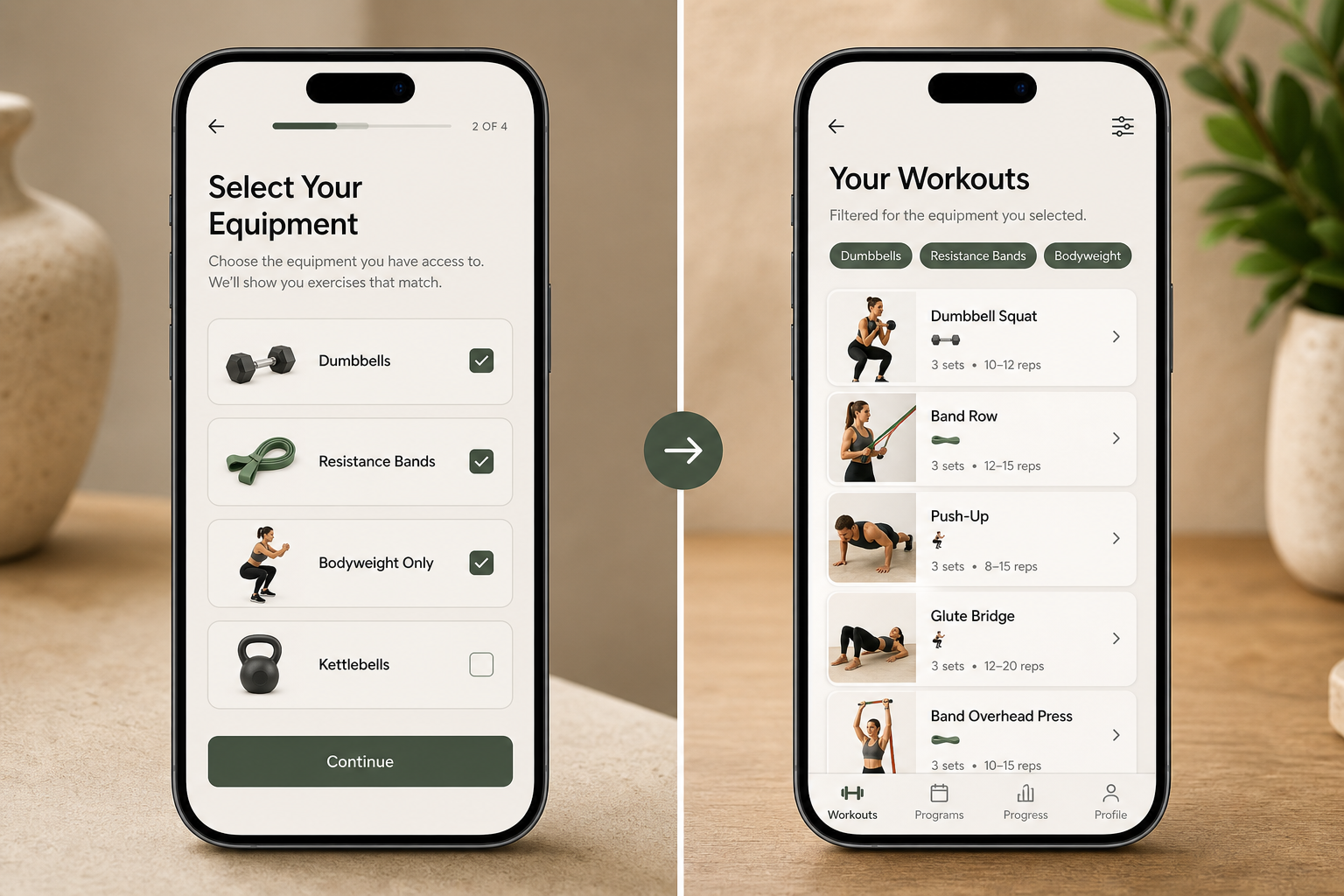
If you own zero equipment — no dumbbells, no bands, no bench — your app needs to be built around bodyweight progressions, not just offer them as an afterthought. Two free apps handle this particularly well.
Nike Training Club: Bodyweight as a First-Class Option
As noted above, NTC lets you filter by equipment level, and "none" is a fully supported option — not a stripped-down version of the app. You get access to the same quality of coaching, video guidance, and workout structure whether you select "no equipment" or "full gym." The bodyweight workouts include progressions that increase difficulty through tempo changes, unilateral movements, and longer time under tension rather than adding weight. This makes NTC a strong choice for bodyweight-only training that actually challenges you over time.
Home Workout – No Equipment: Built Specifically for Bodyweight Training
As the name suggests, this app is designed exclusively for bodyweight training. It uses animated guides rather than video, which keeps the file size small and makes it easy to follow without streaming. The workouts are structured around bodyweight exercises like push-ups, squats, lunges, and planks, with progressive difficulty levels. For apartment dwellers who want a straightforward, no-frills bodyweight app that does not require any equipment or much space, this is a practical option.
For readers who want a structured bodyweight plan that does not rely on an app at all, our Beginner Bodyweight Workout Routine provides a complete 3-day-per-week plan that requires no equipment and can be done in a small living room.
Apartment-Friendly Considerations: Noise, Space, and Floor-Friendly Moves
Training in an apartment introduces constraints that a commercial gym never does. Noise travels. Space is limited. Dropping a dumbbell at 6 AM is not an option. The app you choose should accommodate these realities, not ignore them.
Noise Levels by Workout Type
Not all workouts are equally loud. Garage Gym Reviews notes that guided yoga and Pilates sessions are significantly quieter than HIIT or jump-based workouts. This distinction matters when you live above someone else. Here is how the noise profile breaks down across the apps we evaluated:
- Quiet (yoga, Pilates, mobility, floor-based strength): Nike Training Club and FitOn both offer extensive libraries of low-impact, floor-based sessions that generate minimal noise. These are ideal for early morning or late evening workouts.
- Moderate (dumbbell strength, controlled bodyweight circuits): Caliber and Hevy, when used with controlled dumbbell movements and no jumping, fall into this category. The noise comes from setting down weights, not from impact.
- Loud (HIIT, jump squats, burpees, running in place): Many apps include these by default. If you live on a second floor or above, filter these out. NTC and FitOn both let you filter by workout type, making it easy to avoid high-impact sessions.
Space Requirements and Floor-Friendly Moves
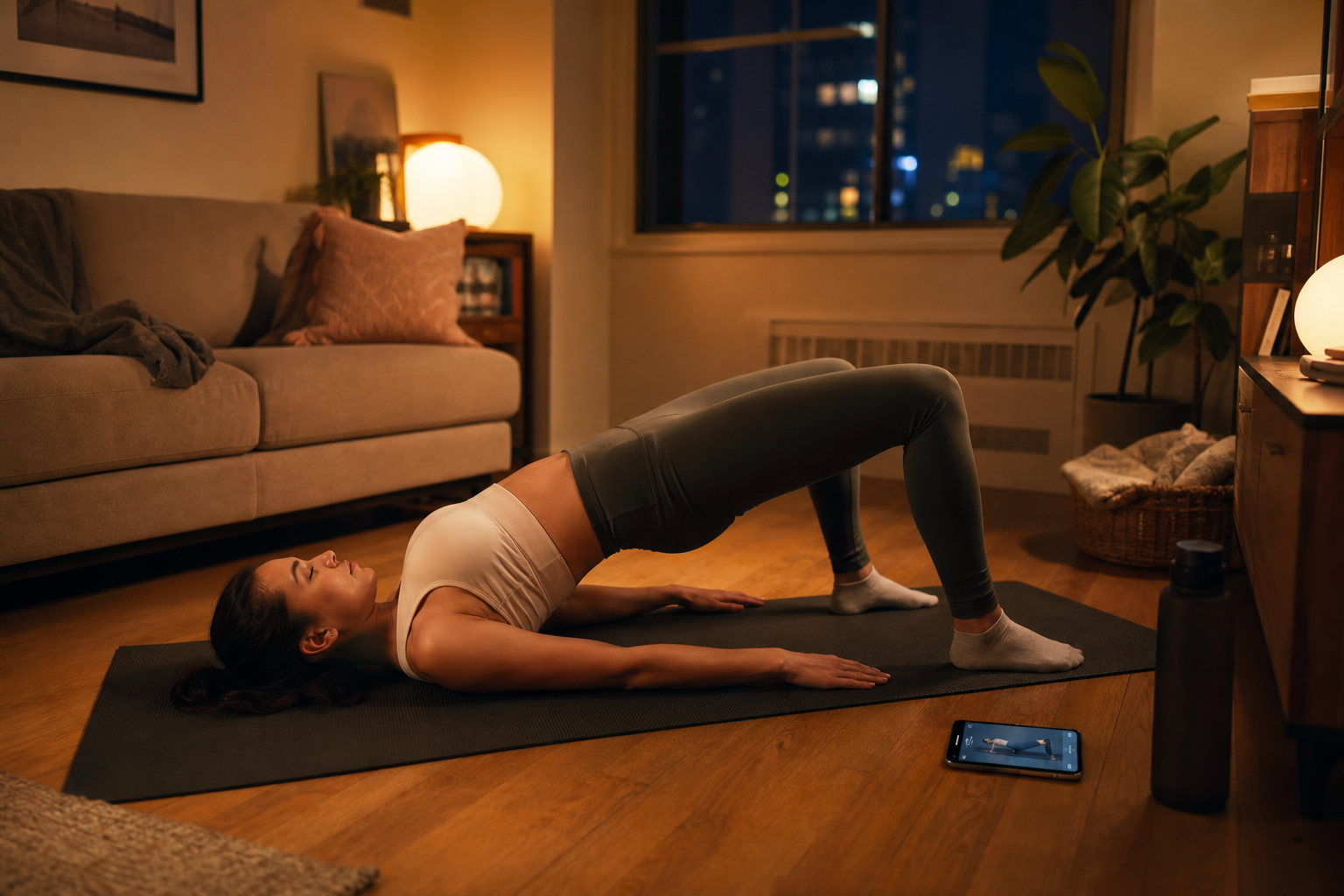
A standard yoga mat provides roughly 6 feet by 2 feet of usable space. Most floor-based exercises — glute bridges, bird dogs, dead bugs, planks, rows with bands — fit comfortably within that footprint. Standing exercises like squats, lunges, and overhead presses require a bit more vertical clearance but still fit in a typical living room. The apps that work best for small spaces are those that offer a high proportion of floor-based and standing exercises without requiring lateral movement or running.
If you are still planning your home gym setup and want to understand which equipment fits in your space before choosing an app, our Compact Home Gym Equipment Guide for Apartments covers noise levels, footprint, and portability for the most common home gym purchases.
How to Build a Sustainable Home Routine on the Free Tier
Downloading the right app is only the first step. The real challenge is building a routine that you will actually follow — and that will produce results — using only the free tier and the equipment you have. Here is a practical framework for doing exactly that.
Step 1: Start with Bodyweight
Even if you own dumbbells or bands, begin your first 2–3 weeks with bodyweight-only workouts. This serves two purposes: it builds a movement foundation without the risk of overloading unfamiliar exercises, and it lets you test the app's filtering and workout quality before you commit time to logging weights. Use NTC or FitOn filtered to "no equipment" for this phase.
Step 2: Layer in Your Equipment
Once you are consistent with bodyweight sessions, update your app's equipment settings to include what you actually own. In Caliber, this means re-running the initial assessment with your gear specified. In Hevy, use the equipment filter to find routines that match your setup. In NTC, switch the equipment filter from "none" to "dumbbells" or "bands." The key is to add equipment gradually — do not jump to a full-dumbbell program if you only own one pair of adjustable weights.
Step 3: Use Progressive Overload Within the App
Progressive overload — gradually increasing the difficulty of your workouts — is the mechanism by which you get stronger. On the free tier, you can achieve this by:
- Adding reps to each set (e.g., go from 8 to 10 reps)
- Reducing rest time between sets
- Slowing down the eccentric (lowering) phase of each rep
- Moving from bilateral to unilateral exercises (e.g., bodyweight squats to Bulgarian split squats)
- Increasing the number of sets per exercise
Apps like Hevy and Caliber make it easy to log these changes and track your progress over time, which is essential for staying motivated.
Step 4: Build Consistency First, Optimize Later
The best app in the world will not help if you do not use it. Focus on showing up three times per week for the first month, even if the workouts feel easy. Once the habit is established, you can refine your program selection, adjust your equipment settings, and push the intensity. For a complete guide on building the habit from scratch, see our How to Start Working Out at Home (and Actually Stick With It) guide.
Comparison Table: Equipment Filtering, Space Needs, and Noise Level per App
The table below summarizes the key decision factors for each app evaluated in this guide. Use it to quickly identify which free app matches your equipment, space, and noise constraints.
| App | Free Tier Equipment Filtering | Bodyweight-Only Support | Typical Noise Level | Best For |
|---|---|---|---|---|
| Caliber | Yes — custom program based on equipment specified during setup | Limited (primarily strength-focused, not bodyweight-optimized) | Moderate (controlled dumbbell/band work) | Home gym owners with specific gear who want a tailored program |
| Hevy | Yes — filter by location (home/gym) and equipment available | Yes — bodyweight routines available in community library | Moderate (strength training, minimal impact) | Lifters who want to find routines matching their exact equipment setup |
| Nike Training Club | Yes — filter by equipment level from "none" to "full gym" | Yes — extensive bodyweight library with progressions | Low to moderate (yoga/Pilates are quiet; HIIT options exist but can be filtered out) | Apartment dwellers who want variety across strength, yoga, and cardio |
| FitOn | Partial — filter by workout type and intensity; equipment filtering less granular than Caliber or NTC | Yes — many equipment-free guided video workouts | Low to moderate (guided sessions are floor-based; HIIT available but avoidable) | Beginners who prefer instructor-led video workouts |
| Home Workout – No Equipment | N/A — designed exclusively for bodyweight | Yes — the entire app is bodyweight-only | Low (floor-based, no jumping required in most routines) | Users who want a simple, no-frills bodyweight app with animated guides |
For readers who want to explore app recommendations organized by a different set of constraints — specifically by equipment level for women — our Best Workout Apps for Women by Equipment Level article covers bodyweight-only through full-gym setups from a different demographic perspective. And for a broader look at the free app landscape, our Best Free Fitness Apps for Home Workouts guide provides a general overview.
This result comes from one real apartment under the stated conditions — it is a strong signal, not a guarantee your space will measure identically.
Builds this evidence supports
Cable Machine Alternatives That Save Space and Money
Compare the best cable machine alternatives for home gyms – from resistance bands and pulley systems to suspension trainers and compact digital units – and find the right option for your space and budget.
How to Choose a Compact Home Gym That Works for Your Space, Budget, and Noise Tolerance
This article provides a structured decision framework for apartment dwellers and small-space residents to match their specific floor footprint, noise sensitivity, and budget to the most suitable compact home gym strategy — whether that's an all-in-one machine, modular build, smart digital system, or band/bodyweight setup.
The Garage Gym Reality Check: What Equipment Actually Fits in a Single-Car Garage
Most garage gym guides assume a two-car space. This article uses real dimensions, real equipment footprints, and three layout templates to show what fits—and what doesn't—in a single-car garage (10x20 to 12x20 ft).
Spot something off?
If this result didn't match your own space, let us know — floor-damage and noise claims carry real deposit-risk consequences if we get them wrong.