
Best Workout Apps for Women: A Guide by Equipment Level — Bodyweight Only to Full Gym
Most workout app roundups ignore the most practical question: what equipment do you actually need? This guide categorizes the best apps for women by equipment demand — from bodyweight-only to full commercial gym — so you can find the right fit for your home setup without wasting time or money.
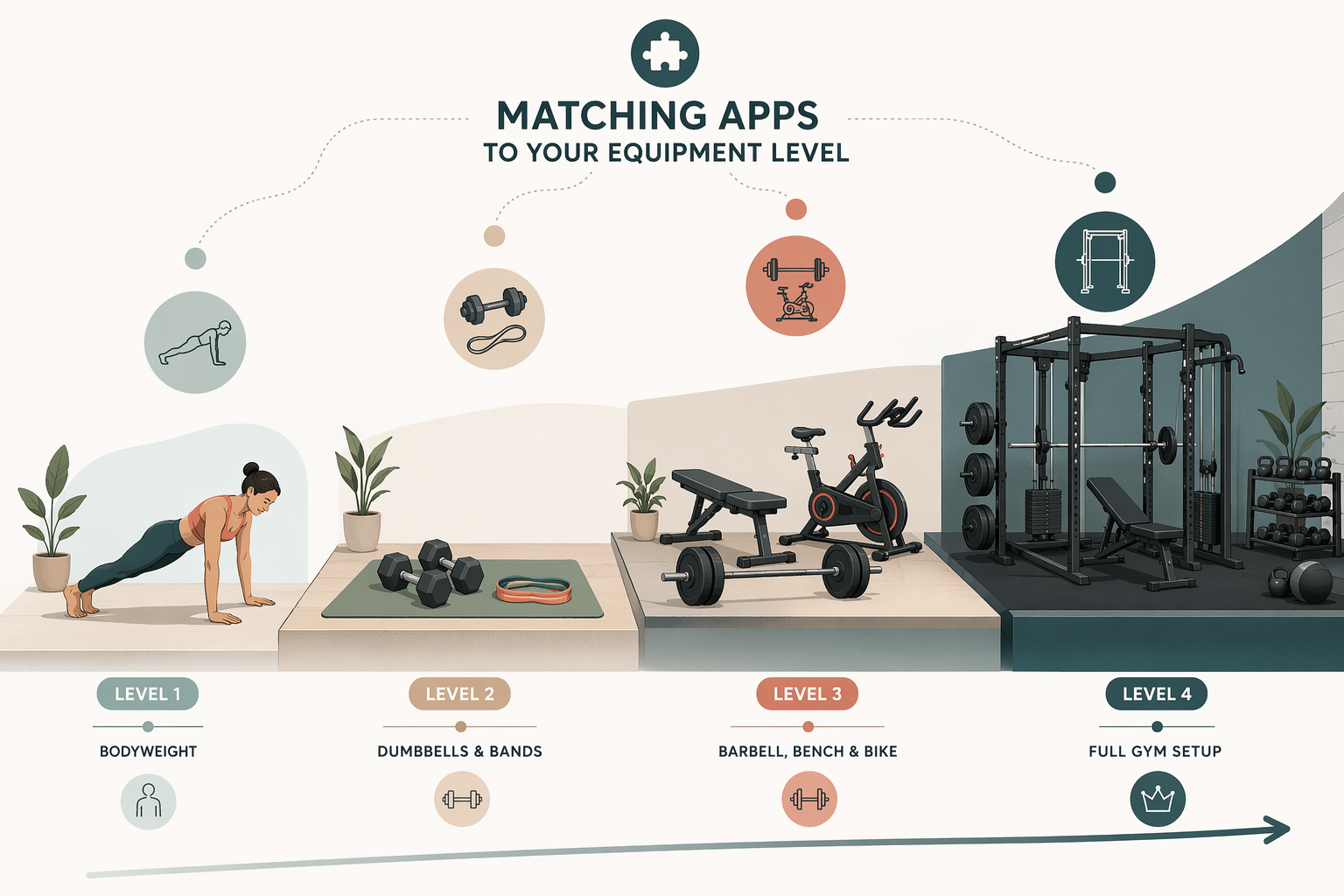
Why Equipment Level Is the Most Overlooked Filter in Workout App Reviews
Most workout app roundups organize their recommendations by goal — weight loss, strength, yoga, running — or by price tier. Those are useful filters, but they skip the question that determines whether an app will actually work for you on a Tuesday evening in your living room: what equipment does it require?
An app that shines for someone with a barbell, a bench, and a squat rack is useless to a renter with a yoga mat and a pair of 10-pound dumbbells. Conversely, a bodyweight-only app will leave a home gym owner frustrated after the first week. The mismatch is the single fastest path to a canceled subscription and a wasted month of fees.
Pricing data throughout this article is current as of June 2026. Apps like Alo Moves recently shifted to a completely free model, and subscription costs across the board have been volatile. Always verify current pricing inside the app before committing to an annual plan.
Bodyweight-Only Tier: Zero Equipment, Maximum Flexibility
If your home fitness setup consists of a patch of floor and maybe a yoga mat, you are in the bodyweight-only tier. The apps below require no dumbbells, no bands, no machines — just your own body weight and enough space to move. This tier is ideal for apartment dwellers, travelers, and anyone testing whether a home practice will stick before investing in gear.
Nike Training Club
Nike Training Club (NTC) has been completely free since 2020 with no premium tier — a rarity in the app landscape. It offers more than 10 workout categories and hundreds of individual sessions. The app lets you filter workouts by equipment needed, so you can select "No Equipment" and see only bodyweight options. GGR's testing team gave NTC a 5-out-of-5 rating for value, and the library covers strength, HIIT, yoga, and mobility without requiring a single piece of gear.
FitOn
FitOn offers a free basic tier that includes access to all workouts with trainer-led video instruction. The free version is genuinely usable — no paywall blocking the core library. FitOn's workouts are designed to be equipment-free, making it a strong alternative to NTC if you prefer live-class energy or celebrity-led sessions. A premium tier costs $199.99 per year and adds features like personalized meal plans and progress tracking, but the free tier already covers the equipment-free workout library.
Melissa Wood Health
Melissa Wood Health focuses on low-impact Pilates and yoga-inspired movements with sessions ranging from 10 to 30 minutes. The workouts require no equipment — just a mat and enough floor space. At $15 per month or $135 per year, it is a paid option, but the short session length and low-impact style make it a practical choice for women who want consistent movement without high-impact cardio or heavy lifting. CNET's review notes the workouts are designed to be accessible for all fitness levels.
For more free options in this tier, see our guide to best free fitness apps for home workouts.
Minimal Equipment Tier: Dumbbells, Bands, and a Mat
The minimal equipment tier is the sweet spot for most home fitness practitioners. You own a set of dumbbells (adjustable or fixed), a few resistance bands, and a yoga mat. You do not own a barbell, a squat rack, or a cardio machine. The apps below are designed to work with exactly this setup — they adapt their programming to the gear you have rather than assuming you have a full gym.
Caliber
Caliber earns a 5-out-of-5 rating for equipment demands from GGR's testing team, and for good reason. When you sign up, Caliber runs an initial questionnaire that asks about your available equipment. It then builds custom workout programs that use only the gear you actually own. If you have a pair of dumbbells and a bench, Caliber will not program barbell squats. If you later add equipment, the app adjusts. The free version includes a library of over 500 exercises and custom programs based on the assessment. This makes Caliber one of the most adaptable apps across the entire equipment spectrum — it works for bodyweight, minimal gear, and full home gym setups alike.
Shred
Shred uses AI to tailor workout routines based on your goals and the equipment you have available. Gym sessions are structured in 30- to 75-minute blocks, and the app adjusts exercise selection to match your gear. At $19.99 per month or $119.99 per year, Shred is a mid-priced option that works well for women who want a structured, progressive program without needing to own a full gym. Good Housekeeping's testing noted the AI customization as a standout feature for users with limited equipment.
Down Dog
Down Dog is best known for yoga, but the app also offers customizable HIIT and barre workouts that require minimal equipment — typically just a mat and optional light dumbbells. At $7.99 per month, it is one of the more affordable paid options. Down Dog also includes prenatal yoga with trimester-specific adjustments, making it a practical choice for women who want a single app that covers both general fitness and pregnancy-safe movement. GGR's review highlights the prenatal customization as a differentiator.
Home Gym Tier: Barbells, Benches, and Cardio Machines
If you have a dedicated home gym space with a barbell, a bench, a squat rack or power rack, and possibly a cardio machine (treadmill, indoor bike, rower), you are in the home gym tier. The apps below assume you have access to substantial equipment and are designed to deliver progressive programming that justifies the investment.
Boostcamp
Boostcamp offers free strength programs designed by coaches and experienced lifters. The app is built around established programming methodologies (linear progression, periodization) and assumes access to barbells, plates, and a rack. There is no AI customization — you pick a program and follow it. This makes Boostcamp a strong choice for women who already know they want to run a proven strength program and have the equipment to execute it. The free tier is genuinely functional, with optional paid features for advanced tracking.
iFIT
iFIT costs $15 per month for an individual membership with a 30-day trial. The catch: iFIT requires an iFIT-enabled cardio machine — a treadmill, bike, elliptical, or rower with the iFIT platform built in. You cannot use iFIT effectively with a standard "dumb" treadmill. If you already own iFIT-compatible equipment, the app delivers trainer-led classes that auto-adjust resistance and incline. If you do not own the hardware, iFIT is not a viable option.
Zwift
Zwift costs $19.99 per month with a 14-day trial and is the most equipment-expensive app on this list. It requires a smart bike or a compatible bike paired with a smart trainer, which costs $500 or more. Zwift creates a virtual cycling (and now running) environment where your effort translates into in-game speed. It is excellent for structured indoor cycling training, but the hidden equipment cost makes it a poor choice for anyone who does not already own a smart trainer or a compatible bike. GGR's review explicitly flags the $500+ trainer requirement as a barrier.
For readers considering a treadmill purchase to pair with iFIT or Zwift's running platform, see our comparison of best treadmills for small spaces.
Full Gym Tier: Commercial-Grade Equipment and Gym Memberships
The full gym tier is for women who have access to a commercial gym or a very well-equipped home gym with multiple barbells, a cable machine, a leg press, and specialized equipment. The apps below assume you can perform any standard gym exercise and are designed for lifters who want structured programming, exercise substitution, or personal coaching.
Stronger By The Day
Stronger By The Day costs $15 per month, $40 per quarter, or $100 per year. The program is written by strength coach Meg Gallagher and is designed for gym-based lifters. A key feature: the app allows exercise substitution within workouts. If you do not have access to a specific piece of equipment on a given day, you can swap in a comparable movement. This makes Stronger By The Day more adaptable than many gym-focused programs, though it is still best suited for users who have access to a full range of free weights and machines. CNET's review highlights the substitution feature as a practical differentiator.
Jefit
Jefit offers a database of over 1,400 exercises with video demonstrations and pre-built training programs for all fitness levels. The free basic tier is functional, while the premium tier ($12.99 per month or $69.99 per year) adds advanced analytics, custom routine creation, and workout sharing. Jefit is best for women who want to build their own workouts from a comprehensive exercise library or follow community-created programs. Forbes Health's review notes the database size as a standout feature for gym-goers who want variety.
Future
Future costs $199 per month and is the premium coaching option on this list. You are paired with a personal coach who designs your workouts, adjusts them based on your feedback, and communicates with you through the app. Future assumes access to a full gym — your coach will program exercises based on what is available at your gym or in your home setup. At this price point, Future is for women who want the accountability and customization of a personal trainer without in-person sessions. Good Housekeeping's review positions it as the top choice for those who can afford the investment.
For a deeper dive into strength-focused apps, see our dedicated guide to best strength training apps for women.
Equipment Comparison Matrix: Which App Fits Your Setup?
The table below maps every recommended app to its equipment tier, pricing model, platform compatibility, and best-fit audience. Use it as a quick-reference decision tool.
| App | Equipment Tier | Price | Free Version? | Best For |
|---|---|---|---|---|
| Nike Training Club | Bodyweight Only | Free | Yes (full app) | Beginners, travelers, anyone with zero equipment |
| FitOn | Bodyweight Only | Free / $199.99 per year | Yes (full workout library) | Live-class fans, celebrity trainer followers |
| Melissa Wood Health | Bodyweight Only | $15/month or $135/year | No | Low-impact Pilates/yoga, short sessions |
| Caliber | Minimal to Full Gym | Free / premium tier available | Yes (500+ exercises, custom programs) | Users who want equipment-adaptive programming |
| Shred | Minimal to Full Gym | $19.99/month or $119.99/year | No | AI-tailored routines, structured gym sessions |
| Down Dog | Minimal Equipment | $7.99/month | No | Yoga, HIIT, barre; prenatal options |
| Boostcamp | Home Gym | Free / optional paid features | Yes (strength programs) | Lifters who want proven strength programming |
| iFIT | Home Gym (cardio machine required) | $15/month | 30-day trial | Owners of iFIT-enabled cardio machines |
| Zwift | Home Gym (smart trainer required) | $19.99/month | 14-day trial | Cyclists with a $500+ smart trainer |
| Stronger By The Day | Full Gym | $15/month, $40/quarter, $100/year | No | Gym-based lifters who want exercise substitution |
| Jefit | Full Gym | Free / $12.99/month or $69.99/year | Yes (1,400+ exercise database) | Self-directed lifters who build custom workouts |
| Future | Full Gym | $199/month | No | Women who want a personal coach remotely |
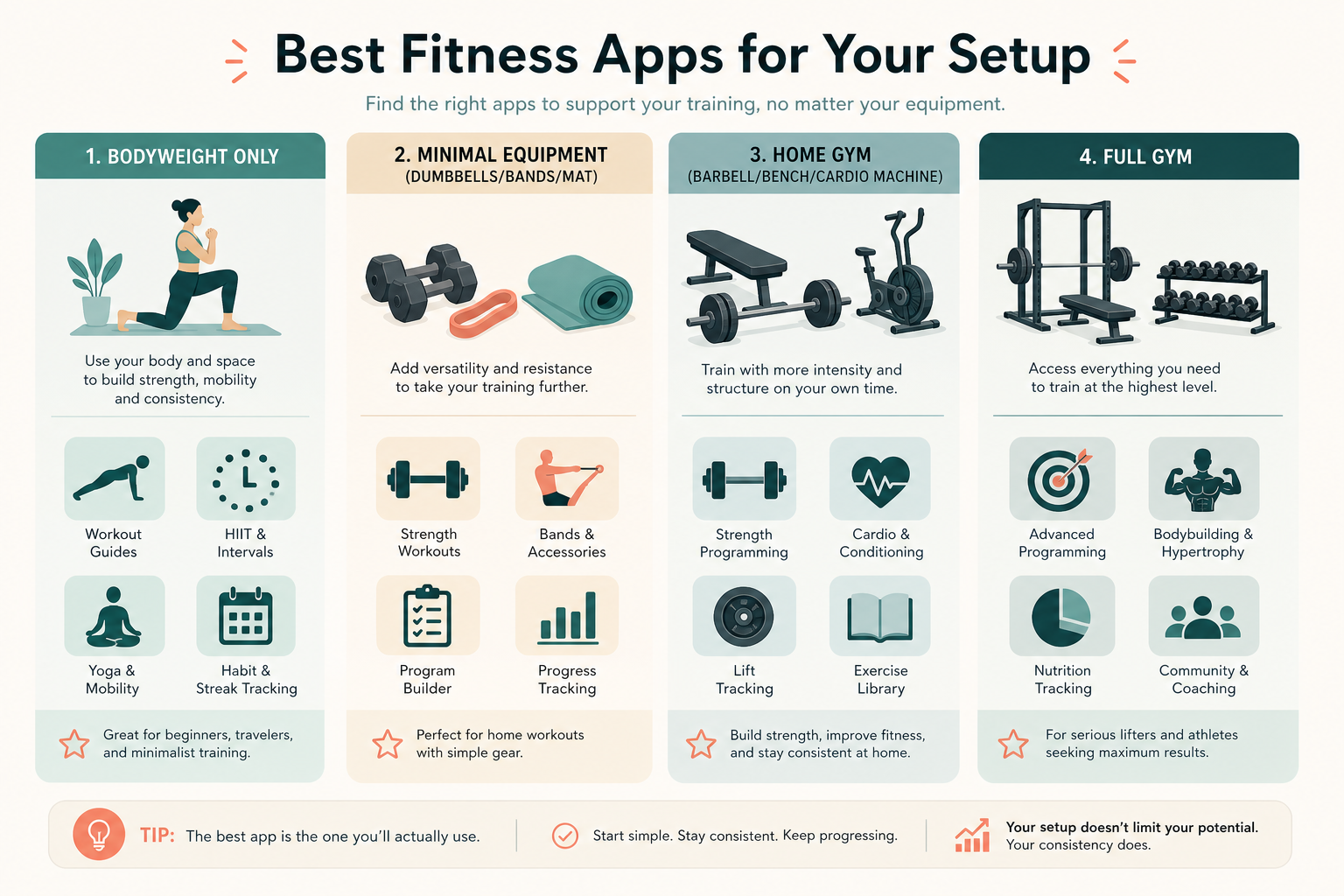
How to Test-Drive an App's Equipment Filter Before You Pay
Even with this guide, the best way to confirm an app fits your equipment setup is to test it yourself before committing to a paid subscription. Here is a practical checklist to evaluate any app's equipment compatibility in under 15 minutes.
- Check the app's filter or sort options for equipment level. Open the workout library and look for a filter labeled "Equipment," "Gear," or "Available Equipment." If the app does not let you filter by equipment, it likely assumes a specific setup — proceed with caution.
- Look for an initial questionnaire. Apps like Caliber ask about your available equipment during sign-up and build programs around it. If an app skips this step, it may default to a full-gym assumption.
- Browse sample workouts in the free tier. Pick three random workouts from different categories and scan the exercise list. If you see barbell back squats, cable pull-throughs, or leg press machines, and you own only dumbbells, the app is not a fit for your current setup.
- Read the app's description for equipment language. Look for phrases like "bodyweight only," "minimal equipment," "home gym," or "gym required." Apps that are transparent about their equipment demands upfront are more likely to match your expectations.
- Check the app's support pages or FAQ for equipment lists. Some apps publish detailed guides on what gear their programs assume. If this information is buried or absent, treat the app as a higher-risk choice.
If you are still unsure which equipment tier you fall into, start with our first-time home gym buyer's decision framework to clarify your budget, space, and goal before choosing an app.
This result comes from one real apartment under the stated conditions — it is a strong signal, not a guarantee your space will measure identically.
Builds this evidence supports
Where to Spend vs. Save on Affordable Home Gym Equipment: A Quality Tradeoff Guide
A practical guide for budget-conscious buyers (under $1,000) that reveals which equipment categories demand a higher investment for safety and durability, and where cutting costs is a smart move.
Spot something off?
If this result didn't match your own space, let us know — floor-damage and noise claims carry real deposit-risk consequences if we get them wrong.