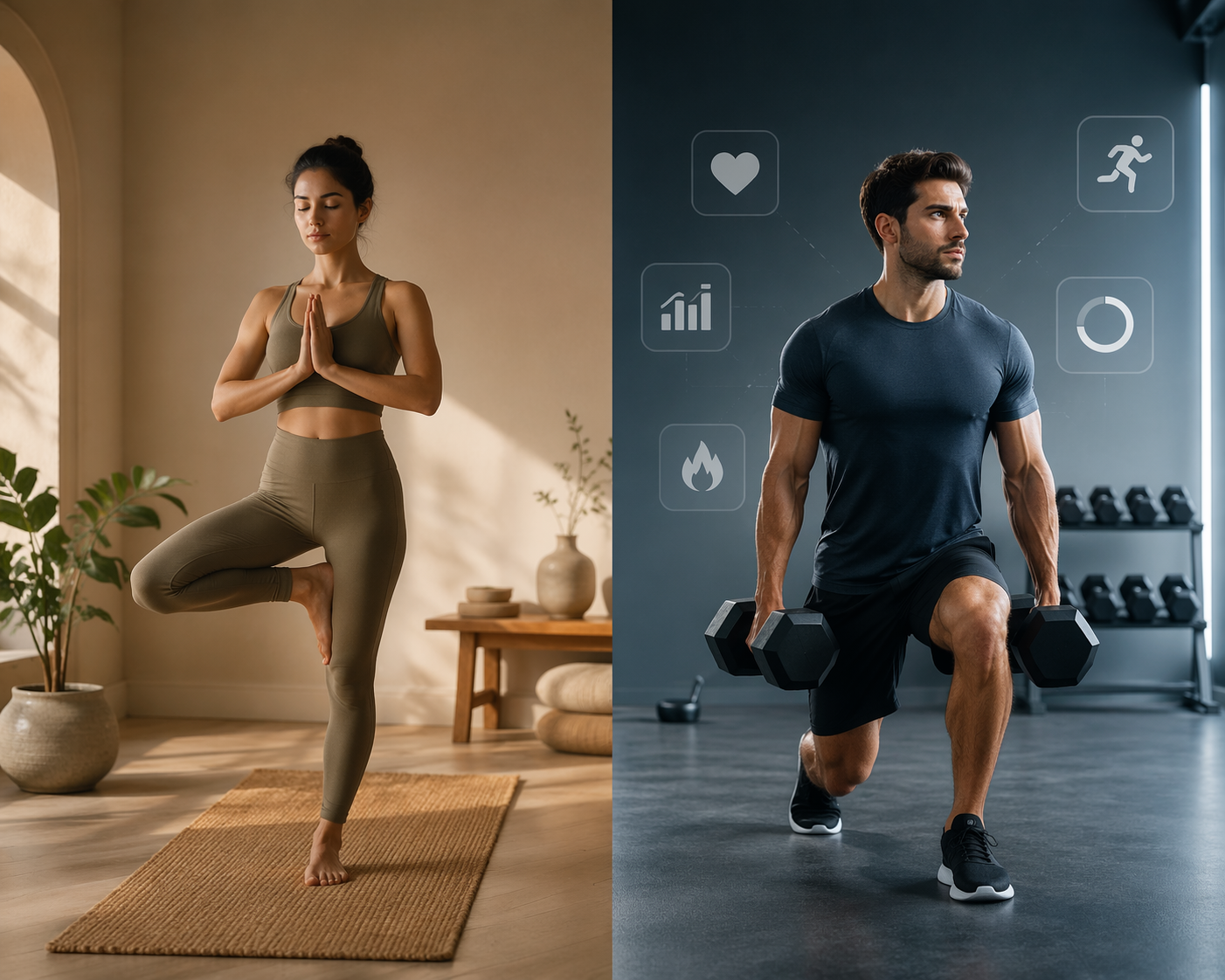
If yoga is the main thing you want to do at home three or more times a week, get a dedicated yoga app. If yoga is a recovery, mobility, or flexibility layer around strength, HIIT, cardio, or equipment-based workouts once or twice a week, a general fitness app that includes yoga is usually the better first subscription.
That is the useful version of a yoga app vs fitness app comparison. The choice is less about whether an app has a yoga tab and more about whether it can teach the kind of yoga you actually plan to practice. A 20-minute stretch class after leg day asks much less from an app than a weekly routine built around vinyasa, hatha, restorative work, breath practice, and pose progression.
| Your situation | Better starting point | Why |
|---|---|---|
| Yoga 3+ times per week | Dedicated yoga app | More styles, stronger pose instruction, breath-work, alignment cues, and yoga-specific progression |
| Yoga 1-2 times per week for mobility or recovery | General fitness app | Enough yoga for support work, plus strength, cardio, HIIT, and one place to track training |
| You want yoga plus Pilates, barre, or light conditioning | Compare app by app | Yoga-first apps such as Down Dog and Alo may blur the line with fitness-adjacent content |
| You lift seriously and also care about yoga quality | Possibly two apps | A strength tracker plus a dedicated yoga app can make sense if both parts matter enough |
| You are trying to keep costs down | Start with one app | Only add a second subscription after you know the missing instruction or tracking is real |
What a dedicated yoga app earns you
A dedicated yoga app is worth considering when you want yoga instruction, not just yoga-shaped movement. In 2026 app testing, yoga-first products are described around deeper style libraries, pose guidance, instructor specialization, and practice-building features rather than only class volume or calorie burn. Reviewed’s yoga app testing highlights apps such as Down Dog, Glo, Yoga International, and Alo in a category where style variety, instruction depth, and pricing differ meaningfully from broad workout platforms. [1]
The difference shows up quickly if you are not already fluent in yoga. A stronger yoga app will usually help you understand what kind of class you are choosing. Vinyasa tends to emphasize flowing transitions. Hatha is often slower and more foundational. Restorative classes ask you to stay supported in shapes for recovery. Ashtanga follows a more structured sequence. Kundalini may put more emphasis on breath, repetition, and meditative elements. Iyengar-style instruction is usually associated with detailed alignment and the use of props.
That matters because “yoga” is not one workout format. If an app only gives you a generic beginner flow, a power flow, and a sleep stretch, it may be perfectly useful for mobility. It is less useful if you are trying to learn why your wrists hurt in plank, how to modify downward dog, what to do with your ribs in warrior poses, or when a restorative session is a better choice than another sweaty flow.
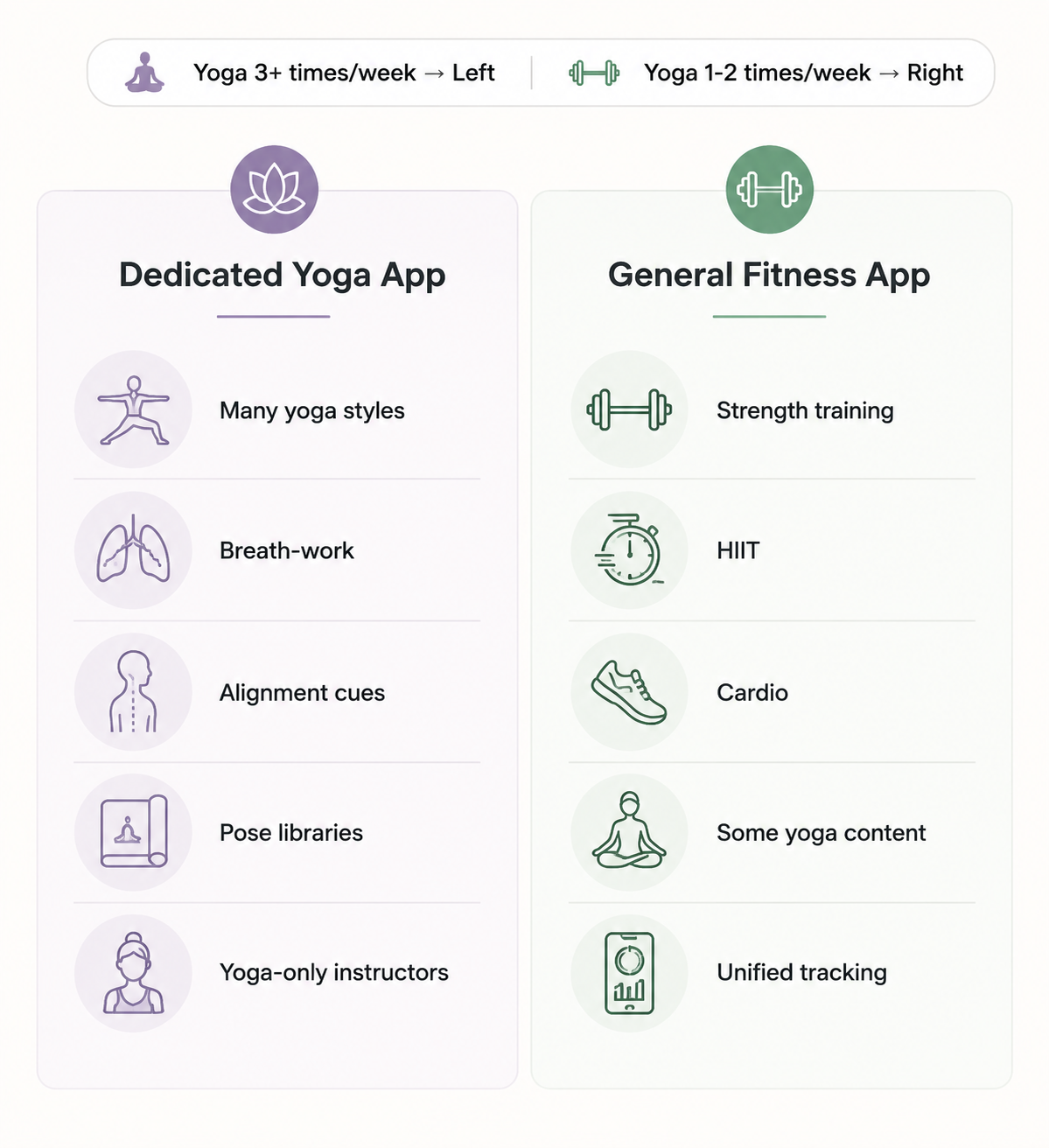
The better dedicated apps also tend to make breath less of an afterthought. That can mean cueing inhales and exhales through movement, offering breath-work as its own practice, or connecting breath to pacing and effort. Reviewed’s 2026 testing notes that general fitness apps’ yoga sections often simplify or omit breath-work guidance, pose alignment cues, and the level of style variety that dedicated yoga apps prioritize. [1]
Mindbodygreen’s yoga-teacher-curated 2026 picks point in the same direction: when yoga instruction is the product, instructor quality, class style, and the ability to support different bodies and practice levels become central selection criteria rather than secondary features. [2]
What a general fitness app does better
A general fitness app is often the more sensible choice when yoga is only one part of the week. If your schedule includes two strength sessions, one interval workout, a walk or ride, and a short yoga class on Sunday, the best app is probably the one that keeps the whole routine moving with the least friction.
Garage Gym Reviews’ 2026 workout app testing covers more than 70 apps and treats general fitness apps as broader training ecosystems, where workout variety, coaching format, equipment needs, and pricing tiers all affect value. [3] Good Housekeeping’s 2026 personal-trainer-tested workout app comparisons also frame these apps around mixed training use: strength, cardio, HIIT, flexibility, tracking, and usability rather than yoga depth alone. [4]
That broader setup can be a real advantage. Peloton, Nike Training Club, Apple Fitness+, FitOn, and similar apps are not trying to be yoga schools first. They are trying to make it easy to pick today’s workout, finish it, and keep the week coherent. For a lot of home exercisers, that is the thing that actually determines whether training happens.
The trade-off is that yoga may be treated as one content lane among many. You may get beginner flows, power yoga, mobility-style classes, and short wind-down sessions, but not the same range of yoga traditions, pose libraries, alignment tutorials, or breath-led progression you would expect from a yoga-first platform. The yoga can still be good. It just may not be complete enough to carry a serious practice.
For readers comparing broader platforms, a general fitness app comparison is a better next step than a yoga-only ranking. If the choice has narrowed to two major ecosystems, the Peloton vs. Apple Fitness+ comparison is a useful example of how app value changes when yoga sits beside cycling, strength, treadmill, meditation, and other class types.
The weekly schedule test
Before comparing brand names, write down what a normal week should look like. Not the ideal week where you become a new person by Thursday. The week you will repeat when work runs late, your mat stays in the corner, and you have 25 minutes before dinner.
- If three or more sessions are yoga, choose for yoga instruction first.
- If one or two sessions are yoga and the rest are strength, HIIT, cardio, or sports conditioning, choose for total routine coverage.
- If yoga is mainly for recovery, look for short classes, clear modifications, and calming sessions rather than the largest advanced library.
- If yoga is replacing in-person classes, pay more attention to teacher quality, style depth, alignment, and progression.
- If you use equipment at home, check whether the app supports your setup before paying for a yoga-first subscription.
This test prevents the common overbuy. A person who lifts three times a week and only wants one gentle flow after squats does not need the same app as someone trying to learn the difference between hatha, vinyasa, restorative, and ashtanga over the next six months.
Equipment can shift the answer, too. If dumbbells, a bike, treadmill, bands, or a cable machine are part of the week, the app has to serve those sessions well. A guide to workout apps by equipment may be more useful than a yoga-only comparison for that kind of routine.
Instruction depth is not the same as class count
A huge library can still leave a beginner guessing. The better question is what happens when you do not know what to do with your body. Does the teacher explain where weight should go in the hands? Are there options for tight hamstrings? Does the app distinguish a relaxing restorative class from a slow strength-oriented flow? Can you look up a pose outside a class and understand the basic alignment?
Dedicated yoga apps have the strongest case here. Reviewed’s 2026 yoga app coverage describes category strengths such as multiple yoga styles, pose libraries, alignment-focused tutorials, breath-work integration, and instructors who specialize in yoga. [1] Those features are not decorative if you are practicing often. They decide whether the app can keep teaching after the first two beginner classes feel familiar.
Style variety also protects you from using the wrong class for the day. A power vinyasa class may be great when you want heat and effort. It is a poor substitute for restorative work when your nervous system needs downshifting. A slow hatha class can be more approachable for learning shapes. Iyengar-style instruction can be useful when alignment and props are the main issue. If the app cannot name those differences clearly, the burden moves back onto the user.
General fitness apps can still be enough when the assignment is narrower. A short yoga class that helps your hips, back, shoulders, or sleep routine does not need to function like a complete yoga education. It needs to be easy to find, appropriate for your level, and paired well with the rest of your training week.
Price changes the answer more than app stores admit
Dedicated yoga apps in the 2026 comparison set sit roughly around $10 to $24 per month, with examples including Down Dog at about $10 per month, Glo at about $24 per month, and Yoga International around $20 per month. [1] General fitness apps stretch across a wider price range, from free options such as Nike Training Club to premium coaching models such as Future at about $199 per month; Peloton App One is listed around $13 per month and Apple Fitness+ around $10 per month in 2026 workout-app coverage. [3]
CNET’s workout app coverage reports that Alo Moves rebranded to Alo Wellness Club and became free as of December 2025. [5] Because app pricing and access rules change quickly, treat Alo’s July 2026 status as something to verify before deciding. If it is still free in the form you need, it changes the usual math. If access, class availability, or membership terms have shifted, compare it like any other subscription.
The price question is not simply “Which app is cheaper?” It is “Which app replaces the most other things?” A $10 yoga app may be a bargain if it replaces studio drop-ins and gives you the instruction you wanted. The same $10 may be unnecessary if your general app already covers the two short mobility flows you actually use.
For mixed-routine users, one subscription often wins even when the yoga section is less refined. Unified class history, one watch integration, one billing cycle, and one home screen can matter more than having six extra yoga styles you rarely open. If cost is the deciding factor, compare current monthly and annual pricing against a broader fitness app pricing and value guide rather than assuming the specialized app is the premium choice.
Where the categories blur
The neat split between yoga apps and fitness apps is useful, but it is not absolute. Down Dog and Alo are yoga-first names that can include fitness-adjacent content such as Pilates, barre, or HIIT, which makes them more flexible for people who want mostly mat-based training. [1][5] Peloton, on the other hand, is a general fitness platform that may offer more yoga variety than some smaller yoga-specific apps, so it should not be dismissed just because it is not yoga-only.
That is why the category recommendation should be a starting point, not a rule to defend. If a general app has the yoga styles, teachers, class lengths, and cueing you respond to, use it. If a yoga-first app also gives you the light conditioning, Pilates, or barre you want, it may cover more of your week than expected.
When using both apps makes sense
A two-app setup is reasonable when yoga quality and strength logging both matter. Some users in Reddit communities such as r/yoga and r/xxfitness describe pairing strength apps like Hevy or Strong with dedicated yoga apps, which is useful color for how people solve the split in practice, though it should not be treated as representative data. The pattern makes sense: one app tracks sets, reps, and progressive overload; the other teaches yoga with more care.
This is not the default recommendation for someone trying to control costs. It becomes worth considering when both sides are specific enough that one app cannot do them well. A lifter who wants detailed strength history and serious yoga instruction may be happier with a tracker-app pairing than with a single app that is mediocre at both. For that decision, a guide to matching exercise trackers to training style is more relevant than another class-library comparison.
The practical choice
Choose a dedicated yoga app if your week is built around yoga, you want to learn style differences, you care about breath and alignment, or you expect the app to replace some of what an in-person yoga teacher would normally explain. In that case, paying for yoga depth is not duplication. It is the point of the subscription.
Choose a general fitness app if yoga supports a broader routine. If the app also gives you strength, HIIT, cardio, walking, cycling, meditation, equipment-based programming, or watch-friendly tracking you will actually use, the yoga section does not need to be the best on the market. It needs to be good enough for the role yoga plays in your week.
If you are still undecided, start with the app that covers the majority of your training days. Then add the second app only when you can name the missing piece: better alignment teaching, more restorative work, better strength tracking, equipment programming, or a cleaner way to manage the full week. For iPhone-first users, an iPhone fitness app guide can also help narrow the choice around device fit and Apple ecosystem features.
References
- 11 Best Yoga Apps of 2026 - Reviewed — Reviewed
- Best Yoga Apps Of 2026, Chosen By A Yoga Teacher — mindbodygreen
- Expert-Tested: The Best Workout Apps (2026) — Garage Gym Reviews
- 10 Best Workout Apps of 2026, Tested by Personal Trainers — Good Housekeeping
- 7 Fitness Apps You'll Want to Try During Your Next Workout — CNET
Comments
Join the discussion with an anonymous comment.