The recovery question usually shows up before the coffee does: yesterday had a hard run or a heavy lift, sleep felt uneven, and today’s plan says intervals. Garmin and Apple Watch can both show enough overnight data to make you pause. The difference is that Garmin tries to turn that pause into a verdict, while Apple mostly hands you the ingredients.
That is the real split in Garmin vs Apple Watch recovery metrics. Garmin’s native stack gives you scores such as Body Battery and Training Readiness, then surrounds them with HRV Status, Recovery Time, Training Status, Stress, and Sleep Score. Apple Watch collects HRV, resting heart rate, sleep stages, wrist temperature, respiratory rate, sleep duration, and training load signals through Apple’s health and fitness features, but it does not natively combine them into one readiness score.[1][2][3]
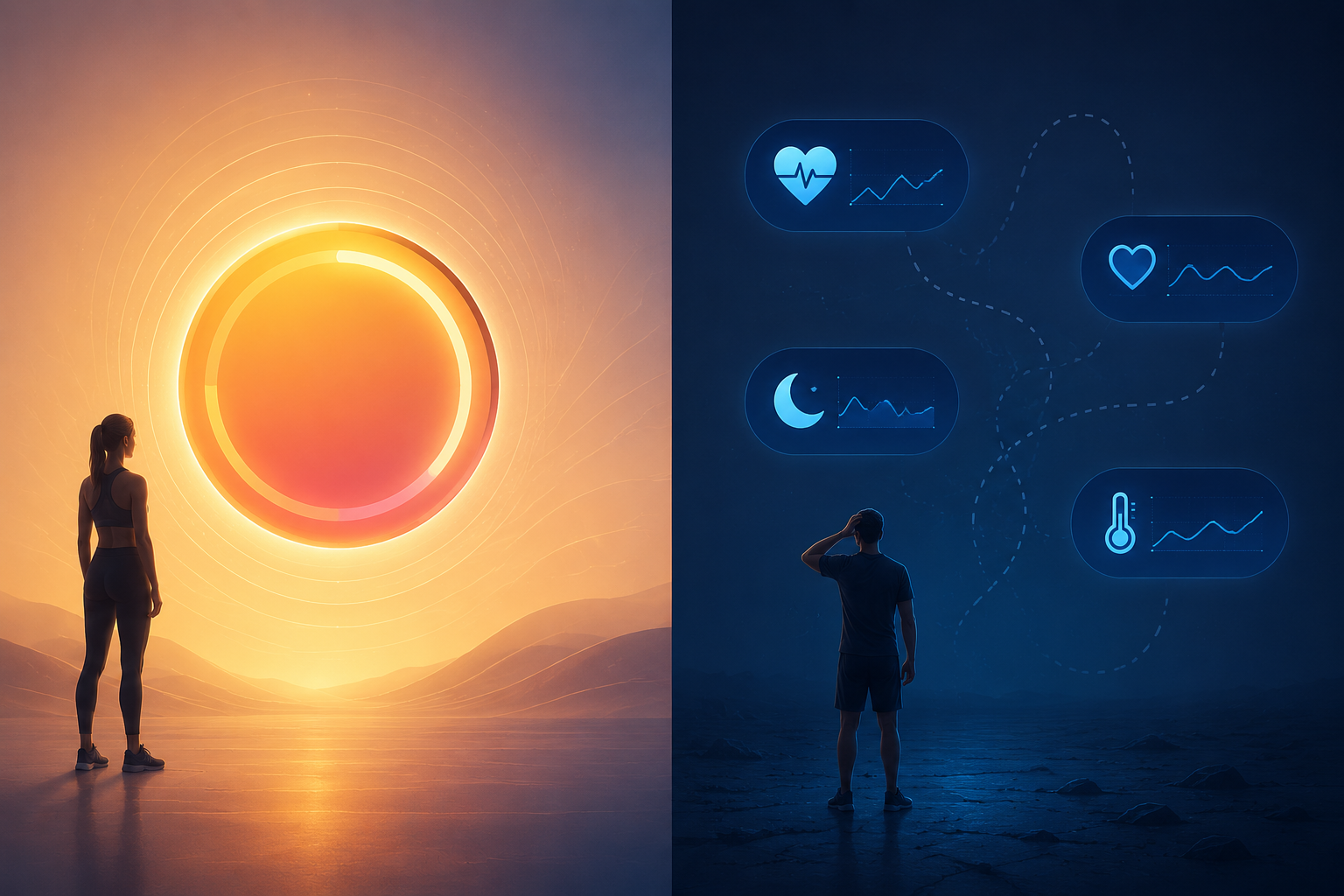
For athletes who want a morning training decision, Garmin is the cleaner out-of-the-box recovery tool. Apple Watch is the more flexible recovery-data platform, especially if you already live in Apple’s ecosystem and are willing to add a third-party app. The practical question is not whether either watch can read your body perfectly. It is whether the system helps you decide what to do next without making you reconcile five screens before breakfast.
What Garmin Gives You In The Morning
Garmin’s recovery system works because its metrics have jobs. Body Battery answers the “how much energy do I seem to have right now?” question. Training Readiness answers “how prepared am I to train today?” Recovery Time keeps a countdown after harder efforts. HRV Status adds longer-term autonomic context. Training Status checks whether recent load is productive, unproductive, strained, or moving in another direction. Stress and Sleep Score explain part of the daily swing.
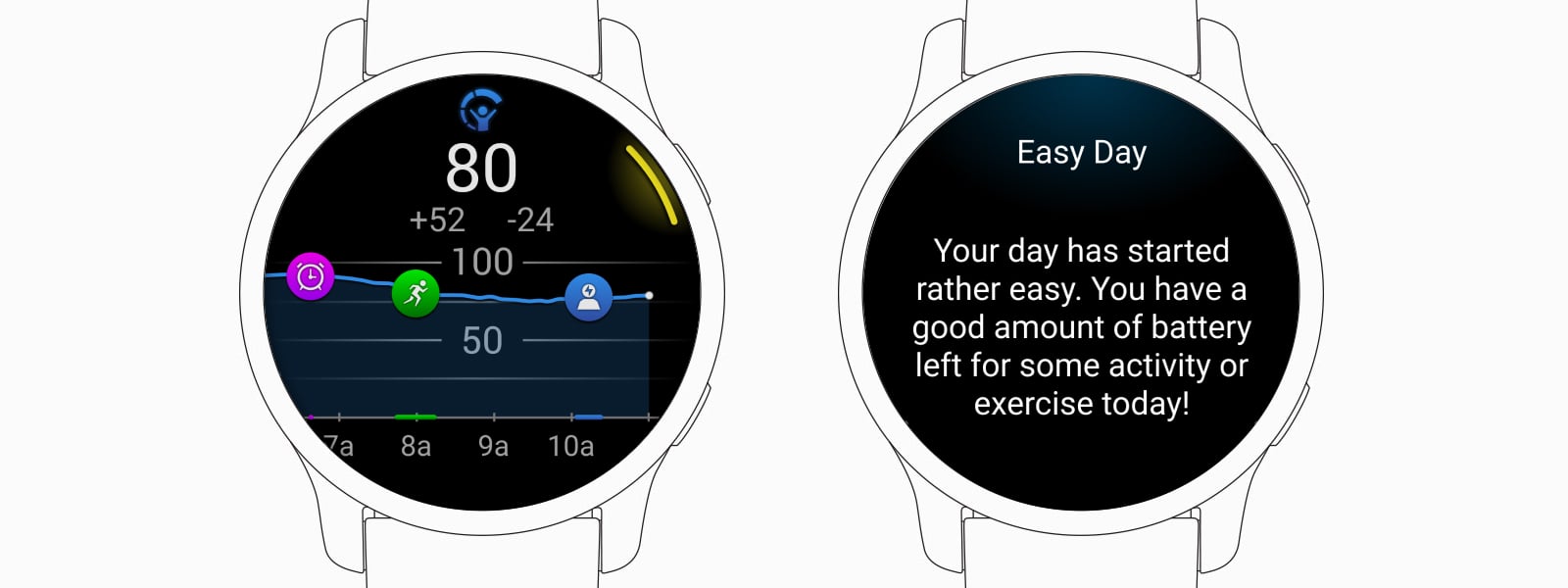
Body Battery is the easiest one to understand because it behaves like a live energy tank. Garmin describes it as a 0–100 score built from factors including HRV, stress, activity, and sleep, with personal baselines developing over roughly 5–7 days.[1] A high number does not prove you are ready for a personal best, and a low number does not diagnose anything. It gives you a plain-language estimate: this is probably a better moment to spend energy, conserve it, or watch how the day develops.
Training Readiness is more explicitly about whether to train. Garmin describes it as a 0–100 daily score that brings together sleep, Recovery Time, HRV Status, Acute Load, sleep history, and stress history.[2] That matters because a single bad night and a hard training block are not the same problem. One may call for moving a workout by a day. The other may suggest that the whole week is getting heavy.
| Garmin metric | What it is trying to answer |
|---|---|
| Body Battery | How much energy you appear to have available now, on a 0–100 scale |
| Training Readiness | How prepared you appear to be for training today, on a 0–100 scale |
| HRV Status | Whether your HRV pattern is balanced, unbalanced, low, or otherwise outside your usual range |
| Recovery Time | How long Garmin estimates you may need before another hard effort |
| Training Status | Whether recent training load appears productive, unproductive, strained, or in another state |
| Stress | How much physiological strain Garmin estimates across the day, on a 0–100 scale |
| Sleep Score | How Garmin rates the previous night’s sleep quality |
The point is not that every Garmin score deserves blind trust. The point is that the scores talk to each other. A low Body Battery after bad sleep, an unbalanced HRV Status, elevated stress, and a long Recovery Time all push the athlete toward the same kind of decision. If Training Readiness is still high, that gives useful contrast. Either way, the watch is not just displaying metrics; it is doing the first pass of interpretation.
What Apple Watch Shows Natively
Apple Watch has become much more serious about recovery-adjacent data, especially since watchOS 11 added the Vitals app and Training Load.[3] Vitals brings overnight health metrics into one place, including heart rate, respiratory rate, wrist temperature, sleep duration, and blood oxygen where available; Apple’s own presentation is deliberately framed around whether metrics are typical or outside a user’s normal range rather than around a single recovery score.[3]
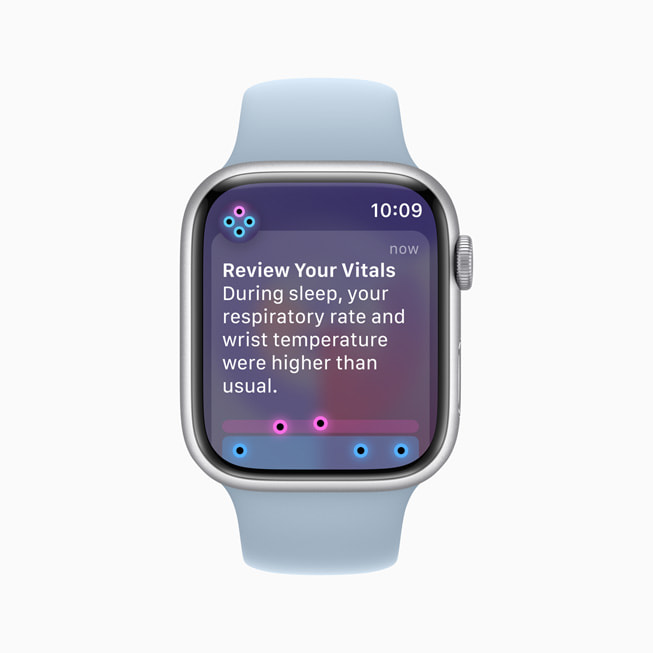
Livity’s 2026 Apple Watch recovery guide describes the Vitals logic as a baseline-driven system: it looks at overnight metrics against a recent personal range and alerts when two or more of five overnight metrics are out of range.[4] That is useful. If your heart rate is elevated, sleep duration is short, and wrist temperature is unusual, Apple is not pretending everything is fine. But it still stops short of saying, in native Apple language, “make today easy” or “you look ready.”
Training Load moves Apple closer to the athlete’s decision. Apple introduced it in watchOS 11 as a way to compare recent workout strain against a longer-term pattern, using effort ratings and workout duration to estimate training stress.[3] In principle, this is exactly the missing layer: recovery without load context is incomplete, because the same night of sleep means something different after a rest day than after hill repeats.
The catch is interpretation. DC Rainmaker’s 30-day test of watchOS 11 found that Apple’s automatic effort estimate defaulted to “7” for nearly every workout and did not learn from his corrections during that beta-period testing.[5] That finding does not prove the feature is permanently flawed, and the review was conducted during the watchOS 11 beta cycle. It does show where Apple’s approach can get annoying: a recovery-adjacent feature becomes less helpful if the user has to keep fixing the input that is supposed to make training load meaningful.
By Q3 2026, Apple’s native picture is stronger than it used to be. Livity describes watchOS 26 Sleep Score as a 0–100 sleep rating, which gives Apple Watch users a clearer nightly sleep summary than raw stages alone.[4] Still, sleep score plus Vitals plus Training Load is not the same as Training Readiness. Apple gives you a dashboard of relevant signals. Garmin gives you that dashboard and then makes a call.
The Same Night Can Feel Very Different On Each Platform
Imagine a normal, non-dramatic training week: a hard lower-body strength session, a mediocre night, and a planned tempo run the next morning. On Garmin, the useful part is not one isolated score. It is the way the stack narrows the decision. Body Battery may be low, Training Readiness may be poor or moderate, Recovery Time may still be running, HRV Status may be balanced or not, and Training Status may show whether the broader load is still productive. The athlete can disagree with the recommendation, but at least the platform has put the evidence in order.
On Apple Watch, the same morning can require more assembly. You may open Vitals and see whether overnight metrics are typical. You may check sleep duration, sleep stages, resting heart rate, HRV, wrist temperature, and Training Load. You may know enough to make the right call. Plenty of experienced athletes do. But the watch has not reduced the decision to the same degree; it has made the relevant data visible.
That restraint has a defensible side. Apple avoids implying that one proprietary recovery number is biological truth. For general users, that caution is reasonable. For someone choosing between intervals and a recovery jog, it can also feel like Apple leaves the last and most useful step unfinished.
Third-Party Apps Are Part Of The Apple Watch Recovery Decision
The Apple Watch recovery story changes once apps enter the picture. Athlytic, Livity, Bevel, PeakWatch, and similar tools can turn Apple Health data into readiness, recovery, strain, exertion, and sleep-style summaries. That flexibility is real. If you enjoy tuning your own recovery dashboard, Apple Watch can become a capable recovery platform.
It also shifts the burden. The buyer is no longer comparing only Apple Watch against Garmin. They are comparing Apple Watch plus one recovery app, maybe plus an annual subscription, against Garmin’s native package. Common Apple Watch recovery-app costs fall in the $0–$30 per year range, depending on the app and tier.[6] That is not huge next to the price of a watch, but it is still part of the total cost if recovery guidance is the reason you are buying.
The other cost is disagreement. Body Insights frames the Garmin-versus-Apple split as a philosophical one: Garmin packages recovery into a unified energy/readiness language, while Apple Watch exposes signals that other apps can interpret differently.[7] Trimbo’s Garmin-versus-Athlytic comparison makes the feature gap more concrete, noting that Apple Watch apps can approximate some readiness ideas but do not fully replicate Garmin elements such as Body Battery, Training Status, Recovery Time, and lactate-threshold-oriented training features.[6]
That matters because three apps can look at the same Apple Health night and produce three different readiness scores. Sometimes that is intellectually interesting. At 6:15 a.m., before a run, it is mostly friction.
Battery Life Is A Recovery Feature
Recovery tracking depends on boring continuity. The watch has to be on your wrist overnight, not on a charger. Garmin’s multi-day and often multi-week battery life makes that easier for many models. Apple Watch’s commonly cited battery window is much shorter, often around 18–36 hours depending on model and use, which means charging has to become a habit rather than an occasional task.
This is not a lifestyle-watch complaint disguised as a recovery argument. If the watch misses sleep, HRV, wrist-temperature, or overnight heart-rate data, the next morning’s recovery picture gets weaker. A great sensor cannot interpret a night it did not record.
If your broader decision includes notifications, apps, payments, music, and phone integration, the recovery answer should sit inside the larger ecosystem picture. For that wider tradeoff, see the site’s Fitbit vs. Garmin vs. Apple Watch ecosystem comparison. For recovery alone, battery life has to be treated as part of the measurement system, not as a spec-sheet afterthought.
Accuracy Caveats Without The Hand-Waving
Neither platform deserves a free pass just because the interface looks confident. HRV is especially easy to overinterpret. Livity’s 2026 guide says Apple Watch HRV readings can be within about 10 milliseconds of clinical ECG measurements, which is a favorable claim for Apple’s underlying signal quality.[4] A study available through PubMed Central found a more cautious result: Apple Watch underestimated HRV by an average of 9.6 milliseconds and had an absolute bias of 22.5 milliseconds.[8]
Those two points can coexist. Apple Watch may be good enough to track broad personal trends for many users, while still showing enough measurement error that a single HRV reading should not dictate a training decision by itself. The same caution applies to Garmin. Body Battery and Training Readiness are modeled estimates built from wearable signals and Firstbeat-style analytics, not direct measurements of muscle repair, immune status, glycogen, or injury risk.
The broader science is more supportive of HRV-guided training as a concept than of any one commercial readiness score as a clinical truth. A 2023 Sports Medicine review supports the usefulness of HRV-guided training approaches, but that does not validate every proprietary Garmin or Apple-adjacent score as physiologically exact.[9] The better way to use these tools is to look for patterns, conflicts, and repeated warnings, then compare them with how training actually goes.
Garmin also changes algorithms over time and across product families. The Body Battery update associated with the Venu 2 series, for example, made a perfect 100 harder to achieve, which is a reminder that even familiar scores are product implementations, not universal biological constants.[1]
Which One Should You Buy For Recovery?
Choose Garmin if you want recovery data to become a training decision with minimal extra work. It is the stronger choice for runners, cyclists, triathletes, and strength-training regulars who want a native morning answer that blends sleep, HRV, stress, recent load, recovery time, and training status. You still need judgment, but Garmin reduces the number of separate variables you have to reconcile.
Choose Apple Watch if you want the flexibility of Apple Health, prefer Apple’s ecosystem, and are comfortable building the recovery layer yourself with apps such as Athlytic, Livity, Bevel, or PeakWatch. Apple’s native recovery-adjacent tools are credible and improving, but the platform’s best readiness experience usually comes after you add software and accept that different apps may disagree.
So the clean buying answer is narrower than “Garmin is more accurate” or “Apple has better sensors.” Garmin is the better recovery-decision tool. Apple Watch is the more flexible recovery-data platform. If the morning question is simply whether to train hard, go easy, or rest, Garmin gets you to an actionable answer faster.
References
- Body Battery Energy Monitoring, Garmin
- Training Readiness, Garmin
- watchOS 11 brings powerful health and fitness insights, Apple Newsroom, June 10, 2024
- How to Track Recovery on Apple Watch in 2026, Livity, 2026
- Apple WatchOS 11 Training Load and Vitals App: 30 Days Tested, DC Rainmaker
- Garmin vs Athlytic, Trimbo
- Garmin Body Battery vs Apple Watch, Body Insights
- Validity and reliability of the Apple Watch for measuring heart rate variability, PubMed Central
- Heart Rate Variability-Guided Training for Enhancing Cardiac-Vagal Modulation, Aerobic Fitness, and Endurance Performance: A Systematic Review with Meta-Analysis, Sports Medicine, 2023
Comments
Join the discussion with an anonymous comment.