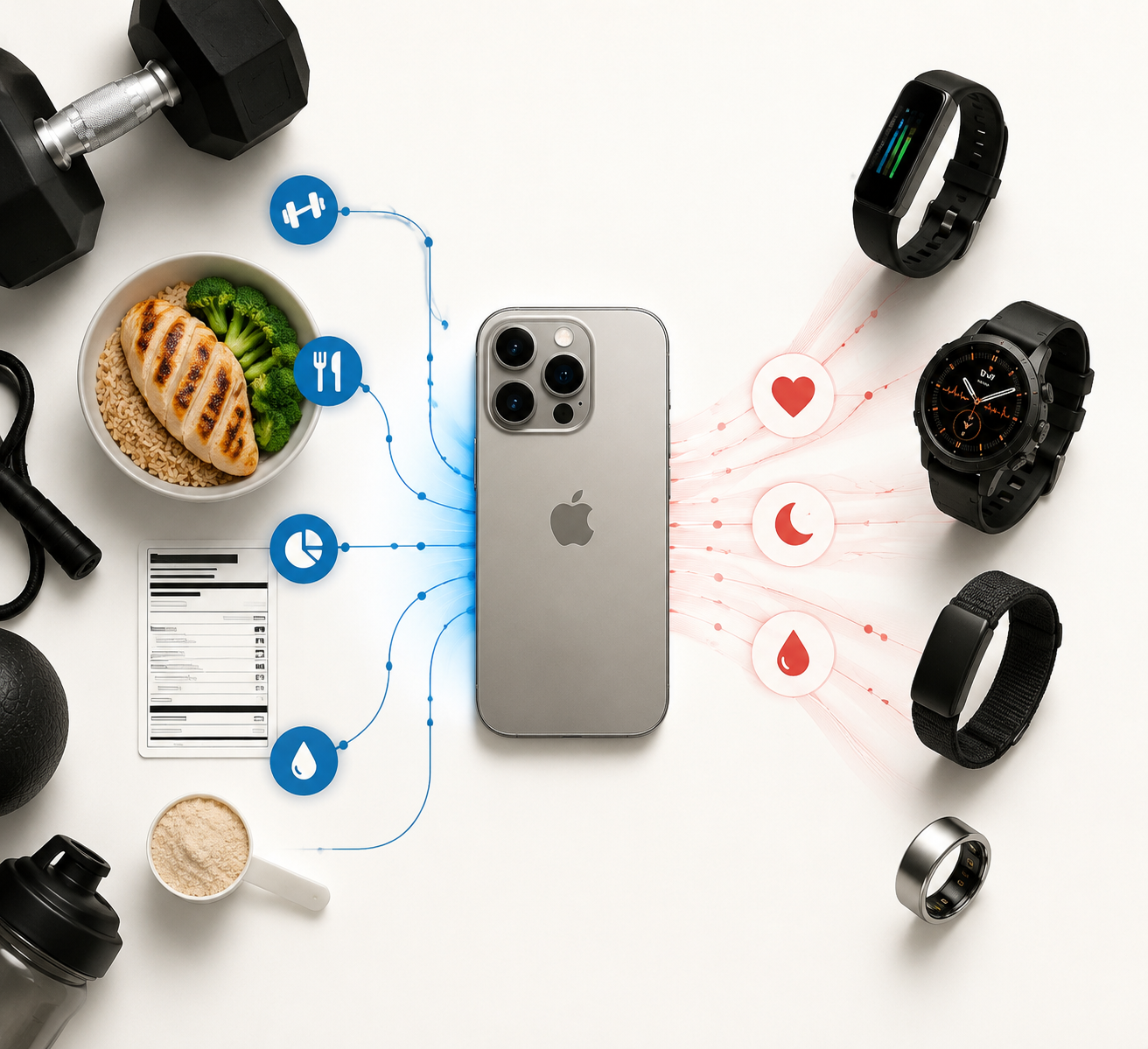
If you leave your fitness tracker on the dresser and carry only the iPhone 18 Pro, the day still ends with a usable movement log: steps, distance, estimated calories, a route map for outdoor activity, and, with iOS 27, a better chance that treadmill and gym-machine sessions land in the right place without manual cleanup. It can also scan packaged nutrition labels and rank what it sees. That is enough for a lot of casual tracking.
It is not enough if your tracker’s real job is continuous physiology. The iPhone 18 Pro, based on the iOS 27 information available in Q3 2026, still has no native heart-rate sensor, no overnight sleep staging, no HRV, no SpO2, no recovery score, and no stress tracking from the phone alone. The phone is becoming a better fitness hub. It is not becoming a wrist, finger, or chest sensor.
There is also a timing caveat. As of July 18, 2026, the iPhone 18 Pro has not been officially announced, and iOS 27 is still in developer beta. Apple could change feature names, supported devices, app behavior, or launch availability before public release. The comparison below treats the current iOS 27 beta reporting as the working feature set, not as a final Apple promise.
The Short Replacement Matrix
| Fitness job | Can the iPhone 18 Pro replace a tracker? | What changes with iOS 27 | Main caveat |
|---|---|---|---|
| Daily steps | Yes, for basic logging | Health and Fitness step counts finally sync | A phone only counts when it is carried |
| Outdoor walking and running distance | Mostly, for casual users | Improved route maps in Fitness | Dedicated GPS watches still suit training-heavy use |
| Treadmill distance | Partially | Improved treadmill distance accuracy and GymKit pairing | Best results need compatible equipment |
| Packaged-food nutrition checks | Partially | Camera-based label scanning and qualitative nutrition rankings | No cooked meals, restaurant food, unpackaged produce, or direct Health sync in the current beta |
| Gym cardio-machine data | Partially | GymKit pairing directly from iPhone for compatible treadmills, bikes, and ellipticals | Gym equipment support varies |
| Workout heart rate | No | No phone-only upgrade solves this | Requires Apple Watch, chest strap, ring, band, or other sensor |
| Sleep staging, HRV, SpO2, recovery, stress | No | No phone-only upgrade solves this | Requires continuous body-worn sensing |
| Multi-day battery fitness tracking | No | The iPhone remains a daily-charge device in normal use | Dedicated trackers commonly last multiple days |
Where the iPhone 18 Pro Actually Gets Better
The meaningful iOS 27 fitness upgrades are not exotic. They are the kind of fixes that matter because they remove annoying gaps: a treadmill run that used to need correcting, a gym machine that had better data than the phone, a label that used to require opening a separate food app, or a step count that did not match across Apple’s own apps.
Steps, Distance, and Estimated Calories
The iPhone can already use its motion sensors to estimate steps, distance, and calories when you carry it. PCMag’s iPhone workout-tracking guidance describes that phone-only baseline clearly: you can track workouts without an Apple Watch, but the data is built around motion and app logging rather than body-worn biometric sensing.[1]
iOS 27 improves the usefulness of that baseline by syncing step counts between the Health and Fitness apps. That sounds small until you have watched someone open one Apple app, then another, and ask why the same phone is telling two slightly different stories. It is a reliability catch-up, not a breakthrough, but reliability is exactly what keeps ordinary users from abandoning tracking after a few weeks.[2]
The limitation is physical. A phone in a bag, stroller, locker, cup holder, or kitchen counter is not measuring your body; it is measuring the movement of the object you remembered to carry. For someone who mostly wants a daily movement estimate, that may be fine. For someone trying to compare training load, recovery, or intensity, it is the wrong instrument.
Route Maps and Treadmill Sessions
iOS 27 also improves route tracking in the Fitness app and treadmill distance accuracy. That narrows one of the more practical gaps between phone-only tracking and a dedicated running watch for casual runners: the workout summary becomes less likely to feel like a rough sketch after the fact.[2]
This is where the iPhone can honestly win for some people. If your “training plan” is really a few walks, a weekend jog, and a treadmill session when the weather is bad, better route maps and better distance estimates may remove the last reason you were tolerating a second device. You still do not get the coaching depth or battery headroom of a Garmin, but you may not need those things.
GymKit Without the Watch
The more interesting gym change is GymKit on iPhone. Previously associated with Apple Watch, GymKit now works directly on iPhone 18 Pro in iOS 27, allowing pairing with compatible treadmills, bikes, and ellipticals for calorie, distance, and pace data sync. The reported compatible equipment ecosystem includes brands such as Peloton, Life Fitness, Matrix, and Technogym.[2]
That matters because cardio machines often know things the phone is guessing. A treadmill knows belt movement. A bike knows resistance and cadence data that the phone in your pocket cannot infer cleanly. If the iPhone can take that machine data directly, the workout record gets better without asking the user to become a data clerk.
The catch is compatibility. GymKit only helps when the machine supports it and the gym has actually deployed equipment that works with the feature. It does not make every treadmill smarter, and it does not add heart-rate data unless another sensor is involved.
Nutrition Label Scanning Is Useful, Narrow, and Easy to Overstate
The iOS 27 camera upgrade brings nutrition label scanning through Visual Intelligence. In the current beta coverage, the camera can read packaged food labels and assign qualitative rankings such as very low to very high. That is a real convenience upgrade for packaged foods, especially for someone comparing two items in a grocery aisle.[3]
It is not the same thing as full calorie tracking. Bento Bunny’s independent testing notes the important boundaries: it does not read cooked meals, restaurant food, or unpackaged produce, and it does not sync directly to the Health app in the current beta.[4]
So the fair replacement claim is limited. The iPhone 18 Pro may replace a separate barcode-or-label check for packaged foods. It does not replace a diet log for someone tracking meals across restaurants, home cooking, recipes, portions, macros, and daily calorie totals.
The Continuous-Monitoring Gap Has Not Moved
The hard line in this comparison is simple: the phone can improve event logging, but it cannot produce continuous body data without a body-worn sensor.
That means no native continuous heart rate. No sleep staging from the phone alone. No HRV trend. No SpO2 measurement. No recovery score based on overnight physiology. No stress tracking from wrist or finger signals. The iPhone can hold, display, and organize those metrics when a compatible device supplies them. It cannot create them just because iOS 27 has a smarter camera, better app sync, or improved route handling.[1]
This distinction is easy to blur because Apple is good at making the hub feel like the source. Health and Fitness can become the place where everything appears, and that is valuable. But the source still matters. A heart-rate graph needs a heart-rate sensor. Sleep staging needs overnight contact or another validated sensing method. HRV and recovery scores depend on repeated physiological readings, usually while the user is resting or asleep.
Apple Watch Series 11 is a useful reference point here, but only as a wearable benchmark. In CNET testing against a Polar H10 chest strap, Apple Watch Series 11 showed a 0.98% heart-rate error, about 1.40 BPM, and received a CNET Lab Award. That result says Apple can build an accurate wearable heart-rate tracker. It does not say the iPhone 18 Pro can measure heart rate by itself.[5]
The same caution applies to A20 Pro rumors. Reports around the iPhone 18 Pro’s A20 chip describe a move to a 2nm process and possible 25% to 30% power-efficiency gains, with on-device AI as a major beneficiary.[6][7] That could help with features such as nutrition parsing or smoother local analysis. It does not add an optical heart-rate sensor, a blood-oxygen sensor, or a skin-temperature sensor to the phone.
What Dedicated Trackers Still Do Better
The right comparison is not “wearables beat phones.” Some wearables are overkill, some are subscription traps for the wrong user, and some people simply hate wearing devices. The useful question is which unsolved job each tracker still handles after iOS 27.
| Device | Why it still exists after iOS 27 | Best fit | Tradeoff |
|---|---|---|---|
| Fitbit Charge 6 | Low-cost all-day basics: heart rate, SpO2, sleep score, stress management, 40 exercise modes, and about 7 days of battery | Someone who wants wearable health basics without buying a full smartwatch | Smaller screen and less training depth than premium watches |
| Garmin Forerunner 970 | Training-focused battery and metrics: route mapping, training readiness, and about 15 days of battery | Runners and endurance users who care about training decisions | Much higher upfront price |
| Whoop 5.0 | Recovery and strain tracking with no screen and about 14 days of battery | Someone who wants passive physiology tracking, not another display | Subscription model |
| Oura Ring 5 | Discreet 24/7 wear, sleep-oriented tracking, 50+ metrics, and about 8 days of battery | Someone who dislikes watches but wants overnight and recovery data | Ring sizing, subscription cost, and less workout-screen utility |
| Apple Watch Series 11 | High-quality heart-rate tracking inside Apple’s ecosystem | iPhone users who want the most seamless wearable companion | Still another device to charge and wear |
The Fitbit Charge 6 remains the obvious counterpoint to phone-only tracking because it is not trying to be a luxury training computer. CNET, PCMag, and Forbes Vetted list it around the low-cost tracker tier, with roughly a 7-day battery, 40 exercise modes, heart rate, SpO2, sleep score, and stress-management features.[8][9][10] The iPhone can beat it as a screen, camera, and app hub. It cannot sit on your wrist overnight and collect the same physiological stream.
The Garmin Forerunner 970 is a different benchmark. At about $750, it is not competing with the iPhone as a casual step counter. It is competing as a training tool, with route mapping, training readiness, and about 15 days of battery life.[8][9][10] If you care whether today should be intervals, an easy run, or rest, the iPhone is mostly the place where data might be reviewed afterward.
Whoop 5.0 keeps its reason for existing by ignoring the thing the iPhone is best at: the screen. Its recovery and strain model is built around passive wear, a subscription of about $239 per year, and roughly 14 days of battery life.[8][9][10] That is not a universal recommendation; plenty of people do not need a paid recovery dashboard. But if that is the job, a phone in your pocket cannot do it alone.
Oura Ring 5 is the discreet 24/7 option in this comparison. The reported pricing is about $349 plus about $70 per year, with roughly 8 days of battery life and more than 50 tracked metrics.[8][9][10] Its advantage is not gym-machine syncing or route display. It is that many people will wear a ring to bed when they would not wear a watch.
Cost and Battery Only Matter After the Capability Question
If you are already buying an iPhone 18 Pro, the phone-only argument is attractive: no extra wearable purchase, no extra charger, no extra band, no extra subscription, and no second dashboard begging for attention. For casual movement logs, that is a perfectly reasonable win.
But price comparisons get misleading if the cheaper setup cannot measure the thing you care about. A $150-class tracker can be a better value than “free” phone-only tracking if your real need is sleep score, overnight heart-rate trends, SpO2, or stress data. A $750 Garmin can be excessive for a walker and sensible for a runner who uses training readiness and route tools every week. A Whoop or Oura subscription can be either useful behavioral feedback or an expensive way to collect metrics you rarely open.
Battery follows the same rule. The iPhone is a daily-use computer that also tracks fitness. Dedicated trackers in this comparison run in the rough range of 7 to 15 days depending on model and usage.[8][9][10] That gap matters most when tracking needs to continue overnight, through travel, or across long training blocks without charging becoming another habit to manage.
Who Can Skip the Wearable?
The iPhone 18 Pro can replace a dedicated tracker for someone whose fitness record is mainly casual movement: daily steps, walking distance, occasional runs, estimated calories, packaged-food label checks, and gym cardio sessions on compatible equipment. iOS 27 makes that version of tracking smoother, especially because the data has a better chance of appearing automatically and consistently.
It can partially replace a tracker for treadmill users, grocery-label checkers, and casual runners who want better logs but do not need physiology. This is the middle ground where iOS 27 matters most. The phone is not pretending to be a recovery coach; it is reducing the number of small corrections that used to make phone-only tracking feel unfinished.
It cannot replace a tracker for anyone relying on continuous heart rate, workout intensity by heart-rate zone, sleep staging, HRV, SpO2, recovery, stress, or multi-day passive monitoring. For those jobs, the iPhone remains the hub. The wearable remains the sensor.
References
- No Apple Watch? No Problem, PCMag
- iOS 27: All the New Health and Fitness Features, MacRumors
- iOS 27 Camera App to Get 'Siri' Mode With Nutrition Label Scanning, MacRumors, April 29, 2026
- iOS 27 Food & Calorie Tracking: What's New, Bento Bunny
- I Ran 30 Miles With 5 Smartwatches, CNET
- iPhone 18 Pro A20 Chip Rumors, Gadget Hacks
- iPhone 18 Pro's New A20 Chip Rumored to Bring Two Major Upgrades, 9to5Mac, May 8, 2026
- Best Fitness Trackers of 2026, CNET
- Best Fitness Trackers, PCMag
- Best Fitness Trackers, Forbes Vetted
Comments
Join the discussion with an anonymous comment.