You are dressed, shoes tied, and already half-committed to the workout. The only question left is what to open on your phone before you start. For most dedicated sessions, the answer is simpler than the wearable ads make it sound: use GPS for runs and rides, a real strength log for lifting, a camera or guided app for bodyweight work, and a basic activity app if you only want light daily movement tracking.
That does not make a smartwatch useless. A watch is better when you want wrist convenience, passive heart-rate trends, recovery-style dashboards, or continuous health monitoring without touching your phone. But if the actual job is to finish a run with a mapped route, leave the gym with sets and weights recorded, or complete a home workout without losing count, a phone can do the work. In some cases, especially manual lifting logs and camera-based rep tracking, it can do it better.
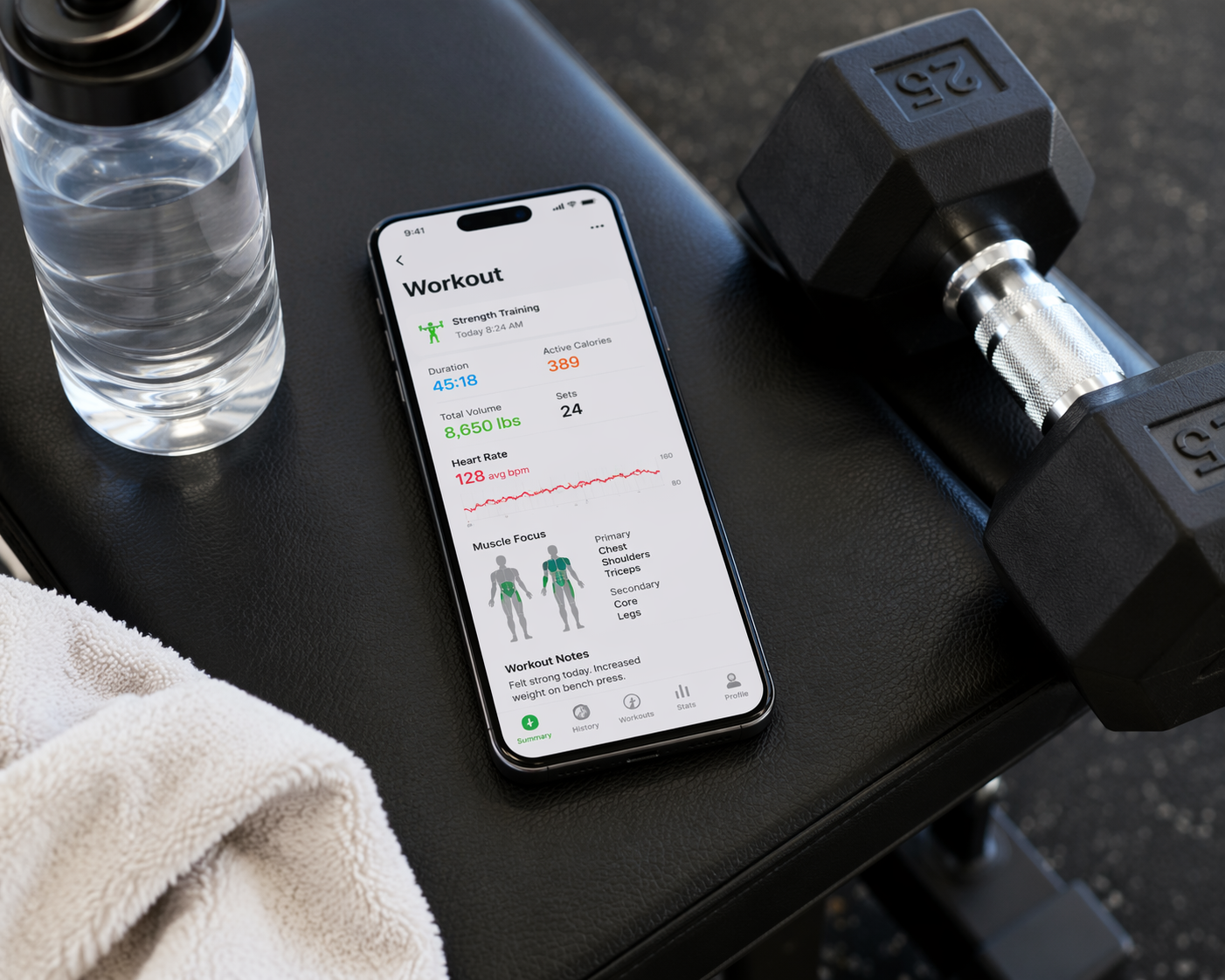
There is also a large practical audience for this. One 2024 market estimate reported that 59% of U.S. and Canada respondents did not own a wearable, while global smartwatch penetration was estimated at about 8%; those figures are directional rather than a live 2026 ownership count, but they match the everyday reality that many people already own the most important workout-tracking device: a smartphone [1].
Start With What the Workout Needs to Remember
The cleanest way to track workouts without a smartwatch is not to hunt for one app that does everything. It is to decide what the session needs to remember.
| Workout type | What matters most | Phone-first method |
|---|---|---|
| Running or cycling | Route, distance, pace, time, splits | GPS app such as Strava, Nike Run Club, or MapMyRun |
| Strength training | Exercises, sets, reps, weight, rest time, progression | Manual logging app such as Hevy, Strong, JEFIT, Setgraph, Caliber, or Fitbod |
| Bodyweight or home workouts | Rep count, exercise order, form cues, guided sessions | Camera-based app such as Fitnit or guided library such as Nike Training Club |
| Light daily activity | Steps, movement minutes, basic activity goals | Google Fit or the iPhone Fitness app |
That split matters because a smartwatch is usually sold as one device for everything, while phone tracking works best when the app matches the session. A run wants GPS. A barbell session wants fast set entry. A push-up workout wants either a good counter or a coach on screen. Treating those as the same problem is how people end up with beautiful dashboards and incomplete workout logs.
Running and Cycling: Phone GPS Is Already Good Enough for Most Routes
For runs and rides, the phone is doing the same basic job people buy many watches for: GPS route tracking. Lifehacker’s comparison found phone GPS to be within about 0.1 mile of dedicated running watches, which is close enough for ordinary training logs, route history, and pace checks for most recreational runners [2].
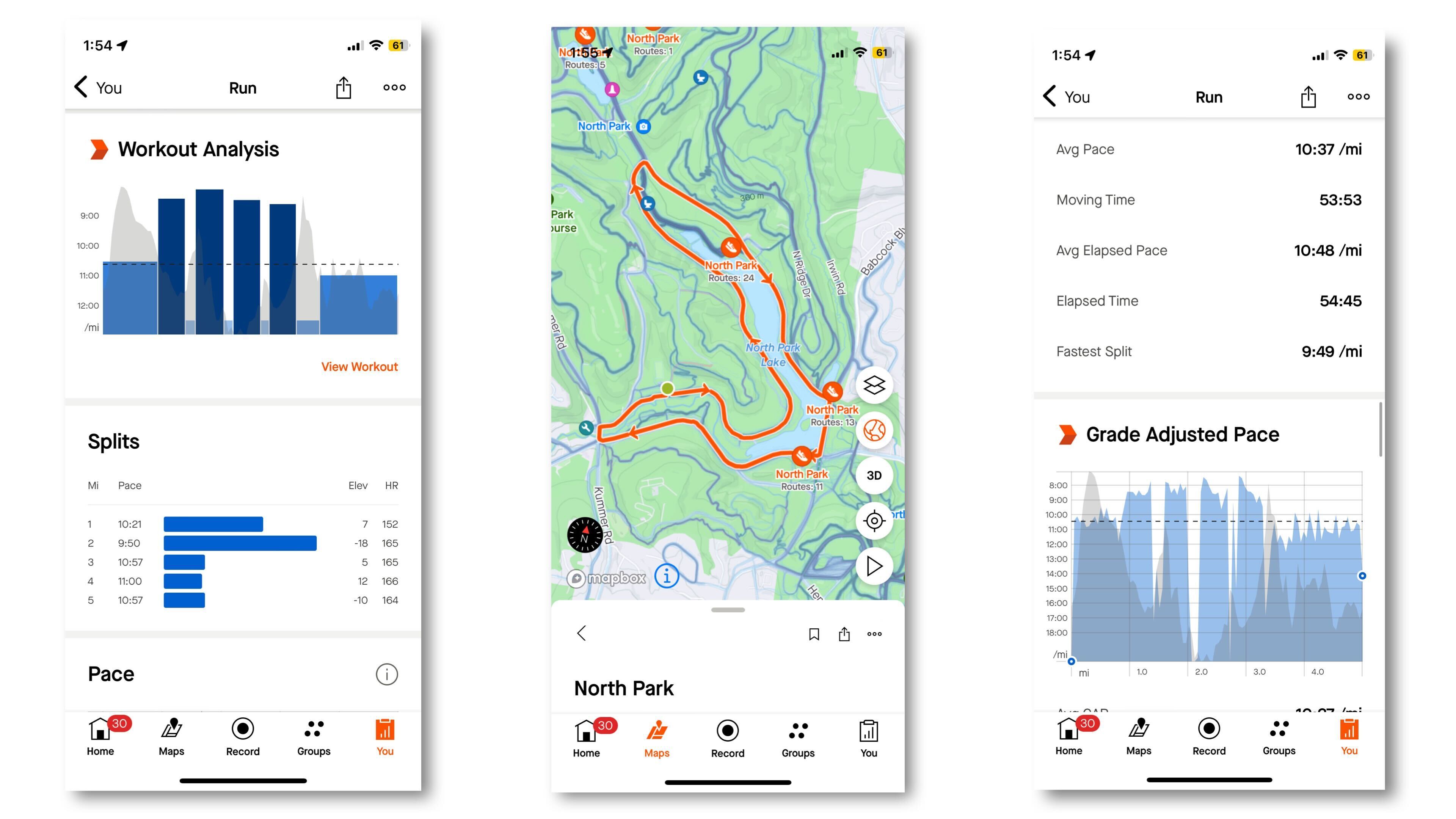
Strava is the obvious starting point if you want a route map, pace and distance history, segment challenges, and a social feed. Its free tier covers GPS tracking and route mapping, so it handles the basic “where did I go and how fast was I?” question without a watch [2]. It is strongest if you care about comparing routes over time or seeing what friends are doing.
Nike Run Club is better if you want the phone to talk you through the run. It offers GPS tracking, guided runs, audio coaching, and challenges for free, which makes it friendlier for beginners or anyone who likes structure without building a formal training plan first [3]. MapMyRun is another free option for GPS tracking, route discovery, and audio feedback, and it suits runners who care less about Strava’s social layer and more about finding or repeating routes [3].
The tradeoff is not accuracy as much as convenience. A watch lets you glance at pace without pulling out a phone. With phone-only tracking, you either listen to audio cues, check at stops, use an armband, or accept that the screen is not always visible. For steady easy runs, that is barely a problem. For interval work where you want split feedback every few seconds, the wrist screen starts to earn its place.
A Simple Phone Setup for Runs
- Use Strava if you want route history, segments, and a social training log.
- Use Nike Run Club if you want guided audio runs and coaching prompts.
- Use MapMyRun if route discovery and audio feedback matter more than social features.
- Turn on audio updates before the run so you are not fishing for your phone at mile two.
- For longer sessions, start with a charged phone and avoid unnecessary screen-on time.
Strength Training: A Phone Log Can Beat a General Smartwatch
Lifting exposes the weakness of many general-purpose wearables. A watch can record a “strength training” session, estimate exertion, or track heart rate, but the important question after a serious gym session is usually more specific: what did you lift, for how many reps, across how many sets, and did it improve from last time?
That is where a phone log is hard to beat. Hevy’s free tier includes an exercise library, rest timer, progress graphs, and social sharing, while Strong focuses on a clean interface for set, rep, and weight logging with a rest timer [4][5]. Both are better suited to progressive overload than a generic watch workout screen because the log is the workout, not an afterthought.
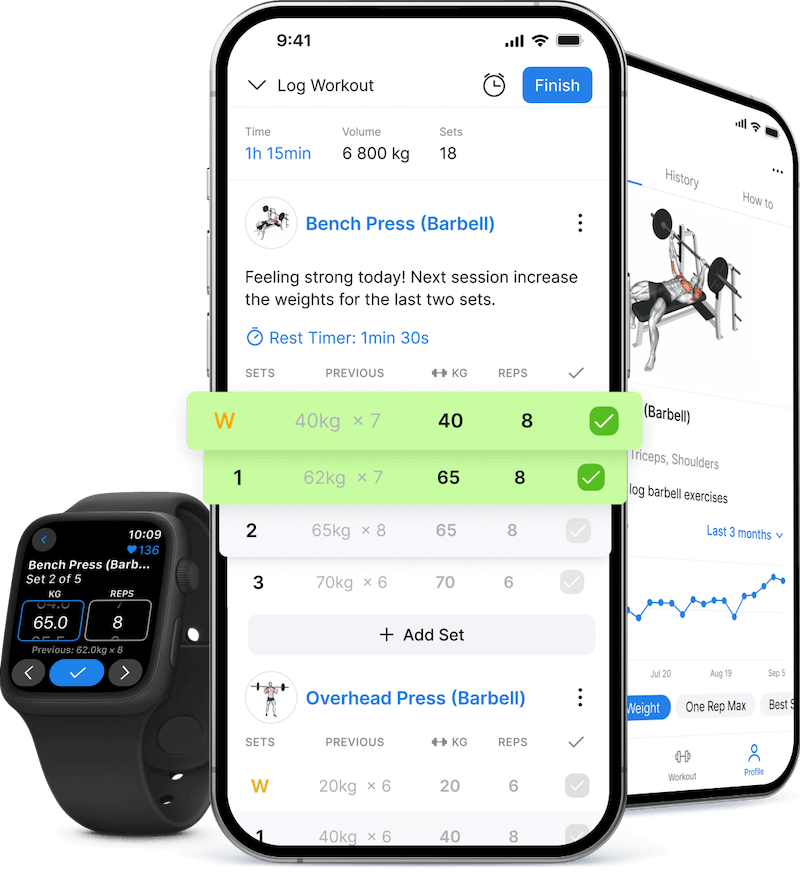
JEFIT is useful if you want a large exercise database and plans; Garage Gym Reviews lists it with a 1,300-plus exercise database, workout plans, and detailed logging [4]. Caliber’s free tier is more program-oriented, with video demos, logging, and workout programs [4]. Setgraph focuses on set, rep, and weight logging with progression tracking, which makes it a good fit for lifters who want the record to stay lean and performance-centered [6].
Fitbod sits in a slightly different lane. It is a paid app that uses logged history to generate workouts, so it is more appealing if you want the app to suggest what to train next rather than simply record what you already planned [5]. That can be valuable, but it is not required for basic workout tracking.
| If you lift like this | Start here | Why |
|---|---|---|
| You already have a routine | Hevy or Strong | Fast manual set, rep, weight, and rest tracking |
| You want a big exercise library | JEFIT | Large database plus workout plans |
| You want simple progression tracking | Setgraph | Lean logging centered on performance over time |
| You want demos and programs | Caliber | Free programs, video demos, and logging |
| You want workout suggestions | Fitbod | Paid AI-generated workouts based on logged history |
The practical advantage is immediate. Instead of trying to remember whether the last dumbbell row set was 12 reps or 15, you enter it before you move on. Instead of guessing next week’s working weight, you look at the last completed sets. A smartwatch may be more convenient on your wrist, but a phone keyboard and a purpose-built strength log are usually more honest about what lifting progress actually requires.
Bodyweight and Home Workouts: The Phone Has a Camera, and That Changes the Job
Home workouts are where the phone makes its strongest case. A wrist tracker can detect movement and record a workout, but it cannot watch a push-up from across the room. Fitnit uses the phone camera and AI to count reps and provide form feedback for bodyweight exercises, which is a different capability from wrist-based tracking rather than a cheaper version of it [7].
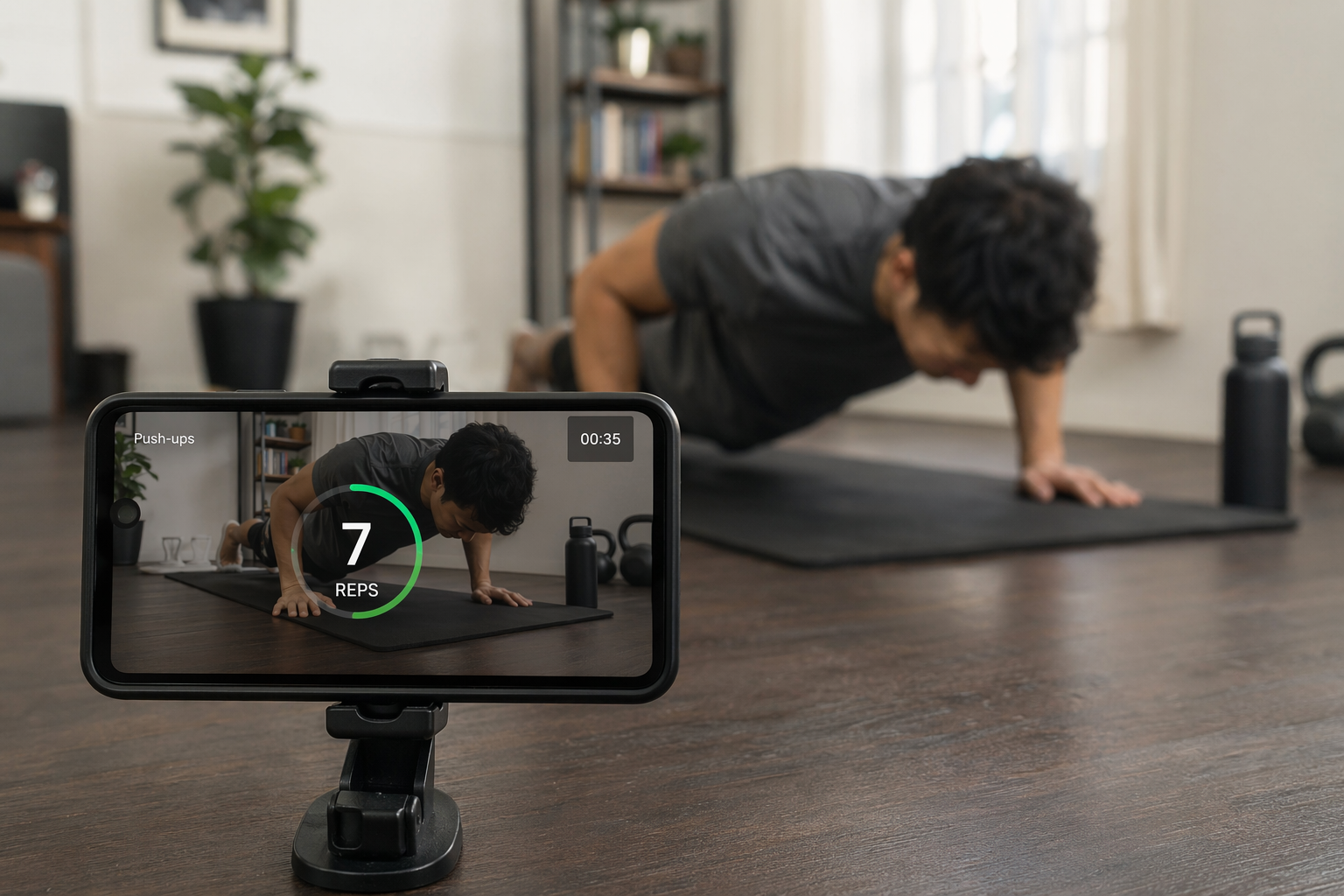
That does not turn the camera into a coach standing beside you. Lighting, camera angle, body visibility, and phone stability all matter. But for the ordinary problem of losing count during push-ups, squats, lunges, or other bodyweight sets, camera-based counting is exactly the kind of tracking a watch is poorly positioned to do.
Nike Training Club solves a different home-workout problem: knowing what to do next. It has been completely free since 2020 and includes more than 10 workout categories with certified instructor-led video sessions and no subscription [3][4]. If the workout is guided from the start, tracking is partly built into the session structure; you follow the video, complete the blocks, and keep the record in the app instead of improvising from a saved screenshot.
For bodyweight training, the choice is mostly about whether you need counting or instruction. If you already know the workout and keep losing reps, try Fitnit. If you want a class-style session, start with Nike Training Club. If your routine mixes bodyweight and dumbbells, a strength log such as Hevy or Strong may still be the better home base, with camera counting used only for exercises where it helps.
Light Daily Activity: Use the Built-In Stuff Before Buying Hardware
Daily activity tracking is the place to be more careful with expectations. A phone can count steps and estimate movement when it is with you. It cannot measure your whole day from the kitchen counter.
Google Fit is free on Android and iOS and can track steps, Heart Points, and activity using phone sensors [8]. On iPhone, the built-in Fitness app works without an Apple Watch on iOS 16 and later, using the phone’s motion sensors for ring-style activity tracking [3]. That is enough if you want a basic nudge to move more. It is not the same as wearing a sensor all day.
This boundary is important. Phone-first tracking is excellent for sessions you intentionally start and stop. It is weaker for passive data. If you want all-day heart-rate trends, overnight recovery metrics, or continuous health-style monitoring, a smartwatch or fitness band is doing a different job.
Free and Paid App Choices at a Glance
App pricing changes often, so treat this as a practical starting point rather than a permanent price sheet. The important part is that the core phone-first setup does not require a $200 to $500 wearable purchase.
| App | Best for | Free option | Why use it without a smartwatch |
|---|---|---|---|
| Strava | Running and cycling routes | Yes | GPS tracking, route maps, segments, and social logs |
| Nike Run Club | Guided running | Yes | GPS tracking plus audio coaching and guided runs |
| MapMyRun | Route discovery and audio feedback | Yes | GPS tracking with route tools |
| Hevy | Strength logging | Yes | Exercise library, rest timer, progress graphs, and set logging |
| Strong | Simple lifting logs | Yes | Clean set, rep, weight, and rest tracking |
| JEFIT | Exercise database and plans | Yes | Large database, plans, and detailed logging |
| Setgraph | Progression-focused lifting | Yes | Set, rep, weight, and progression tracking |
| Caliber | Programs and demos | Yes | Video demos, programs, and logging |
| Fitbod | Generated strength workouts | Paid | Uses logged history to suggest workouts |
| Fitnit | Bodyweight rep counting | Yes | Phone-camera rep counting and form feedback |
| Nike Training Club | Guided home workouts | Yes | Free instructor-led video workouts |
| Google Fit | Basic daily activity | Yes | Steps, Heart Points, and activity tracking from phone sensors |
| Apple Fitness app | Basic iPhone activity tracking | Built in | Ring-style activity tracking without Apple Watch on iOS 16+ |
Make Phone Tracking Less Annoying
The phone-only setup succeeds or fails in small details. Nobody wants to interrupt a good set because the screen locked, the app lost GPS, or a text message covered the timer.
- For GPS workouts, start the app outside or near a window, wait for the route to lock in, and keep the phone secure in a belt, pocket, vest, or armband.
- For long runs or rides, charge before you leave, reduce screen brightness, and consider battery saver settings if they do not interfere with GPS recording.
- For lifting, build or save the routine before the session so logging takes a few taps instead of becoming admin work between sets.
- For camera-based rep counting, prop the phone on a stable stand, keep the full body in frame, use good lighting, and test the angle before the working set.
- For guided workouts, download or preload anything you can if your gym, garage, or basement has unreliable signal.
- For every workout, turn on Do Not Disturb or a workout focus mode so the phone behaves like equipment, not a conversation machine.
The best phone setup is the one that disappears once the session starts. Open the right app, put the phone where it needs to be, and let it record the thing that actually matters for that workout.
So, Do You Need a Smartwatch?
If your goal is dedicated workout tracking, probably not. Runners can start with Strava or Nike Run Club. Lifters can start with Hevy or Strong. Home workout users can start with Nike Training Club for guided sessions or Fitnit for camera-based rep counting. Casual activity trackers can use Google Fit or the iPhone Fitness app if their platform supports it.
A smartwatch becomes worth considering when the phone feels like the wrong form factor: you want a wrist glance during intervals, continuous passive metrics, all-day heart-rate-style monitoring, or fewer reasons to carry the phone during exercise. Those are legitimate reasons. They are just not proof that serious workout tracking begins with another device.
References
- Smart Wearables Statistics, Market.us Scoop, https://scoop.market.us/smart-wearables-statistics/
- How to Track Runs Without a Fitness Watch or App, Lifehacker, https://lifehacker.com/health/how-to-track-runs-without-fitness-watch-or-app
- No Apple Watch? No Problem. Track Workouts With Your iPhone, PCMag, https://www.pcmag.com/how-to/no-apple-watch-no-problem-track-workouts-with-iphone
- Best Free Workout Apps, Garage Gym Reviews, https://www.garagegymreviews.com/best-free-workout-apps
- Best Way to Track Workouts, Fitbod, https://fitbod.me/blog/best-way-to-track-workouts/
- Best App to Log Workout: Tested by Lifters, Setgraph, https://setgraph.app/ai-blog/best-app-to-log-workout-tested-by-lifters
- Best Workout Tracker Apps No Wearable 2026, Fitnit, https://fitnitapp.com/blog/best-workout-tracker-apps-no-wearable-2026
- Best Fitness Tracker Apps, Appiod, https://appiod.com/best-fitness-tracker-apps/
Comments
Join the discussion with an anonymous comment.