
If your thumb starts aching after long scrolls, the useful answer is not “never use your phone again.” Most people cannot do that. Work messages, family logistics, banking, photos, maps, rides, and fitness apps all live there. The better first move is to check what kind of thumb pain you are dealing with, then use a short routine that does not irritate it further.
The need is real, even if the research is not perfectly matched to every reader. In a 2024 cross-sectional study of 811 participants, 39.7% reported thumb or wrist pain, and phone use above 5 hours per day was significantly associated with pain; among those with pain, 86.34% did not seek medical treatment.[1] That study was conducted in Saudi Arabia, so it should not be treated as a precise U.S. prevalence estimate. It does show the practical gap: a lot of heavy phone users hurt, and many try to manage it on their own.
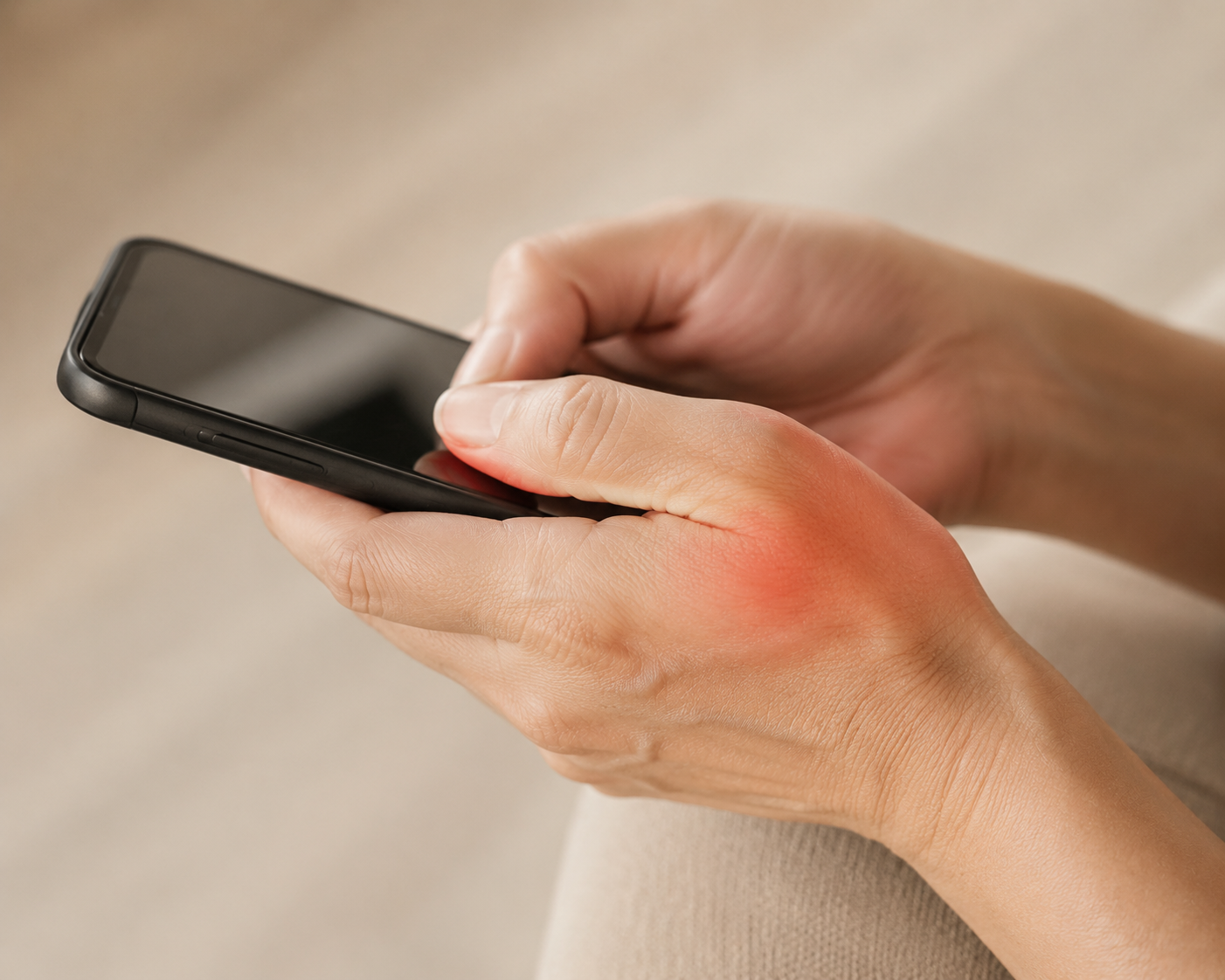
Before You Stretch: Two Quick Self-Checks
Do these before the five-minute routine. They are not a diagnosis, and they do not replace an exam, but they help you avoid treating every thumb complaint as the same problem.
Check 1: Sharp pain at the thumb base
Make a gentle fist with your thumb tucked inside your fingers. Slowly bend your wrist toward the pinky side. Sharp pain near the base of the thumb or along the thumb-side wrist can suggest a De Quervain’s-type pattern, the kind often aggravated by gripping, lifting, or repeated thumb motion.[2][3]
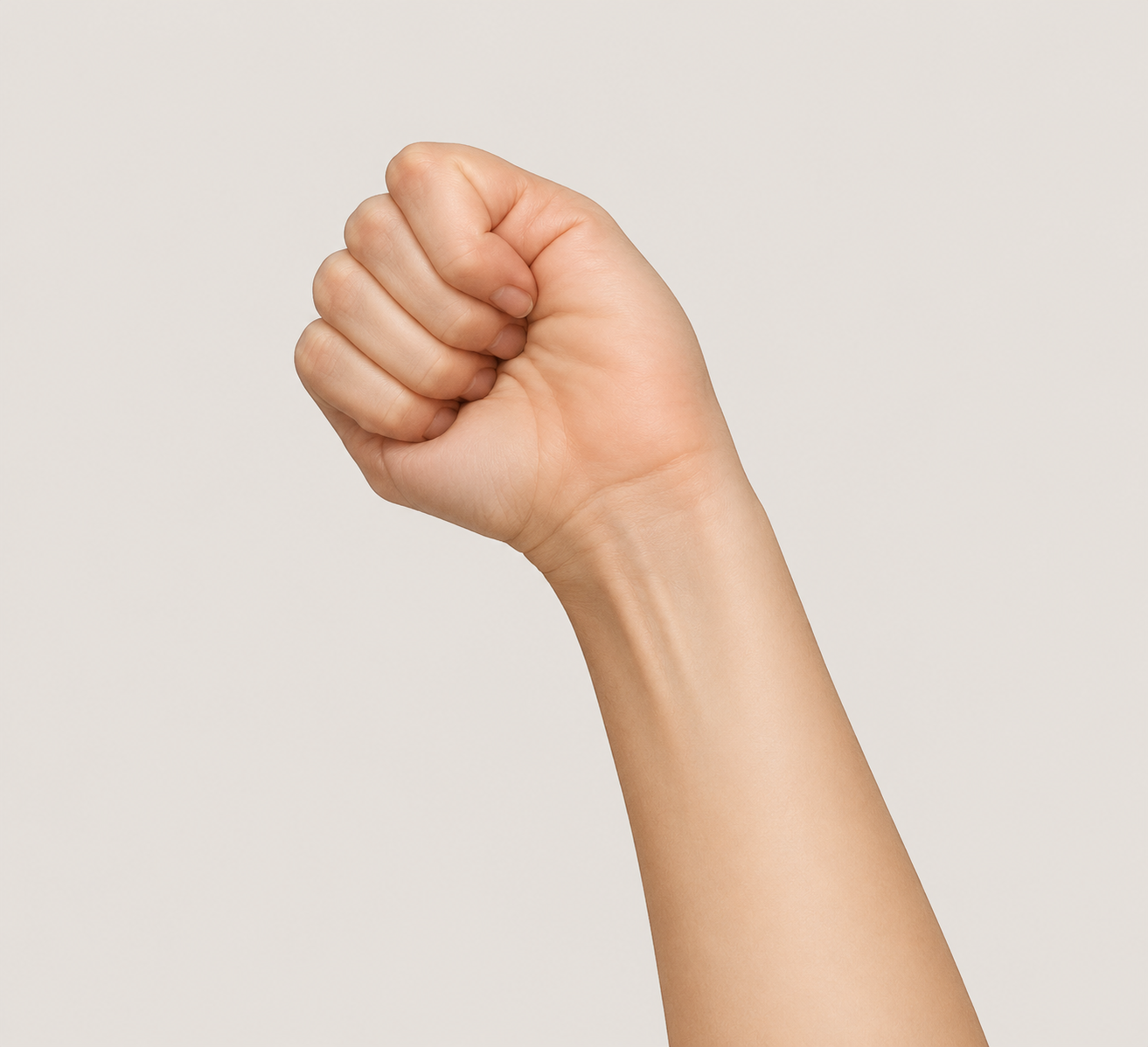
Use common sense with this test: do not force the wrist into a hard stretch. If the test produces a clear, sharp pain, keep the routine gentle and skip any movement that recreates that pain. The goal today is to calm and load the area lightly, not to prove how much range you have.
Check 2: Clicking or locking
Now bend and straighten your thumb slowly. If it clicks, catches, locks, or needs help from your other hand to release, that points more toward a trigger-thumb pattern than a simple sore-thumb-from-scrolling pattern.[4][5]
Mild clicking without pain is different from a thumb that locks and will not straighten on its own. If locking is getting worse, or the thumb has to be pulled open, treat that as a reason to book care rather than as something to stretch through.
The 5-Minute Routine
This routine combines individual exercises used in physical therapy and medical guidance for texting-related thumb pain, De Quervain’s-type irritation, and trigger-thumb mobility work. No single source tests this exact five-minute sequence as one packaged protocol, so treat it as a practical home routine, not a guaranteed cure.
| Minute | Exercise | Dose |
|---|---|---|
| 0:00-1:00 | Isometric thumb abduction | Hold 10 seconds, 5 reps each side |
| 1:00-2:00 | Thumb opposition stretch | Hold 15 seconds, 3 reps each side |
| 2:00-3:00 | Passive thumb extension stretch | Hold 15 seconds, 3 reps each side |
| 3:00-4:00 | Hand tendon glides | 5 slow rounds each hand |
| 4:00-5:00 | Wrist extensor stretch | Hold 30 seconds each side |
Keep the effort light: a stretch or working sensation around 2 to 3 out of 10 is acceptable. Sharp pain, spreading numbness, increasing locking, or pain that lingers after the routine means you should stop that exercise.
1. Isometric Thumb Abduction
Hold one hand palm-up. Rest the fingers of your other hand against the outside of the sore thumb. Try to move the thumb sideways away from the palm while the other hand gently blocks it. Nothing big should move; the thumb is working against steady resistance. Hold for 10 seconds, relax, and repeat 5 times. Switch hands, even if only one side hurts, so you notice side-to-side differences without overworking the sore side. Hinge Health describes this isometric thumb-abduction pattern as part of a texting-thumb exercise approach.[6]
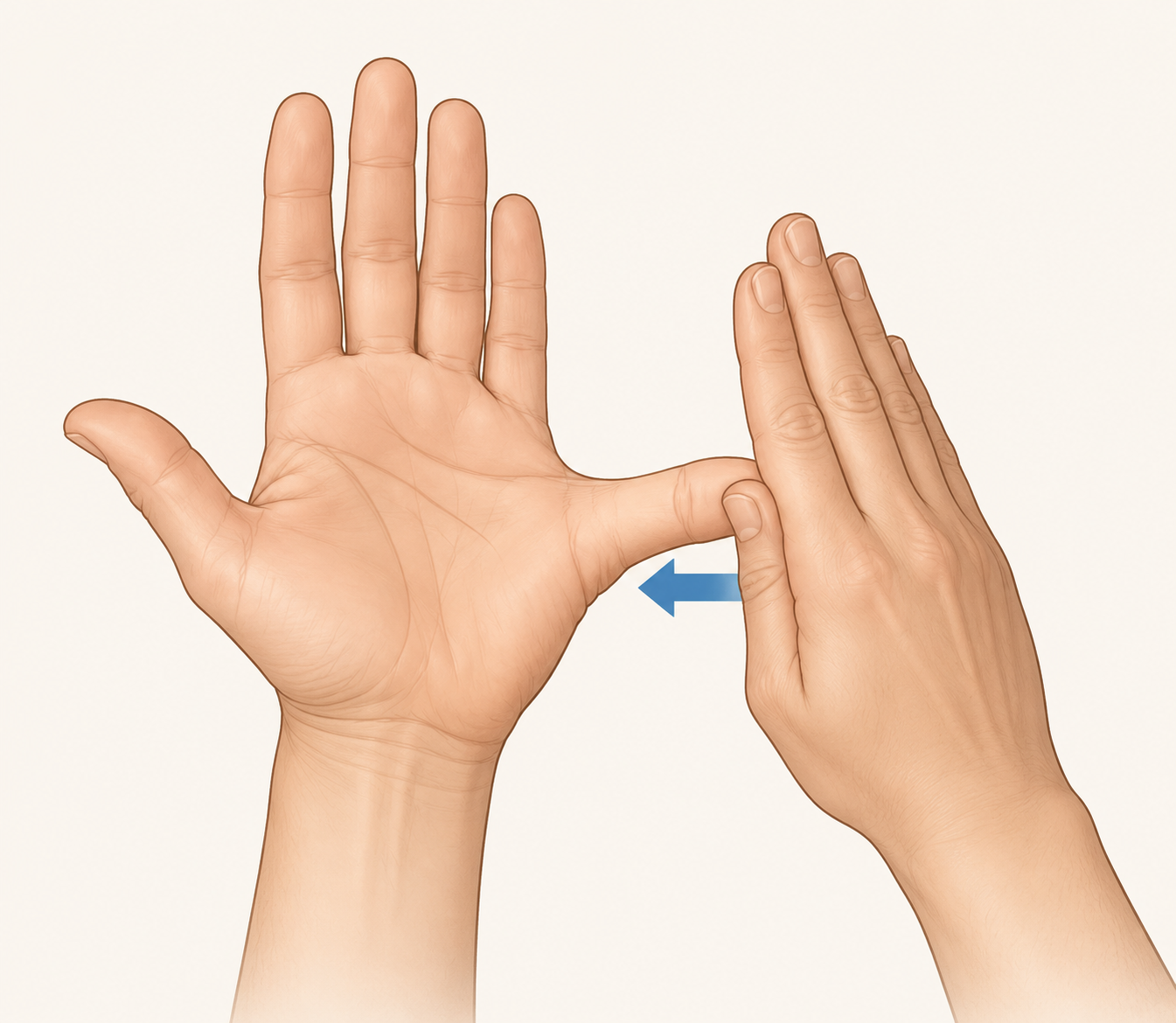
Pressure cue: use about the amount of force you would use to press a phone button, not the amount you would use to open a tight jar. If the base of the thumb feels sharp or hot, cut the pressure in half or skip this move for the day.
2. Thumb Opposition Stretch
Touch the tip of your thumb toward the base of your pinky on the same hand. Do not jam it down. Hold for 15 seconds, then release. Repeat 3 times on each hand.
This should feel like a gentle opening through the thumb and palm. If your thumb clicks on the way in or out, slow the movement down and reduce the range. A clicking thumb does not need a bigger stretch; it needs less irritation.
3. Passive Thumb Extension Stretch
Open your hand. With the other hand, gently guide the thumb back and slightly away from the palm until you feel a mild stretch. Hold for 15 seconds, then release. Do 3 reps each side. WebMD describes a similar passive thumb stretch in its guidance on avoiding texting thumb.[4]
Do not pull the thumb as far as it can go. For phone-related soreness, the useful range is usually the first comfortable stretch, not the final degree of motion.
4. Hand Tendon Glides
Move through four hand positions: straight fingers, hook fist, straight fist, and full fist. Pause briefly in each shape, then open back to straight fingers. Complete 5 slow rounds on each hand. The [P]rehab protocol uses this type of tendon-glide sequence for text-thumb exercises.[3]
- Straight fingers: hand open, fingers together, wrist neutral.
- Hook fist: bend the middle and end finger joints while keeping the knuckles more open.
- Straight fist: bend at the knuckles while keeping the fingertips relatively straight.
- Full fist: curl the fingers gently into the palm without squeezing hard.
The thumb can rest comfortably during the sequence. If you have a trigger-thumb pattern, do not repeatedly force the thumb through a click while doing the finger glides.
5. Wrist Extensor Stretch
Extend one arm in front of you with the palm facing down. With the other hand, gently bend the wrist downward until you feel a stretch along the top of the forearm. Hold for 30 seconds, then switch sides. Hinge Health includes this wrist extensor stretch in its texting-thumb exercise guidance.[6]
Keep the shoulder relaxed and the elbow comfortable. If bending the wrist downward recreates sharp thumb-base pain from your self-check, reduce the angle or stop the stretch.
When to Do It and How to Progress
Start with once daily, preferably before your phone use ramps up: after waking, before coffee, or before the first long work block. If your thumb feels stiff after a long phone session, repeat one or two of the gentler pieces rather than forcing the whole routine again. WebMD notes that daily thumb stretching may be done repeatedly for acute relief, but that does not mean every irritated thumb needs aggressive stretching all day.[4]
A reasonable improvement window is 2 to 4 weeks of consistent, non-provocative work. “Improvement” should mean one or more of these: less aching after scrolling, less sharpness with gripping, fewer clicks, easier opening and closing, or symptoms that settle faster once you put the phone down. It does not have to mean the thumb feels perfect.
Once pain has clearly settled, you can make the first exercise slightly harder. Place a light elastic band around the thumb and fingers, then press the thumb outward into the band and hold, using the same 10-second hold and 5-rep dose. WebMD describes adding resistance after symptoms improve.[4]
Do not progress on a day when the thumb is already irritated. Resistance should feel like a controlled hold, not a test of how much force the thumb can tolerate.
Small Phone Changes That Support the Routine
You do not have to quit your phone for this routine to be worth doing. You do need to stop feeding the exact motion that hurts all day.
- Use two hands for long typing sessions instead of making one thumb do all the reach.
- Move apps you tap constantly closer to the center of the screen.
- Use voice input for longer messages when your thumb is flared.
- Take the phone out of a tight one-handed grip before scrolling for a long time.
- After a long scroll, do the tendon glides or wrist stretch instead of waiting for the ache to build.
When Home Exercise Is Not Enough
Keep the daily routine if symptoms are improving and the exercises do not leave you sorer afterward. Progress gently only after pain has settled.
Seek care if pain persists beyond two weeks despite consistent, gentle work; if locking worsens; if the thumb needs the other hand to release; or if numbness appears. Cedars-Sinai and Yale Medicine both frame persistent pain, locking, and nerve-like symptoms as reasons to get medical evaluation rather than continuing to self-manage.[2][5]
References
- Prevalence of thumb and wrist pain among smartphone users, PMC, 2024, link
- Texting Thumb, Cedars-Sinai, link
- Text Thumb Exercises, [P]rehab, link
- How to Avoid Texting Thumb, WebMD, March 2026, link
- Is There a Link Between Hand Pain and Your Smartphone Use?, Yale Medicine, link
- Texting Thumb: Causes, Symptoms, and Exercises, Hinge Health, link



Comments
Join the discussion with an anonymous comment.