
The Fork in the Road: One Machine or a Room Full of Gear?
If you are building a home gym with a budget between $1,500 and $3,500, you will eventually face a question that splits the community: do you buy a single all-in-one machine that handles everything, or do you assemble a modular setup of separate pieces — a rack, a barbell, plates, a bench, and maybe a functional trainer? This is not a trivial preference question. It determines how much floor space you need, how easy it is to upgrade later, what your resale options look like, and even how smooth your cable exercises feel.
The core thesis is straightforward but requires a threshold. If your available training area is under 40 square feet, an all-in-one machine is almost certainly the better choice. It consolidates multiple stations into a single footprint, requires no decisions about which piece to buy next, and gets you training faster. If you have a dedicated room or garage space larger than 40 square feet and you plan to train consistently for more than a year, a modular separate approach delivers higher-quality components, a clear upgrade path, and better resale value. This is the most active debate on r/GarageGym, and for good reason — both paths work, but they work for different people.
The Case for All-in-One: Space Savings, Simplicity, and Guided Movement
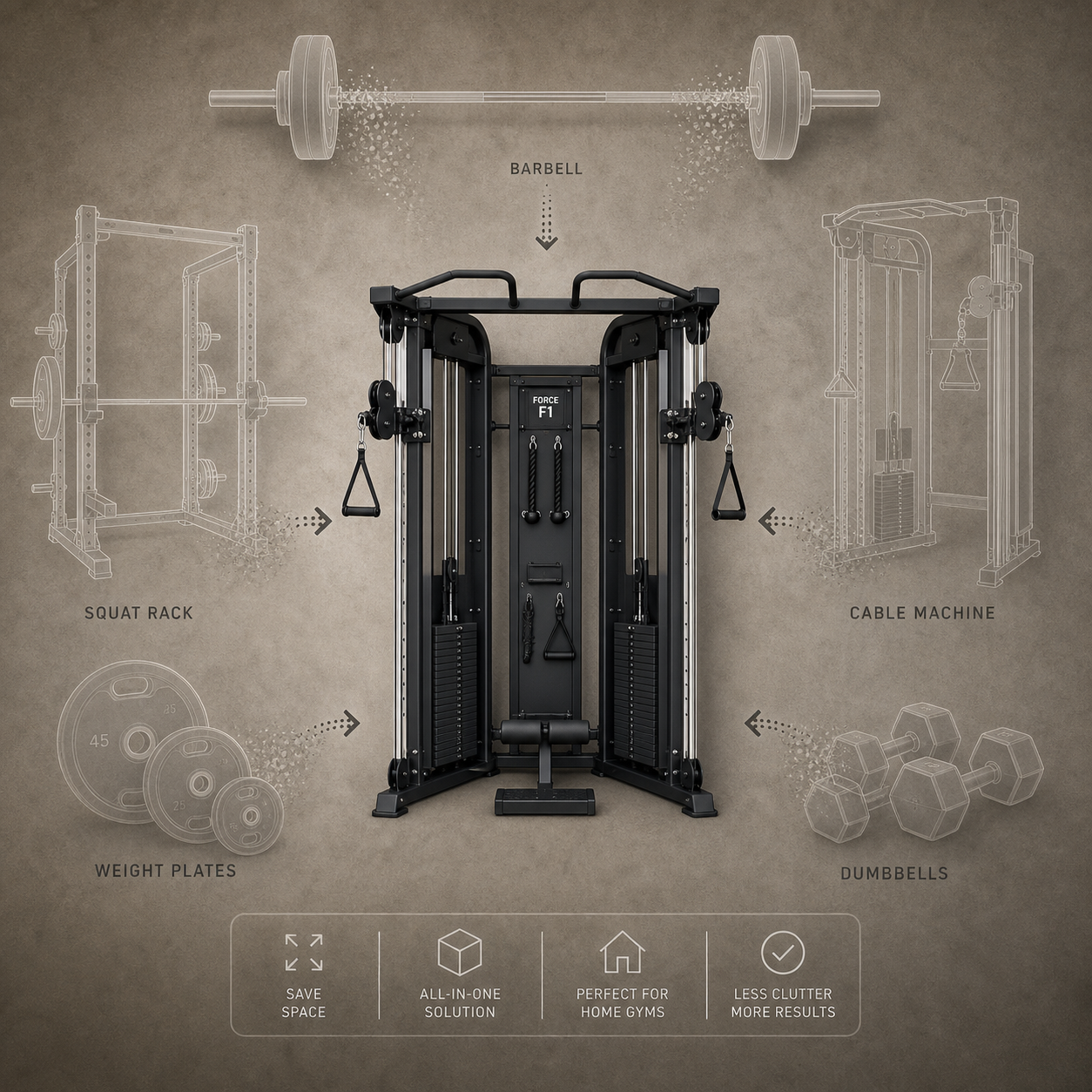
The strongest argument for an all-in-one machine is the footprint. A unit like the Force USA G3 occupies a floor space of roughly 78 inches by 60.5 inches — about 32.5 square feet. That is smaller than a standard parking space. In that footprint, you get a power rack base, a Smith machine, a functional trainer with dual pulleys, a chin-up bar, a landmine attachment, and a lat pulldown / low row station. You do not need to find wall space for a separate cable tower or floor space for a squat stand.
For beginners, the guided movement paths on an all-in-one machine reduce the learning curve. The Smith machine keeps the bar on a fixed vertical plane, which means you do not need to learn barbell balance before you can train legs and chest productively. The cable pulleys have numbered adjustment points and preset handles, so switching from a lat pulldown to a tricep pushdown takes seconds rather than minutes. There is no learning curve for station switching because every station is on the same frame.
The upfront cost is also lower for comprehensive functionality. A Bowflex Xtreme 2 SE costs $1,499 and includes 210 pounds of resistance (upgradable to 410 pounds), a 7-year machine warranty, and a 5-year power rod warranty. To get the same range of exercises from separate equipment — a power rack, a barbell, plates, a bench, and a functional trainer — you would likely spend $2,500 to $4,500 depending on component quality. The all-in-one path is cheaper at the point of purchase.
- Single footprint under 40 sq ft — fits in a bedroom corner or small garage bay
- Guided movements reduce injury risk for new lifters who haven't mastered free-weight form
- No station-switching friction — all exercises are on one frame
- Lower total upfront cost for a full-body setup compared to buying separate pieces
- Set-and-forget ownership — no decisions about which attachment to buy next
The Case for Separate Equipment: Quality, Upgradeability, and Resale Value
The modular separate approach starts with a different premise: buy the best individual components you can afford, and upgrade them over time. A beginner setup of a power rack, barbell, weight plates, and a bench can be assembled for $600 to $1,000. That is less than the Bowflex Xtreme 2 SE, and it gives you a real barbell with a real squat rack — not a Smith machine. You can add a functional trainer later when your budget allows, or upgrade your barbell from a budget model to a bearing-based bar, or replace your bench with a zero-gap adjustable model.
Component quality is the most tangible difference. The PRx Profile PRO Squat Rack uses 11-gauge steel with a 1,000-pound capacity and a 10-year warranty. Many all-in-one machines in the same price range use 12- or 14-gauge steel. GGR specifically notes that the Major Fitness B17 ($4,200) uses 12- and 14-gauge steel, which is less sturdy than 11-gauge. When you buy separate pieces, you can choose 11-gauge steel for your rack, a commercial-grade barbell, and a bench with thick padding — each component is independently high-quality.
Resale value is another advantage. Individual pieces of equipment sell easily on Facebook Marketplace and Craigslist because buyers can mix and match. A REP Ares 2.0 functional trainer ($2,999) with a limited lifetime warranty holds its value well because it is a standalone unit that any home gym owner can use. An all-in-one machine is harder to sell — the buyer needs enough space for the entire footprint, and they inherit the same limitations you are selling out of.
Side-by-Side Comparison at Three Budget Levels
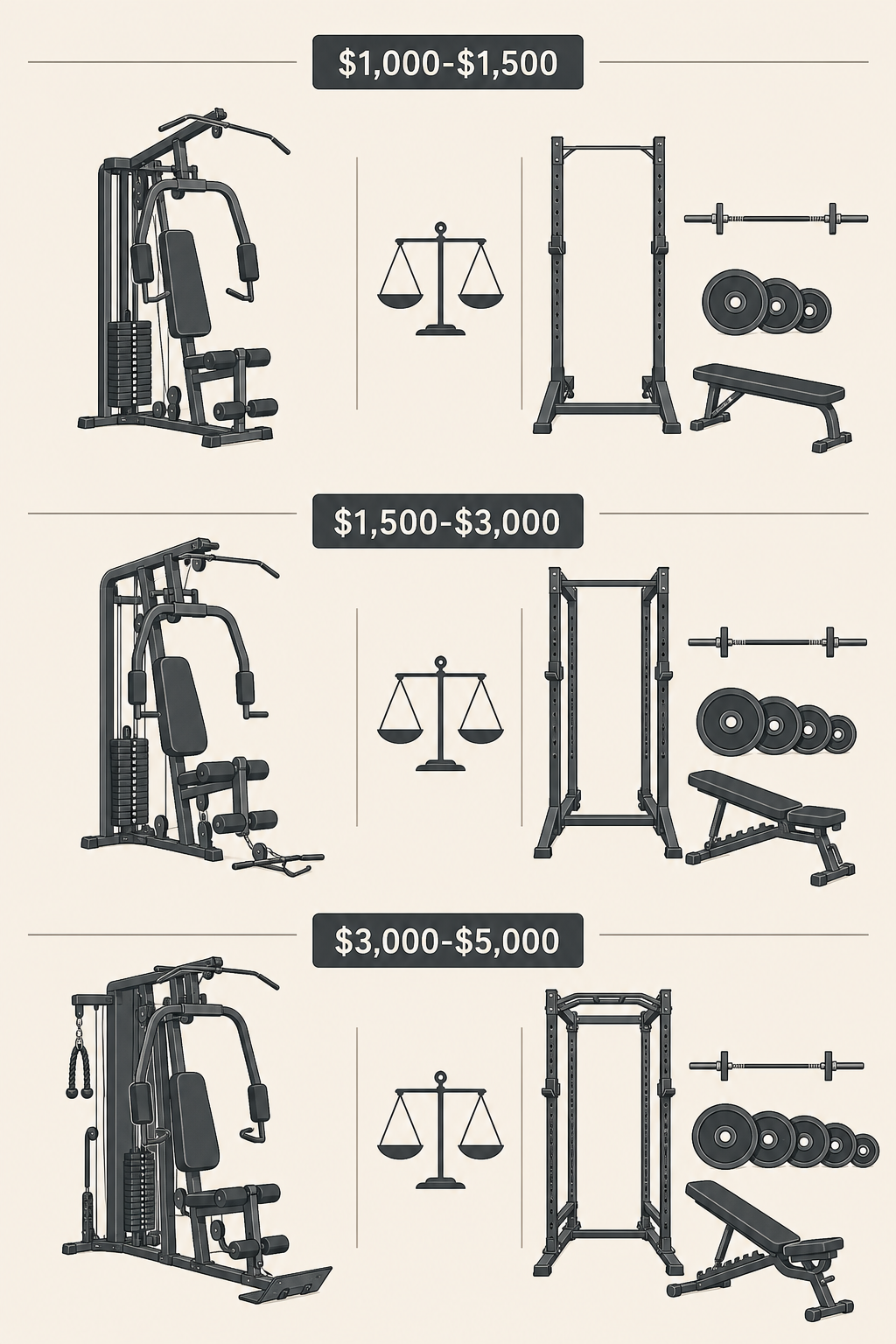
The following table compares representative all-in-one machines and separate-equipment setups at three budget tiers. Prices and specs are sourced from manufacturer listings and GGR's testing data as of June 2026.
| Budget Tier | All-in-One Option | Separate Equipment Setup | Key Differences |
|---|---|---|---|
| $1,000–$1,500 | Bowflex Xtreme 2 SE ($1,499) — 210 lbs resistance, upgradable to 410 lbs, 7-year machine warranty, 5-year power rod warranty | Power rack + barbell + plates + bench ($600–$1,000) — real free-weight training, no cable functionality, upgradeable piece by piece | All-in-one offers more exercise variety out of the box; separate setup offers better barbell training and lower entry cost |
| $1,500–$3,000 | Force USA G3 ($1,999) — power rack, Smith machine, functional trainer, 992-lb weight capacity, 78"W x 60.5"D x 87"H footprint | REP Ares 2.0 ($2,999) — dual 260-lb stacks upgradable to 310 lbs, limited lifetime warranty, plus a separate rack and bench | All-in-one is cheaper and more compact; separate setup has higher-quality pulleys, better warranty, and upgradable weight stacks |
| $3,000–$5,000 | Force USA C10 ($4,499) — center cable design, 6 pulley connections, Sliding Bench with 600 lbs leg press/hack squat capability | Titan Fitness Functional Trainer ($2,999) + premium rack and barbell — dual 200-lb stacks, 1-year warranty, 672 lbs machine weight | All-in-one offers more integrated stations; separate setup allows mixing premium components from different manufacturers |
At the $1,500–$3,000 tier, the tradeoff is most visible. The Force USA G3 gives you a complete gym in one unit for $1,999. The REP Ares 2.0 costs $2,999 for just the functional trainer — you still need a rack, barbell, and plates. But the REP unit has dual 260-pound stacks (upgradable to 310 pounds), a limited lifetime warranty, and aluminum pulleys that deliver noticeably smoother cable movement. The G3 uses traditional upright pulleys with a 2:1 ratio, which means the weight feels lighter than the stack indicates.
For a deeper breakdown of the modular setups at each tier, see the Compact Home Gym Budget Builds article, which provides complete equipment lists at $500, $1,500, and $3,000.
Real-World Tradeoffs: Cable Smoothness, Resistance Curves, and the One-Person Bottleneck
Spec sheets do not tell you how a machine feels during a set. Three practical differences separate all-in-one machines from dedicated separate equipment in daily use.
Cable Smoothness
Premium dedicated functional trainers use aluminum pulleys with sealed bearings. The REP Ares 2.0 and Titan Fitness Functional Trainer both use aluminum pulleys, which produce smooth, quiet cable movement with minimal friction. Budget all-in-one machines often use plastic or nylon pulleys. These wear faster, develop a gritty feel over time, and can create friction that makes the weight feel heavier than the stack indicates. GGR's testing methodology specifically evaluates pulley quality as a durability signal — aluminum pulleys are a mark of a well-built machine.
Resistance Curves
Dedicated cable machines typically use a 1:1 pulley ratio — the weight you select is the weight you feel at the handle. Many all-in-one machines, especially in the budget and mid-range tiers, use a 2:1 ratio. This means a 100-pound stack selection delivers only 50 pounds of resistance at the handle. The advantage is that the machine can use a smaller, lighter weight stack while still providing enough resistance for most users. The disadvantage is that the resistance feels lighter, and the pulley system introduces more friction and cable slack. If you are used to training on a dedicated cable machine, the 2:1 ratio on an all-in-one will feel noticeably different.
The One-Person Bottleneck
An all-in-one machine can only be used by one person at a time. If you share your home gym with a partner or family member, this becomes a real constraint. One person occupies the entire machine while the other waits. With separate equipment, two people can train simultaneously — one using the squat rack while the other uses the functional trainer, or one doing dumbbell work while the other uses the cable tower. This is a frequently cited reason on r/GarageGym for choosing separate equipment in shared households.
The Hidden Cost Analysis: Assembly, Attachments, Cables, and Warranty Gaps
First-time buyers often focus on the purchase price and overlook the costs that appear after the machine arrives. These hidden costs can add $500 to $1,000 to the total cost of ownership over the first few years.
| Cost Category | All-in-One Machine | Separate Equipment | Notes |
|---|---|---|---|
| Professional assembly | $150–$400 (half to full day for complex units) | $0–$100 (rack assembly is simpler; barbell and plates require no assembly) | All-in-one units often arrive in 3+ boxes and require significant assembly time |
| Cable replacement | $100–$300 every 2–5 years for weight-stack machines | $50–$150 every 3–5 years for functional trainer cables | Cable wear depends on usage frequency and pulley quality — aluminum pulleys extend cable life |
| Attachment costs | Proprietary add-ons from the same manufacturer — limited third-party compatibility | Standard 1-inch or 2-inch hole spacing allows third-party attachments from any brand | Force USA's 3x3 Line uses 1-inch holes with 2-inch spacing for third-party compatibility |
| Warranty coverage | Varies widely: Major Fitness B17 has 1-year warranty; Bowflex Xtreme 2 SE has 7-year machine warranty | REP Ares 2.0 has limited lifetime warranty; PRx Profile PRO Squat Rack has 10-year warranty | Warranty gaps on all-in-one machines often leave cables and pulleys uncovered after 1–2 years |
The Tonal 2 represents an extreme case of hidden costs. The unit costs $4,295, but professional installation is required and not included in the price. The $50/month membership is mandatory for full functionality. Over five years, the total cost of ownership exceeds $7,000. The Force USA C10 at $4,499 has no subscription requirement and can be self-assembled, but its warranty terms should be reviewed carefully before purchase.
For a deeper dive into total cost of ownership across different approaches, see the Home Gym System vs. Building Your Own: A Total Cost of Ownership Comparison for 2026 article. For common pitfalls that first-time buyers encounter, read 7 Beginner Home Gym Mistakes.
Decision Framework: Three Questions to Find Your Answer
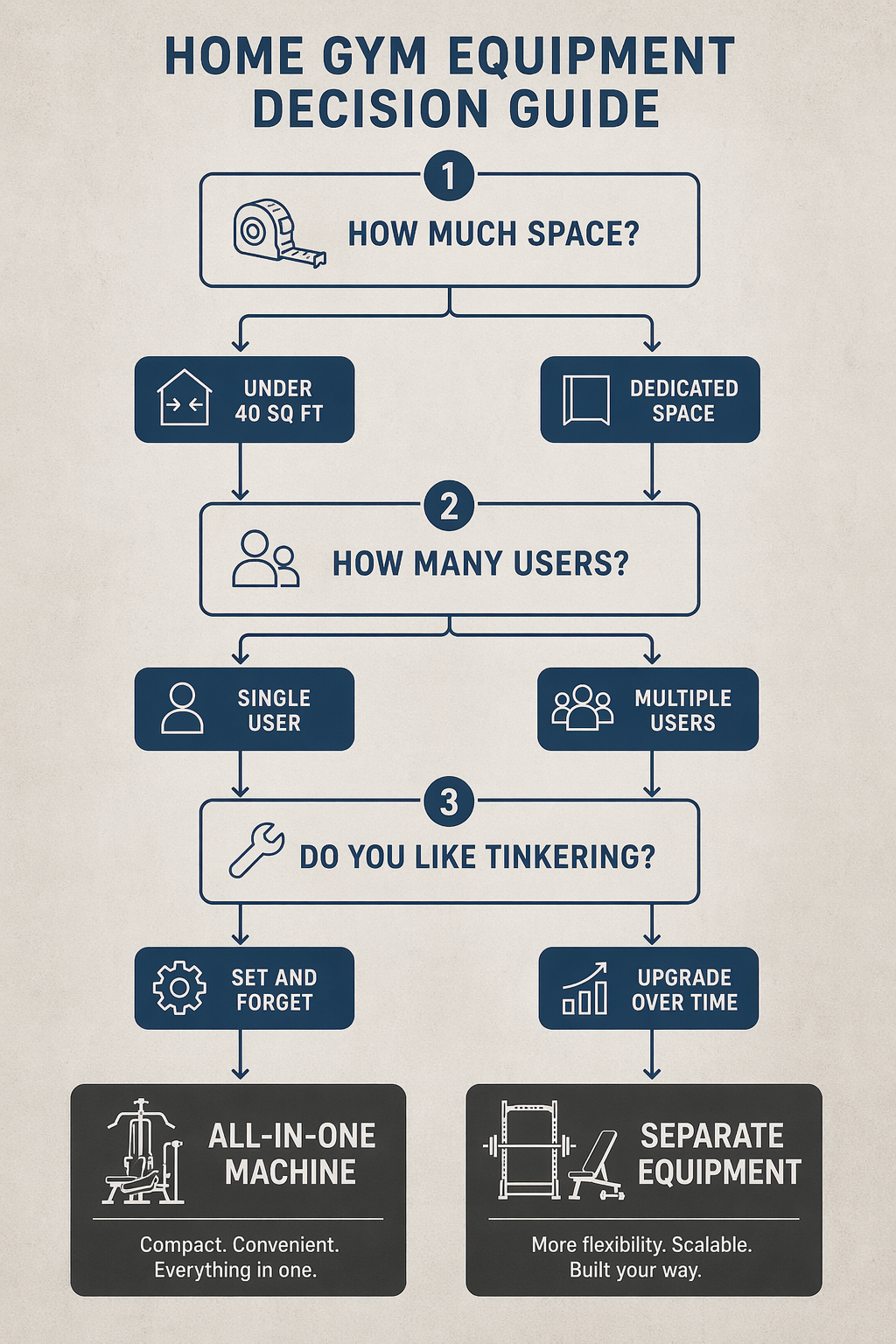
Rather than presenting a single recommendation, this framework routes you to the right choice based on your specific constraints. Answer these three questions honestly.
- How much space do you have? If your training area is under 40 square feet, an all-in-one machine is the practical choice. You cannot fit a rack, a functional trainer, and a bench in that space and still have room to move. If you have a dedicated room or garage bay with more than 40 square feet, separate equipment becomes viable.
- How many users? If you train alone, either approach works. If you share the gym with a partner or family members, separate equipment allows simultaneous training. The one-person bottleneck of an all-in-one machine becomes a real limitation in shared households.
- Do you like tinkering with your setup? If you want a set-and-forget solution — buy once, use it for years, never think about upgrades — an all-in-one machine is the right choice. If you enjoy researching components, optimizing your setup, and upgrading piece by piece over time, the modular separate approach will be more satisfying.
Final Verdict: Match the Approach to Your Space and Goals
Neither approach is universally better. The all-in-one machine wins decisively for space-constrained buyers under 40 square feet who value simplicity and a lower upfront cost for comprehensive functionality. The modular separate approach wins for buyers with dedicated space who want higher-quality components, a clear upgrade path, and better resale value.
If you are still unsure after working through the decision framework, start with the space question. Measure your available floor area. If it is under 40 square feet, the decision is made for you — buy the best all-in-one machine your budget allows. If you have more space, the separate path gives you more flexibility, better component quality, and a setup that can grow with your training over years.
For readers who choose the separate path and need to decide on their centerpiece equipment, the Smith Machine vs. Power Rack comparison explains the tradeoff between guided Smith machine training and free-weight power rack work — a decision that matters when you are building a modular setup around a rack or a Smith machine.
Comments
Join the discussion with an anonymous comment.