
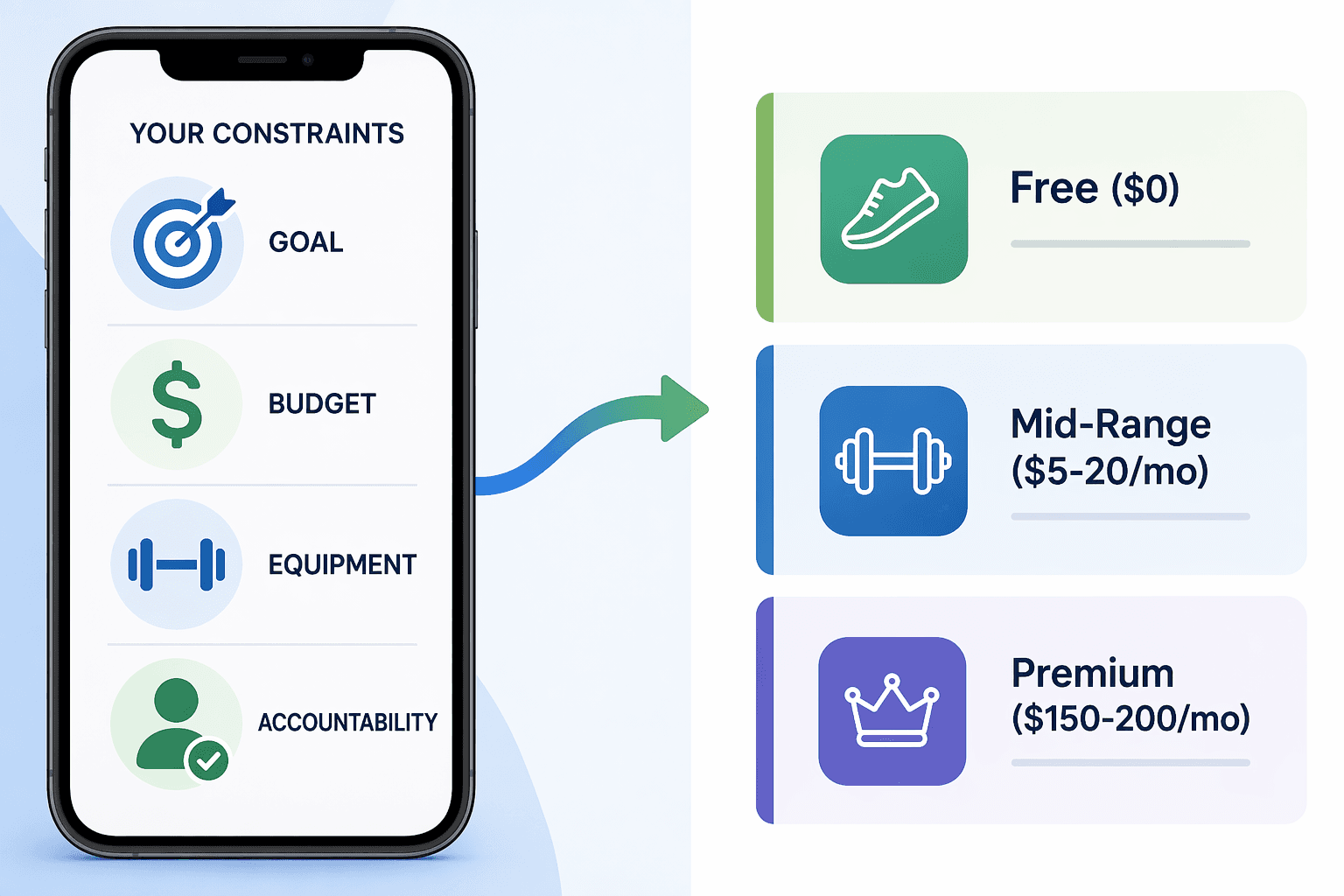
Four reputable sources. Four different winners. Fortune’s testers named Caliber the best overall workout app, scoring it 4.5/5. Garage Gym Reviews put SHRED at the top, 4.28/5. PCMag picked Nike Training Club. Forbes Health gave NTC a 5.0/5. If there were a single best app, they would agree. They don’t. That disagreement is not a flaw in those publications — it is the strongest evidence that no app works for everyone.
Each tester’s context — their goal, budget, equipment, and how much hand-holding they wanted — shaped their pick. GGR’s team tested over 70 apps using certified personal trainers. Fortune used its own panel. PCMag and Forbes each applied their own methodology. None of them tested with your dumbbell rack, your schedule, or your bank account. Their “best” reflects the preferences of their testers, not your reality.
That is why a decision framework beats a ranked list. You need to map your constraints to the right app category, then pick within that category. I’ll walk through the four axes that matter: fitness goal, budget ceiling, available equipment, and desired accountability. I would add one more: simplicity. About 40% of users abandoned an app because it was too complicated to log data. The best app is the one you actually use.
The Four Constraints That Actually Matter
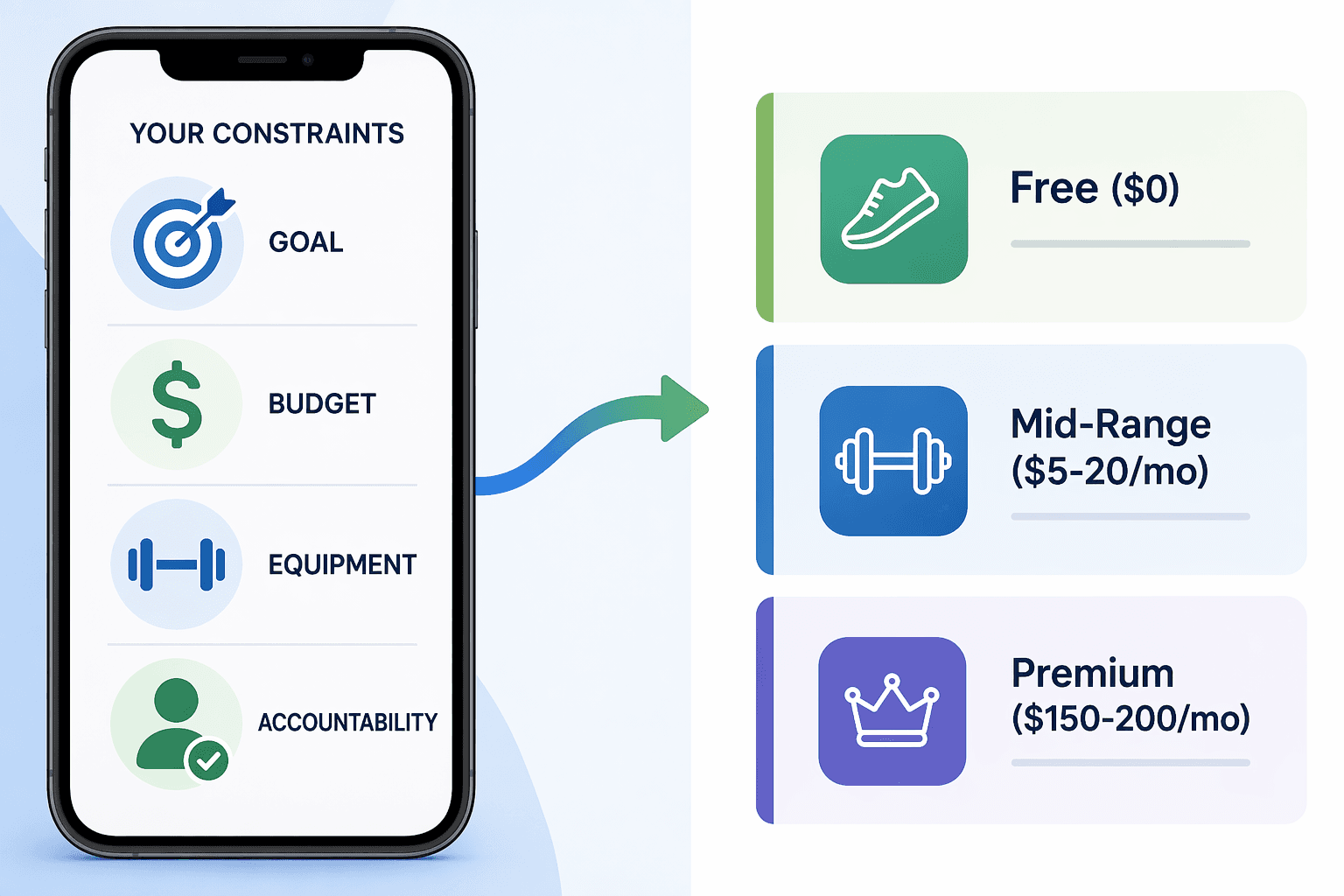
Before you open an app store, answer these:
- Goal: Do you want to build strength, lose weight, improve endurance, or just move more?
- Budget: How much are you willing to spend per month? The average app costs $34/month, but that figure is pulled upward by premium coaching services like Future ($199/month). Many free tiers exist, and the mid-range ($5–$15) covers most needs.
- Equipment: Do you have a full home gym, a pair of dumbbells, or just a yoga mat? About 60% of fitness app users prefer home workouts, so equipment-adaptive apps matter more than ever.
- Accountability: Do you need a human coach to check your form and push you, or will an algorithm and a push notification do? This is the most overlooked axis. I’ve seen people quit strong apps because the reminders felt mechanical, and others stick with an expensive coach because the human connection kept them consistent.
Which App Fits Which Constraint Profile?
Once you know your constraints, you can sort apps into four functional categories. Here is how they line up — with my take on where each one actually delivers.
Free Trackers and Basic Loggers
Best for strength building on a tight budget, with minimal equipment and low demand for accountability. You log sets and reps, the app charts progress. Caliber’s free version gives you 500+ exercises ad-free and a 4.6/5 rating. Hevy offers generous free logging with progress graphs. Nike Training Club is completely free, with 300+ guided classes and periodized programs. These cover about 80% of what a beginner needs — but that claim depends on your goal. For pure strength logging, Hevy is excellent. For guided classes, NTC. Don’t pick one because it’s popular; pick it because it matches your workout style.
AI Planners and Adaptive Coaches
Best for intermediate lifters who want personalized programming without the price of a human coach. Apps like SHRED ($9.99/month) ask “How was that?” after each set and auto-adjust weights. TR(AI)NER by Element 26 offers up to six months of free programming. About 20% of top-rated apps now feature AI-powered plans. The technology is improving, but I want to be clear: it still cannot watch your form or sense when you are about to give up. For programming adjustments it is solid, but don’t expect motivational coaching.
Human-Coached Premium Services
Best for users who need real accountability — someone who checks form, adjusts on the fly, and sends a message when you miss a session. Future costs $199/month and scores a perfect 5/5 for accountability. The price is steep, but for many people that human touch is the difference between consistency and abandonment. AI planners cannot replicate that yet. If your budget allows, this is the most effective tier. The $34/month average I mentioned earlier is skewed by apps like this — most users don’t need to spend anywhere near that.
Guided Classes and Studio Experiences
Best for people who want variety, music, and instructor-led motivation. Peloton ($12.99/month) and Apple Fitness+ ($10/month) offer thousands of on-demand classes. Nike Training Club is free and fits here too. These work well for general fitness, cardio, and flexibility goals, especially if you have minimal equipment and enjoy group energy.
| Category | Example Apps | Price Range | Best For |
|---|---|---|---|
| Free Trackers | Caliber (free), Hevy, Nike Training Club | $0 | Strength logging, beginners, low accountability |
| AI Planners | SHRED, TR(AI)NER, Fitbod | $0–$15/mo | Personalized programming, intermediate lifters |
| Human Coaches | Future | $150–$200/mo | Maximum accountability, form correction |
| Guided Classes | Peloton, Apple Fitness+ | $10–$13/mo | Variety, motivation, cardio |
| Hybrid | Caliber paid ($6/mo), SHRED premium | $6–$10/mo | Balance of logging and adaptive coaching |
The hybrid row is worth a second look. Caliber’s paid version ($6/month) adds adaptive programming without a human coach. SHRED’s premium tier deepens the AI. That middle ground covers a lot of lifters who outgrew free logging but aren’t ready for $200/month.
What You Actually Pay
| Tier | Monthly Cost | What You Get | Example Apps |
|---|---|---|---|
| Free | $0 | Basic logging, some guided workouts, ads or limited content | Nike Training Club, Caliber free, Hevy, TR(AI)NER |
| Mid-Range | $5–$15 | Adaptive programming, more classes, no ads | SHRED, Peloton, Apple Fitness+, Caliber paid |
| Premium | $150–$200 | Dedicated human coach, custom plans, daily check-ins | Future, Caliber coaching add-on |
The mid-range is where most people find the best value. If you are a beginner and your goal is simple (lose a few pounds, start lifting), the free tier is often enough. Upgrade only when you hit a plateau or realize you need the structure. And don’t let the $34 average scare you — that number is heavily skewed by Future. Most apps are far cheaper.
Test-Drive Before You Commit
Screenshots and feature lists cannot tell you if an app fits your daily life. The only reliable test is using it with your actual equipment and goals for two weeks. Here is a short checklist I use when evaluating apps:
- Sign up for the free tier or trial — Nike Training Club is fully free, Caliber free has no trials, WalkFit offers a 30-day trial.
- Run through at least three workouts in your usual space with the gear you own.
- Check how easy it is to log data — 40% of users abandon apps because logging is too complicated. If it feels like a chore on day one, it will feel worse on day 30.
- If the app offers an AI coach, see how it adapts after you log a tough set or a missed session. Does it feel responsive or robotic?
- Evaluate the accountability: did you feel motivated or annoyed by the reminders? That’s a signal for whether you need a human coach or an algorithm.
For a step-by-step trial plan, see .
When Free Is Enough — and When to Upgrade
Free apps cover the basics for most beginners. If your goal is strength logging, bodyweight classes, or general fitness, you probably do not need to spend anything. The clear signals to upgrade: you want adaptive programming that automatically adjusts weight and volume, you need a human coach for accountability and form feedback, or you want a large library of quality classes. The premium-vs-AI trade-off is key here: SHRED at $10/month gives you AI adaptation that rivals a human trainer for programming, but it cannot watch your squat depth. Future at $199/month gives you a real person who can. Choose based on whether you need accountability or just algorithms.
If you are still unsure, our is a simpler three-axis guide for absolute beginners. This article adds the fourth axis (accountability) and covers all pricing tiers.
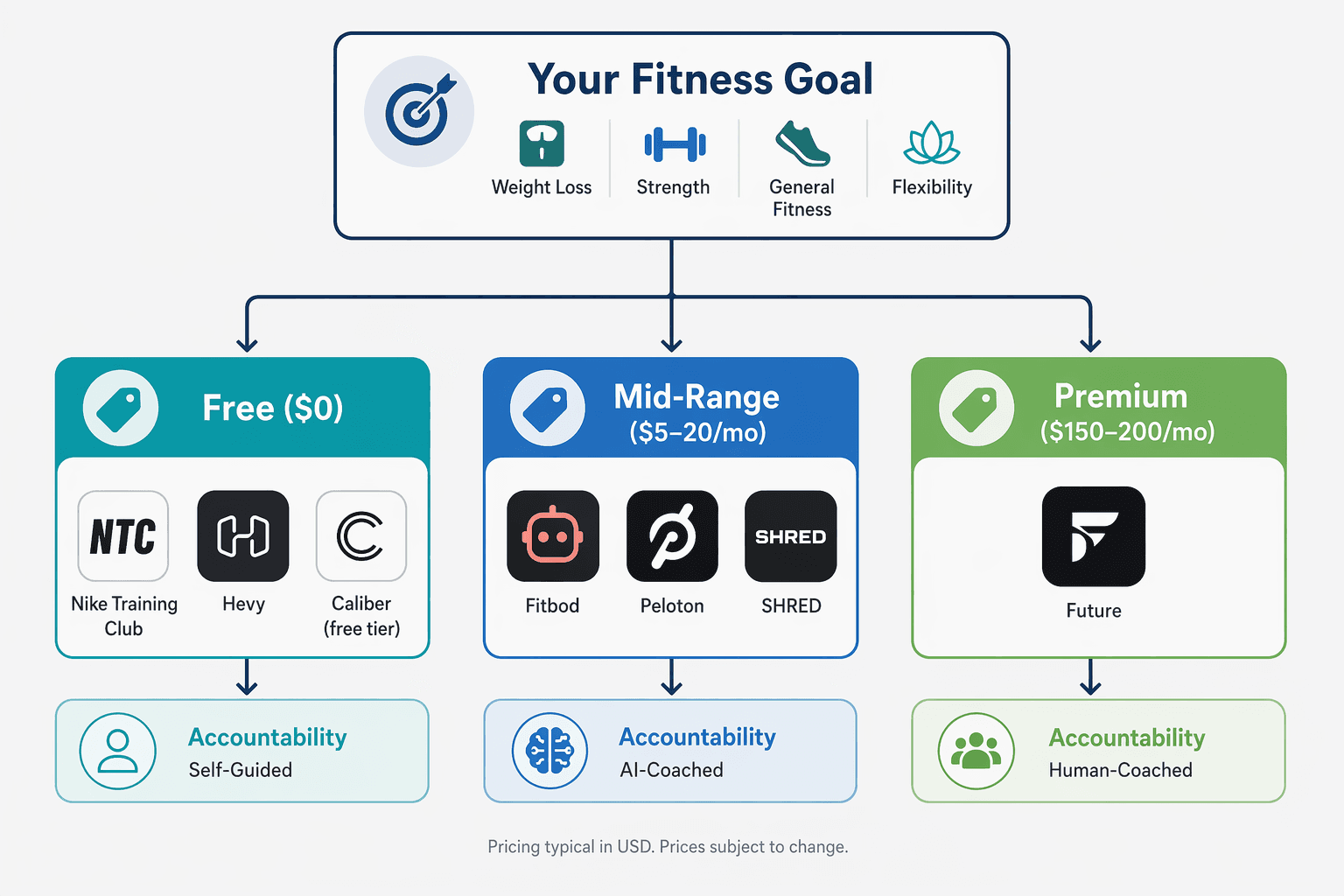
Trace Your Path
The chart below walks you from your goal to a specific app recommendation. Follow along with your constraints — goal → budget → equipment → accountability → app.
If you need a deeper dive into what makes a workout tracker app effective — features, adherence design, and evaluation criteria — read our buyer’s framework.
No app is best for everyone. The one that matches your goal, respects your budget, works with your equipment, and gives you the right amount of accountability — that is the best app for you.
Comments
Join the discussion with an anonymous comment.