
Most beginners quit because of a category mismatch
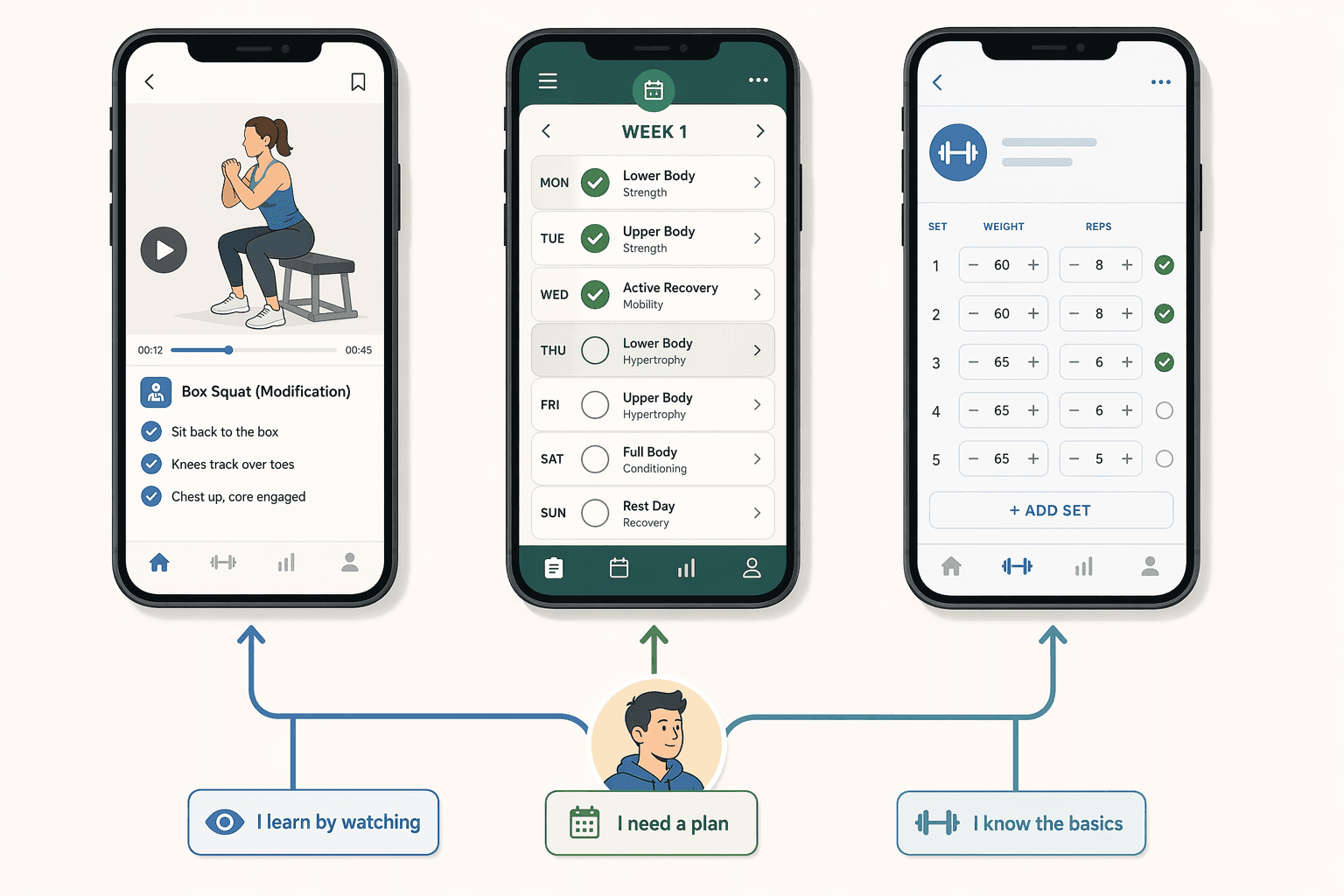
So before we talk about features or pricing, let's talk about instruction. Every workout app falls into one of three categories based on how it teaches you. Pick the right category first, and you'll actually stick with it. Pick wrong, and no amount of fancy metrics or social features will save you.
Three teaching styles — and why you're probably using the wrong one
Here's the framework. I'm not going to dress it up in jargon. Apps teach you by:
- Showing you exactly what to do, in real time, with a trainer on screen — video-led follow-along (e.g., Nike Training Club, Peloton, FitOn).
- Giving you a day-by-day roadmap with automated progressions so you don't have to make decisions — program-driven plans (e.g., Caliber, JEFIT, Boostcamp).
- Providing a blank log where you record your sets, reps, and weights — minimalist trackers (e.g., Strong, Hevy).
Most generic "best app" lists dump all three types into one ranking and ask you to compare prices or star ratings. That's like comparing a cookbook, a personal chef, and a food scale. They serve different purposes. And for a beginner, the purpose is everything.
A key distinction: program-driven apps often include video demos for each exercise. That does not make them video-led. Video-led means the instruction is delivered in a continuous class format—the trainer guides you through the entire session. Program-driven gives you a preset plan with a drill-down video library; you execute on your own timing. That difference matters when you evaluate your fit.
Quick self-assessment: how do you learn?
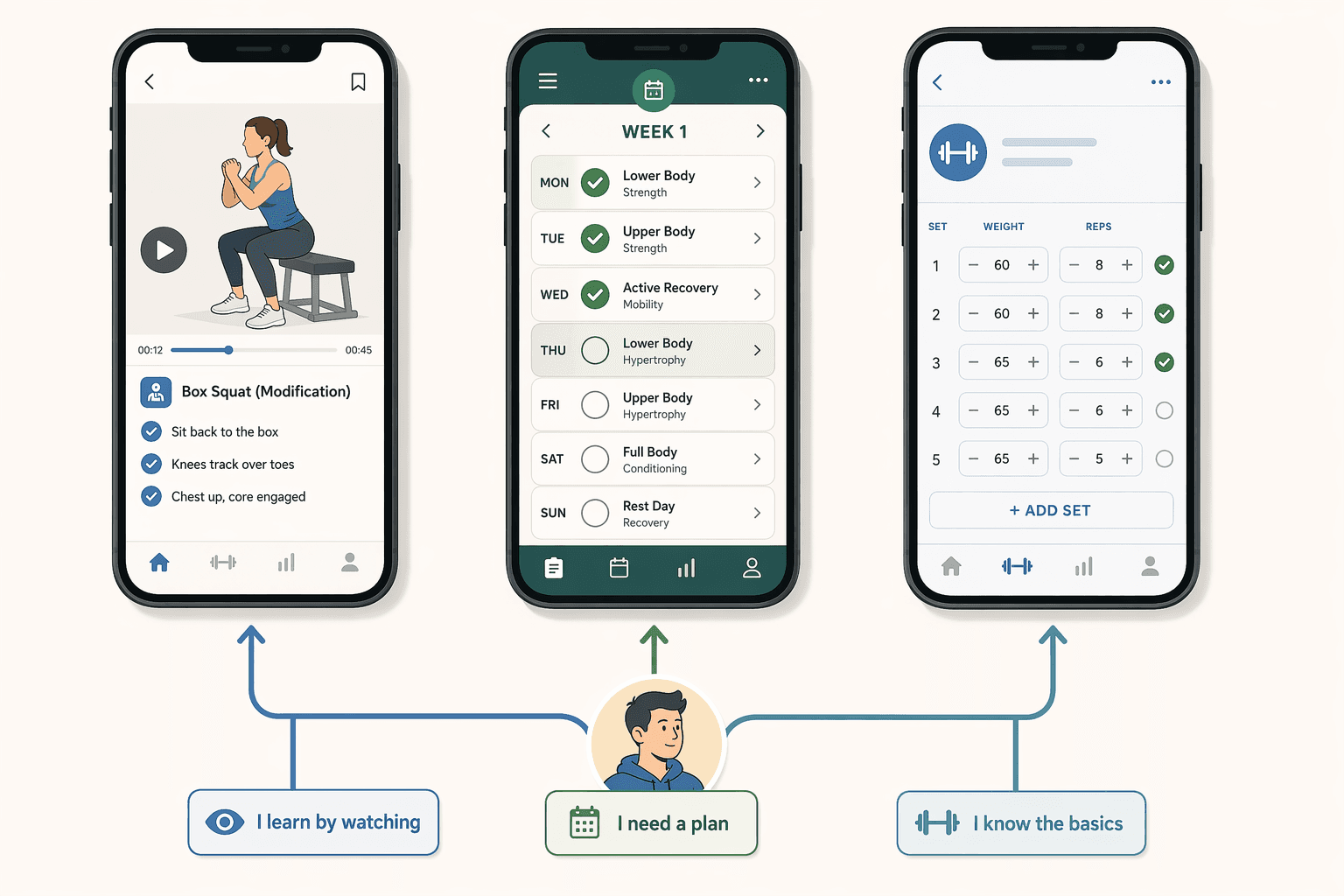
Before you read the deep dives, take thirty seconds to identify your primary learning instinct. Answer these three questions honestly.
- When you learn a new exercise, do you prefer to watch someone demonstrate it first and follow along in real time? (→ Video-led fits you.)
- Do you feel frustrated when you have to choose which workout to do—would you rather be told exactly what to do each day? (→ Program-driven fits you.)
- Do you already know a few basic exercises and just want to track your progress without any guided instruction? (→ Minimalist tracker fits you.)
If more than one answer applies, pick the one that describes your reaction when you're most uncertain. That's your category. The others will come later as you progress.
Video-led: you need to see it done right
If you chose option 1, you learn by watching and doing in sync. Video-led apps are designed for exactly that. A trainer appears on screen, runs through a warm-up, leads the workout, and cues form corrections. You follow along at your own pace, pausing when needed. No planning, no logging—just press play and go.
| App | Pricing | Equipment | Ease of Use | Best For |
|---|---|---|---|---|
| Nike Training Club | Free | Minimal (bodyweight / dumbbells) | 5/5 (Garage Gym Reviews) | Absolute beginners, no equipment |
| FitOn | Free tier; Pro $19.99/mo | Minimal | High | Free full access, large library |
| Apple Fitness+ | $9.99/mo (requires Apple Watch) | Minimal to moderate | 4.5/5 | Apple Watch users, guided home workouts |
| Daily Burn | $14.99/mo (7-day free trial) | Minimal | High | True Beginner program, 8-week structured |
| Aaptiv | $14.99/mo (7-day free trial), 8,000 workouts | Minimal | 4/5 | Audio-led, good for runners and home workouts |
The trade-off: you're tied to someone else's schedule and workout selection. If you want to build your own routine or lift heavy in a commercial gym, video-led limits you. But for the first three months, that's exactly the structure you need.
Program-driven: you need a roadmap, not a class
If you chose option 2, you want to be told exactly what to do. Program-driven apps hand you a ready-made plan: Monday legs, Tuesday chest, Wednesday rest—with specific exercises, sets, reps, and automatic weight increases. You don't browse a library; you follow a path.
| App | Pricing | Coaching Level | Structure | Equipment |
|---|---|---|---|---|
| Caliber | Free; Pro $19/mo; Premium $200+/mo | Human + app (Pro/Premium) | Daily plan with progressive overload | Dumbbells / gym |
| Boostcamp | Free; paid tiers for advanced programs | App-only (community feedback) | 50+ proven programs (5/3/1, nSuns) | Barbell / gym |
| JEFIT | Free; paid tiers | App-only | 1,400+ exercises, auto weight progression | Gym / home (moderate) |
| Future | $199/mo personal coach | Human (one-on-one) | Custom plan, daily check-ins | All (coach adapts) |
Note: Caliber includes instructional videos for each exercise, but the primary instruction is the plan—you follow the day's scheme, watch a demo if needed, then execute. That's program-driven, not video-led. The difference is whether you follow a scheduled class (video-led) or a scripted plan (program-driven). It matters because the two feel very different in practice.
Minimalist tracker: only if you already know the moves
If you chose option 3, you already have some gym familiarity. You're not looking for instruction; you want a clean log to record sets, reps, and weights. Minimalist trackers like Hevy and Strong give you exactly that—a stopwatch, a note field, and a history graph.
If you're a complete beginner and somehow ended up here, don't download a tracker yet. The app is not the problem; the category is. Come back after a few months of guided training.
Does matching categories actually reduce dropout?
Let's compare the categories across the dimensions that actually affect a beginner's experience.
| Dimension | Video-led | Program-driven | Minimalist tracker |
|---|---|---|---|
| Instruction depth | Full real-time guidance | Demo videos + text plan | None (self-directed) |
| Structure | Class schedule / on-demand videos | Day-by-day program | Blank log / custom routines |
| Equipment needs | Minimal (bodyweight, light dumbbells) | Moderate (dumbbells / barbell / gym) | Any (user decides) |
| Cost range | Free – $19.99/mo | Free – $200+/mo | Free – $2.99/mo |
| Progression guidance | Trainer cues | Automated overload algorithm | Manual (user logs) |
| Accountability type | Real-time instructor | Plan adherence / coach check-ins | Social sharing / streaks |
| Best for absolute beginners | Yes | Yes (with video support) | No |
| Best after 3–6 months | Still works | Ideal for structured training | Great for self-sufficient lifters |
Notice the pattern: video-led and program-driven both serve beginners, but in different ways. Video-led removes the need to plan; program-driven removes the need to decide which exercises to do. Both address the same root problem—decision fatigue—from different angles. The minimalist tracker does not address it at all, which is why it fails for novices.
And here is the practical consequence that matters most: a progression path. Most successful users start with video-led for the first 3–6 months, then shift to a program-driven plan when they want more control over exercise selection and progression. After another 6–12 months, they may add a tracker (or keep using the program-driven app that already includes logging).
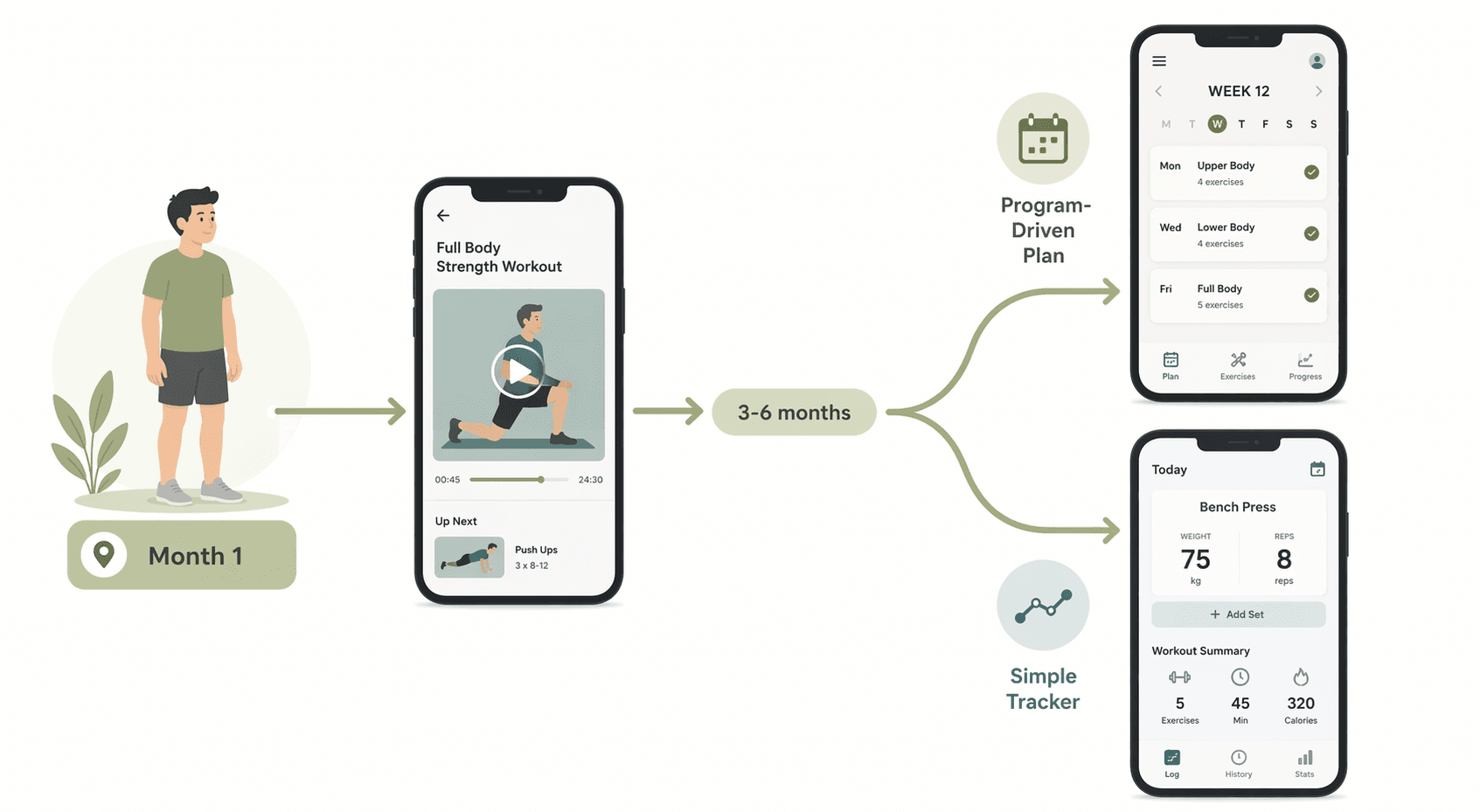
Does that mean the first app you download is permanent? No. And that is exactly the point. Generic best-app lists treat app selection as a one-time commitment. The instructional-category framework treats it as a wearable that changes as you grow.
How to choose your first category
Here is your action plan based on your self-assessment:
- If you answered “watch,” start with a video-led app. Nike Training Club is free and requires no equipment. Download it, pick the “Beginner” filter, and do three sessions a week for a month.
- If you answered “plan,” start with a program-driven app. Caliber’s free tier gives you a structured push-pull-legs split with video demos. Follow the plan for 4 weeks before changing anything.
- If you answered “log,” you are already past the beginner stage for this decision. Consider Hevy or Strong. But if you’re not sure, go back to video-led for a month to build confidence.
The most important thing you can do right now is ignore the app store ratings and ask yourself one honest question: "How do I learn best?" The answer will save you months of frustration—and a cancelled subscription.
Comments
Join the discussion with an anonymous comment.