
The 6 Best Free Workout Planners Compared by What You Actually Need (Equipment, Space, Time, Level)
A constraint-based comparison of six free workout planners — apps, spreadsheets, web tools, and printable templates — matched to your equipment, available time, experience level, and fitness goal. No generic rankings, just the right tool for your situation.
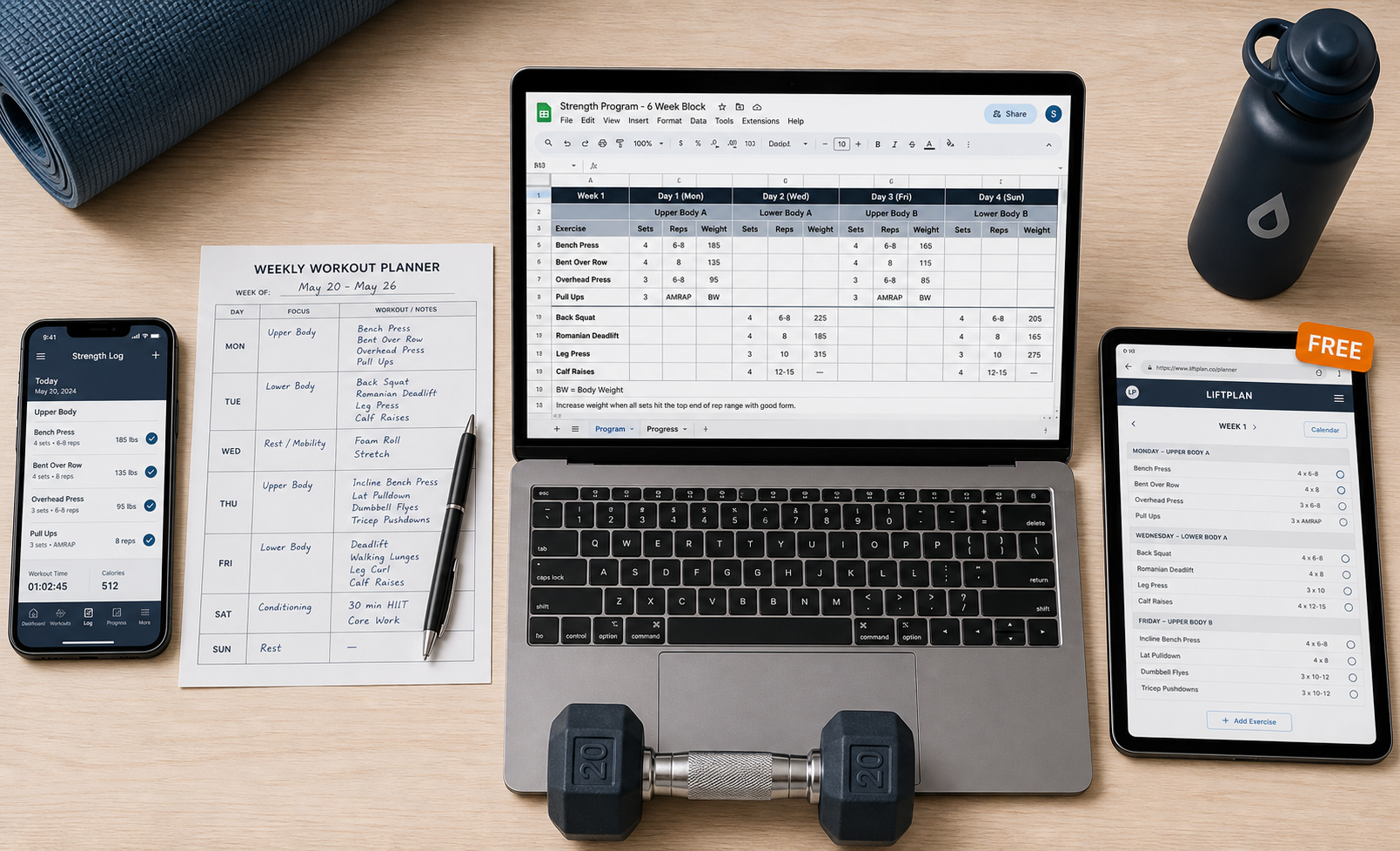
Why the Best Free Planner Depends on Your Constraints, Not Its Features
Most articles about free workout planners start with a ranked list: "The 10 Best Free Apps." They compare user ratings, interface design, and how many exercises are in the library. Then they declare a winner. If you have ever tried to follow one of those recommendations and found yourself scrolling through workouts that require a cable machine you do not own, or a 45-minute session when you have 20 minutes, you already know the problem.
A planner that works for someone with a full home gym, two hours per session, and five years of lifting experience is not a good planner for someone with a yoga mat, a pair of dumbbells, and 30 minutes before work. The best free planner is the one that matches your actual situation — the equipment you own, the time you can commit, your experience level, and your specific goal. This article compares six free planners using exactly those four axes, so you can pick the right tool without guessing.
The Four Constraints That Should Drive Your Choice
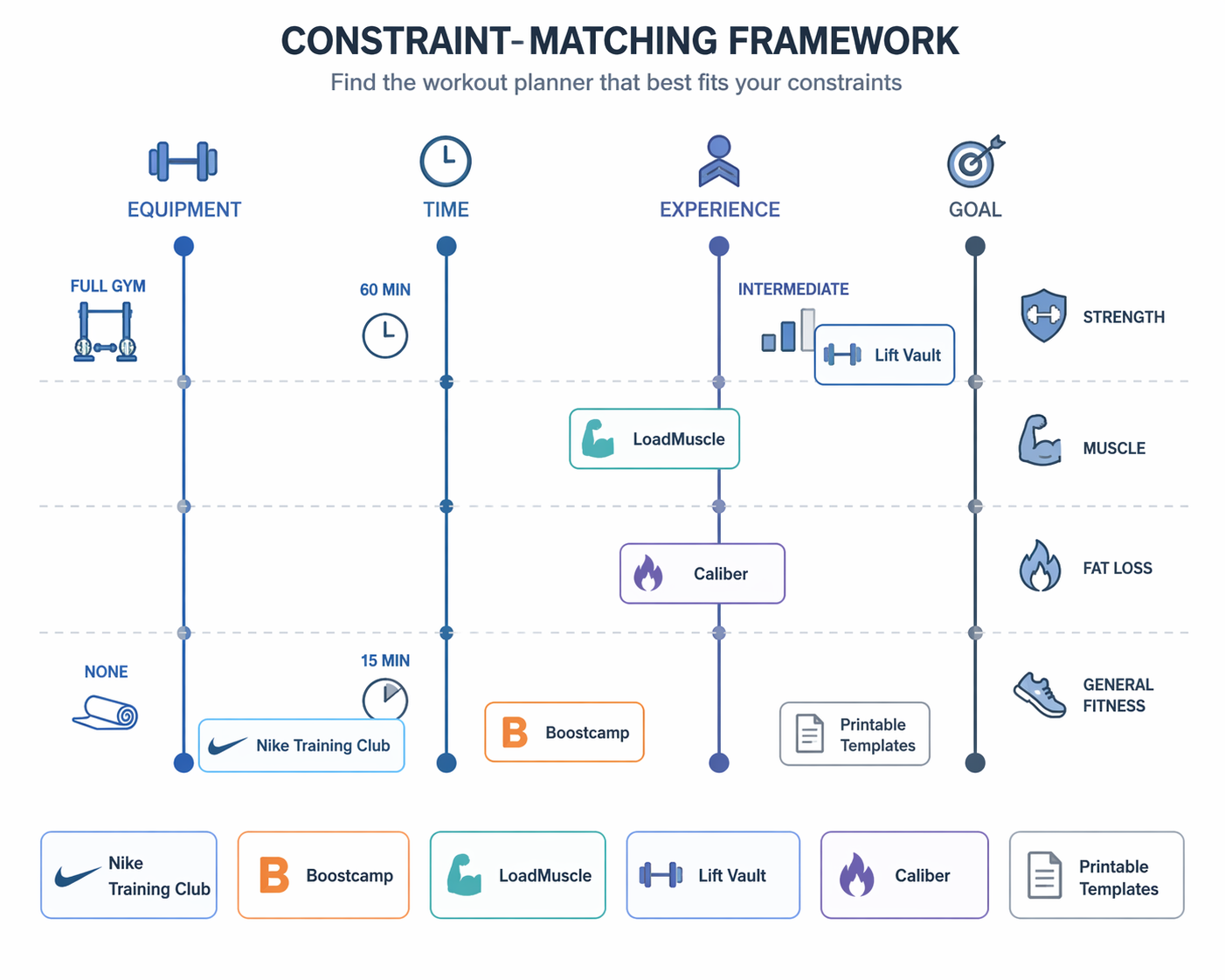
Before looking at any specific planner, identify where you fall on each of these four dimensions. Write them down or keep them in mind — every pick in this article is evaluated against these same axes.
- Equipment: None (bodyweight only), minimal (dumbbells, bands), moderate (barbell, bench, rack), or full gym (cables, machines, specialty bars). Most free planners let you filter by equipment, but some are built specifically for bodyweight or for strength training with barbells.
- Time per session: 15–20 minutes, 30 minutes, or 45–60 minutes. A planner that assumes 60-minute sessions will frustrate you if you consistently have 30.
- Experience level: Beginner (never followed a structured plan), intermediate (familiar with basic lifts and can follow a split), or advanced (needs periodization and specific progression schemes).
- Primary goal: Build strength, build muscle (hypertrophy), lose fat, or general fitness. Some planners are optimized for one goal; others are general-purpose.
The 6 Best Free Workout Planners (Organized by What They Solve)
Each pick below follows the same structure: exact cost, which constraints it solves best, key features, limitations, and who should skip it. The order is not a ranking — it is grouped by the primary constraint each planner addresses.
1. Nike Training Club — Best for Variety Across All Modalities (Fully Free)
Nike Training Club is the only major fitness app that is completely free with no paid tier. Since 2020, it has offered full access to every feature without a subscription. The app includes over 300 workouts across strength, HIIT, yoga, pilates, and mobility, all guided by Nike trainers.
- Cost: $0. No premium tier exists.
- Constraints it solves: Best for general fitness and fat loss goals. Works for beginners and intermediates. Time flexibility is high — workouts range from 15 to 60 minutes. Equipment filtering is available, but most workouts require at least some equipment (dumbbells, bands, or a bench).
- Key features: Video-guided sessions, filter by goal, target muscle group, and equipment level. Programs are structured as multi-week collections, not just single workouts.
- Limitations: Not a traditional "planner" — you follow guided videos rather than building your own schedule. No custom routine builder. The app is best for people who prefer being told what to do each session rather than designing their own plan.
- Who it is NOT for: Advanced lifters who need specific progressive overload schemes. People with no equipment at all (bodyweight-only options exist but are limited). Anyone who wants to design their own workout from scratch.
2. Boostcamp — Best for Strength Athletes Who Want a Massive Program Library
Boostcamp is the strongest free option for anyone focused on strength training. It hosts over 1,000 workout plans, including more than 100 designed by certified expert coaches. Most features are accessible on the free tier, making it the largest free strength program library available.
- Cost: Free for most features. Boostcamp Pro costs $14.99/month or $79.99/year.
- Constraints it solves: Built for strength and muscle-building goals. Works for beginner through advanced lifters. Assumes access to at least dumbbells and a barbell — bodyweight-only options are limited. Sessions typically run 45–60 minutes.
- Key features: Browse and follow programs from known coaches. Built-in progression tracking. Community features for feedback and accountability.
- Limitations: The free tier is generous but some advanced program features may require Pro. Not ideal for people who want yoga, pilates, or general fitness content — it is strength-first.
- Who it is NOT for: People with no equipment. Anyone looking for guided workout videos (Boostcamp is text-based program tracking). Casual users who want variety across modalities.
If you are evaluating Boostcamp for home strength training, our guide on how to choose a strength training app for home use covers the specific questions to ask before committing to any platform.
3. LoadMuscle — Fastest Path from Intent to a Printable Plan (No Signup)
LoadMuscle's Free Workout Planner is a web-based tool that generates a complete, balanced workout plan in under 60 seconds. No account creation, no email verification, no app download. You select your goal, experience level, available equipment, preferred schedule (2–7 days per week), split type (full body, upper/lower, push/pull/legs), and session length. The algorithm outputs a plan with specific exercises, sets, reps, and rest periods.
- Cost: $0. No signup required.
- Constraints it solves: Works for any equipment level (including bodyweight-only), any experience level, any goal (strength, muscle, fat loss), and any schedule. The most flexible planner on this list in terms of constraint matching.
- Key features: PDF export with exercise images and clickable links. Shareable unique URL. Algorithm balances compound and isolation movements based on your inputs.
- Limitations: No progress tracking — it is a plan generator, not a workout logger. No video guidance. The plan is static unless you regenerate it.
- Who it is NOT for: People who want guided workouts or video instruction. Anyone who needs an app to log sets and reps during the session. Users who prefer a dynamic plan that adjusts based on performance.
4. Lift Vault — Best for Spreadsheet-Loving Strength Athletes
Lift Vault is not an app — it is a library of free, mobile-friendly program spreadsheets hosted on Google Sheets. It includes popular strength programs like nSuns and GZCLP, along with dozens of others used by the powerlifting and strength community. Each spreadsheet includes the full program structure, progression scheme, and daily workout layout.
- Cost: $0. All spreadsheets are free to access and copy.
- Constraints it solves: Designed for intermediate to advanced lifters focused on strength. Requires access to a barbell, plates, and a rack — not suitable for bodyweight or minimal equipment. Sessions are typically 45–75 minutes.
- Key features: Proven programs with established progression logic. Program Finder tool to match you to a suitable program. Works offline once the spreadsheet is saved.
- Limitations: No video guidance, no app interface, no community features within the spreadsheet. Requires basic comfort with Google Sheets or Excel. Not a guided experience — you need to understand the program structure.
- Who it is NOT for: Beginners who need hand-holding. Anyone without a barbell and rack. People who prefer a polished app interface over a spreadsheet.
5. Caliber — Best Free Algorithm-Generated Custom Program with Video Library
Caliber's free tier is unusually generous. It includes a 500+ exercise library with video form guidance, an algorithm that generates a custom program based on your goals and equipment, ad-free use, community groups, and progress charting. The app asks about your training history, available equipment, and goals, then builds a program that adapts as you log workouts.
- Cost: Free for the core features. Paid group coaching starts at $19.
- Constraints it solves: Works for beginners and intermediates. Supports strength, muscle, and general fitness goals. Equipment filtering is robust — works with bodyweight, dumbbells, barbells, or full gym. Session length is flexible.
- Key features: Algorithm-generated custom program that adjusts over time. Video form guidance for every exercise. Progress charting. No ads on the free tier.
- Limitations: The free program is generated once — major changes (switching from strength to hypertrophy) may require a new assessment. Some advanced programming features are locked behind coaching tiers.
- Who it is NOT for: Advanced lifters who need specific periodization schemes. People who want to design their own routine from scratch rather than using the algorithm's output.
6. Printable Templates — Best for Offline, No-Smartphone Planning
Sometimes the best planner is a piece of paper and a pen. Printable workout templates from sources like PureGym, Canva, and 101Planners offer monthly, weekly, and daily layouts. You fill in the exercises, sets, reps, and notes yourself. PureGym's templates include a monthly planner for top-level intentions, a weekly planner for scheduling around other commitments, and a daily planner with space for notes and perceived difficulty.
- Cost: $0. Download and print.
- Constraints it solves: Works for any equipment level, any experience level, any goal, any schedule. The most universally compatible option because you design it yourself.
- Key features: No smartphone or internet required. Fully customizable. Can be combined with any other resource (a routine from this site, a program from Lift Vault, etc.).
- Limitations: No automatic progression tracking. No video guidance. You need to know enough about exercise selection to fill in the template correctly.
- Who it is NOT for: People who want guided workouts or automatic logging. Anyone who prefers a digital experience with reminders and progress charts.
Quick-Reference Comparison Table
Use this table to compare all six planners across the four constraint axes at a glance.
| Planner | Cost | Format | Equipment | Time | Experience | Best Goal | Best Use |
|---|---|---|---|---|---|---|---|
| Nike Training Club | Free (no paid tier) | App (iOS/Android) | Minimal to full gym | 15–60 min | Beginner–Intermediate | General fitness, fat loss | Guided video workouts across all modalities |
| Boostcamp | Free (Pro $14.99/mo) | App (iOS/Android) | Barbell, dumbbells, rack | 45–60 min | Beginner–Advanced | Strength, muscle | Largest free strength program library |
| LoadMuscle | Free (no signup) | Web (PDF export) | None to full gym | Any (user-defined) | Beginner–Intermediate | Any goal | Fastest custom plan generation |
| Lift Vault | Free | Google Sheets | Barbell, rack, plates | 45–75 min | Intermediate–Advanced | Strength | Proven strength program spreadsheets |
| Caliber | Free (coaching from $19) | App (iOS/Android) | None to full gym | Flexible | Beginner–Intermediate | Strength, muscle, general | Algorithm-generated custom program with video library |
| Printable Templates | Free | PDF / Paper | Any | Any | Any | Any goal | Offline, fully customizable planning |
For a deeper look at how each app's free tier compares to its paid version, see our guide to free workout apps and what they lock behind paywalls. If you want to match a planner to a specific goal, the best free apps by fitness goal article provides additional goal-specific recommendations.
How to Combine Tools for a Complete Free Workflow
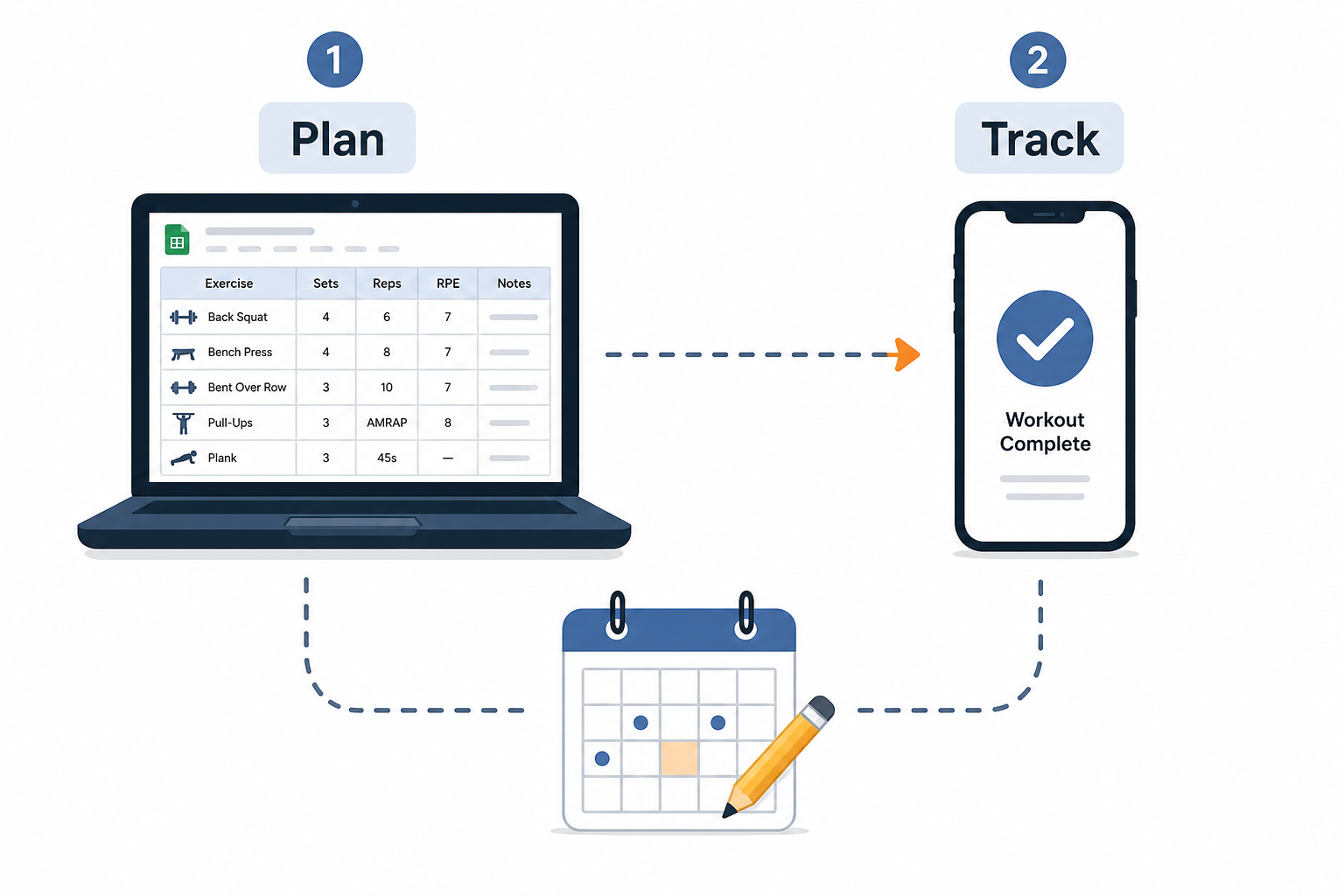
You do not have to pick just one. Many people get better results by pairing two free tools — one for planning the week and one for tracking each session. The planning tool gives you the structure; the tracking tool keeps you accountable and lets you see progress.
Example workflow:
- Plan with LoadMuscle: Generate a 4-week full-body plan in under a minute. Export the PDF and keep it on your phone or print it out. The plan tells you exactly what to do each session.
- Track with Nike Training Club or Caliber: Use the app to follow guided versions of the exercises (if available) or simply log your sets, reps, and weights. Caliber's free tier handles progress charting automatically. Nike Training Club is better if you prefer being led through the workout.
- Alternative: Use a Lift Vault spreadsheet as your plan and a printable template as your daily log. Write down your weights and reps on paper, then transfer to the spreadsheet weekly to track progression.
If you are new to combining planning and tracking, our article on how to use free fitness apps to build a home workout routine walks through the full process from choosing a plan to logging your first session.
What to Do When You Outgrow a Free Planner
Free planners are not permanent solutions for everyone. At some point, you may hit a ceiling where the free tier no longer supports your needs. The key is recognizing the signals and knowing whether to upgrade within the same tool or switch to a different free tool.
- You hit a routine cap: Some free apps limit how many custom routines you can save. If you need more variety, consider switching to a tool without caps (LoadMuscle generates unlimited plans) or a spreadsheet-based approach (Lift Vault).
- You need better progression tracking: If your current free planner does not track weights, reps, and progression over time, move to Caliber (free tier includes progress charting) or a spreadsheet where you can build your own tracking system.
- You want more advanced programming: If you have outgrown beginner programs and need periodization, deload weeks, or specific peaking phases, Boostcamp's free library or Lift Vault's spreadsheets are better options than general-purpose apps.
If you are still unsure which planner fits your situation after reading this comparison, the Home Fitness Decision Guide for Complete Beginners can help you clarify your goals, available time, and equipment before choosing a planner.
What a small equipment investment adds
We don't have a build tagged to this exact tier yet. Browse all builds.
How often should you repeat this?
See our recovery and rest reference for citation-anchored rest-interval guidance.
Spot something off?
Tell us if a movement, tier assumption, or duration didn't match your experience.