
Chest Strap vs. Wrist Heart Rate: When to Upgrade and Which 2026 Trackers Work With External Monitors
For interval training and high-intensity workouts, wrist-based optical heart rate sensors can lag 10–30 seconds and drop to 70–85% accuracy. This article explains when a chest strap is worth the upgrade and which 2026 fitness trackers support external HR monitor pairing as a hidden feature.
Why Your Wrist Heart Rate Is Probably Lying During Intervals
You've felt it: three rounds into a Tabata set, gasping, and your watch reads 145 bpm. You know you're closer to 170. Thirty seconds later it says 162 — while your effort has already dropped. That lag is not a glitch. It's a fundamental limitation of optical wrist sensors.
During high-intensity interval training, wrist-based optical heart rate accuracy drops to 70–85% compared to an ECG chest strap, and the sensor can lag 10–30 seconds behind your actual heart rate during rapid intensity changes. The numbers come from a physician-reviewed guide that aggregates multiple studies — not peer-reviewed, but it's the best synthesis available. And it matches what any seasoned interval trainer has felt in real workouts.
How Optical HR Sensors Work — and Where They Break
Wrist-based sensors use photoplethysmography (PPG): they shine light into your skin and measure how much blood is flowing through the tissue. It's indirect. Motion from arm swing, changes in blood perfusion, and even how tight the band is can distort the signal. A chest strap, by contrast, uses electrodes to detect the heart's electrical signal directly — the same method a medical ECG uses. The Polar H10 is the gold standard here, and it is not a coincidence that every lab test uses it as the reference.
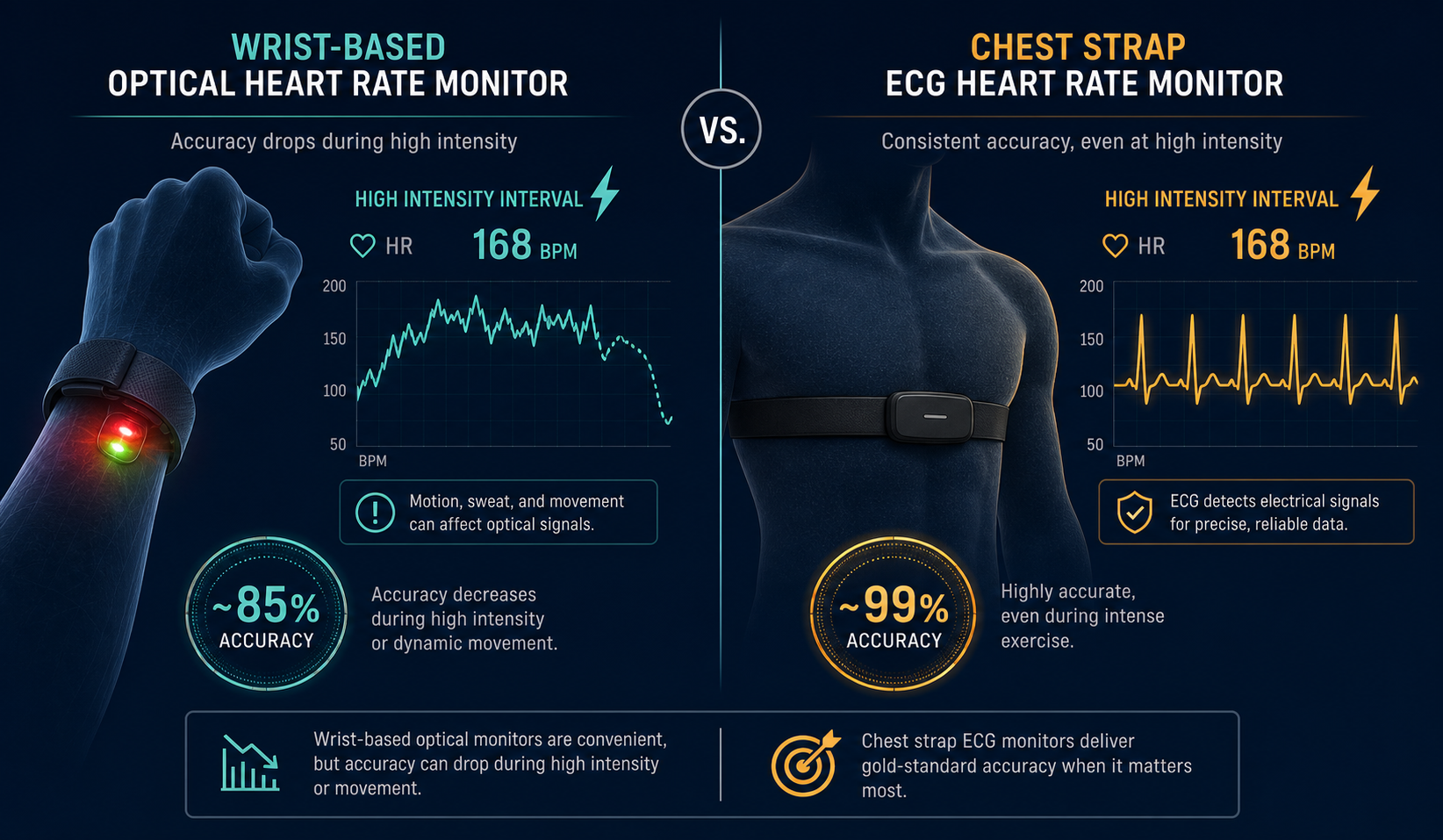
PPG is not bad — it works well enough for casual use — but it has a few well-documented failure modes that matter if you train hard.
What the Data Actually Shows
When you look at steady-state accuracy, the numbers are impressive. Stanford Medicine tested seven wrist devices on 60 volunteers during walking, running, and cycling and found a median error under 5%. More recently, CNET ran a 30-mile test with five smartwatches against a Polar H10 and the Apple Watch Series 11 scored an astonishing 0.98% average error. The Garmin Venu 4 posted 3.89% with 1-second sampling. Those are excellent numbers for steady-state running on a flat track. But note: CNET's test was done by a single athlete on a flat track. It tells you what's possible under ideal conditions, not what happens when you throw in hills, intervals, or cold weather. The same test noted that most watches lagged behind the chest strap during the first minute of a run when heart rate rose rapidly. At Zone 5, differences reappeared, with some watches struggling above 160 bpm.
| Scenario | Wrist HR (optical) | Chest Strap (ECG) |
|---|---|---|
| Steady-state walking/running/cycling | 85–95% accuracy (<5% error common) | 97–99% accuracy |
| High-intensity intervals (HIIT) | 70–85% accuracy, 10–30 sec lag | 97–99% accuracy, near-zero lag |
| Rapid intensity change (e.g., sprint start) | Lag of 10–30 seconds | Instant response |
The gap is about response speed during rapid changes, not absolute accuracy. Many wrist sensors are fine for a steady jog. But interval training, HIIT, and zone-based programming require the speed that only a chest strap provides.
When Wrist HR Fails
You do not have to guess whether you are affected. These five conditions degrade optical HR, and if any of them apply to your typical workout, the error gets worse than the numbers above suggest:
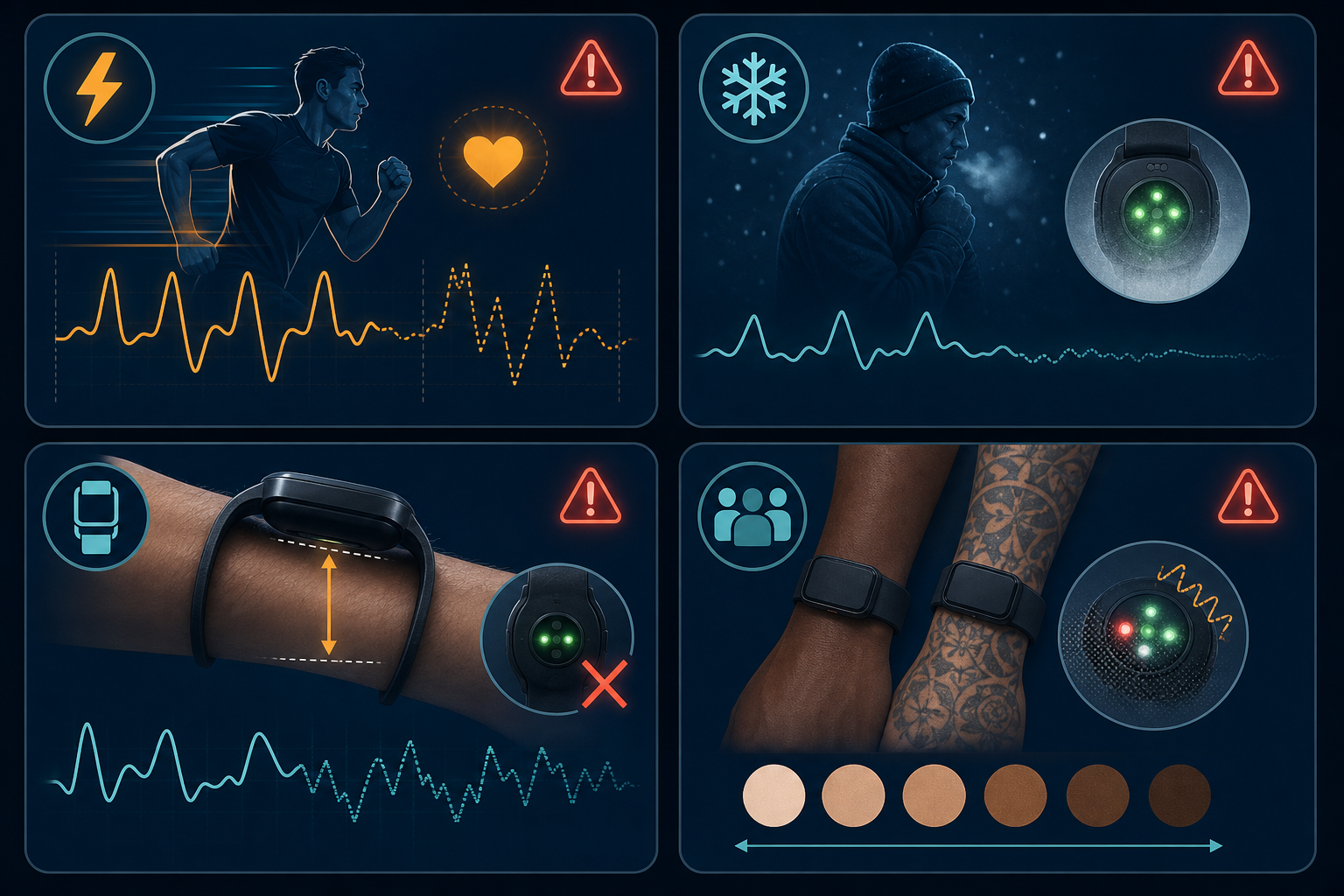
- High-intensity intervals (HIIT) — the motion artifact and rapid perfusion changes cause the optical signal to lag and lose lock.
- Cold weather — vasoconstriction reduces blood flow to the wrist, weakening the optical signal.
- Loose fit — if the band shifts even slightly, the sensor loses contact with the skin.
- Darker skin tones — melanin absorbs more light, reducing the signal-to-noise ratio for some optical sensors.
- Tattoos — ink can block light penetration and disrupt the measurement.
If you train in cold weather outdoors or have tattoos on your wrist, your wrist HR is likely even less reliable than the 70–85% figure. I have seen my own Garmin read 130 bpm while I was redlining on a cold winter hill repeat. The data backs that experience.
Chest Strap: The 99% Solution
A chest strap eliminates every one of those failure modes. It uses electrodes that directly measure the electrical activity of the heart, the same principle as a medical ECG. The result is 97–99% accuracy at all intensities with near-zero lag. It does not care about arm motion, cold weather, or tattoos. The Polar H10 is the most researched option, but Garmin HRM-Pro and Wahoo TICKR X are also excellent.
For a full comparison of all form factors, see our detailed guide on wrist, chest strap, armband, and smart ring. Here I want to focus on one specific upgrade path: pairing a chest strap with your existing 2026 fitness tracker.
Which 2026 Trackers Work With a Chest Strap?
This is the part that most buyer guides miss: many 2026 fitness trackers can connect to an external heart rate monitor via ANT+ or Bluetooth — you do not need a new watch. You just need a strap that pairs with the device you already own. I am skeptical of calling this feature "hidden" — on Garmin watches it is well documented, but most casual buyers never encounter it because the marketing focuses on built-in sensors. If you own a compatible Garmin, you already have the receiver. You just need the strap.
Confirmed compatible models:
- Garmin Forerunner 70 — supports external HR monitors via ANT+ and Bluetooth (confirmed by DC Rainmaker's in-depth review)
- Garmin Forerunner 970 — expected to support external pairing (same platform as the 70)
- Garmin Fenix 8 — high-end model with full ANT+/Bluetooth external sensor support
- Most other Garmin watches with multisport or running focus (e.g., Venu 4, Epix Pro) also support external HR — check your model's specs
What does not work:
- Apple Watch — no native support for pairing a chest strap directly to the watch. Some third-party apps (like WorkOutDoors or iSmoothRun) can read from a separate Bluetooth sensor, but it is not a built-in feature and the process is clunky.
- Fitbit — no native chest strap pairing on any current model.
- Whoop, Oura Ring — screenless devices that do not support external HR monitors (they rely entirely on their own optical sensors).
$40 Strap vs. $800 Watch
The alternative to a chest strap is upgrading to a watch with a better optical HR sensor. For example, the Garmin Fenix 8 costs around $800. Its optical sensor is better than the one in a Forerunner 70, but it still cannot match a $60 Polar H10 during intervals. The Fenix 8 also supports chest strap pairing — so you are paying $800 for a watch that still benefits from the strap.
A quick cost comparison:
- Chest strap (Polar H10, Garmin HRM-Pro, Wahoo TICKR X): $40–120
- New watch with top-tier optical HR (e.g., Fenix 8): $800+
- New watch with entry-level optical HR (e.g., Forerunner 70): $300–400
If you already own a compatible Garmin, the strap is a no-brainer. If you own an Apple Watch and want pro-level HR accuracy, your options are limited — you could use a third-party app to connect a strap, or you could move to a Garmin. That is a bigger decision, and it depends on how much you value other Apple Watch features. In that case, check our heart rate tracker guide for home workouts to see total cost of ownership across platforms.
When to Buy a Chest Strap
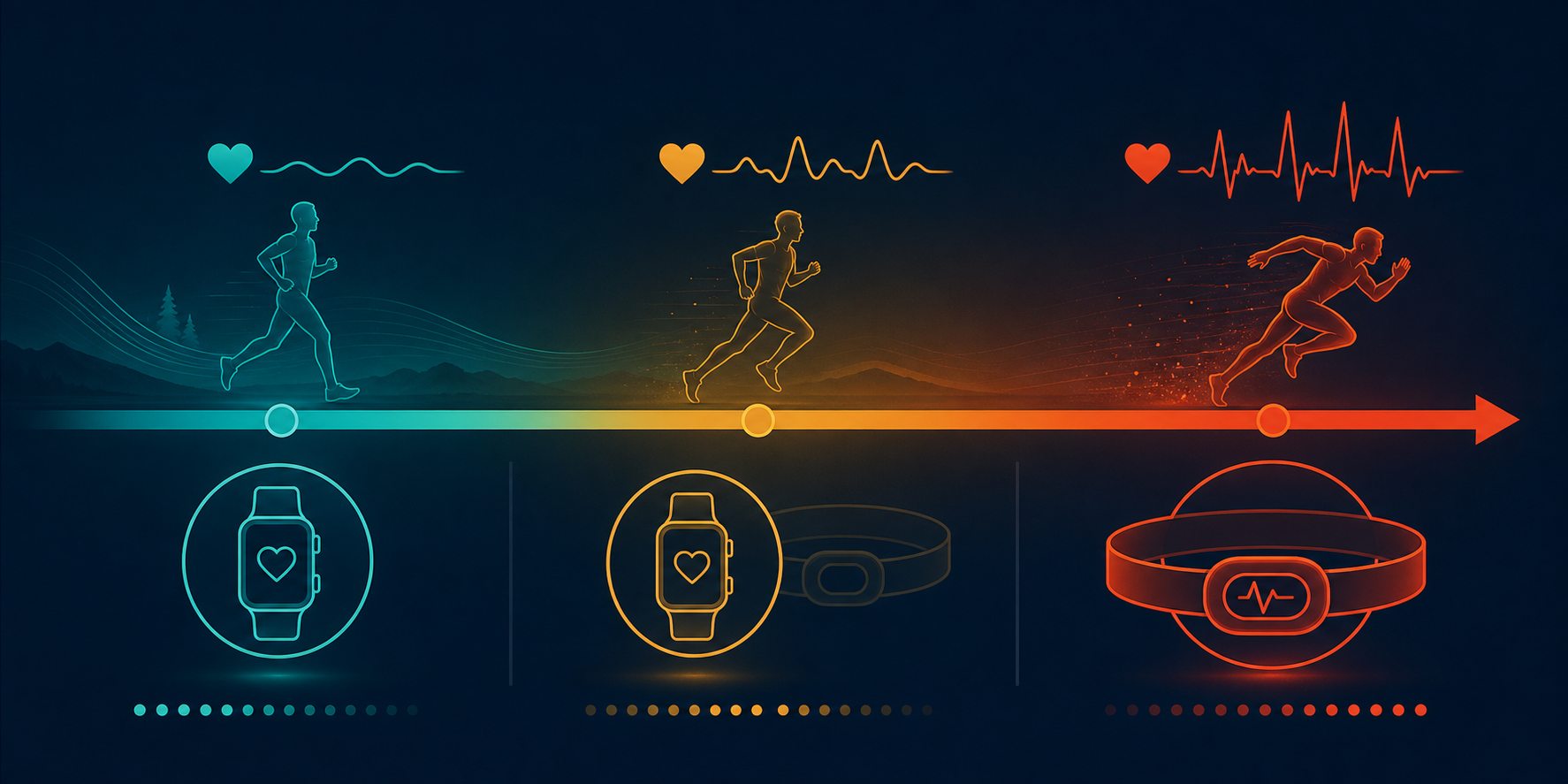
Here is the short version, no hedging:
- You do steady-state cardio only (jogging, easy cycling, walking) → Skip the strap. Your wrist HR is good enough.
- You do HIIT, intervals, or zone-based training → Get a chest strap. Your wrist HR is unreliable in the moments that matter.
- You own a compatible Garmin watch → The strap is a no-brainer. You are spending $40–120 for professional-grade accuracy.
- You own an Apple Watch → You cannot natively pair a strap. You can either buy a third-party app (which adds complexity), or switch to a Garmin if accuracy is critical enough to trade the Apple ecosystem.
- You are considering a new watch just for better HR → Consider the strap first. Unless you also need the other features of a higher-end watch, the strap is a fraction of the cost.
The decision really comes down to one question: Do you need to know your exact heart rate during the hardest part of your workout? If yes, buy the strap. If not, keep what you have.
For more on Apple Watch HR accuracy specifically, see our deep dive into Apple Watch heart rate and step accuracy.
This result comes from one real apartment under the stated conditions — it is a strong signal, not a guarantee your space will measure identically.
Builds this evidence supports
No build currently links to this specific test. Browse all builds with a matching tag.
Spot something off?
If this result didn't match your own space, let us know — floor-damage and noise claims carry real deposit-risk consequences if we get them wrong.