
Whoop 5.0 vs Fitbit Air: Which Screenless Fitness Tracker Should You Buy in 2026?
A head-to-head comparison of the Whoop 5.0 and Fitbit Air for budget-conscious shoppers. We break down the real cost over 1-3 years, battery life, workout tracking accuracy, AI coaching, and recovery frameworks to help you decide which screenless tracker fits your budget and fitness goals.
Introduction: The Screenless Tracker Market Has Changed
For years, if you wanted a screenless fitness tracker focused on recovery and strain analytics, Whoop was the only serious option. That exclusivity justified its subscription model — you paid for the data framework, not the hardware. The launch of the Fitbit Air in 2026 has fundamentally rewritten that equation.
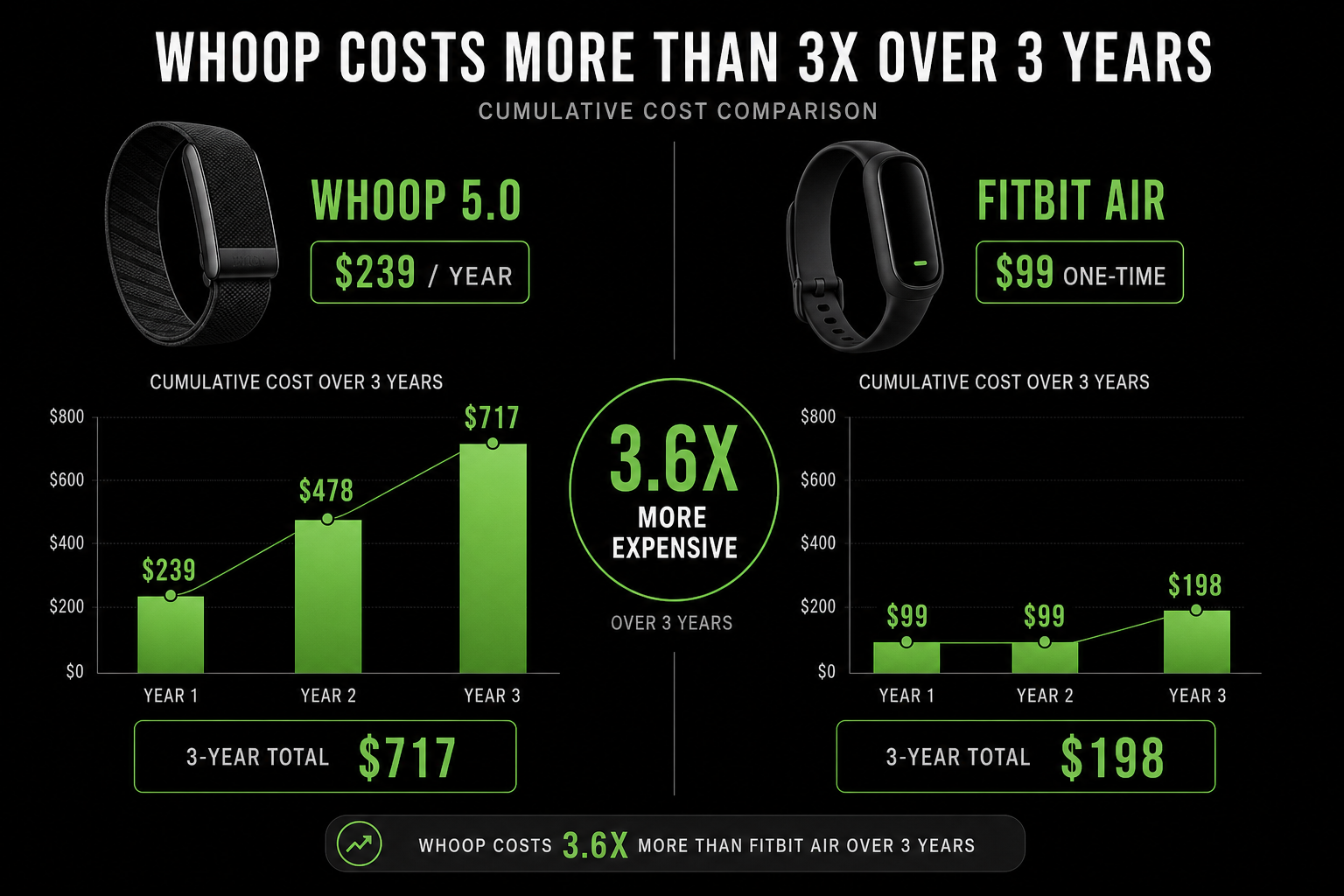
The Fitbit Air costs $99 with no mandatory subscription. The Whoop 5.0 requires a membership that starts at $239 per year for the Peak tier. That price gap is large enough to force a real question: is Whoop's deeper analytics engine worth the recurring cost, or has Fitbit built a recovery tracker that is good enough for the vast majority of people?
This comparison is for budget-conscious shoppers who want a screenless tracker but are unsure which ecosystem to commit to. We will walk through the total cost over multiple years, the design and wearability differences, battery life, workout tracking, heart rate accuracy, sleep analysis, AI coaching, and the recovery frameworks that define each device. By the end, you will have a clear answer based on how you train and what you are willing to spend.
If you are still exploring the broader category, our Screenless Fitness Tracker Buyer's Guide 2026 covers more options across different budgets and use cases.
Price Over Time: The $99 Disruption vs. the $239 Annual Subscription
The single most important difference between these two devices is not a feature — it is the pricing model. Whoop locks you into a recurring membership. Fitbit Air sells you the hardware and makes Premium optional. Over a typical ownership period, that distinction adds up to hundreds of dollars.
Whoop 5.0 requires a membership to function. The Peak tier, which CNET calls the "Goldilocks pick" after 11 months of testing, costs $239 per year and includes the wireless PowerPack charger, Healthspan features like Whoop Age, and the stress monitor. The entry-level One tier is $199 per year but uses a basic wired charger. The hardware itself is free with any membership.
Fitbit Air costs $99 for the device. Premium is optional at $9.99 per month or $99.99 per year. You get basic sleep tracking, readiness scores, and activity logging without paying a cent beyond the hardware. Premium unlocks deeper insights, the Google Health AI Coach, and more detailed trend analysis.
| Cost Scenario | Whoop 5.0 (Peak) | Fitbit Air (No Premium) | Fitbit Air (With Premium) |
|---|---|---|---|
| Year 1 | $239 | $99 | $198.99 |
| Year 2 | $478 | $99 | $298.98 |
| Year 3 | $717 | $99 | $396.97 |
For readers who want a deeper breakdown of how subscription costs stack up across the entire tracker market, our Fitness Tracker Hidden Costs guide provides a full total-cost-of-ownership analysis across multiple brands.
Design and Wearability: Two Approaches to Screenless
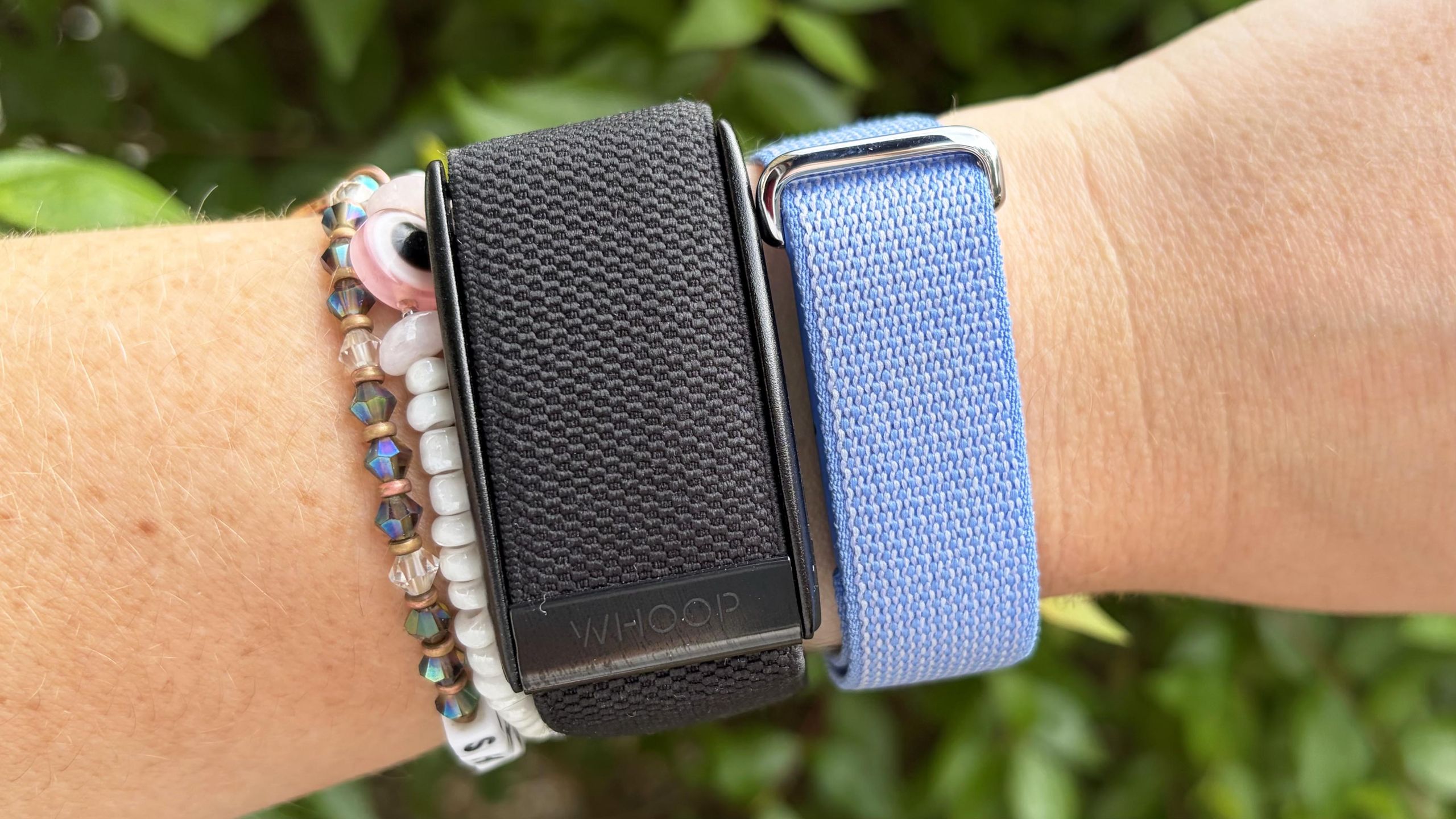
Both devices are screenless by design, but they achieve that goal differently. Whoop 5.0 uses a small, sealed pod that snaps into fabric or silicone bands. The pod is lightweight and unobtrusive — you can wear it on your wrist, bicep, or clip it to clothing using accessory bands. The fabric bands are comfortable for 24/7 wear, including sleep, and the device is water-resistant to 10 ATM, meaning it is safe for swimming and showering.
Fitbit Air takes a different approach. It is a small, pill-shaped clip that can attach to a wristband, a clip-on holder, or an adhesive patch for chest placement. The form factor is more versatile in theory — you can wear it on your waistband during a run or on your wrist during sleep — but the clip mechanism is less secure than Whoop's fabric band system. The Fitbit Air is also water-resistant to 5 ATM, which covers swimming but not high-velocity water sports.
For all-day and all-night wear, Whoop has the edge. The fabric band breathes better, the pod stays put during sleep, and the lack of a clip means no pressure points. Fitbit Air is slightly more discreet when clipped to clothing, but the wristband option is bulkier than Whoop's band. If you plan to wear the tracker 24 hours a day, seven days a week — which you should, since both devices derive their value from continuous data — Whoop's design is more refined.
Battery Life and Charging: Whoop's Clear Advantage
Battery life is where Whoop 5.0 separates itself most clearly from the Fitbit Air. PCMag tested the Whoop 5.0 and recorded 16.5 days of battery life. CNET and Wareable both confirm it comfortably exceeds the stated 14 days. More importantly, the Whoop 5.0 ships with a wireless charging pack that clips onto the pod and charges it while you continue wearing the band. You never have to take the device off.
Fitbit Air lasts 7+ days per charge, verified by DC Rainmaker's testing. That is competitive for the category — the Oura Ring 4 lasts about 7 days, and most smartwatches last 1–3 days. But the Fitbit Air must be removed from its band or clip and placed on a charging cradle. That means you lose data during the charging window, and you have to remember to put it back on.
| Metric | Whoop 5.0 | Fitbit Air |
|---|---|---|
| Tested battery life | 16.5 days (PCMag) | 7+ days (DC Rainmaker) |
| Charging method | Clip-on wireless pack (wear while charging) | Charging cradle (must remove device) |
| Data gap during charge | None — device stays on wrist | Yes — device is off wrist |
| Full charge time | ~2 hours (pack), ~4 hours (pod) | ~1.5 hours |
For 24/7 tracking, Whoop's charging advantage is meaningful. If you care about uninterrupted sleep and recovery data, not having to remove the device for a weekly charge is a genuine quality-of-life improvement. Fitbit Air's 7-day battery is fine for most people, but you will have to plan around the charging window.
Workout Tracking and Auto-Detection: Depth vs. Simplicity
If you want a tracker that logs your workouts without any manual input, Whoop is the clear winner. The Whoop 5.0 auto-detects 45+ activity types, including niche categories like "cleaning" and "dedicated parenting." PCMag confirmed this in their review, noting that Whoop's auto-detection is accurate enough that most users rarely need to manually start or label an activity.
Fitbit Air auto-detects approximately 5 activity types: run, walk, bike, rowing, and elliptical. For everything else — strength training, yoga, Pilates, HIIT — it asks you to label the activity after the fact. DC Rainmaker described this as "woefully behind Whoop's 45+ different activity types" in his in-depth review.
| Capability | Whoop 5.0 | Fitbit Air |
|---|---|---|
| Auto-detected activities | 45+ types | ~5 types (run, walk, bike, rowing, elliptical) |
| Manual activity logging | Supported (rarely needed) | Required for most non-cardio activities |
| Strength trainer | Yes (with muscular load calculation) | No dedicated strength tracking |
| Real-time workout metrics | No screen — no real-time data | No screen — no real-time data |
The practical difference is this: with Whoop, you put it on and forget about it. It logs your run, your weight session, your yoga class, and your afternoon walk without any interaction. With Fitbit Air, you will need to open the app after most non-cardio workouts to tell it what you did. That is a minor inconvenience for casual users, but it is a meaningful friction point for people who train multiple times per day or do varied activities.
Whoop also includes a dedicated Strength Trainer feature that calculates muscular load — a metric that SELF's reviewer noted is superior to other trackers for weightlifting. Fitbit Air has no equivalent. If strength training is your primary activity, Whoop provides more useful data.
Heart Rate Accuracy: What the Reviews Actually Say
Neither device is a medical-grade heart rate monitor. Both use optical sensors on the wrist, and both show inconsistent accuracy depending on the activity. The question is not which one is perfect — neither is — but which one is consistent enough to trust for trend data.
Wareable's testing of the Whoop 5.0 found that wrist-based HR accuracy remains "inconsistent" during exercise. During a steady run, Whoop overreported at 159 BPM versus 153 BPM on a Garmin chest strap. During a 90-minute tennis session, it underreported at 130 BPM versus 141–144 BPM on an Apple Watch and Garmin. However, during an interval run, it was "bang on the money." The error range is roughly 5–15 BPM depending on activity type.
DC Rainmaker's testing of the Fitbit Air showed "mixed results." In some activities, Fitbit Air overreported by 20–40 BPM. In an outdoor ride, both wrist-based trackers performed well, but Fitbit struggled during downhill sections. In direct comparisons, Whoop 5.0 did "far better" in some scenarios, while Fitbit Air was better in others.
If you need precise heart rate data for zone-based training, neither device is a substitute for a chest strap. But if you want to track resting heart rate trends and HRV over weeks and months, both are adequate. For a broader look at how different trackers compare on accuracy, our Fitness Tracker Accuracy Report 2026 provides a device-by-device breakdown.
Sleep Tracking: Two Philosophies on Rest
Sleep tracking is where both devices shine, but they approach it differently. Whoop has been refining its sleep algorithm for years. It tracks sleep stages (light, deep, REM), provides a sleep performance score, and offers prescriptive recommendations like optimal bedtime and sleep debt recovery. The framework is detailed and actionable — you know not just how you slept, but what to do about it.
Fitbit Air uses the same underlying sleep tracking technology found in other Fitbit devices, which has historically been solid. It tracks sleep stages, provides a sleep score, and integrates that data into the Readiness score. But the Fitbit Air is a first-generation product, and its sleep framework is less refined than Whoop's. The Readiness score is newer and less proven than Whoop's recovery metric.
| Feature | Whoop 5.0 | Fitbit Air |
|---|---|---|
| Sleep stages | Light, deep, REM (detailed) | Light, deep, REM (standard) |
| Sleep performance score | Yes (with recommendations) | Yes (integrated into Readiness) |
| Optimal bedtime guidance | Yes | Yes (with Premium) |
| Sleep debt tracking | Yes (detailed) | Yes (basic) |
| Framework maturity | Years of refinement | First-generation (newer, less proven) |
For users who want the most actionable sleep insights, Whoop has the edge. Its sleep coach recommendations are specific and tied to your recovery data. Fitbit Air's sleep tracking is good — likely good enough for most people — but it lacks the depth and prescriptive power of Whoop's system.
AI Coaching: Whoop Coach vs. Google Health AI Coach
Both devices now include AI-powered coaching, but the user experience differs significantly. PCMag UK's comparison noted that Google Health AI Coach is "more conversational and proactive" — it surfaces recommendations without you asking. Whoop Coach provides "deeper analysis but requires initiation."
In practice, this means Fitbit Air's AI might send you a notification suggesting a recovery walk based on your Readiness score, while Whoop Coach waits for you to ask a question like "How did my sleep affect my recovery today?" Whoop's answers are more detailed and data-rich, but you have to seek them out.
DC Rainmaker's review documented some early bugs in Fitbit Air's AI, including "AI hallucinations" where the coach repeatedly recommended queso and rosé. Google has published a roadmap for fixes, and these issues may be resolved by the time you read this. But as of mid-2026, Whoop's AI is more reliable and less prone to odd behavior.
Which style suits you depends on your personality. If you like unsolicited guidance and want a coach that nudges you, Fitbit Air's proactive approach is appealing. If you prefer to dig into the data on your own terms and want the deepest possible answers, Whoop Coach is the better tool.
Recovery and Strain Frameworks: The Core Differentiator
This is the heart of the comparison. Both devices are built around recovery tracking, but Whoop's framework is more mature, more refined, and more prescriptive. The Whoop recovery/strain/sleep triangle — where daily strain is calibrated against recovery status and sleep quality — has been developed over years of user data and algorithm updates. Wareable notes that it is "more refined than Garmin's Body Battery," and the same applies versus Fitbit Air's newer system.
Fitbit Air uses Cardio Load and Readiness scores. Cardio Load measures the cardiovascular strain of your activities, and Readiness combines sleep, HRV, and resting heart rate into a single number that tells you whether you are recovered enough to train hard. The concept is similar to Whoop's approach, but it is newer and less validated.
For dedicated athletes who train at least four days per week and actively use recovery data to adjust their training load, Whoop's framework is worth the subscription. The strain target recommendations, the recovery score that actually changes your planned workout intensity, and the long-term trend analysis are genuinely useful tools. As the Vora Blog notes, Whoop is best for people who "use the data to change behavior."
For everyone else — casual exercisers, people new to recovery tracking, or those who just want a general sense of whether they are overtraining — Fitbit Air's Readiness and Cardio Load scores are sufficient. You will get the same basic insight ("am I ready to push hard today?") without paying $239 per year for it.
Final Verdict: Which One Should You Buy?
The answer depends on how you train and how much you are willing to spend. The table below summarizes the key differences, followed by tiered recommendations.
| Dimension | Whoop 5.0 | Fitbit Air |
|---|---|---|
| Price (Year 1) | $239 (Peak) | $99 (no Premium) / $198.99 (with Premium) |
| Price (Year 3) | $717 | $99 / $396.97 |
| Battery life | 16.5 days (charge while wearing) | 7+ days (must remove to charge) |
| Auto-detected activities | 45+ types | ~5 types |
| HR accuracy | Inconsistent (5-15 BPM error) | Mixed (sometimes better, sometimes worse) |
| Sleep framework | Refined, prescriptive, years of data | Solid but newer, less proven |
| AI coaching | Deep analysis, user-initiated | Conversational, proactive |
| Recovery framework | Mature, prescriptive, longevity features | Newer, simpler, good enough for most |
| Best for | Dedicated athletes (4+ days/week) | Budget-conscious users, casual exercisers, beginners |
Buy the Whoop 5.0 if:
- You train at least four days per week and actively use recovery data to adjust your training intensity.
- You want the deepest possible sleep, strain, and recovery analytics with years of algorithmic refinement.
- You value uninterrupted 24/7 tracking and do not want to remove a device to charge it.
- You are interested in longevity metrics like Whoop Age and Pace of Aging.
- You do not mind paying $239 per year for a specialized tool that serves a specific training purpose.
Buy the Fitbit Air if:
- You are budget-conscious and do not want a mandatory subscription.
- You are new to recovery tracking and want to try it without a large financial commitment.
- You train casually (1–3 days per week) and just want a general sense of your readiness and sleep quality.
- You prefer a proactive AI coach that surfaces recommendations without you asking.
- You want the option to pay nothing beyond the $99 hardware cost and still get useful data.
For readers who want to see how these two devices stack up against other options like the Oura Ring 4 or Garmin's Vivosmart line, our Best Fitness Tracker 2026 decision-matrix guide provides a broader framework for matching a device to your specific use case.
This result comes from one real apartment under the stated conditions — it is a strong signal, not a guarantee your space will measure identically.
Builds this evidence supports
No build currently links to this specific test. Browse all builds with a matching tag.
Spot something off?
If this result didn't match your own space, let us know — floor-damage and noise claims carry real deposit-risk consequences if we get them wrong.