
The Free Label Means Nothing
You download a workout tracker app. It says "free" in the headline. You create an account, open the workout screen, tap "Add Exercise," and a pop-up tells you to upgrade to log more than three routines. That is the moment the label reveals what it actually means: not "free" but "free to start, not free to train."
Strong limits its free tier to three routines. Fitbod has no free tier at all — just a three-workout trial. JEFIT gives you 1,400+ exercise videos for free but runs ads between sets. The word "free" covers a spectrum, and most of the spectrum does not include the features that actually drive progress.
What 'Free' Actually Means
I read an article that proposes a useful taxonomy: there are four flavors of "free" in workout apps, and once you see them, you cannot unsee them. Every app you try will fit into one of these four buckets, and the bucket tells you more about whether it can sustain your training than any marketing page does.
| Flavor | What It Means | Example |
|---|---|---|
| Fully featured free trial | All features unlocked for a short period, then locked entirely unless you pay. | Fitbod (3 workouts) |
| Freemium hard cap | Free access to a limited number of routines, exercises, or data points. No trial — just a ceiling. | Strong (3 routines) |
| Ad-supported | Free to use fully, but you watch ads between sets or exercises. The price is interruption. | JEFIT |
| Genuinely free-forever | The core features you need for consistent training are available without paying anything, forever. Premium exists but is optional. | Hevy, Setgraph, Caliber, Nike Training Club |
Fitbod's "free trial" is not a free app; it is a demo. Strong's "free" is a preview cap — you cannot build more than three routines, so your progression hits a wall the moment you add a fourth movement pattern. JEFIT gives you everything, but an ad in the middle of a timed rest period is not harmless; it breaks your rhythm and makes you wait. The genuinely free-forever apps are the exceptions. They are rare, and they are the only ones worth your time if you plan to train seriously without a recurring monthly bill.
My 5-Minute Test
I have downloaded dozens of "free" apps, and I have developed a 5-minute test. You open the app, try to log a workout, and ask five questions. If the answer to any of them is "no" or "premium only," that app is not free for your purposes:
- Can I log an unlimited number of sets and exercises per workout, with no cap on the number of routines or workouts I create?
- Can I see my full training history — every set, every weight, every rep — from as far back as I have been using the app?
- Is there a built-in rest timer that I can start and stop without interruption?
- Does the app show at least basic progress charts (weight lifted over time, rep counts, volume trends)?
- Are there no ads between sets or after exercises?
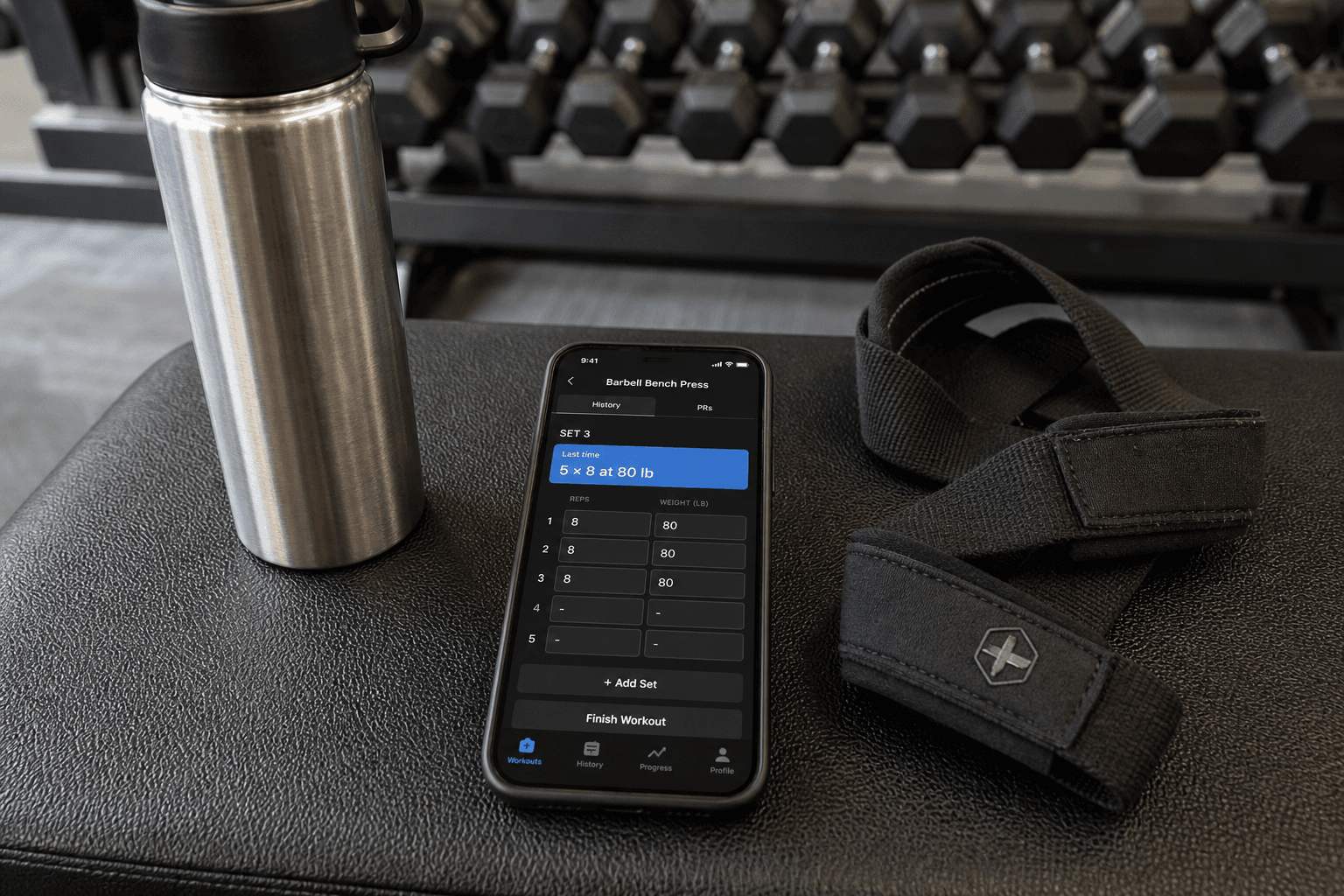
The most important of these — the one that I consider the make-or-break for progressive overload — is set-history prefill. When you open a movement, the app shows you what you lifted last time: sets, reps, weight. It turns "beat last time" from an abstract goal into a glance. One number. No guesswork. That single feature is the difference between guessing your next weight and knowing it. If an app hides that behind a paywall, it is sabotaging your ability to progress.
Four Apps That Actually Work
Only a handful of major apps land in the genuinely free-forever bucket. I have tested them, and I would recommend four. Each gives you enough to train seriously for years. But they are not identical — the paywall sits in a different place for each, and knowing where that line is matters.
| App | Free Tier Gives You | Paywall Sits At | Best For |
|---|---|---|---|
| Hevy | Unlimited logging, rest timer, PR notifications, progress charts, social features, 3-month history | Unlimited history beyond 3 months ($2.99/mo or $23.99/yr) | Lifters who want social features and are okay with quarter-year history |
| Setgraph | Unlimited logging, complete per-exercise history, visual progress graphs, rest timer, no ads | No premium tier — everything is free | Lifters who want total history and zero paywall worries |
| Caliber | 500+ exercises with demo videos, custom workout generation, log weights and reps, full history, ad-free | Personalized programming and coaching ($ premium) | Lifters who want structured programs but can design their own free |
| Nike Training Club | 300+ workouts across strength, HIIT, yoga, Pilates, no logging for individual sets | No premium tier — completely free | Lifters who prefer guided classes over self-logged workouts |
Hevy gives you the strongest free tier among social-first apps, but it clips history at three months on the free version. That is a real limit if you want to compare your current deadlift to what you pulled in January. Setgraph gives you everything forever — no history cap, no ads — and its per-exercise history view is the cleanest I have seen. Caliber is ad-free and gives you 500 exercises plus custom program generation; you do not need premium to build a solid 12-week plan. Nike Training Club is completely free and massive, but it is not a traditional logging app — it guides you through workouts rather than letting you log your own sets and reps.
If you are a home-gym owner looking specifically for strength logging at no cost, our guide to best free exercise apps for home gym owners has a narrower comparison.
When Paying Makes Sense
I do not want to imply that free apps are always enough. They are enough if you only need to log sets, see history, and follow a plan you designed. But three scenarios justify paying:
- You want AI-driven program generation that adapts week by week based on your performance. None of the four free apps above do that well — Caliber's custom generation is manual, not adaptive.
- You want advanced analytics beyond basic progress charts: volume progression by muscle group, fatigue management, or rep-speed analysis.
- You want one-on-one human coaching integrated into the app (e.g., Future at $199/month).
The average premium workout app costs $34 per month if you believe Garage Gym Reviews' testing. PCMag pegs a "good rate" at $10 to $15 per month. Hevy's premium costs $2.99 per month. Paying is not a rip-off if the extra feature genuinely moves a needle you care about. But do not pay just because the free version clipped something you never needed. Spend 5 minutes with the test first.
For a deeper comparison of what paid tiers actually deliver, see Free vs Paid Strength Training Apps: What a Home Lifter Actually Gets for Their Money in 2026.
The One Thing Nobody Checks
This is the part where I have to admit a gap in the evidence. None of the sources I used verified whether Hevy, Setgraph, Caliber, or Nike Training Club offers a clean export of your training history. That worries me, because data lock-in is the real cost of choosing wrong.
If you spend a year logging every set in an app and then discover you cannot export that history — or that downgrading from premium locks historic data — you have lost more than time. You have lost the longitudinal record that makes progressive overload measurable. Strong, for example, is known to limit history when you drop to the free tier. I have not tested whether the four passing apps do the same, so take this as a warning: before you commit, check the app's data export options. Look for CSV, JSON, or any structured download. If it is not there, your first choice matters more than usual.
Now You Have the Test
The four flavors of free are a mental model you can apply to any app you download. The 5-minute test is a reusable audit, not a checklist specific to this article. You do not have to pay for a workout tracker if you choose wisely. But you must audit the free tier yourself rather than trust the label.
Hevy, Setgraph, Caliber, and Nike Training Club pass the test. Strong and Fitbod do not. That is not a subjective preference — it is a fact about what their free tiers actually deliver. Download the one that matches your style, run the test, and if it passes, start logging. If it does not, delete it and move on. The 5 minutes will save you a year of frustration.
For a broader decision framework beyond free vs paid, see What to Look for in a Workout Tracker App: A Buyer's Framework for 2026.
Comments
Join the discussion with an anonymous comment.