
The awkward point with workout apps for beginners usually does not arrive on day one. It arrives after you have already done the thing that once felt hardest: you opened the app, followed the workouts, learned where the buttons are, and repeated the routine for a few weeks. Then the same app that felt reassuring starts to feel thin. The workouts blur together. The “great job” screen still appears, but it does not answer the more useful question: what should get harder next?
That does not automatically mean you chose badly. A beginner app can be right for week one and wrong for week ten. The better question is not “Which app is best?” but “Which job do I need the app to do this month?”
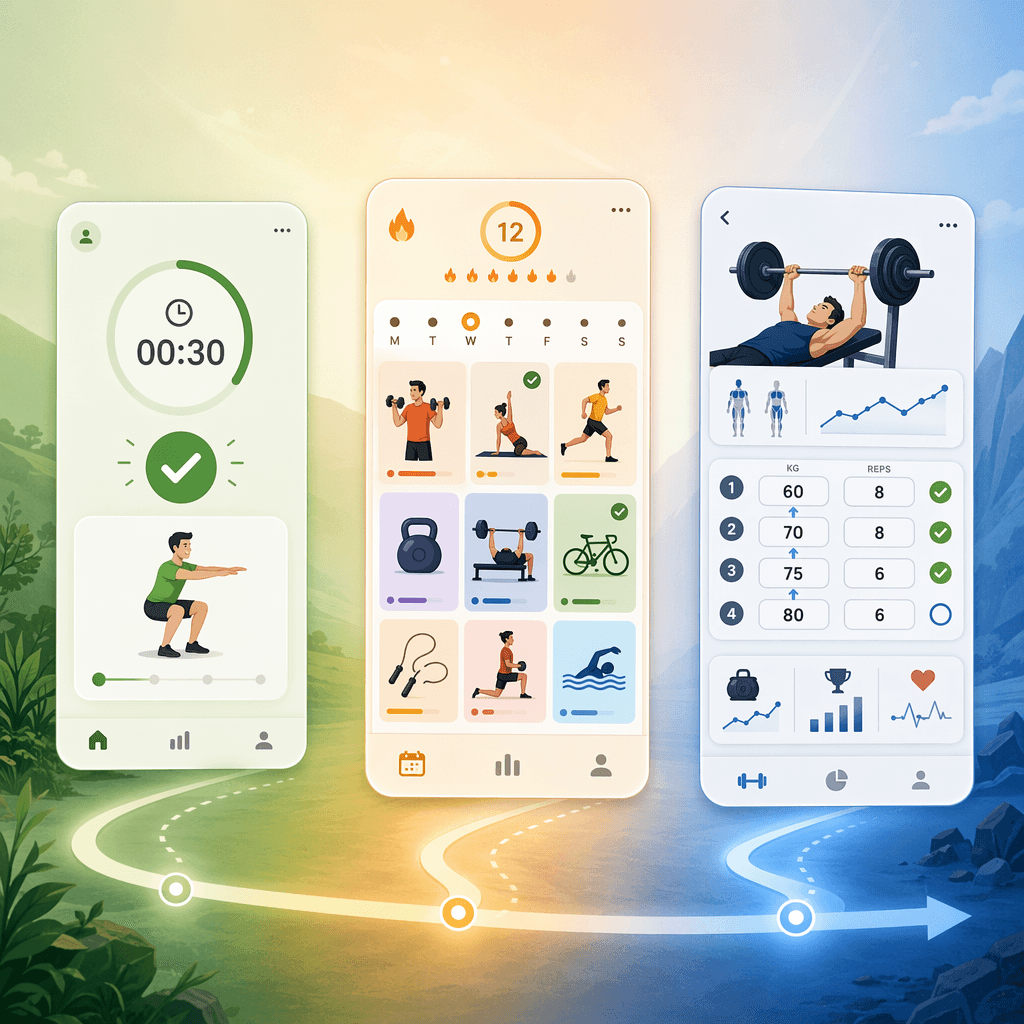
The first 12 weeks ask for three different apps, even if you keep using one
A practical way to read your first three months is to separate them into three overlapping phases:
| Phase | Rough timing | What the app needs to do well | What can wait |
|---|---|---|---|
| Orientation | Weeks 1–3 | Make starting feel obvious: simple workouts, clear demonstrations, low setup, friendly reminders | Detailed strength progression, advanced metrics, complex equipment planning |
| Habit formation | Weeks 4–8 | Help you repeat workouts often enough to learn your own patterns, with enough variety to avoid boredom | Perfect programming, aggressive overload, deep analytics |
| Early progression | Weeks 9–12 | Track what you did, suggest sensible increases, and make progression visible | A permanently frictionless interface |
Those week ranges are a map, not a rule. Someone returning after years away may need longer in orientation. Someone with a sports background may want progression tools sooner. The point is to stop treating every frustration as a personality flaw. Sometimes you are impatient. Sometimes you are inconsistent. And sometimes the app has simply finished the job it was best at.
Daily Burn makes a useful warning here: “Many fitness apps claim to be beginner-friendly but were really designed for people who already work out and just want to mix things up at home.” That cuts both ways. Some apps overwhelm true beginners by assuming they already understand training. Others are genuinely friendly at the start but never grow into a training plan. [1]
Weeks 1–3: simplicity is doing real work
In the first few weeks, the best app is often the one that removes decisions. You should not need to know whether a goblet squat belongs before a hip hinge, whether three sets is enough, or whether your resistance band counts as “equipment.” You need to press play, understand the movement, survive the first few sessions without feeling foolish, and come back.
This is where polished onboarding, short workouts, low-equipment filters, and clear form videos matter more than sophisticated programming. If you are still in that stage, a simple follow-along app is not “too basic.” It is doing the beginner job: lowering the cost of starting. For a fuller week-by-week version of that first month, use Your First 30 Days With a Workout App before you start comparing upgrade tiers.
Garage Gym Reviews’ beginner app testing is helpful because it does not judge apps on vibes alone. Its methodology scores apps across 10 categories, including progressive overload, instruction, and equipment demands. Those categories separate two things that are often mashed together in app marketing: an app can be excellent at helping you begin and still be weak at helping you progress. [2]
That distinction matters because a week-one beginner should not be punished for choosing the app with the clearest class library or the least intimidating screen. If an app gets you moving three times in a week after months of postponing, that is not a small feature. It is the feature.
Do not switch yet if the real problem is starting
Before week four, most “should I switch?” anxiety is premature. If you are skipping workouts because the sessions are too long, the app feels confusing, or the equipment list makes you avoid opening it, then yes, the app may be mismatched. But if you have only completed a few workouts total, a more advanced app will mostly give you more ways to avoid training.
A useful phase-one app should answer three questions quickly: What do I do today? How do I do the moves safely enough to start? When should I come back? If it answers those, let it be simple a little longer. If it does not, the issue is beginner fit, not progression. The difference is covered more directly in What Actually Makes a Workout App Beginner-Friendly?.
Comments
Join the discussion with an anonymous comment.