
Most wearables end up in a drawer. Here’s why.
A number from JointCorp—a manufacturer and OEM analyst—claims 98% of smart ring users wear their device overnight, compared to 67% of smartwatch users. Treat it as an industry-sponsored claim, not an independent study. Even if the real gap is smaller, the direction is hard to argue with: a device that needs daily charging and buzzes your wrist with notifications all evening is one you will eventually take off before bed. And once you stop wearing it at night, you lose the most valuable data a health tracker can give you: recovery, HRV, and sleep trends over time.
I’ve watched friends and readers burn money on devices that promised everything and demanded a habit they couldn’t sustain. The real reason a gadget collects dust isn't the feature list—it’s that the device asked for a charging discipline, a notification tolerance, or a subscription commitment that the owner didn’t keep. After enough of those conversations, I’ve landed on three axes that predict whether you’ll stick with something longer than a week: battery life (how often you have to charge), screen-based feedback (whether you need live data during a workout), and subscription philosophy (what the device costs over three years). Get these right, and the feature list mostly takes care of itself.
Battery life is the difference between wearing it to bed or not
The same device gets different battery claims from different reviewers. PCMag tested the Fitbit Charge 6 at 7 days; Wirecutter got 5 days with regular GPS; Wired clocked the Oura Ring 5 at 9 days. The Garmin Vivoactive 5 is often quoted as “up to 11 days,” but that’s with minimal GPS use. The variation matters less than the pattern: fitness bands and rings last 7–14 days; smartwatches struggle past 2–3.
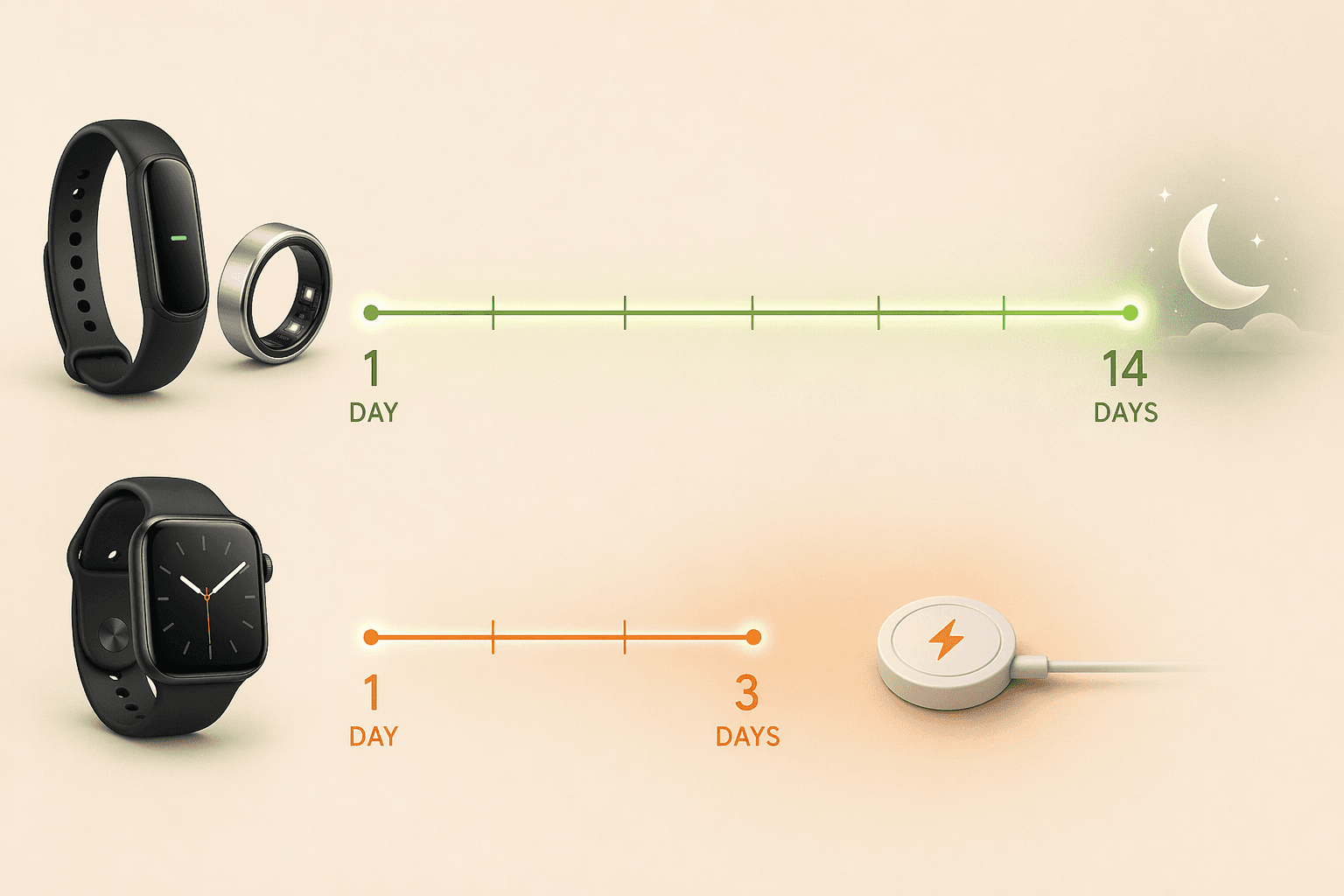
The real consequence isn't convenience—it's whether you wear the thing to bed. A smartwatch that needs nightly charging forces you to choose between sleep data and a full battery the next morning. The 67% overnight wear figure for watches is almost certainly dragged down by that conflict. Rings and screenless bands run for a week or more on a single charge, so you put them on and forget about power for days.
But battery alone doesn't guarantee consistent sleep tracking. A ring also avoids the notification noise and wrist bulk that make watches uncomfortable for sleeping. I’ve seen people sleep through a vibrating Apple Watch alarm and then pull it off in frustration. A quiet, low-profile band or ring is simply easier to ignore—and that’s what you want at 2 a.m. If sustained sleep tracking is your priority, the choice narrows before you even compare sensors.
For a deeper breakdown of how form factors affect wearing habits, see our form factor comparison guide.
If you check your phone after a workout, you don’t need a smartwatch screen
This is the split most reviews gloss over. If you run intervals, follow a structured strength session, or use a rower that displays target pace, a smartwatch gives you immediate feedback without looking at your phone. Pace, rep count, heart rate zone—it’s all on your wrist. That’s a genuine advantage, one that no ring or screenless band can replicate.
But if your home workouts are strength training (rest between sets, no constant glance needed), yoga, or any session where you just want data after you’re done, a screen adds little and subtracts a lot. A smartwatch’s display invites notifications, and those notifications break your focus. The biggest trend in wearables right now is screenless devices—rings and bands with no display, designed for passive background tracking. Whoop 5.0 is the most visible example: no screen, 14-day battery, subscription-only, but zero notification intrusion.
I wrote about why screenless trackers are 2026's biggest trend and who should buy one. The short version: if you can stand checking your phone after a workout, go screenless and save yourself the distraction.
Your phone and gym machine already decide half the market
The first hard filter is your smartphone. Apple Watch requires an iPhone—no exceptions. Galaxy Watch works best with Samsung phones, though it supports other Android devices with fewer features. Garmin and Fitbit are the most cross-platform, supporting both iOS and Android with nearly full functionality. If you already have a phone, that ecosystem alone eliminates half the market.
The second filter is your gym equipment. Fitbit Charge 6 can broadcast heart rate via Bluetooth to Peloton bikes and NordicTrack treadmills—a feature confirmed by PCMag, Wirecutter, and Wired. No other Fitbit model does this, and most bands and rings don’t either. On the smartwatch side, Apple Watch and Galaxy Watch connect to gym equipment indirectly through their app stores, which is more flexible but less out-of-the-box. If you own a specific machine, check compatibility before buying.
We’ve rounded up the best fitness trackers for home gyms with specific machine compatibility notes. And for a full comparison of the three major ecosystems, see the Fitbit vs Garmin vs Apple Watch guide.
The subscription trap: a $99 device can cost more than a $249 one
Upfront price is a trap. The real cost of a wearable is what you pay over three years, because subscription fees now affect almost every serious device. According to JointCorp, 38% of fitness tracker users pay for premium subscriptions, averaging $8.50 a month. That’s $306 over three years—more than many devices themselves.
Here’s a three-year total cost comparison for the most popular options, using prices from Wirecutter, Wired, and brand sites as of mid-2026. Subscriptions and device prices can change, so double-check before buying.
| Device | Upfront price | Annual sub | 3-year total |
|---|---|---|---|
| Whoop 5.0 | $0 (requires membership) | $199/year | $597 |
| Oura Ring 4 | $299 | $70/year | $509 |
| Fitbit Inspire 3 (free app) | $99 | $0 | $99 |
| Fitbit Charge 6 (free app) | $149 | $0 | $149 |
| Fitbit Inspire 3 + Premium | $99 | $80/year | $339 |
| Garmin Vivoactive 5 | $249 | $0 | $249 |
| Apple Watch SE (no sub) | $249 | $0 | $249 |
The numbers are straightforward. Whoop looks cheap at $0 upfront but costs $597 over three years—more than a premium smartwatch. Oura’s subscription adds $210 on top of the $299 ring. Meanwhile, a $99 Fitbit Inspire 3 with the free app costs just $99 total. I don’t buy the argument that “you pay for insights you can’t get elsewhere” when many people get similar recovery and readiness data from Garmin’s free Connect app.
Garmin’s free-tier strategy is worth a closer look—see the hidden cost breakdown for Garmin trackers for how optional Connect+ ($70/year) compares to the free app.
The real question: will you wear it after week one?
The best wearable is the one you actually wear after the first week. For most home fitness users, that means a comfortable band or ring with long battery and no forced subscription. A $99 Fitbit Inspire 3 or a $249 Garmin Vivoactive 5—both with robust free apps—beat a $0 Whoop that costs $597 over three years and demands a membership to unlock basic data.
But if you need live feedback during a run or interval session, a smartwatch still has a place—just know the trade-off: you’ll charge it daily, and your sleep tracking will suffer. An Apple Watch SE ($249, no subscription) is a fair compromise if notifications don’t bother you at night.
For a more detailed walkthrough of how each form factor fits different lifestyles, start with our form factor decision guide.
Comments
Join the discussion with an anonymous comment.