
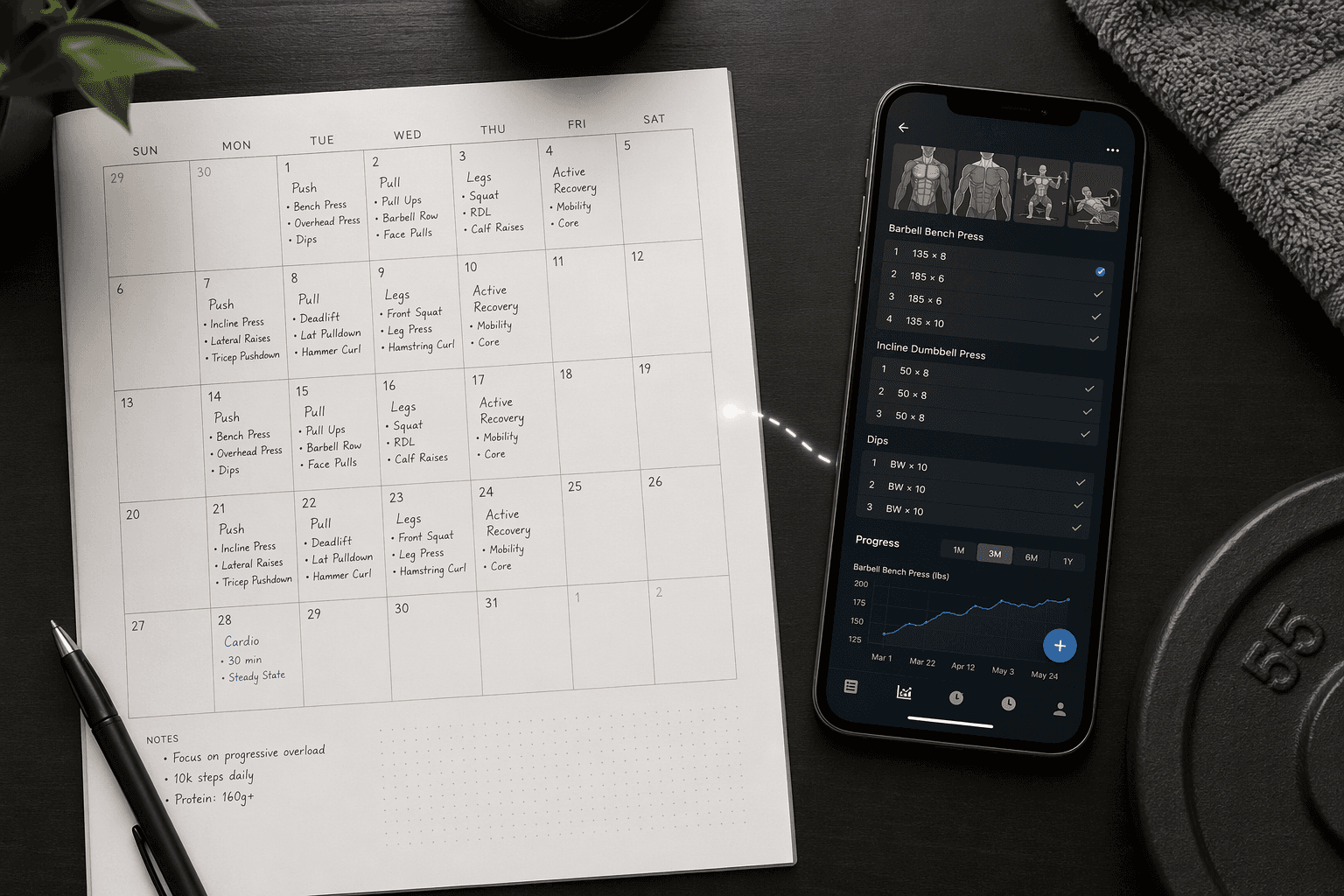
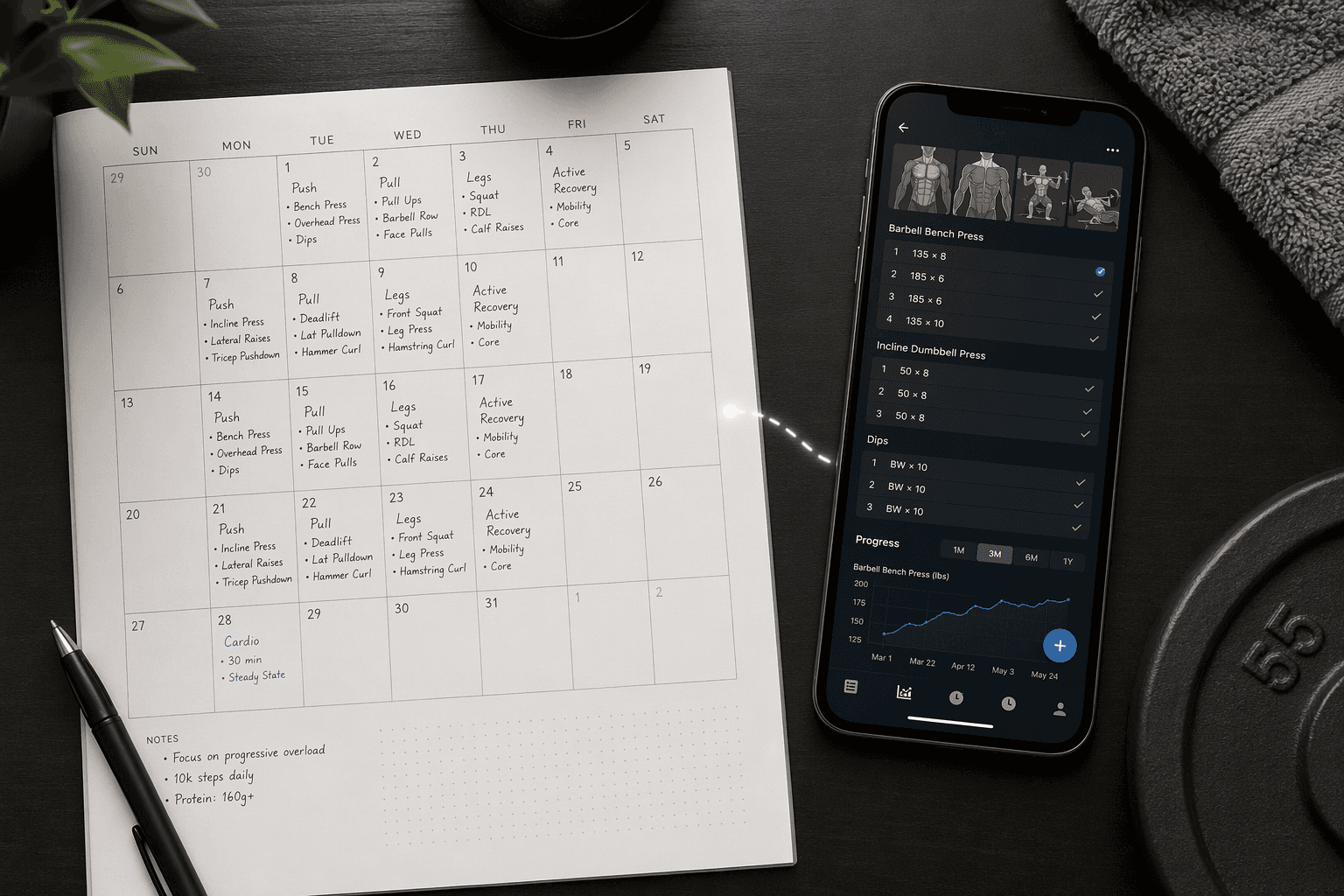
A free workout planner can cover both planning and tracking, but usually not as one tidy, perfect tool. The workable answer is a hybrid: use a printable or calendar-style planner to decide what should happen this month or week, then use a free workout app to record what actually happened set by set.
That matters because the failure point is rarely motivation on day one. It is the third busy week, when the paper calendar still looks clean, the spreadsheet needs another formula, and the app remembers your last workout but has no idea how you meant to organize the month. A good free system gives each tool a smaller job instead of asking one free tool to behave like a paid coaching platform.
Why one free tool usually breaks down
Planning and tracking are different jobs. Planning is deciding that Tuesday is lower body, Thursday is upper body, and Saturday is a longer session if the week does not fall apart. Tracking is remembering that last Thursday you used a certain weight, hit a certain number of reps, skipped one accessory movement, and should not repeat the exact same load forever.
Free printable planners are strong at the first job. PureGym’s free templates include daily, weekly, and monthly workout planners, but the templates are blank grids: they do not include an exercise library, rest timer, or built-in progressive-overload tracking.[1] Workout-calendar.com is similar in spirit: it offers more than 20 free printable PDF workout calendar designs in formats such as Sunday-start, Monday-start, with-goals, and without-goals versions, but the calendars are still blank planning surfaces.[2]
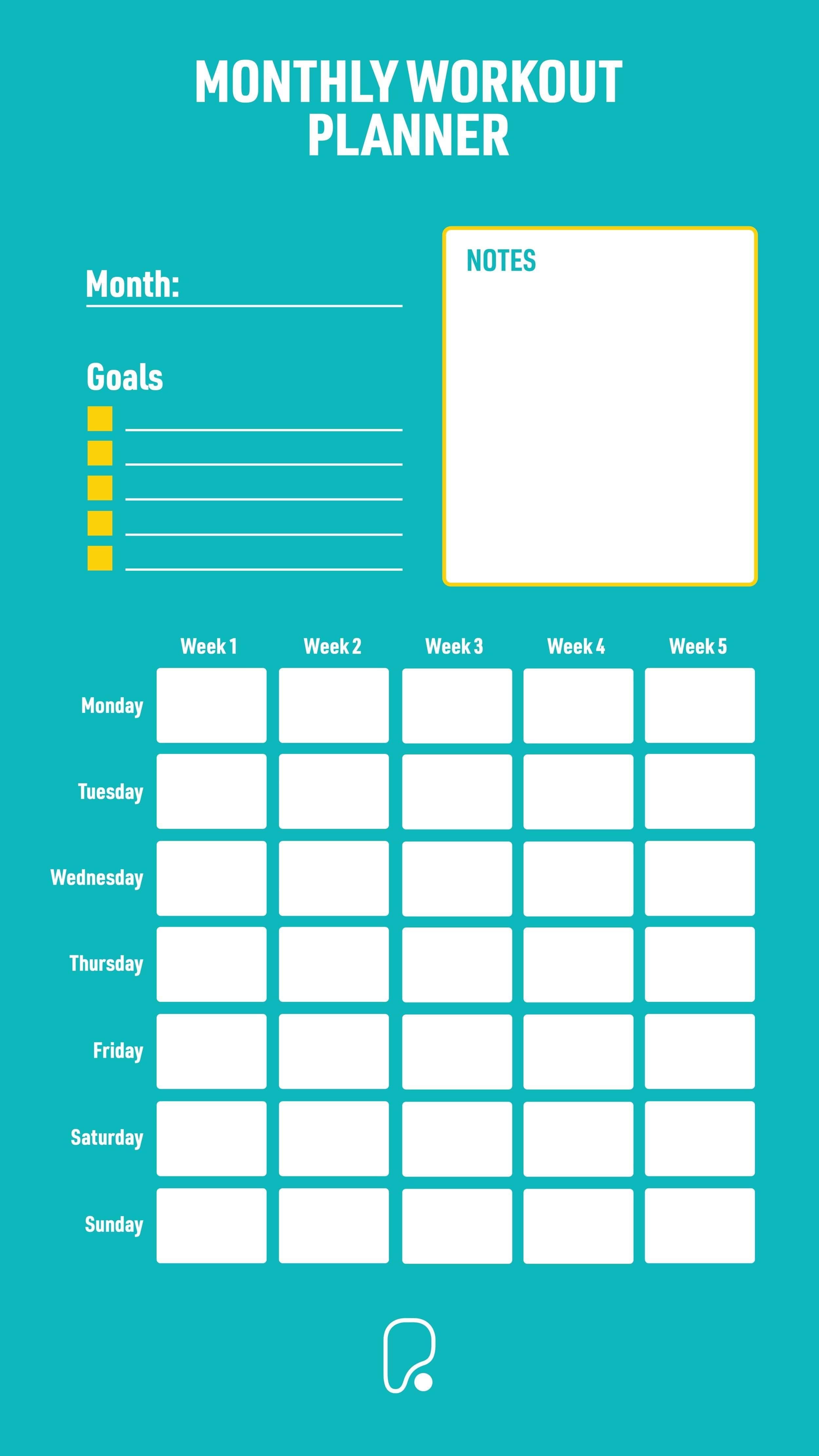
That blankness is useful when you need to see the week. It is not useful when you are standing in the gym trying to remember whether your last incline dumbbell press was heavier or just felt heavier. Paper does not search your history for you. It does not graph strength changes. It does not quietly carry last session’s numbers into today’s log.
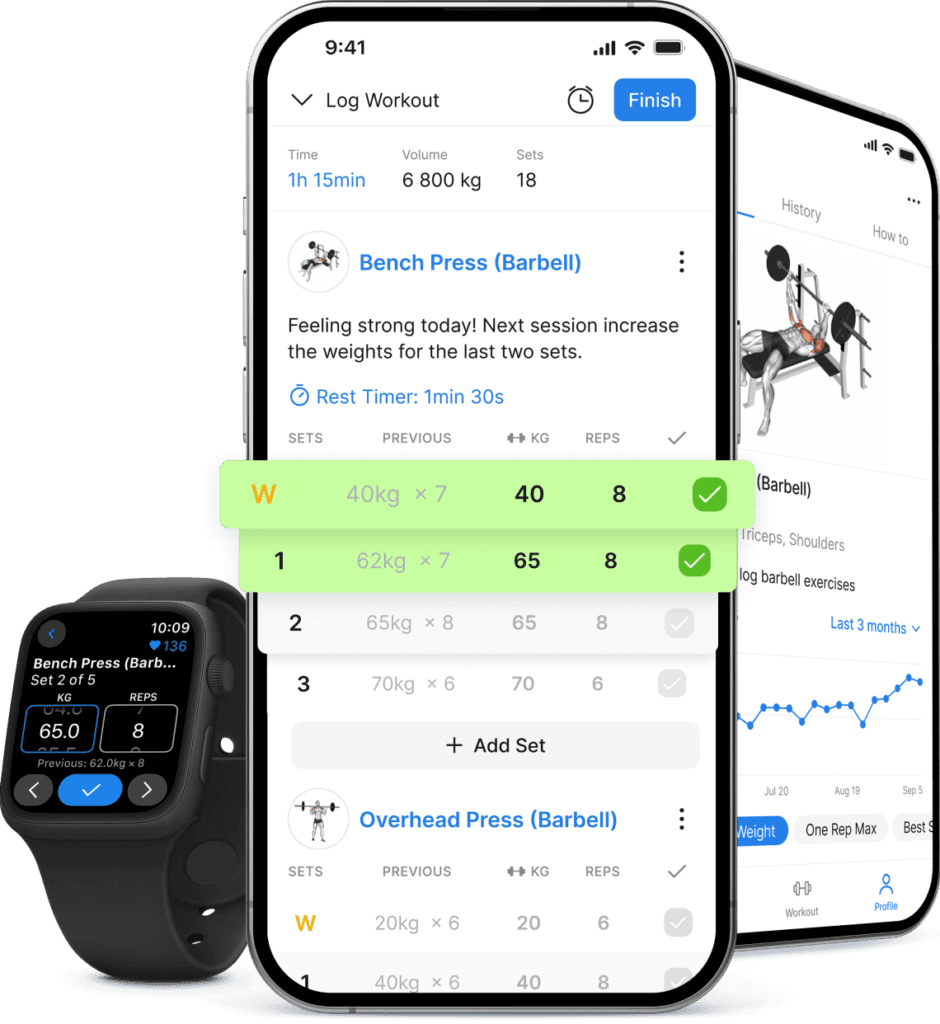
Free workout apps solve much of that logging burden, but they often solve it inside the app’s own assumptions. Hevy’s free tier includes workout logging, progress graphs, routine management, and social features without putting its core logging functions behind a paywall, and LoadMuscle rated it the best free tracking experience in its 2026 testing.[3] Nike Training Club goes in a different direction: Forbes Health ranked it the top free fitness app with a 5.0 out of 5.0 rating and noted that it includes more than 300 workouts, but users cannot build personalized programs because the app selects workouts for them.[4]
Spreadsheets sit in the tempting middle. They can become almost anything: a weekly plan, a lift tracker, a bodyweight chart, a volume calculator, a dashboard. The cost is setup. LoadMuscle’s app-versus-spreadsheet analysis found that spreadsheet users often need to spend hours building formulas before they can track progressive overload, while free apps handle that work automatically.[5] That does not make spreadsheets bad. It makes them a poor default for someone who is already losing workouts to setup friction.
The free system works when each layer has one job
The cleanest free workout planner system separates the calendar decision from the workout record. The planner answers, “What am I supposed to train this week?” The app answers, “What did I actually do, and what should I try next time?”
| Layer | Best free tool type | What it should handle | What it should not be expected to handle |
|---|---|---|---|
| Planning | Printable calendar or weekly planner | Training days, rest days, workout themes, schedule changes | Exercise history, set-by-set logging, automatic progression |
| Tracking | Free workout logging app | Exercises, sets, reps, weights, rest notes, progress graphs | Whole-month schedule visibility, life calendar decisions |
| Optional customization | Spreadsheet | A simple weekly template, personal rules, unusual schedule constraints | A complex dashboard that takes more effort than training |
This is also where “free” becomes more believable. A blank printable is not pretending to be intelligent. A free app is not being asked to replace your calendar. A spreadsheet, if used at all, stays small enough that it does not become the workout.
System 1: Monthly printable calendar + Hevy for logging
This is the most practical starting point for beginners who already know the kinds of workouts they want to do: strength training, cardio, mobility, classes, or a mix. Use a blank monthly calendar from Workout-calendar.com or PureGym for the visible plan, then use Hevy for the workout records.
- On the monthly calendar, write only the workout category: full body, lower body, upper body, cardio, mobility, rest.
- In Hevy, build or log the actual exercises for each session.
- After each workout, mark the calendar with a simple completion note: done, shortened, moved, or skipped.
- At the end of the week, adjust the next week’s calendar only if the pattern is obvious.
The calendar prevents the common “open the app and decide from scratch” problem. Hevy prevents the common “I wrote upper body on Tuesday but have no useful record of what I lifted” problem. The division is simple enough to survive a week when you are tired: paper for intention, app for evidence.
Keep the monthly calendar deliberately broad. If Monday says “lower body,” that is enough. The app can hold squats, Romanian deadlifts, split squats, calf raises, sets, reps, and load. If all of that gets copied into the printable, the paper layer becomes clutter instead of helpful.
This system is strongest for gym-based strength training because the logging side matters. Progressive overload is hard to manage from memory, and it is exactly the kind of repetitive tracking that a free app can handle better than a printable.
System 2: Simple Google Sheets week + Nike Training Club
This setup is better for someone who wants guided sessions and does not want to design workouts exercise by exercise. Nike Training Club’s free library is the reason it works: the app offers more than 300 workouts, but the tradeoff is that users cannot build fully personalized programs inside it.[4]
Instead of fighting that limitation, let the spreadsheet do only the scheduling around the app. A very plain Google Sheet can hold the week:
| Day | Plan | Nike Training Club session type | Done? |
|---|---|---|---|
| Monday | Strength | Lower-body or full-body workout | |
| Tuesday | Rest or walk | None | |
| Wednesday | Strength | Upper-body or full-body workout | |
| Thursday | Mobility | Yoga or mobility session | |
| Friday | Strength | Full-body workout | |
| Saturday | Optional cardio | Cardio or conditioning session | |
| Sunday | Rest | None |
The spreadsheet should not become a formula project. No volume calculations, no color-coded performance dashboard, no elaborate score. It exists because Nike Training Club can guide the workout, while a weekly sheet can show whether your week has three hard sessions jammed into three impossible days.
This pairing is especially useful for home workouts, bodyweight training, and beginners who feel lost when handed a blank exercise log. The app gives the session; the sheet gives the week. If you need a more detailed comparison of what free app tiers actually include and withhold, the broader breakdown of free workout app limitations is the better next stop.
System 3: Canva weekly planner + Boostcamp for structured strength work
Use this version when you want the paper planner to look and behave more like your actual life. Canva’s workout planner templates are customizable printable designs, which makes them useful when a plain calendar does not give you the right boxes for goals, notes, class times, or recovery reminders.[6]
The app side should then carry the structured strength plan. In this hybrid, Boostcamp is the training-program layer, while the Canva planner is the weekly control panel: when sessions happen, which days are protected, and where the week may need a backup slot.
- Customize the Canva weekly planner with only the fields you will fill in after work: day, workout, time window, recovery note, and completion mark.
- Choose the structured strength work inside the app rather than rewriting the full program onto paper.
- Use the paper planner to move sessions when life interferes, not to duplicate every set and rep.
- Review the paper at the end of the week for schedule realism, then review the app for training progress.
This is the most personal-looking setup, which is both its appeal and its trap. A better-looking template helps only if it removes friction. If customizing the planner becomes a weekend design project, switch back to a blank weekly grid and let the app do more of the work.
Where spreadsheets belong, if they belong at all
A spreadsheet earns its place when it solves a specific planning problem: rotating shift work, alternating gym and home days, coordinating workouts around childcare, or keeping a simple weekly view that a workout app does not provide. It does not earn its place by being theoretically capable of everything.
The safest spreadsheet rule is this: if you cannot rebuild it in ten minutes, it is probably too complicated for a free beginner system. The moment you start debugging conditional formatting instead of training, the hidden cost has arrived.
For readers who want the larger format-by-format comparison before choosing, the full apps vs. printables vs. AI builders vs. spreadsheets showdown is more useful than trying to force every format into this one system.
A simple setup path that does not eat the whole evening
Start with the least fragile version. Pick one planning layer and one logging layer. Do not add the spreadsheet unless there is an obvious scheduling problem the other two tools cannot handle.
- Print or create one monthly or weekly planner. Do not prepare three versions.
- Write workout categories, not full exercise prescriptions, into the planner.
- Choose the app that matches your workout style: Hevy for logging your own strength sessions, Nike Training Club for guided sessions, or Boostcamp for structured strength programming.
- Log only completed workouts in the app. Do not punish yourself by entering a fantasy week in advance.
- At the end of each week, move missed sessions forward only if they still make sense. Otherwise, leave them missed and plan the next week cleanly.
That last point is not a productivity trick. It is how the system avoids becoming dishonest. A planner full of rescheduled workouts can look busy while hiding the fact that the plan is too ambitious. A good free system should make that visible before you waste another month.
When free stops being enough
The hybrid approach covers the basics well: schedule structure, workout completion, exercise history, and enough progress visibility for most beginners. It starts to feel fragile when you want deeper personalization, more automation, or less manual maintenance.
Upgrade the part that is actually failing. If you keep missing workouts because the plan does not fit your week, paying for a more advanced logging app will not fix that. You need better programming or coaching. If you are training consistently but cannot see trends, upgrade the tracking side first. If you are spending too much time copying information between paper, spreadsheet, and app, pay for the tool that removes the most repeated work.
Free is enough when the system still tells you what to do next and what you did last time. It is no longer enough when maintaining the system becomes the thing you are trying to recover from. For a more detailed upgrade boundary, use the guide to when free workout apps are enough and when paid features matter.
References
- Workout Plan Templates: Download Or Make Yourself, PureGym
- Free Printable Workout Calendars, workout-calendar.com
- 11 Best Workout Apps in 2026 (Tested), LoadMuscle
- The 10 Best Workout And Fitness Apps Of 2026, Forbes Health
- Workout Planner App vs Spreadsheet (2026), LoadMuscle
- Workout Planner Templates, Canva
Comments
Join the discussion with an anonymous comment.