
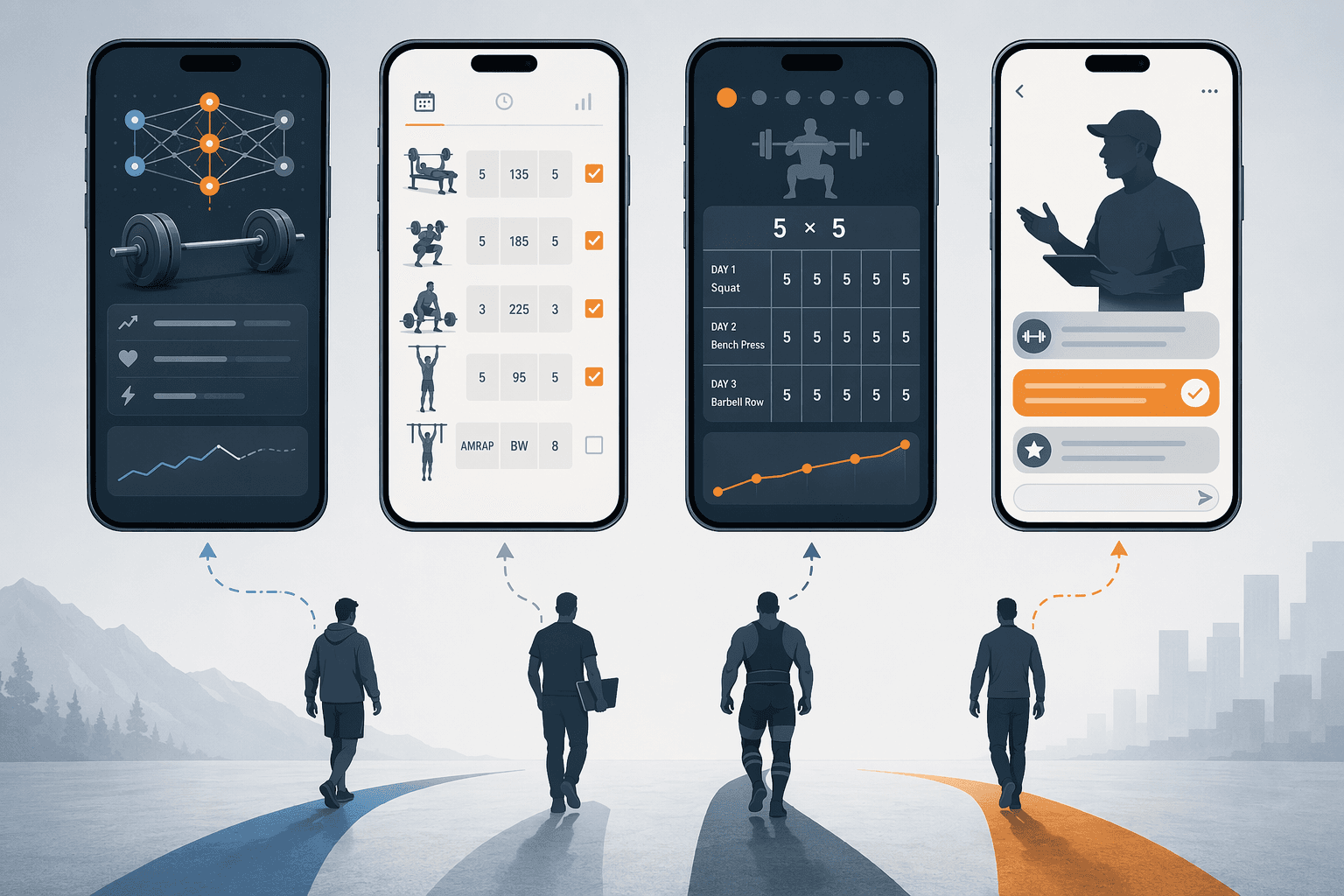
Most “best strength training app” lists make the same quiet mistake: they compare apps as if everyone is shopping for the same job. A beginner trying to learn a squat pattern, a spreadsheet lifter who only wants faster set logging, and a home-gym owner who needs substitutions for a missing cable stack are not asking the same question.
That mismatch is easier to feel now because the app shelf is crowded. Fitness apps reached about 540 million users globally in 2025, with 888 million total downloads reported by Business of Apps [1]. Grand View Research valued the global fitness apps market at $12.1 billion in 2025 and projected it to reach $33.6 billion by 2033, using its own market scope and methodology [2]. Those numbers explain the noise, but they do not tell you which app should be open when you are standing beside a bench after work trying to remember last week’s dumbbell press.
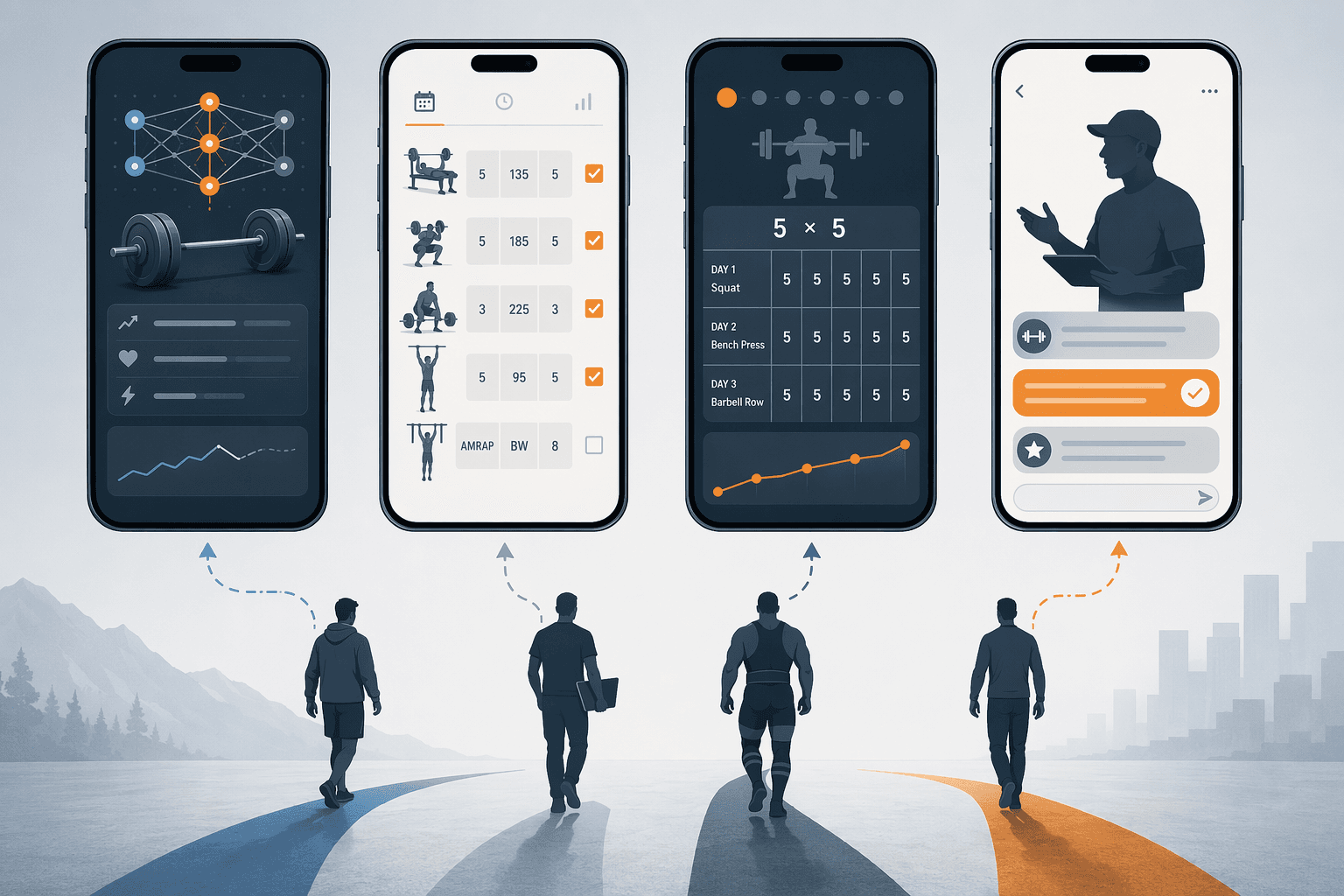
A better first filter is training philosophy. Most strength apps fall into four practical groups: AI-programmed coaches, pure trackers, structured program followers, and human-coached platforms. Start there, and the field gets much smaller.
First, decide what job the app has to do
Before comparing logos, sort your need into one of these categories.
- AI-programmed coaches: Best when you want the app to choose exercises, adjust volume, and work around your available equipment.
- Pure trackers: Best when you already have a plan and mainly need fast logging, history, charts, and routine templates.
- Structured program followers: Best when adherence to a known progression matters more than novelty.
- Human-coached or coaching-heavy platforms: Best when feedback, accountability, and outside decision-making matter enough to justify extra cost or a narrower scope.
If equipment is the main constraint, app choice gets even more specific. A home gym with adjustable dumbbells needs a different substitution engine than a garage rack with a barbell and plates. For that angle, the equipment-first guide to strength apps by home-gym setup is a better companion than another broad ranking.
Strength training app comparison grid
Prices and trials can change by region, billing cycle, and promotion. Garage Gym Reviews has reported an average workout app price around $34 per month, while many strength-specific apps in this comparison sit between free and about $15.99 per month, with JuggernautAI notably higher [3]. Treat the table as a way to see category fit, not as a permanent price sheet.
| App | Category | Pricing / free access | Training philosophy | Logging quality | Programming support | Equipment handling | Platforms | Best-fit user |
|---|---|---|---|---|---|---|---|---|
| Fitbod | AI-programmed coach | About $12.99–$15.99/mo; 3-workout trial reported [4] | Adaptive exercise selection using workout history, muscle recovery, goals, and available equipment | Good, though the app’s value is more in programming than bare logging | Strong AI-driven support with 900+ movements reported [4] | One of its better strengths; equipment-aware programming [4] | iOS and Android commonly covered in app reviews | Solo lifter who wants the app to build sessions around available gear |
| Hevy | Pure tracker | Generous free tier; Pro available [4][5] | Bring-your-own-program tracking with social and analytics features | Excellent for fast set, rep, weight, chart, 1RM, and template tracking [4] | Light; it does not replace a full program | Exercise selection and routines can reflect your setup, but it is not mainly an equipment-aware coach | iOS, Android, and web commonly covered | Lifter who already knows what to do and wants a clean logbook |
| Strong | Pure tracker | Free tier plus paid upgrades; self-reported popularity claims should be treated as vendor claims | Minimalist workout logging and routine templates | Very strong for simple logging | Light; best with an outside plan | Manual exercise and routine management | iOS and Android commonly covered | Spreadsheet-style lifter who wants less spreadsheet |
| Caliber | Coaching-heavy free strength platform | Free-forever tier with paid coaching options [3][7] | Beginner-friendly strength training with instruction and group programming | Ad-free logging reported in free tier [3] | Free tier includes group programming; paid tiers add more coaching | Exercise library helps, but it is not primarily an equipment-substitution engine | iOS and Android commonly covered | Beginner who wants structure, demos, and strength focus without paying first |
| Boostcamp | Structured program follower | 1,000+ pre-built programs reported free; Pro about $14.99/mo for advanced analytics and premium programs [6][3] | Run established strength programs from known coaches | Good enough for program adherence and workout history | Excellent if the program fits; less about inventing a plan for you | Depends on the selected program and your substitutions | iOS and Android commonly covered | Lifter who wants nSuns, GZCLP, 5/3/1-style structure without building a spreadsheet |
| Nike Training Club | Free workout library | Completely free [7][3] | Instructor-led workouts across strength, conditioning, mobility, and general fitness | Limited for progressive strength tracking | Workout guidance, not personalized progressive overload [7] | Can work with bodyweight and common equipment depending on workout | iOS and Android commonly covered | Budget-conscious user who wants guided sessions, not a serious strength log |
| JuggernautAI | AI-programmed coach for powerlifting | About $34.99/mo reported [5] | Powerlifting-focused adaptive programming with RPE-based autoregulation [5] | Built around serious training inputs rather than casual logging | High within its narrow scope | Best for barbell-focused setups | iOS and Android commonly covered | Powerlifter who wants meet-style specificity and is willing to pay for it |
| StrongLifts 5x5 | Structured program follower | Free tier plus paid upgrades commonly reported | Linear 5x5 progression | Simple and easy because the program is simple | Very clear early; less useful once linear progression stalls | Barbell-focused | iOS and Android commonly covered | Absolute beginner with barbell access who wants no decision fatigue |
| Alpha Progression | Programmed tracker / progression app | Subscription model; pricing may vary | Progression-focused training plans and logging | Stronger than a general workout library | More guidance than a blank tracker, less category-defining than Fitbod or JuggernautAI in the available materials | Useful when exercise selection matches your gym setup | iOS and Android commonly covered | Intermediate user who wants progression help without hiring a coach |
| Built Workout | Workout builder / tracker | Premium uses in-app pricing rather than a clearly public fixed price in the supplied material [6] | Strength workout building and tracking | Useful for lifters who like composing routines | Depends on how much structure the user brings | Manual setup matters | iOS commonly associated with the product category | User who wants a workout-building tool more than an adaptive coach |
AI-programmed coaches: useful when the plan is the bottleneck
Fitbod is the obvious starting point in this category because its pitch lines up with a real home-gym problem: you want today’s workout, you have only certain equipment, and you do not want to rebuild the plan from scratch. Reviews have described Fitbod as offering more than 900 movements, equipment-aware programming, and a short 3-workout trial before the subscription decision [4].
That makes Fitbod a good fit for the person who trains alone and gets stuck between too many options. If your setup changes from apartment dumbbells to a hotel gym to a full rack, an adaptive exercise engine can remove a lot of friction. The subscription is easier to justify when it saves you from skipping the session or repeating the same comfortable lifts because you cannot think of a substitute.
The tradeoff is that “adaptive” does not mean fully aware of your life. Garage Gym Reviews notes that Fitbod does not account for cardio or conditioning load [3]. That matters if your legs are cooked from intervals, a long run, or a sport practice and the app is still treating your strength history as the main signal. For a general strength trainee, that limitation may be tolerable. For someone balancing lifting with demanding conditioning, it can make the app feel smarter on paper than in the room.
JuggernautAI belongs in the AI conversation, but it is not trying to be a general fitness app. BarBend describes it as a $34.99-per-month powerlifting-focused platform using RPE-based autoregulation [5]. That higher price makes more sense if squat, bench, deadlift, training maxes, fatigue, and meet-style progressions are the point. It makes less sense if you mainly want a rotating home strength plan with dumbbells and a few machines.
This is also where the AI-versus-human question gets blurry. A powerlifter may want adaptive programming but still need form review, attempt selection, or emotional accountability. If that is the real need, compare the coaching models directly in AI strength apps versus human coaches before assuming software alone is the cheaper version of coaching.
Pure trackers: best when you already trust the program
Hevy and Strong are for the lifter who does not want the app to be clever. The job is to open quickly, show the routine, record the sets, and preserve enough history to make next week’s load obvious.
Hevy stands out because its free tier is unusually useful for a serious logger. Reviews cited here describe free workout logging, exercise charts, 1RM calculations, routine templates, and an ad-free experience [4][5]. That is not a minor freebie if you already have a coach, a proven program, or your own spreadsheet logic. You can get most of the day-to-day training record without paying for an AI layer you will ignore.
The catch is exactly the point: Hevy does not solve programming knowledge for you. If you do not know whether to add sets, change rep ranges, deload, or stop swapping exercises every week, a beautiful log will simply document the confusion. Beginners can still use it, but they will need a plan from somewhere else.
Strong occupies similar territory with a more stripped-down feel. Vendor popularity claims around Strong should be read as self-reported rather than independent proof of effectiveness, but the reason people like apps in this lane is not mysterious. A clean tracker reduces the number of things you have to remember between workouts. If you can open last week’s session, see 3 sets of 8 at a given weight, and decide the next jump in under ten seconds, the app is doing its job.
For many intermediate lifters, this category is the best value. Paying for a subscription only makes sense if the upgrade changes your behavior: better analytics, easier templates, export options, Apple Watch use, or less friction during the workout. If you are mainly weighing free and paid tiers on an iPhone, the separate breakdown of free versus paid fitness apps for iPhone goes deeper on what subscriptions tend to unlock.
Structured programs: boring can be a feature
A lot of lifters do not need an app to invent workouts. They need it to keep them attached to a progression long enough for the progression to work. That is where Boostcamp and StrongLifts 5x5 have a cleaner purpose than many broader platforms.
Boostcamp is built around known programs rather than app-generated novelty. Reviews cited here report more than 1,000 pre-built strength programs, including well-known options such as nSuns, GZCLP, and 5/3/1, with Pro at about $14.99 per month for advanced analytics and premium programs [6][3]. If you have ever abandoned a spreadsheet because it was annoying to run on your phone, Boostcamp’s appeal is straightforward: the structure already exists, and the app makes it easier to follow.
The weakness is that program choice still matters. A novice who picks an advanced high-volume template because it looks impressive can still end up overwhelmed. A lifter with limited equipment may need substitutions that change the program’s intent. Boostcamp reduces the friction of following a plan; it does not guarantee that the plan matches your recovery, schedule, or rack setup.
StrongLifts 5x5 is narrower and, for the right beginner, refreshingly plain. BarBend describes it as a simple effective program for absolute beginners, with a useful shelf life of roughly 3–6 months before linear progression commonly stalls [5]. That time window is not a failure. It is the natural limit of a beginner linear progression. The app is best treated as an on-ramp, not a permanent training identity.
For absolute beginners, the bigger question is often not “Which app has the most programs?” but “Which app keeps me from doing random hard workouts with poor form?” The beginner guide to strength training apps for new lifters and the checklist of beginner workout app features that matter are better filters if form demos, progression rules, and onboarding are the concern.
Free guided training: useful, but do not confuse it with progressive strength tracking
Nike Training Club deserves a place in the comparison because free still matters. CNET and Garage Gym Reviews describe it as completely free, with certified instructor-led workouts [7][3]. For someone who wants guided movement, general strength sessions, mobility, or conditioning without another monthly charge, that is genuinely useful.
It should not be oversold as a progressive strength app. CNET and Garage Gym Reviews note that Nike Training Club does not track progressive overload or personalize plans [7][3]. If your goal is to add load to a squat pattern over months, monitor top sets, or see whether your pressing volume is climbing, you will likely need a tracker or program app alongside it.
Caliber is the more interesting free option for strength-focused beginners. Its free-forever tier is reported to include more than 500 exercises with video demos, step-by-step instructions, group programming, and ad-free logging [3][7]. That combination matters because beginners often need three things at once: what to do, how to do it, and where to record it. A pure tracker handles only the third.
Caliber’s paid coaching options may be relevant for people who want more accountability, but the free tier is already strong enough that it should be on a beginner’s shortlist before defaulting to a subscription elsewhere. The main limitation is that group programming and exercise demos are not the same as individualized coaching. If you need someone to watch your lift, correct your setup, or tell you when to back off, that is a different service.
The apps that sit between categories
Alpha Progression and Built Workout are harder to place cleanly based on the cited evidence, which is worth saying rather than pretending every app has an equally sharp public profile. Alpha Progression is best considered by users who want more progression guidance than a blank tracker but do not need the powerlifting specificity of JuggernautAI or the broad equipment-aware generation of Fitbod. Built Workout looks more relevant for people who like composing and managing routines, with the caveat that its premium pricing is described as in-app pricing rather than a fixed public monthly figure [6].
These middle-category apps can be good fits, especially for lifters who know their preferences and want a smoother interface. They are just not the first examples to use when explaining the big decision. If your app choice still feels tangled after narrowing by category, use the simpler constraint-based strength training app decision framework to sort by budget, equipment, and experience level.
How to shortlist your best strength training app
Use the app’s philosophy to narrow the field before you compare features.
- Choose Fitbod or another AI-programmed coach if your main problem is deciding what to do next, adapting to available equipment, or avoiding the mental work of building sessions.
- Choose Hevy or Strong if you already have a plan and the app’s job is to make logging fast, reliable, and easy to review.
- Choose Boostcamp if you want to follow an established strength program without managing a spreadsheet.
- Choose StrongLifts 5x5 if you are an absolute beginner with barbell access and want a simple linear progression for the first phase of training.
- Choose Caliber if you are a beginner who wants free strength-focused instruction, demos, logging, and some programming support.
- Choose Nike Training Club if you want free guided workouts and general fitness sessions, while accepting that it is not a progressive overload tracker.
- Choose JuggernautAI if you are training seriously for powerlifting and the narrower scope plus higher monthly price match your goal.
Cost should be judged against the decision the app removes. A subscription is easier to defend when it replaces real programming work, coaching support, or repeated missed sessions. It is harder to defend when you only needed a logbook. For a deeper cost-versus-feature pass, use the strength training app ROI guide.
If your training space is still changing, solve that first. A compact dumbbell setup, a rack-based garage gym, and a bodyweight corner all make different apps feel “smart.” The compact home gym by training goal guide can help before you lock yourself into software built for equipment you do not own.
The best strength training app is the one that matches the weak point in your training routine. If you cannot decide what to train, pick programming help. If you forget what you lifted, pick a tracker. If you keep wandering away from proven progressions, pick a structured program app. If you need feedback and accountability, look beyond the app-only category.
References
- Fitness App Revenue and Usage Statistics (2026) — Business of Apps
- Fitness Apps Market Size, Share & Trends Report 2026-2033 — Grand View Research
- Expert-Tested: The Best Workout Apps (2026) — Garage Gym Reviews
- Best Strength Training Apps in 2026: Tested on Apple Watch, Hevy vs Strong vs Fitbod and More — FindYourEdge
- Best Weightlifting Apps (2026) — BarBend
- The 12 Best Workout Apps for Strength Training in 2026 — Built Workout
- Best Expert-Tested Workout Apps and Services for 2026 — CNET
Comments
Join the discussion with an anonymous comment.