
Best Free Workout Apps for Small Spaces: Apartment-Friendly Programs That Work With Minimal Equipment
Most free workout apps assume you have a full gym. This guide helps apartment dwellers and small-space home gym owners find genuinely free apps that work with limited equipment, bodyweight-only options, and tight floor plans — tested and verified for June 2026.
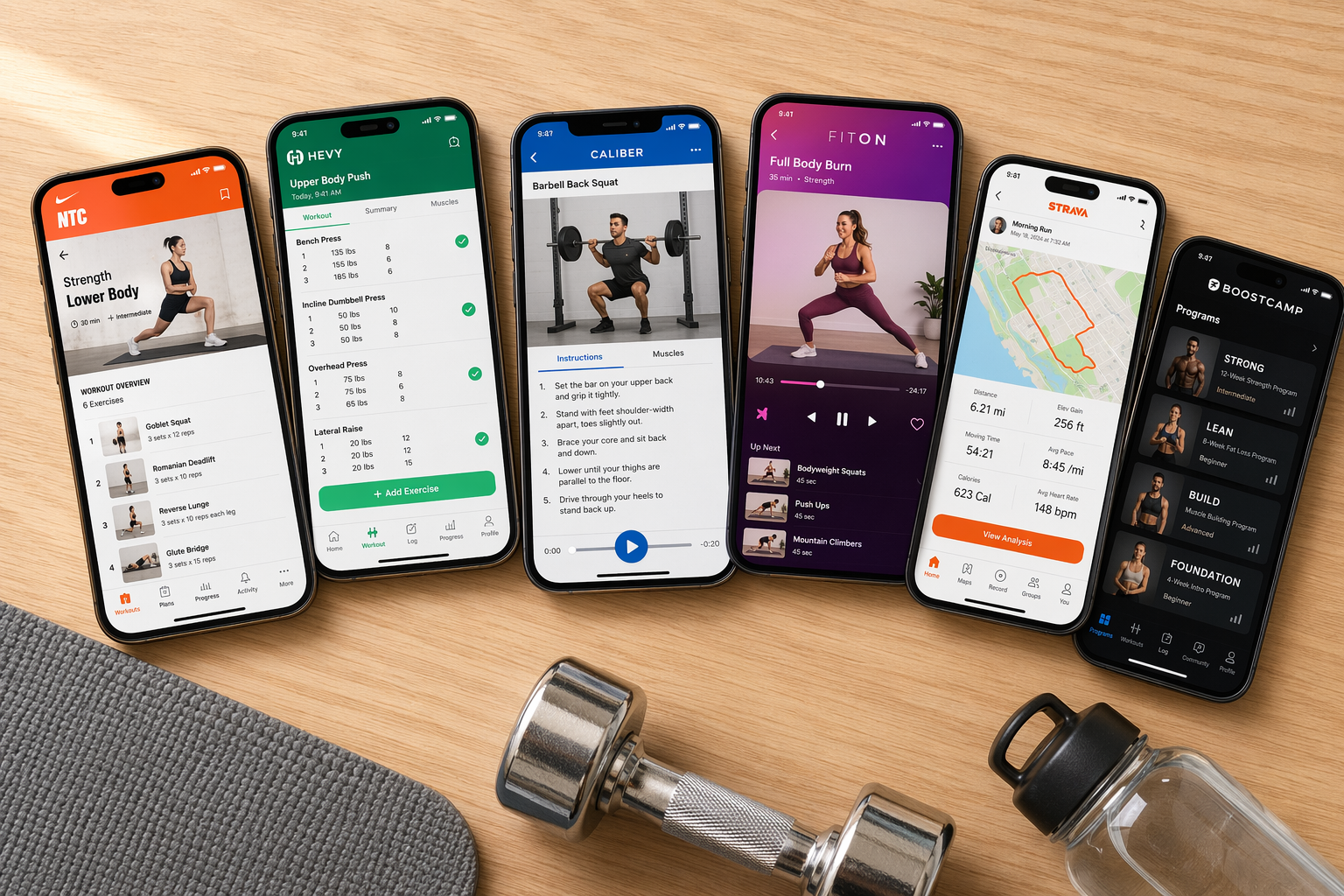
The Small-Space Challenge: Why Most Free Workout Apps Don't Work in Apartments
Open any roundup of free workout apps and you'll find the same assumption baked into every recommendation: that you have a full gym, or at least a spare room with a squat rack. The workouts assume unlimited floor space, a full set of dumbbells, a bench, maybe a cable machine. For the roughly 40% of Americans who live in apartments or condos — many with less than 200 square feet of open floor space — those recommendations are worse than useless. They're discouraging.
This guide flips the filter. Every app below was evaluated on three criteria specific to small-space living: whether it lets you filter workouts by the equipment you actually own, whether its sessions fit in a 6x6 foot area (roughly the size of a yoga mat with a foot of clearance on each side), and whether the free tier is genuinely usable — not a 7-day trial dressed up as "free."
What to Look for in a Free Workout App for Small Spaces
Before diving into the picks, it helps to know what separates a genuinely apartment-friendly app from one that just happens to have a free tier. These four criteria are the ones that matter most when your workout space is measured in feet, not meters.
- Equipment filters. The app must let you select what gear you own — bodyweight only, dumbbells, resistance bands — and show only workouts that match. Without this, you'll waste time clicking into sessions that require a barbell or cable machine you don't have.
- Short session options. In a small space, you're often working out in a living room or bedroom that needs to return to normal use. Sessions in the 10-to-30-minute range are ideal. Apps that default to 45-minute or hour-long blocks are harder to fit into an apartment routine.
- Low-noise or no-jumping modifications. Downstairs neighbors exist. Apps that offer low-impact alternatives or clearly mark "no jump" workouts are a practical necessity for apartment dwellers, not a nice-to-have.
- Genuinely free, not just a trial. Several apps in this space advertise a "free version" that locks core features behind a subscription. We've prioritized apps where the free tier is substantial enough to build a real routine around, with no countdown clock to a paywall.
If you're still deciding between bodyweight-only training and investing in a few pieces of gear, our Home Gym Equipment Decision Framework can help you map out what makes sense for your space and budget.
Top Free Workout Apps for Small Spaces and Limited Equipment
These six apps made the cut because their free tiers are genuinely useful for apartment training, and each one brings a different strength to the table. We've focused on how they handle space and equipment constraints rather than repeating general feature lists you can find elsewhere.
Nike Training Club: The Gold Standard for Equipment-Free Training
Nike Training Club (NTC) is the closest thing to a truly free, full-featured workout app on the market. As of June 2026, Garage Gym Reviews confirms it is completely free with no premium tier — over 300 workouts across 10 categories including strength, endurance, yoga, and mobility. For small-space users, the killer feature is the equipment filter. You can select "minimal equipment" or "no equipment" and the app will show only bodyweight-friendly sessions. Many of those require nothing more than a yoga mat and a few feet of floor space.
NTC also lets you schedule workouts up to seven days in advance and sends two reminders per session, which helps with consistency when your gym is also your living room. The structured programs — like "Ignite" or "Lean & Toned" — are particularly useful for apartment exercisers who want a plan to follow rather than picking random sessions.
FitOn: Short Sessions With Built-In Modifications
FitOn's free version gives you access to all workouts — cardio, strength, HIIT, pilates, yoga, barre, and pre/postnatal — without a paywall. What makes it particularly apartment-friendly is the session length. Most workouts run 10 to 30 minutes, which is ideal for squeezing a session into a tight space before your living room needs to become a living room again.
The app also shows modifications for each movement on screen, so you can adapt jumping exercises to low-impact alternatives without pausing the video. That's a practical necessity for anyone with downstairs neighbors or a creaky floor. FitOn's free tier includes live and on-demand classes, and it can display real-time heart rate data if you have an Apple Watch.
Boostcamp: 1,000+ Programs Filtered by Equipment
Boostcamp is a relative newcomer that has built a strong following among home gym users. Its free tier includes access to over 1,000 workout plans created by coaches and the community. The key feature for small-space training is the filtering system: you can sort programs by training goals, experience level, days per week, and — critically — equipment access.
Select "bodyweight only" or "dumbbells only" and Boostcamp will show you programs that match your exact setup. This is a significant advantage over apps that assume you have a full gym and simply let you skip exercises you can't do. The programs are also structured with progressive overload in mind, so you're not just doing random workouts — you're following a plan that builds over time.
Caliber: AI That Adapts to Whatever Gear You Have
Caliber's free-forever version includes over 500 exercises with video demonstrations, step-by-step instructions, and a custom AI program builder. The AI asks what equipment you have — from bodyweight only to a full gym — and builds a program around that specific set. For apartment dwellers with a pair of dumbbells and a resistance band, that means you get a program designed for exactly those tools, not a generic template.
The app also tracks progress over time, which is important for anyone doing strength work in a small space. Without the visual cues of a gym environment, it's easy to lose track of whether you're actually getting stronger. Caliber's logging and progress graphs make that visible. For a deeper look at how AI-driven programming works for home training, see our AI Strength Training Apps in 2026 guide.
SmartWOD: Random Workouts Tailored to Your Gear
SmartWOD is a CrossFit-style workout generator, but don't let that label scare you off. The free version lets you select exactly what equipment you have — including "none" — and generates random workouts that use only those tools. You can also filter out specific skills or movements you don't want to do.
For apartment exercisers, this is useful in two ways. First, it eliminates the mental load of programming — you open the app, tell it what you have, and get a workout. Second, because the workouts are randomly generated, you get variety without having to plan it. The trade-off is that SmartWOD doesn't offer structured programs or progression schemes; it's best as a complement to a more structured app like NTC or Caliber.
AllTrails: The Outdoor Alternative for Small-Space Exercisers
Not every workout needs to happen inside your apartment. AllTrails might not be a traditional workout app, but its free version — which includes access to over 400,000 trails worldwide, GPS navigation, and route tracking — is a legitimate training tool for anyone who lives near a park, greenway, or hiking trail.
Walking, hiking, and trail running are zero-equipment activities that require no floor space and produce no noise. For apartment dwellers who want to supplement their indoor bodyweight work with outdoor cardio, AllTrails is the best free option. If you're considering a walking pad or compact treadmill for rainy days, our Best Treadmill for Small Spaces guide covers the options that fit in tight quarters.
Equipment-Need Comparison: Which Apps Work With What You Have
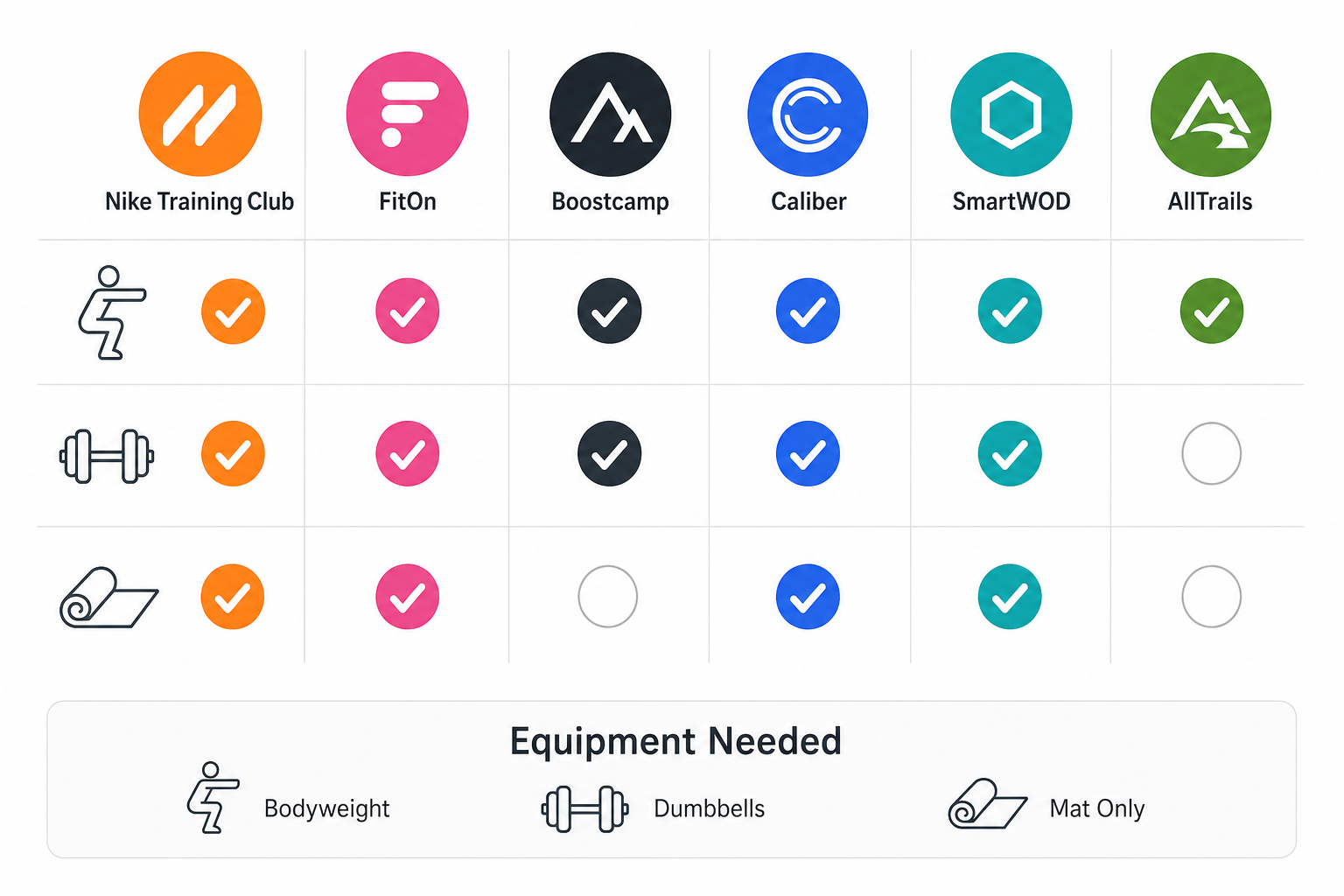
The table below shows what each app requires in terms of equipment, noise level, and floor space. Use it to match an app to your exact setup in about 10 seconds.
| App | Bodyweight Only | Dumbbells | Resistance Bands | Yoga Mat | Noise Level | Min. Floor Space |
|---|---|---|---|---|---|---|
| Nike Training Club | Yes | Optional | Optional | Recommended | Low (filterable) | Yoga mat area |
| FitOn | Yes | Optional | Optional | Recommended | Low (modifications shown) | Yoga mat area |
| Boostcamp | Yes | Yes | Yes | Optional | Varies by program | Yoga mat area |
| Caliber | Yes | Yes | Yes | Optional | Varies by program | Yoga mat area |
| SmartWOD | Yes | Yes | Yes | Optional | Varies by workout | Yoga mat area |
| AllTrails | Yes (outdoor) | No | No | No | N/A (outdoor) | N/A (outdoor) |
If you're considering adding a few pieces of gear to expand your options, our Best Space-Saving Home Gym Equipment guide covers compact, foldable, and wall-mounted solutions that won't eat into your living space.
Sample 4-Week Small-Space Routine Using Only Free Apps
Knowing which apps are good is one thing. Actually using them consistently is another. Below is a sample weekly schedule that combines sessions from different free apps, designed for someone with a yoga mat, a pair of dumbbells, and about 6x6 feet of floor space.
| Day | App | Workout Type | Duration | Equipment |
|---|---|---|---|---|
| Monday | Nike Training Club | Bodyweight HIIT | 20 min | None (mat optional) |
| Tuesday | FitOn | Yoga or Mobility | 15 min | Mat |
| Wednesday | Caliber | Dumbbell Full-Body | 30 min | Dumbbells, mat |
| Thursday | Active Recovery | Walk or Hike (AllTrails) | 30-45 min | None |
| Friday | Boostcamp | Bodyweight Strength | 25 min | None (mat optional) |
| Saturday | SmartWOD | Random Equipment-Filtered WOD | 15-20 min | Your choice |
| Sunday | Rest | — | — | — |
This schedule balances strength, cardio, and mobility while keeping every session short enough to fit into a small-space routine. The Thursday active recovery walk is a deliberate choice — it gets you out of your apartment and provides low-impact cardio that doesn't require any floor space.
How to Get a Full-Body Workout With Just 2 Dumbbells and a Mat
Two dumbbells and a yoga mat is the most common small-space equipment setup, and it's enough to build a complete full-body workout. The key is choosing exercises that work multiple muscle groups at once, since you don't have the space or equipment for isolation movements.
Both Caliber and Boostcamp excel at programming for this exact setup. Here's a sample full-body session you can build in either app:
- Goblet squats (3 sets of 10-12 reps) — Works quads, glutes, and core. Hold one dumbbell vertically against your chest.
- Bent-over rows (3 sets of 10-12 reps per arm) — Targets back and biceps. Use one dumbbell at a time, supporting yourself with the other hand on a chair or low table.
- Floor press (3 sets of 10-12 reps) — A small-space alternative to bench press. Lie on your mat and press both dumbbells from your chest.
- Reverse lunges (3 sets of 10 reps per leg) — Easier on the knees than forward lunges and requires less forward space.
- Plank with dumbbell drag (3 sets of 8-10 reps per arm) — Combines core stability with a pulling movement. Start in a plank position and drag one dumbbell across the floor from one hand to the other.
This workout takes about 25 minutes and requires roughly 6x4 feet of floor space. If you're new to strength training, start with lighter dumbbells and focus on form. For a more detailed breakdown of what to buy for your first small-space setup, see our First-Time Home Gym Buyer's Decision Framework.
Frequently Asked Questions for Apartment Exercisers
Here are answers to the most common concerns we hear from readers who work out in small spaces.
How do I avoid disturbing my downstairs neighbors?
Use a thick exercise mat (at least half an inch) to absorb impact. Choose low-impact modifications for jumping exercises — most apps like FitOn and NTC show these on screen. Avoid heavy deadlifts or dropping weights. If your building has noise restrictions, stick to bodyweight and yoga sessions during quiet hours.
Do I need to protect my floors?
Yes. A yoga mat protects both your floors and your joints. For dumbbell work, consider interlocking foam tiles or a dedicated gym mat that covers a larger area. These also reduce noise transmission to the unit below. Avoid using heavy dumbbells directly on hardwood or laminate without protection.
Can I really get a good workout in a 6x6 foot space?
Absolutely. Bodyweight exercises, dumbbell work, yoga, and HIIT can all be done effectively in that footprint. The key is choosing exercises that don't require lateral movement — think squats, lunges, presses, rows, and planks rather than broad jumps or lateral shuffles. All of the apps recommended above include workouts designed for this exact constraint.
How do I stay consistent when my gym is also my living room?
Create a dedicated workout corner — even if it's just a mat that stays rolled out. Use the scheduling features in apps like NTC to set reminders. Keep your equipment visible rather than stored away. The friction of setting up and breaking down your workout space is the biggest barrier to consistency in a small apartment. Reducing that friction by even 30 seconds can make a meaningful difference in adherence.
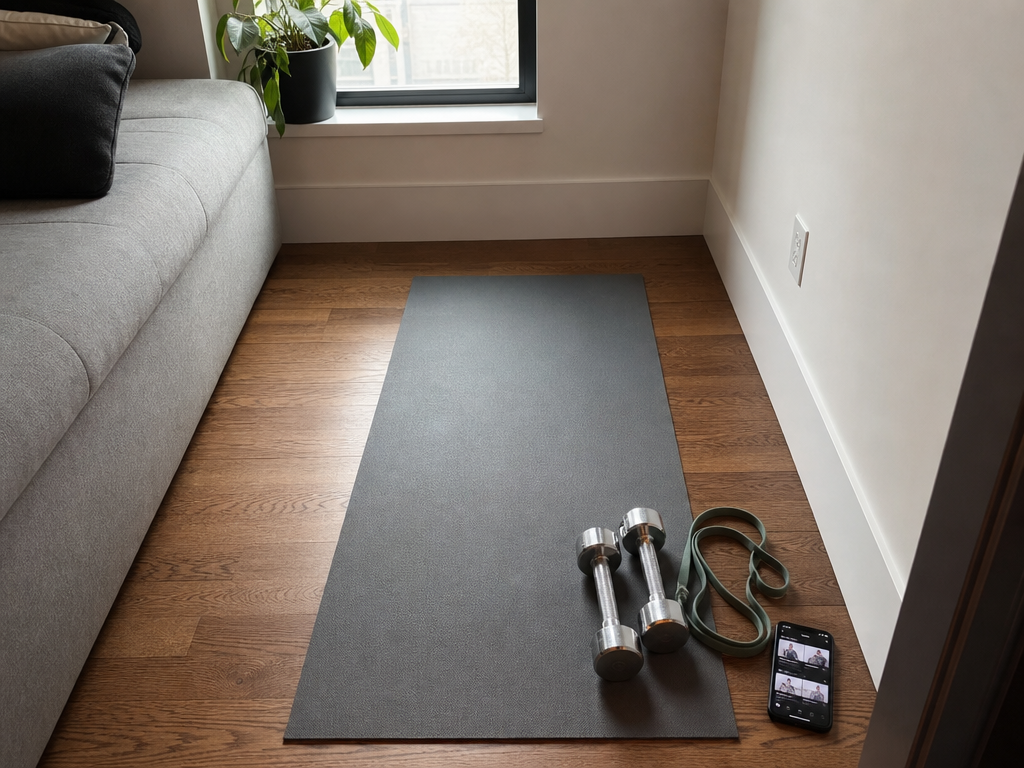
This result comes from one real apartment under the stated conditions — it is a strong signal, not a guarantee your space will measure identically.
Builds this evidence supports
Cable Machine Alternatives That Save Space and Money
Compare the best cable machine alternatives for home gyms – from resistance bands and pulley systems to suspension trainers and compact digital units – and find the right option for your space and budget.
How to Choose a Compact Home Gym That Works for Your Space, Budget, and Noise Tolerance
This article provides a structured decision framework for apartment dwellers and small-space residents to match their specific floor footprint, noise sensitivity, and budget to the most suitable compact home gym strategy — whether that's an all-in-one machine, modular build, smart digital system, or band/bodyweight setup.
The Garage Gym Reality Check: What Equipment Actually Fits in a Single-Car Garage
Most garage gym guides assume a two-car space. This article uses real dimensions, real equipment footprints, and three layout templates to show what fits—and what doesn't—in a single-car garage (10x20 to 12x20 ft).
Spot something off?
If this result didn't match your own space, let us know — floor-damage and noise claims carry real deposit-risk consequences if we get them wrong.